CompanyData.com, BoldData vs Findymail: 2026 Comparison
CompanyData.com, BoldData, and Findymail solve three different data problems. Here's an honest breakdown of freshness, pricing, and accuracy—plus the pick that fits most outbound teams.
Comparing CompanyData.com, BoldData vs Findymail feels like a three-way race. It isn't. You're really choosing between two ways to get B2B data: buy a static list in bulk, or find and verify contacts on demand. Get that choice wrong and you'll pay for records that go stale before your first email.
This guide is for outbound and RevOps teams. The goal is simple: match the tool to your motion, not to the flashiest homepage.
TL;DR — Which one should you pick?#
- CompanyData.com and BoldData are bulk B2B database sellers. You buy company and contact records by country, industry, or size and export a file. Best for one-time list buys and offline or direct-mail campaigns.
- Findymail is an on-demand email finder built for cold email. It finds and verifies work emails as you prospect, with LinkedIn and CRM workflows.
- If your problem is "I have a list of companies and need verified emails now," an email-finder API beats a static list every time. Freshness wins.
- Static lists start to decay the day they're exported. Roughly 2–3% of B2B contacts churn each month, so a six-month-old file can be 20%+ stale.
- Our pick for most modern outbound teams: a real-time email finder with built-in verification, so you never pay for dead records.
What problem does each tool actually solve?#
The biggest mistake buyers make is treating these three as the same. They aren't.
- CompanyData.com — A bulk data marketplace. You filter a global company database, buy a segment, and download it. Think of it as buying a pre-printed phone book for one region and industry.
- BoldData — A custom B2B list provider with strong international coverage, especially in Europe and hard-to-reach markets. You often work with their team to spec a targeted list, then receive a file. It's the "made-to-order phone book" version.
- Findymail — A self-serve email finder. You paste a domain, name, or LinkedIn URL and it returns a verified email in real time. This is a locksmith who cuts you a fresh key on the spot, not a book of numbers that may be disconnected.
Here's the analogy that sticks. Buying a static list is like buying bottled water by the pallet: handy, but it sits on the shelf and expires. An email finder is like a tap. You draw exactly what you need, fresh, when you need it.

CompanyData.com, BoldData vs Findymail: how do they compare?#
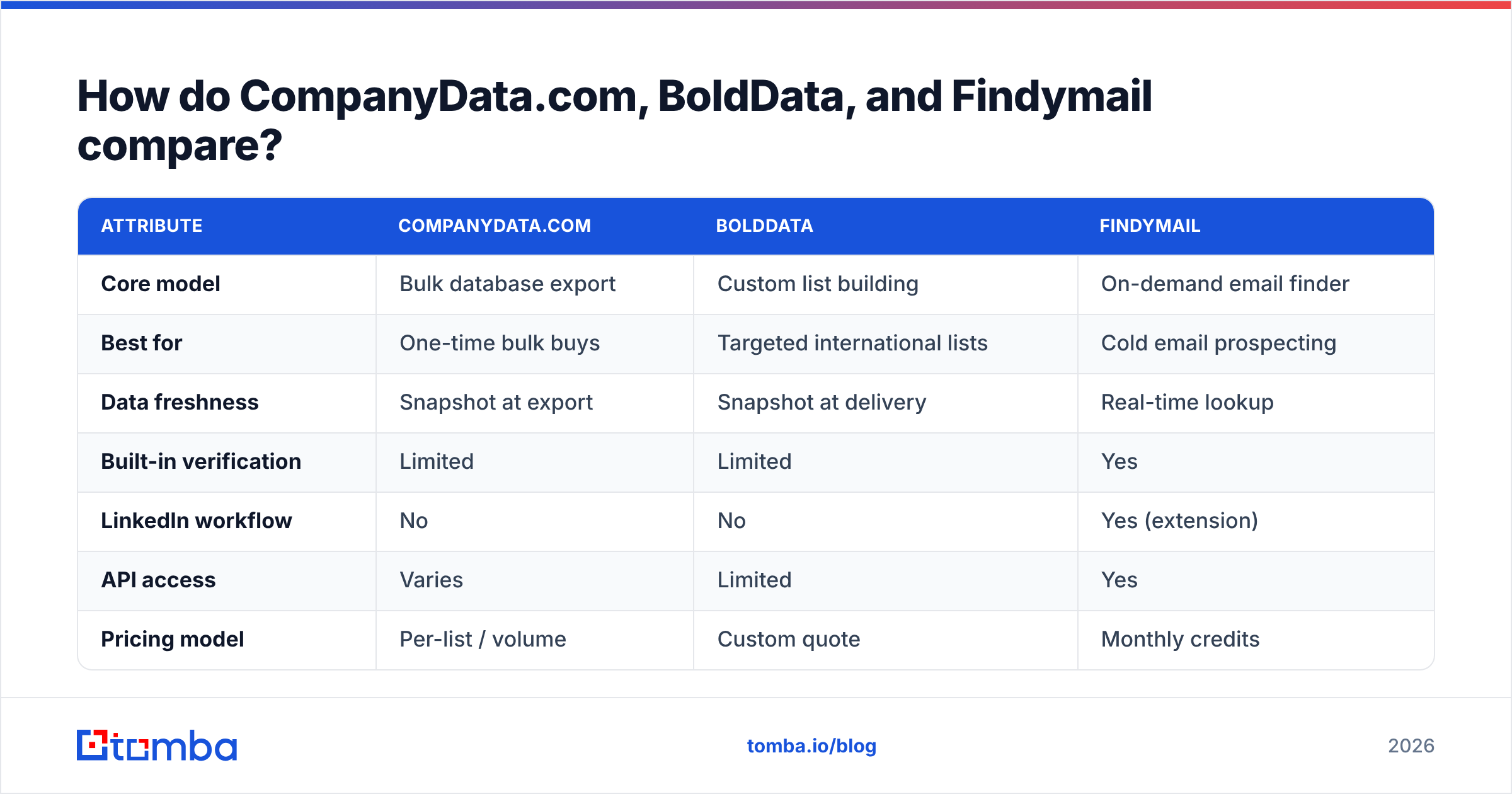
| Attribute | CompanyData.com | BoldData | Findymail |
|---|---|---|---|
| Core model | Bulk database export | Custom list building | On-demand email finder |
| Best for | One-time bulk buys | Targeted international lists | Cold email prospecting |
| Data freshness | Snapshot at export | Snapshot at delivery | Real-time lookup |
| Built-in verification | Limited | Limited | Yes |
| LinkedIn workflow | No | No | Yes (extension) |
| API access | Varies | Limited | Yes |
| Pricing model | Per-list / volume | Custom quote | Monthly credits |
| Free tier | No | No | Trial only |
The pattern is clear. The two database vendors give you scale in a single file. Findymail gives you freshness and workflow. Neither is "wrong"—they just answer different questions.
Is a static B2B list still worth buying in 2026?#
Sometimes, but the use case is narrow. A pre-built list from CompanyData.com or BoldData makes sense when you need firmographic coverage more than pinpoint contact accuracy. Think market sizing, territory planning, offline direct mail, or seeding a data warehouse you'll enrich later.
Where static lists fall down is cold email. Deliverability lives and dies on list quality. If even 15% of a purchased list is invalid, your bounce rate spikes, mailbox providers throttle you, and your sender reputation takes weeks to repair. That's why serious cold-email teams run every address through an email verifier before sending, no matter where the list came from.
BoldData deserves credit here. Its international and niche-market coverage is genuinely strong, and for regulated European segments it's a respected option. But "strong coverage" and "safe to blast tomorrow" are not the same thing. Any exported file is a snapshot, and snapshots age.
How accurate is each tool, really?#
Accuracy is where on-demand finders pull ahead. Findymail verifies at the moment of lookup, so you get a live signal instead of a record that was true whenever the vendor last refreshed it. Bulk providers can and do refresh, but you're still buying the state of the database on export day.

When you test any of these tools, use the same method:
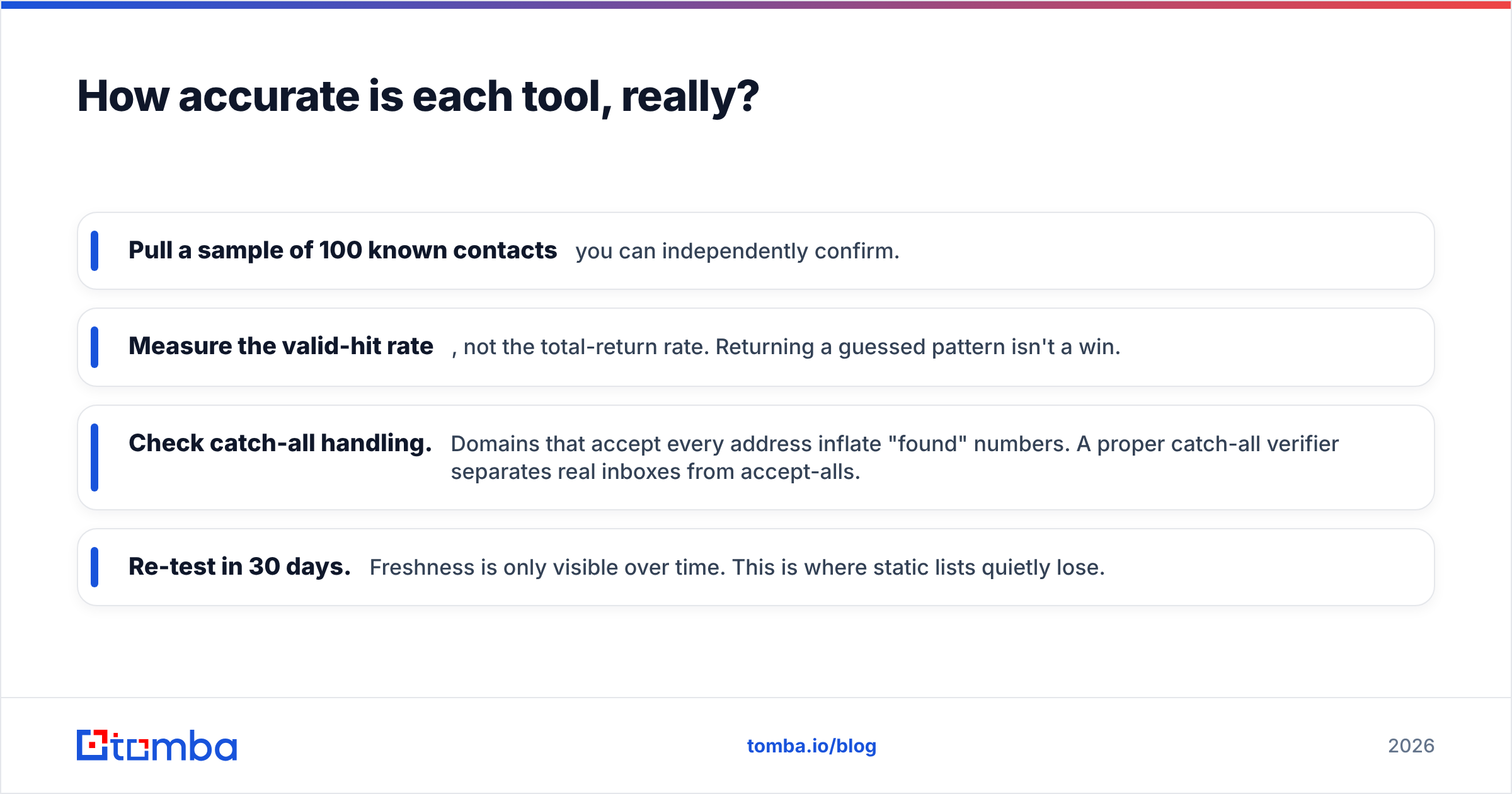
- Pull a sample of 100 known contacts you can confirm on your own.
- Measure the valid-hit rate, not the total-return rate. A guessed pattern isn't a win.
- Check catch-all handling. Domains that accept every address inflate "found" numbers. A proper catch-all verifier separates real inboxes from accept-alls.
- Re-test in 30 days. Freshness only shows over time. This is where static lists quietly lose.
Run that test and the gap between a snapshot and a live lookup shows up fast in the bounce column of your ESP.
What about pricing and total cost?#
Headline price is the trap. What matters is cost per usable, deliverable contact.
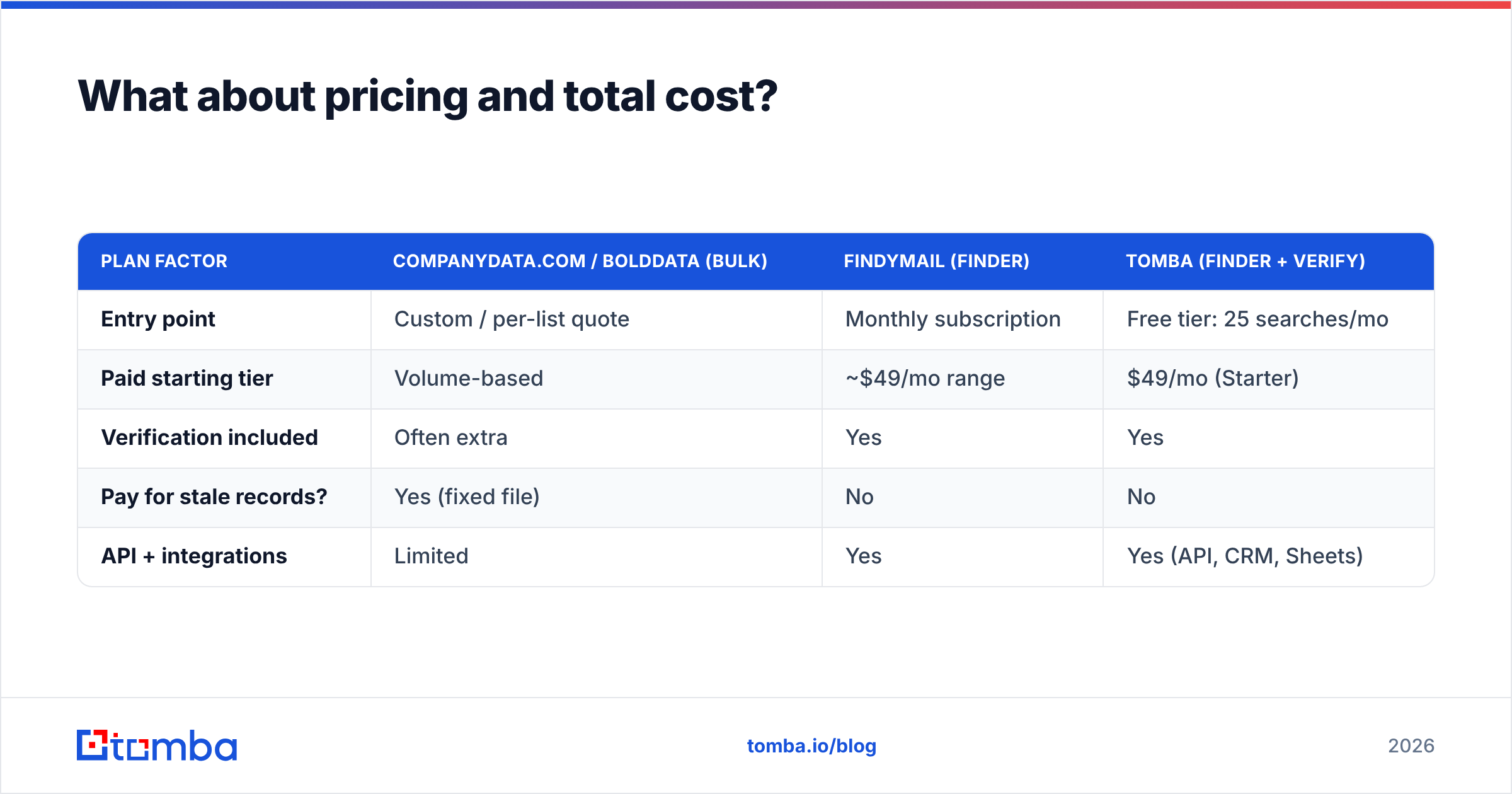
| Plan factor | CompanyData.com / BoldData (bulk) | Findymail (finder) | Tomba (finder + verify) |
|---|---|---|---|
| Entry point | Custom / per-list quote | Monthly subscription | Free tier: 25 searches/mo |
| Paid starting tier | Volume-based | ~$49/mo range | $49/mo (Starter) |
| Verification included | Often extra | Yes | Yes |
| Pay for stale records? | Yes (fixed file) | No | No |
| API + integrations | Limited | Yes | Yes (API, CRM, Sheets) |
With a bulk list, you pay once for a fixed file and eat the decay. With a credit-based finder, you pay only for the lookups you run. If a contact can't be verified, you don't burn budget on a bounce. For most teams doing steady outbound, the finder model is cheaper over a quarter even when the sticker price looks the same. You can compare tiers on the Tomba pricing page.
One honest caveat. If you truly need 50,000 records for a single mailing and won't touch them again, a one-time bulk buy can be simpler than metering credits. Match the model to the motion.

Which tool fits your workflow?#
Workflow is the deciding factor once accuracy and price are close.
- You buy lists a few times a year for planning or offline use → CompanyData.com or BoldData. Export, done.
- You need hard-to-source European or niche-vertical companies → BoldData's custom list team is a strong fit.
- You prospect all the time and live in LinkedIn + a CRM → an email finder. You want a browser extension, a bulk email finder for list-building days, and an API for automation.
Findymail is well-built for the third group, and it's a genuinely good cold-email companion. If you're weighing it, look at a Findymail alternative too. The right one adds a free tier, native data enrichment, phone data, and a deeper integration list, because prospecting rarely stops at the email address.
Where does Tomba fit in this comparison?#
Tomba sits in the same category as Findymail—an on-demand finder—but bundles the pieces bulk vendors sell separately. In one platform you get the email finder, an email verifier, domain search, catch-all detection, phone lookup, and enrichment, plus an email finder API and native connectors for Salesforce, HubSpot, Sheets, and Zapier.
Three practical wins for outbound teams:
- Real free tier. 25 searches per month, no trial clock. Handy for testing accuracy before you commit.
- Verify-as-you-find. Every result is checked, so your export is already deliverable.
- One stack, not three. Find, verify, enrich, and push to CRM without stitching vendors together.
None of this makes BoldData's coverage or CompanyData.com's bulk convenience irrelevant. It makes them the right tool for a different job.
Frequently asked questions#
Is Findymail better than buying a list from CompanyData.com or BoldData? For cold email, yes. Real-time verification keeps bounce rates low. For bulk market coverage or offline campaigns, a database provider can be the better buy.
Are purchased B2B lists GDPR-compliant? It depends on the vendor's sourcing and your lawful basis for contact. Reputable providers document their sourcing. Always verify compliance for your region before outreach, and check each vendor's terms.
How do I stop buying stale data? Shift from "buy a file" to "look up on demand," and verify every address at send time. Freshness is a workflow choice, not a vendor feature.
Can I combine both approaches? Yes. A common pattern: buy firmographic coverage in bulk, then re-verify and enrich contacts with a finder before any campaign.
The bottom line#
When you line up CompanyData.com, BoldData vs Findymail, the real question isn't which brand wins. It's static versus live. CompanyData.com and BoldData are solid bulk B2B data providers, and BoldData in particular is respected for international and niche lists. Findymail is a capable on-demand finder for cold email. For teams sending outbound every week, live wins on accuracy, deliverability, and true cost per contact.
If that's you, start with a finder that verifies as it works. Try the Tomba Email Finder free—25 searches a month, no card—and run the 100-contact accuracy test against your current list. Let the bounce rate settle the argument. For a broader view, cross-check ratings on G2 and Findymail's own product site before you commit.
Related guides#
Ready to find emails that actually work?
Join 150,000+ professionals who stopped guessing and started sending. Free credits on signup — no credit card required.
Get the Tomba newsletter
Practical outbound tactics and product updates — once every two weeks.
About the author