CompanyData.com BoldData vs LeadRocks: 2026 Comparison
CompanyData.com, BoldData, and LeadRocks all sell B2B data — but they solve very different problems. Here's an honest, side-by-side breakdown of coverage, accuracy, pricing, and who each one actually fits.
Choosing between CompanyData.com BoldData vs LeadRocks feels harder than it should. All three market themselves as "B2B data." Yet they are built for three different buyers. One sells raw firmographic databases. One sells hand-built targeted lists. One sells cheap LinkedIn-sourced contacts. Pick wrong and you overpay for data you can't use — or underpay for a list you can't trust.
This is a neutral, side-by-side look at each tool. We cover what it does, how accurate the data is, what it costs, and where a dedicated email-finding layer fits in.
TL;DR#
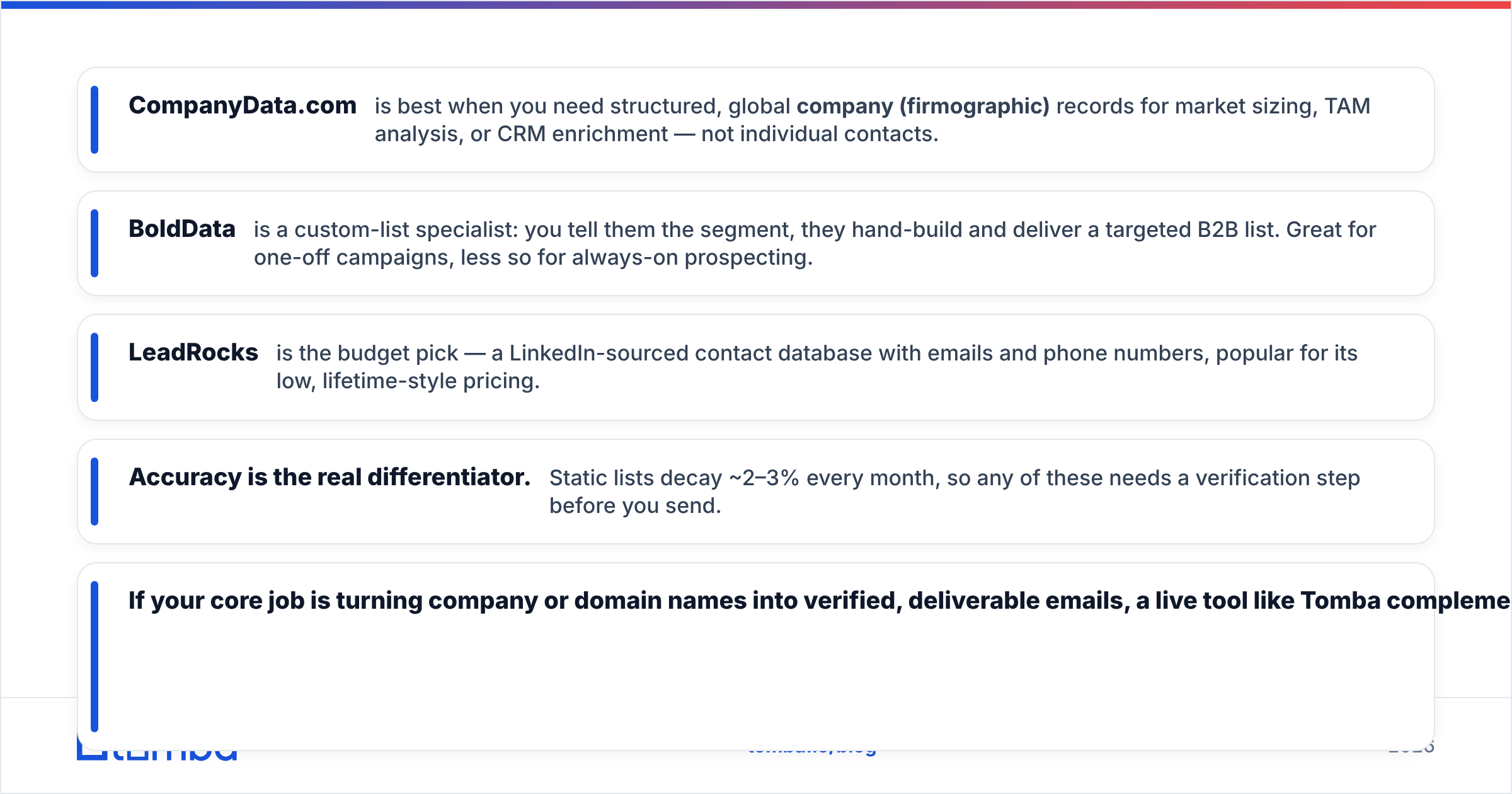
- CompanyData.com is best when you need structured, global company (firmographic) records. Use it for market sizing, TAM analysis, or CRM enrichment — not individual contacts.
- BoldData is a custom-list specialist. You name the segment, and they hand-build and deliver a targeted B2B list. It's great for one-off campaigns, less so for always-on prospecting.
- LeadRocks is the budget pick. It's a LinkedIn-sourced contact database with emails and phone numbers, and it's popular for low, lifetime-style pricing.
- Accuracy is the real differentiator. Static lists decay 2–3% every month. So any of these needs a verification step before you send.
- If your core job is turning company or domain names into verified, deliverable emails, a live tool like Tomba complements — or replaces — a static list.
What are CompanyData.com, BoldData, and LeadRocks?#
They sound interchangeable. They aren't.
- CompanyData.com — A firmographic company database. Think structured records: legal name, industry codes, employee count, revenue bands, location, and hierarchy. It answers "which companies match my ICP?" — not "who do I email there?"
- BoldData — A Netherlands-based custom data vendor with a huge global company universe (marketed in the hundreds of millions of records). You brief a segment, and their team builds and delivers a targeted file. It's a service as much as a product.
- LeadRocks — A B2B contact database sourced mainly from LinkedIn. It surfaces person-level emails, job titles, and phone numbers. The pitch is volume at a low price, often via lifetime deals.
The mental model: CompanyData.com and BoldData sell you the accounts. LeadRocks sells you the people. Very few teams need only one.
CompanyData.com BoldData vs LeadRocks: How Do They Compare?#
Here's the head-to-head on the attributes that decide most purchases.
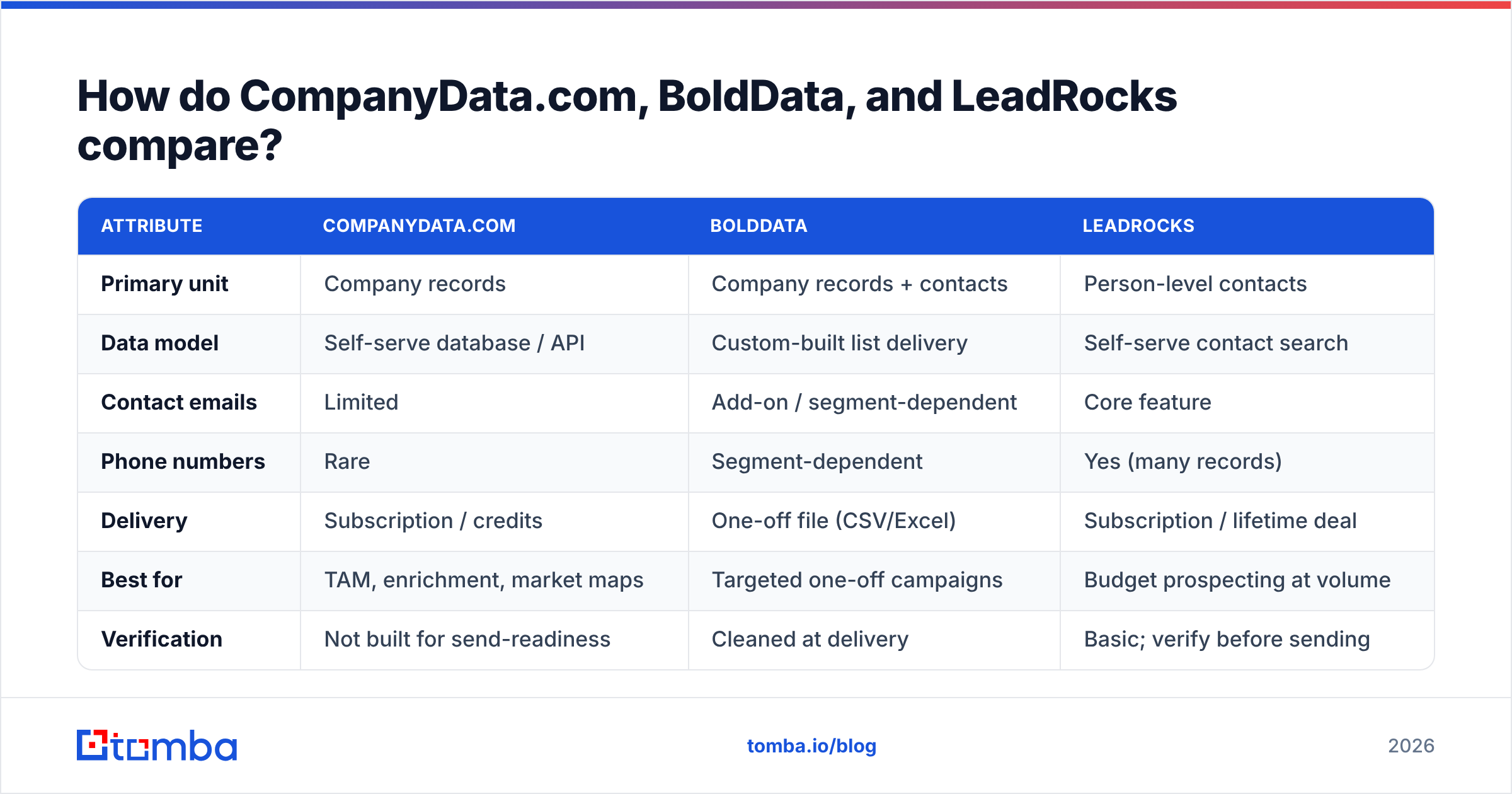
| Attribute | CompanyData.com | BoldData | LeadRocks |
|---|---|---|---|
| Primary unit | Company records | Company records + contacts | Person-level contacts |
| Data model | Self-serve database / API | Custom-built list delivery | Self-serve contact search |
| Contact emails | Limited | Add-on / segment-dependent | Core feature |
| Phone numbers | Rare | Segment-dependent | Yes (many records) |
| Delivery | Subscription / credits | One-off file (CSV/Excel) | Subscription / lifetime deal |
| Best for | TAM, enrichment, market maps | Targeted one-off campaigns | Budget prospecting at volume |
| Verification | Not built for send-readiness | Cleaned at delivery | Basic; verify before sending |
Two takeaways. First, only LeadRocks is built around individual contact emails out of the box. Second, none of the three is a live "type a domain, get a verified email" tool. They're databases, so freshness depends on when each record was last touched.

What is each tool actually best at?#
CompanyData.com shines at account-level intelligence. Building a total addressable market model? Cleaning firmographics in your CRM? Feeding a lead-scoring engine? Structured company data is exactly what you want. It's less useful the moment you need a named decision-maker's inbox.
BoldData shines at precision and edge segments. Say you need every logistics company in three specific EU countries with 50–200 employees. Their custom-build model can target niches that self-serve tools miss. You get a clean file without paying for a full-platform subscription. The trade-off: it's a snapshot. The file starts decaying the day it lands, and re-ordering is a new project.
LeadRocks shines at cost per contact. For founders and small teams who want a big pile of B2B contacts cheaply, it's hard to beat on price. The trade-off is the usual one for aggregated LinkedIn data: variable accuracy and catch-all-heavy domains. That makes an email verifier step non-negotiable before you launch a cold campaign.
Want the deeper mechanics of how contact databases are built and refreshed? See how data sources affect accuracy. It's the single biggest predictor of whether a list performs.
How accurate is the data?#
Accuracy is where all three live or die. It's also the least-discussed number on any pricing page.
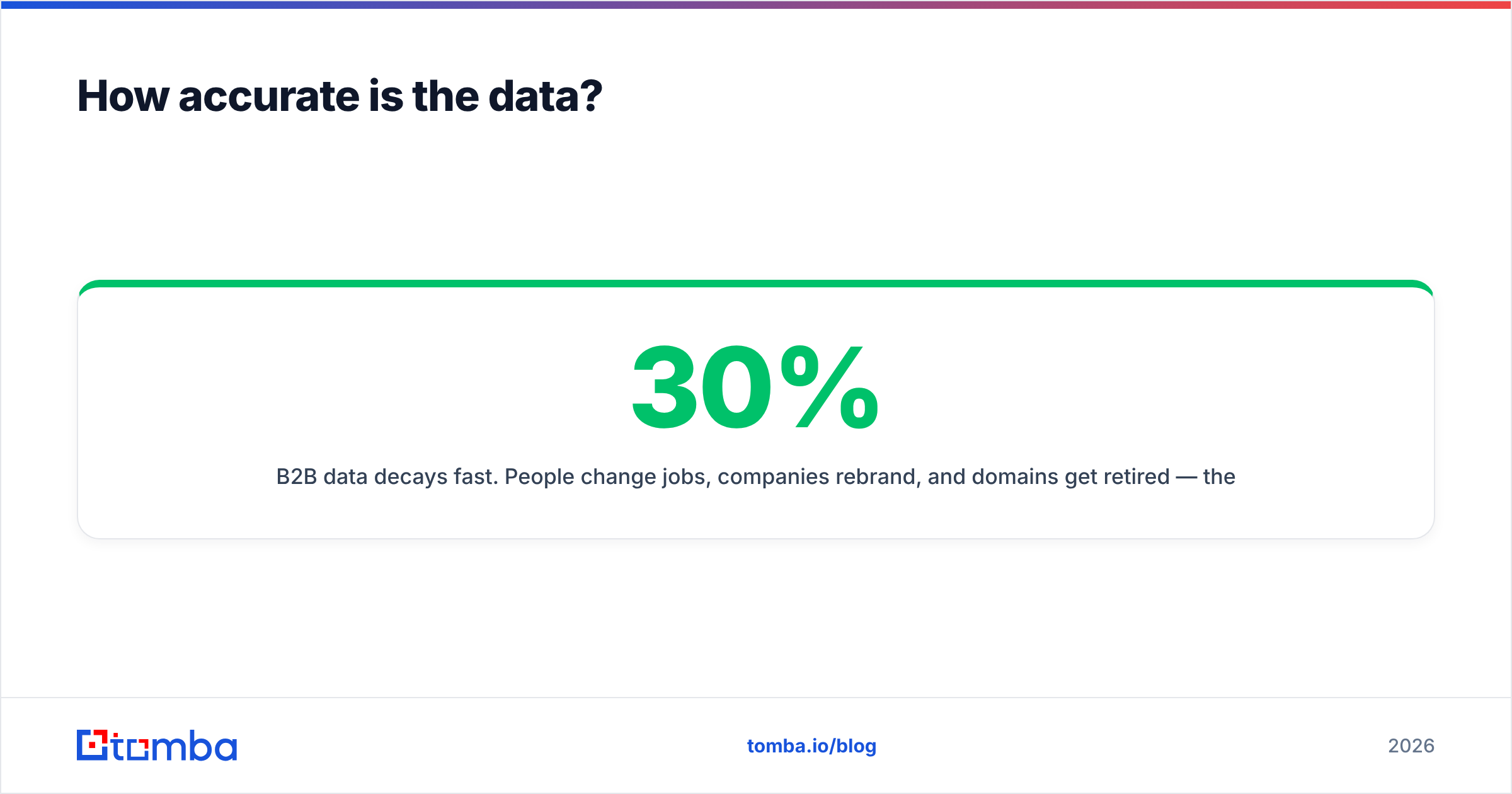
B2B data decays fast. People change jobs. Companies rebrand. Domains get retired. The widely cited figure: contact databases lose roughly 25–30% of their accuracy per year, or about 2–3% a month. So a list that was 95% accurate at delivery can slip below 80% within a couple of quarters. According to Gartner and other analysts, poor data quality is one of the most expensive silent costs in go-to-market.
What this means per tool:
- CompanyData.com: Company-level fields (industry, size, HQ) are fairly stable. So firmographic accuracy holds up well. Person-level freshness isn't its job.
- BoldData: Cleaned at the point of delivery, which is a real strength. But it's a one-time clean. A file bought in January is still a January file in June.
- LeadRocks: Big and aggregated, which is great for coverage. It also means you'll hit stale rows and catch-all domains. Treat every email as "verify before send."
The fix is the same for every vendor. Run the list through verification. For ambiguous domains, use a catch-all verifier before your first send. It's cheaper than burning your sending domain's reputation on bounces.
What about pricing?#
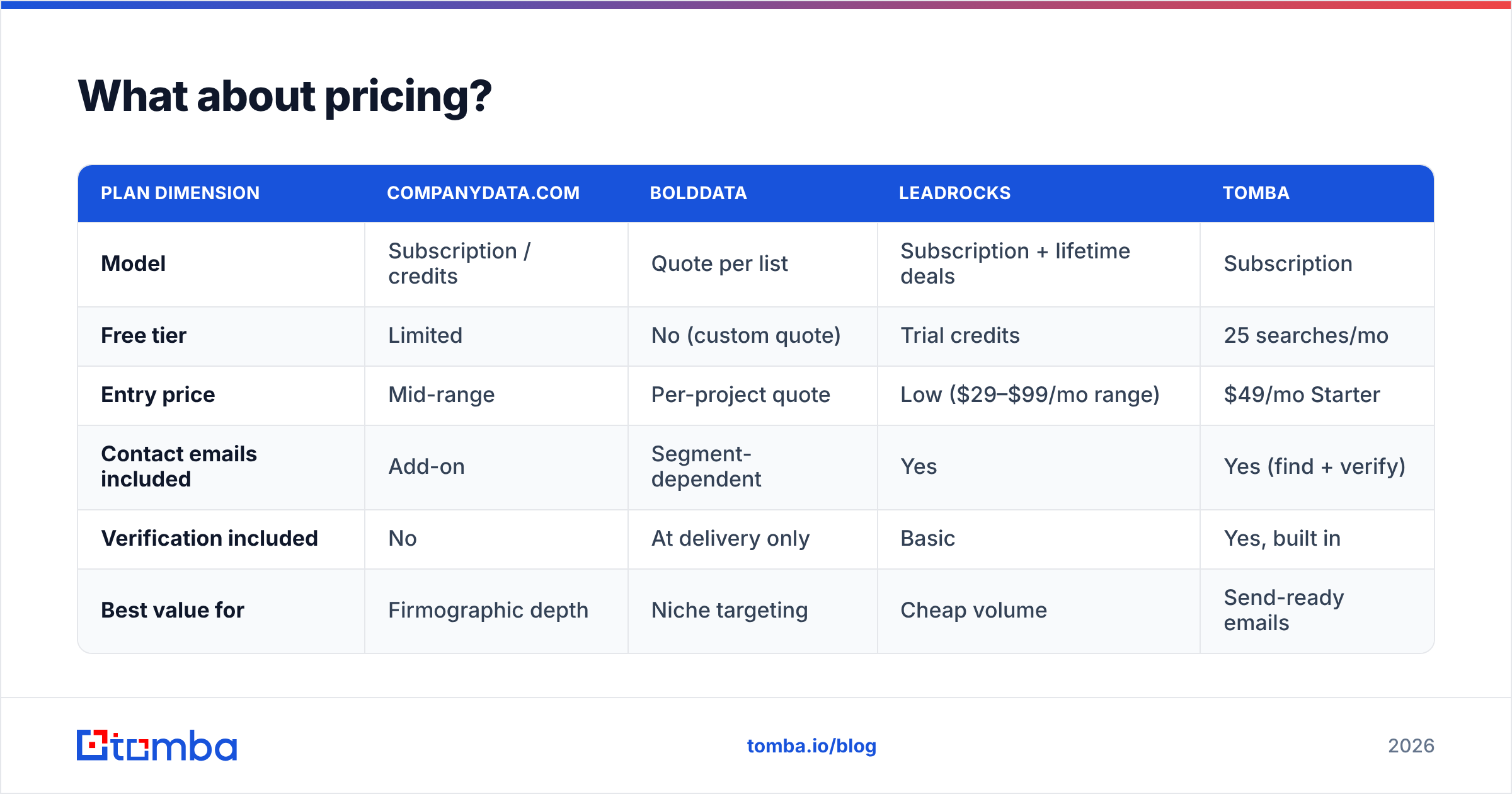
Pricing philosophies differ as much as the products. Treat the figures below as directional. Always confirm current numbers on each vendor's site, since data pricing changes and often depends on volume.
| Plan dimension | CompanyData.com | BoldData | LeadRocks | Tomba |
|---|---|---|---|---|
| Model | Subscription / credits | Quote per list | Subscription + lifetime deals | Subscription |
| Free tier | Limited | No (custom quote) | Trial credits | 25 searches/mo |
| Entry price | Mid-range | Per-project quote | Low ($29–$99/mo range) | $49/mo Starter |
| Contact emails included | Add-on | Segment-dependent | Yes | Yes (find + verify) |
| Verification included | No | At delivery only | Basic | Yes, built in |
| Best value for | Firmographic depth | Niche targeting | Cheap volume | Send-ready emails |
A few honest notes:
- LeadRocks is the low-cost leader, especially if you catch a lifetime deal. Just budget for a separate verification pass.
- BoldData's quote model can be cost-effective for one sharp campaign. It gets expensive if you need continuous refreshes.
- CompanyData.com prices around firmographic depth. That's fair if account data is your main need.
- For reference, Tomba pricing starts with a free tier of 25 searches. Then it's $49/mo Starter, $99/mo Growth, and $249/mo Pro — with finding and verification in one place, not two line items.
You can sanity-check any of these against real buyer reviews on G2 before you commit.

Which should you choose?#
Match the tool to the job, not the marketing:
- Choose CompanyData.com if you're a RevOps or marketing-ops team that needs clean, structured company data for TAM, segmentation, or CRM enrichment — and you'll source contacts elsewhere.
- Choose BoldData if you have a specific, niche segment and want a done-for-you file without a platform subscription. It's ideal for one-off, high-precision campaigns.
- Choose LeadRocks if you're price-sensitive and want person-level emails and phones at volume — and you're willing to verify before sending.
None of these is wrong. They're just aimed at different stages of the funnel. The failure mode is simple: buying a firmographic database and expecting deliverable inboxes, or buying a cheap contact list and skipping verification.
Where does Tomba fit in?#
Tomba isn't a static list. It's the live layer that turns a company or a name into a verified, deliverable email on demand. That's the piece a database can't be. The moment a list is exported, it stops updating.
In practice, teams pair the two:
- Use CompanyData.com or BoldData to build the account list (the "who to target").
- Use LeadRocks or domain search to surface contacts at those accounts.
- Use Tomba's email finder and verifier to confirm the addresses are real before you send — and to fill gaps the static lists missed.
For bigger operations, bulk email finder and the Tomba API let you enrich thousands of rows at once. So the "verify before send" step scales instead of becoming a manual chore.
The honest verdict#
There's no single winner, because these three don't fully overlap. CompanyData.com wins on firmographic structure. BoldData wins on custom niche targeting. LeadRocks wins on price. What they share is the weakness of every static database: the data ages the second you download it.
So whichever you pick, add a live find-and-verify step. Start free with the Tomba Email Finder — 25 searches a month, no card. See how many of your list's addresses are actually deliverable before you spend a cent on the next campaign. Clean data beats big data every time.
Related guides#
Ready to find emails that actually work?
Join 150,000+ professionals who stopped guessing and started sending. Free credits on signup — no credit card required.
Get the Tomba newsletter
Practical outbound tactics and product updates — once every two weeks.
About the author