CompanyData.com, BoldData vs LimeLeads: 2026 Comparison
CompanyData.com, BoldData, and LimeLeads all sell B2B lists—but they fit very different workflows. Here's an honest look at coverage, pricing, and accuracy so you pick the right one.
Buying a B2B contact list feels simple. Then the first bounce report lands. That's when the hard truth hits. "5 million records" and "5 million records you can email today" are not the same product.
Maybe you're weighing CompanyData.com, BoldData vs LimeLeads (the companydatacom bolddata vs limeleads search that brought you here). If so, you're choosing between three very different ideas. Bulk custom exports. Global company files. Self-serve, credit-based lists.
This guide breaks down what each tool does well. It also shows where each one falls short. And it explains how a real-time, verify-first approach fits in.
TL;DR — Which B2B data provider should you pick?#
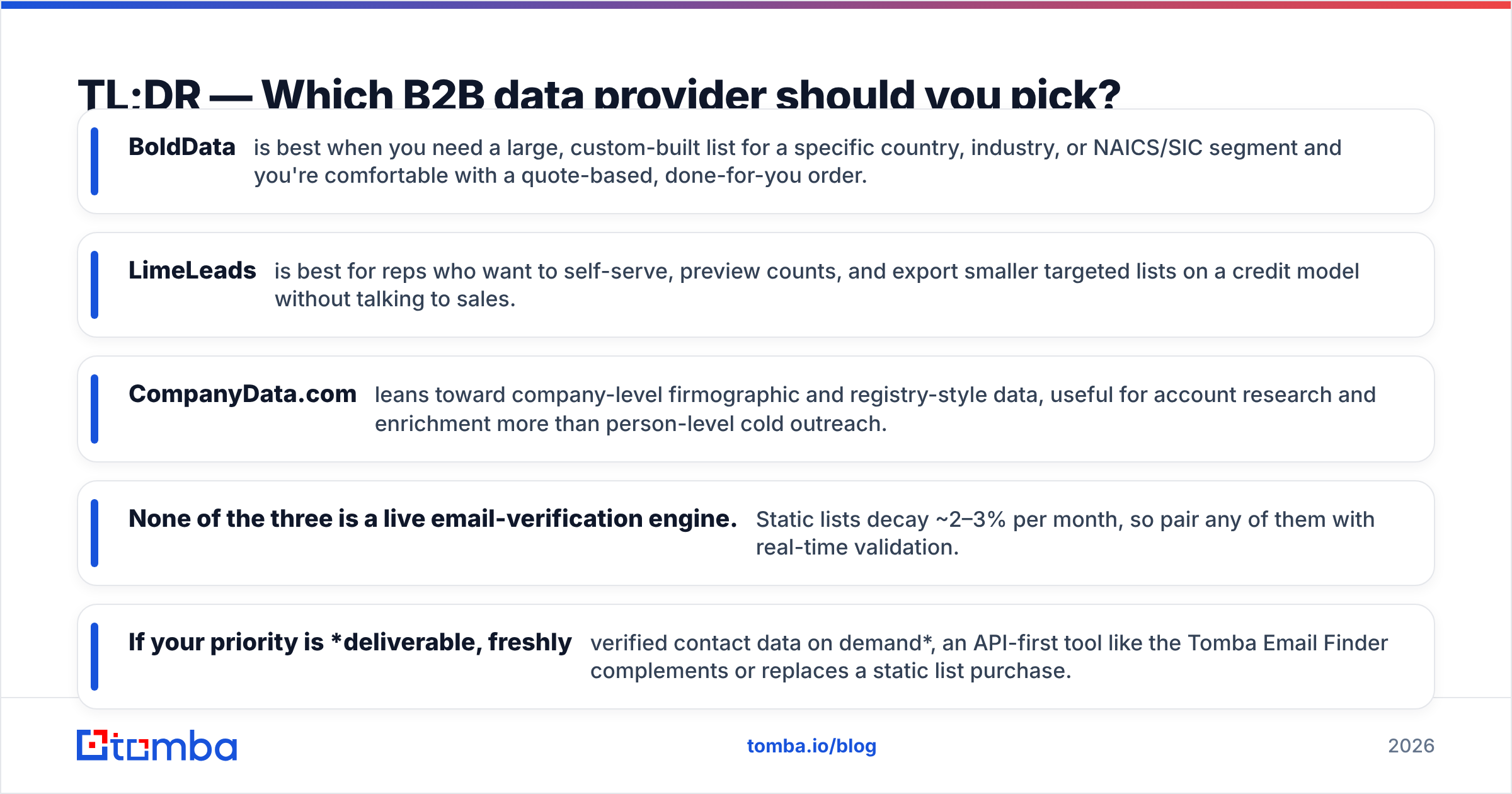
- BoldData is best for a large, custom list. Pick it when you need one country, industry, or NAICS/SIC segment, and you're fine with a quote-based, done-for-you order.
- LimeLeads is best for reps who want to self-serve. You preview counts and export smaller, targeted lists on a credit model. No sales call needed.
- CompanyData.com leans toward company-level data. It suits account research and enrichment more than person-level cold outreach.
- None of the three is a live email-verification engine. Static lists decay about 2–3% each month. So pair any of them with real-time checks.
- Want fresh, verified contact data on demand? An API-first tool like the Tomba Email Finder can sit alongside a static list, or replace it.

What are CompanyData.com, BoldData, and LimeLeads?#
All three sell B2B data. But they sit in different corners of the market.
BoldData (bolddata.nl) is an Amsterdam-based data vendor. It's known for global company databases that span hundreds of millions of businesses. Its model is hands-on. You name the target segment — say, "manufacturing companies in Germany with 50+ staff." Then BoldData builds and delivers a custom file. It's popular for large direct-mail, ABM, and multi-country campaigns.
LimeLeads (limeleads.com) is a self-serve platform. You filter by title, industry, company size, and location. You see a live count of matching records. Then you export contacts using credits. It's built for SDRs and small teams. They can grab a targeted list in minutes, with no sales call.
CompanyData.com focuses on company-level intelligence. Think firmographics, registry-style details, and enrichment data. It's built for account research and org-level list-building. It also helps you append data to records you already hold. It does not hand you a plug-and-play file of personal emails.
This split matters. The "best" tool depends on what you need: companies, contacts, or verified deliverability.
How do CompanyData.com, BoldData, and LimeLeads compare?#
Here's a side-by-side view. Treat the pricing as a rough guide. Each vendor changes plans often, and most B2B data is quote- or credit-based. So confirm current numbers on their own sites.
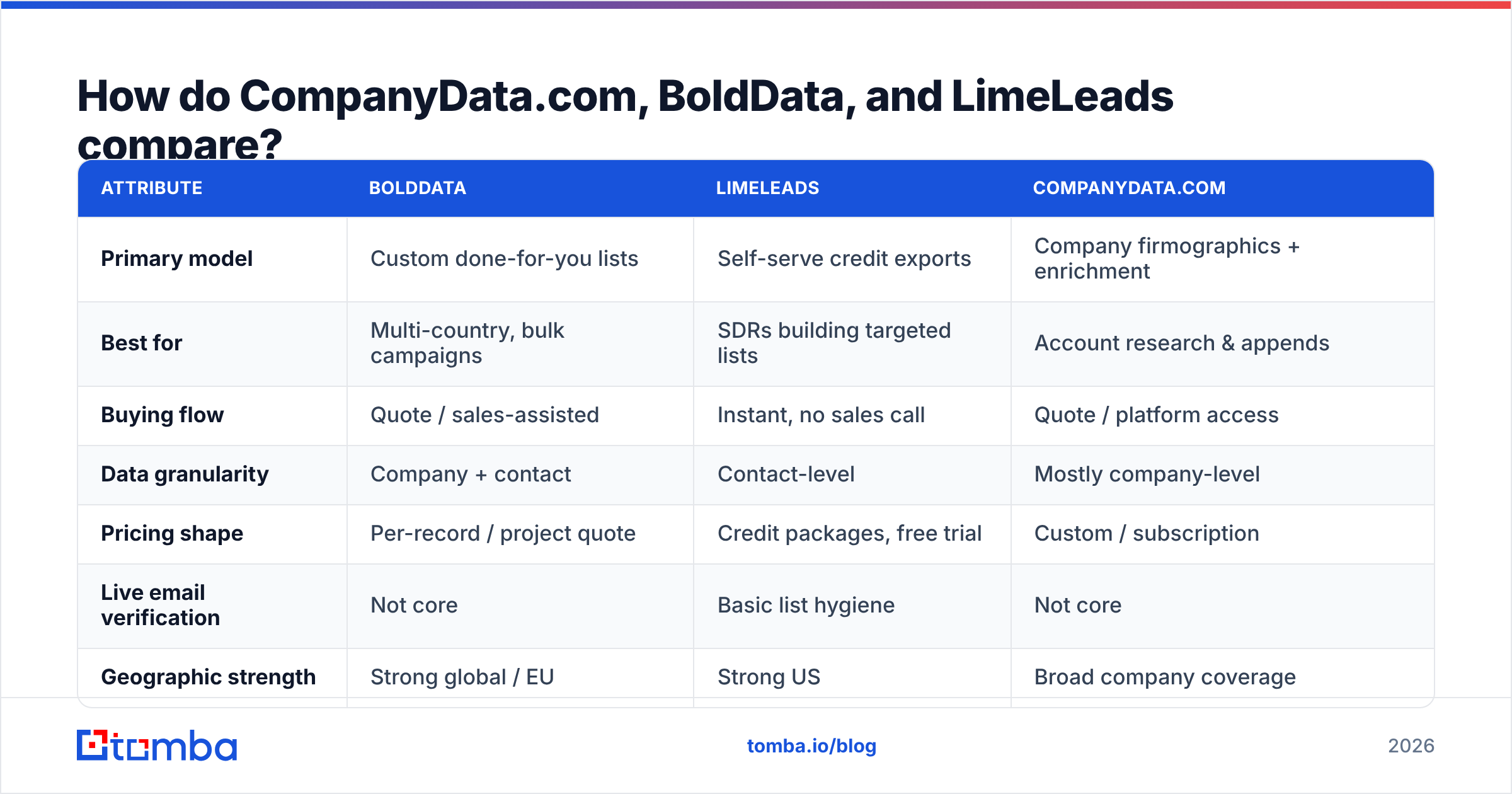
| Attribute | BoldData | LimeLeads | CompanyData.com |
|---|---|---|---|
| Primary model | Custom done-for-you lists | Self-serve credit exports | Company firmographics + enrichment |
| Best for | Multi-country, bulk campaigns | SDRs building targeted lists | Account research & appends |
| Buying flow | Quote / sales-assisted | Instant, no sales call | Quote / platform access |
| Data granularity | Company + contact | Contact-level | Mostly company-level |
| Pricing shape | Per-record / project quote | Credit packages, free trial | Custom / subscription |
| Live email verification | Not core | Basic list hygiene | Not core |
| Geographic strength | Strong global / EU | Strong US | Broad company coverage |
| API access | Limited | Limited | Available for enrichment |
Notice the pattern. BoldData and CompanyData.com win on breadth and custom segments. LimeLeads wins on speed and self-service. But all three give you static data — a snapshot in time. This is the heart of the companydatacom bolddata vs limeleads comparison, and that snapshot is where accuracy problems creep in.
Which provider has the most accurate data?#
Accuracy decides your bounce rate. And it's where every static-list provider shares the same weakness.
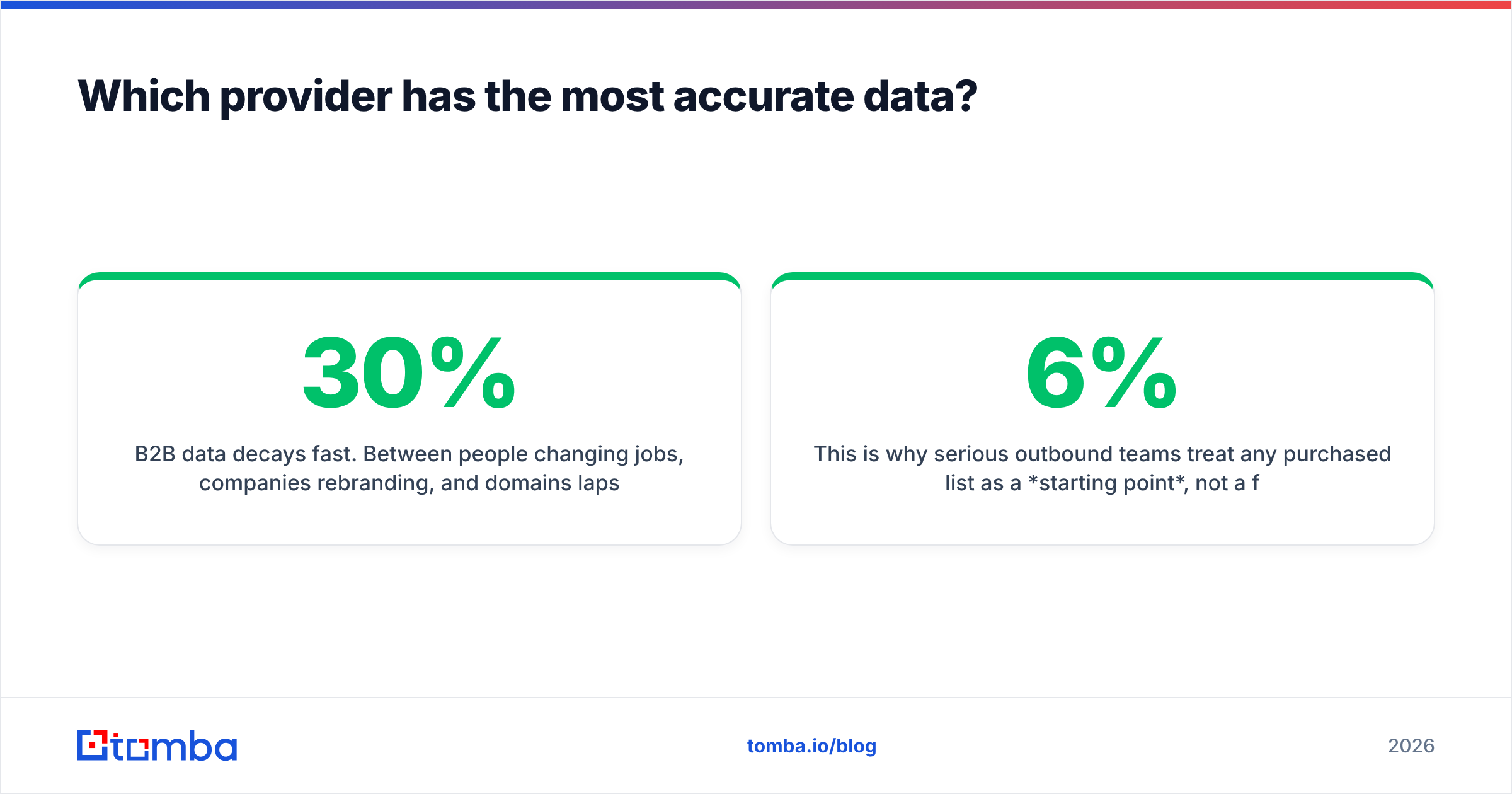
B2B data decays fast. People change jobs. Companies rebrand. Domains lapse. As a result, email lists lose roughly 22–30% of their accuracy each year. HubSpot and most deliverability researchers cite similar numbers. A list that was 95% valid at compile time can drop to 85% in three months. Worse, you can't see which records went stale.
- BoldData usually verifies at build time. That's good. But a file sent in January is already aging by March.
- LimeLeads cleans its database. Even so, each export is still a point-in-time snapshot.
- CompanyData.com company records are more stable than personal emails. A company's HQ address changes less often than someone's inbox. Still, person-level deliverability isn't its main promise.
So smart outbound teams treat any bought list as a starting point. It's not a finished asset. Before you send, run the file through an email verifier. That strips catch-alls, invalids, and role accounts. On a 10,000-record list, catching a 6% invalid rate matters. It's the gap between the inbox and the spam folder — and your sender reputation is on the line.

When should you buy a bulk list vs. find contacts on demand?#
Conclusion first. Buy a bulk list when you need volume across a broad segment. Find contacts on demand when you need precision on named accounts. The two solve different problems.
Buy a bulk list (BoldData / CompanyData.com) when:
- You run broad campaigns. Think direct mail, event invites, or top-of-funnel ABM across thousands of accounts you don't hand-pick.
- You need many countries. BoldData's global segmentation is hard to match by hand.
- You want firmographic enrichment. You're adding staff count, industry codes, or revenue bands to a CRM you already have.
- Speed beats freshness. You accept a snapshot in exchange for scale.
Find contacts on demand (email finder / API) when:
- You have a named account list. You need the right person's verified email at a specific company.
- You want freshness. The data is pulled and checked the moment you ask, not months ago.
- You're wiring it into a workflow. A Tomba API call inside your CRM beats importing a CSV by hand.
- You care about deliverability first. Verification is built into the lookup, not a separate cleanup step.
Most teams do both. They buy a file for reach. Then they use a real-time finder for the high-value accounts, where one bounce can cost a deal.
How does Tomba fit alongside these providers?#
Tomba isn't a bulk-list broker like BoldData. It's an email-finding and verification engine. It's built for freshness and workflow integration. That makes it a natural complement to a static purchase — or, for contact-level needs, a replacement.
The three providers hand you a file. Tomba lets you do more:
- Find emails by domain or name in real time with the email finder. Every address is built and checked the moment you need it.
- Verify in bulk. Drop a BoldData or LimeLeads export into the bulk email finder and validate it before your first send.
- Search a whole team with domain search when you know the company but not the person.
- Enrich records with data enrichment to fill the firmographic gaps a person-level list leaves behind.
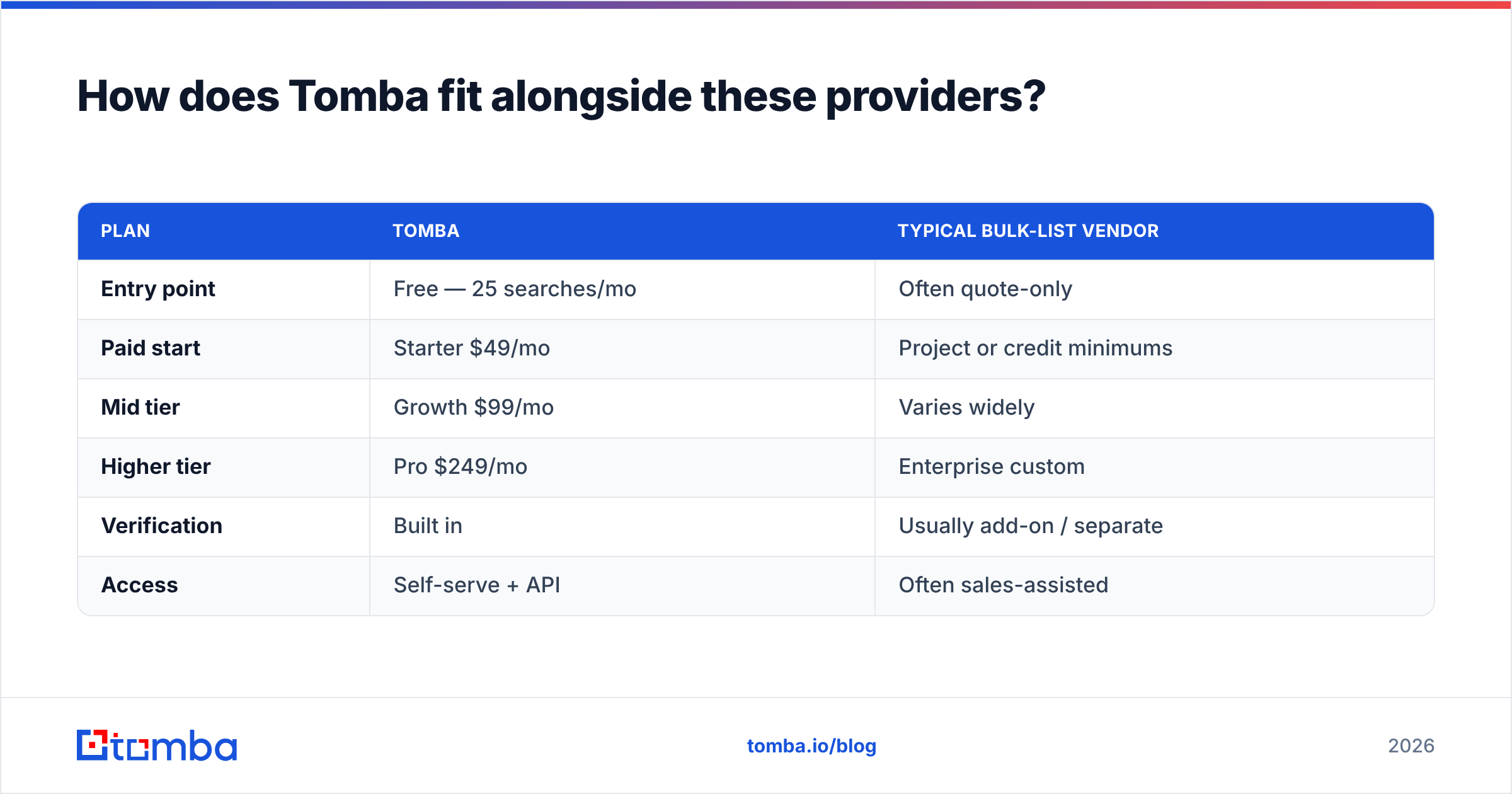
Here's how the pricing compares. Tomba publishes clear, self-serve tiers. No quote required to start.
| Plan | Tomba | Typical bulk-list vendor |
|---|---|---|
| Entry point | Free — 25 searches/mo | Often quote-only |
| Paid start | Starter $49/mo | Project or credit minimums |
| Mid tier | Growth $99/mo | Varies widely |
| Higher tier | Pro $249/mo | Enterprise custom |
| Verification | Built in | Usually add-on / separate |
| Access | Self-serve + API | Often sales-assisted |
See the full breakdown on the Tomba pricing page. The point isn't that Tomba wins on every line. It's that you pay for verified, on-demand records — not a static file that starts slipping the day it ships.
What do reviewers say about these tools?#
Check independent review sites before you commit. Each vendor's ideal customer is different. Browse verified feedback on G2 and Capterra for all four names before you sign.
Common themes from public reviews:
- BoldData gets praise for responsive custom-list service and global reach. The main caveat: it's done-for-you, not instant self-serve.
- LimeLeads is liked for a clean interface and preview counts. Some users note US-heavy coverage and patchy freshness on niche segments.
- CompanyData.com is valued for company-level breadth. Just know that person-level email deliverability isn't its headline promise.
- Static data decay is the recurring complaint across the category. It's the clearest reason a verification layer is a must.
The companydatacom bolddata vs limeleads verdict#
When it comes to the companydatacom bolddata vs limeleads choice, there's no single winner. Any comparison that names one is selling you something. The honest answer depends on your job:
- Need a big custom file across countries? BoldData.
- Need to self-serve targeted US contacts fast? LimeLeads.
- Need company firmographics and enrichment? CompanyData.com.
- Need verified, on-demand data wired into your stack? An email-finder-first tool.
Every one of these choices shares one truth. Raw records are only as good as their deliverability on send day. So buy for reach, and verify for results.
Get verified contact data on demand#
Does your outbound live or die on bounce rate? Then start where deliverability is built in, not bolted on. The Tomba Email Finder gives you fresh, verified professional emails by domain, name, or company. It's self-serve and API-ready. You can try it free with 25 searches a month before you pay. Pair it with a bulk list when you need scale. Or use it alone for the named accounts where every send counts. Either way, you send data you can trust — not a snapshot that's already going stale.
Related guides#
Ready to find emails that actually work?
Join 150,000+ professionals who stopped guessing and started sending. Free credits on signup — no credit card required.
Get the Tomba newsletter
Practical outbound tactics and product updates — once every two weeks.
About the author