How to Contact Leads in 2026: A Practical B2B Playbook
A verified email, the right channel, and a reason to reply — that's what separates leads who answer from leads who ghost. Here's how to contact leads in 2026 without burning your domain or your list.
Most "leads" never get contacted well. They get a guessed email, a generic template, and a follow-up that lands in spam. Then the rep marks them "not interested" and moves on. The problem usually isn't the lead — it's the contact data and the channel.
This guide breaks down how to contact leads in 2026 so they actually reply: how to get accurate contact details, which channel to open with, and how to sequence outreach without wrecking your sender reputation.
TL;DR#
- Bad data kills good outreach. Before you write a word, get a verified email or phone number — guessing addresses is why campaigns bounce and domains get flagged.
- Match the channel to the lead's stage. Cold leads open on email; warm/inbound leads deserve a phone call within minutes; LinkedIn is the connective tissue.
- Sequence, don't blast. A 5–7 touch cadence across 2–3 channels beats a single "spray and pray" send every time.
- Personalize the first line, standardize the rest. Relevance drives replies; templates just save time.
- Enrich once, contact many times. Pull firmographic and role data up front so every message has context.
What does it actually mean to "contact leads"?#
Contacting leads is the bridge between a name in your CRM and a conversation. It covers three jobs done in order: finding a reliable way to reach the person, choosing the channel that fits where they are in the funnel, and delivering a message relevant enough to earn a reply.
Think of it like knocking on a door. You need the right address (data), you need to knock at a reasonable hour on the door people actually use (channel), and you need a reason they'd open it (message). Skip any one and the whole thing fails — a perfect pitch sent to jsmith@company.com when the real address is john.smith@company.com never gets read.
That's why data comes first. A B2B database of names is worthless until each row has a deliverable email or a working phone number attached.

Why do so many outreach campaigns fail before the first reply?#
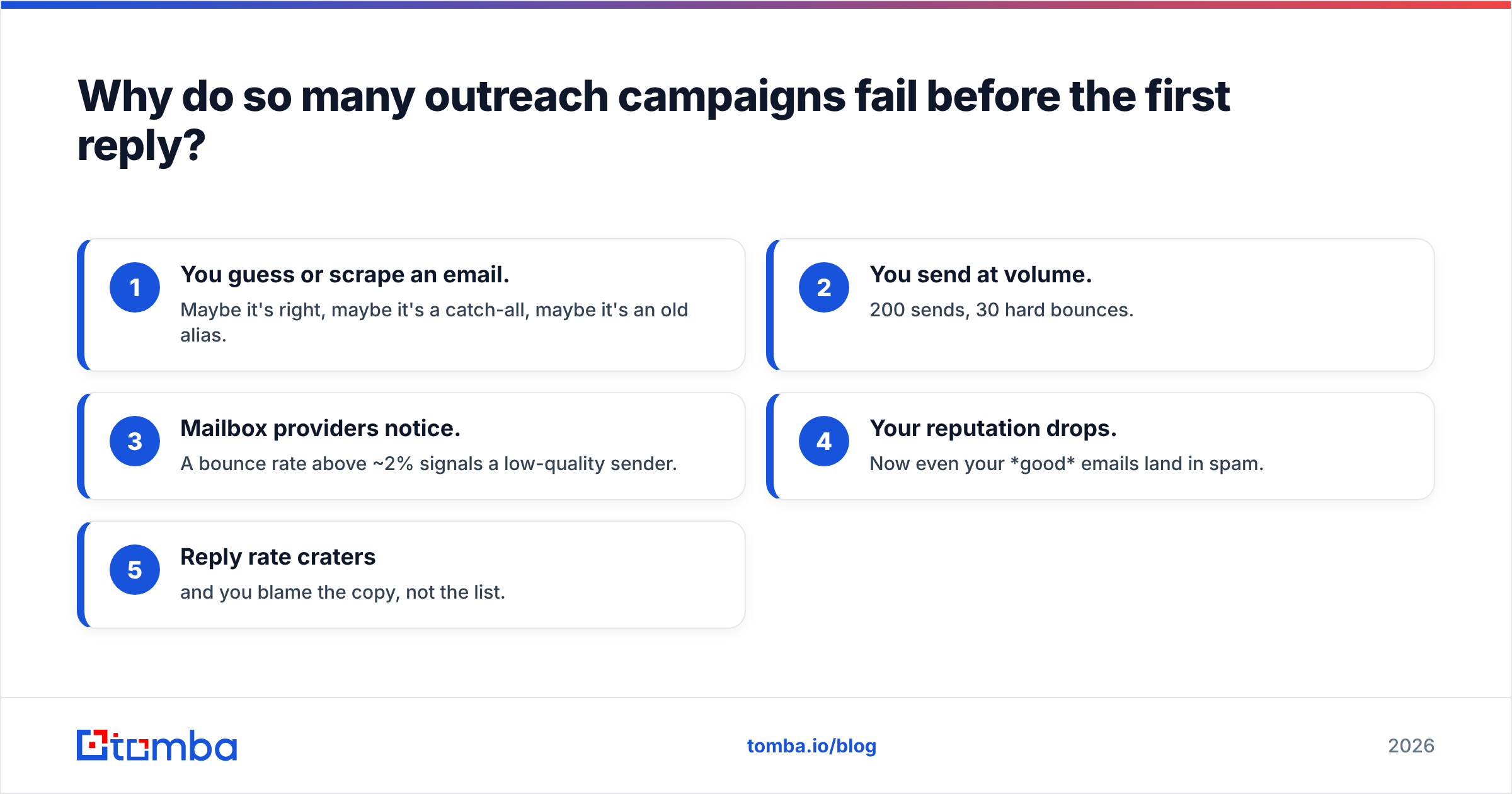
Because they start from unverified data. Here's the chain reaction:
- You guess or scrape an email. Maybe it's right, maybe it's a catch-all, maybe it's an old alias.
- You send at volume. 200 sends, 30 hard bounces.
- Mailbox providers notice. A bounce rate above ~2% signals a low-quality sender.
- Your reputation drops. Now even your good emails land in spam.
- Reply rate craters — and you blame the copy, not the list.
The fix is boring but decisive: verify before you send. Run addresses through an email verifier, and check ambiguous domains with a catch-all verifier so you're not shipping to an unknown-status mailbox. Google's own Postmaster Tools guidance is blunt about it: send to real, engaged recipients or watch your deliverability slide.
How do you find accurate contact details for a lead?#
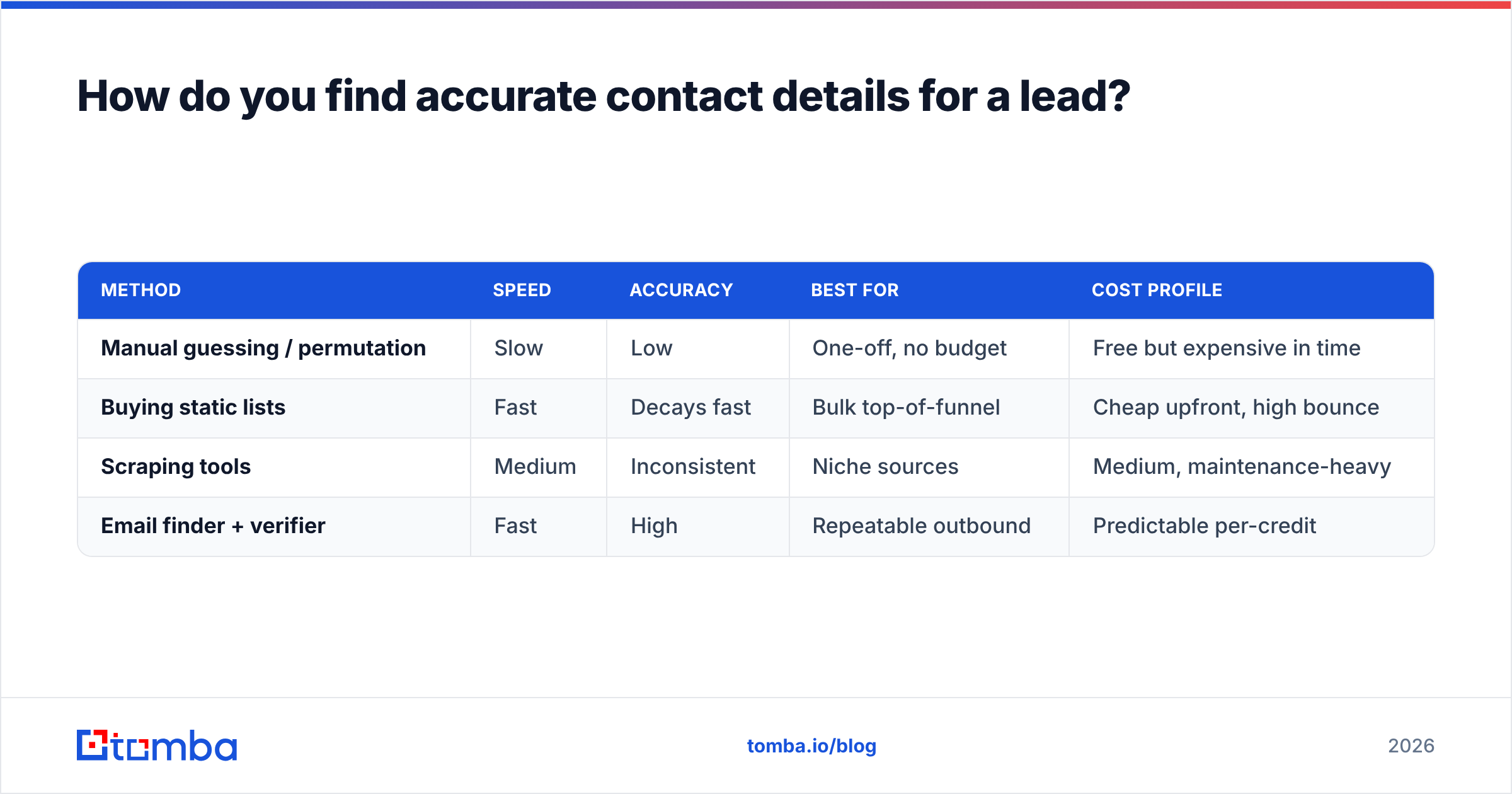
You have four realistic sources, and they are not equal. The point is to get a verified data point, not just a data point.
| Method | Speed | Accuracy | Best for | Cost profile |
|---|---|---|---|---|
| Manual guessing / permutation | Slow | Low | One-off, no budget | Free but expensive in time |
| Buying static lists | Fast | Decays fast | Bulk top-of-funnel | Cheap upfront, high bounce |
| Scraping tools | Medium | Inconsistent | Niche sources | Medium, maintenance-heavy |
| Email finder + verifier | Fast | High | Repeatable outbound | Predictable per-credit |
For most teams, a dedicated email finder is the sane default: give it a name and a company domain, get back a verified professional address with a confidence score. When you're working an entire account, domain search returns every discoverable address at a company so you can pick the actual decision-maker instead of info@.
Need to reach someone by phone for a warm lead or a high-ACV account? A phone finder pulls direct B2B numbers so a rep isn't stuck in a switchboard queue.
Which channel should you use to contact a lead?#
Match the channel to the lead's temperature and the speed of decay. A form-fill from your pricing page decays in minutes; a name pulled from a conference list decays in weeks.
- Inbound / hand-raiser leads → call within 5 minutes. The classic HubSpot lead response research found that contacting a web lead within five minutes makes them dramatically more likely to convert than waiting even 30. Speed is the whole game here.
- Warm leads (engaged, opened, clicked) → phone + email one-two. Call, and if you miss them, follow with a short email referencing why you reached out.
- Cold outbound → email first, LinkedIn second. Email scales and respects the prospect's time; a relevant LinkedIn outreach touch adds a face to the name.
- Hard-to-reach / senior buyers → multi-thread. Contact two or three people in the account so you're not blocked by one unresponsive inbox.
Rule of thumb: the warmer and more urgent the lead, the more you lean on the phone. The colder the lead, the more email carries the load — because it's asynchronous and non-intrusive.
What does a good multi-channel cadence look like?#
A cadence is just a planned sequence of touches across channels over a set window. Here's a proven 12-business-day shape for cold B2B outbound:
- Day 1 — Email #1. Personalized opener, one clear ask, no attachments.
- Day 1 — LinkedIn view/connect. No pitch in the request.
- Day 3 — Phone call + voicemail. Reference the email.
- Day 5 — Email #2. New angle, not "just bumping this."
- Day 8 — LinkedIn message. Short, value-led.
- Day 10 — Phone call. Best-time-of-day attempt.
- Day 12 — Break-up email. "Should I close your file?" — these get surprising reply rates.
Two guardrails make this work. First, never send from a cold domain at volume without warming it — ramp sending gradually and keep an eye on email deliverability. Second, every touch should add something, not just remind. A cadence of seven "checking in" nudges is seven ways to get muted.
How do you personalize at scale without spending all day on research?#
Enrich once, reuse everywhere. The trick is to pull structured data about each lead up front, then let your templates slot it in.
Before your first send, attach to each record: role/seniority, company size, industry, recent trigger (funding, hiring, launch), and the tech they run. With data enrichment, a thin list of names becomes rows with real context — so your opener can reference their world instead of a mail-merged {{first_name}} and nothing else.
Then personalize in layers:
- Line 1 (fully custom): a specific, true observation about them or their company.
- Middle (semi-custom): a value prop mapped to their industry or role.
- CTA (standard): one low-friction ask, identical across the segment.
This gets you 80% of the reply lift of full manual research at a fraction of the time. For repeatable volume, run enrichment and finding together through a bulk email finder so an entire segment is contact-ready in one pass.
How do you keep your outreach compliant and out of spam?#
Three habits keep you deliverable and lawful:
- Authenticate your domain. Set up SPF, DKIM, and DMARC before you send cold. Check your SPF record is valid — misconfigured auth is a silent spam-folder sentence.
- Honor opt-outs and local law. Include a real way to opt out, respect it fast, and know the rules for your recipient's region (CAN-SPAM, GDPR, CASL). When in doubt, treat B2B outreach like a professional courtesy, not a broadcast.
- Protect sender reputation. Low bounces, low complaints, real engagement. Verify lists, segment out non-responders, and don't buy stale data that spikes your bounce rate.
None of this is optional in 2026. Mailbox providers increasingly gate on engagement signals, and one bad campaign can suppress your good ones for weeks.
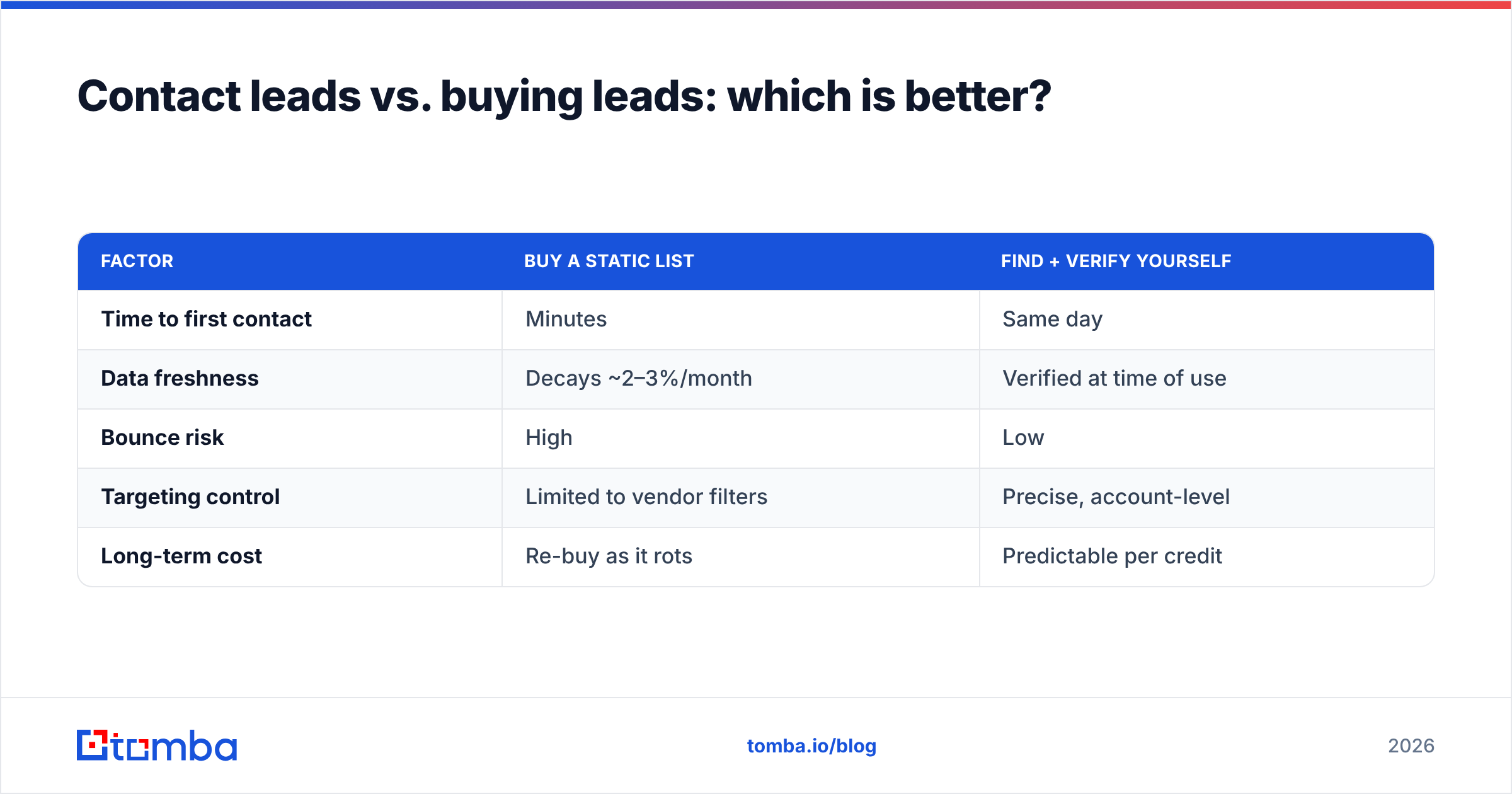
Contact leads vs. buying leads: which is better?#
They solve different problems. Buying a list gets you volume fast; sourcing and verifying contacts yourself gets you quality you control. Most teams do both — but the data hygiene step is non-negotiable either way.
| Factor | Buy a static list | Find + verify yourself |
|---|---|---|
| Time to first contact | Minutes | Same day |
| Data freshness | Decays ~2–3%/month | Verified at time of use |
| Bounce risk | High | Low |
| Targeting control | Limited to vendor filters | Precise, account-level |
| Long-term cost | Re-buy as it rots | Predictable per credit |
If you buy, run the whole list through verification before the first send — a purchased list is a hypothesis, not a fact. Reputable data vendors such as BookYourData sell verified B2B contacts, and pairing any purchased data with your own verification pass is simply good practice. You can compare vendors and read hands-on reviews on G2 before committing budget.
What tools do you actually need to contact leads well?#
You don't need a 12-app stack. You need coverage of four jobs: find, verify, enrich, reach.
- Find — an email finder and domain search for account-level coverage.
- Verify — an email verifier plus catch-all handling.
- Enrich — role, firmographic, and trigger data.
- Reach — your sequencer/CRM, plus a phone finder for warm leads.
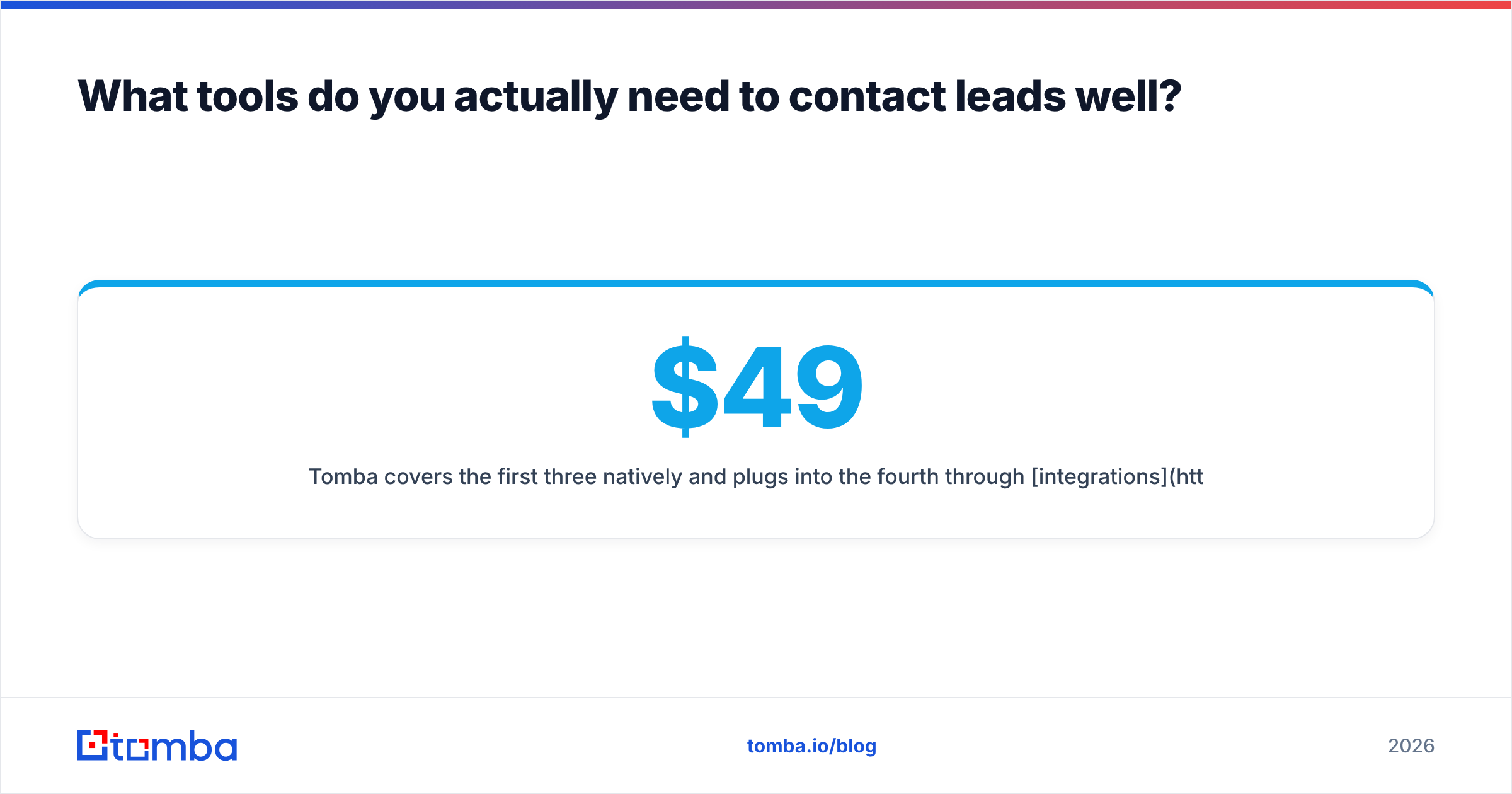
Tomba covers the first three natively and plugs into the fourth through integrations with the CRM and sequencer you already run. Pricing is transparent — a free tier with 25 searches a month, Starter at $49/mo, Growth at $99/mo, and Pro at $249/mo — so you can test the workflow before scaling it. See full Tomba pricing for credit details.
How do you measure whether your outreach is working?#
Track four numbers, in order, and fix the earliest one that's broken:
- Bounce rate (target < 2%): a data problem — verify harder.
- Open rate (varies): a deliverability or subject-line problem.
- Reply rate (target 5–10%+ for good cold outbound): a relevance problem.
- Meetings booked: the only metric that pays rent.
If replies are low but opens are healthy, your data and deliverability are fine — rewrite the message. If opens are low, look at deliverability and authentication first. Diagnosing in this order stops you from "fixing" copy when the real issue was a list full of dead addresses.
Put it together: your contact-leads checklist#
- Verified email or phone for every lead before contact
- Each record enriched with role + company + trigger
- Channel matched to lead temperature (call the hot ones fast)
- A written 5–7 touch, multi-channel cadence
- SPF/DKIM/DMARC set and domain warmed
- Metrics tracked in bounce → open → reply → meeting order
Start with data you can trust#
You can improve copy forever, but you can't out-write a bounced email. The fastest lift for most teams is upstream: get verified contact details before the first touch, enrich for context, then run a disciplined multi-channel cadence.
That's exactly where the Tomba Email Finder fits — turn a name and a company into a verified, deliverable email, layer in enrichment and phone data, and hand your reps a list that's ready to contact instead of a list that's ready to bounce. Start on the free tier, verify your next segment, and measure the difference in your reply rate.
Related guides#
Ready to find emails that actually work?
Join 150,000+ professionals who stopped guessing and started sending. Free credits on signup — no credit card required.
Get the Tomba newsletter
Practical outbound tactics and product updates — once every two weeks.
About the author