ContactOut vs Coresignal (2026): Which B2B Data Wins?
ContactOut finds emails from LinkedIn profiles; Coresignal ships raw workforce data by API. Here's which one fits your prospecting or data stack in 2026 — and where a leaner tool beats both.
Choosing between ContactOut and Coresignal feels like comparing a scalpel to a lumber mill. Both deal in B2B contact and company data, but they solve different problems, price differently, and fail in different ways. Pick wrong and you either overpay for raw records you can't action, or you cap out on a per-seat tool that was never built for volume.
This is a neutral, head-to-head breakdown: what each tool actually does, where the data comes from, real pricing signals, and who should pick which. If your core job is simply getting verified email addresses without the enterprise contract, we'll also cover why a focused finder often beats both.
TL;DR: ContactOut vs Coresignal in one glance#
- ContactOut is a LinkedIn-first contact finder — a Chrome extension plus search app that pulls personal and work emails and phone numbers off profiles. Best for recruiters and small sales teams working one prospect at a time.
- Coresignal is a B2B data-as-a-service provider — firmographic, employee, and job-posting datasets delivered by API or flat file. Best for data engineers, analysts, and product teams building on top of raw records at scale.
- They barely overlap: one is a point-and-click prospecting tool, the other is an infrastructure feed. "Which is better" depends entirely on whether you want actioned contacts or raw data.
- Pricing is opaque on both — ContactOut gates real limits behind sales calls; Coresignal quotes usage-based enterprise deals. Neither publishes a clean $49-style entry point.
- If you mainly need verified emails by domain or name without a data-warehouse project, a dedicated email finder like Tomba is faster and cheaper than either.
What is ContactOut?#
ContactOut is a contact-lookup platform built around LinkedIn. You install its browser extension, open a profile, and it surfaces the person's work email, personal email, and phone number. It also ships a standalone search portal, a "Search Portal" for company-based lookups, and integrations with ATS and CRM systems.
Its center of gravity is recruiting. ContactOut leans hard into candidate sourcing — finding personal Gmail addresses that recruiters use to reach people who aren't checking a work inbox. The company advertises large coverage of professional profiles and dual (work + personal) email matches, which is genuinely useful when you're trying to reach an individual rather than blast a domain.
The trade-off: ContactOut is a per-person, per-seat tool. It's excellent at "who is this one profile and how do I reach them," and awkward at "give me every decision-maker at 4,000 accounts." Bulk work exists but hits credit ceilings fast, and the meaningful limits sit behind a sales conversation. You can check their positioning directly at contactout.com.

What is Coresignal?#
Coresignal is a completely different animal: it's a public-web data provider that sells structured datasets, not a click-to-find UI. Think employee records, company firmographics, job postings, and historical workforce data delivered through an API or as bulk files you load into your own systems.
Coresignal's buyers are data teams, investment/VC analysts, and companies building products — lead-scoring engines, talent-market dashboards, competitive-intelligence tools — that need millions of records to model, not a single email to send. You don't "look up John at Acme" in Coresignal the way you do in ContactOut. You ingest a dataset and query it yourself.
Because of that, Coresignal competes with data feeds and enrichment infrastructure, not with prospecting extensions. It's powerful if you have engineering resources and a real data use case. It's overkill — and hard to price — if all you wanted was a list of verified emails for next week's outbound. Their datasets are documented at coresignal.com.
ContactOut vs Coresignal: the core comparison#
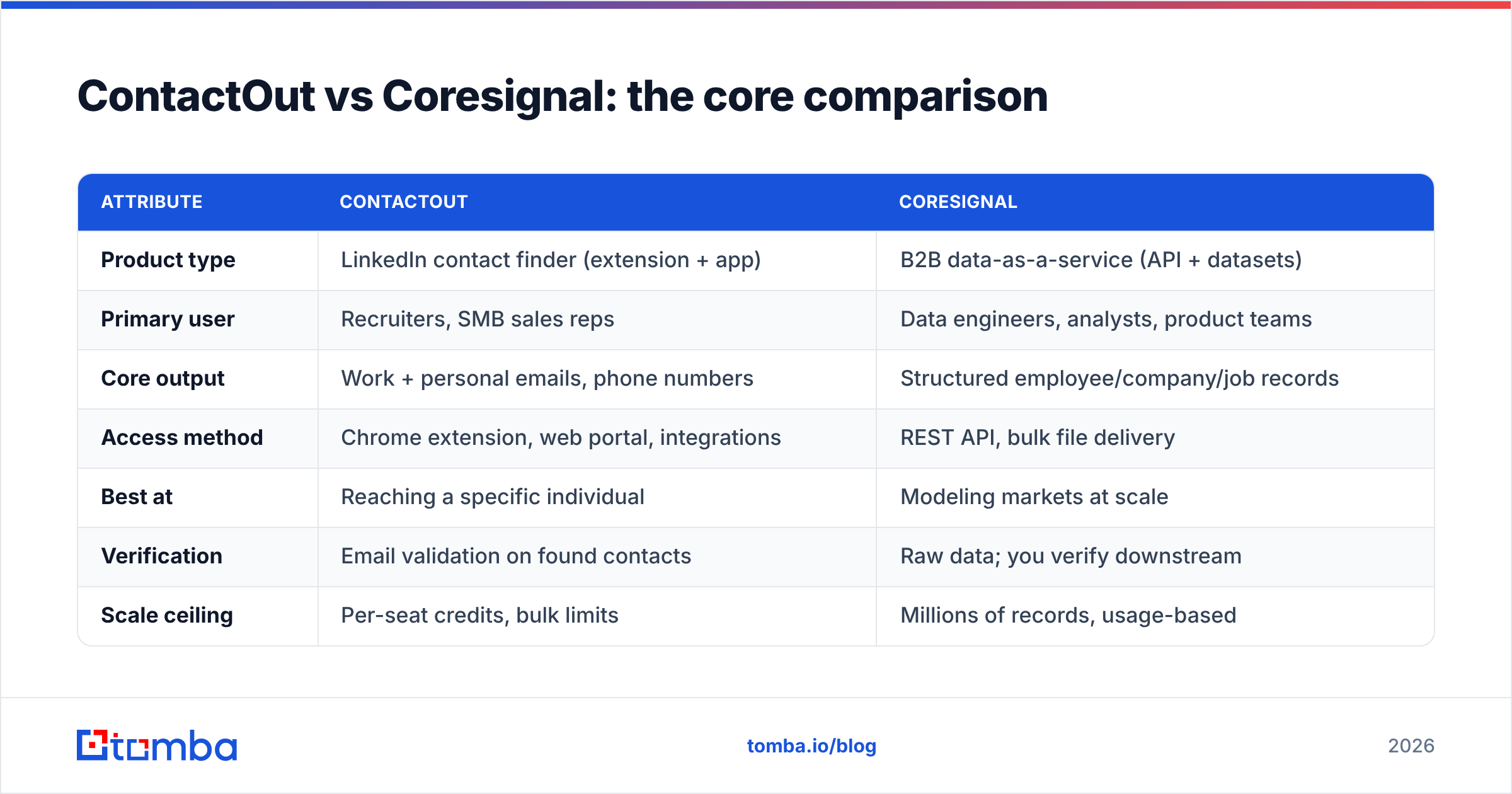
Here's the honest side-by-side. The two products sit at opposite ends of the "raw data ↔ ready-to-use contact" spectrum.
| Attribute | ContactOut | Coresignal |
|---|---|---|
| Product type | LinkedIn contact finder (extension + app) | B2B data-as-a-service (API + datasets) |
| Primary user | Recruiters, SMB sales reps | Data engineers, analysts, product teams |
| Core output | Work + personal emails, phone numbers | Structured employee/company/job records |
| Access method | Chrome extension, web portal, integrations | REST API, bulk file delivery |
| Best at | Reaching a specific individual | Modeling markets at scale |
| Verification | Email validation on found contacts | Raw data; you verify downstream |
| Scale ceiling | Per-seat credits, bulk limits | Millions of records, usage-based |
| Pricing transparency | Limited public tiers, sales-gated | Enterprise quotes, usage-based |
| Learning curve | Low (point and click) | High (needs data pipeline) |
| Typical entry cost | Mid hundreds/mo for real limits | Enterprise-level contracts |
The pattern is clear. If a task can be done by one person clicking through LinkedIn, ContactOut wins. If it requires a database and a data engineer, Coresignal wins. Neither is a drop-in replacement for the other — and that's the most common mistake buyers make when they put these two names in the same search box.
Which has more accurate data?#
Accuracy means different things for each tool, so compare them on their own terms.
ContactOut is judged on hit rate and email validity — when you open a profile, does it return a deliverable address? On individual look-ups, especially personal emails for recruiting, it performs well, and it runs validation on what it returns. But like every LinkedIn-derived source, coverage is uneven: senior or privacy-conscious profiles, non-US regions, and stale job changes all drag on match rates. Personal emails also age quickly.
Coresignal is judged on dataset freshness and completeness. Because it's raw public-web data, the "accuracy" question is really "how current and how complete is the record you ingested?" There's no built-in email verifier telling you a specific address is safe to send — that's your job downstream. Coresignal gives you scale and structure; deliverability is something you layer on top.
That downstream step matters more than people expect. Any list — from ContactOut, Coresignal, or a scrape — decays roughly 2–3% per month as people change jobs. Running results through a dedicated email verifier before you send is what protects your sender reputation and keeps you out of spam traps, regardless of which source produced the address. Third-party reviews on G2 reflect this split too: ContactOut is rated as a prospecting tool, Coresignal as data infrastructure.
How do ContactOut and Coresignal price?#
Neither vendor makes budgeting easy, which is a real factor when you're deciding.
- ContactOut publishes limited entry tiers but gates the numbers that matter — bulk credits, team seats, API access — behind a sales conversation. For a small team the effective cost climbs into the mid-hundreds per month once you need real volume, and personal-email and phone credits are metered separately.
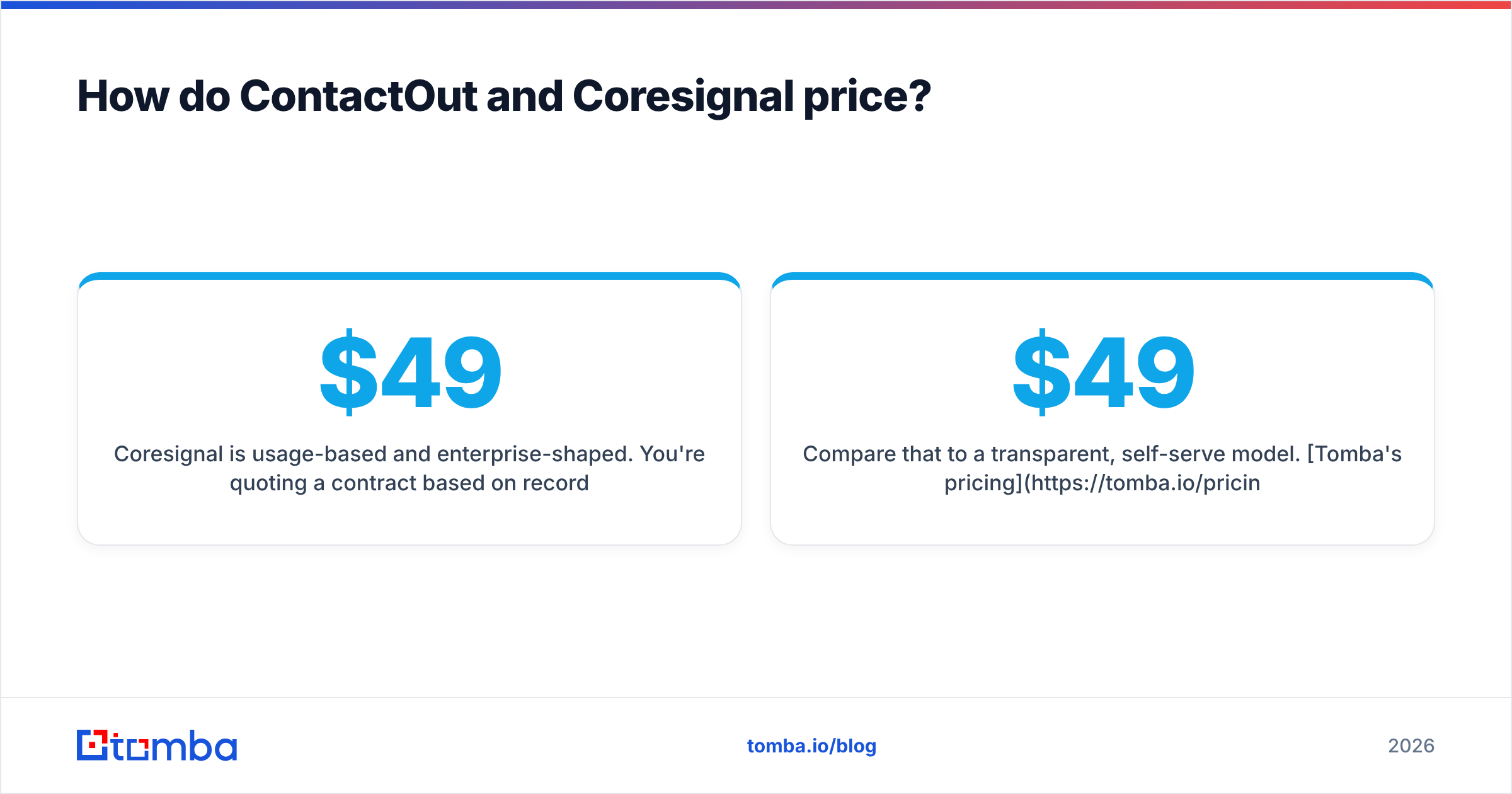
- Coresignal is usage-based and enterprise-shaped. You're quoting a contract based on records, refresh frequency, and delivery method. It can be cost-effective per record at scale, but there's no meaningful "try it for $49" path for a small team, and you need engineering time to extract value.
Compare that to a transparent, self-serve model. Tomba's pricing is public and predictable: a Free tier at 25 searches/month, Starter at $49/mo, Growth at $99/mo, and Pro at $249/mo — no discovery call to learn what a plan actually includes. For teams that just need verified emails without a procurement cycle, published pricing is a feature, not a footnote.

Which should you choose?#
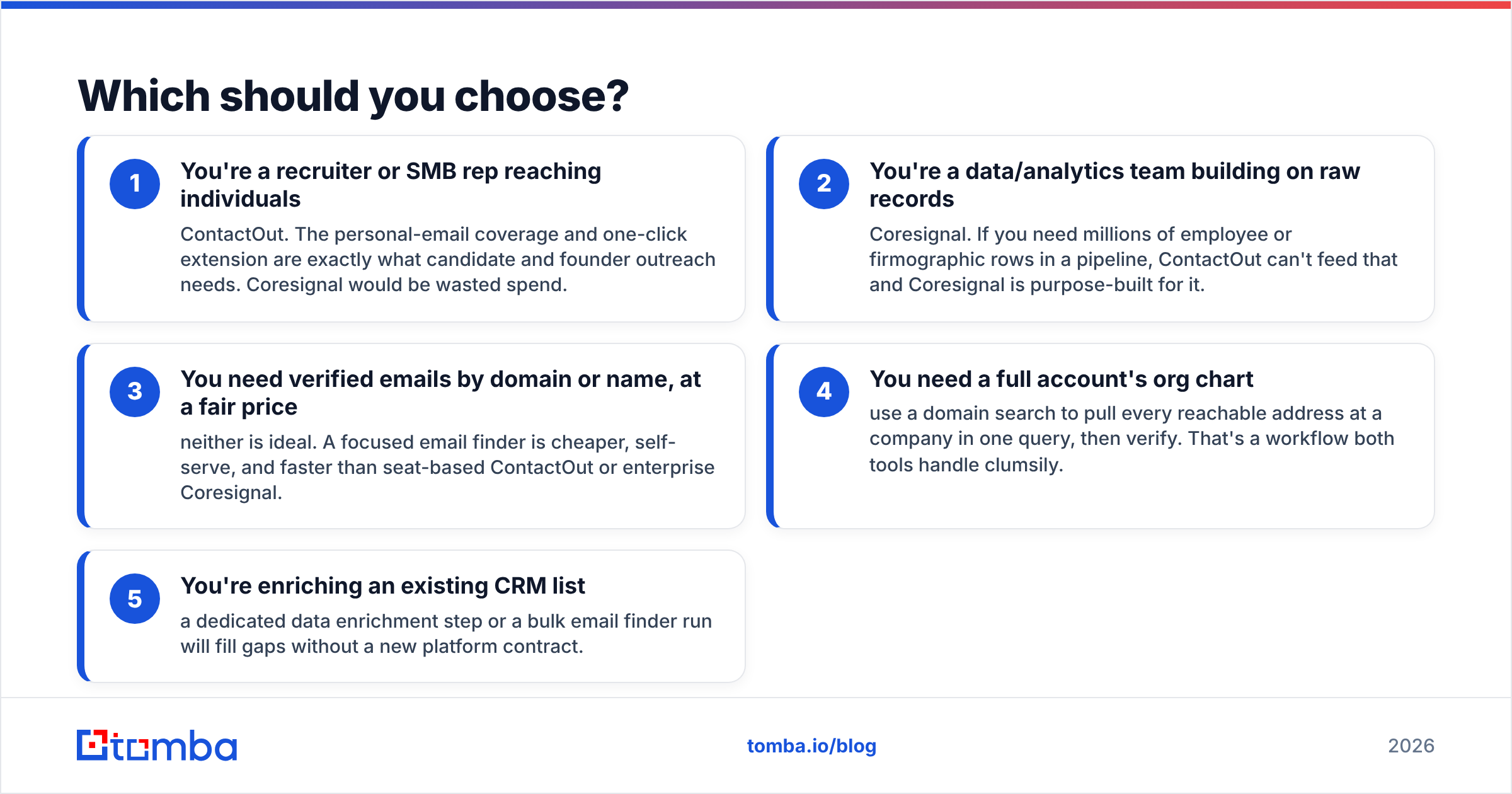
Match the tool to the shape of your work, not the other way around.
- You're a recruiter or SMB rep reaching individuals — ContactOut. The personal-email coverage and one-click extension are exactly what candidate and founder outreach needs. Coresignal would be wasted spend.
- You're a data/analytics team building on raw records — Coresignal. If you need millions of employee or firmographic rows in a pipeline, ContactOut can't feed that and Coresignal is purpose-built for it.
- You need verified emails by domain or name, at a fair price — neither is ideal. A focused email finder is cheaper, self-serve, and faster than seat-based ContactOut or enterprise Coresignal.
- You need a full account's org chart — use a domain search to pull every reachable address at a company in one query, then verify. That's a workflow both tools handle clumsily.
- You're enriching an existing CRM list — a dedicated data enrichment step or a bulk email finder run will fill gaps without a new platform contract.
The uncomfortable truth for a lot of "ContactOut vs Coresignal" searchers: the reason the two feel hard to compare is that neither is quite what you wanted. You wanted verified contacts, priced clearly, at the volume you actually work in.
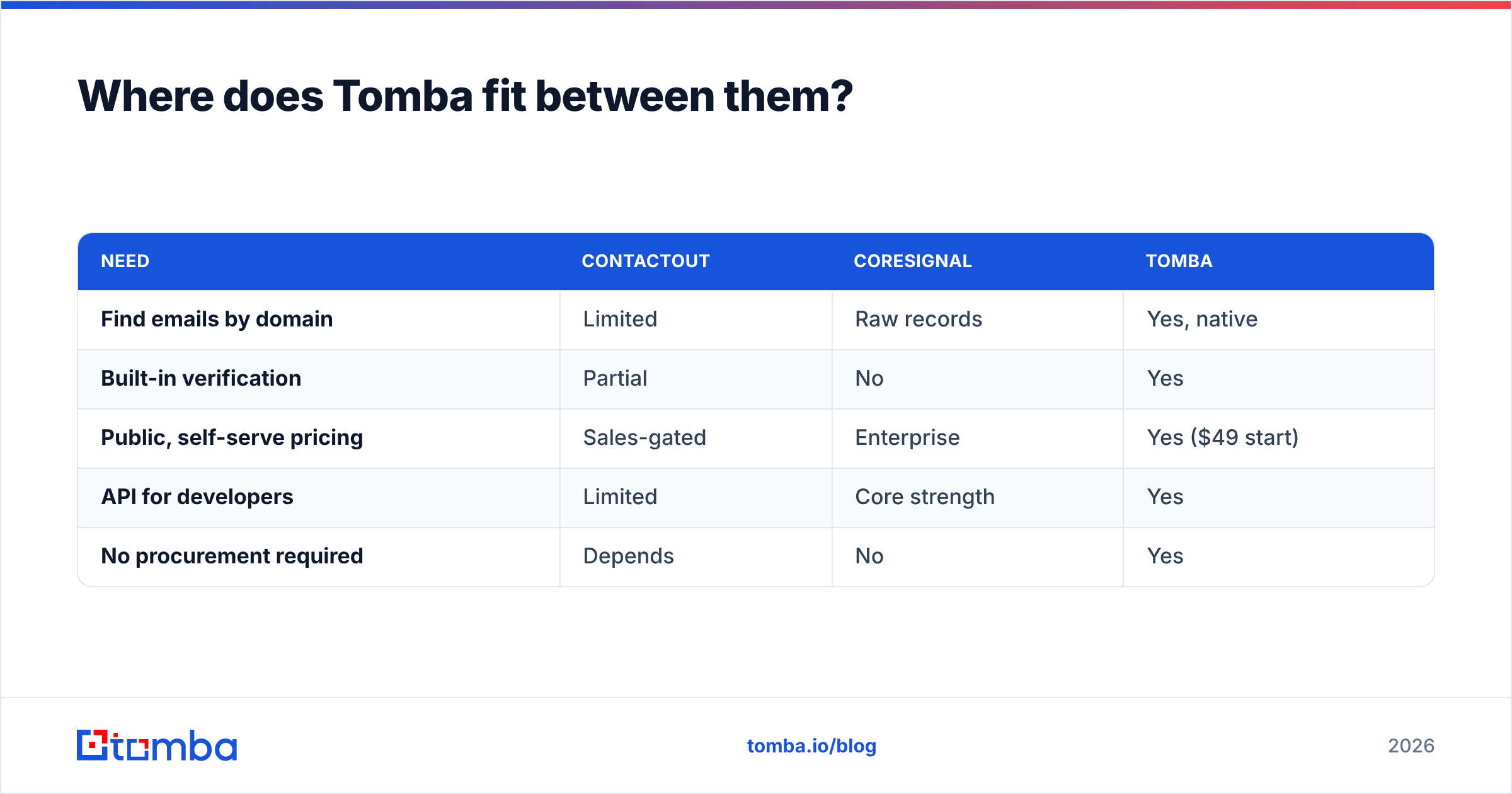
Where does Tomba fit between them?#
Tomba sits in the practical middle. It's not a LinkedIn-only extension and it's not a raw-data firehose — it's a self-serve platform that turns a name or a company domain into verified, deliverable contacts.
| Need | ContactOut | Coresignal | Tomba |
|---|---|---|---|
| Find emails by domain | Limited | Raw records | Yes, native |
| Built-in verification | Partial | No | Yes |
| Public, self-serve pricing | Sales-gated | Enterprise | Yes ($49 start) |
| API for developers | Limited | Core strength | Yes |
| No procurement required | Depends | No | Yes |
Where ContactOut shines at one-off personal look-ups and Coresignal shines at bulk data engineering, Tomba covers the everyday sales and marketing job: get the right work email, confirm it's valid, and move on. It exposes a clean email finder API for teams that want to automate, plus verification, domain search, and enrichment under one predictable bill — the layer most outbound teams actually run on.
None of this makes ContactOut or Coresignal bad. It makes them specialized. If your work matches their specialty, buy them. If your work is "reach the right people with emails that land," a purpose-built finder is the shorter path.
The bottom line#
ContactOut and Coresignal aren't really rivals — they're different tools that happen to share a search box. ContactOut is a recruiter-grade contact finder for reaching individuals off LinkedIn. Coresignal is data infrastructure for teams that build on raw records. Choose based on whether you want actioned contacts or raw data at scale, and budget for the sales conversation either one will require.
But if what you actually need is verified professional emails — found by name or domain, checked before you send, priced without a phone call — start with the tool built for exactly that. Try the Tomba Email Finder free for 25 searches, then scale on a plan you can read before you buy. It's the fastest way to turn "who do I email" into a deliverable address, without a data-engineering project or an enterprise contract.
Related guides#
Ready to find emails that actually work?
Join 150,000+ professionals who stopped guessing and started sending. Free credits on signup — no credit card required.
Get the Tomba newsletter
Practical outbound tactics and product updates — once every two weeks.
About the author