ContactOut vs DealSignal (2026): Data Accuracy Compared
ContactOut vs DealSignal, tested on accuracy, pricing, and coverage. See which B2B data tool fits your outbound motion, and where a leaner option beats both.
Choosing between ContactOut and DealSignal usually comes down to one question: do you need a LinkedIn-driven contact grabber, or a full B2B data warehouse with intent signals? They look similar in a feature grid, but they solve different problems, price very differently, and fail in different places. This guide breaks down where each one wins, where each one leaks budget, and when a leaner tool covers 90% of the job for a fraction of the cost.
TL;DR: ContactOut vs DealSignal at a glance#
- ContactOut is a LinkedIn-first contact finder. Its Chrome extension pulls personal and work emails plus phone numbers straight off profiles. Best for recruiters and SDRs who live inside LinkedIn.
- DealSignal is an on-demand B2B database with firmographic, technographic, and intent data. It re-verifies records at export time and is built for RevOps teams feeding a CRM at scale.
- Pricing diverges hard. ContactOut is per-seat and credit-metered; DealSignal is a data-platform contract with a higher floor and custom quotes.
- Accuracy is close on email, but different by channel. ContactOut is strong on personal/consumer emails; DealSignal is strong on verified corporate records with fresher enrichment.
- Neither is the cheapest way to just find and verify work emails. If that is your core need, an API-first email finder like Tomba covers it at a lower entry price with the same accuracy bar.
What is ContactOut and who is it for?#
ContactOut started as a recruiter tool, and that DNA still shows. Its headline feature is a browser extension that overlays LinkedIn (and GitHub) profiles, surfacing emails and phone numbers with one click. It also ships a searchable contact database, a "Search Portal," and integrations that push contacts into your ATS or CRM.
The strength is speed inside a workflow you already use. If your reps or recruiters spend their day on LinkedIn, ContactOut removes the copy-paste tax. It is particularly known for surfacing personal email addresses, which recruiters value because candidates ignore work inboxes.
The tradeoffs: coverage is tied to LinkedIn presence, so thin or private profiles return less. Pricing is per user and credit-limited, which gets expensive as a team scales. And because it is contact-centric, you get less of the firmographic and intent context that a modern GTM motion leans on. You can read more about its positioning on the ContactOut site, and Tomba maintains a side-by-side ContactOut alternative breakdown if you want the deeper cut.

What is DealSignal and who is it for?#
DealSignal is a different animal. It is a B2B data platform that assembles company and contact records from multiple sources, then re-verifies them on demand so the data you export is fresh rather than pulled from a stale snapshot. Alongside emails and direct dials, you get firmographics, technographics, org charts, and buyer-intent signals.
That makes DealSignal a fit for RevOps, demand gen, and enterprise sales ops teams that need to build targeted lists, enrich an existing CRM, and route leads based on ICP fit and intent. The on-demand verification model is the selling point: instead of trusting a database that decays 2-3% every month, DealSignal refreshes records at request time.
The tradeoffs are cost and complexity. DealSignal is priced as a data contract, not a self-serve seat, so the entry point is higher and quotes are custom. It is overkill if all you want is to find and verify a few thousand work emails a month. Its own DealSignal platform overview leans heavily on data quality and coverage guarantees, which is exactly where enterprise buyers focus.
ContactOut vs DealSignal: full comparison table#
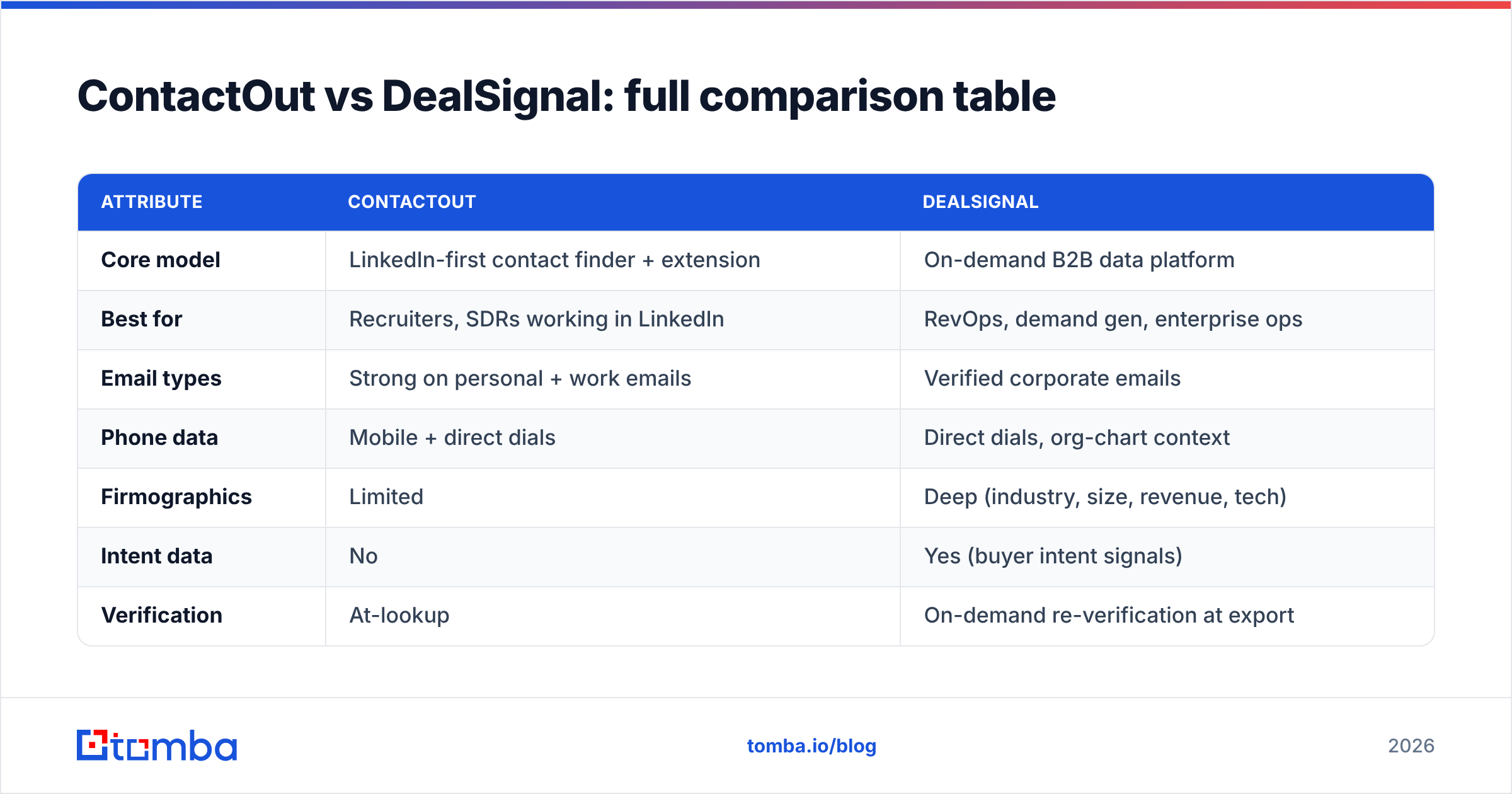
Here is the head-to-head on the attributes that actually change a buying decision. Treat exact prices as directional — both vendors gate specifics behind sales or plan tiers — but the shape of the difference is stable.
| Attribute | ContactOut | DealSignal |
|---|---|---|
| Core model | LinkedIn-first contact finder + extension | On-demand B2B data platform |
| Best for | Recruiters, SDRs working in LinkedIn | RevOps, demand gen, enterprise ops |
| Email types | Strong on personal + work emails | Verified corporate emails |
| Phone data | Mobile + direct dials | Direct dials, org-chart context |
| Firmographics | Limited | Deep (industry, size, revenue, tech) |
| Intent data | No | Yes (buyer intent signals) |
| Verification | At-lookup | On-demand re-verification at export |
| Pricing model | Per-seat + credits | Custom data contract |
| Entry price | Lower, self-serve | Higher floor, sales-led |
| API access | Available on higher tiers | Yes, enrichment-focused |
Is ContactOut or DealSignal more accurate?#
The honest answer: it depends on the channel, and both are good on their home turf. ContactOut wins on personal/consumer emails and LinkedIn-sourced mobiles because that is what it was built to scrape and match. DealSignal wins on verified corporate records at scale because its whole pitch is re-verifying data the moment you export it, which reduces bounce rates on cold outbound.
But "accuracy" is not a single number. The number that matters is your bounce rate on your list, which depends on how many of your targets have public LinkedIn profiles, how corporate your ICP is, and how fresh the underlying data is. This is why smart teams run a small paid pilot on the same 500-contact list through both tools and measure real bounce and connect rates before signing anything.

One rule holds regardless of vendor: verify before you send. Even a 95%-accurate source drops enough invalid addresses to dent your sender reputation if you skip a verification pass. Running exports through a dedicated email verifier — including a catch-all verifier for domains that accept everything — is the single highest-ROI habit in cold outbound. It matters more than which database you picked.
How do ContactOut and DealSignal price compare?#
Pricing is where these two tools separate the most, and where buyers get surprised.
ContactOut is per-seat with monthly credit limits. A single recruiter or SDR can get started relatively cheaply, but costs scale with every seat you add and every credit tier you upgrade into. Personal-email lookups and phone reveals often draw from separate credit buckets, so a heavy user burns through an allowance faster than the headline number suggests.
DealSignal is a platform contract. You are buying data volume and features, quoted by their sales team based on record count, enrichment needs, and intent access. The floor is higher, and it is built for teams that will use the data programmatically across a CRM, MAP, and enrichment jobs — not for one rep hunting contacts.
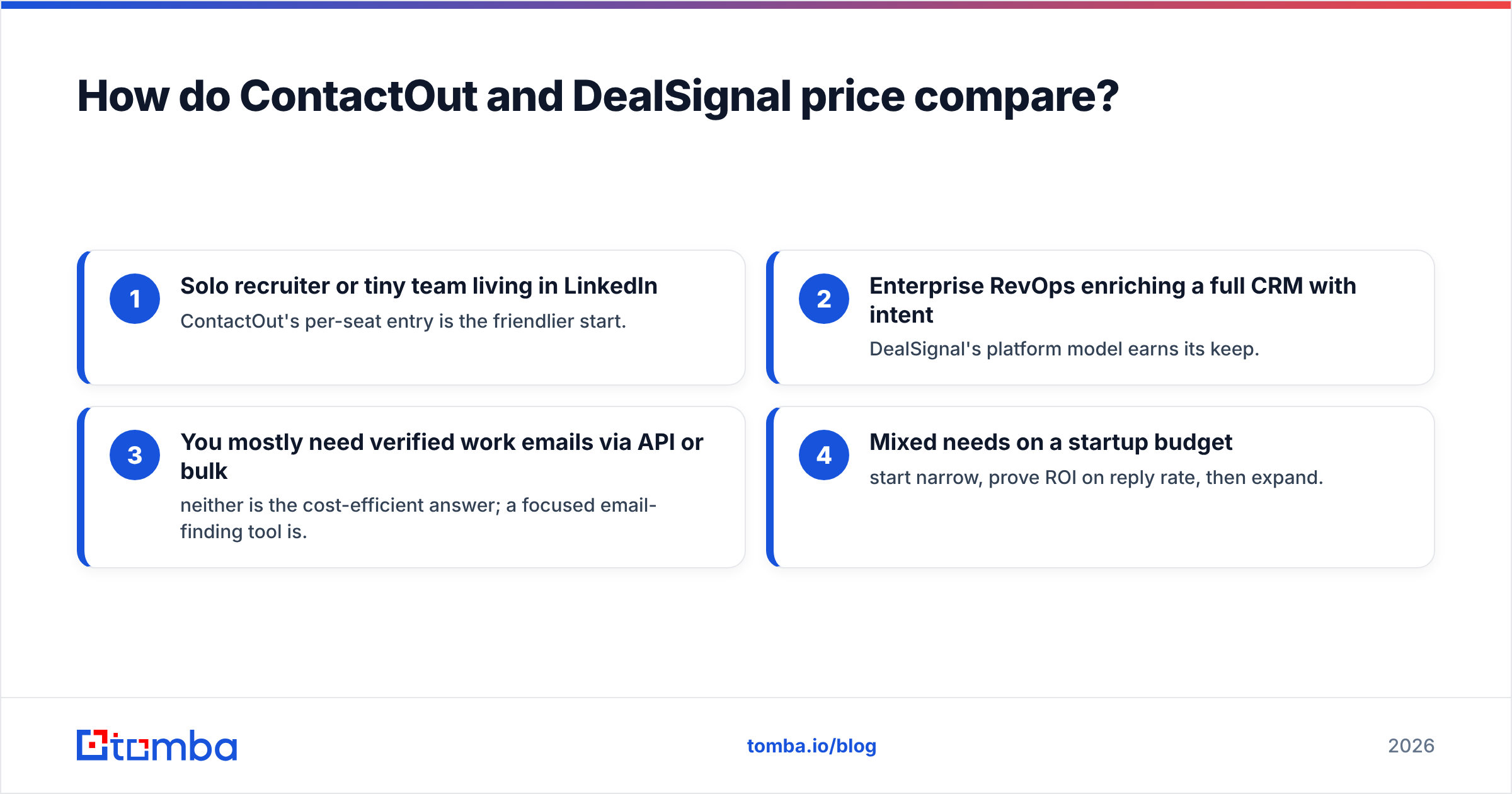
Here is the decision framework:
- Solo recruiter or tiny team living in LinkedIn — ContactOut's per-seat entry is the friendlier start.
- Enterprise RevOps enriching a full CRM with intent — DealSignal's platform model earns its keep.
- You mostly need verified work emails via API or bulk — neither is the cost-efficient answer; a focused email-finding tool is.
- Mixed needs on a startup budget — start narrow, prove ROI on reply rate, then expand.
That third case is more common than either vendor's marketing admits, which is why the next section matters.
When is a focused email finder the better call?#
Both ContactOut and DealSignal bundle a lot you may not need. If your actual job is "get accurate work emails and direct-dials into my sequencer without paying enterprise-data prices," a dedicated finder is usually the leaner win.
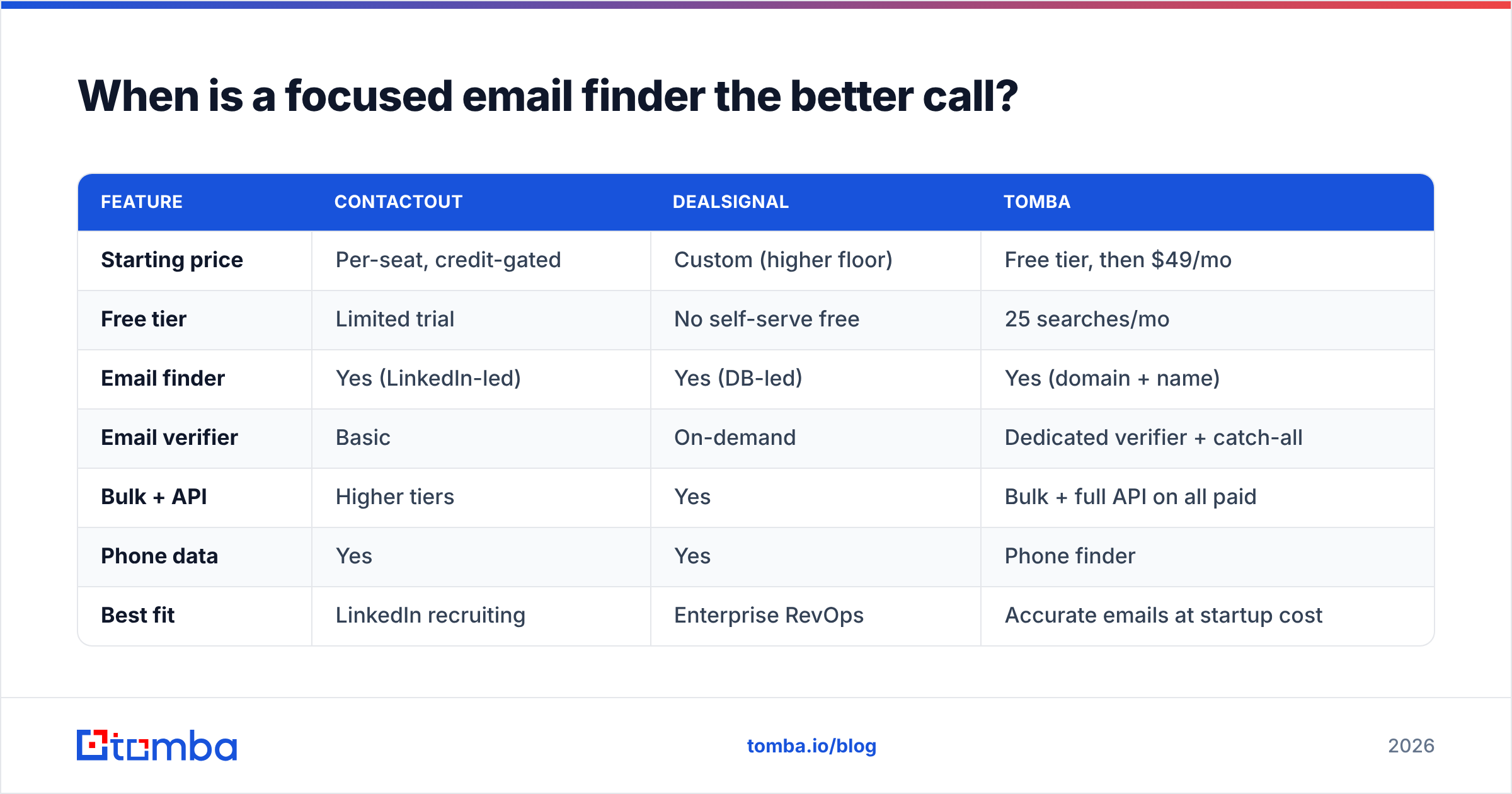
This is where Tomba fits. It is API-first and priced for teams that want accuracy without a data-warehouse contract:
| Feature | ContactOut | DealSignal | Tomba |
|---|---|---|---|
| Starting price | Per-seat, credit-gated | Custom (higher floor) | Free tier, then $49/mo |
| Free tier | Limited trial | No self-serve free | 25 searches/mo |
| Email finder | Yes (LinkedIn-led) | Yes (DB-led) | Yes (domain + name) |
| Email verifier | Basic | On-demand | Dedicated verifier + catch-all |
| Bulk + API | Higher tiers | Yes | Bulk + full API on all paid |
| Phone data | Yes | Yes | Phone finder |
| Best fit | LinkedIn recruiting | Enterprise RevOps | Accurate emails at startup cost |
Tomba's Starter plan at $49/mo (with a genuine free tier of 25 searches) covers the finder, verifier, domain search, and API — the pieces most outbound teams actually touch weekly. You are not paying for intent data you will not action or seats you will not fill. And because it is API- and integration-first, it slots into a HubSpot or Salesforce workflow without a services engagement.
Which tool should you actually pick?#
Match the tool to your motion, not to the longest feature list.
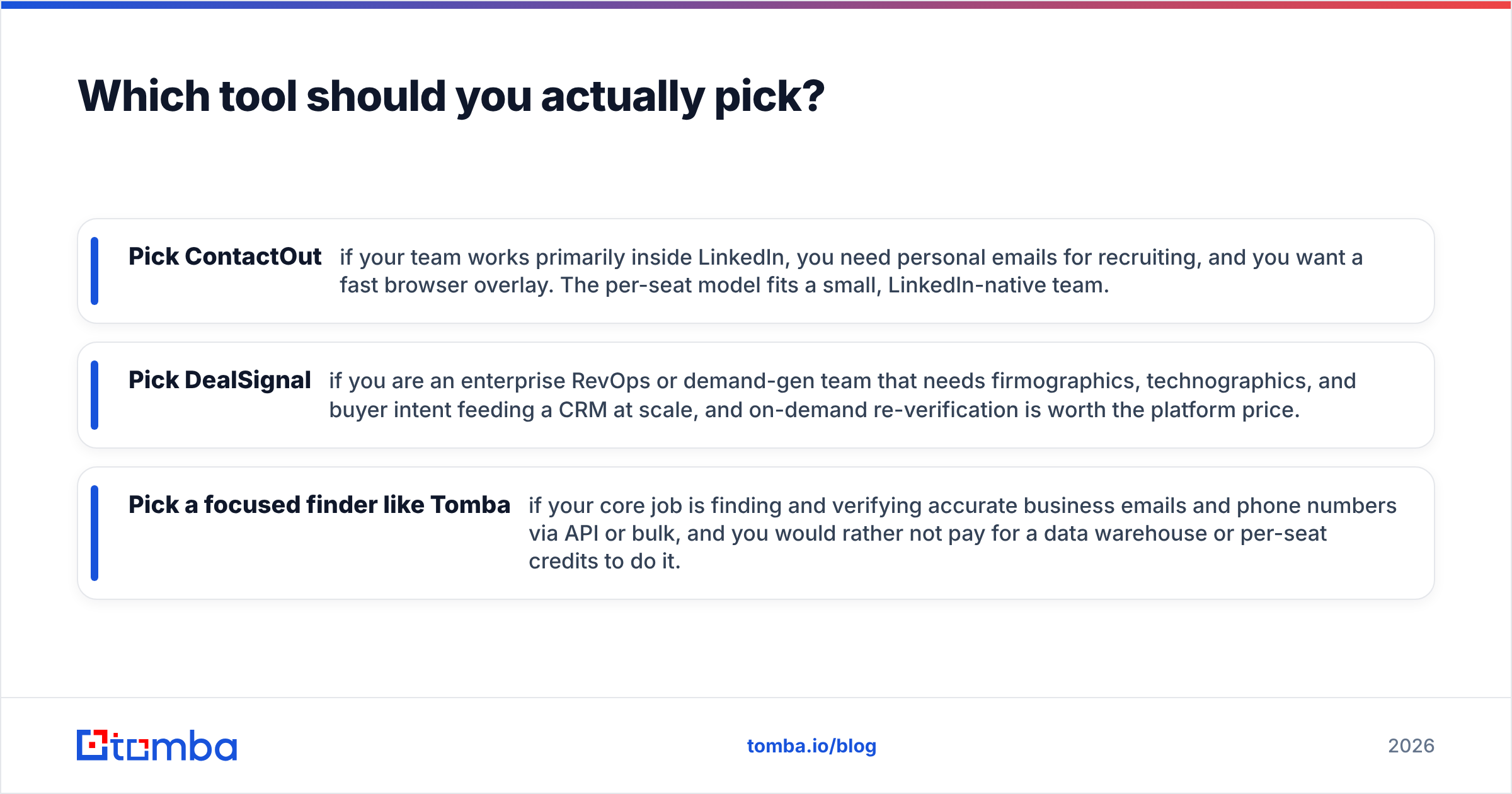
- Pick ContactOut if your team works primarily inside LinkedIn, you need personal emails for recruiting, and you want a fast browser overlay. The per-seat model fits a small, LinkedIn-native team.
- Pick DealSignal if you are an enterprise RevOps or demand-gen team that needs firmographics, technographics, and buyer intent feeding a CRM at scale, and on-demand re-verification is worth the platform price.
- Pick a focused finder like Tomba if your core job is finding and verifying accurate business emails and phone numbers via API or bulk, and you would rather not pay for a data warehouse or per-seat credits to do it.
Many teams end up running a hybrid stack: a finder/verifier for day-to-day prospecting volume, plus a platform tool only for the enrichment or intent layer where it is genuinely differentiated. That is often cheaper and more accurate than forcing one tool to do everything.
The comparison that actually settles it#
Do not settle this on a spec sheet. Take one real list of 300-500 target accounts inside your ICP. Run it through each tool you are considering. Then measure the only three numbers that matter:
- Match rate — how many targets returned a usable contact.
- Bounce rate — how many emails actually delivered after a verification pass.
- Connect/reply rate — the real business outcome, tracked to response rate.
The winner on your list is rarely the winner on the vendor's homepage. Public benchmarks are a starting filter, not a verdict.

Frequently asked questions#
Is ContactOut better than DealSignal? Neither is universally better. ContactOut wins for LinkedIn-native recruiting and personal-email discovery; DealSignal wins for enterprise-grade B2B data with intent signals. Your ICP and workflow decide it.
Does DealSignal have a free plan? No self-serve free tier — DealSignal is quoted by sales as a data contract. ContactOut offers a limited trial. If you want a real free tier to test with, Tomba includes 25 searches per month at no cost.
Can I use ContactOut or DealSignal just for email verification? You can, but both bundle it into broader (and pricier) products. For a dedicated pass, a standalone email verifier with catch-all handling is usually cheaper and more configurable.
What is the cheapest accurate alternative to both? For teams whose core need is finding and verifying work emails, a focused finder such as Tomba starts at a free tier and $49/mo — well below DealSignal's platform floor and ContactOut's stacked per-seat credits.
Bottom line#
ContactOut and DealSignal are both credible, but they answer different questions. ContactOut is a LinkedIn-first contact grabber for recruiters and SDRs. DealSignal is an enterprise B2B data platform for RevOps teams that need intent and deep firmographics. Pick the one that matches how your team actually works — and be honest about whether you need the whole platform or just accurate contacts.
If your real job is finding and verifying business emails without an enterprise contract, start lean. The Tomba Email Finder gives you accurate emails, a dedicated verifier, bulk processing, and a full API on a free tier plus $49/mo Starter plan — so you can prove reply-rate ROI before you ever sign a six-figure data deal. Test it on your next list and let the bounce rate decide.
Related guides#
Ready to find emails that actually work?
Join 150,000+ professionals who stopped guessing and started sending. Free credits on signup — no credit card required.
Get the Tomba newsletter
Practical outbound tactics and product updates — once every two weeks.
About the author