ContactOut vs Emailchaser (2026): Features, Pricing & Our Pick
ContactOut finds emails from LinkedIn; Emailchaser sends the cold emails. We break down accuracy, pricing, and where each one actually earns its seat in your stack.
You are comparing two tools that do not actually do the same job. That is the first thing to get straight before you spend a dollar. ContactOut is a contact-data platform built to pull emails and phone numbers off LinkedIn profiles. Emailchaser is a cold email sending tool with a lightweight finder bolted on. One fills the top of your funnel; the other pushes messages out the bottom.
So "ContactOut vs Emailchaser" is less a duel and more a question of which gap in your outreach stack you are trying to plug. This guide breaks down what each tool is genuinely good at, what they cost in 2026, where the accuracy holds up, and why plenty of teams end up replacing one of them with a single all-in-one alternative.
TL;DR: ContactOut vs Emailchaser in 30 seconds#
- ContactOut is a data-finder: strong LinkedIn coverage, a Chrome extension, and personal + work email discovery. Best when your prospecting starts on LinkedIn.
- Emailchaser is a sending tool: sequences, mailbox rotation, and reply tracking, plus a basic email finder. Best when you already have a list and need to run campaigns.
- They solve different problems. Buying one does not remove the need for the other unless you pick a platform that covers both.
- Pricing diverges fast. ContactOut gates volume behind higher tiers; Emailchaser charges per sending seat and inbox.
- If you want finding + verifying in one place without paying two vendors, a dedicated email finder with built-in verification is usually cheaper and more accurate on work emails.

What is ContactOut and who is it for?#
ContactOut is a B2B contact-data provider. Its core promise is that you can sit on a LinkedIn profile, click the browser extension, and get that person's work email, personal email, and sometimes a phone number. It also offers a web-based search portal and an API for enrichment at scale.
Its sweet spot is recruiters and LinkedIn-first SDRs. If your prospecting motion is "find the human on LinkedIn, then reach them," ContactOut fits the workflow. It leans heavily on personal (consumer) email discovery, which is unusual—most B2B finders only chase the work address.
The trade-offs are familiar for any single-source, LinkedIn-anchored tool:
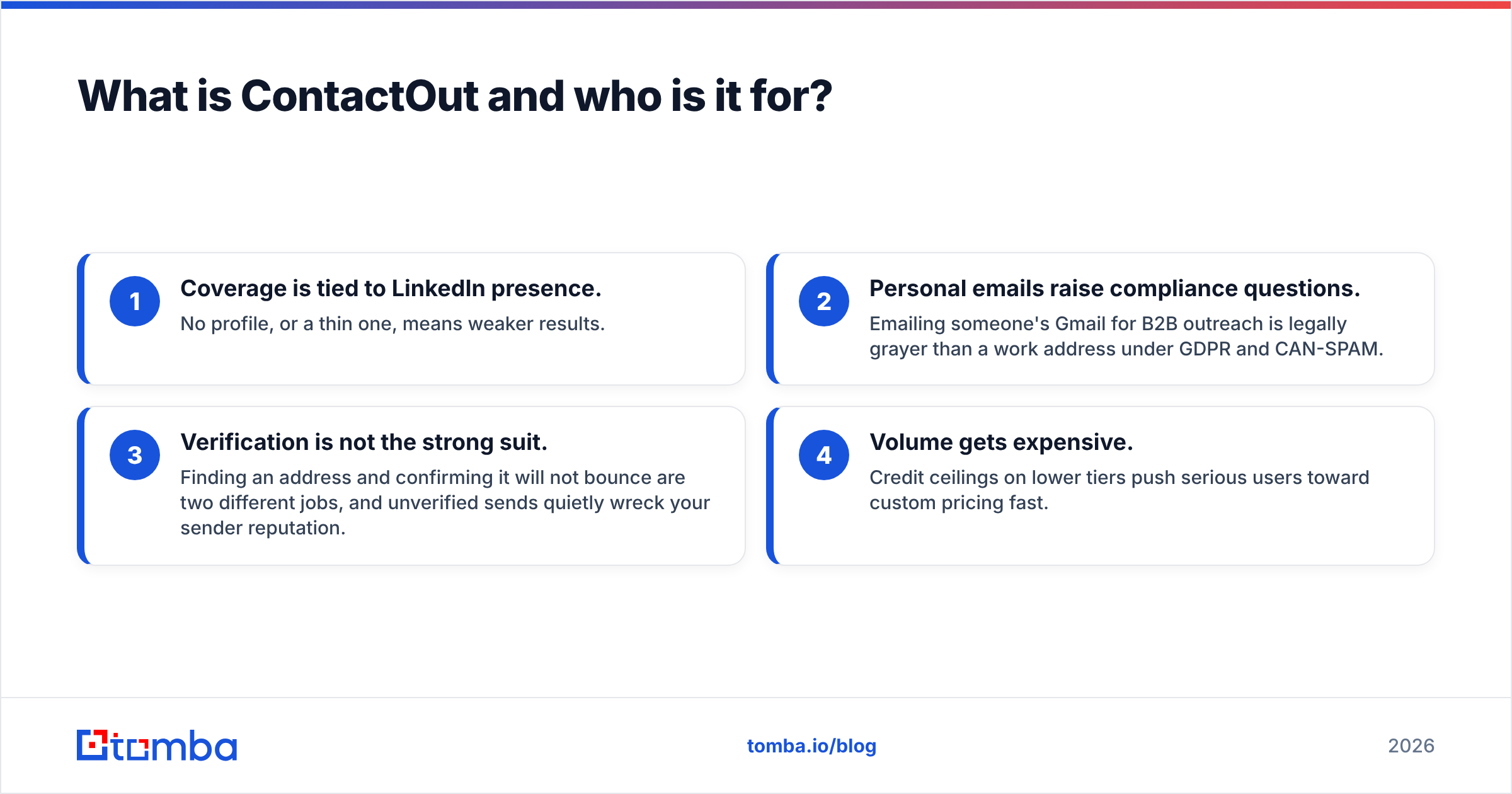
- Coverage is tied to LinkedIn presence. No profile, or a thin one, means weaker results.
- Personal emails raise compliance questions. Emailing someone's Gmail for B2B outreach is legally grayer than a work address under GDPR and CAN-SPAM.
- Verification is not the strong suit. Finding an address and confirming it will not bounce are two different jobs, and unverified sends quietly wreck your sender reputation.
- Volume gets expensive. Credit ceilings on lower tiers push serious users toward custom pricing fast.
You can see how ContactOut stacks up against other finders on accuracy in independent 2026 benchmarks:

What is Emailchaser and who is it for?#
Emailchaser sits at the other end of the pipeline. It is a cold email outreach platform: you load contacts, build multi-step sequences, rotate across multiple sending mailboxes to protect deliverability, and track opens and replies. It also includes an email-finding feature so you are not forced to buy a separate data tool for small jobs.
Its audience is small teams and solo founders running outbound who want an affordable, no-frills sender. The pitch is simplicity and price—it is not trying to be Outreach or Salesloft, and it does not pretend to be a full data platform.
Where Emailchaser earns its keep:
- Sequencing and follow-ups. The whole point—automated, spaced follow-ups that lift response rates.
- Inbox rotation. Spreading volume across mailboxes to avoid torching one domain.
- Reply detection. Pulling engaged prospects out of the sequence automatically.
Where it is thin:
- The finder is a convenience feature, not a data engine. For high-volume, high-accuracy list building it will not match a dedicated finder.
- No native verification depth. You will still want to verify emails before you send to protect deliverability.
- Limited enrichment. Firmographics, phone numbers, and social data are not its game.
ContactOut vs Emailchaser: full comparison table#
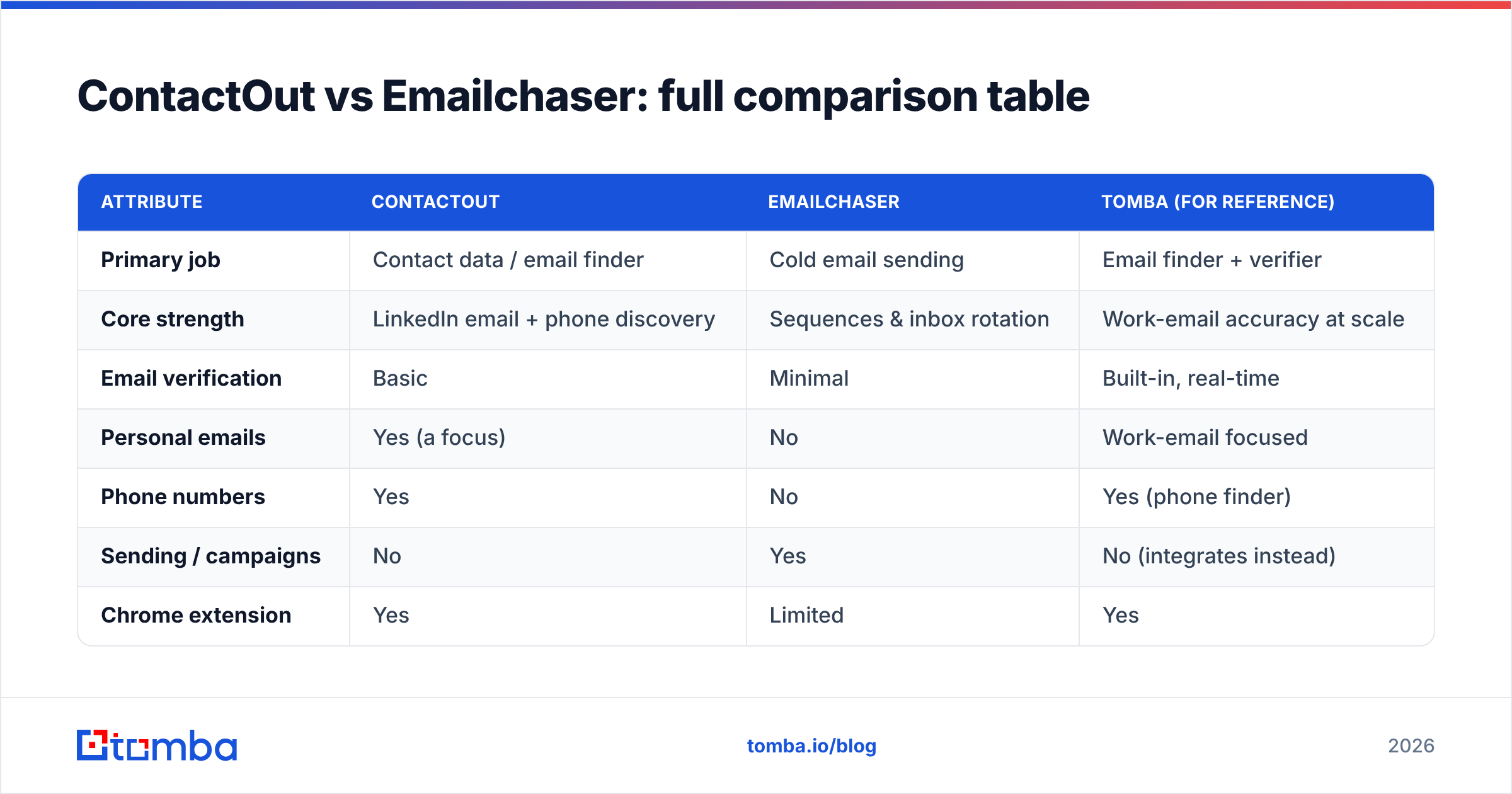
Here is the head-to-head on the attributes that actually change your decision. Note that "email finder" means very different things on each side—industrial-strength on ContactOut, best-effort on Emailchaser.
| Attribute | ContactOut | Emailchaser | Tomba (for reference) |
|---|---|---|---|
| Primary job | Contact data / email finder | Cold email sending | Email finder + verifier |
| Core strength | LinkedIn email + phone discovery | Sequences & inbox rotation | Work-email accuracy at scale |
| Email verification | Basic | Minimal | Built-in, real-time |
| Personal emails | Yes (a focus) | No | Work-email focused |
| Phone numbers | Yes | No | Yes (phone finder) |
| Sending / campaigns | No | Yes | No (integrates instead) |
| Chrome extension | Yes | Limited | Yes |
| API access | Yes | Limited | Yes (full REST API) |
| Free tier | Limited credits | Trial-based | 25 searches/mo free |
| Entry paid price | Higher-tier gated | Per-seat, low | $49/mo Starter |
The pattern is clear: you are not choosing a winner, you are choosing a layer. ContactOut supplies data. Emailchaser supplies delivery. To run outbound end to end you need both jobs covered—by two tools, or by one that spans the gap.
Is ContactOut better than Emailchaser?#
Neither is "better"—they are answers to different questions. Ask what is missing from your stack right now.
Pick ContactOut if:
- Your prospecting lives inside LinkedIn and you want emails without leaving the profile.
- You specifically need personal emails or phone numbers (common in recruiting).
- You already have a sending tool and just need a data source.
Pick Emailchaser if:
- You already have a clean, verified contact list.
- You want a cheap, simple way to run sequenced campaigns.
- You do not need deep firmographic data or high-volume finding.
You need something else if:
- You want finding and verifying in one accurate, affordable platform.
- Your outreach targets work emails at companies, not LinkedIn personal accounts.
- You care about bounce rates and long-term domain health more than a novelty personal-email lookup.
That last case is where teams get frustrated. Buying ContactOut for data and Emailchaser for sending means two subscriptions, two credit systems, and a verification gap in the middle that neither closes cleanly. Sending unverified addresses is the single fastest way to damage email deliverability, and it is exactly the seam between these two tools.

How accurate is the data, really?#
Accuracy is where a finder lives or dies, and it is the hardest thing to judge from a marketing page. Two numbers matter, and vendors love to blur them:
- Match rate — how often the tool returns an email for a given prospect.
- Accuracy rate — how often that returned email is actually valid and deliverable.
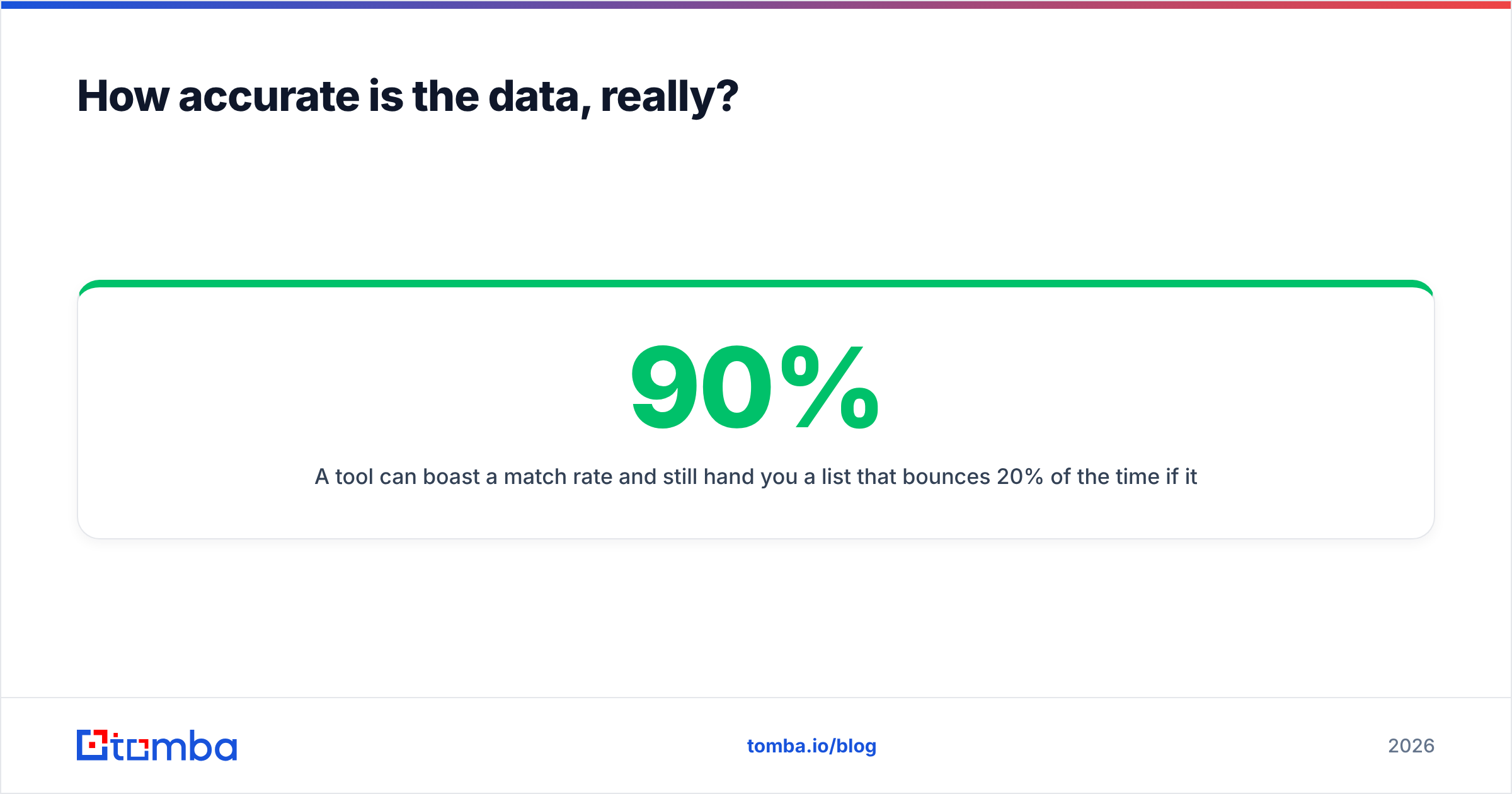
A tool can boast a 90% match rate and still hand you a list that bounces 20% of the time if it does not verify. High match with low verification is a trap: it feels productive and quietly destroys your sender reputation. Google Postmaster and most inbox providers start throttling once your hard-bounce rate climbs past roughly 2–3%.
ContactOut's LinkedIn-sourced data is strong on match rate, especially for personal emails, but you should verify anything before it enters a campaign. Emailchaser's finder is convenience-grade—fine for a handful of contacts, not for building a 10,000-line list. In both cases, an independent verification pass is not optional.
That is why the smartest workflow decouples "find" from "verify" only in name, not in practice—use a source that does both in one motion. Here is how a dedicated finder-plus-verifier stacks up against the field:

You can pressure-test any of these claims yourself with a free email checker before you commit budget—run the same 50 prospects through each tool and compare bounce rates.
What does ContactOut vs Emailchaser cost in 2026?#
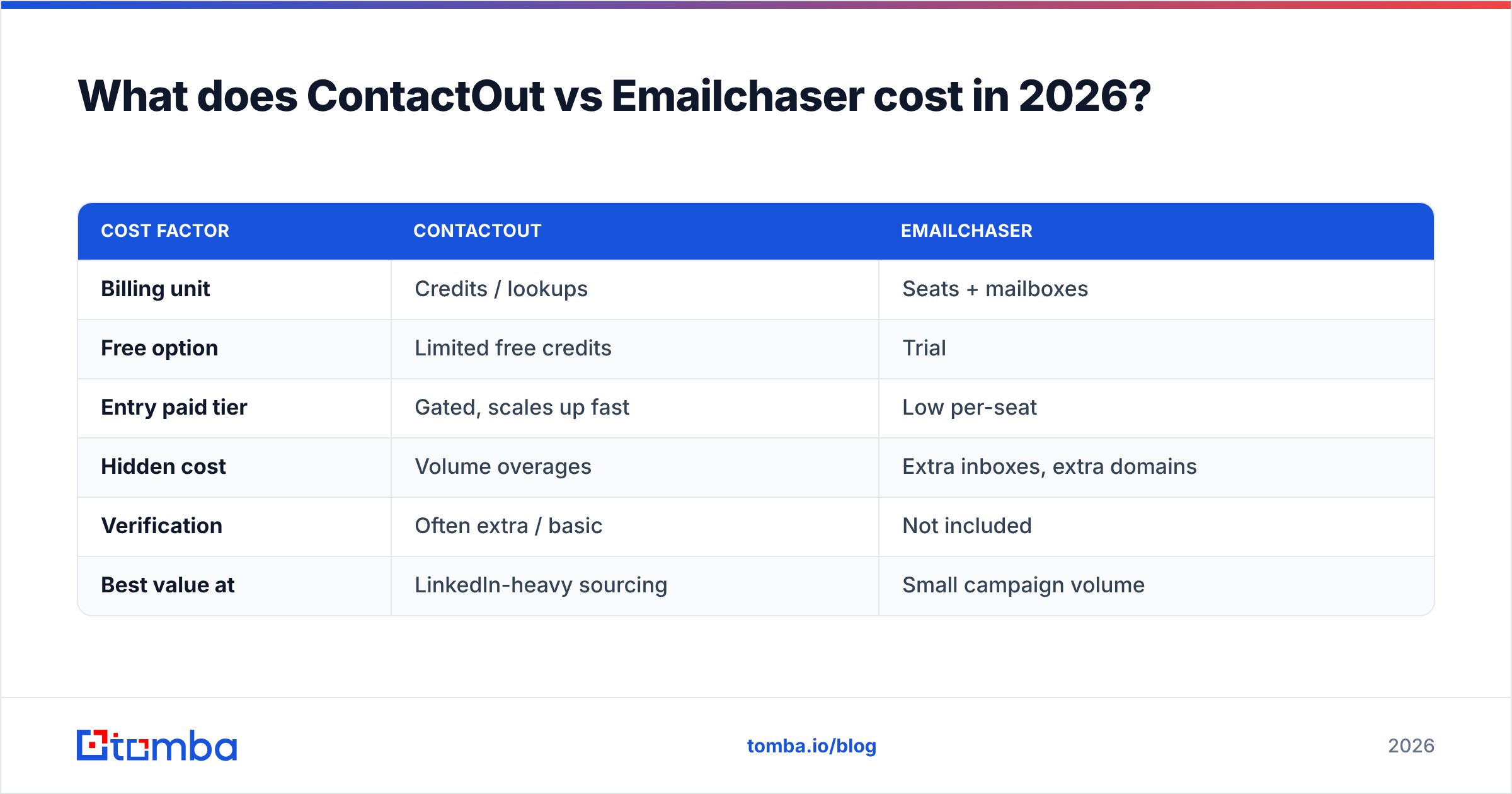
Cost comparison is tricky because you are pricing two different units: ContactOut sells credits (data lookups), Emailchaser sells seats and inboxes (sending capacity).
| Cost factor | ContactOut | Emailchaser |
|---|---|---|
| Billing unit | Credits / lookups | Seats + mailboxes |
| Free option | Limited free credits | Trial |
| Entry paid tier | Gated, scales up fast | Low per-seat |
| Hidden cost | Volume overages | Extra inboxes, extra domains |
| Verification | Often extra / basic | Not included |
| Best value at | LinkedIn-heavy sourcing | Small campaign volume |
The hidden line item in both cases is verification. ContactOut's ceiling problem is volume—the more you prospect, the faster you hit the tier wall. Emailchaser's is scale-out—every new domain and mailbox adds cost, and you still need clean data feeding it.
For comparison, an all-in-one finder like Tomba starts free (25 searches per month), then $49/mo Starter, $99/mo Growth, and $249/mo Pro, with verification built in rather than sold separately. You can see the full breakdown on the Tomba pricing page. When you tally two subscriptions plus a standalone verifier, a single platform frequently comes in cheaper than the ContactOut-plus-Emailchaser combo.
Can you replace both with one tool?#
Mostly, yes—depending on which half you value more.
If your bottleneck is data quality and finding, replace ContactOut (and skip Emailchaser's weak finder) with a dedicated finder-plus-verifier. You get better work-email accuracy, real-time verification, phone numbers, and data enrichment in one credit system, then push the clean list into whatever sender you like.
If your bottleneck is sending, keep a purpose-built sequencer and feed it verified data from a single source instead of ContactOut's raw, unverified matches.
The stack most teams settle on in 2026 looks like this:
- Find + verify with one accurate platform (accuracy and deliverability protection live here).
- Enrich with firmographics and phone data from the same source.
- Send through a dedicated sequencer, or through a native integration.
- Sync everything to your CRM so nothing leaks between tools.
Tomba covers steps 1 and 2 natively and connects to sending and CRM tools through its integrations—HubSpot, Pipedrive, Zapier, and Google Sheets among them—so you are not glueing three vendors together with tape. That collapses the ContactOut-vs-Emailchaser dilemma into a cleaner pipeline with one source of truth for contact data.
The verdict: which should you buy?#
Buy ContactOut if LinkedIn is your prospecting home base and you need personal emails or phones that other finders miss—just budget for a separate verification step before you send.
Buy Emailchaser if you already have verified data and want the cheapest reasonable way to run sequenced campaigns, and you do not need serious data-finding built in.
Buy neither, and consolidate, if you are tired of paying two vendors to cover one pipeline and watching bounces slip through the gap between them. That is the honest recommendation for most B2B teams whose targets are work emails at real companies.
Cross-check the current feature sets on the official ContactOut and Emailchaser sites, and read verified user reviews on G2 before you commit—pricing and limits shift quarterly on both.
Whatever sender you land on, the data feeding it is what determines whether your campaigns hit inboxes or spam folders. Start with a source that finds and verifies in one motion: try the Tomba Email Finder free—25 searches a month, no card—and see how accurate work-email discovery plus built-in verification compares to stitching ContactOut and Emailchaser together. Your bounce rate will tell you the rest.
Related guides#
Ready to find emails that actually work?
Join 150,000+ professionals who stopped guessing and started sending. Free credits on signup — no credit card required.
Get the Tomba newsletter
Practical outbound tactics and product updates — once every two weeks.
About the author