ContactOut vs Enrichley: Which Contact Data Tool Wins in 2026?
ContactOut vs Enrichley compared on accuracy, coverage, pricing, and workflow fit. See which contact-data tool actually earns a spot in your prospecting stack in 2026 — and where a cheaper option beats both.
Picking between ContactOut and Enrichley usually comes down to one question you can't answer from a pricing page: whose data actually lands in an inbox instead of a bounce folder. Both promise verified B2B contacts, both plug into your outreach stack, and both charge real money per credit. This breakdown puts them side by side on the things that move your reply rate — match rate, verification, coverage, pricing, and workflow — so you can commit without buyer's remorse.
TL;DR: ContactOut vs Enrichley in 30 seconds#
- ContactOut is strongest as a LinkedIn-first prospecting layer: a Chrome extension that pulls personal and work emails while you browse profiles. Best for recruiters and SDRs who live in LinkedIn.
- Enrichley leans toward bulk enrichment and data-append workflows: feed it a list or a domain, get back enriched contact and company fields. Best for RevOps teams cleaning CRM records at scale.
- Accuracy is close, but neither is cheap once you scale past a few thousand lookups a month — seat minimums and credit tiers add up fast.
- If your priority is verified email finding at a lower cost per contact, a dedicated finder like Tomba Email Finder often beats both on price-per-valid-email while covering domain search and verification in one place.
- The right pick depends on where you work: inside LinkedIn (ContactOut), inside your CRM/spreadsheets (Enrichley), or API-first across your whole stack (Tomba).
What is ContactOut and who is it for?#
ContactOut is a contact-finding platform built around a browser extension. You open a LinkedIn profile, click the ContactOut icon, and it surfaces the person's email addresses (often including a personal Gmail) and phone numbers. It also offers a web search portal and an API for teams that want to pull data outside the browser.
Its center of gravity is recruiting and sales prospecting where LinkedIn is the primary system of record. If your motion is "find the person on LinkedIn, then reach them," ContactOut fits the muscle memory. The trade-off is that its value is tied to that browsing workflow — it's less natural when your starting point is a raw list of company domains or a CRM export.

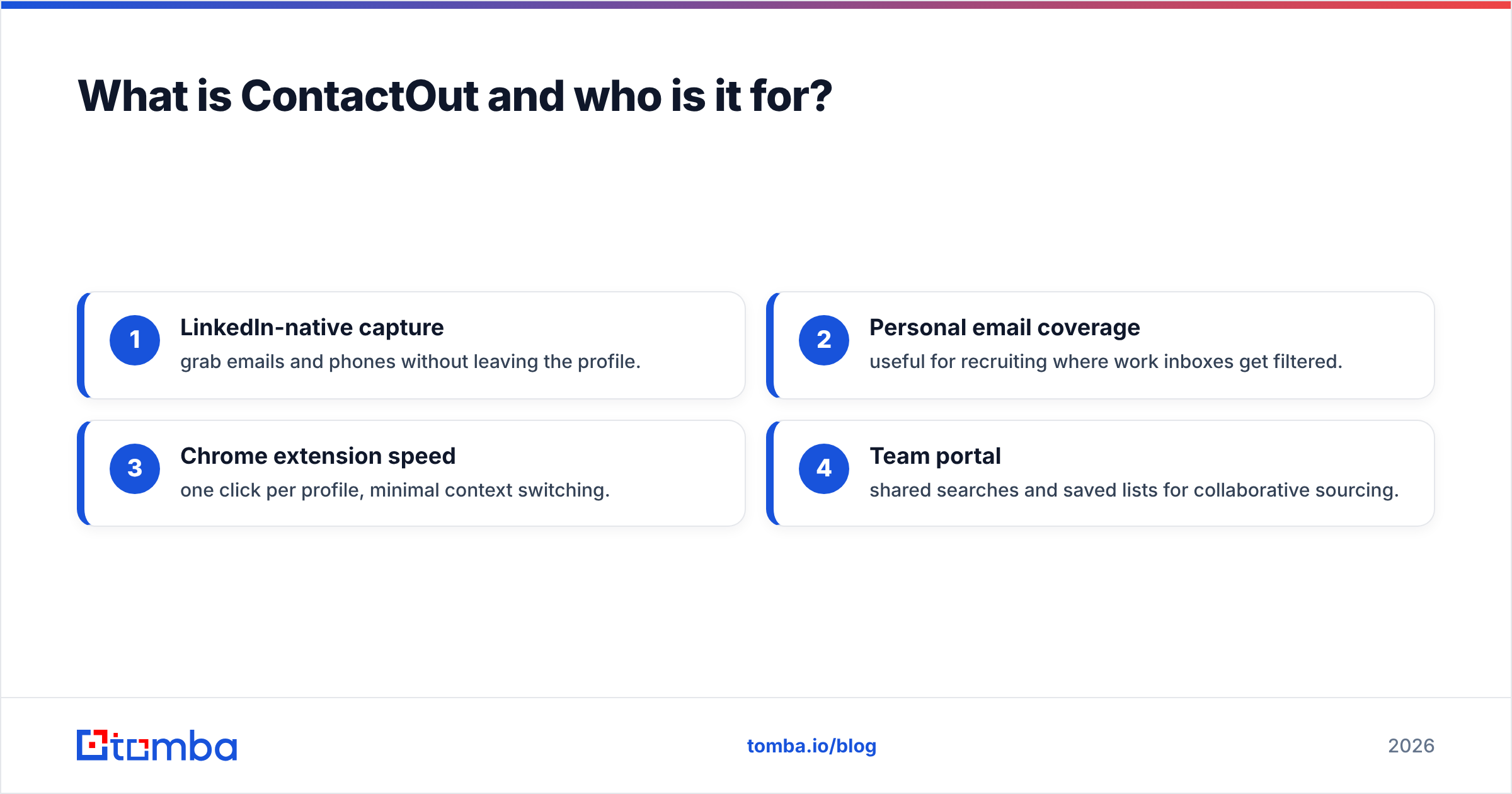
Where ContactOut earns its keep:
- LinkedIn-native capture — grab emails and phones without leaving the profile.
- Personal email coverage — useful for recruiting where work inboxes get filtered.
- Chrome extension speed — one click per profile, minimal context switching.
- Team portal — shared searches and saved lists for collaborative sourcing.
What is Enrichley and who is it for?#
Enrichley is positioned as a lead-enrichment and data-append tool. Instead of browsing one profile at a time, you hand it inputs — a list of names and companies, a set of domains, or partial CRM records — and it returns enriched fields: verified emails, job titles, company size, industry, and firmographics. That makes it a natural fit for revenue operations and marketing ops teams who need to fill gaps across thousands of rows.
The strength here is throughput. Enrichment tools shine when the job is "make this messy list usable" rather than "find one specific decision-maker right now." The weakness is that batch enrichment quality depends heavily on input quality: feed it thin data and match rates drop, which is true of every enrichment vendor, not just this one.
If you want to understand the category mechanics before comparing vendors, Tomba's guide to data enrichment walks through how append workflows actually resolve a contact from partial inputs.
ContactOut vs Enrichley: the head-to-head comparison#
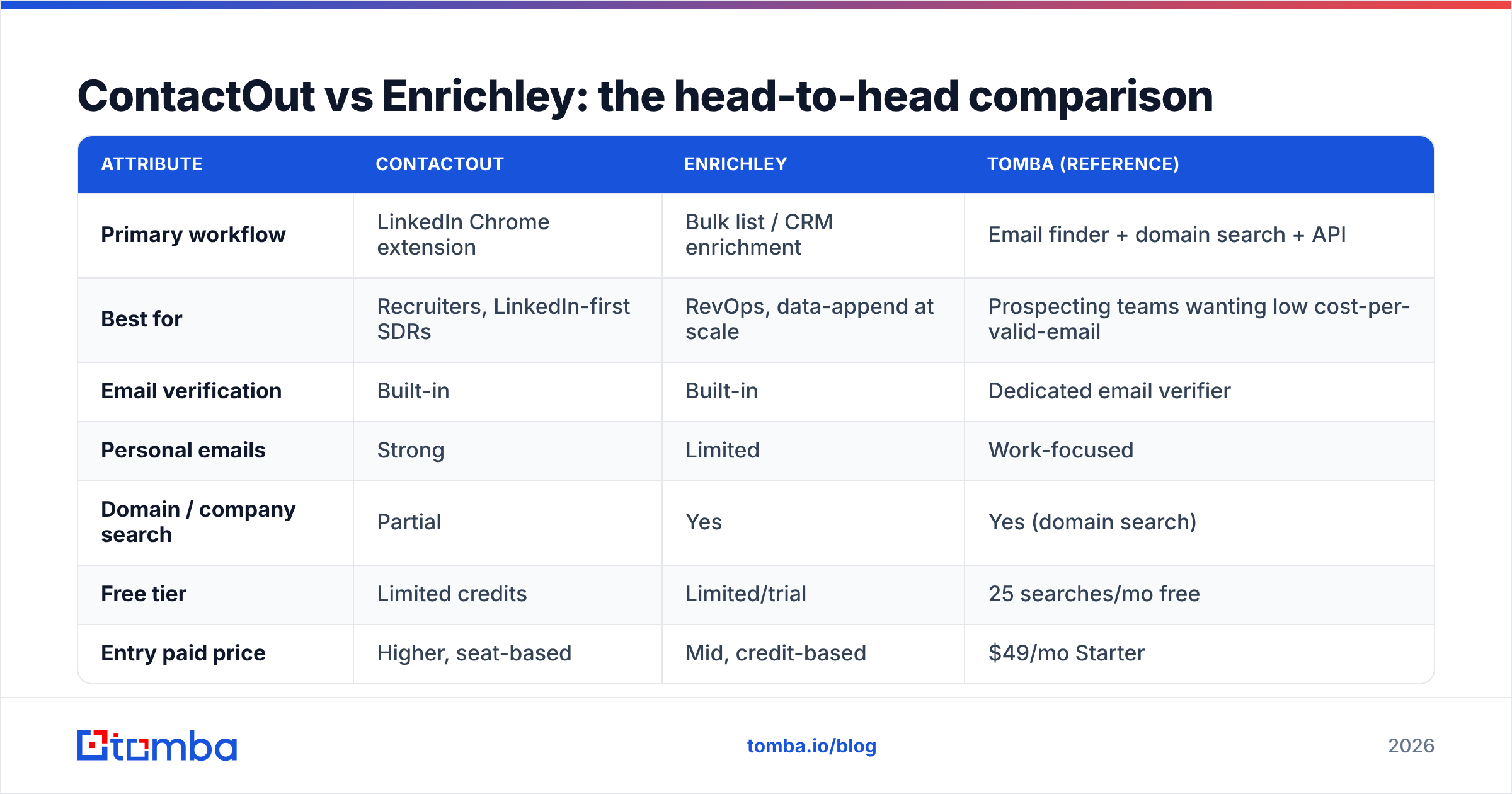
Here's the practical side-by-side. Treat vendor-published match rates as marketing numbers — always validate on your own list before committing budget.
| Attribute | ContactOut | Enrichley | Tomba (reference) |
|---|---|---|---|
| Primary workflow | LinkedIn Chrome extension | Bulk list / CRM enrichment | Email finder + domain search + API |
| Best for | Recruiters, LinkedIn-first SDRs | RevOps, data-append at scale | Prospecting teams wanting low cost-per-valid-email |
| Email verification | Built-in | Built-in | Dedicated email verifier |
| Personal emails | Strong | Limited | Work-focused |
| Domain / company search | Partial | Yes | Yes (domain search) |
| Free tier | Limited credits | Limited/trial | 25 searches/mo free |
| Entry paid price | Higher, seat-based | Mid, credit-based | $49/mo Starter |
| API access | Yes | Yes | Yes (Tomba API) |
The honest read: ContactOut wins the LinkedIn moment, Enrichley wins the bulk-cleanup moment, and a dedicated finder wins on cost-efficiency when you just need verified work emails at volume. None of them is "best" in the abstract — they're best at different jobs.
Which is more accurate — ContactOut or Enrichley?#
Accuracy between the two is closer than either would like you to believe, and it splits by data type. ContactOut tends to lead on personal-email coverage because of its LinkedIn-centric sourcing, which matters a lot in recruiting. Enrichley tends to be more consistent on firmographic and company-level fields, which matters for lead scoring and routing.
But "accuracy" only counts after verification. A match that isn't validated against a live mail server is a guess with good posture. Both tools verify, and you should still run a second-pass check on any high-value segment — bounce rates above 3–4% start dragging your sender reputation down, and no vendor's match rate is worth a burned domain.

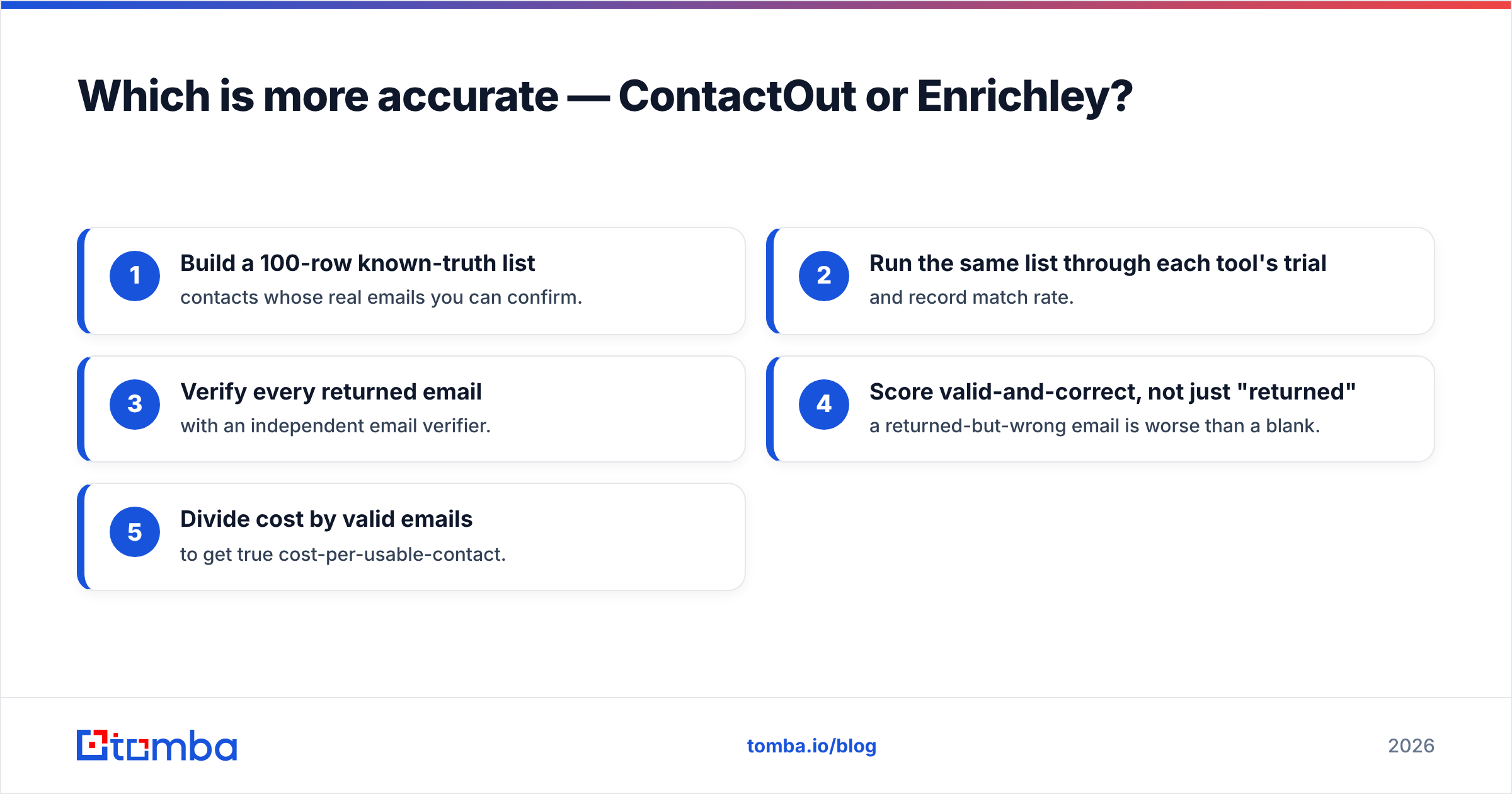
A repeatable way to test accuracy yourself before you buy:
- Build a 100-row known-truth list — contacts whose real emails you can confirm.
- Run the same list through each tool's trial and record match rate.
- Verify every returned email with an independent email verifier.
- Score valid-and-correct, not just "returned" — a returned-but-wrong email is worse than a blank.
- Divide cost by valid emails to get true cost-per-usable-contact.
That last number — cost per valid email, not per credit — is the metric that should decide the purchase.

ContactOut vs Enrichley pricing: which is cheaper?#
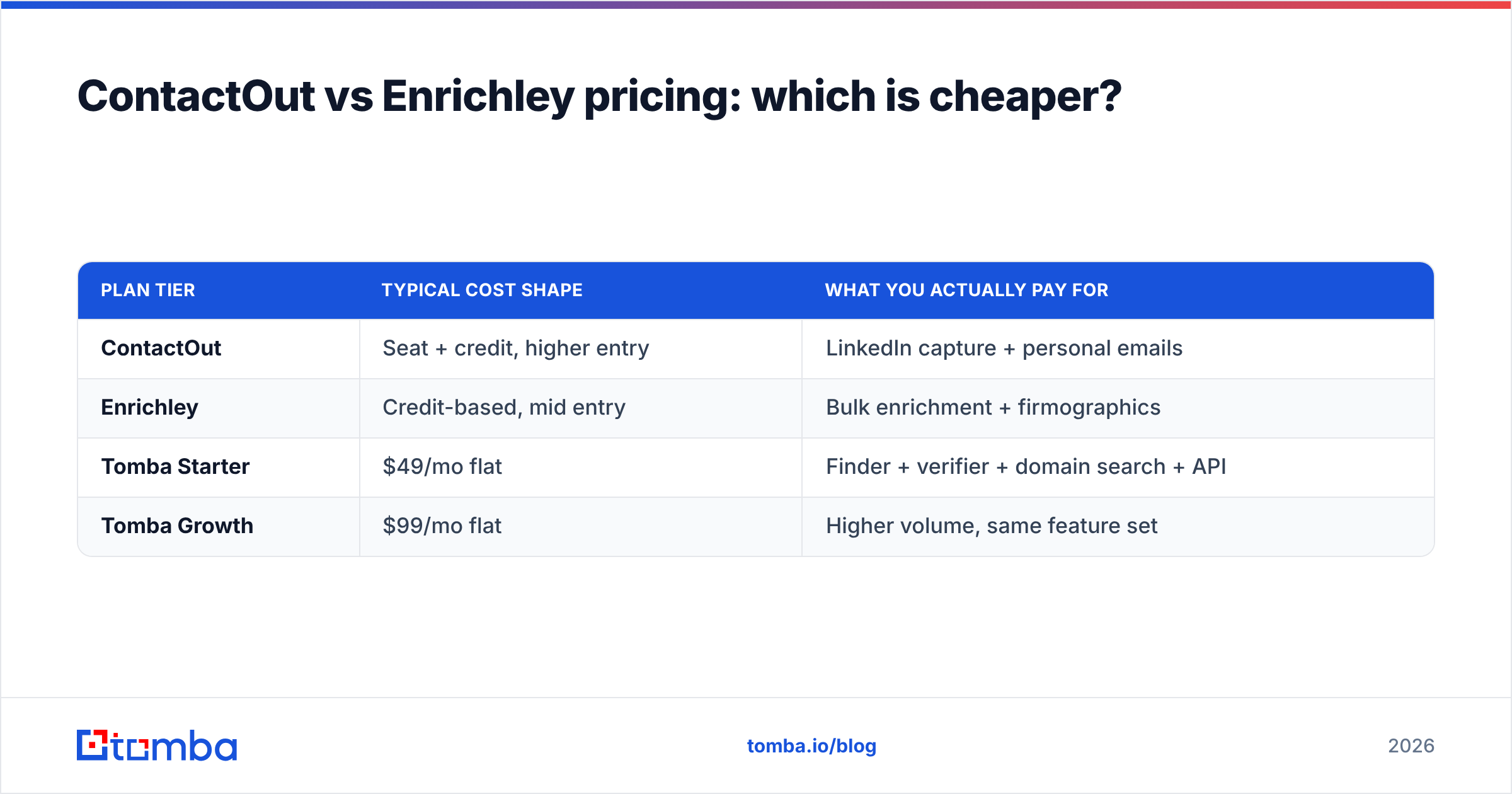
Neither publishes dead-simple flat pricing, and that's the point — both use a mix of seats, credit tiers, and annual commitments that make direct comparison hard. ContactOut's cost tends to scale with seats and can get expensive for larger sourcing teams. Enrichley's credit model can be more forgiving for occasional bulk jobs but adds up when enrichment becomes a continuous process.
Two rules keep you honest on price:
- Watch the seat minimums. A "per user" plan that requires a team floor can double your real cost versus the sticker.
- Model your monthly volume first. Ten thousand enrichments a month looks very different on a credit plan than a hundred one-off LinkedIn lookups.
For teams that mainly need verified work emails and want predictable per-month cost, this is where a finder-first tool pulls ahead. Tomba pricing starts with a free tier of 25 searches/mo, then Starter at $49/mo, Growth at $99/mo, and Pro at $249/mo — with domain search, verification, and API access included rather than bolted on. If you're specifically weighing a switch, the ContactOut alternative breakdown maps feature-for-feature.
| Plan tier | Typical cost shape | What you actually pay for |
|---|---|---|
| ContactOut | Seat + credit, higher entry | LinkedIn capture + personal emails |
| Enrichley | Credit-based, mid entry | Bulk enrichment + firmographics |
| Tomba Starter | $49/mo flat | Finder + verifier + domain search + API |
| Tomba Growth | $99/mo flat | Higher volume, same feature set |
When should you choose ContactOut over Enrichley?#
Choose ContactOut when your team's day is spent inside LinkedIn and you need personal as well as work emails. Recruiters chasing passive candidates, founder-led sales working warm profiles, and SDRs who source one prospect at a time will get more from a browser-native capture tool than from a batch enrichment engine. The workflow tax of switching to a bulk tool isn't worth it when your input is always "this specific person, right now."
You should also prefer ContactOut if personal-email deliverability is core to your motion — recruiting outreach often performs better to a Gmail than to a corporate address behind an aggressive spam filter.
When should you choose Enrichley over ContactOut?#
Choose Enrichley when the job is scale and structure, not one-off lookups. If you're a RevOps or marketing-ops owner staring at a CRM full of half-empty records, a tool built for list-in, enriched-list-out will save you days. Enrichment shines for lead scoring, territory routing, and reactivating a stale database where you need consistent firmographic fields across thousands of rows.
It's also the better pick when contact discovery is downstream of an existing account list — you already know the companies, and you need the people and attributes filled in. Pair either tool with a clean outbound foundation; even perfect data fails if your email deliverability setup (SPF, DKIM, warmup) isn't in order.
Is there a better-value alternative to both?#
For a large share of teams, yes — if your core need is finding and verifying work emails rather than LinkedIn-native capture or heavy firmographic append. That's the exact job a dedicated finder is built for, and it usually wins on cost-per-valid-email plus predictable pricing.
Where a finder-first stack like Tomba fits between these two:
- vs ContactOut — you lose deep LinkedIn personal-email capture, but gain lower per-email cost, native domain search, and a flat monthly price instead of seat scaling.
- vs Enrichley — you get finding plus verification in one flow, with data enrichment available when you need attributes, without committing to a pure batch model.
- For developers — the Tomba API lets you wire finding and verification directly into your product or ops pipeline.
Check independent reviews before you decide — cross-reference each tool on G2 and Capterra to see how real users rate accuracy and support, not just how vendors describe themselves.
The bottom line: which contact tool should you pick?#
ContactOut vs Enrichley isn't a fight one tool wins outright — it's a fit question. Pick ContactOut if you prospect inside LinkedIn and need personal emails. Pick Enrichley if you enrich lists and CRM records at scale. But if what you actually need is verified work emails at the lowest reliable cost — with domain search, verification, and an API in the same platform — start with a dedicated finder before you pay for either.
Run the 100-row test above on all three, score cost-per-valid-email, and let the data decide. Want to skip straight to the cost-efficient option? Try the Tomba Email Finder free — 25 searches a month, no credit card, verification built in — and benchmark it against your ContactOut or Enrichley trial on the same list. The tool that returns the most valid emails per dollar is the one that belongs in your stack.
Related guides#
Ready to find emails that actually work?
Join 150,000+ professionals who stopped guessing and started sending. Free credits on signup — no credit card required.
Get the Tomba newsletter
Practical outbound tactics and product updates — once every two weeks.
About the author