ContactOut vs Finderio: Email Finder Comparison for 2026
ContactOut vs Finderio, compared on accuracy, pricing, data coverage, and workflow fit — plus where a third option beats both on cost per verified email.
Choosing between ContactOut and Finderio comes down to one honest question: which one puts a verified, deliverable email in your sequence for the lowest cost per contact? Both promise to turn a name and a company into a reachable inbox. They get there in very different ways — and neither is the automatic winner for every team.
This is a neutral, side-by-side breakdown. We compare data sourcing, accuracy, pricing, verification, and workflow fit, then flag where a third option quietly beats both on price-per-verified-email.
TL;DR: ContactOut vs Finderio at a glance#
- ContactOut is a LinkedIn-first prospecting tool. Its strength is pulling personal and work emails (plus phone numbers) directly off LinkedIn profiles via a Chrome extension. Great for recruiters and reps who live inside LinkedIn.
- Finderio (Finder.io by 500apps) is a domain-and-name email finder bundled inside a larger sales suite. Its strength is bulk domain search and being one line item in an all-in-one subscription.
- Accuracy is comparable on common B2B domains; both degrade on catch-all domains unless you verify separately.
- Pricing models differ sharply: ContactOut sells seats with monthly credit caps; Finderio bundles finder credits into a suite subscription. Read the fine print on credit rollover and export limits.
- Best value pick: if cost per verified email is the metric that matters, a focused finder+verifier like Tomba Email Finder often lands cheaper than either — more on that below.

What is ContactOut and who is it for?#
ContactOut is a contact-intelligence platform built around LinkedIn. You install the Chrome extension, open a prospect's profile, and it surfaces work emails, personal emails, and mobile numbers pulled from its data graph. It also offers a web-based search portal and an email finder API for programmatic lookups.
The tool leans hard into recruiting and sales use cases where the LinkedIn profile is the starting point. If your prospecting motion is "find someone interesting on LinkedIn, then reach them," ContactOut fits that muscle memory. Its dual work-plus-personal email angle is genuinely useful for recruiters chasing passive candidates who ignore their corporate inbox.
The trade-off: ContactOut is priced per seat with monthly credit caps, and heavy personal-email coverage raises compliance questions you should route past your legal team (GDPR, CCPA, and CAN-SPAM all treat personal data differently than business contact data). You can review their plans on the official ContactOut site.
What is Finderio and who is it for?#
Finderio — marketed as Finder.io — is the email-finder module inside 500apps' larger business software suite. You give it a domain or a name-plus-company, and it returns likely email addresses with a confidence score. It supports single lookups, bulk email finding from an uploaded list, and domain search to pull known addresses at a company.
Finderio's core pitch is bundling. If you already pay for the 500apps suite (CRM, helpdesk, marketing tools), the email finder comes along at what feels like a marginal cost. For a small team that wants one vendor and one invoice, that consolidation is real value.
The trade-off: a bundled finder rarely matches the data depth of a specialist. When email finding is a side feature rather than the whole product, database freshness and catch-all handling tend to lag. If cold outbound is your primary channel, verify that the bundled credits and accuracy actually hold up before committing. Check current details on the official Finder.io site.
ContactOut vs Finderio: the core comparison table#
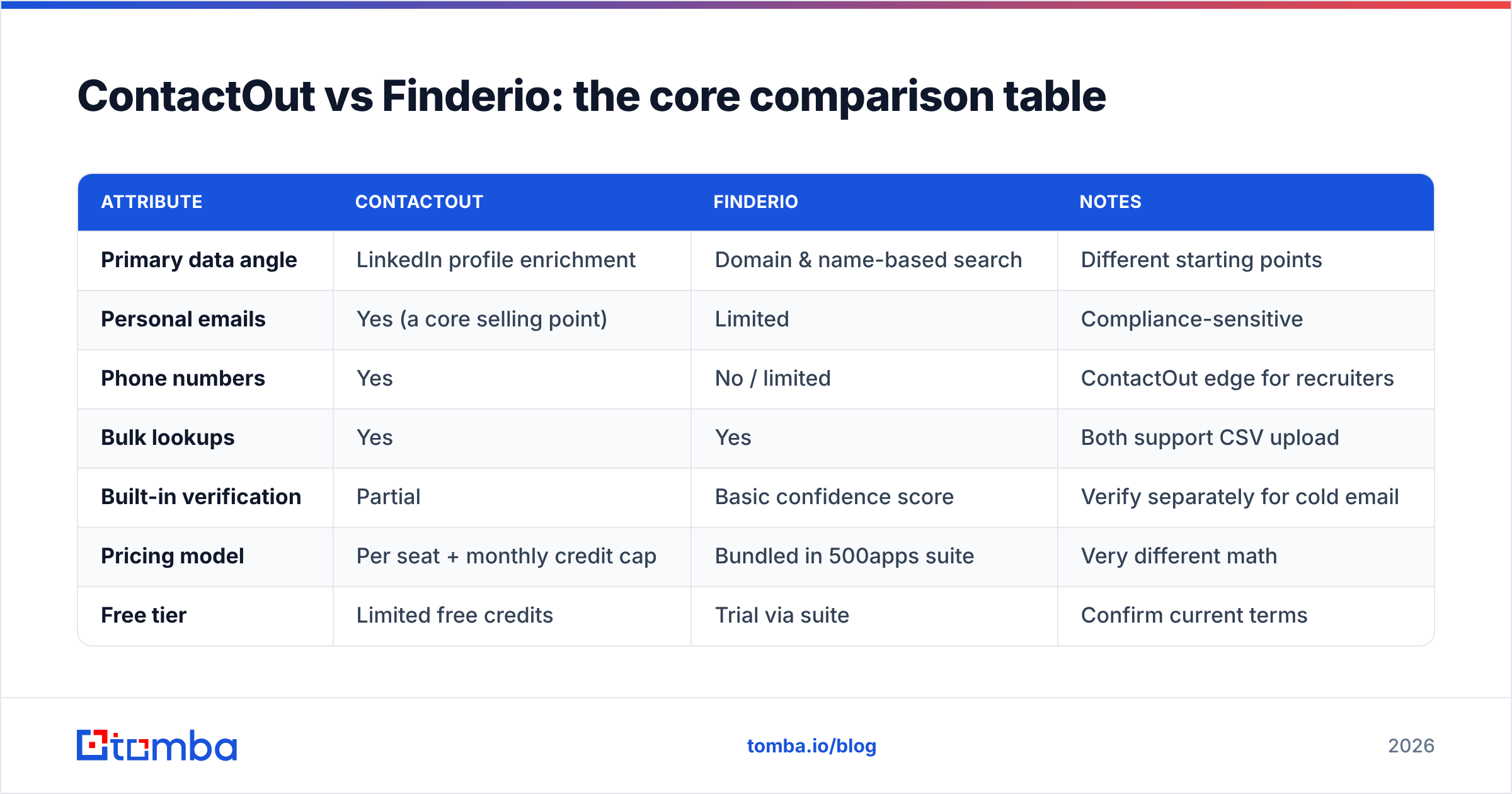
Here's the head-to-head on the attributes that decide real campaigns. Treat vendor-published accuracy numbers as marketing until you test on your own list — every finder looks great on cherry-picked domains.
| Attribute | ContactOut | Finderio | Notes |
|---|---|---|---|
| Primary data angle | LinkedIn profile enrichment | Domain & name-based search | Different starting points |
| Personal emails | Yes (a core selling point) | Limited | Compliance-sensitive |
| Phone numbers | Yes | No / limited | ContactOut edge for recruiters |
| Bulk lookups | Yes | Yes | Both support CSV upload |
| Built-in verification | Partial | Basic confidence score | Verify separately for cold email |
| Pricing model | Per seat + monthly credit cap | Bundled in 500apps suite | Very different math |
| Free tier | Limited free credits | Trial via suite | Confirm current terms |
| Best for | Recruiters, LinkedIn-native reps | Suite users wanting one vendor | Motion-dependent |
The pattern: ContactOut wins on LinkedIn-native, person-first prospecting with phone data, while Finderio wins on cost-of-consolidation if you already own the 500apps stack. Neither optimizes purely for cheapest verified B2B email at scale.
Which is more accurate — ContactOut or Finderio?#
Accuracy depends less on the brand and more on the domain type you're querying. On standard corporate domains with clear MX records, both tools return the right pattern (first.last@, first@, etc.) a solid majority of the time. The gap opens on the hard cases.

Three things separate a "good enough" finder from a reliable one:
- Catch-all handling. Domains that accept every address make simple SMTP checks useless. You need a dedicated catch-all verifier to score whether a mailbox on a catch-all domain is real. Neither ContactOut nor Finderio is built primarily for this, so pair whichever you pick with a real verification pass.
- Source freshness. A found email is only as good as the day the source was crawled. People change jobs constantly; stale data means bounces regardless of the vendor's headline accuracy claim.
- Verification depth. A "confidence score" is not the same as a live SMTP verification. Before you load anything into a sequence, run addresses through a real email verifier to protect your sender reputation.
The practical rule: don't trust any single finder's confidence number. Find with one tool, verify with a dedicated verifier, and measure your actual bounce rate. Anything under ~2–3% bounce is healthy; consistently above that means the data — or your verification step — is failing you.
How do ContactOut and Finderio price their plans?#
This is where the two tools diverge most, and where buyers get surprised.
ContactOut uses a per-seat model with monthly credit caps that reset. Personal-email and phone lookups often draw from separate credit pools than work emails, so the "unlimited-ish" feeling erodes fast on a busy prospecting week. Multi-seat teams multiply the base cost quickly.
Finderio folds finder credits into the broader 500apps subscription. On paper the per-tool cost looks tiny, but you're buying the whole suite — you pay for modules you may never touch, and the finder credits are capped within that bundle.

Neither model is "wrong," but both can inflate your true cost per verified email once you account for credits burned on bad data, seats you don't fully use, or suite modules you ignore. Before signing, calculate it directly:
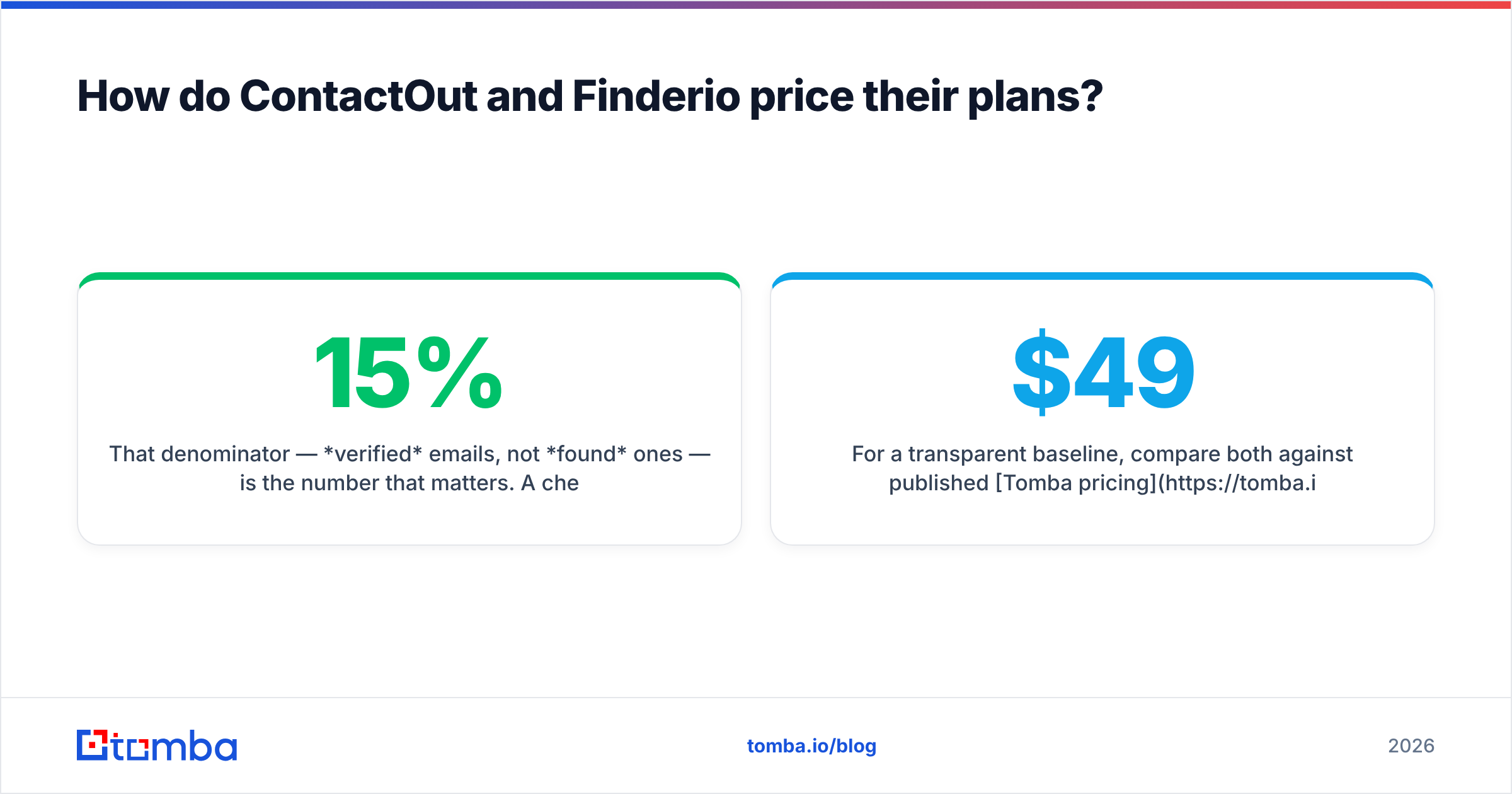
- Cost per verified email = (monthly spend) ÷ (emails that actually pass verification and don't bounce).
That denominator — verified emails, not found ones — is the number that matters. A cheaper sticker price with a 15% bounce rate is more expensive than it looks.
For a transparent baseline, compare both against published Tomba pricing: a Free tier with 25 searches/month, Starter at $49/mo, Growth at $99/mo, and Pro at $249/mo — with the email verifier included rather than sold as a separate credit pool.
ContactOut vs Finderio vs Tomba: how does a specialist compare?#
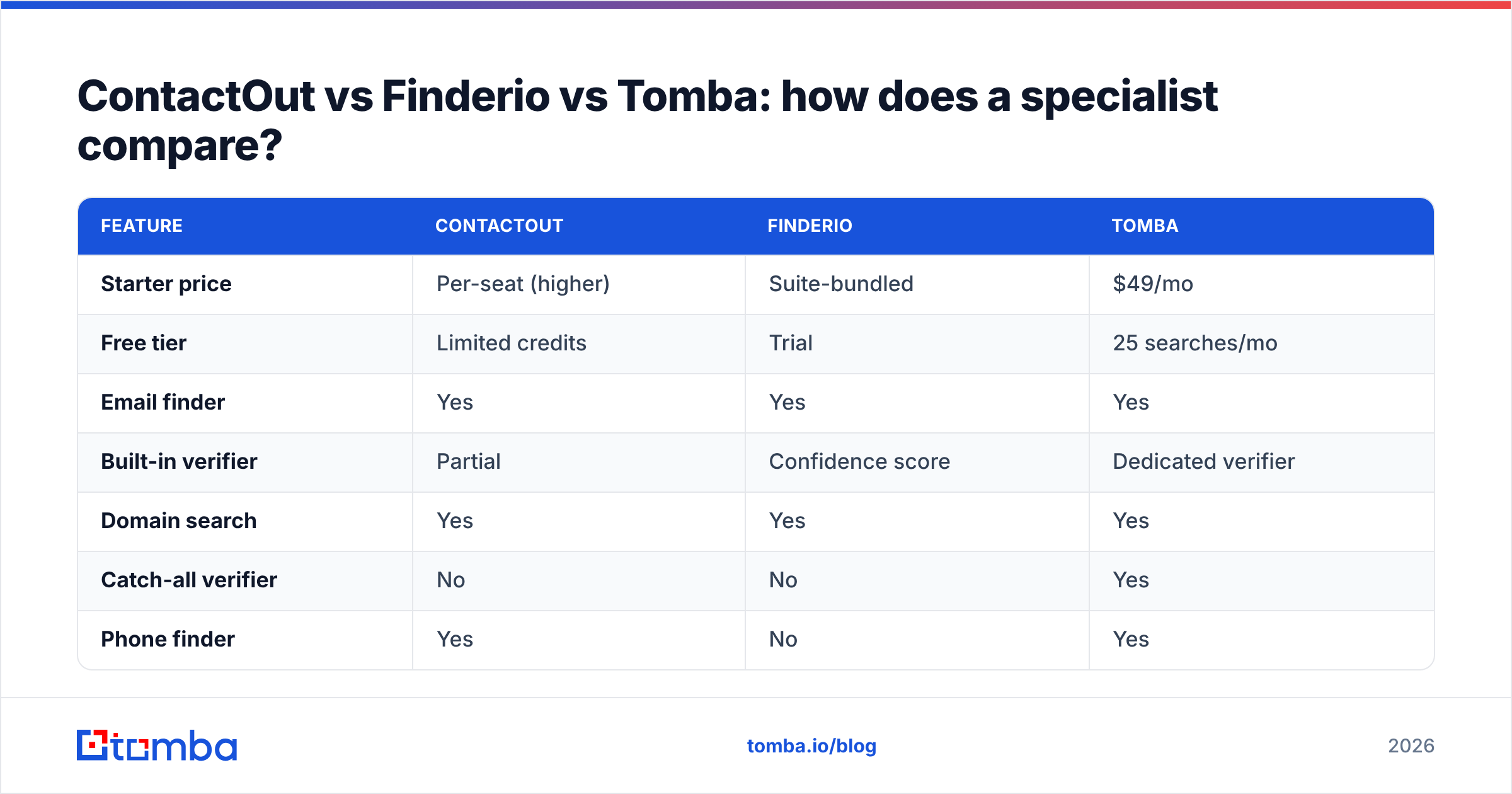
If your goal is specifically find and verify B2B emails at the lowest cost per deliverable contact, it's worth putting a focused specialist next to both.

| Feature | ContactOut | Finderio | Tomba |
|---|---|---|---|
| Starter price | Per-seat (higher) | Suite-bundled | $49/mo |
| Free tier | Limited credits | Trial | 25 searches/mo |
| Email finder | Yes | Yes | Yes |
| Built-in verifier | Partial | Confidence score | Dedicated verifier |
| Domain search | Yes | Yes | Yes |
| Catch-all verifier | No | No | Yes |
| Phone finder | Yes | No | Yes |
| Bulk processing | Yes | Yes | Yes |
| API / CLI / MCP | API | API | API, CLI, MCP |
Where each earns its place:
- Pick ContactOut when LinkedIn is your prospecting surface and you need personal emails plus mobile numbers for recruiting — and per-seat pricing fits your budget.
- Pick Finderio when you're already invested in the 500apps suite and want the finder as a bundled convenience rather than a best-in-class tool.
- Pick a specialist like Tomba when cost per verified email is the deciding metric — you want domain search, verification, and catch-all handling in one place without buying seats or a suite you don't need.
The point isn't that one brand wins every scenario. It's that "the best email finder" is the one whose pricing model matches how you actually prospect. Buy the motion, not the marketing.
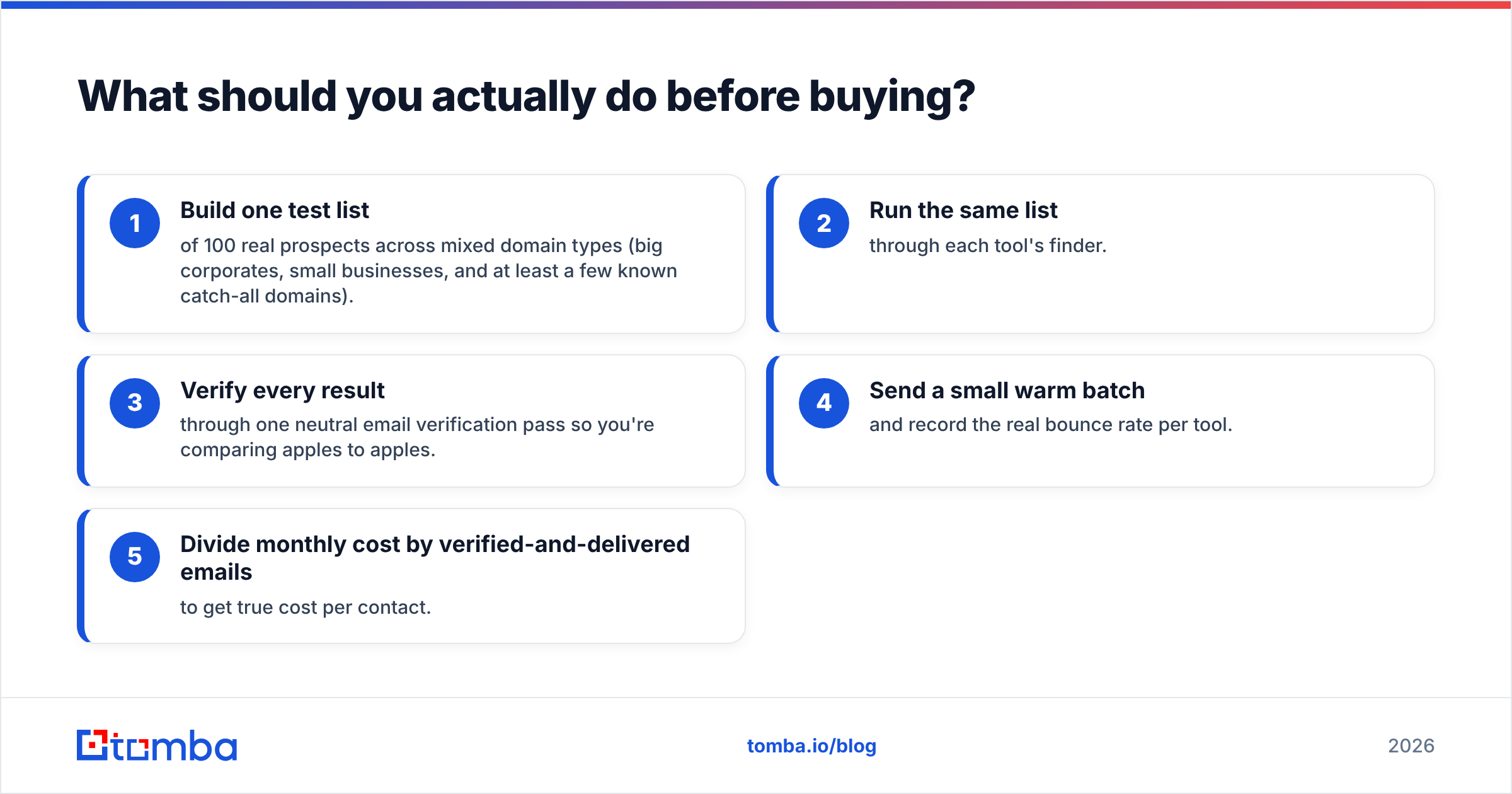
What should you actually do before buying?#
Run a 100-contact bake-off. It takes an afternoon and settles the debate with your data, not a vendor's slide.
- Build one test list of 100 real prospects across mixed domain types (big corporates, small businesses, and at least a few known catch-all domains).
- Run the same list through each tool's finder.
- Verify every result through one neutral email verification pass so you're comparing apples to apples.
- Send a small warm batch and record the real bounce rate per tool.
- Divide monthly cost by verified-and-delivered emails to get true cost per contact.
Whichever tool wins your bake-off is the right answer — regardless of which one has the flashier LinkedIn integration or the bigger suite.
You can also compare specific competitors head-to-head on Tomba's ContactOut alternative page, and cross-check third-party reviews on G2 before you commit budget.
The verdict#
ContactOut and Finderio serve different buyers. ContactOut is the stronger pick for LinkedIn-native recruiting and person-first outreach that needs phone numbers. Finderio is the pragmatic pick if you already own the 500apps suite and want a bundled finder. Neither is engineered to minimize cost per verified B2B email — that's a specialist's job.
If deliverable emails at a predictable price are what you're optimizing for, start with a focused, verification-first tool. Try Tomba Email Finder free with 25 searches a month — no seat minimums, no suite to buy, and a built-in verifier so the addresses you export actually land. Run it in your own 100-contact bake-off and let the bounce rate pick the winner.
Related guides#
Ready to find emails that actually work?
Join 150,000+ professionals who stopped guessing and started sending. Free credits on signup — no credit card required.
Get the Tomba newsletter
Practical outbound tactics and product updates — once every two weeks.
About the author