ContactOut vs FindThatLead (2026): Which Email Finder Wins?
ContactOut and FindThatLead both promise verified B2B emails, but they win at different jobs. Here's an honest, side-by-side breakdown of accuracy, pricing, and where each one actually fits your outbound.
Choosing between ContactOut and FindThatLead usually comes down to one question: are you a recruiter chasing personal contact details, or a sales team building cold email lists at scale? The two tools look similar on a feature grid, but they were built for different jobs, and picking the wrong one quietly taxes your reply rates for months.
This is a neutral, hands-on comparison, not a sales page. We'll break down accuracy, pricing, data coverage, and workflow fit, then tell you where each tool actually earns its keep.
TL;DR: ContactOut vs FindThatLead#
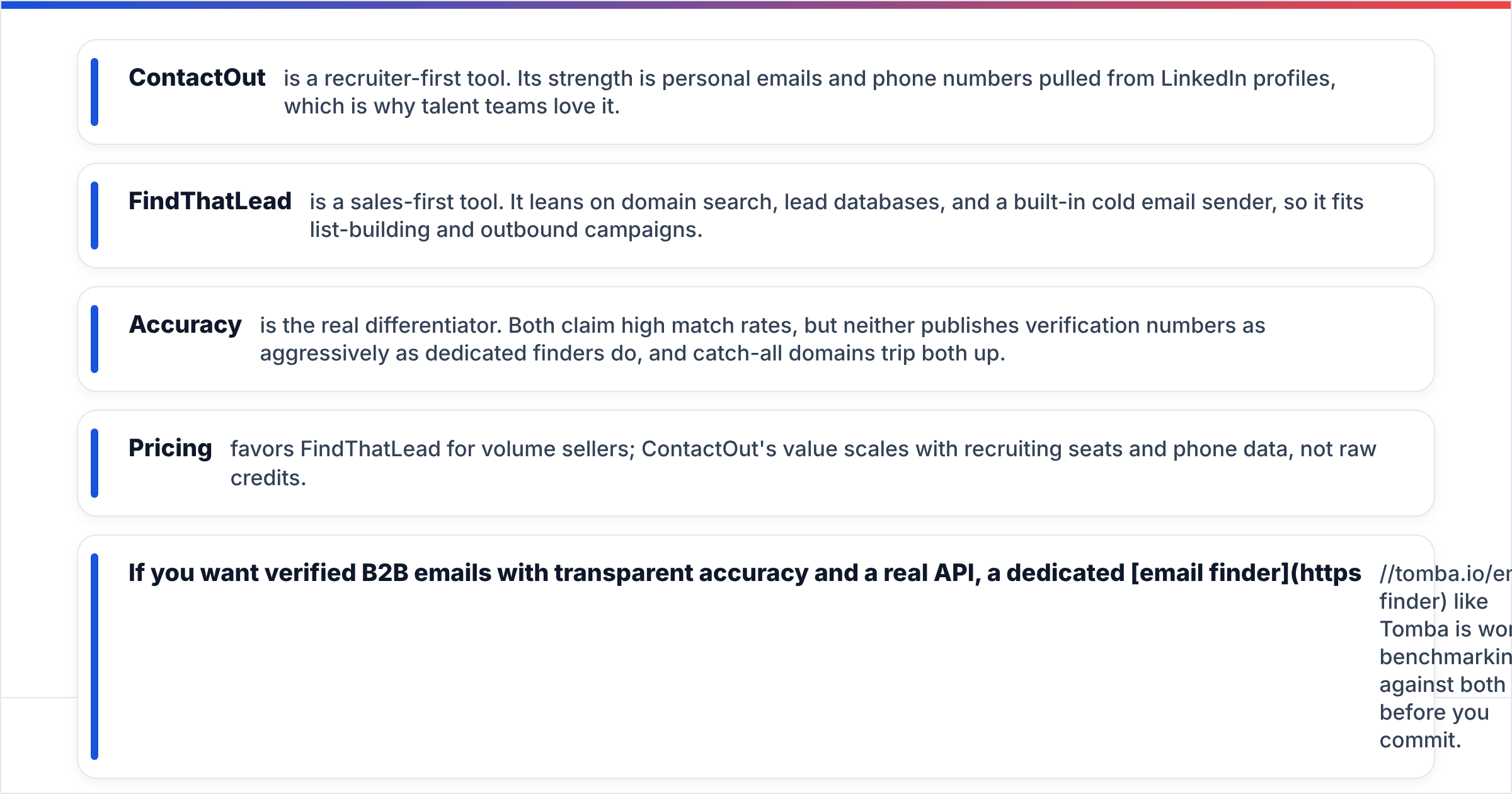
- ContactOut is a recruiter-first tool. Its strength is personal emails and phone numbers pulled from LinkedIn profiles, which is why talent teams love it.
- FindThatLead is a sales-first tool. It leans on domain search, lead databases, and a built-in cold email sender, so it fits list-building and outbound campaigns.
- Accuracy is the real differentiator. Both claim high match rates, but neither publishes verification numbers as aggressively as dedicated finders do, and catch-all domains trip both up.
- Pricing favors FindThatLead for volume sellers; ContactOut's value scales with recruiting seats and phone data, not raw credits.
- If you want verified B2B emails with transparent accuracy and a real API, a dedicated email finder like Tomba is worth benchmarking against both before you commit.

What is ContactOut and who is it for?#
ContactOut is a contact-data platform best known for its Chrome extension that surfaces personal and work emails plus phone numbers directly on LinkedIn profiles. It maintains a large cache of profiles and is marketed heavily to recruiters and talent sourcers who need to reach candidates on personal channels, not just corporate inboxes.
Where ContactOut shines:
- Personal email and mobile coverage. For recruiting, a personal Gmail often beats a work address that HR monitors. ContactOut's dual-email approach is its headline feature.
- LinkedIn-native workflow. Source a candidate, click the extension, export to your ATS. The loop is tight for sourcers living inside LinkedIn Recruiter.
- Data portability. Bulk export and integrations push contacts into common CRMs and ATS platforms.
The trade-off is that ContactOut is priced and packaged around recruiting seats. If your job is high-volume sales prospecting by domain or industry, you may pay for personal-data features you rarely use.
What is FindThatLead and who is it for?#
FindThatLead is a lead-generation suite aimed at marketers and sales teams. Instead of orbiting LinkedIn profiles, it centers on domain search (find emails at a company), a lead search database by role and location, an email verifier, and Scrab.in-style prospecting plus a native cold email sender.
Where FindThatLead fits:
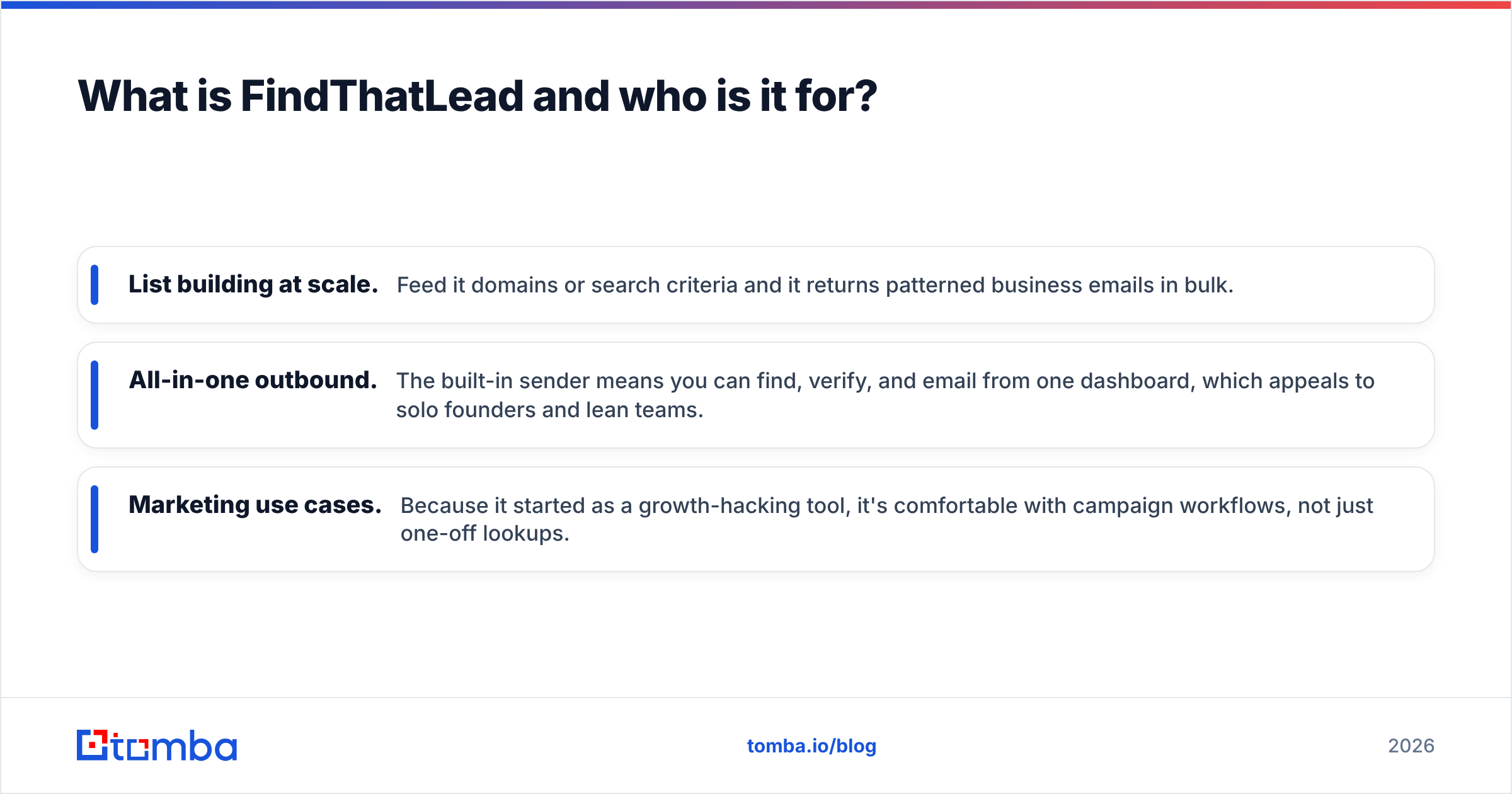
- List building at scale. Feed it domains or search criteria and it returns patterned business emails in bulk.
- All-in-one outbound. The built-in sender means you can find, verify, and email from one dashboard, which appeals to solo founders and lean teams.
- Marketing use cases. Because it started as a growth-hacking tool, it's comfortable with campaign workflows, not just one-off lookups.
The flip side: FindThatLead's personal-data and phone coverage is thin compared to ContactOut, and its verification depth on tricky catch-all domains is inconsistent. That matters, because a big list of unverified addresses is a fast way to torch your sender reputation.

ContactOut vs FindThatLead: side-by-side comparison#
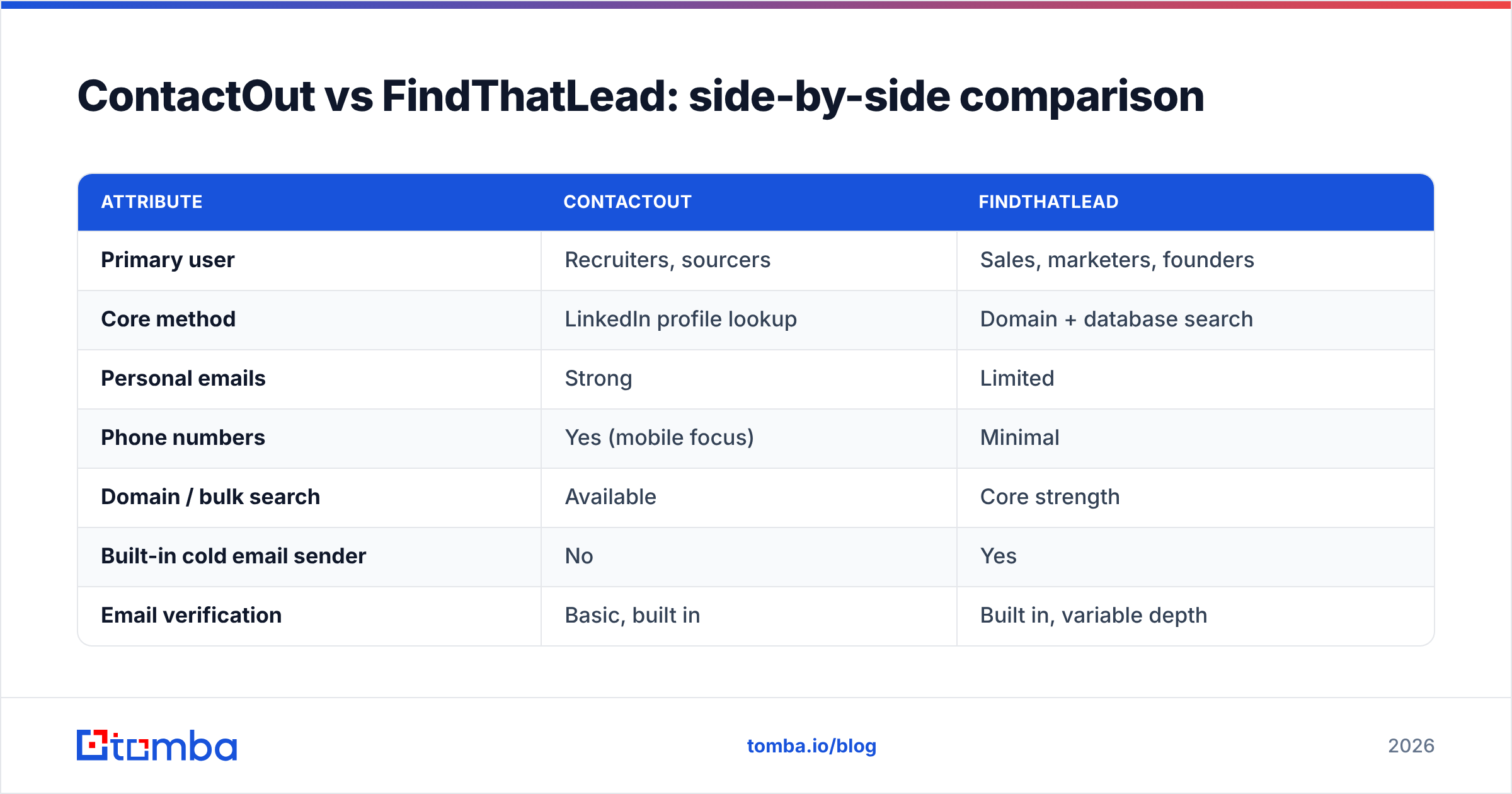
Here's the head-to-head on the attributes that actually change your outcomes. Treat the accuracy figures as vendor-reported ranges, not lab-verified numbers, and always run your own test batch before buying.
| Attribute | ContactOut | FindThatLead |
|---|---|---|
| Primary user | Recruiters, sourcers | Sales, marketers, founders |
| Core method | LinkedIn profile lookup | Domain + database search |
| Personal emails | Strong | Limited |
| Phone numbers | Yes (mobile focus) | Minimal |
| Domain / bulk search | Available | Core strength |
| Built-in cold email sender | No | Yes |
| Email verification | Basic, built in | Built in, variable depth |
| Free tier | Limited daily credits | Limited monthly credits |
| Entry paid plan | Recruiter-oriented seats | ~$49/mo range |
| Best for | Candidate outreach | Outbound list building |
The pattern is clear: ContactOut wins on person-level depth (personal email + mobile), FindThatLead wins on company-level breadth and campaign tooling. Neither is strictly "better," they're optimized for different funnels.

Is ContactOut or FindThatLead more accurate?#
Accuracy is where most buyers get burned, because "match rate" and "accuracy" are not the same thing. A tool can return an address for 90% of your lookups (high match rate) while 20% of those bounce (low accuracy). The gap is where your reputation dies.
A few honest realities about both tools:
- Catch-all domains are the blind spot. Many mid-market and enterprise domains accept every address at the SMTP layer, so a naive verifier marks them "valid" when they may not be. If you send to those without deeper checks, you'll bounce. A dedicated catch-all verifier exists precisely because this problem is hard.
- Personal emails are harder to verify than business emails. ContactOut's personal-email strength is genuinely useful for recruiting, but consumer inboxes are noisier to validate, so treat those hits as "probable," not "confirmed."
- Bulk output needs a second pass. FindThatLead's bulk domain search is fast, but speed and certainty trade off. Re-verifying a large export through a dedicated email verifier before you load it into a sequencer is not optional if you care about deliverability.
The practical takeaway: whichever tool you pick, add an independent verification step. According to real-world benchmarks published on review sites like G2, no single finder is accurate enough to skip verification on cold data.

How do ContactOut and FindThatLead price out?#
Pricing structures differ enough that a straight per-credit comparison misleads you.
- ContactOut ties value to recruiting workflows and phone/personal data. Its plans are seat- and use-case-oriented, and the real cost driver is how many enriched contacts (with mobiles) you pull. For a two-person recruiting team, that can be excellent value; for a 10-rep SDR pod doing pure domain prospecting, it's often overkill.
- FindThatLead is closer to a classic credit model, with an entry paid tier in roughly the $49/mo range and higher plans that unlock bulk and sender volume. Because sending is bundled, teams sometimes justify it as an all-in-one, though bundled senders rarely match a dedicated deliverability stack.
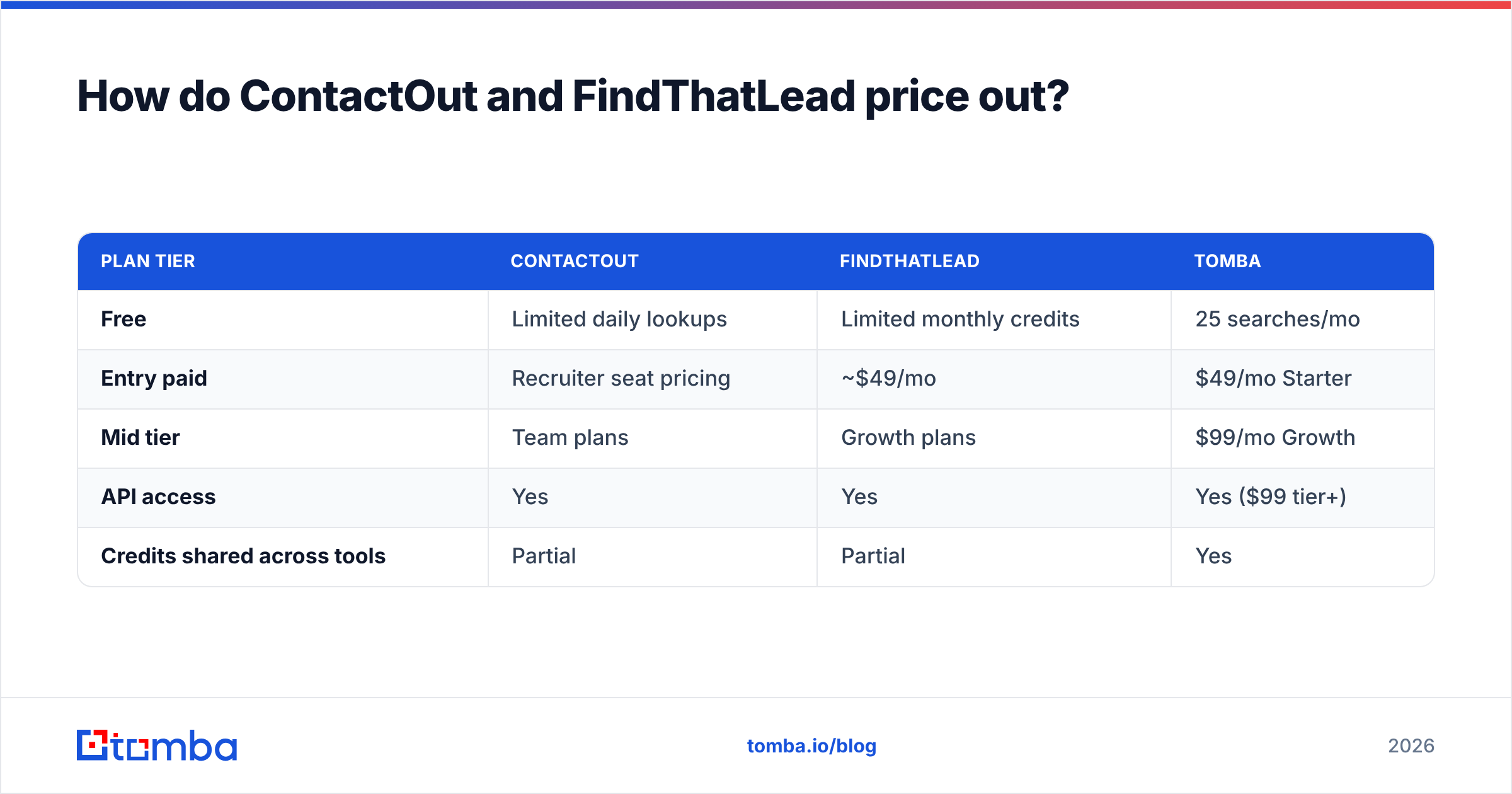
Compare that to a specialist finder. Tomba's pricing runs a free tier at 25 searches per month, Starter at $49/mo, Growth at $99/mo, and Pro at $249/mo, with the same credits usable across email finding, verification, and enrichment rather than locked to one workflow. If your spend is dominated by finding and verifying rather than sourcing candidates, that flexibility usually costs less per usable, deliverable contact.
| Plan tier | ContactOut | FindThatLead | Tomba |
|---|---|---|---|
| Free | Limited daily lookups | Limited monthly credits | 25 searches/mo |
| Entry paid | Recruiter seat pricing | ~$49/mo | $49/mo Starter |
| Mid tier | Team plans | Growth plans | $99/mo Growth |
| API access | Yes | Yes | Yes ($99 tier+) |
| Credits shared across tools | Partial | Partial | Yes |
When should you pick ContactOut vs FindThatLead?#
Match the tool to the motion, not the marketing.
Pick ContactOut if:
- You're recruiting and need personal emails and mobile numbers, not just work addresses.
- Your team lives inside LinkedIn Recruiter and wants a click-to-reveal extension.
- Reaching people on private channels is worth a premium.
Pick FindThatLead if:
- You're doing outbound sales list building by domain, role, or location.
- You want find + verify + send bundled into one lightweight dashboard.
- You're a founder or small team that values one tool over a stack.
Consider a dedicated finder like Tomba if:
- Your bottleneck is verified B2B email accuracy at scale, not candidate sourcing.
- You need a real, documented email finder API plus domain search, catch-all handling, and bulk verification under one credit pool.
- You want transparent accuracy testing before you commit budget.
What about deliverability after you find the emails?#
Finding the address is only half the job. Both ContactOut and FindThatLead hand you contacts; neither guarantees your message lands in the inbox. That depends on your domain warmup, SPF/DKIM/DMARC setup, and how clean your list is.
Two rules that hold regardless of which tool you choose:
- Verify before you send. Push every finder's output through verification and drop risky and catch-all results, or send to them only after extra checks.
- Protect the domain. A pristine list still bounces if your authentication is broken. Confirm your email deliverability fundamentals before you scale volume.
This is exactly why "all-in-one" senders can be a trap: bundling the send step doesn't fix reputation, and a cheap built-in sender on a shared IP can hurt more than a proper external sequencer with warmed domains.
The verdict: ContactOut vs FindThatLead#
ContactOut wins for recruiting; FindThatLead wins for sales list building. If you're sourcing candidates and need personal contact channels, ContactOut is the stronger, more purpose-built choice. If you're running outbound campaigns and want domain search plus a bundled sender, FindThatLead is the more natural fit and typically the cheaper entry point.
But if your real job is turning company names into deliverable, verified B2B emails with predictable accuracy, neither tool is the last word. A dedicated finder with shared credits across finding, verification, catch-all handling, and enrichment often produces more usable contacts per dollar, and gives you an API clean enough to wire into your own workflows.
Run the same 50-contact test list through all three before you sign anything. Whoever returns the most deliverable emails, not just the most emails, wins your budget.
Ready to benchmark against a specialist?#
If accuracy and verified deliverability are what you're actually buying, put a purpose-built tool in the mix. Start free with the Tomba Email Finder, find professional emails by domain, name, or company, verify them in the same workflow, and see how the match-to-inbox rate compares against ContactOut and FindThatLead on your own list. The free tier gives you 25 searches to run the test before you spend a cent.
Related guides#
Ready to find emails that actually work?
Join 150,000+ professionals who stopped guessing and started sending. Free credits on signup — no credit card required.
Get the Tomba newsletter
Practical outbound tactics and product updates — once every two weeks.
About the author