ContactOut vs Kipplo: Which B2B Contact Finder Wins in 2026?
ContactOut vs Kipplo compared on accuracy, coverage, pricing, and workflow fit — plus where a credit-friendly email finder like Tomba beats both for outbound teams.
Choosing between ContactOut and Kipplo comes down to one question: do you need a browser-first prospecting tool bolted onto LinkedIn, or a data source you can trust at scale and pipe into everything else? Both promise verified emails and phone numbers. They get there very differently, and the difference shows up in your reply rate and your monthly bill.
This is a neutral, hands-on comparison. We'll cover accuracy, coverage, pricing, compliance, and workflow fit — then explain where a credit-efficient email finder like Tomba fits when neither tool quite matches how your team actually works.
TL;DR: ContactOut vs Kipplo at a glance#
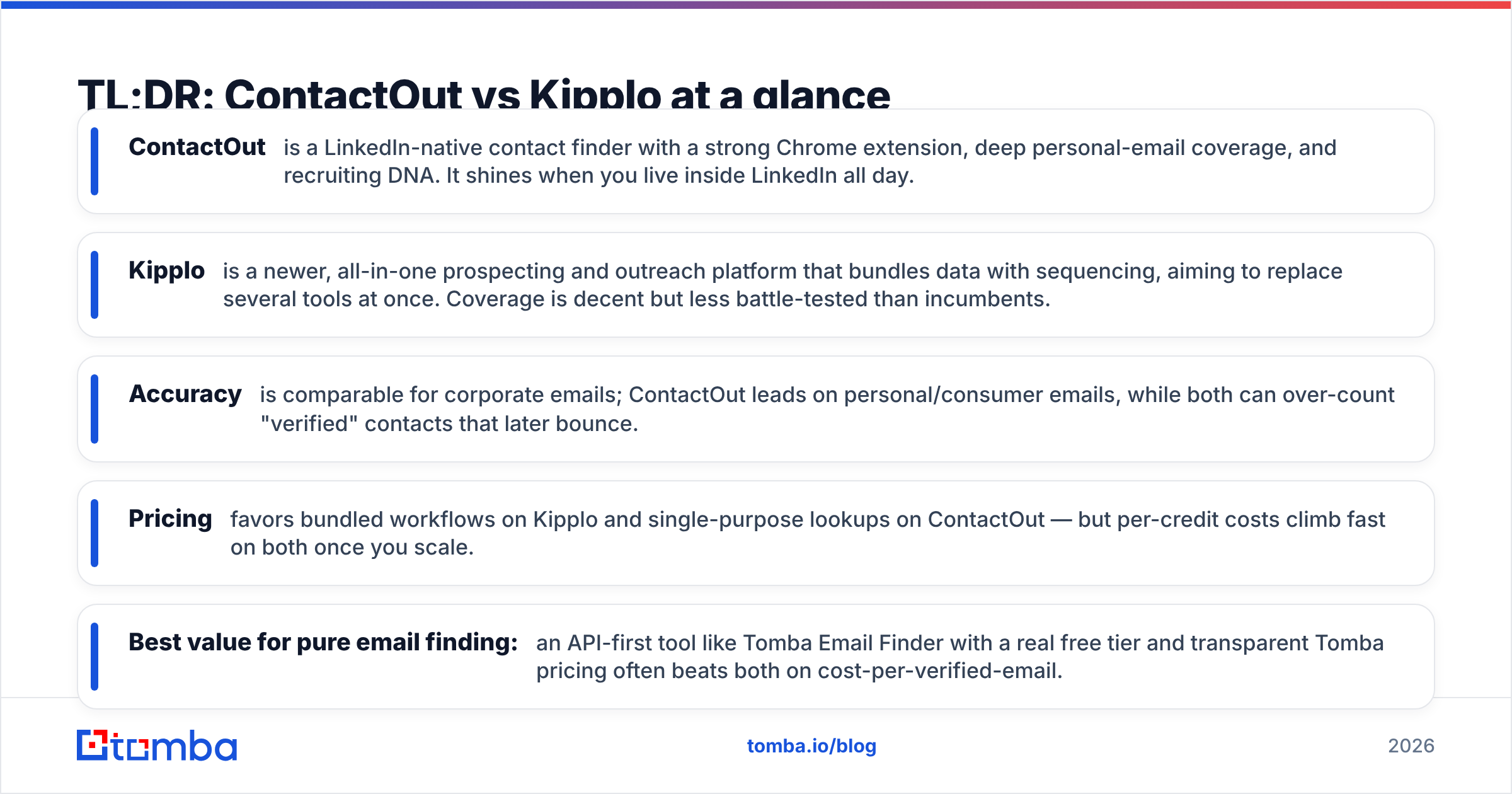
- ContactOut is a LinkedIn-native contact finder with a strong Chrome extension, deep personal-email coverage, and recruiting DNA. It shines when you live inside LinkedIn all day.
- Kipplo is a newer, all-in-one prospecting and outreach platform that bundles data with sequencing, aiming to replace several tools at once. Coverage is decent but less battle-tested than incumbents.
- Accuracy is comparable for corporate emails; ContactOut leads on personal/consumer emails, while both can over-count "verified" contacts that later bounce.
- Pricing favors bundled workflows on Kipplo and single-purpose lookups on ContactOut — but per-credit costs climb fast on both once you scale.
- Best value for pure email finding: an API-first tool like Tomba Email Finder with a real free tier and transparent Tomba pricing often beats both on cost-per-verified-email.
What is ContactOut and who is it for?#
ContactOut (contactout.com) started as a recruiter's weapon: a Chrome extension that surfaces personal and work emails plus phone numbers directly on LinkedIn and GitHub profiles. Over time it added a search portal, an "AI email campaigns" layer, and a data-enrichment API.
Its core strength is personal email coverage. Because ContactOut historically indexed consumer-grade emails, recruiters use it to reach passive candidates who won't answer a work address. For sales teams, that same coverage means a second channel when a corporate inbox goes quiet.
ContactOut fits you if:
- You prospect or recruit primarily on LinkedIn and want data where you already work.
- You value personal emails and mobile numbers, not just corporate patterns.
- You're comfortable with a credit model where lookups are metered per reveal.
The tradeoff: it's a reveal-first tool. You spend credits profile by profile, and building a large, clean list can get slow and expensive compared with domain-based bulk workflows.

What is Kipplo and who is it for?#
Kipplo (kipplo.com) positions itself as an all-in-one outbound platform: contact database, email finder, verification, and multichannel sequencing under one login. The pitch is consolidation — instead of paying for a data vendor plus a separate sending tool, you do both in one place.
For a small team that hates stitching tools together, that's genuinely appealing. You find a prospect, verify the email, and drop them into a sequence without exporting a single CSV. Kipplo leans into that end-to-end story.
Kipplo fits you if:
- You want data and outreach in one subscription and are willing to trade best-of-breed depth for convenience.
- Your team is small enough that a single platform reduces real overhead.
- You're early in building process and want guardrails, not a toolbox of APIs.
The tradeoff: as a younger, bundled platform, its database depth and match rates are still proving out against incumbents, and all-in-one tools can lock you into their sending infrastructure — which matters a lot for email deliverability.
ContactOut vs Kipplo: the head-to-head comparison#
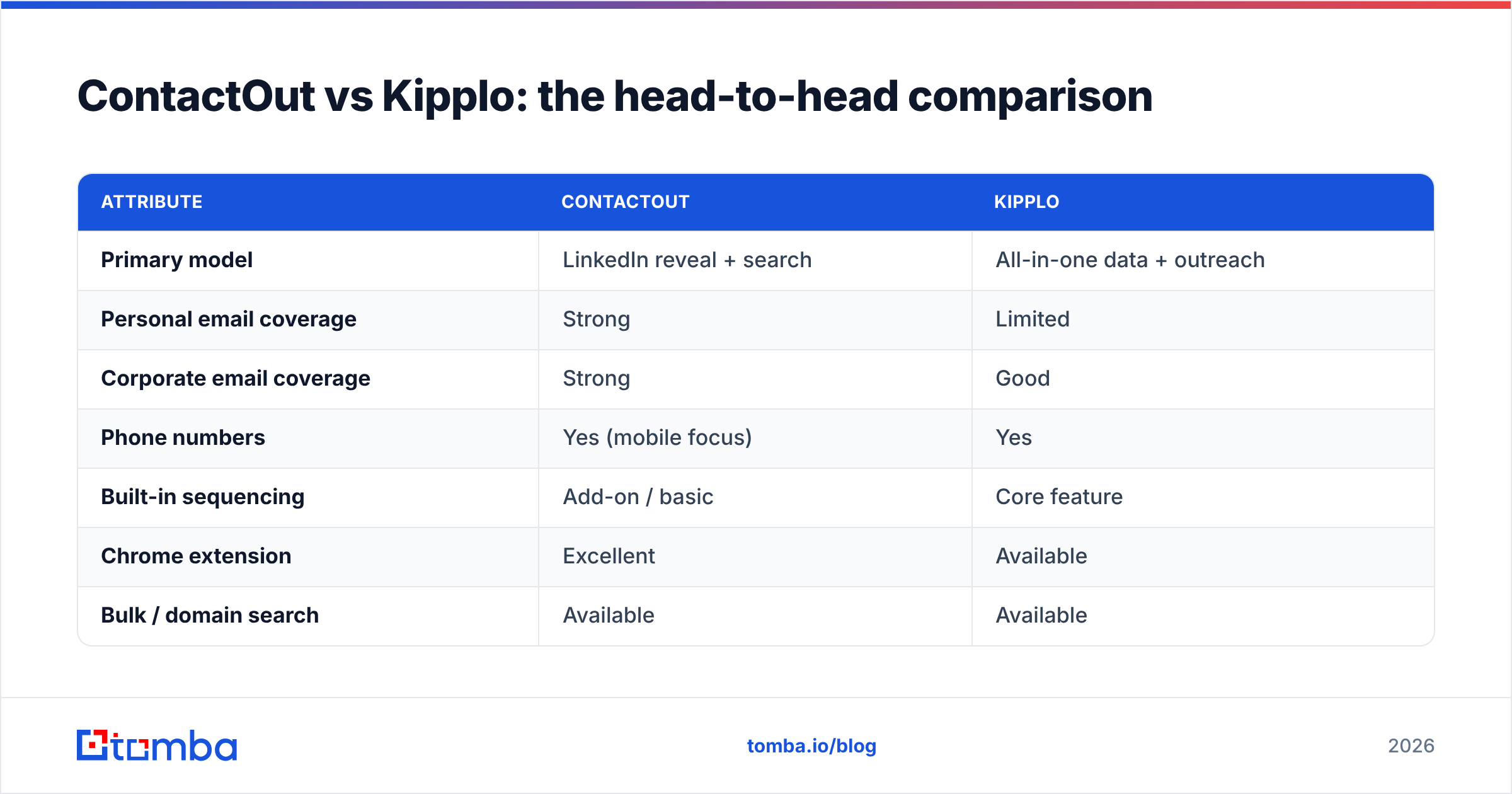
Here's how the two stack up on the attributes that actually change your results. Treat any vendor's self-reported accuracy as a ceiling, not a guarantee — real match rates depend on your target geography and seniority.
| Attribute | ContactOut | Kipplo |
|---|---|---|
| Primary model | LinkedIn reveal + search | All-in-one data + outreach |
| Personal email coverage | Strong | Limited |
| Corporate email coverage | Strong | Good |
| Phone numbers | Yes (mobile focus) | Yes |
| Built-in sequencing | Add-on / basic | Core feature |
| Chrome extension | Excellent | Available |
| Bulk / domain search | Available | Available |
| API access | Yes | Limited |
| Free tier | Small monthly quota | Trial-based |
| Best for | Recruiters, LinkedIn-first sales | Small teams wanting one tool |
The honest read: ContactOut wins on data depth and channel flexibility; Kipplo wins on workflow consolidation. Neither is a clear knockout. Your decision hinges on whether data quality or platform convenience is the bigger pain right now.
Is ContactOut or Kipplo more accurate?#
Accuracy is where marketing language and reality drift apart. Both tools advertise high "verified" percentages, but "verified" can mean anything from a full SMTP handshake to a probabilistic guess based on the company's email pattern.

A few things to test before you trust either number:
- Catch-all handling. Many corporate domains accept every address, so a naive verifier marks guesses as "valid." A proper catch-all verifier flags these as risky rather than green-lighting them.
- Freshness. People change jobs constantly. A contact "verified" six months ago may be stale. Ask how often each vendor re-checks its database.
- Bounce cost. A 3% difference in real accuracy compounds. On a 10,000-send campaign, that's 300 extra bounces hammering your sender reputation.
In practice, ContactOut's larger, longer-running dataset gives it an edge on hard-to-find personal emails, while Kipplo's corporate coverage is competitive for standard B2B roles at mid-to-large companies. For candidate outreach and passive prospects, ContactOut is the safer bet. For straightforward SDR targeting of business emails, the gap narrows — and a dedicated email verifier run on either tool's output will do more for your bounce rate than picking one vendor over the other.
How do ContactOut and Kipplo compare on pricing?#
Pricing is where "cheap per month" and "expensive per result" diverge. Both tools meter usage with credits, and the real question is your cost per verified, usable contact — not the sticker price.
- ContactOut sells tiered plans plus enterprise, with credits that split across email and phone reveals. Personal-email and mobile reveals typically consume more, so heavy recruiting use burns credits fast.
- Kipplo bundles data credits with sending, which looks efficient until you realize the sending side is only as good as your warmup and domain setup. If you already own a mature sending stack, you may be paying for capacity you won't use.
The surprise most teams hit is the mid-month credit wall: you scope a campaign for 5,000 prospects, then discover phone reveals or extra verifications quietly doubled your consumption.

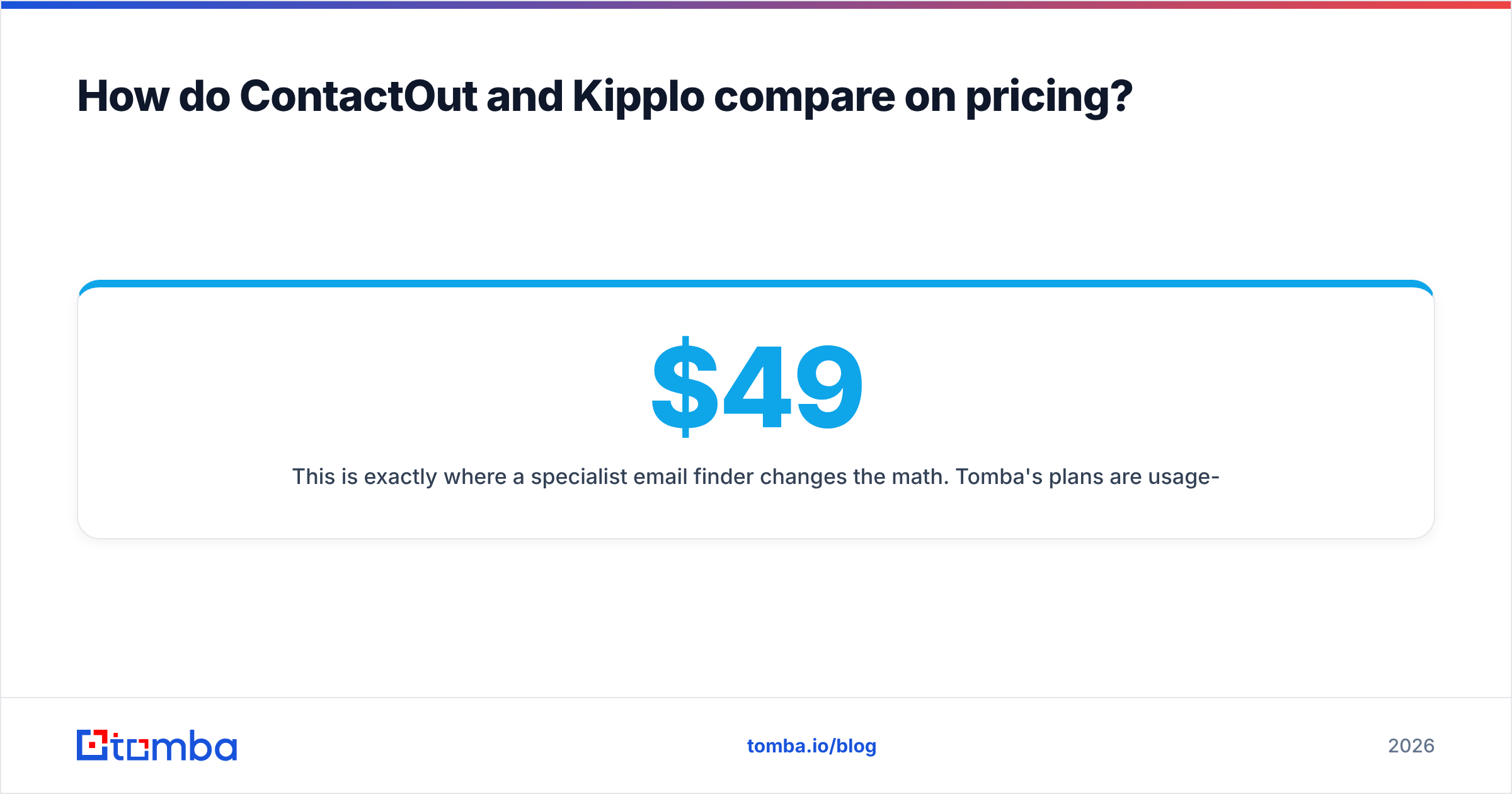
This is exactly where a specialist email finder changes the math. Tomba's plans are usage-transparent — a real free tier of 25 searches per month, Starter at $49/mo, Growth at $99/mo, and Pro at $249/mo — with the API, bulk email finder, and verification included rather than sold as separate credit pools. If email is 80% of your need, paying an all-in-one premium for sequencing you already have is money left on the table.
Which tool fits your workflow better?#
Tools don't fail on features; they fail on fit. Map each option to how your team actually operates.
Choose ContactOut if your reps live on LinkedIn, you need personal emails and mobiles, and you want a reveal-as-you-browse motion. Its extension is the best part of the product, and recruiters in particular get outsized value.
Choose Kipplo if you're a small team that wants one login for finding and sending, you don't yet have a sequencing tool, and you'd rather trade some data depth for fewer moving parts.
Choose a dedicated finder + your own stack if you run high-volume outbound, care about cost-per-email, and want to pipe verified data into your CRM and sequencer of choice. This is the pattern most scaling teams land on: a precise data layer feeding tools they already trust. Tomba supports it with a documented email finder API, a domain search for company-wide list building, native HubSpot integration, and a Chrome extension — so you get ContactOut-style in-browser convenience without locking into anyone's sender.
What about compliance and data sourcing?#
For any contact-data tool, ask two questions: where does the data come from, and how do they handle deletion requests? ContactOut and Kipplo both operate against GDPR and CCPA obligations, and both offer opt-out and suppression mechanisms. Personal-email coverage — ContactOut's strength — is also its highest-scrutiny area, since consumer addresses carry stricter consent expectations than business ones.
Whatever you pick, keep your own house clean: honor unsubscribes, suppress complainers, and don't treat a "found" email as permission to blast. Independent reviews on G2 are a useful sanity check on how each vendor handles data requests in practice, since self-reported compliance pages rarely tell the whole story. Transparency about data sources should be a baseline expectation, not a premium feature.
The bottom line: ContactOut, Kipplo, or a specialist?#
Here's the verdict. ContactOut is the stronger data tool, especially for recruiters and LinkedIn-first sellers who need personal emails and mobiles. Kipplo is the more convenient platform for small teams that want finding and sending in one place and can accept less-proven data depth.
But "which of these two" is often the wrong question. If your real need is high-quality business emails at a predictable cost — feeding a CRM and a sequencer you already like — a focused email finder beats both a reveal-metered tool and a bundled suite. You stop paying for the parts you don't use, and you keep control of your sending.
That's the case for Tomba. Start with the Tomba Email Finder and its free tier of 25 monthly searches, add email verification and domain search as you scale, and connect it to your stack through the Tomba API. Test it against ContactOut and Kipplo on your own target list — cost-per-verified-email is the only benchmark that matters, and it's the one worth measuring before you commit a budget.
Related guides#
Ready to find emails that actually work?
Join 150,000+ professionals who stopped guessing and started sending. Free credits on signup — no credit card required.
Get the Tomba newsletter
Practical outbound tactics and product updates — once every two weeks.
About the author