ContactOut vs LakeB2B (2026): Which B2B Data Tool Wins?
ContactOut and LakeB2B solve B2B contact data very differently — one scrapes LinkedIn in real time, the other sells curated lists. Here's which fits your team, and a cheaper way to get verified emails.
Choosing between ContactOut and LakeB2B feels harder than it should because the two tools barely play the same sport. One is a browser-first prospecting layer built on LinkedIn. The other is a curated database vendor that sells you lists and enrichment by the record. Both promise "accurate B2B contact data," but the way you buy, use, and trust that data is completely different.
This guide breaks down where each tool actually wins, what you'll really pay, and where the accuracy gaps hide — so you don't sign an annual contract for the wrong shape of data.
TL;DR: ContactOut vs LakeB2B at a glance#
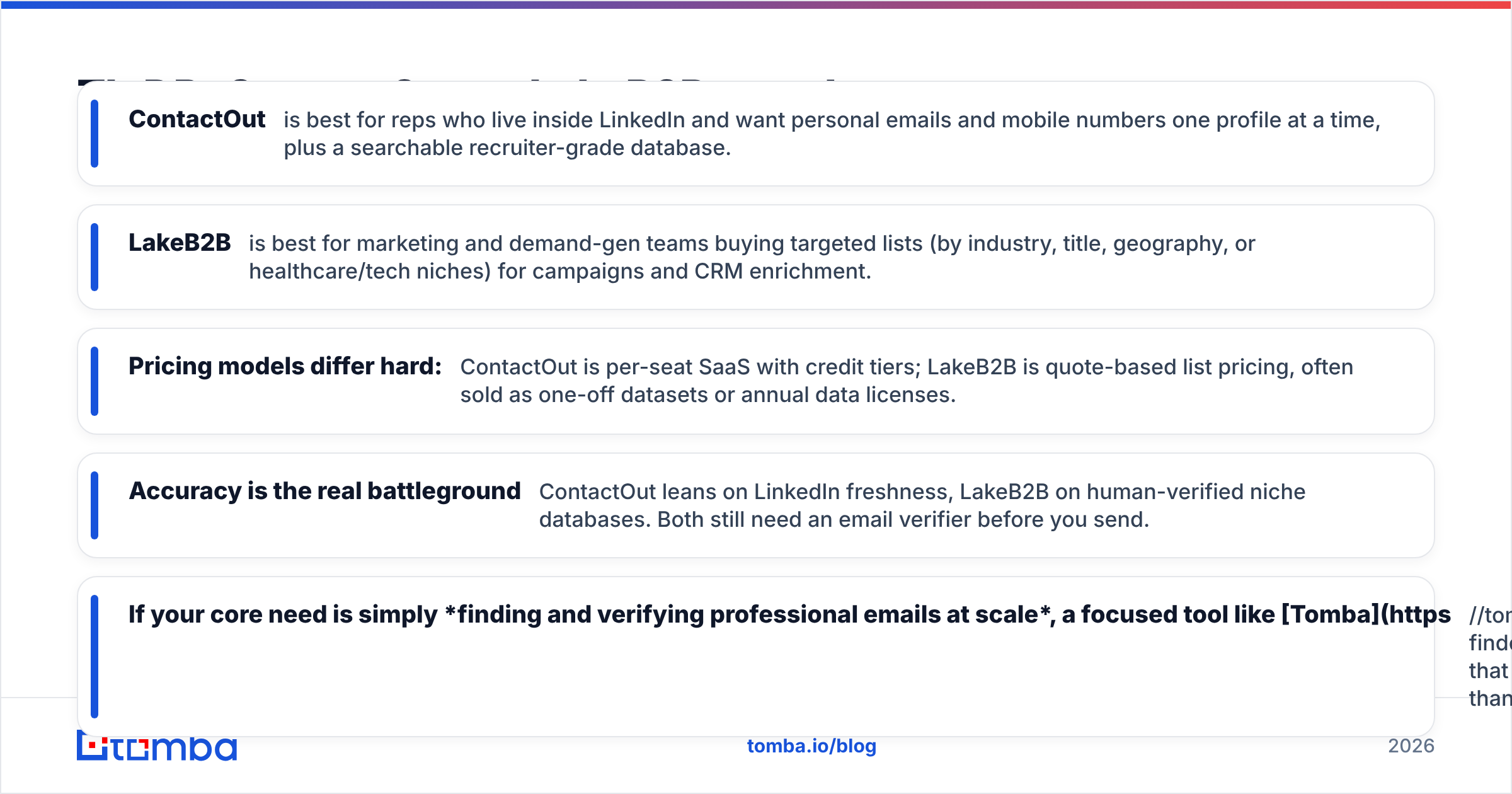
- ContactOut is best for reps who live inside LinkedIn and want personal emails and mobile numbers one profile at a time, plus a searchable recruiter-grade database.
- LakeB2B is best for marketing and demand-gen teams buying targeted lists (by industry, title, geography, or healthcare/tech niches) for campaigns and CRM enrichment.
- Pricing models differ hard: ContactOut is per-seat SaaS with credit tiers; LakeB2B is quote-based list pricing, often sold as one-off datasets or annual data licenses.
- Accuracy is the real battleground — ContactOut leans on LinkedIn freshness, LakeB2B on human-verified niche databases. Both still need an email verifier before you send.
- If your core need is simply finding and verifying professional emails at scale, a focused tool like Tomba covers that job for less than either.
What is ContactOut?#
ContactOut is a contact-finding platform best known for its Chrome extension that surfaces personal emails and phone numbers directly on LinkedIn and GitHub profiles. It started as a recruiter tool — which is why it over-indexes on personal Gmail-style addresses and mobile numbers, not just work emails.
Beyond the extension, ContactOut offers a searchable database, a data-enrichment API, and a "Search Portal" where you filter people by title, company, and skills. The pitch: find a person on LinkedIn, click, and get their reachable contact details without leaving the tab.
Its strengths are individual, high-intent lookups. A recruiter or AE researching a specific target gets ContactOut's best experience. Where it gets expensive is volume — credits deplete fast when you're building lists of thousands.
What is LakeB2B?#
LakeB2B is a B2B data provider and list vendor, not a browser extension. You tell them your ideal audience — say, "IT decision-makers at US hospitals with 200+ beds" — and they deliver a targeted dataset with emails, phones, firmographics, and sometimes intent signals. They're especially known for healthcare, technology, and industry-specific databases.
The model is closer to a data agency than a self-serve SaaS. You often work with a sales rep, get a custom quote, and buy either a one-time list or an ongoing data license. That suits teams running big account-based or email-marketing campaigns who need a large, filtered audience up front rather than one profile at a time.
The tradeoff is control and freshness. Purchased lists are a snapshot in time, and job-change churn in B2B runs roughly 25–30% per year (see G2's data vendor category for how buyers rate this). That's why any bought list should be re-verified before use.
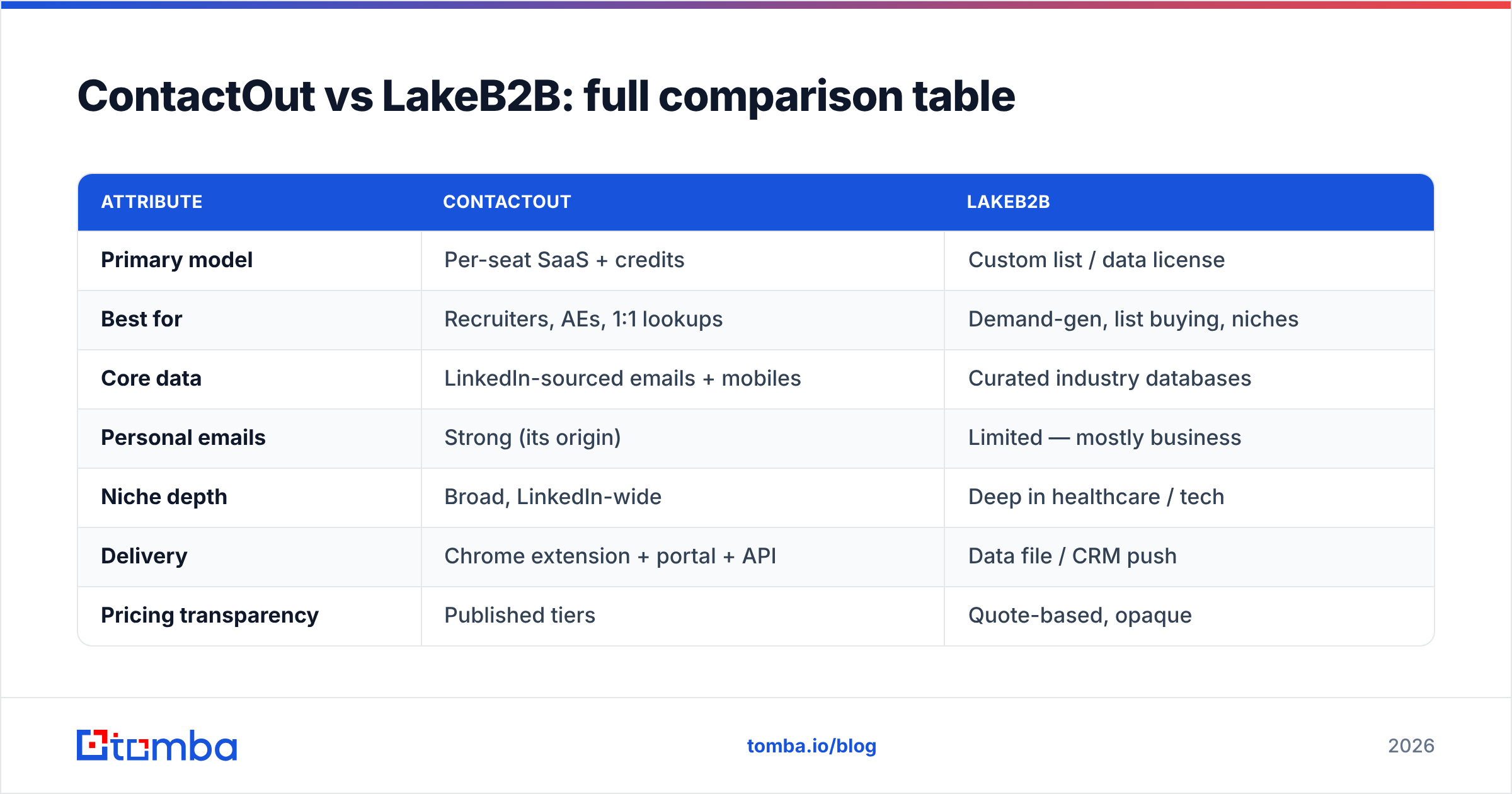
ContactOut vs LakeB2B: full comparison table#
| Attribute | ContactOut | LakeB2B |
|---|---|---|
| Primary model | Per-seat SaaS + credits | Custom list / data license |
| Best for | Recruiters, AEs, 1:1 lookups | Demand-gen, list buying, niches |
| Core data | LinkedIn-sourced emails + mobiles | Curated industry databases |
| Personal emails | Strong (its origin) | Limited — mostly business |
| Niche depth | Broad, LinkedIn-wide | Deep in healthcare / tech |
| Delivery | Chrome extension + portal + API | Data file / CRM push |
| Pricing transparency | Published tiers | Quote-based, opaque |
| Free option | Limited free plan | No true self-serve free tier |
| Verification | Built-in scoring | Claims verification, re-check advised |
| Contract | Monthly or annual | Often annual / per-project |
Is ContactOut more accurate than LakeB2B?#
Neither wins accuracy outright — they're accurate at different things. ContactOut is fresher for anyone active on LinkedIn because it resolves data against a live profile; if someone changed jobs last week, ContactOut is more likely to catch it. LakeB2B is stronger for hard-to-find niche audiences (regulated healthcare roles, for example) where LinkedIn coverage is thin but LakeB2B has built a specialized database.
The catch that applies to both: claimed accuracy and deliverable accuracy are not the same number. Vendors quote match rates on records found; what matters to you is whether the email actually lands. That's a downstream test only a verifier can settle.

This is why serious teams treat any data source — ContactOut, LakeB2B, or otherwise — as raw input, then run it through verification and enrichment. Bouncing 15% of a purchased list will tank your sender reputation faster than a slightly smaller, clean list ever would.

How do ContactOut and LakeB2B price their data?#
The pricing philosophies are almost opposites, and it changes who each tool suits.
- ContactOut — seat + credit tiers. You pay per user, and each plan bundles a monthly credit allowance for email/phone reveals. Overages or higher volumes push you into pricier tiers or annual commitments. Predictable for steady 1:1 usage, punishing for spiky bulk pulls.
- LakeB2B — quote-per-list. Cost scales with list size, targeting complexity, and data license terms. There's rarely a public price; you talk to sales. Good for a defined campaign, awkward for "I just need 40 emails today."
- Hidden cost — re-verification. Both models assume the data is send-ready. In practice you'll spend extra on a verifier, which most buyers forget to budget.
- Hidden cost — job-change decay. A list bought in Q1 is measurably worse by Q4. LakeB2B licenses sometimes include refreshes; ContactOut's live sourcing sidesteps this but only for profiles you actively look up.
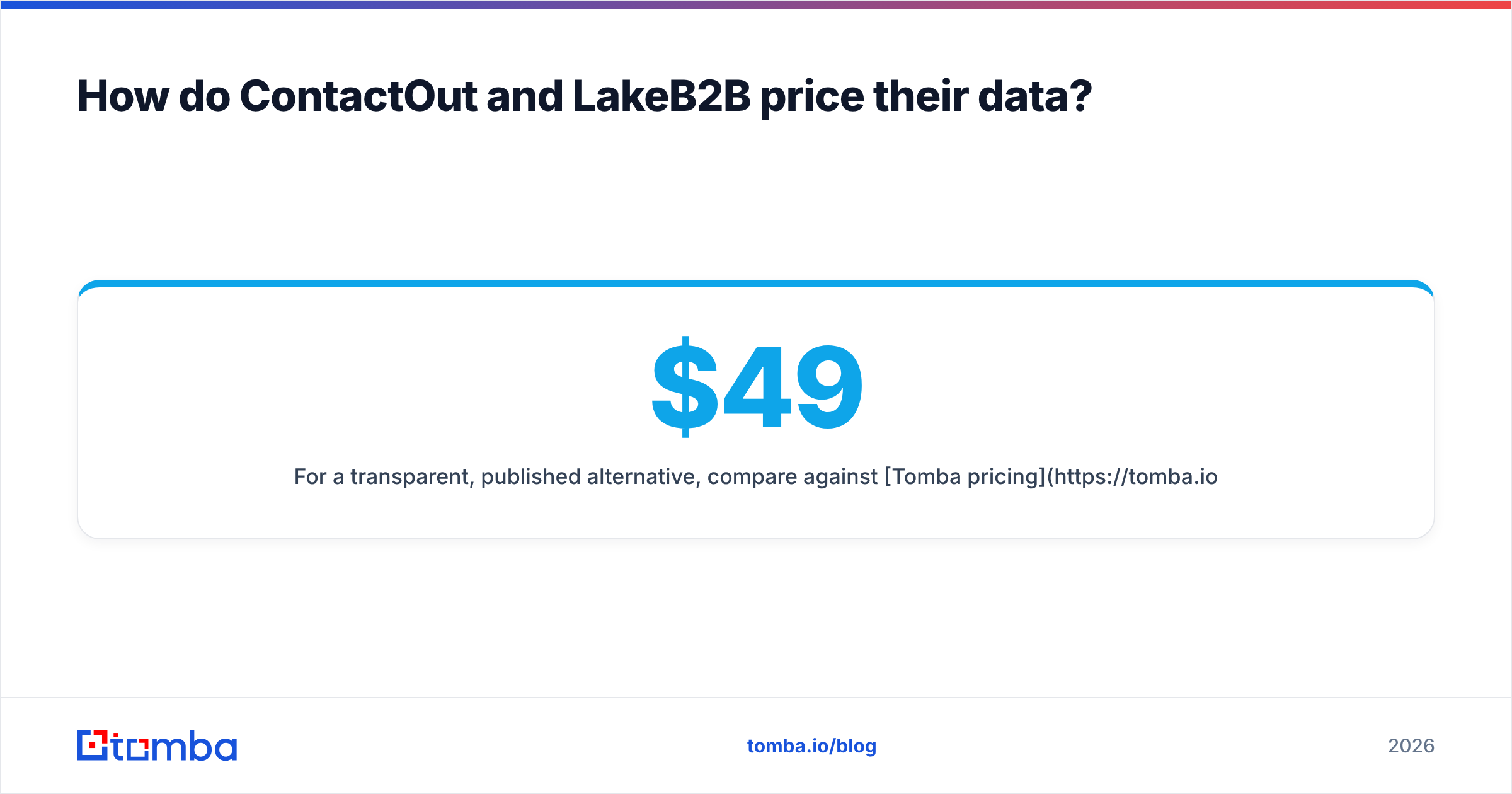
For a transparent, published alternative, compare against Tomba pricing: a Free tier with 25 searches/month, Starter at $49/mo, Growth at $99/mo, and Pro at $249/mo — no sales call required to know your cost.
When should you pick ContactOut over LakeB2B?#
Pick ContactOut when your workflow is person-by-person and LinkedIn-centric:
- You're a recruiter or AE researching named targets and need personal emails or mobiles.
- Your team works inside LinkedIn all day and wants reveals in the browser.
- You value freshness on active professionals over deep niche coverage.
- You want self-serve onboarding without a procurement cycle.
Pick LakeB2B when you're buying audiences, not individuals:
- You run large email or ABM campaigns and need a filtered list up front.
- Your targets sit in specialized verticals (healthcare, tech installs) where LinkedIn is thin.
- You have a data budget and a rep to work a custom order.
- You want firmographic and intent layers bundled with contacts.
If you find yourself wanting both — fresh emails and volume and predictable pricing — that's usually the sign you want a dedicated finder-plus-verifier stack instead of one of these.
Where does Tomba fit against ContactOut and LakeB2B?#
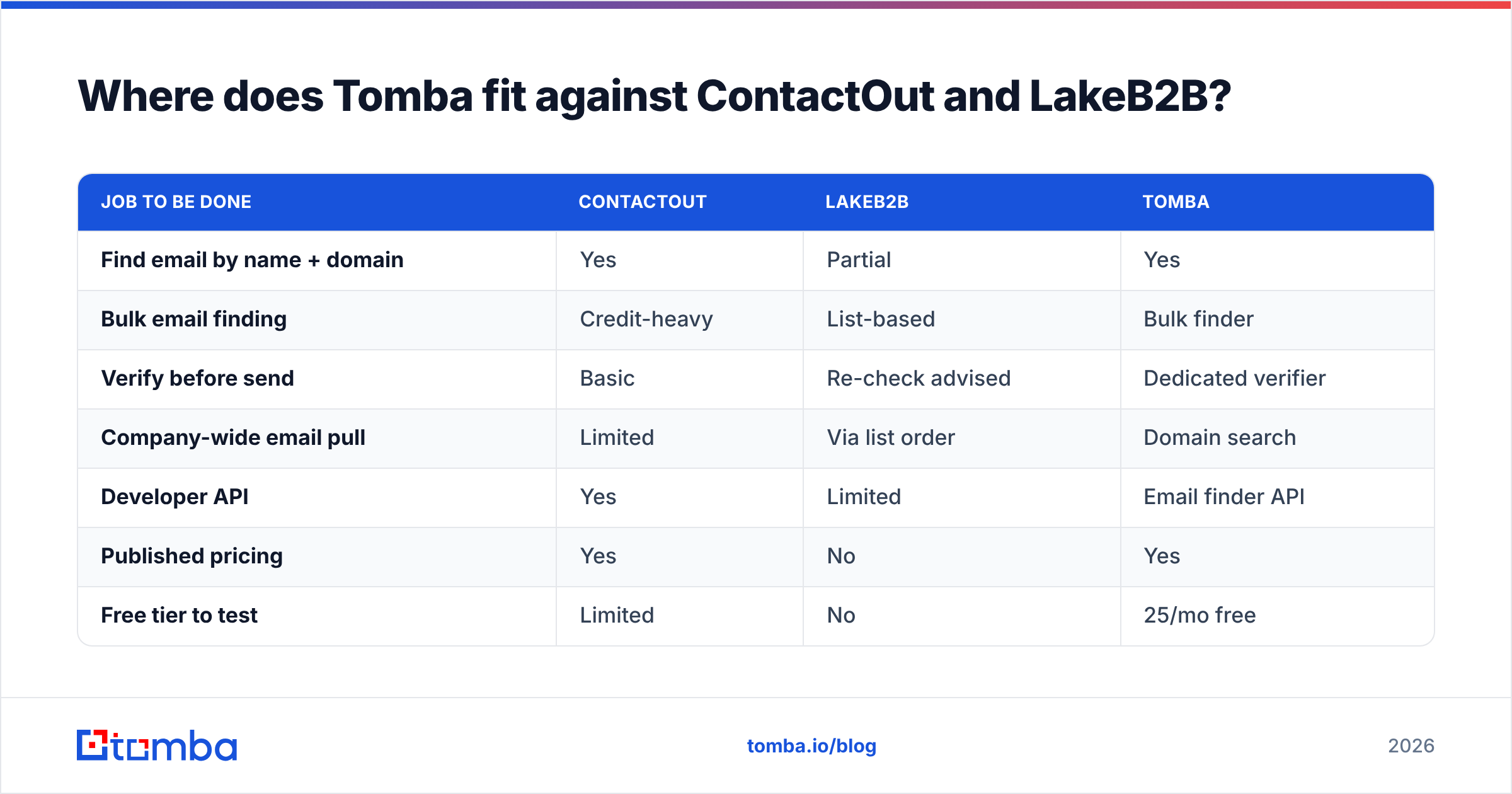
Tomba isn't trying to be a LinkedIn recruiter tool or a niche list broker. It's a focused email-finding and verification platform — the layer that turns "I know the company and the person" into "I have a verified, send-ready email." That makes it a strong complement to, or replacement for, the contact-data half of both tools.
| Job to be done | ContactOut | LakeB2B | Tomba |
|---|---|---|---|
| Find email by name + domain | Yes | Partial | Yes |
| Bulk email finding | Credit-heavy | List-based | Bulk finder |
| Verify before send | Basic | Re-check advised | Dedicated verifier |
| Company-wide email pull | Limited | Via list order | Domain search |
| Developer API | Yes | Limited | Email finder API |
| Published pricing | Yes | No | Yes |
| Free tier to test | Limited | No | 25/mo free |

Where ContactOut shines at personal-email discovery and LakeB2B at curated audiences, Tomba's edge is doing the universal job — finding and verifying professional emails — cleanly, at a transparent price, with an API and integrations (HubSpot, Salesforce, Sheets) that drop straight into your pipeline. Many teams run Tomba alongside a prospecting tool: source the person anywhere, then let Tomba confirm the address actually delivers.
For teams whose real bottleneck is deliverability rather than sourcing, that split matters. You can read more on how email deliverability depends on list hygiene, and why verification is the step neither list vendors nor extensions fully own.
Frequently asked questions#
Is ContactOut or LakeB2B better for cold email? ContactOut for personalized, low-volume outreach to specific people; LakeB2B for large campaign lists. Either way, verify the addresses first to protect deliverability.
Does LakeB2B offer a free trial? Not a true self-serve free tier — you generally engage sales for a sample or quote. ContactOut has a limited free plan for testing reveals.
Are purchased B2B lists compliant? Compliance depends on region (GDPR, CAN-SPAM) and how the data was sourced. Always confirm consent and opt-out handling; bought lists carry more risk than data you find and verify per-contact.
Can I use these tools with my CRM? Both offer integrations or exports. If native CRM sync matters, check Tomba's integrations — HubSpot, Salesforce, Pipedrive, and Zapier are supported directly.
The verdict#
ContactOut and LakeB2B aren't really rivals — they're different tools for different buyers. ContactOut wins for LinkedIn-native, one-at-a-time prospecting with strong personal-email coverage. LakeB2B wins for teams buying curated, niche audiences at campaign scale. Your choice comes down to whether you source people or buy lists.
But if your actual need is the common denominator — reliably finding and verifying business emails without opaque pricing or annual list contracts — start with a tool built for exactly that. Try the Tomba Email Finder: find professional emails by name, domain, or company, verify them in the same workflow, and test it free with 25 searches a month before you commit a dollar. It's the cleanest path from "I know who to reach" to "the email actually landed."
Related guides#
Ready to find emails that actually work?
Join 150,000+ professionals who stopped guessing and started sending. Free credits on signup — no credit card required.
Get the Tomba newsletter
Practical outbound tactics and product updates — once every two weeks.
About the author