ContactOut vs Mailtact 2026: Which Email Finder Wins?
ContactOut is a LinkedIn-first contact extension. Mailtact is a lean email lookup tool. We compare coverage, accuracy, seat rules, export limits and real cost — and name the workflow each one actually wins.
TL;DR — ContactOut vs Mailtact in 30 seconds#
- ContactOut is a LinkedIn-first contact tool. Its center of gravity is the Chrome extension: you browse a profile, click, and it surfaces work and personal emails plus phone numbers. Strong for recruiters and AE-led manual prospecting.
- Mailtact is the leaner, cheaper play — a straightforward email lookup and verification tool aimed at people who want addresses without a full sales-intelligence suite wrapped around them.
- The real difference isn't accuracy, it's the container. ContactOut charges per seat and gates exports; Mailtact sells credits with fewer strings but a thinner data spine and a smaller integration surface.
- Neither is API-first. If your enrichment runs inside a CRM sync, a Clay table, a script, or a nightly job, a credit-based API tool like Tomba (free tier, $49/mo Starter) is a cheaper fit than paying per seat for a browser extension.
- Our pick: ContactOut if humans do the sourcing inside LinkedIn all day. Mailtact if you just need addresses on a budget. A dedicated finder + verifier stack if the work is automated.
What is ContactOut, and who actually uses it?#
ContactOut (contactout.com) built its reputation inside recruiting. The product is a Chrome extension that overlays LinkedIn: open a profile, hit the ContactOut button, get work email, personal email, and often a mobile number. Around that sit a web search portal, saved lists, and integrations into ATS and CRM systems.
Two things drive its adoption:
- Personal email coverage. Recruiters need to reach candidates who ignore their work inbox. ContactOut has invested heavily here, and that's genuinely hard data to source. Most B2B-only finders won't touch it.
- Zero workflow change. Sourcers already live in LinkedIn Recruiter. A sidebar that appears where they already are beats any tool that asks them to open a new tab.
The trade-off is structural. ContactOut is priced and packaged as a seat product. You buy a person a license, that person gets a monthly quota of reveals, and export volume is deliberately constrained on lower tiers. That model is rational for a 6-person recruiting pod. It's expensive and awkward the moment you want to enrich 40,000 rows in a spreadsheet, because a spreadsheet doesn't have a browser and doesn't hold a seat.
What is Mailtact, and where does it fit?#
Mailtact sits at the other end of the market: a lightweight email finder and verifier, sold on credits, with a much smaller surface area. No sourcing suite, no recruiting workflow, no heavy ATS integration story. You give it a name and a domain — or a domain on its own — and it returns addresses with a confidence signal.
That simplicity is the pitch. If your job is "get me 500 verified addresses for this list of companies," you do not need a sales-intelligence platform, and you should not be paying for one. Mailtact and similar lean tools exist because a huge slice of the market only ever uses 5% of what Apollo, ZoomInfo, or ContactOut ship.
The catch with any lean tool is the data spine underneath it. Coverage on well-known SaaS domains looks fine everywhere. The gap shows up on mid-market manufacturers, regional agencies, non-US TLDs, and catch-all domains — the exact places where a thin index quietly returns "not found" and you never learn whether the person exists or the tool just missed.

How do ContactOut and Mailtact compare head to head?#
Here's the honest side-by-side. Pricing on both vendors moves; treat the numbers as directional and confirm on the vendor's own page before you buy.
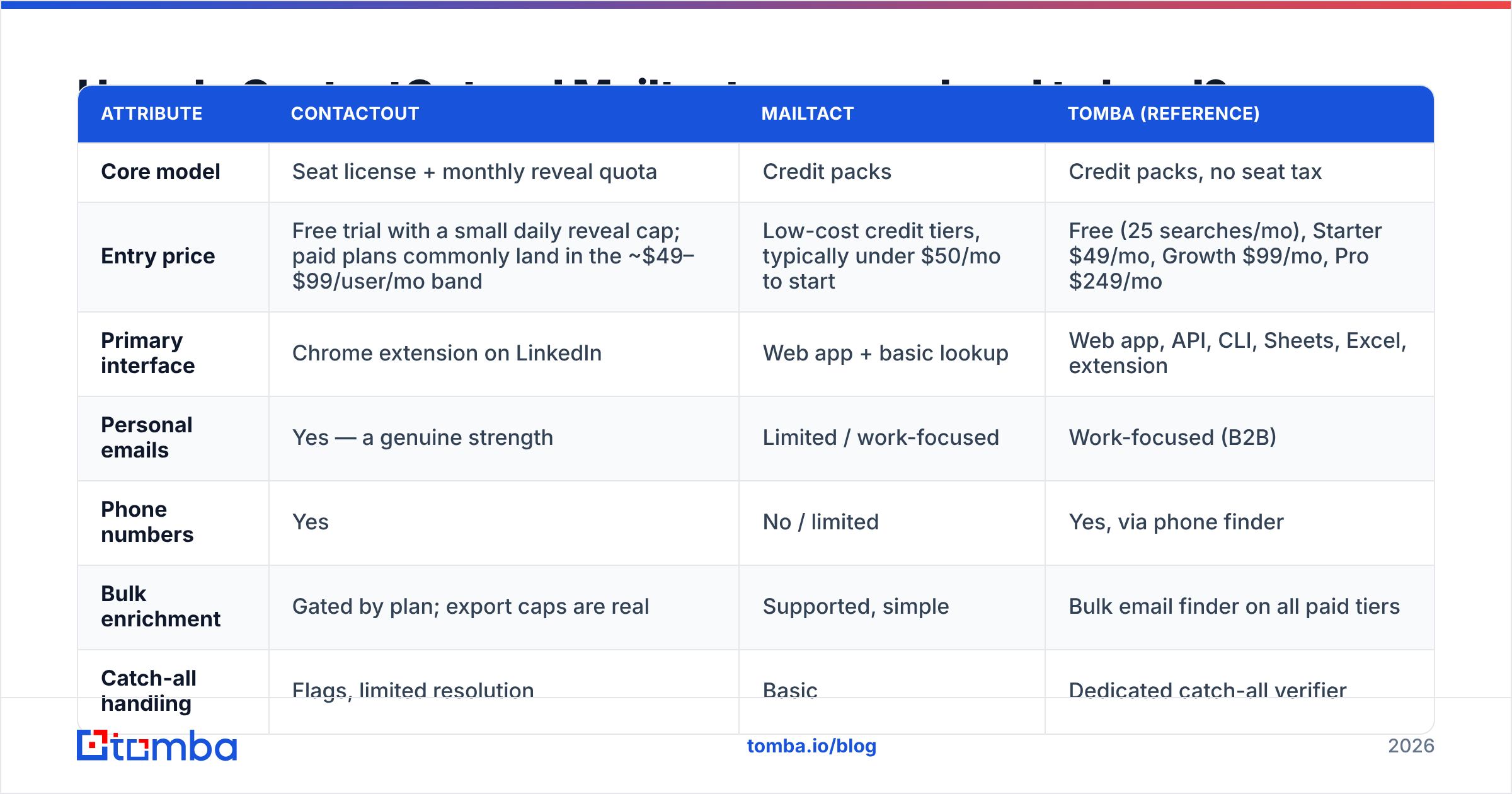
| Attribute | ContactOut | Mailtact | Tomba (reference) |
|---|---|---|---|
| Core model | Seat license + monthly reveal quota | Credit packs | Credit packs, no seat tax |
| Entry price | Free trial with a small daily reveal cap; paid plans commonly land in the ~$49–$99/user/mo band | Low-cost credit tiers, typically under $50/mo to start | Free (25 searches/mo), Starter $49/mo, Growth $99/mo, Pro $249/mo |
| Primary interface | Chrome extension on LinkedIn | Web app + basic lookup | Web app, API, CLI, Sheets, Excel, extension |
| Personal emails | Yes — a genuine strength | Limited / work-focused | Work-focused (B2B) |
| Phone numbers | Yes | No / limited | Yes, via phone finder |
| Bulk enrichment | Gated by plan; export caps are real | Supported, simple | Bulk email finder on all paid tiers |
| Catch-all handling | Flags, limited resolution | Basic | Dedicated catch-all verifier |
| API access | Available on higher tiers | Limited | Included from Starter |
| Best for | Recruiters sourcing in LinkedIn | Budget email lookups | Automated B2B enrichment at scale |
Read the table by column, then read it by row. By column, ContactOut wins interface and phone/personal coverage; Mailtact wins simplicity and price. By row, one thing keeps repeating: the pricing model, not the data, decides your bill.
Is ContactOut's accuracy actually better than Mailtact's?#
Probably yes on personal emails and phones. Probably closer than you'd expect on standard B2B work emails.
Here's why. Almost every finder in this category resolves a work email the same way: infer the company's pattern (first.last@, flast@, first@), generate candidates, then validate them at the SMTP layer. The pattern-inference step is commoditized. What separates vendors is (a) how deep the historical index goes for domains where the pattern is unusual, and (b) how honest the verification step is when the server won't say yes or no.

That second point is where most buyers get burned, and it has nothing to do with ContactOut or Mailtact specifically:
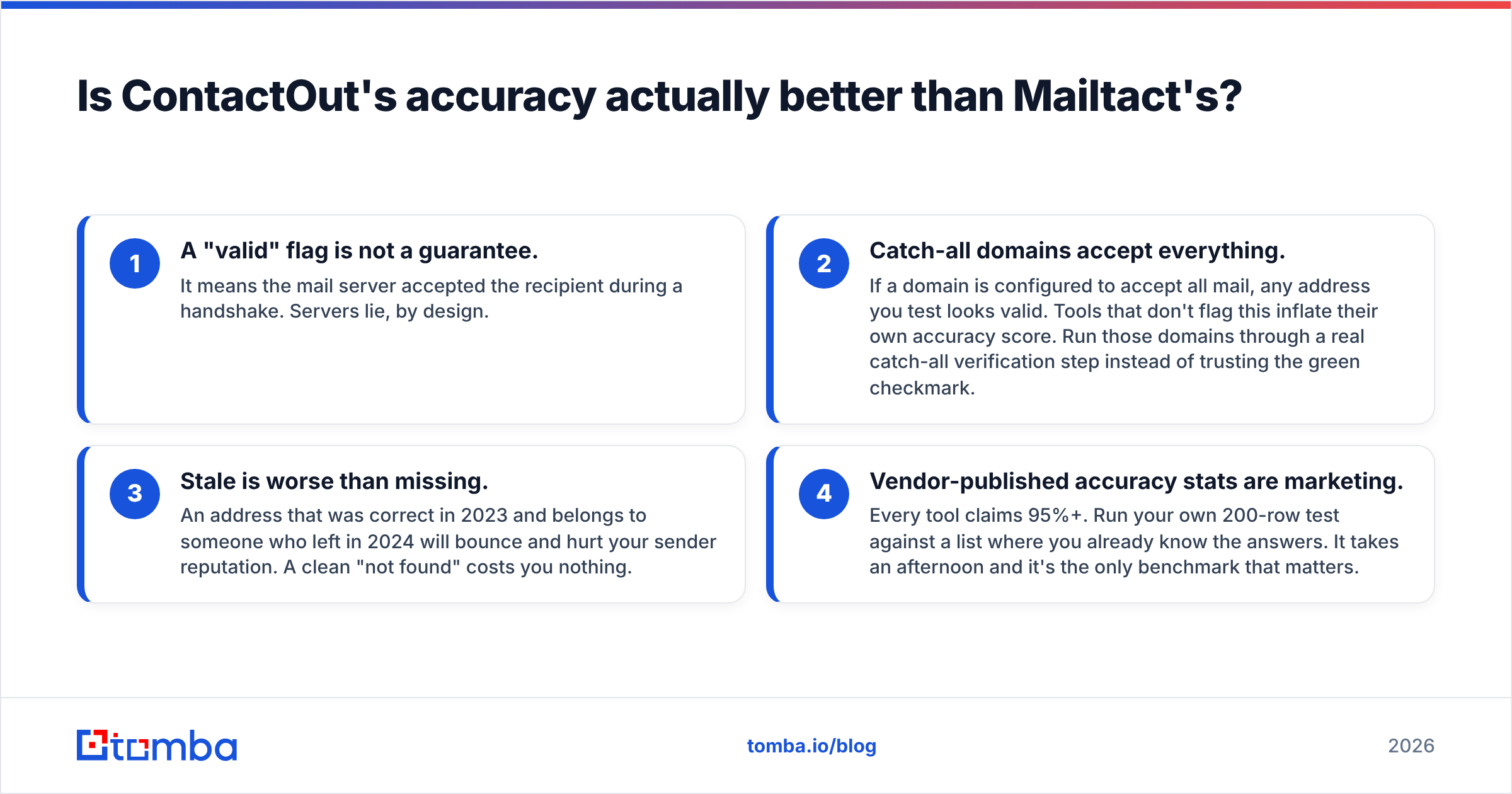
- A "valid" flag is not a guarantee. It means the mail server accepted the recipient during a handshake. Servers lie, by design.
- Catch-all domains accept everything. If a domain is configured to accept all mail, any address you test looks valid. Tools that don't flag this inflate their own accuracy score. Run those domains through a real catch-all verification step instead of trusting the green checkmark.
- Stale is worse than missing. An address that was correct in 2023 and belongs to someone who left in 2024 will bounce and hurt your sender reputation. A clean "not found" costs you nothing.
- Vendor-published accuracy stats are marketing. Every tool claims 95%+. Run your own 200-row test against a list where you already know the answers. It takes an afternoon and it's the only benchmark that matters.
Practical test protocol: take 100 contacts you can independently confirm (past customers, colleagues, people who've emailed you), strip the emails, and run the list through both tools plus a free tier of a third. Score three things — hit rate, bounce rate on the hits, and how often each tool correctly declined to guess. The tool that says "I don't know" most accurately is usually the one that saves your domain.
Which one costs less at real volume?#
This is where the comparison stops being about features.
Take a 4-person outbound team enriching 3,000 contacts a month.
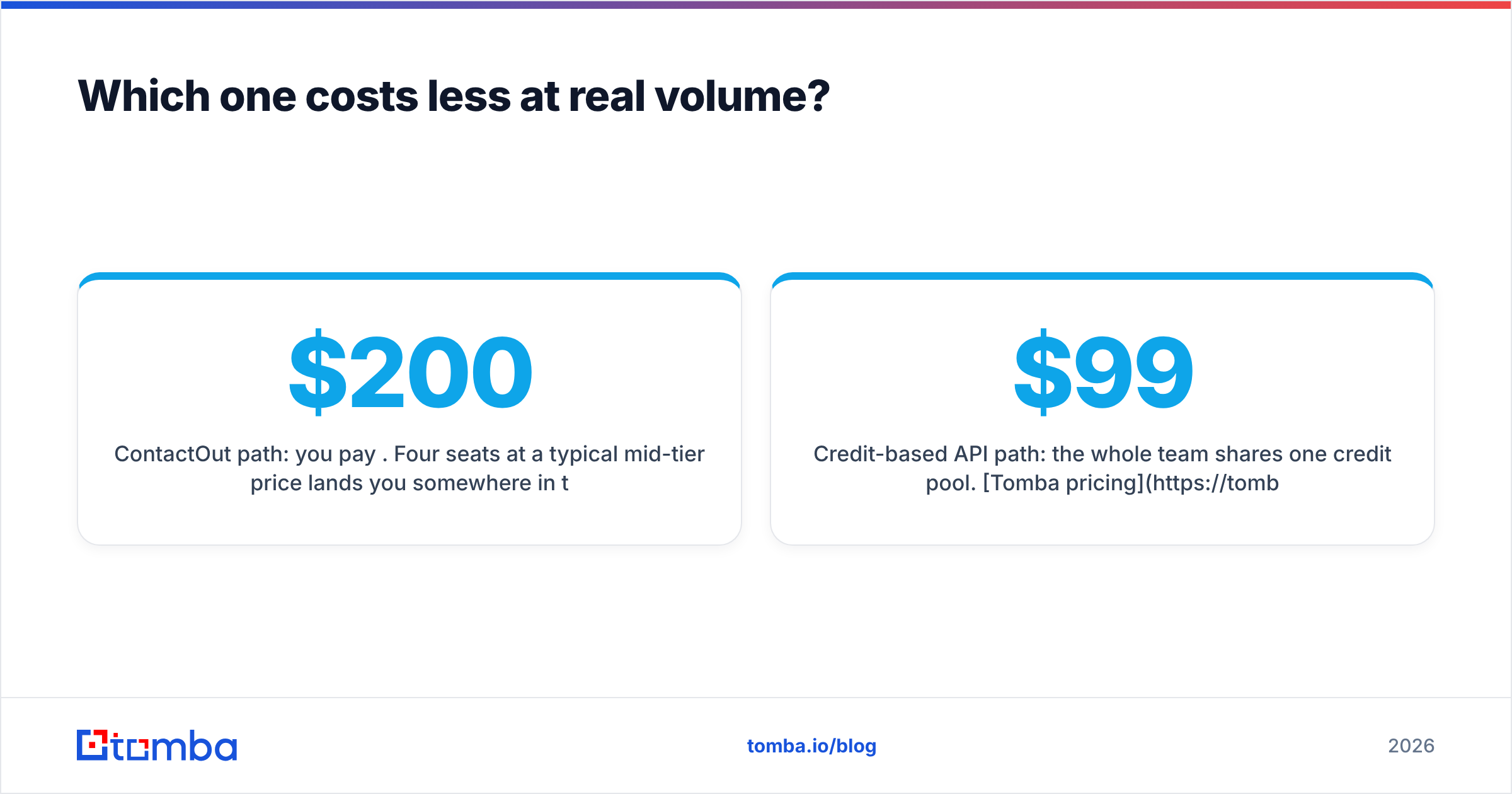
- ContactOut path: you pay per seat. Four seats at a typical mid-tier price lands you somewhere in the $200–$400/mo range before you've considered whether your export cap even permits 3,000 records leaving the platform. If two of those four people are ops folks who never touch LinkedIn, you're paying for interface they don't use.
- Mailtact path: you buy credits. Cheaper on paper. But you're now managing enrichment in a tool with a smaller integration surface, which usually means someone is exporting CSVs by hand and re-importing them into the CRM — a real cost that just doesn't appear on the invoice.
- Credit-based API path: the whole team shares one credit pool. Tomba pricing at Growth ($99/mo) covers a shared quota with API access, HubSpot and Salesforce connections, and Google Sheets enrichment — so the ops person automates it once and nobody exports a CSV again.
The general rule: seat pricing punishes teams; credit pricing punishes volume. If your headcount is growing faster than your enrichment volume, go credits. If enrichment volume is exploding and headcount is flat, seats can actually be cheaper. Most B2B teams in 2026 are in the first bucket.

What are the deal-breakers on each side?#
ContactOut — watch for:
- Export gates. Lower tiers cap how much data you can pull out. Read that limit before you sign, not after.
- LinkedIn dependency. The core workflow assumes a human is on a profile page. If LinkedIn changes its DOM or tightens automation policy, extension-based tools absorb that risk. That's an industry-wide fact, not a knock on ContactOut specifically.
- Seat sprawl. Every new SDR is a new line item.
- Personal email compliance. Personal addresses carry different legal weight in the EU and UK than corporate ones. Great for recruiting; check with legal before you put them in a cold B2B sequence.
Mailtact — watch for:
- Coverage cliffs. Test it on your ugliest ICP segment, not your prettiest. Small-index tools look identical to big ones on
@stripe.comand diverge hard on@midwestindustrialsupply.de. - Verification depth. Ask specifically how it handles catch-all and greylisting. If the answer is vague, assume it's guessing.
- Integration debt. Cheap tool + manual CSV shuffling is not cheap. Price the human hour.
- Roadmap risk. Smaller vendors get acquired or go quiet. Keep your data portable.
Which should you actually pick in 2026?#

Pick by workflow, not by feature list:
- You're a recruiter, or your sourcing happens inside LinkedIn all day, and you need personal emails and mobiles. ContactOut. Nothing in this comparison beats it on that specific job. Pay the seat tax; it's buying you the right thing.
- You need a handful of verified B2B addresses a month and hate paying for platforms. Mailtact, or honestly, the free tier of any credible finder. Don't over-buy.
- Enrichment is a system, not a person. Your CRM triggers a lookup. Your Clay table calls an endpoint. Your ops engineer runs a nightly job. In that world the browser extension is irrelevant and the seat license is a tax on nothing. You want a credit pool, a documented API, and honest verification — that's Tomba, Findymail, or similar API-first tooling, and it's a fundamentally different purchase from either tool in this post.
- You're comparing more broadly. Both G2 and Capterra carry enough recent reviews on this category to sanity-check vendor claims — filter to reviews from companies your size, and ignore anything older than 12 months. Data vendors change fast.
One last thing that applies no matter which you choose: finding is half the job. A found address that bounces is worse than no address, because it damages the email deliverability of every message you send afterward. Whatever finder you land on, run the output through a real email verifier before it reaches a sequence. That single step does more for reply rates than any amount of subject-line optimization.
The bottom line#
ContactOut and Mailtact aren't really competing for the same buyer. ContactOut sells a recruiter's daily interface. Mailtact sells cheap addresses. If you squint at the feature grids they overlap, but the purchase decision comes down to one question: is a human doing the finding, or is a machine?
If it's a machine — and for most B2B teams in 2026, it should be — you want credits, not seats, and an API, not an extension.
Try it against your own list. Tomba's Email Finder gives you 25 free searches a month with no card, full API access from the $49/mo Starter plan, and a catch-all verifier that tells you when it doesn't know instead of guessing. Run your 100-contact benchmark through it alongside ContactOut and Mailtact, compare bounce rates, and let your own data pick the winner.
Related guides#
Ready to find emails that actually work?
Join 150,000+ professionals who stopped guessing and started sending. Free credits on signup — no credit card required.
Get the Tomba newsletter
Practical outbound tactics and product updates — once every two weeks.
About the author