ContactOut vs Mailtester Ninja (2026): Which One Do You Need?
ContactOut finds emails. Mailtester Ninja checks them. They are not really rivals — but most teams only budget for one. Here is how they compare on accuracy, pricing, and workflow in 2026.
TL;DR
- ContactOut and Mailtester Ninja solve different halves of the same problem: ContactOut is a contact finder (mostly LinkedIn-driven), Mailtester Ninja is a verifier/checker built around a cheap, fast API.
- If you need addresses you do not already have, a verifier alone is useless. If you already have a list, a finder alone is expensive overkill.
- ContactOut wins on LinkedIn sourcing and personal-email coverage. Mailtester Ninja wins on price-per-check and raw verification throughput.
- The real cost of running both is not money — it is the CSV shuffle between them, plus two sets of catch-all logic that disagree.
- A single find-and-verify platform (Tomba, Hunter, Findymail class) usually beats the two-tool stack for teams under ~20 reps.
Most "ContactOut vs Mailtester Ninja" searches start from a false premise: that these two tools compete. They barely overlap. One puts email addresses into your pipeline; the other tells you whether the addresses in your pipeline are real. Understanding which problem you actually have decides the entire comparison — and often means neither tool alone is the answer.
What is ContactOut and what does it actually do?#
ContactOut is a B2B contact-data platform best known for its Chrome extension. You open a LinkedIn profile, click the extension, and it surfaces work emails, personal emails, and phone numbers for that person. Beyond the extension there is a web search portal, a bulk enrichment flow, and integrations with common CRMs and sequencers.
The core value proposition is recruiter-grade personal email coverage. Unlike most B2B finders that model corporate email patterns (first.last@company.com), ContactOut leans heavily on personal addresses — Gmail, Outlook, iCloud — which is why it is entrenched in talent acquisition. If you are trying to reach an engineer who will not open a work email from a stranger, that matters.
What it is not: a high-volume list-cleaning engine. ContactOut verifies what it returns, but it is not designed to ingest 200,000 stale addresses from a 2023 export and grade them for $12. That is the other tool's job.
You can confirm the current feature set on the ContactOut homepage — the plan structure changes more often than any blog post can track.
What is Mailtester Ninja and who is it for?#
Mailtester Ninja is an email verifier with a deliberately narrow scope. You send it an address, it performs syntax, DNS/MX, disposable, role-account, and SMTP-level checks, and returns a status — typically valid, invalid, catch-all/unknown, or risky. It exposes this through a web app, bulk file upload, and an API that is popular with developers precisely because it is cheap and fast.
Its reputation is built on two things:
- Price. It is one of the lowest cost-per-verification options on the market, sold as credit packs rather than seats.
- API ergonomics. A single endpoint, simple response shape, no enterprise sales call to get a key.
It does not source contacts. It has no LinkedIn extension, no prospect database, no "give me the CMO at Acme" flow. If your list is empty, Mailtester Ninja has nothing to do. Check mailtester.ninja for the current credit rates — they price aggressively and adjust often.
Wait — that image note matters. The point of the meme is the workflow tax, and it is the single most underrated cost in this comparison. More on that below.
ContactOut vs Mailtester Ninja: how do they compare head-to-head?#
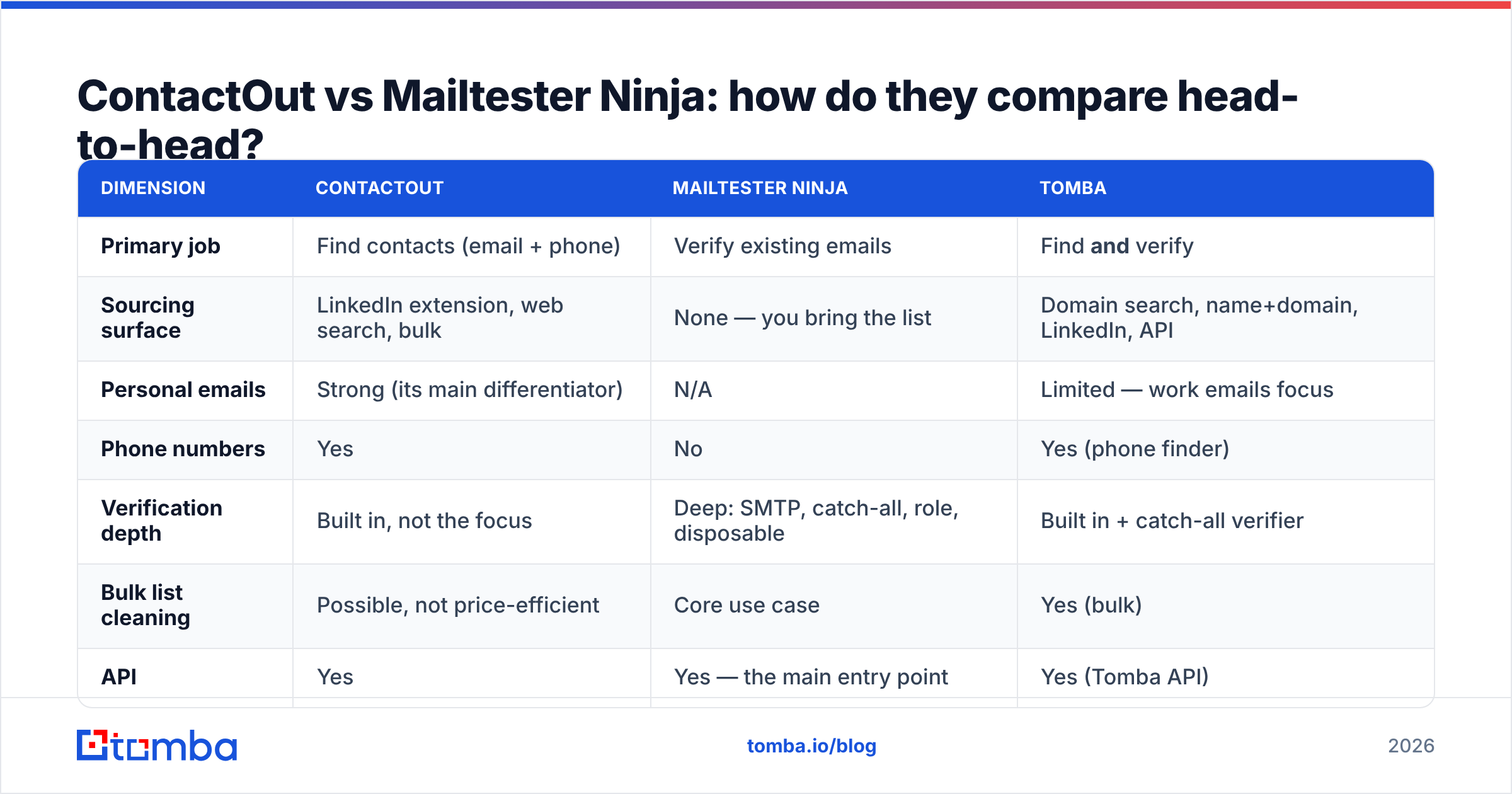
Here is the honest side-by-side. Pricing is directional — both vendors change tiers, and you should verify on their own pages before you buy.
| Dimension | ContactOut | Mailtester Ninja | Tomba |
|---|---|---|---|
| Primary job | Find contacts (email + phone) | Verify existing emails | Find and verify |
| Sourcing surface | LinkedIn extension, web search, bulk | None — you bring the list | Domain search, name+domain, LinkedIn, API |
| Personal emails | Strong (its main differentiator) | N/A | Limited — work emails focus |
| Phone numbers | Yes | No | Yes (phone finder) |
| Verification depth | Built in, not the focus | Deep: SMTP, catch-all, role, disposable | Built in + catch-all verifier |
| Bulk list cleaning | Possible, not price-efficient | Core use case | Yes (bulk) |
| API | Yes | Yes — the main entry point | Yes (Tomba API) |
| Free tier | Limited monthly credits | Trial credits | 25 searches/mo |
| Entry paid price | Roughly $49–$99/mo per seat | Credit packs, cents-per-check scale | $49/mo Starter |
| Best for | Recruiters, LinkedIn-first sellers | Devs and ops cleaning big lists | ended-to-end outbound teams |
| Weakest at | Cleaning a 100k-row legacy list | Getting an address you don't have | Personal/consumer emails |
Read the table row by row and the answer usually falls out on its own. Two of the four rows that matter — sourcing surface and bulk cleaning — are inverted between the two tools. That is not a close race; it is two different races.
Which one is more accurate?#
This is where the comparison gets genuinely interesting, because "accuracy" means two different things depending on which side of the workflow you are on.
For a finder, accuracy = hit rate × correctness. How often does it return an address at all, and how often is that address the right person's, still active? ContactOut's hit rate on LinkedIn profiles is high in tech, recruiting-heavy verticals, and US mid-market. It drops in regions and industries where LinkedIn adoption is thin — parts of EMEA manufacturing, most of Japan, SMB trades.
For a verifier, accuracy = correct status calls. The hard cases are catch-all domains (the server accepts everything, so SMTP tells you nothing) and providers that greylist or throttle verification traffic. Every verifier looks good on bob@microsoft.com. Judge them on a 40%-catch-all list.

Two practical rules cut through the vendor claims:
- Never take a finder's own "verified" label as a verifier's verdict. Finders optimize for coverage; a permissive verification pass makes their hit rate look better. Run a second, independent check on anything you plan to send at volume.
- Never treat a catch-all "unknown" as a "valid". A verifier that returns very few unknowns on a catch-all-heavy list is not smarter — it is guessing. Tools that admit uncertainty (and offer a separate catch-all finder path) are being honest with you.
Where Mailtester Ninja earns its reputation is exactly here: it does not pretend catch-all domains are solved. Where ContactOut earns its: it will surface a personal Gmail when the work address is a dead end, which no verifier can do for you.
What does the two-tool stack actually cost you?#
Say you run outbound at a 6-person team. You pay for ContactOut seats to source, then push exports into Mailtester Ninja to clean, then push the survivors into your sequencer. On paper, the verification layer is nearly free.
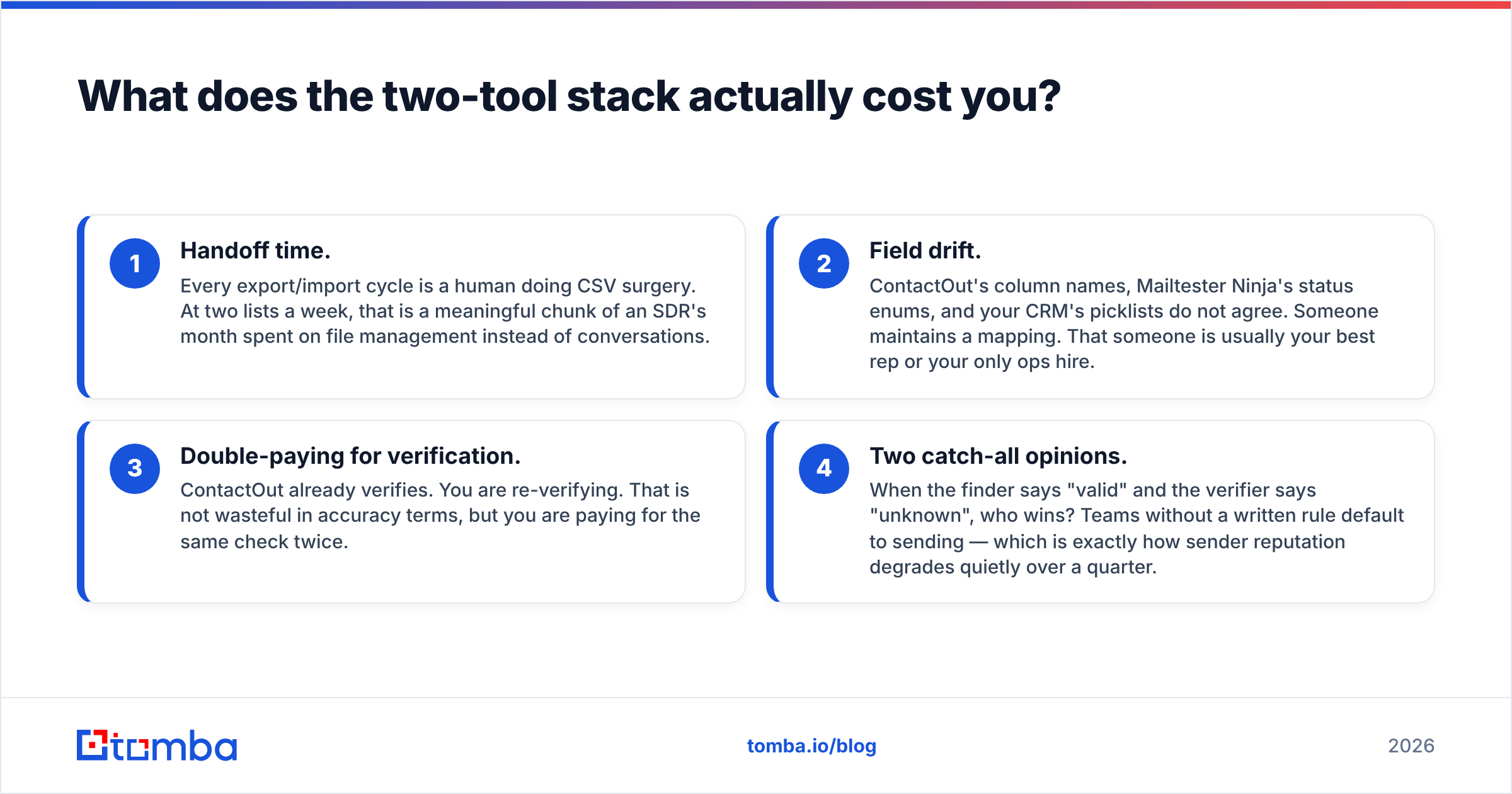
In practice you pay in four other currencies:
- Handoff time. Every export/import cycle is a human doing CSV surgery. At two lists a week, that is a meaningful chunk of an SDR's month spent on file management instead of conversations.
- Field drift. ContactOut's column names, Mailtester Ninja's status enums, and your CRM's picklists do not agree. Someone maintains a mapping. That someone is usually your best rep or your only ops hire.
- Double-paying for verification. ContactOut already verifies. You are re-verifying. That is not wasteful in accuracy terms, but you are paying for the same check twice.
- Two catch-all opinions. When the finder says "valid" and the verifier says "unknown", who wins? Teams without a written rule default to sending — which is exactly how sender reputation degrades quietly over a quarter.
None of this makes the two-tool stack wrong. It makes it a deliberate choice you should only make if you genuinely need ContactOut's personal-email coverage and Mailtester Ninja's cost-per-check at real volume. If you need one but not the other, the stack is just tax.
When should you pick ContactOut?#
Pick ContactOut when your bottleneck is finding a human at all, and LinkedIn is where that human lives.
- You recruit. Personal email is the channel. Nothing else in this comparison competes.
- Your motion is profile-first. Reps live in LinkedIn Sales Navigator, build lists there, and want a one-click reveal in the same tab.
- You need phone numbers alongside emails. ContactOut ships both; Mailtester Ninja ships neither.
- Volume is moderate. A few hundred to a few thousand contacts a month, high-value, hand-picked.
Skip it when your ICP is defined by firmographics rather than individuals ("every SaaS company in Berlin with 50-200 staff"), because in that motion you want domain search and pattern inference, not per-profile reveals.
When should you pick Mailtester Ninja?#
Pick Mailtester Ninja when you already have addresses and your bottleneck is trust in the list.
- You inherited a database. A 2024 export, a conference scan, a scraped list — Mailtester Ninja will grade it for a fraction of enterprise verifier pricing.
- You need verification in-product. Signup-form validation, lead-form gating, CRM hygiene jobs. The API is the point.
- You are cost-sensitive at scale. At hundreds of thousands of checks, cents matter. This is where it beats most of the incumbents on pure unit economics.
- You already have a sourcing tool you like. Then you only need the missing half.
Skip it when you have no list. It is a scale, not a farm.
Is there a better option than running both?#
For most B2B outbound teams — the ones searching "ContactOut vs Mailtester Ninja" because they are trying to decide where one budget line goes — the honest answer is that you want a platform that does both jobs with one credit system and one catch-all policy.
That is the category Tomba sits in, along with Hunter, Findymail, and others. The pitch is not that any of them beat ContactOut at LinkedIn personal emails or beat Mailtester Ninja at cents-per-check. They will not. The pitch is that the combined workflow is cheaper and less error-prone than the sum of two specialists.

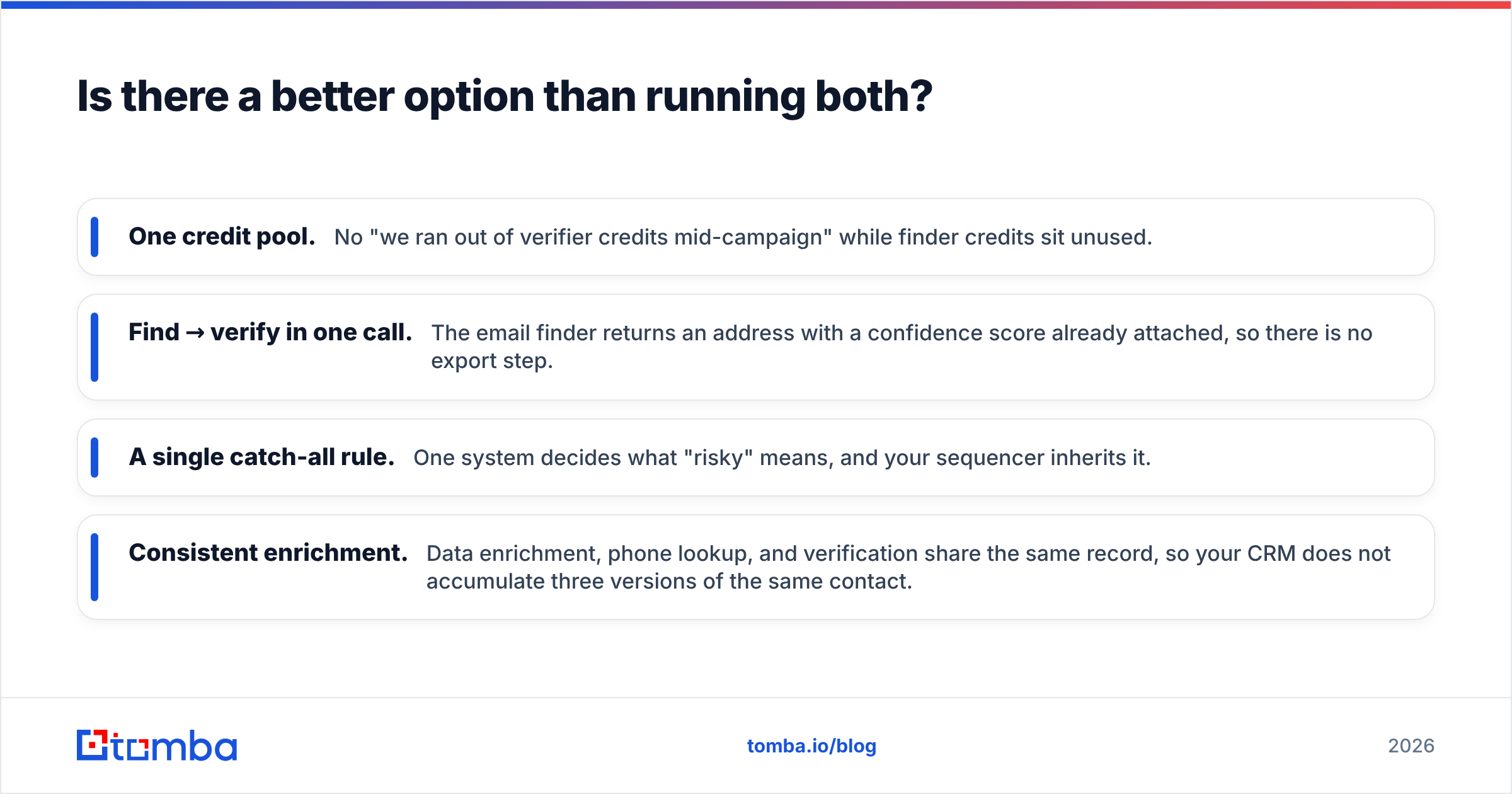
Concretely, an integrated stack gives you:
- One credit pool. No "we ran out of verifier credits mid-campaign" while finder credits sit unused.
- Find → verify in one call. The email finder returns an address with a confidence score already attached, so there is no export step.
- A single catch-all rule. One system decides what "risky" means, and your sequencer inherits it.
- Consistent enrichment. Data enrichment, phone lookup, and verification share the same record, so your CRM does not accumulate three versions of the same contact.
It is worth reading real practitioner reviews rather than vendor claims for all three tools — G2's email verification category is the least-bad public source, since reviews are tied to verified users and you can filter by company size.
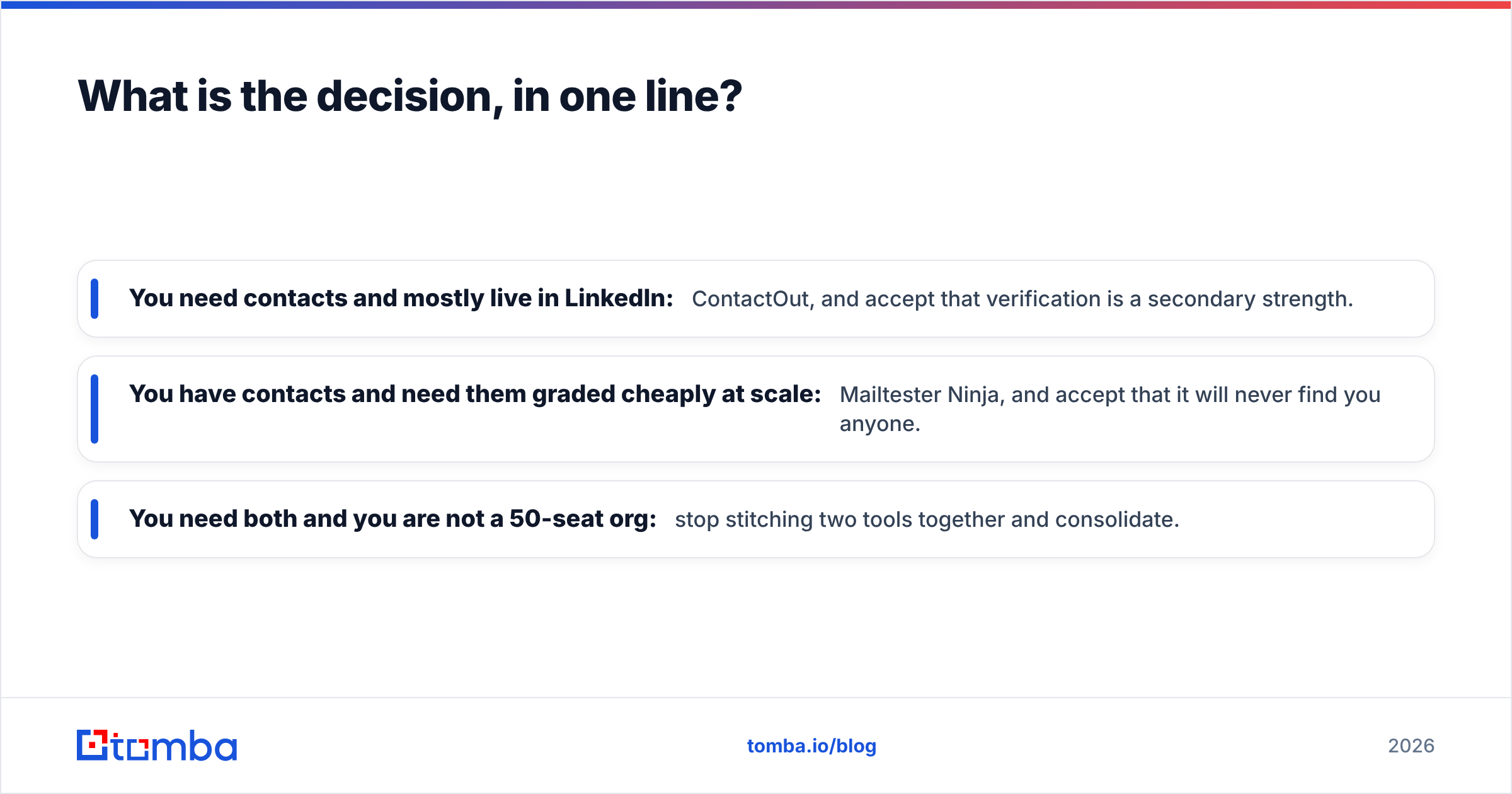
What is the decision, in one line?#
- You need contacts and mostly live in LinkedIn: ContactOut, and accept that verification is a secondary strength.
- You have contacts and need them graded cheaply at scale: Mailtester Ninja, and accept that it will never find you anyone.
- You need both and you are not a 50-seat org: stop stitching two tools together and consolidate.
The failure mode we see most often is teams buying ContactOut for the sourcing, discovering their bounce rate is still uncomfortable, bolting on a verifier, and never noticing they are now maintaining a two-vendor pipeline to do what one product does. Two tools is a legitimate architecture. It should just be a choice, not an accident.
Before you commit, run the same 100 contacts through whatever you are considering. Measure hit rate, bounce rate on send, and the number of minutes a human spent moving files. That third number is the one that decides it.
Try it on your own list. If you want to see whether an integrated find-and-verify flow closes the gap for your ICP, the Tomba Email Finder gives you 25 free searches a month with verification built in — no card, no export step, no second vendor. Paid plans start at $49/mo, and you can see the full breakdown on the Tomba pricing page. Run it against 25 accounts you already know the answer for, and compare the results to whatever you are paying for today.
Related guides#
Ready to find emails that actually work?
Join 150,000+ professionals who stopped guessing and started sending. Free credits on signup — no credit card required.
Get the Tomba newsletter
Practical outbound tactics and product updates — once every two weeks.
About the author