ContactOut vs Ninjapear (2026): Which Email Finder Wins?
ContactOut is a LinkedIn-first contact finder with deep personal-email coverage. Ninjapear is the lean, credit-based challenger. Here is how they actually compare on accuracy, pricing, exports, and API access in 2026 — plus where a third option beats both.
TL;DR
- ContactOut is a LinkedIn-first contact finder. Its strength is personal email and mobile coverage on individual profiles, surfaced through a Chrome extension. Its weakness is cost structure: value is tied to seats and profile views, which gets expensive the moment more than two people prospect.
- Ninjapear is the lean, credit-based challenger. It sells simple prepaid lookups and a lighter interface. It is cheaper to start, but thinner on enterprise controls, integrations, and documented API depth.
- The real dividing line is workflow, not accuracy. If your team lives inside LinkedIn Sales Navigator, ContactOut fits. If you work from domain lists, CSVs, or code, a domain-first tool beats both.
- Watch the export and API fine print. Both tools restrict what you can pull out and how fast. That restriction, not the sticker price, is what usually forces a migration six months in.
- Verification is non-negotiable in 2026. Neither finder replaces a real verifier step before you send. Budget for it.
What is ContactOut and who actually uses it?#
ContactOut is a contact-data tool built around a browser extension. You open a LinkedIn profile, the extension appears in the sidebar, and it returns work emails, personal emails, and sometimes a phone number for that person. It also ships a web search app where you filter by title, company, headcount, and location, then push results to a list.
The company's own positioning on contactout.com leans hard on one claim: personal email coverage. That is a real differentiator. Work emails go stale when someone changes jobs; a personal Gmail address does not. Recruiters — who are a huge share of ContactOut's user base — care about that more than sales teams do, because a candidate who left the company is still a candidate.
Who it fits:
- Recruiters and talent sourcers who need to reach a person, not a role, and who work profile-by-profile inside LinkedIn all day.
- Founder-led sales at small teams where one or two people do all the prospecting and the LinkedIn-native workflow is the whole workflow.
- Account-based teams targeting a short list of named executives where a personal mobile is worth a lot.
Who it does not fit: anyone building lists at scale from domains, anyone who needs high-volume programmatic lookups, and anyone allergic to per-seat pricing.
What is Ninjapear and what is it trying to undercut?#
Ninjapear is the newer, lighter entrant in the same category — a contact finder that sells prepaid credits instead of a seat-heavy subscription. The pitch is the one every challenger makes: same core job, less overhead, less lock-in, a smaller monthly bill.
That pitch is honest about what it is. Ninjapear is not trying to be a full revenue-intelligence suite. It does lookups. Credits deplete when a lookup returns a result. If you spend a few hundred dollars a year on contact data and you don't need SOC-2 paperwork, an SLA, or a dedicated CSM, a lean credit tool is a perfectly rational purchase.
The trade-offs show up in three places:
- Integration depth. Enterprise finders publish connectors for Salesforce, HubSpot, and Outreach. Lean tools usually give you a CSV and a Zapier hook.
- Data provenance. Bigger vendors document where data comes from and how often it refreshes. Newer vendors often don't, which matters under GDPR if you sell into the EU.
- Support and continuity. A small vendor is a bet on a small vendor. Check the review velocity on G2's lead intelligence category before you standardize on one.
None of that makes Ninjapear a bad tool. It makes it a tool with a specific ceiling. Know the ceiling before you build a process on top of it.

ContactOut vs Ninjapear: how do they compare head to head?#
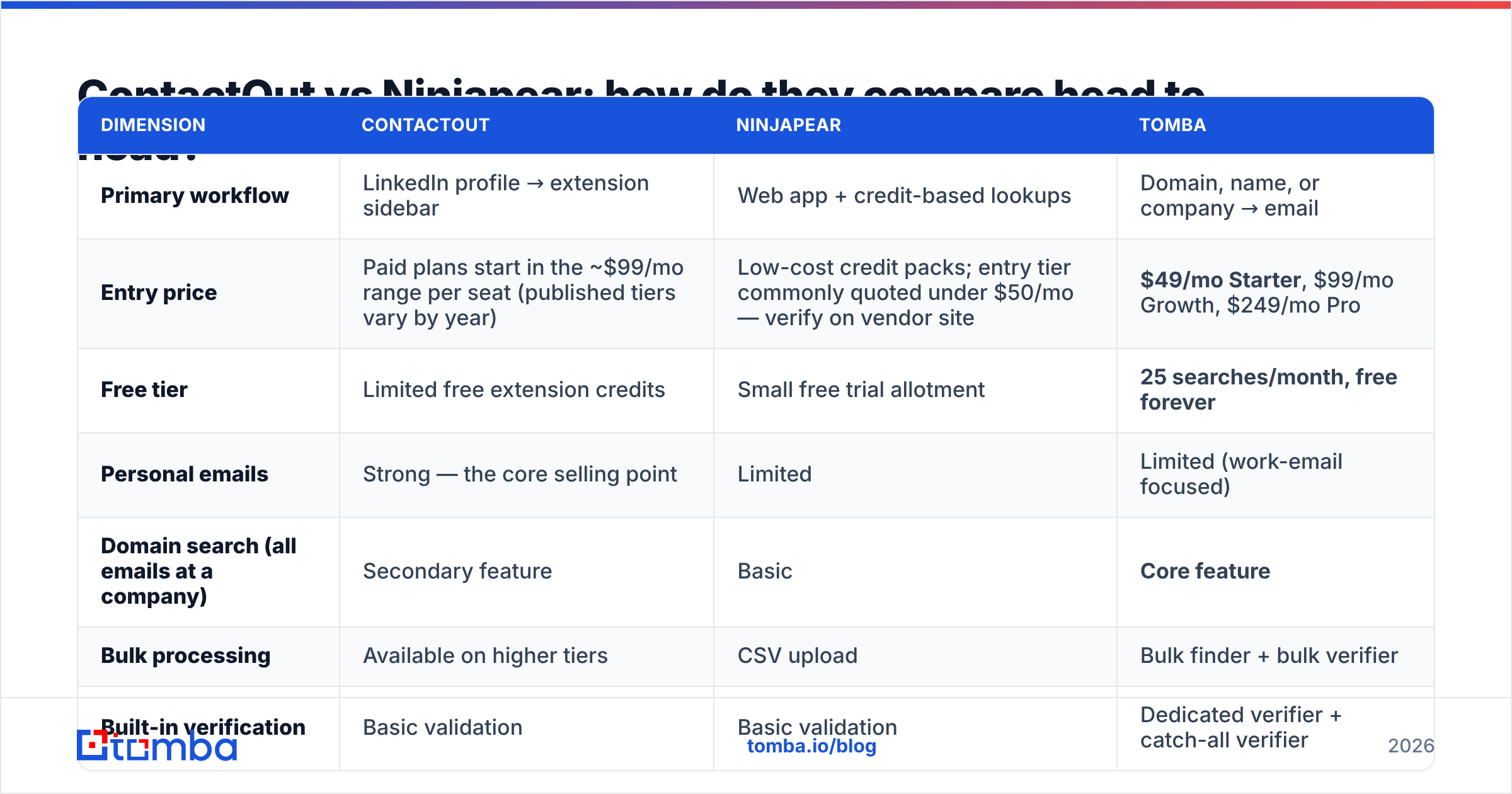
Here is the honest side-by-side. Where a vendor does not publish a number transparently, this table says so rather than inventing one — always confirm the current tier on the vendor's own pricing page before you buy, because contact-data pricing moves quarterly.
| Dimension | ContactOut | Ninjapear | Tomba |
|---|---|---|---|
| Primary workflow | LinkedIn profile → extension sidebar | Web app + credit-based lookups | Domain, name, or company → email |
| Entry price | Paid plans start in the ~$99/mo range per seat (published tiers vary by year) | Low-cost credit packs; entry tier commonly quoted under $50/mo — verify on vendor site | $49/mo Starter, $99/mo Growth, $249/mo Pro |
| Free tier | Limited free extension credits | Small free trial allotment | 25 searches/month, free forever |
| Personal emails | Strong — the core selling point | Limited | Limited (work-email focused) |
| Domain search (all emails at a company) | Secondary feature | Basic | Core feature |
| Bulk processing | Available on higher tiers | CSV upload | Bulk finder + bulk verifier |
| Built-in verification | Basic validation | Basic validation | Dedicated verifier + catch-all verifier |
| Public API | Yes, higher tiers | Limited / newer | Full REST API, CLI, MCP server |
| Pricing model | Per seat + credits | Prepaid credits | Flat plan, credits shared across the team |
| Best for | Recruiters living in LinkedIn | Solo users on a tight budget | Sales and RevOps teams building lists at scale |
Read that table one column at a time and the pattern is obvious. ContactOut charges for depth on a person. Ninjapear charges for volume on a budget. Neither is optimized for the thing most B2B sales teams actually do: take a list of 500 target companies and get every relevant decision-maker's work email out of them, verified, into a CRM.

Which one is more accurate — and does accuracy even mean what vendors say?#
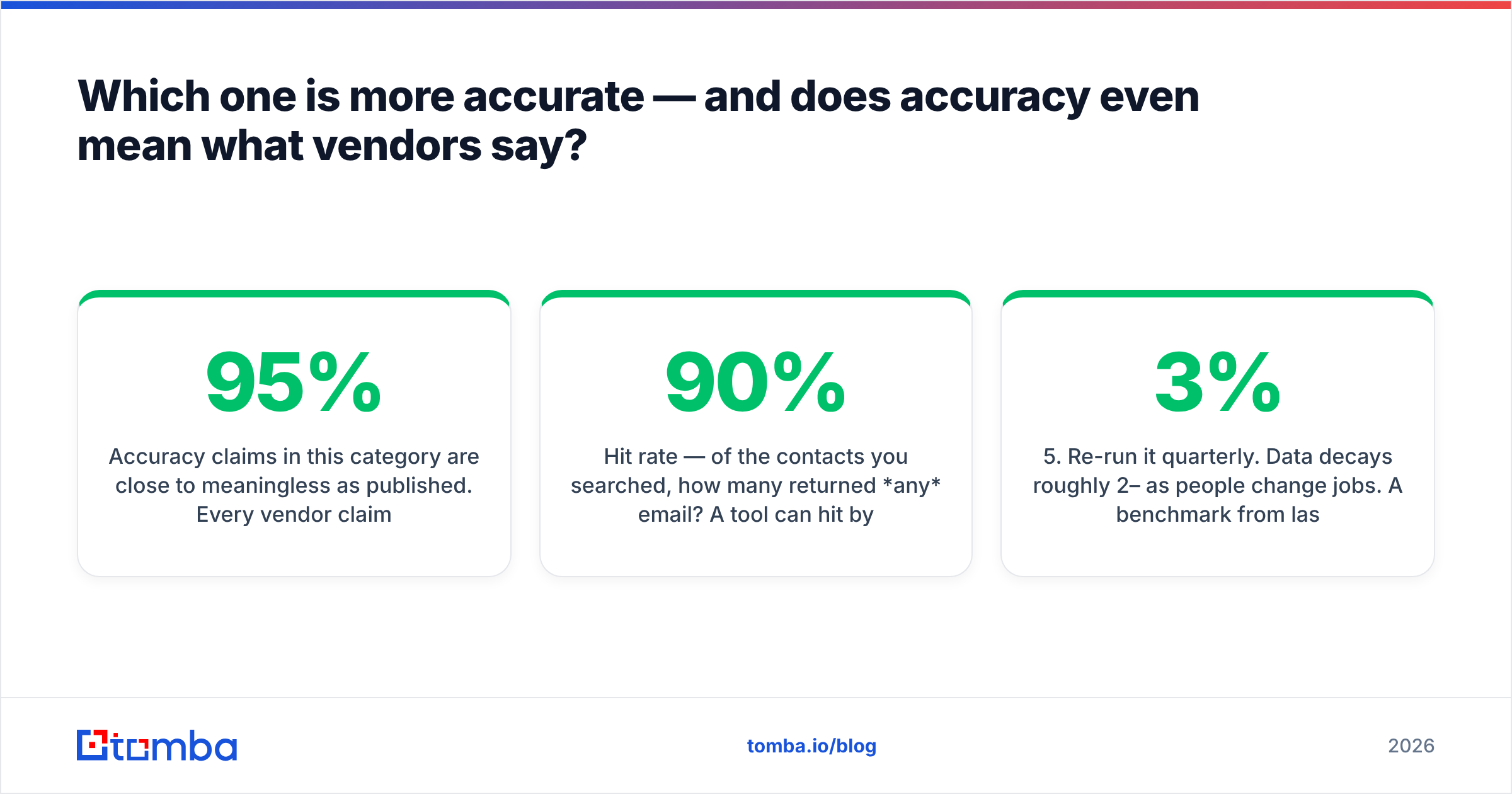
Accuracy claims in this category are close to meaningless as published. Every vendor claims 95%+. They are all measuring different things.
There are three numbers that matter and vendors routinely blur them together:
- Hit rate — of the contacts you searched, how many returned any email? A tool can hit 90% by guessing patterns.
- Deliverable rate — of the emails returned, how many actually accept mail? This is the number that protects your domain.
- Correct-person rate — of the emails that deliver, how many belong to the person you asked for? Almost nobody publishes this.
A tool that returns firstname.lastname@company.com for everyone will post a gorgeous hit rate and torch your sender reputation inside three weeks, because half of those guesses bounce and the rest land in a catch-all void.
How to test it yourself in 30 minutes, for free:
- Build a 50-row ground-truth list. Use people whose emails you already know — past customers, partners, people who've emailed you. Strip the emails into a hidden column.
- Run the same 50 through each tool. ContactOut, Ninjapear, and a third control.
- Score three columns, not one: returned / matched-truth / bounced-on-verify.
- Weight the result by your ICP. A tool that nails US SaaS VPs and whiffs on German mittelstand engineers is not "more accurate" — it's more accurate for someone else.
- Re-run it quarterly. Data decays roughly 2–3% per month as people change jobs. A benchmark from last year is a story, not a measurement.
That fourth step is where most head-to-head comparisons fall apart. Coverage is regional and vertical. Run the test on your own ICP or you're buying someone else's benchmark.

Is ContactOut worth the per-seat premium?#
Sometimes. The math is simple, and it depends entirely on how many humans touch the tool.
ContactOut makes sense when:
- You are a recruiter. Personal emails and mobiles are the product, and no domain-first tool matches ContactOut there.
- One or two people do all the sourcing. Seat count stays low, so seat pricing stays sane.
- Your workflow genuinely starts on a LinkedIn profile, every time.
ContactOut stops making sense when:
- Your SDR team grows past three people. Per-seat pricing compounds. Five seats at a hundred-plus dollars a month buys you a lot of credits somewhere else.
- You need to enrich a CSV of 3,000 rows overnight. That is not what an extension is for.
- Engineering wants to call an API from a data pipeline. You'll pay for tiers you don't otherwise need.
Ninjapear makes sense when:
- You are a solo operator, an agency running one client campaign, or a founder testing a market.
- Your volume is genuinely low and lumpy — a few hundred lookups a quarter, not a few thousand a month.
- You accept that the integration story is CSV-shaped.
Ninjapear stops making sense when:
- You need audit trails, deduplication across a team, or CRM write-back.
- Compliance asks where the data came from and you have no documented answer.
The tell for both tools is the same: the moment prospecting becomes a process rather than a person, per-seat extensions and prepaid credit packs both start fighting you.

What is the third option most teams end up choosing?#
Once you're building lists rather than browsing profiles, the shape of the tool has to change. You stop asking "who is this person's email?" and start asking "give me every relevant contact at these 500 domains, verified, in my CRM, by Thursday."
That's a different product. It's what domain search is for: point at stripe.com, get the email pattern, get the people, get the confidence score. Then run the output through an email verifier before a single message leaves your sequence — including a catch-all verifier pass, because catch-all domains are where naive tools quietly inflate their hit rates.
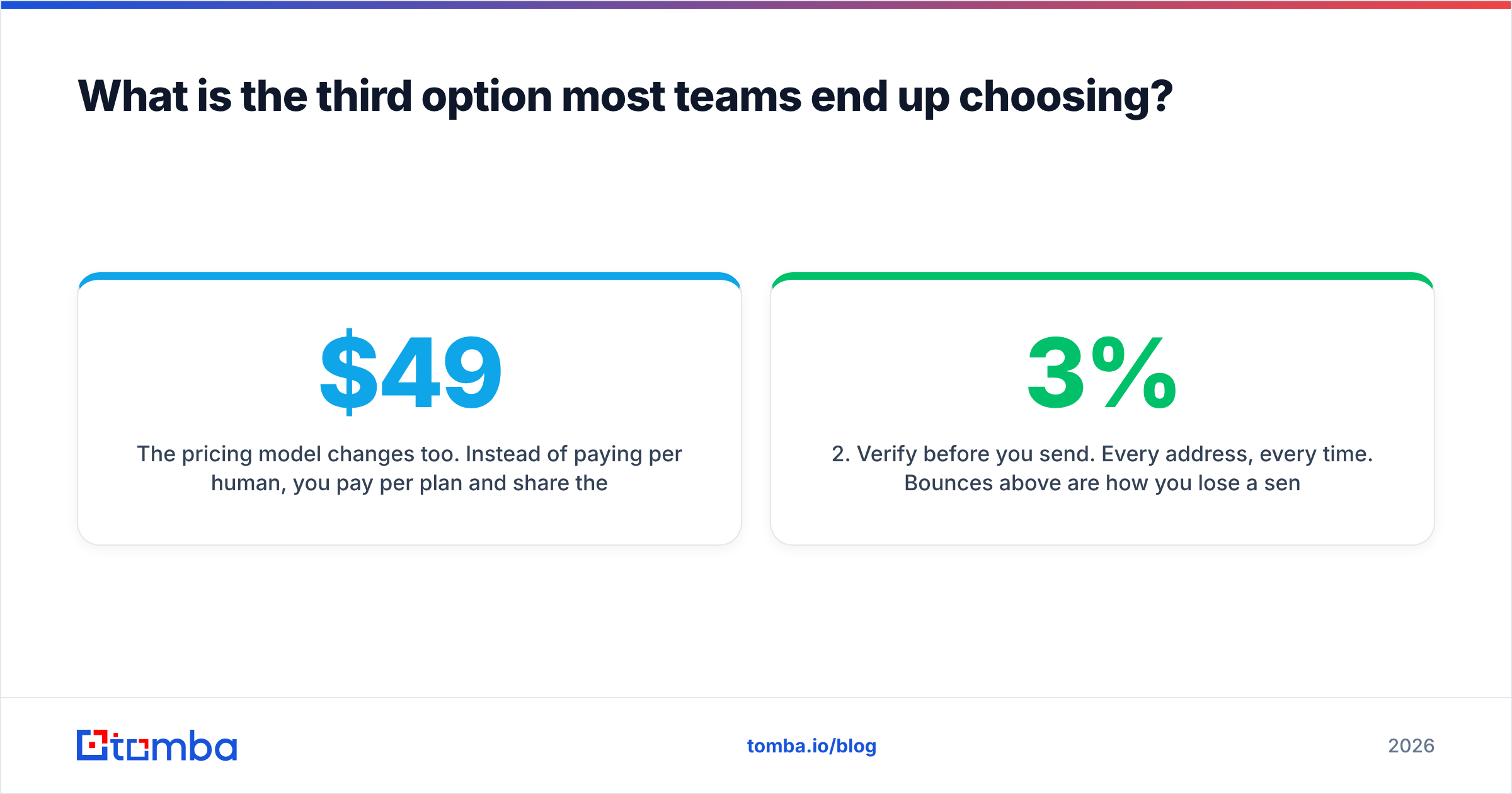
The pricing model changes too. Instead of paying per human, you pay per plan and share the credits: Tomba's plans start with a free tier at 25 searches a month, Starter at $49/mo, Growth at $99/mo, and Pro at $249/mo — with the same credit pool available to everyone on the team, plus a full REST API if you'd rather do the whole thing in code.
A sane 2026 stack looks like this:
- Find at the domain level. Bulk lookups against a target-account list, not one profile at a time.
- Verify before you send. Every address, every time. Bounces above 3% are how you lose a sending domain.
- Enrich, don't guess. Add title, seniority, and company data so your copy has something to hook into.
- Keep a LinkedIn-native tool for the exceptions. ContactOut earns its seat on the handful of executives where a personal mobile decides the deal — just don't make it the backbone.
That last point matters. This isn't a "one tool to rule them all" argument. It's a "stop paying enterprise per-seat rates for a job a domain-first tool does better and cheaper" argument.
So which should you buy?#
Buy ContactOut if you're a recruiter or an ABM rep whose whole day happens inside LinkedIn, your seat count is small, and personal-email coverage is the thing you'd cry about losing. It is genuinely best-in-class at that narrow job.
Buy Ninjapear if you're a solo operator or a small agency, your volume is low, your budget is tighter than your requirements, and you're fine trading integrations for a smaller invoice.
Buy neither as your primary if you're running real outbound — a team, a target-account list, a CRM, a sequencer, and a domain reputation you cannot afford to burn. In that case you want domain-first discovery, a real verification step, and pricing that doesn't punish you for hiring a second SDR.
Whichever you pick: run the 50-row ground-truth test first. Twenty minutes of testing beats twelve months of a contract you regret.
Ready to test it on your own list? Start with the Tomba Email Finder — 25 free searches a month, no card required. Drop in a domain, get the verified work emails behind it, and compare the output against whatever ContactOut or Ninjapear returned for the same accounts. If the results don't beat what you're paying for now, you've lost nothing but an afternoon. If they do, Starter is $49/mo with credits your whole team shares.
Related guides#
Ready to find emails that actually work?
Join 150,000+ professionals who stopped guessing and started sending. Free credits on signup — no credit card required.
Get the Tomba newsletter
Practical outbound tactics and product updates — once every two weeks.
About the author