ContactOut vs Reachfast: Which Email Finder Wins in 2026?
ContactOut is built around LinkedIn. Reachfast sells cheap credits. Neither is a full prospecting stack. Here is where each one actually earns its money in 2026 — and where an API-first finder beats both.
TL;DR — ContactOut vs Reachfast in one screen#
- ContactOut is a LinkedIn-first tool. Its Chrome extension sits on top of LinkedIn and Recruiter, pulls personal + work emails and phone numbers, and is priced for recruiters who live in the LinkedIn tab all day.
- Reachfast is a cheap-credit contact finder. It sells email + phone lookups at a low per-credit price, with a lighter extension and a smaller brand footprint. It appeals to budget-conscious solo founders and agencies.
- Neither is a full prospecting stack. ContactOut's value collapses the moment your workflow leaves LinkedIn. Reachfast's value collapses the moment you need enterprise-grade verification, an SLA, or a serious API.
- Accuracy claims from both vendors are marketing numbers. Test both on 100 of your ICP contacts before you commit — the delta between a vendor's claimed rate and your real hit rate is usually 20-35 points.
- If you need a programmatic finder (bulk lists, CRM enrichment, an API in your product), an API-first tool like Tomba is typically the cheaper and more reliable base layer, with the extension as a bonus rather than the product.
What are ContactOut and Reachfast, actually?#
They get lumped together in "email finder" listicles, but they are built around two different bets.
ContactOut bets on LinkedIn. It launched as a recruiter's browser extension: open a LinkedIn profile, click the icon, get a work email, a personal Gmail, and often a mobile number. It has since added a search portal, a Recruiter/RecruiterLite integration, and a data platform, but the extension is still where 90% of the usage happens. Its headline pitch — a very large database of profiles with both personal and work contact details — is aimed squarely at talent acquisition, where a personal Gmail matters more than a corporate alias.
Reachfast bets on price. It sells email and phone lookups with an aggressively low cost per credit and pay-as-you-go options, plus a LinkedIn extension and bulk upload. The positioning is "same job, less money" — which is a legitimate strategy in a market where most tools resell overlapping data from similar sources.
Both are finders. Neither is a sequencer, a CRM, or a deliverability platform. If a vendor pitches you all four, be suspicious of the depth of any one of them.
How do ContactOut and Reachfast compare on features and pricing?#
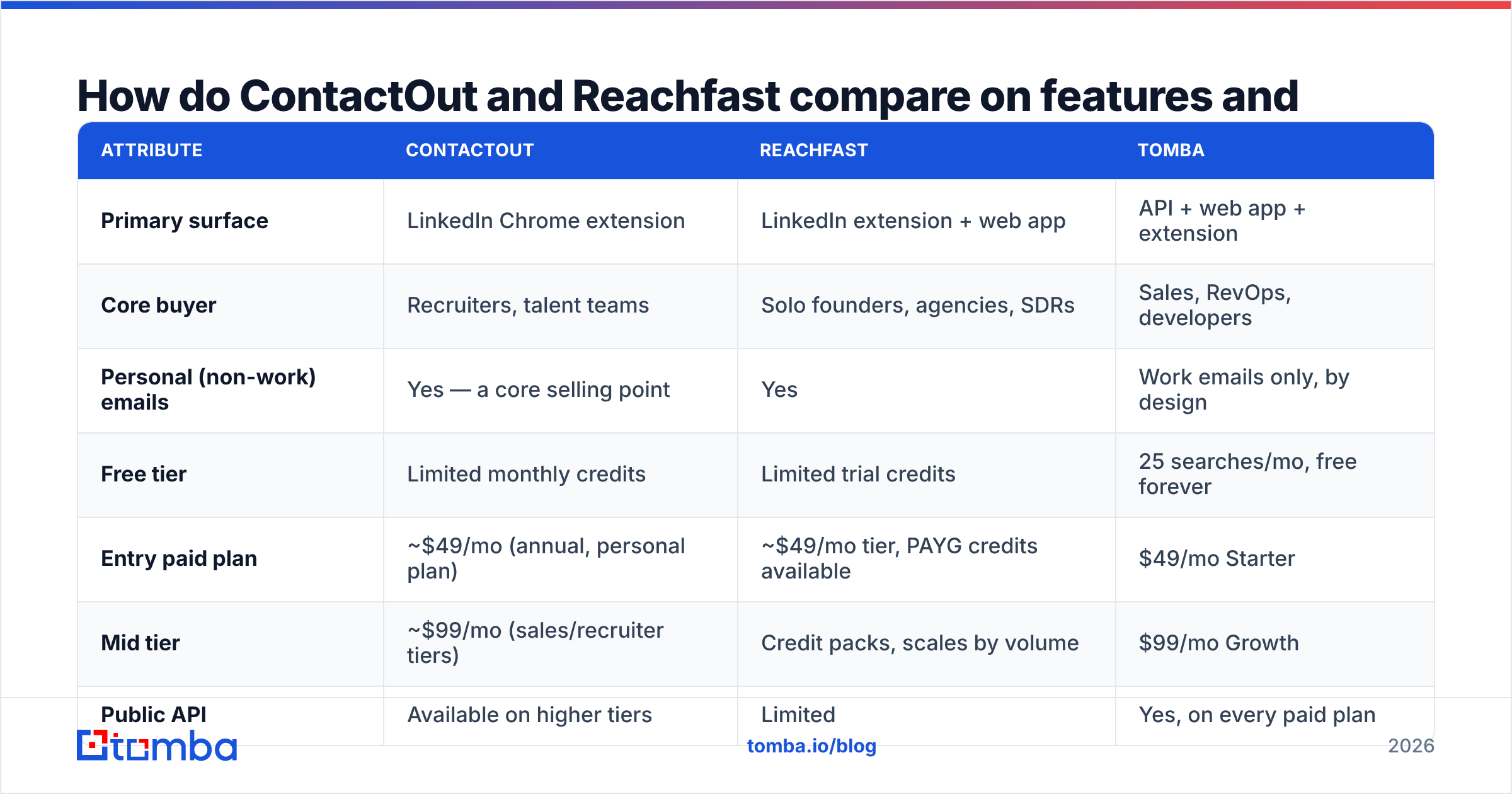
Pricing on both tools moves, and both hide their real per-credit economics behind annual-billing discounts. Treat this table as a directional map, not a quote — always check the vendor's live pricing page before you buy.
| Attribute | ContactOut | Reachfast | Tomba |
|---|---|---|---|
| Primary surface | LinkedIn Chrome extension | LinkedIn extension + web app | API + web app + extension |
| Core buyer | Recruiters, talent teams | Solo founders, agencies, SDRs | Sales, RevOps, developers |
| Personal (non-work) emails | Yes — a core selling point | Yes | Work emails only, by design |
| Free tier | Limited monthly credits | Limited trial credits | 25 searches/mo, free forever |
| Entry paid plan | ~$49/mo (annual, personal plan) | ~$49/mo tier, PAYG credits available | $49/mo Starter |
| Mid tier | ~$99/mo (sales/recruiter tiers) | Credit packs, scales by volume | $99/mo Growth |
| Public API | Available on higher tiers | Limited | Yes, on every paid plan |
| Bulk CSV enrichment | Yes | Yes | Yes (bulk email finder) |
| Built-in email verification | Basic | Basic | Full email verifier + catch-all handling |
| Catch-all domain handling | Weak — returns "valid" optimistically | Weak | Dedicated catch-all verifier |
| Native integrations | ATS-heavy (Greenhouse, Lever) | Fewer | CRM + automation (integrations) |
| Best for | LinkedIn-native recruiting | Cheapest per-lookup manual prospecting | Programmatic, verified B2B email at scale |
The pattern is clear: ContactOut wins the LinkedIn/recruiting lane, Reachfast wins the "I just need it cheap" lane, and an API-first finder wins when the work needs to run without a human in a browser tab.
Which one is more accurate?#
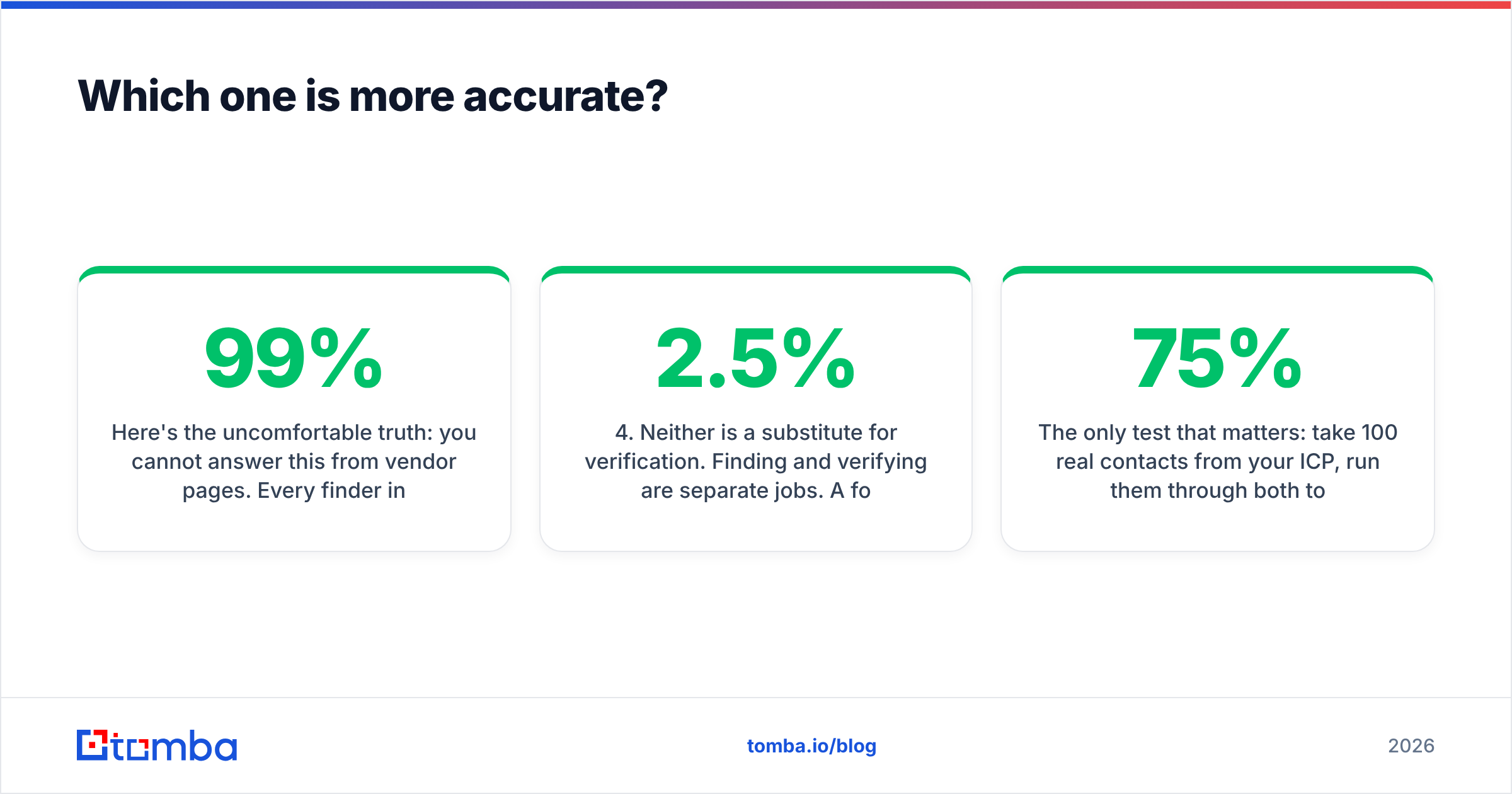
Here's the uncomfortable truth: you cannot answer this from vendor pages. Every finder in this category advertises 95-99% accuracy, and every one of them is measuring something different — some measure "we returned a result," some measure "the SMTP handshake didn't bounce," some quietly exclude catch-all domains from the denominator.

What actually differs between these tools is coverage by segment, not headline accuracy:
- ContactOut is strongest on people with a rich, active LinkedIn presence — US/EU tech, mid-to-senior roles, anyone who has been job-hunting recently. Its personal-email coverage is genuinely differentiated and is why recruiters pay for it.
- Reachfast is decent on the same LinkedIn-derived population but thinner in the long tail. On smaller companies, non-English-speaking markets, and industrial/SMB domains, expect more "not found" than ContactOut.
- Both degrade badly on catch-all domains. A catch-all server accepts every address, so a naive SMTP check returns "valid" for
nonsense@company.com. Tools that don't run pattern confidence scoring on top will hand you a plausible-looking address that goes nowhere. - Neither is a substitute for verification. Finding and verifying are separate jobs. A found address that hasn't been re-checked in six months is a coin flip — B2B email data decays around 2-2.5% per month as people change jobs.
The only test that matters: take 100 real contacts from your ICP, run them through both tools, then push the results through an independent email verifier and a live send. Compare deliverable rate, not found rate. Most teams that do this discover their real hit rate is 55-75% on either tool — nowhere near 99% — and that the two tools miss different people, which is an argument for waterfall enrichment rather than a single vendor.

When should you pick ContactOut?#
Pick ContactOut if most of these describe you:
- You recruit. You need personal emails and mobile numbers, not just
first.last@company.com. ContactOut's personal-contact coverage is its moat, and general sales-focused finders deliberately don't compete there. - Your workflow is literally inside LinkedIn. You source from Recruiter searches, you triage in the LinkedIn UI, and you want one click between profile and contact.
- You use an ATS, not a CRM. ContactOut's integration list leans toward Greenhouse, Lever, and friends.
- Compliance is handled. Personal-email outreach carries a different GDPR/CCPA risk profile than work-address B2B outreach. Recruiting has established legitimate-interest arguments; cold sales to a personal Gmail does not. Talk to whoever owns privacy at your company before you build a motion on personal emails.
Skip ContactOut if you need programmatic access on a small plan. The API is gated to higher tiers, and if your job is "enrich 40,000 CRM rows overnight," you're paying recruiter prices for a developer's problem.
When should you pick Reachfast?#
Pick Reachfast if:
- Cost per lookup is your binding constraint. You're a solo founder or a small agency, you're doing a few hundred lookups a month, and a $99/mo floor is real money.
- Your volume is bursty. Pay-as-you-go credits beat a monthly subscription when you prospect in campaigns, not continuously.
- You want email and phone in one credit. Reachfast's pitch includes mobile numbers, which is useful if you run a multichannel motion. (For dedicated coverage, a specialist phone finder usually beats a bundled one — but "usually" isn't "always," so test.)
Skip Reachfast if you need audit trails, a serious SLA, procurement-friendly invoicing, or a documented API your engineers will actually enjoy. It's a lean tool, and lean tools trade depth for price.
Is an API-first email finder a better base layer than either?#
For most B2B sales teams — as opposed to recruiting teams — yes, and the reason is structural rather than a matter of taste.
Extension-first tools optimise for one human, one profile, one click. That's a great experience and a terrible architecture the moment your GTM matures. As soon as you have:
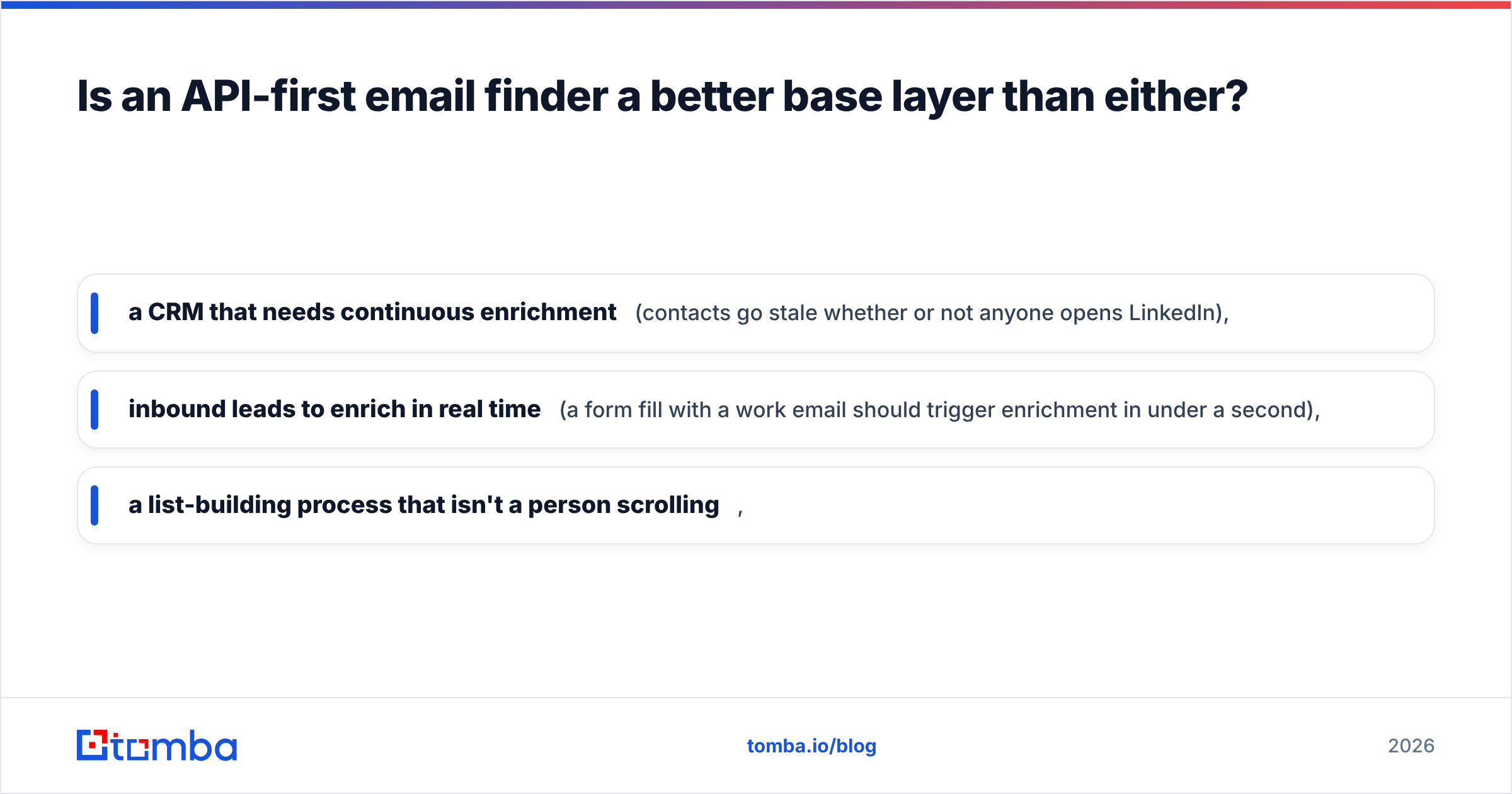
- a CRM that needs continuous enrichment (contacts go stale whether or not anyone opens LinkedIn),
- inbound leads to enrich in real time (a form fill with a work email should trigger enrichment in under a second),
- a list-building process that isn't a person scrolling,
…you need a finder that runs as a service. That's the case for building on an email finder API and treating the browser extension as a convenience for one-off lookups rather than the product itself.
This is where Tomba sits differently from both tools in this comparison. The API is available on every paid plan — including the $49/mo Starter — rather than being an enterprise upsell. Domain search returns every discoverable address at a company plus the detected email pattern, which lets you infer addresses for people the database has never seen. And verification isn't an add-on: found addresses are checked, catch-all domains are flagged instead of being optimistically marked "valid," and you can bulk-verify a list before it ever touches your sequencer.
The honest trade-off: Tomba does not sell personal emails. If your job is recruiting and you need someone's Gmail, ContactOut is the right tool and Tomba is not. That's a deliberate product boundary, not a gap.

How should you actually evaluate these tools?#
Run a real bake-off. It takes an afternoon and saves you a year of a bad contract.
- Build a 100-row gold list. Real names, real companies, spread across your actual ICP — including the awkward segments (sub-50-employee companies, non-US domains, industries you serve but nobody writes blog posts about).
- Run all candidates on free tiers. ContactOut, Reachfast, and Tomba's free tier all give you enough credits to test 25-50 rows without a card. Don't pay to evaluate.
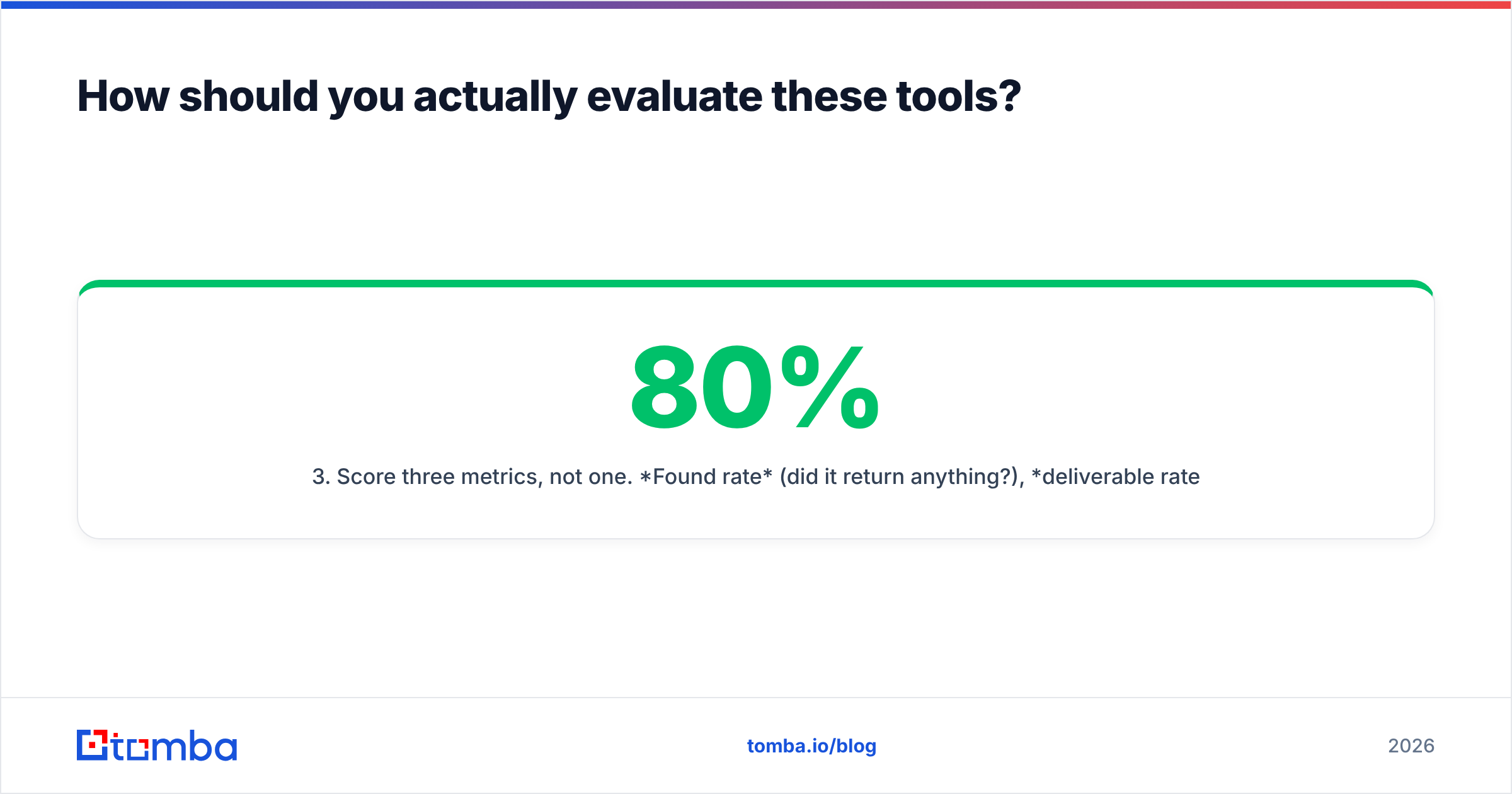
- Score three metrics, not one. Found rate (did it return anything?), deliverable rate (did an independent verifier confirm it?), and cost per deliverable (the only number your CFO cares about). A tool with 80% found rate and 60% deliverability is worse than one with 65% found and 62% deliverable.
- Test the catch-all segment separately. Roughly a third of B2B domains are catch-alls. Whichever tool handles them honestly — by telling you it's uncertain — is the one that won't quietly torch your sender reputation.
- Read the exit clause. Can you export what you enriched? Do credits roll over? What happens to your data on cancellation? Check the vendor's terms and, for peer sanity-checks, real user reviews on G2 rather than the case studies on the vendor's own site.
- Check the API docs before you buy, not after. If the docs are thin, the API is thin.

Does any of this matter if your deliverability is broken?#
No — and this is the part most "best email finder" comparisons skip.
A perfectly verified list sent from an unwarmed domain with no SPF alignment will land in spam. Both Google and Microsoft tightened bulk-sender requirements, and authentication is now table stakes rather than a nice-to-have; Google's own sender guidelines are the reference document, not a blog post. Before you agonise over a 4-point accuracy difference between ContactOut and Reachfast, confirm your SPF, DKIM, and DMARC records are correct and your sending domain is warmed.
Order of operations, in the only order that works: authenticate → warm → find → verify → send. Skipping straight to "find" is how teams end up blaming a data vendor for a deliverability problem they created themselves.
The verdict: ContactOut vs Reachfast in 2026#
- Recruiting, LinkedIn-native, need personal emails? ContactOut. It's the strongest tool in this comparison for that specific job, and nothing here is a real substitute.
- Tiny budget, bursty manual prospecting, want email + phone in one cheap credit? Reachfast. It does what it says at a price the others don't match.
- B2B sales, CRM enrichment, bulk lists, anything programmatic? Neither is the right base layer. You want an API-first finder with verification built in, and the extension as a side dish.
The most expensive mistake isn't picking the "wrong" tool — it's picking one tool and never measuring it. Data decays, coverage shifts, and the vendor that won your bake-off in January may not win it in October. Re-run the 100-row test twice a year.
Ready to see how your ICP scores? Start with the Tomba Email Finder — 25 free searches a month, no card required. Test it against the same list you're testing ContactOut and Reachfast on, verify every result before it reaches your sequencer, and let the deliverable-rate number, not the marketing page, make the decision for you.
Related guides#
Ready to find emails that actually work?
Join 150,000+ professionals who stopped guessing and started sending. Free credits on signup — no credit card required.
Get the Tomba newsletter
Practical outbound tactics and product updates — once every two weeks.
About the author