ContactOut vs SalesRipe (2026): Which B2B Data Tool Wins?
ContactOut is a LinkedIn-first contact extractor. SalesRipe is a static B2B list database. They solve different problems — and picking the wrong one wastes your whole prospecting budget.
TL;DR
- ContactOut is a LinkedIn-first contact extractor. You browse a profile, click the extension, and get personal and work emails. It lives inside your sourcing workflow.
- SalesRipe is a static B2B contact database with filters. You build a list by industry, title, and geography, then export a CSV. It lives before your workflow.
- They are not really competitors. ContactOut wins when your prospect list starts on LinkedIn. SalesRipe wins when you want a bulk list fast and cheap without touching LinkedIn at all.
- Accuracy is the real dividing line. LinkedIn-anchored data is fresher because profiles get updated when people switch jobs. Static databases decay at roughly 2–3% of records per month.
- If you need API-first email finding and verification — rather than an extension or a CSV dump — a dedicated email finder with a verification layer is a cleaner fit than either.
Most "ContactOut vs SalesRipe" comparisons treat these as two flavors of the same product. They aren't. One is a browser extension bolted to LinkedIn; the other is a searchable list warehouse. Choosing between them is really choosing between two prospecting philosophies: find the person first, then get the email versus pull 5,000 rows and hope 70% are alive.
This post breaks down both, where each actually holds up, and what to do when neither fits.
What is ContactOut and who is it built for?#
ContactOut is a Chrome extension plus web platform that surfaces email addresses and phone numbers for people you're viewing on LinkedIn, GitHub, and a few other sources. Its core pitch is coverage of personal emails — the Gmail address a candidate actually reads — which is why it's heavily used by recruiters, not just sales teams.
The workflow is simple: install the extension, open a profile, click the icon, and ContactOut returns whatever it holds for that person. It also offers a search portal, a bulk CSV enrich, and integrations into ATS and CRM systems.
What it's genuinely good at:
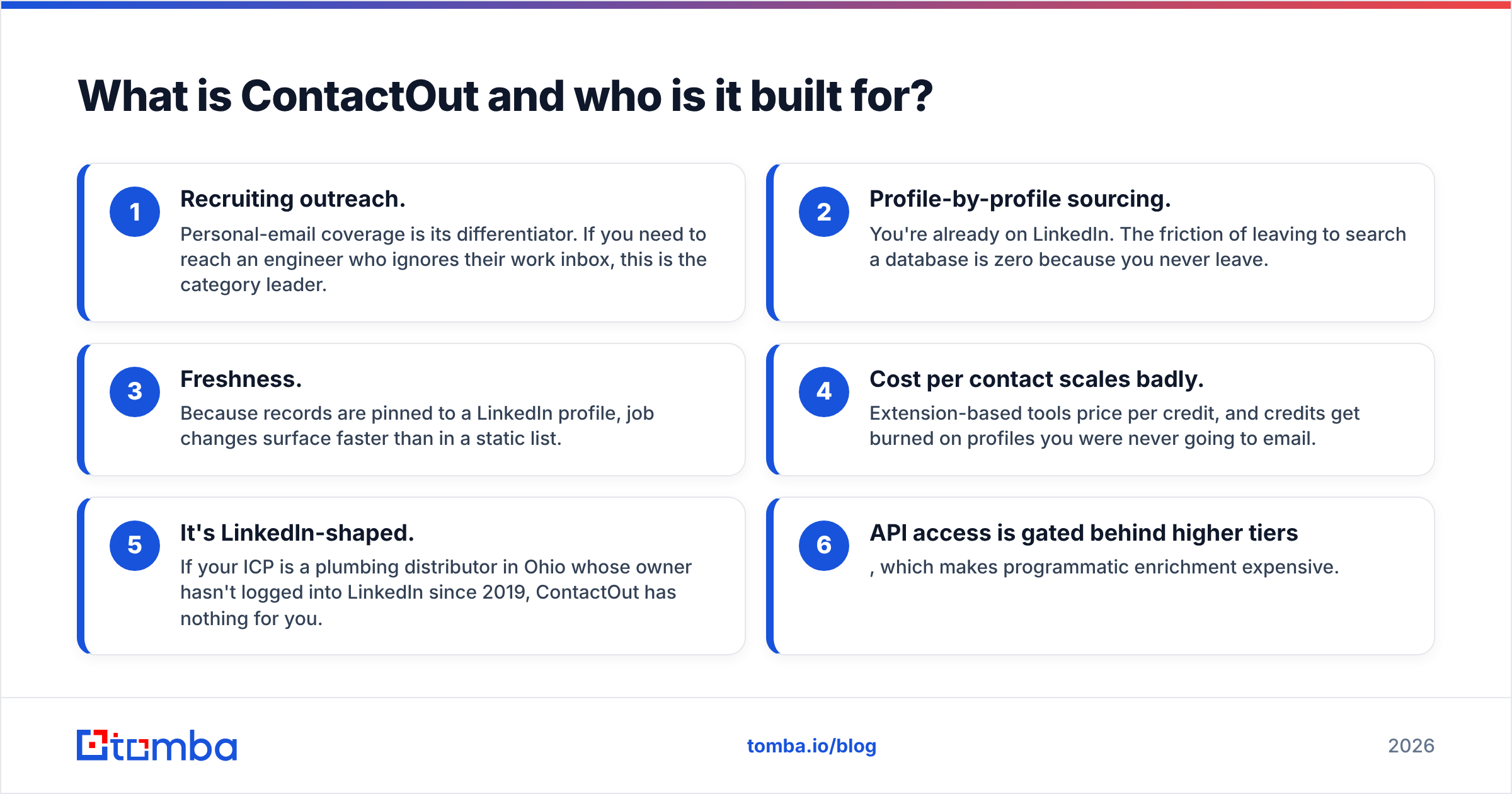
- Recruiting outreach. Personal-email coverage is its differentiator. If you need to reach an engineer who ignores their work inbox, this is the category leader.
- Profile-by-profile sourcing. You're already on LinkedIn. The friction of leaving to search a database is zero because you never leave.
- Freshness. Because records are pinned to a LinkedIn profile, job changes surface faster than in a static list.
Where it strains:
- Cost per contact scales badly. Extension-based tools price per credit, and credits get burned on profiles you were never going to email.
- It's LinkedIn-shaped. If your ICP is a plumbing distributor in Ohio whose owner hasn't logged into LinkedIn since 2019, ContactOut has nothing for you.
- API access is gated behind higher tiers, which makes programmatic enrichment expensive.

What is SalesRipe and who is it built for?#
SalesRipe is a B2B contact database aimed at small teams that want lists without a sales call. You filter by industry, employee count, revenue, title, and location, then export. It's positioned as an affordable, self-serve alternative to enterprise data vendors — closer in spirit to a list broker than to a real-time enrichment API.
What it's genuinely good at:
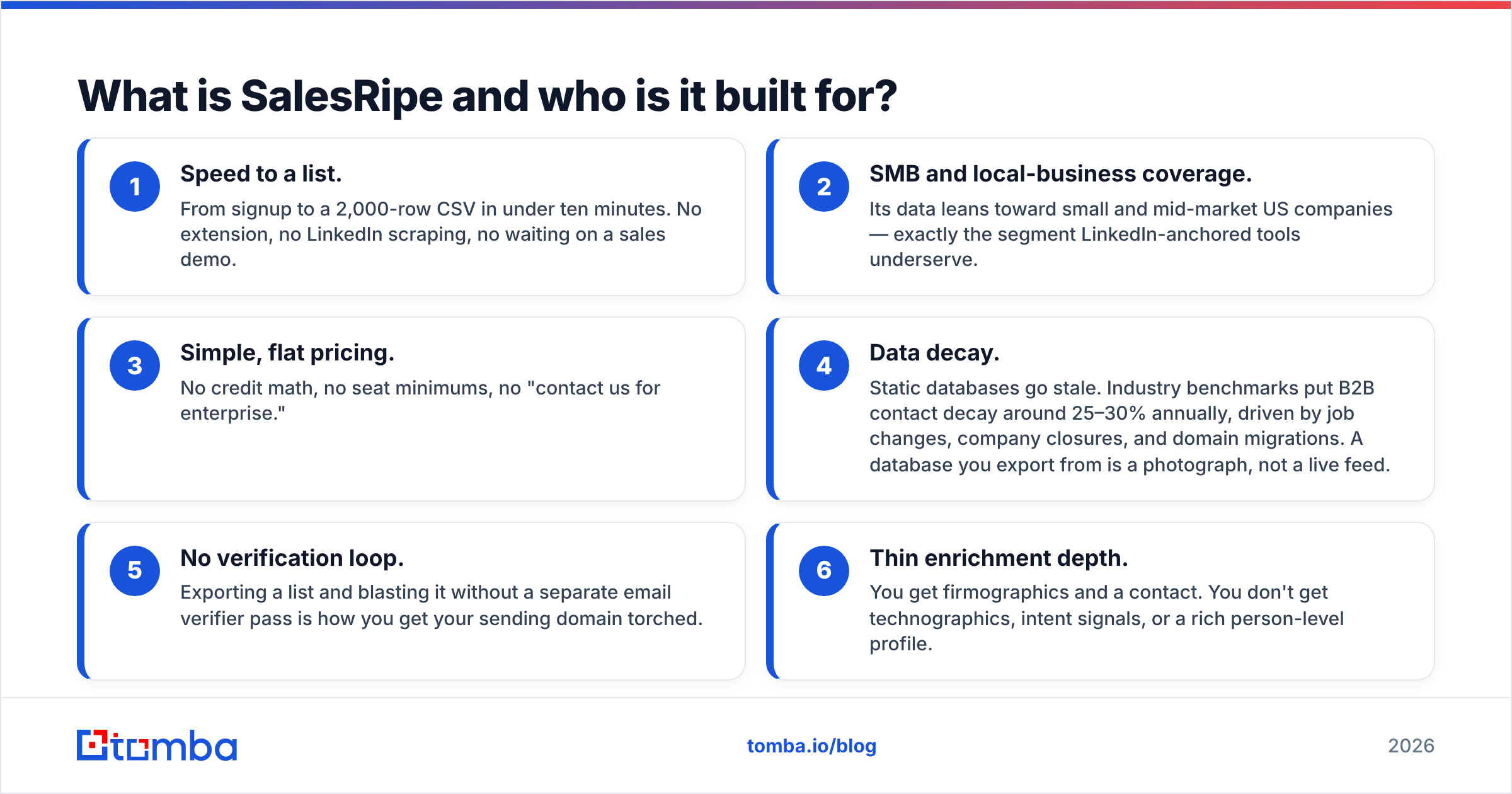
- Speed to a list. From signup to a 2,000-row CSV in under ten minutes. No extension, no LinkedIn scraping, no waiting on a sales demo.
- SMB and local-business coverage. Its data leans toward small and mid-market US companies — exactly the segment LinkedIn-anchored tools underserve.
- Simple, flat pricing. No credit math, no seat minimums, no "contact us for enterprise."
Where it strains:
- Data decay. Static databases go stale. Industry benchmarks put B2B contact decay around 25–30% annually, driven by job changes, company closures, and domain migrations. A database you export from is a photograph, not a live feed.
- No verification loop. Exporting a list and blasting it without a separate email verifier pass is how you get your sending domain torched.
- Thin enrichment depth. You get firmographics and a contact. You don't get technographics, intent signals, or a rich person-level profile.
ContactOut vs SalesRipe: how do they actually compare?#
Here's the head-to-head on the attributes that change your buying decision. Pricing reflects publicly listed plans as of 2026; both vendors move numbers, so verify on their sites before you commit.
| Attribute | ContactOut | SalesRipe | Tomba |
|---|---|---|---|
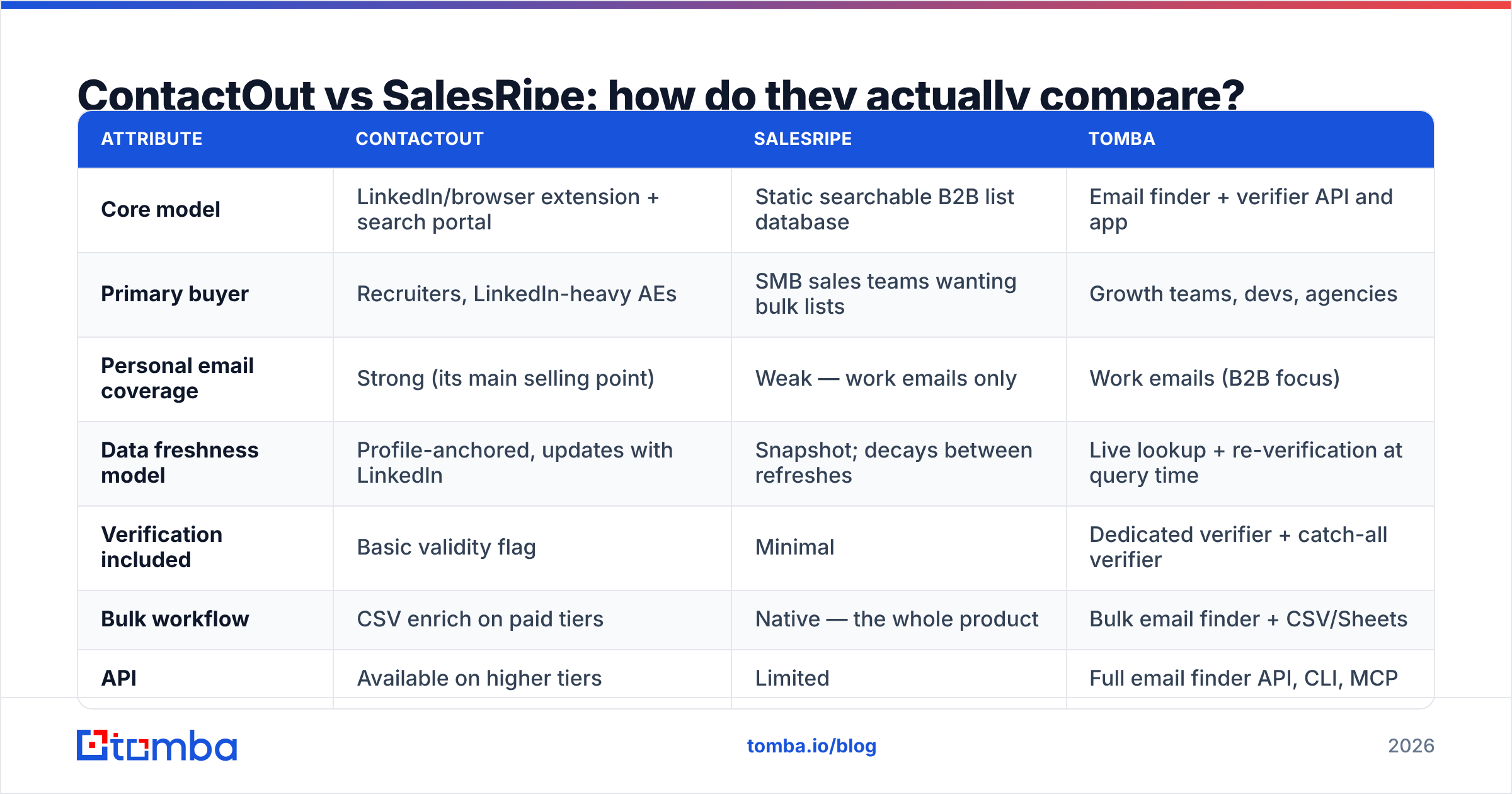
| Core model | LinkedIn/browser extension + search portal | Static searchable B2B list database | Email finder + verifier API and app |
| Primary buyer | Recruiters, LinkedIn-heavy AEs | SMB sales teams wanting bulk lists | Growth teams, devs, agencies |
| Personal email coverage | Strong (its main selling point) | Weak — work emails only | Work emails (B2B focus) |
| Data freshness model | Profile-anchored, updates with LinkedIn | Snapshot; decays between refreshes | Live lookup + re-verification at query time |
| Verification included | Basic validity flag | Minimal | Dedicated verifier + catch-all verifier |
| Bulk workflow | CSV enrich on paid tiers | Native — the whole product | Bulk email finder + CSV/Sheets |
| API | Available on higher tiers | Limited | Full email finder API, CLI, MCP |
| Free tier | Limited monthly credits | Free trial | 25 searches/mo, free forever |
| Entry paid price | Roughly $49–$99/mo per seat | Roughly $49–$99/mo | $49/mo Starter |
| Best for | "I found the person, get me their email" | "Give me 3,000 rows in this vertical" | "Verify and find at scale, programmatically" |
The table makes the split obvious. ContactOut is a person-first tool. SalesRipe is a list-first tool. If you try to use ContactOut to build a 5,000-person list, you'll burn credits and hate the cost per contact. If you try to use SalesRipe for targeted account-based outreach into 40 named accounts, you'll find half your targets missing entirely.
Which one has better data accuracy?#
Neither publishes an independently audited accuracy figure, so treat vendor claims as marketing until you test them. Do this instead: take 100 known-good contacts from your own CRM — people you've emailed successfully in the last 90 days — and run them through each tool's free tier or trial. Measure three things:
- Match rate. What percentage of your 100 does the tool return anything for?
- Accuracy. Of the returned emails, how many match what you already know is correct?
- Bounce risk. Run the returned emails through an independent verification pass and count the invalids and catch-alls.
Match rate is where vendors compete loudly. Accuracy is where they quietly lose. A tool that returns an email for 90 of your 100 but is wrong on 25 of them is worse than one that returns 60 and is right on 58 — because the wrong ones cost you sender reputation, and reputation is the only asset in cold email you can't buy back.
That's the structural argument for treating finding and verifying as two separate steps. LinkedIn-anchored tools like ContactOut inherit freshness from the profile. Static databases like SalesRipe inherit staleness from their last refresh cycle. Both benefit from a verification pass before send — which is why serious teams run every list, regardless of source, through a verifier that checks MX records, SMTP response, and catch-all status. Google and Yahoo's bulk-sender requirements made this non-optional: exceed a 0.3% spam-complaint rate and your sends get throttled, and stale lists are the fastest route there. Read the Google bulk sender guidelines if you haven't.
Is ContactOut better than SalesRipe for cold email?#
For cold outbound specifically, SalesRipe has the structural advantage in one narrow case and the disadvantage everywhere else.
The advantage: cost per row. If your motion is high-volume, low-personalization outreach into a broad SMB vertical, a flat-priced list database is the cheapest way to fill the top of your funnel. Credit-based extension tools cannot compete on raw cost per contact.
The disadvantages:
- Personalization dies. A CSV row gives you a title and a company. It doesn't give you the post they wrote last week or the funding round they closed. Reply rates on generic list-blast sequences have collapsed — most teams now see low single digits.
- List hygiene is your problem. You inherit whatever decay is in that snapshot.
- Everyone else bought the same list. Broad database exports produce overlapping prospect sets across every team in your category.
ContactOut's model — person-first, LinkedIn-anchored — supports the outreach style that actually still works in 2026: fewer, better-researched contacts, with a real reason for the email. It costs more per contact because it is more per contact.

What are the pricing traps in each?#
Both tools price in ways that look cheap in the ad and less cheap on the invoice.
ContactOut traps:
- Credits are consumed on reveal, not on success. A miss can still cost you.
- Personal-email reveals often cost more credits than work-email reveals.
- API access sits on a higher tier than most first-time buyers expect.
- Per-seat pricing means a five-rep team multiplies the sticker price by five.
SalesRipe traps:
- Export caps. The listed price includes a monthly export ceiling; blowing past it means an upgrade, not an overage.
- No included verification. Budget separately for a verifier, or budget for the bounces.
- Refreshes are periodic, not continuous — you may be exporting data collected months ago.
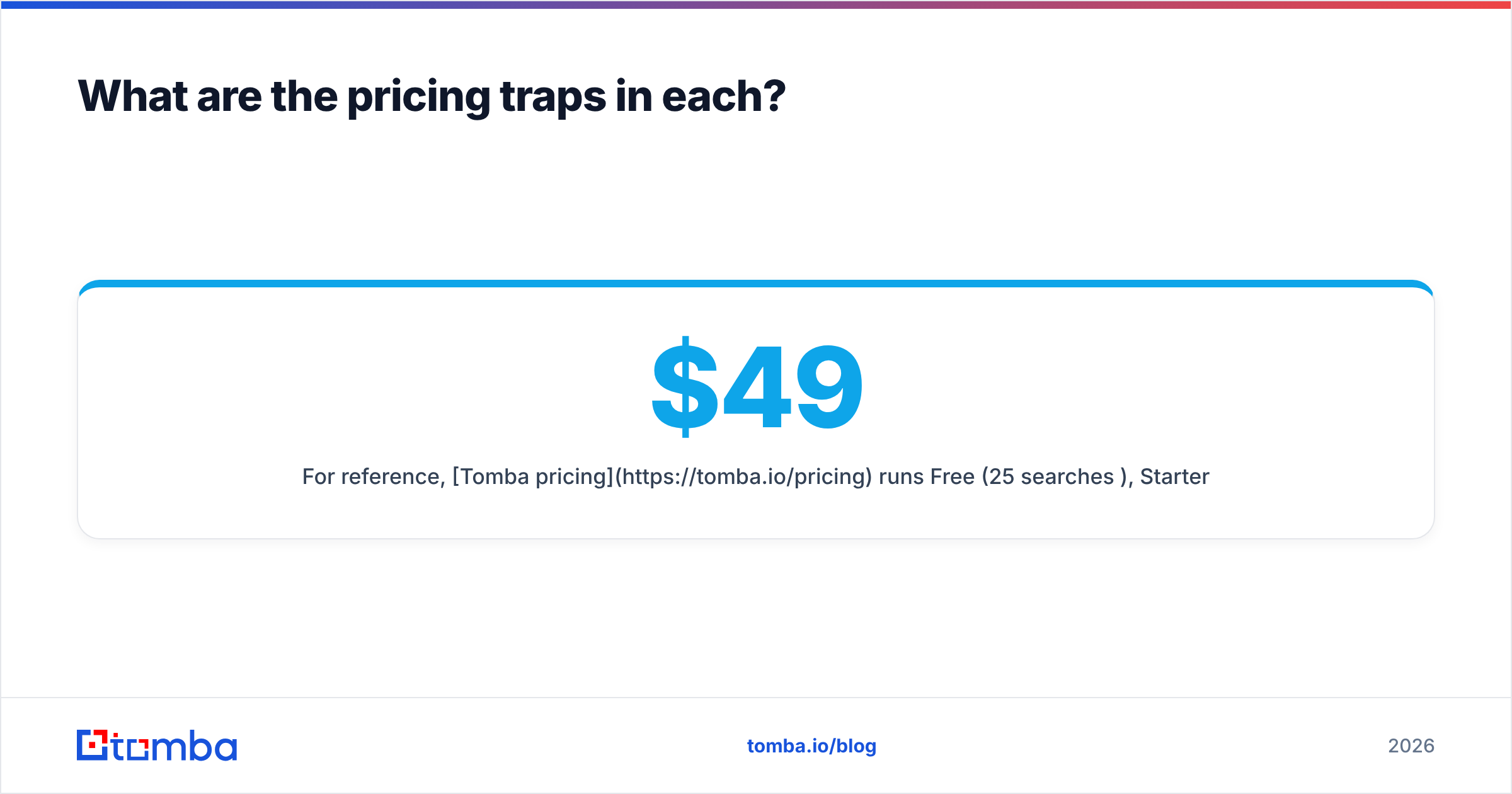
For reference, Tomba pricing runs Free (25 searches/mo), Starter at $49/mo, Growth at $99/mo, and Pro at $249/mo, with search and verification in the same account rather than as separate line items. If you're comparing total cost of a working pipeline — find + verify + enrich — count all three, not just the finder.
What about the alternatives neither vendor mentions?#
If you've read this far and neither tool feels right, that's a signal, not a failure. The honest map of this category:
- You're a recruiter chasing personal emails. ContactOut. Nothing in this comparison beats it there. Also look at ContactOut alternatives if seat pricing is the blocker.
- You want a cheap bulk list of US SMBs. SalesRipe does the job. So does BookYourData, which is worth a look if you want pay-as-you-go credits and a bounce guarantee rather than a subscription — it's a solid, well-regarded option in the same lane and often the better value for one-off list buys.
- You want programmatic find-and-verify. Neither. You want an API. A domain search that returns every discoverable address at a company, plus verification in the same call, is a different shape of product entirely — and it's what most modern GTM stacks are built on now.
- You need phone numbers too. ContactOut has them; SalesRipe's coverage is thinner. A dedicated phone finder is worth pricing separately.
Independent review sites are useful sanity checks here — G2 has enough volume on both vendors that the review trend lines are meaningful even if individual reviews are noisy.
How should you decide in the next 30 minutes?#
Run this checklist. It takes half an hour and beats another week of comparison pages.
- Where does your list start? If the answer is "a LinkedIn search," you want a LinkedIn-native tool. If it's "a spreadsheet of target industries," you want a database. This one question resolves most of the decision.
- Do you need personal emails? If yes, ContactOut. If you're doing B2B sales into work inboxes, personal email coverage is a feature you're paying for and won't use.
- What's your volume? Under 500 contacts a month, credit pricing is fine. Over 5,000, run the math on cost per verified contact — not cost per credit.
- Do you have a verification step? If not, add one before you add anything else. It's the highest-ROI thirty dollars in your stack.
- Do you need this in code? If your enrichment lives in a workflow, a CRM sync, or a script, buy an API, not an extension.
- Test with your own data. 100 known contacts, three tools, one afternoon. The winner is whichever returns the most correct emails, not the most emails.
The bottom line#
ContactOut and SalesRipe answer different questions. ContactOut answers "what's this specific person's email?" and answers it well, at a price that reflects the difficulty. SalesRipe answers "give me a lot of rows in this vertical, cheaply," and it does that too — with the decay and hygiene costs that come with any static list.
The mistake is buying one and expecting it to do the other's job. The second mistake is buying either and skipping verification.
If your actual need is finding verified B2B work emails at scale — by domain, by name, or in bulk — start with the Tomba Email Finder. The free tier gives you 25 searches a month with no card, Starter is $49/mo, and finding and verification live in the same account and the same API call, so you're not stitching two vendors together to send one clean campaign. Run your 100-contact accuracy test against it alongside ContactOut and SalesRipe, and let the match-plus-accuracy number pick the winner.
Related guides#
Ready to find emails that actually work?
Join 150,000+ professionals who stopped guessing and started sending. Free credits on signup — no credit card required.
Get the Tomba newsletter
Practical outbound tactics and product updates — once every two weeks.
About the author