ContactOut vs SendFlock: Which B2B Email Tool Wins in 2026?
ContactOut sells LinkedIn-sourced contact data. SendFlock sells reach. They are not the same product — and picking the wrong one costs you a quarter. Here is the honest breakdown, plus a cheaper third option.
TL;DR
- ContactOut and SendFlock are not really competitors. ContactOut is a LinkedIn-first contact-data tool (emails, personal emails, phone numbers, pulled while you browse). SendFlock sits closer to the sending and outreach side of the funnel. Comparing them straight-up only makes sense if you're deciding where in the stack to spend your next $100/month.
- ContactOut wins on personal-email coverage for recruiting and founder-led sales, where a work email bounces because the person just changed jobs.
- SendFlock wins if your bottleneck is volume and sequencing, not data — you already have a list and need it to land.
- Both charge per seat, and both meter credits. That's where the real cost hides. A 3-person SDR team can quietly spend $300/month before sending a single email.
- If your actual problem is "I need verified B2B emails, at scale, via API or CSV, without paying per seat," neither is the cheapest answer. A dedicated email finder at $49/mo does that job for less.
What are ContactOut and SendFlock, actually?#
Start here, because most "X vs Y" posts skip it and then compare pricing tables that measure different things.
ContactOut is a contact-data provider best known for its Chrome extension. You open a LinkedIn profile, the sidebar shows a work email, a personal email, and often a mobile number. It also ships a searchable database and a recruiter-oriented workflow (saved lists, ATS pushes). Its core claim on contactout.com is high accuracy on personal emails — the gmail.com / outlook.com addresses that survive a job change. That's the moat, and it's a real one: recruiters and founders who sell to individuals rather than roles will pay for it.
SendFlock sits on the other side of the same workflow: getting messages out and getting replies back. Think list upload, sequences, sending infrastructure, reply handling. Its positioning is about throughput — more contacts touched, more inboxes reached — rather than about sourcing the contact in the first place.
So the honest framing of ContactOut vs SendFlock is:
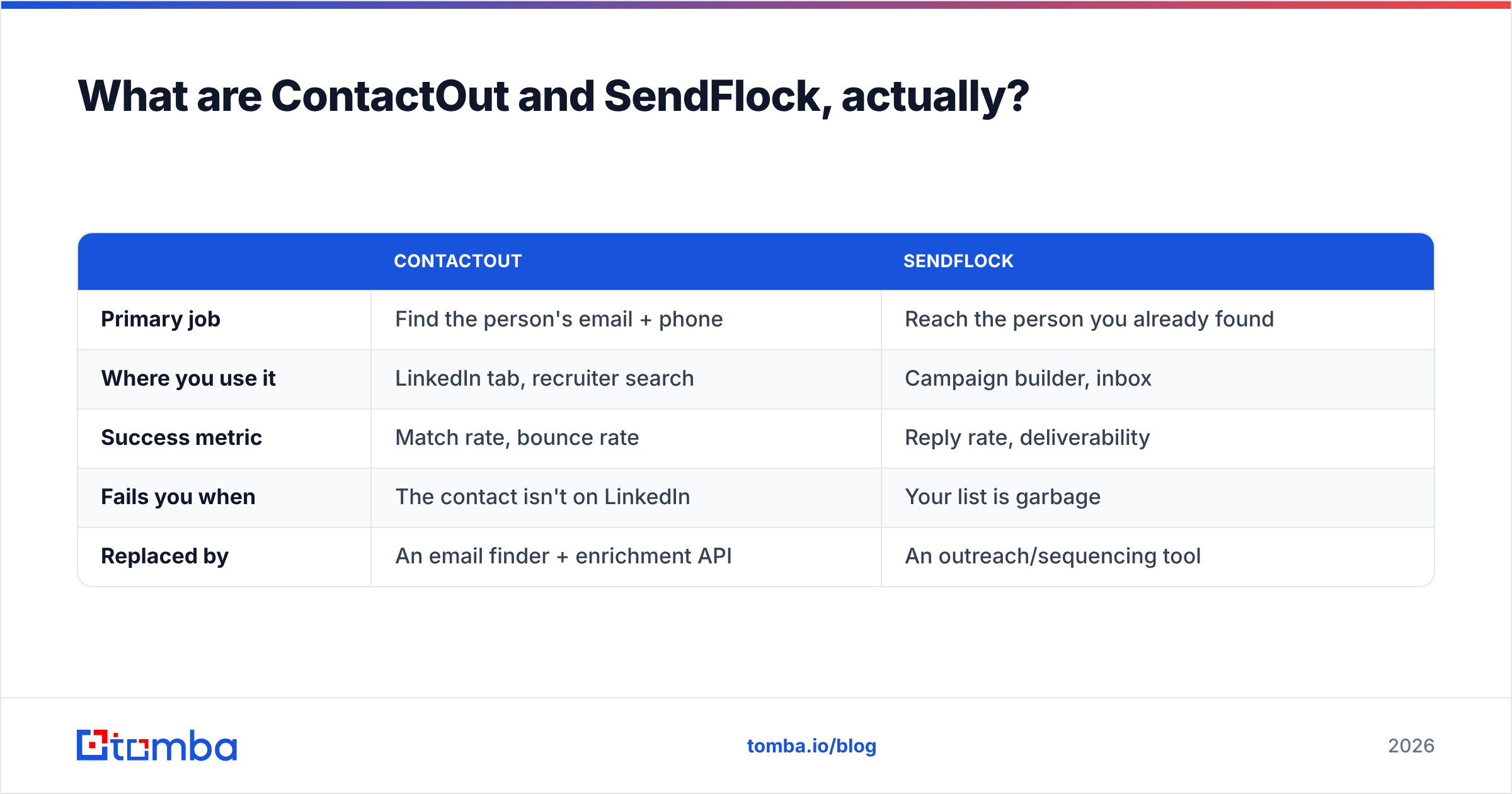
| ContactOut | SendFlock | |
|---|---|---|
| Primary job | Find the person's email + phone | Reach the person you already found |
| Where you use it | LinkedIn tab, recruiter search | Campaign builder, inbox |
| Success metric | Match rate, bounce rate | Reply rate, deliverability |
| Fails you when | The contact isn't on LinkedIn | Your list is garbage |
| Replaced by | An email finder + enrichment API | An outreach/sequencing tool |
If you buy the wrong one for your bottleneck, you get the classic outbound failure: a beautifully sequenced campaign to a list that bounces 22% of the time, or a pristine list that never gets sent because nobody built the sequence.

How accurate is each one, and how would you know?#
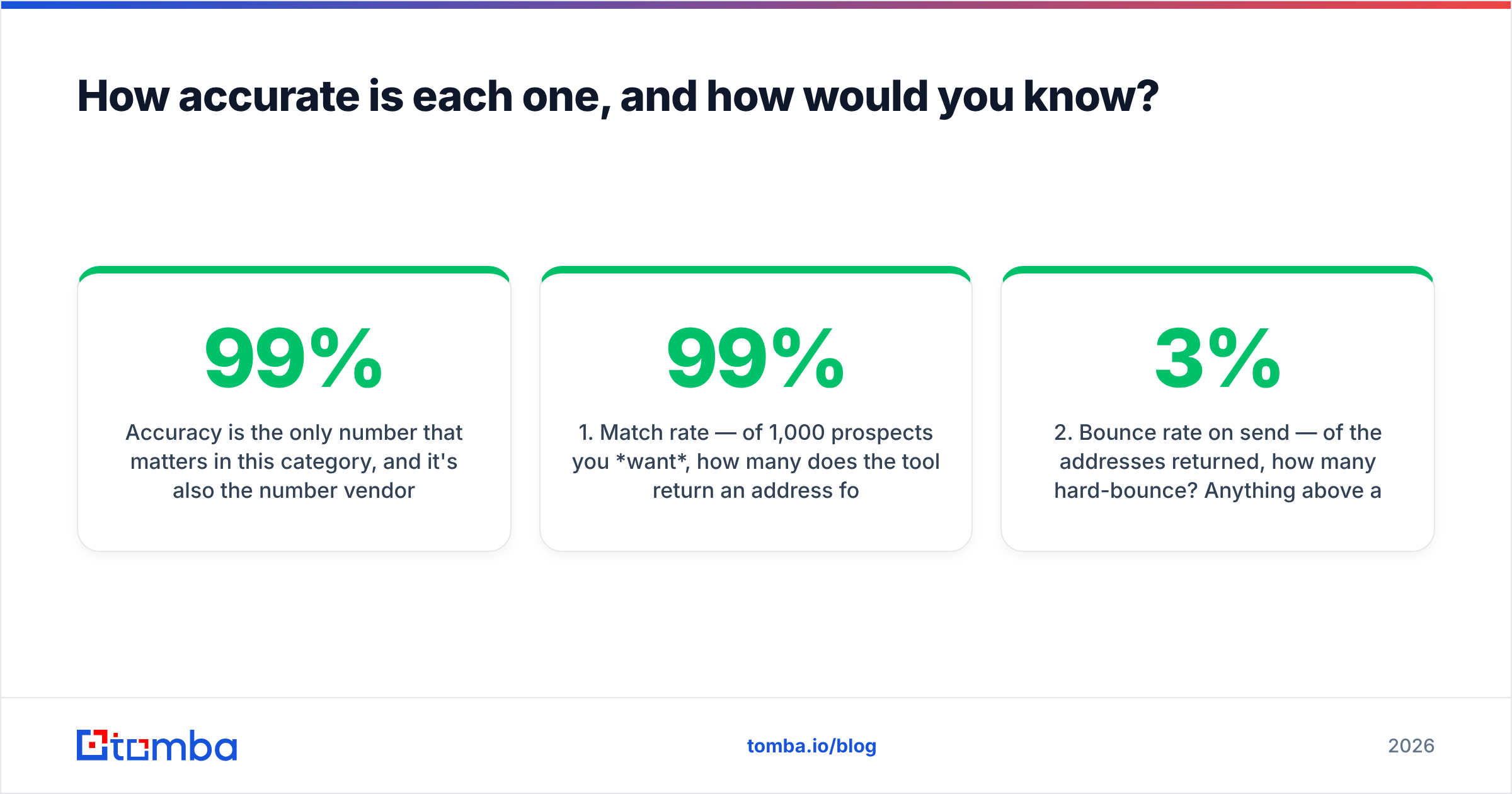
Accuracy is the only number that matters in this category, and it's also the number vendors are loosest with. Every tool on the market publishes something in the 95–99% band. Almost none of them publish the denominator.
Here's what to actually measure before you commit budget:
- Match rate — of 1,000 prospects you want, how many does the tool return an address for? This is where tools diverge most. A tool can hit 99% "accuracy" on the 300 contacts it found and still leave 700 of your ICP empty.
- Bounce rate on send — of the addresses returned, how many hard-bounce? Anything above 3% and you're burning sender reputation, which costs you far more than the tool does.
- Catch-all share — what percentage come back "accept-all"? These are neither verified nor invalid, and different vendors count them differently. Some quietly bill them as valid.
- Freshness — when was the record last confirmed? A 2023 email for someone who changed jobs in 2025 is a bounce with extra steps.
- Personal vs work split — ContactOut's differentiator. If you're recruiting, personal emails may be the whole point. If you're selling B2B SaaS to a buying committee, work emails at the company domain are what your CRM wants.

The practical test: pull 100 known-good contacts from your own closed-won accounts — people whose real addresses you already have in the CRM. Run them through each tool. Score match rate and exact-address accuracy against your ground truth. It takes an afternoon and it will contradict at least one vendor's landing page.
Whatever tool you land on, run the output through an independent email verifier before sending. Vendor-side verification is graded by the vendor being graded. Independent verification is not.
ContactOut vs SendFlock: the head-to-head comparison#
Pricing on both tools moves, and both gate the real numbers behind a sales call at the upper tiers — so treat the figures below as directional and confirm on the vendor's own pricing page before you sign. What doesn't move is the shape of the pricing, and the shape is what should drive your decision.

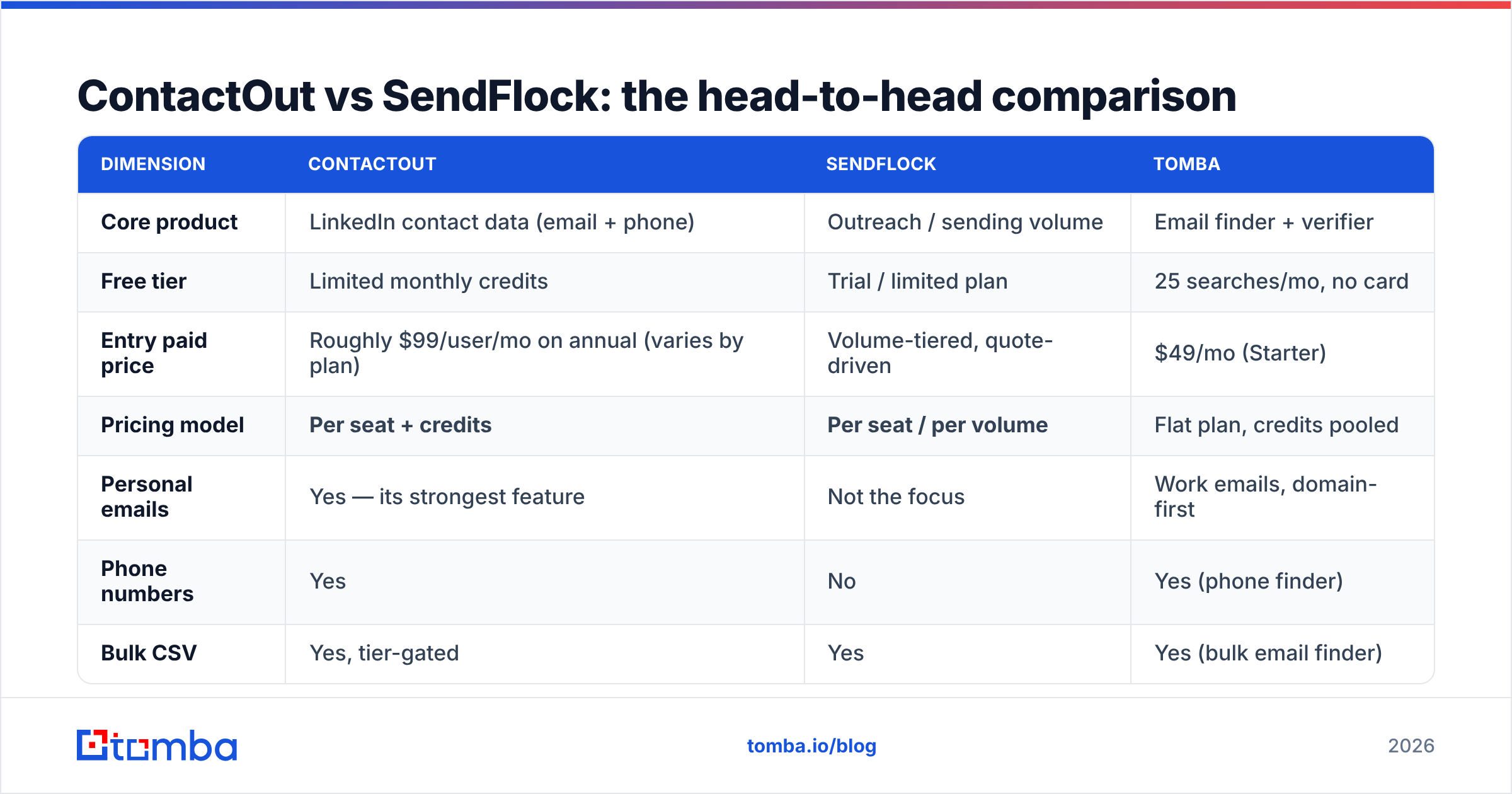
| Dimension | ContactOut | SendFlock | Tomba |
|---|---|---|---|
| Core product | LinkedIn contact data (email + phone) | Outreach / sending volume | Email finder + verifier |
| Free tier | Limited monthly credits | Trial / limited plan | 25 searches/mo, no card |
| Entry paid price | Roughly $99/user/mo on annual (varies by plan) | Volume-tiered, quote-driven | $49/mo (Starter) |
| Pricing model | Per seat + credits | Per seat / per volume | Flat plan, credits pooled |
| Personal emails | Yes — its strongest feature | Not the focus | Work emails, domain-first |
| Phone numbers | Yes | No | Yes (phone finder) |
| Bulk CSV | Yes, tier-gated | Yes | Yes (bulk email finder) |
| Public API | Yes, higher tiers | Limited | Yes, on every paid plan |
| Catch-all handling | Returned, flagged | N/A | Dedicated catch-all verifier |
| Best for | Recruiters, exec search, founder-led sales | Teams whose list is already good | Data teams, RevOps, developers, agencies |
| Worst for | Cheap high-volume domain sourcing | Anyone without a clean list | Recruiters needing personal Gmail addresses |
Three things fall out of that table.
First, per-seat pricing punishes teams. ContactOut's model is priced around an individual recruiter or seller with a browser open. That's a great fit for one person doing 40 highly-researched touches a week. It's a terrible fit for four SDRs who each need 500 contacts a month — you're now paying four seats for what is, technically, one lookup job. Per-seat is a fine model for a workflow tool. It's an expensive model for a data utility.
Second, "credits" is not one unit. Read the fine print on both. Does a failed lookup consume a credit? Does a catch-all count as a find? Does enriching a record you already have cost the same as discovering a new one? Vendors differ, and the difference between "credits on success only" and "credits on attempt" can be 30–40% of your effective cost.
Third, API access is the real dividing line. If your workflow is "a human opens LinkedIn and clicks a button," ContactOut's extension is genuinely excellent and hard to beat. If your workflow is "our system enriches 5,000 signups a month automatically," you need an API on a plan you can afford, and browser extensions are irrelevant. Most teams have both workflows and buy only for the first one.
Which one should you pick for your use case?#
Skip the feature grid. Match the tool to the bottleneck.
- You're a recruiter or exec-search firm. ContactOut, comfortably. Personal emails and mobile numbers are the product, candidates ignore work inboxes, and per-seat pricing maps cleanly to per-recruiter economics. SendFlock doesn't solve your problem — your problem is reach, not sequencing.
- You're an SDR team with a good list and bad reply rates. Your problem is not data. It's deliverability, targeting, and copy. Adding a contact-data tool will not fix it. Spend on sending infrastructure, warmup, and rewriting your first line. Run a spam checker on your current sequence before you spend another dollar on leads.
- You're a founder doing 20 hyper-targeted touches a week. Free tiers cover you. Genuinely. Use the free credits on ContactOut, verify with a free email checker, and put the saved $99 into anything else.
- You're RevOps, a data team, or an agency running lists for clients. Neither tool is priced for you. You want domain-level discovery, an API, bulk CSV, and no seat tax. That's a different category — see below.
- You need company-wide coverage, not one person. Domain search — "give me every reachable contact at acme.com with role and confidence score" — is a fundamentally different query than "give me this LinkedIn profile's email." ContactOut is built for the second one.

What are the honest alternatives to both?#
The category is crowded, and the right answer often isn't either tool in the title.
Tomba — a dedicated email finder and verifier. Free tier at 25 searches/month, Starter at $49/mo, Growth at $99/mo, Pro at $249/mo. Flat plans, no per-seat multiplier, API on every paid tier, plus domain search, catch-all verification, and data enrichment in the same account. Weakest where ContactOut is strongest: it is a work-email tool first, not a personal-Gmail tool. If you're recruiting, that matters. If you're selling B2B, it doesn't. Full Tomba pricing and a side-by-side ContactOut alternative breakdown are public — no sales call.
BookYourData — a strong option if you'd rather buy a pre-built, filtered list than run lookups yourself. Pay-as-you-go credits and a bounce guarantee make it a clean fit for teams that want a finished dataset instead of a tool to build one. Different purchase shape, same end goal.
Apollo / ZoomInfo — all-in-one platforms with data plus sequencing. You pay for the bundle whether or not you use half of it. Good if you want one vendor and one invoice; bad if you're already happy with your CRM and sending stack.
Free permutation tools — email permutators and company email pattern checkers cost nothing and get you surprisingly far for a handful of targets. They don't verify, so pair them with a verifier or you'll bounce. Don't build a 5,000-contact campaign on guessed patterns.
Two neutral places to sanity-check any of these before you buy: G2 reviews filtered to your company size (enterprise reviews are useless if you're 12 people), and Capterra for pricing complaints, which are usually the most honest section of any review.
What does the total cost actually look like?#
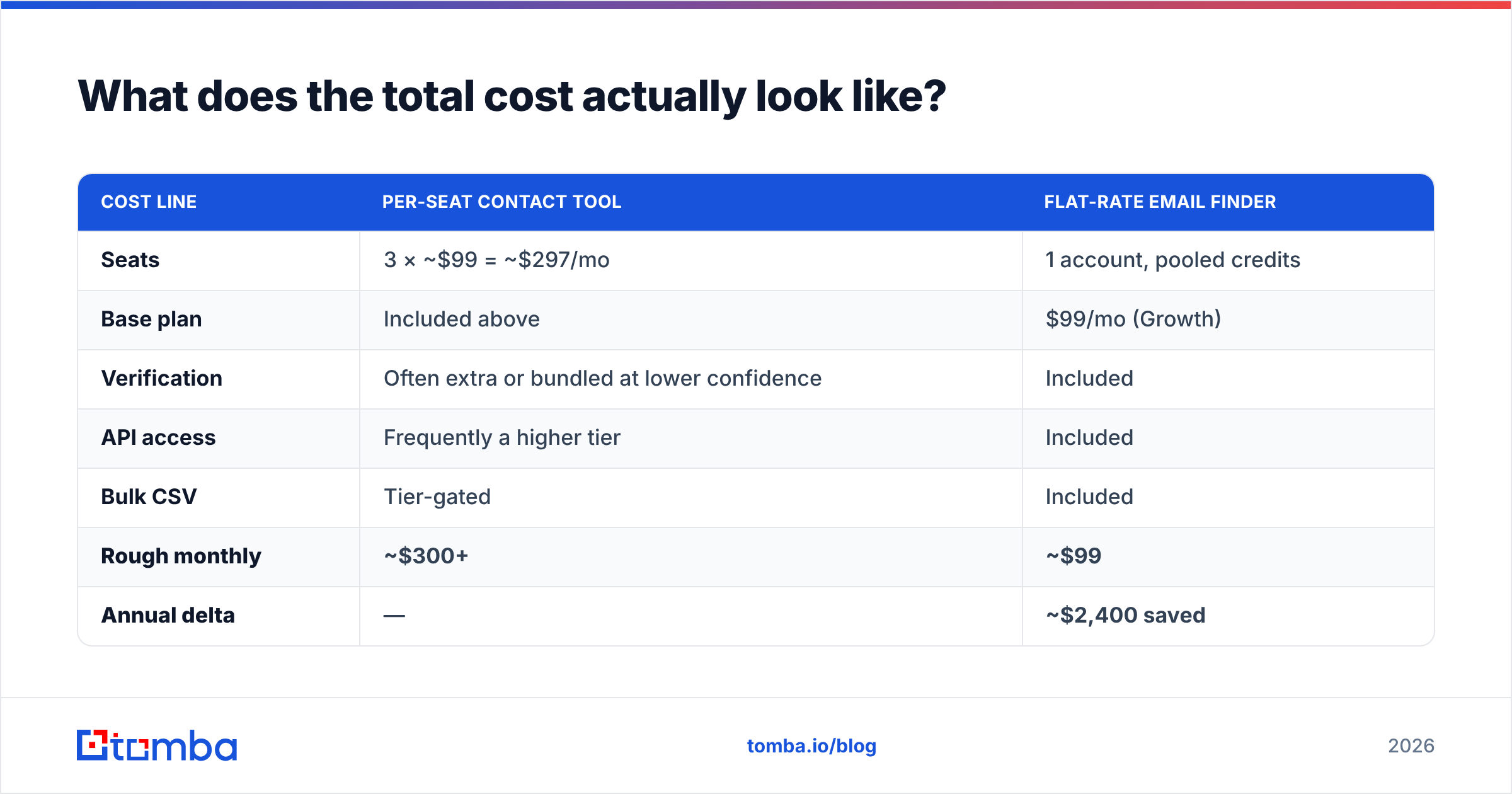
Run the numbers on a realistic 3-person outbound team needing 1,500 net-new verified contacts a month.
| Cost line | Per-seat contact tool | Flat-rate email finder |
|---|---|---|
| Seats | 3 × ~$99 = ~$297/mo | 1 account, pooled credits |
| Base plan | Included above | $99/mo (Growth) |
| Verification | Often extra or bundled at lower confidence | Included |
| API access | Frequently a higher tier | Included |
| Bulk CSV | Tier-gated | Included |
| Rough monthly | ~$300+ | ~$99 |
| Annual delta | — | ~$2,400 saved |
That delta isn't an argument that ContactOut is overpriced — it's an argument that you shouldn't buy a per-seat workflow tool to do a per-record data job. If your recruiters genuinely need personal mobile numbers pulled live from LinkedIn, $99/seat is cheap. If your SDRs need 500 verified work emails each, it's the most expensive way you could possibly buy them.
The other cost nobody lines up: bounces. A 10% bounce rate on 1,500 sends isn't 150 wasted emails — it's a measurable hit to email deliverability that degrades every campaign you run for the next quarter, including the ones with a perfect list. Verification is the cheapest insurance in the stack, and it costs a fraction of a seat.
So who wins: ContactOut or SendFlock?#
Neither, for most readers of this post — and that's the useful answer.
ContactOut wins if your work happens on LinkedIn, one profile at a time, and personal emails or mobile numbers are what close the loop. Recruiters should stop reading here and go start the free trial.
SendFlock wins if your list is already clean and your constraint is getting messages out and replies back. But be honest about whether that's actually your constraint — most teams that think they have a sending problem have a list problem wearing a sending problem's coat.
And if what you really need is verified B2B emails, in bulk, through an API, without a per-seat tax, both tools are the wrong shape. Start with the Tomba Email Finder — 25 free searches a month, no card required, then $49/mo when you outgrow it. Search by domain, name, or company; verify before you send; pull it all through the Tomba API if your workflow is automated. Run your next 100 prospects through it alongside ContactOut and compare match rates against your own CRM. That test tells you more than any comparison post — including this one.
Related guides#
Ready to find emails that actually work?
Join 150,000+ professionals who stopped guessing and started sending. Free credits on signup — no credit card required.
Get the Tomba newsletter
Practical outbound tactics and product updates — once every two weeks.
About the author