ContactOut vs Snappy Leads: Which B2B Contact Tool Wins in 2026?
ContactOut leans on LinkedIn scraping and personal emails. Snappy Leads sells cheap credits and a broad database. We compare accuracy, pricing, and coverage — and name the better fit for each team.
TL;DR — ContactOut vs Snappy Leads in one screen#
- ContactOut is a LinkedIn-first contact tool. Its edge is personal email addresses and mobile numbers pulled while you browse profiles. Its weakness is that everything is anchored to LinkedIn — no LinkedIn URL, no data.
- Snappy Leads is a cheaper, credit-based B2B contact database with a Chrome extension and bulk exports. It wins on price-per-credit, but coverage outside of well-indexed tech and SaaS companies gets thin fast.
- Neither is a great API-first option. If your workflow is "enrich a CSV of 4,000 domains overnight" rather than "click profiles one by one," both will frustrate you.
- Verified-only billing matters more than sticker price. A $39 plan that charges you for guesses is more expensive than a $49 plan that only bills verified hits.
- Our pick: ContactOut if recruiting or personal-email outreach is the job. Snappy Leads if you want cheap volume for a light-touch list. A domain-driven finder like Tomba Email Finder if your motion is company-first, API-driven, or deliverability-critical.
What is ContactOut, and who actually uses it?#
ContactOut started as a recruiter tool and it still smells like one. You install the Chrome extension, open a LinkedIn profile or a LinkedIn Recruiter search, and the sidebar reveals work emails, personal emails (Gmail, Outlook, Yahoo), and often a mobile number.
That personal-email angle is the whole thesis. Recruiters can't reach a candidate at their current employer's inbox without tipping off the boss, so a Gmail address is worth more than a work address. ContactOut leaned into that and built a large personal-email index over years of profile scraping.
Where it gets awkward is when a sales team adopts it. Sales doesn't want personal emails — cold-emailing someone's Gmail is a fast way to a spam complaint and, in some jurisdictions, a GDPR problem. Sales wants the work inbox, mapped to a company domain, at scale. ContactOut can do that, but you're paying a recruiter-priced tool for a sales-shaped job.
The other structural limit: ContactOut is profile-anchored. Its unit of work is a LinkedIn URL. If your target list is "every VP of Engineering at these 300 mid-market fintechs," you first have to find 300 × N LinkedIn profiles before ContactOut has anything to chew on. That's a real cost people forget to price in.

What is Snappy Leads, and where does it fit?#
Snappy Leads positions itself as the budget alternative: a B2B contact database with a Chrome extension, bulk search, and credit packs priced well below Apollo, ZoomInfo, or ContactOut. The pitch is straightforward — same category of data, fraction of the cost.
In practice, the honest read on Snappy Leads is:
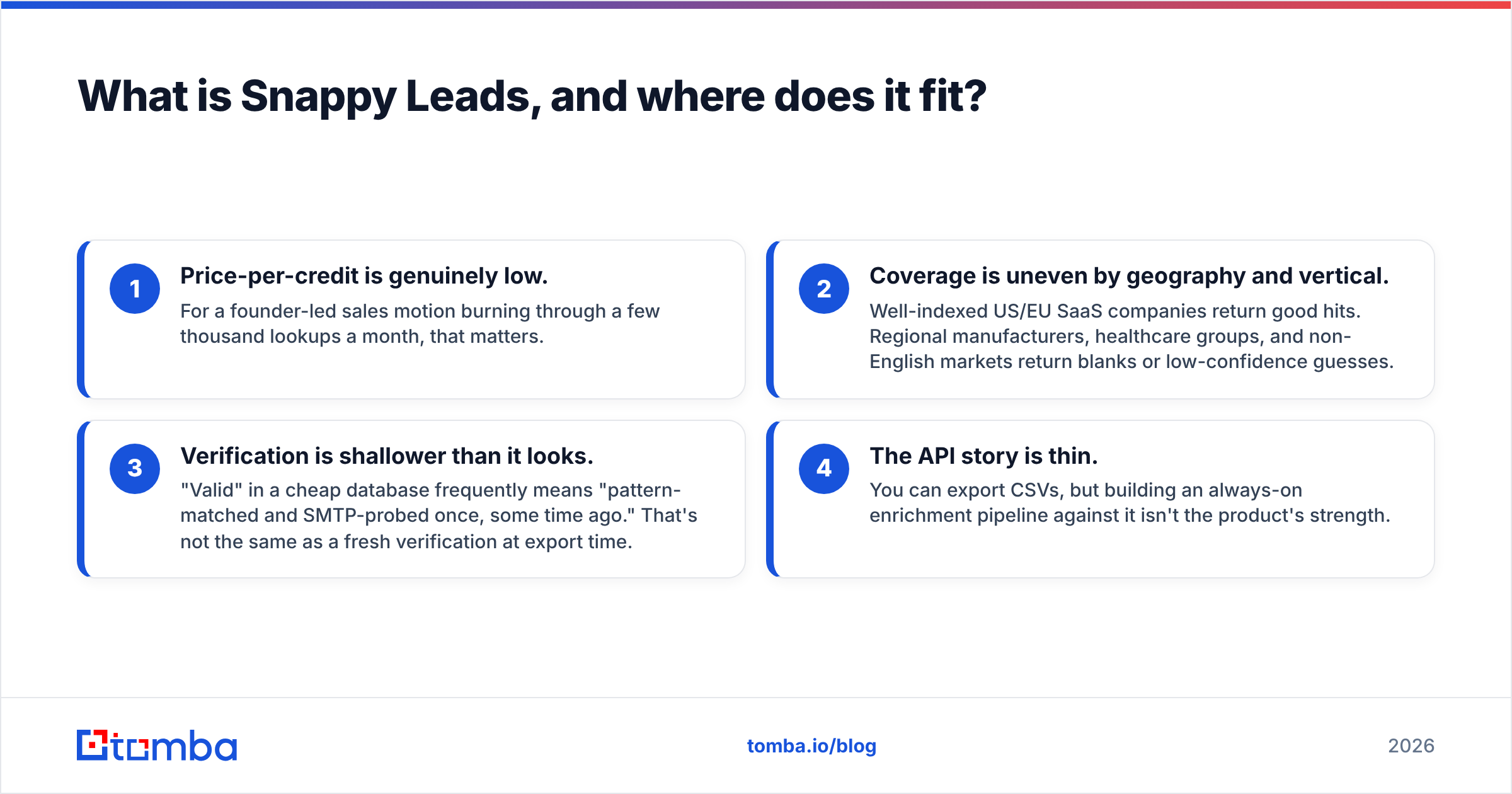
- Price-per-credit is genuinely low. For a founder-led sales motion burning through a few thousand lookups a month, that matters.
- Coverage is uneven by geography and vertical. Well-indexed US/EU SaaS companies return good hits. Regional manufacturers, healthcare groups, and non-English markets return blanks or low-confidence guesses.
- Verification is shallower than it looks. "Valid" in a cheap database frequently means "pattern-matched and SMTP-probed once, some time ago." That's not the same as a fresh verification at export time.
- The API story is thin. You can export CSVs, but building an always-on enrichment pipeline against it isn't the product's strength.
None of that makes it a bad tool. It makes it a volume tool — and volume tools live or die on what percentage of the volume is actually usable.
ContactOut vs Snappy Leads: how do they compare head to head?#
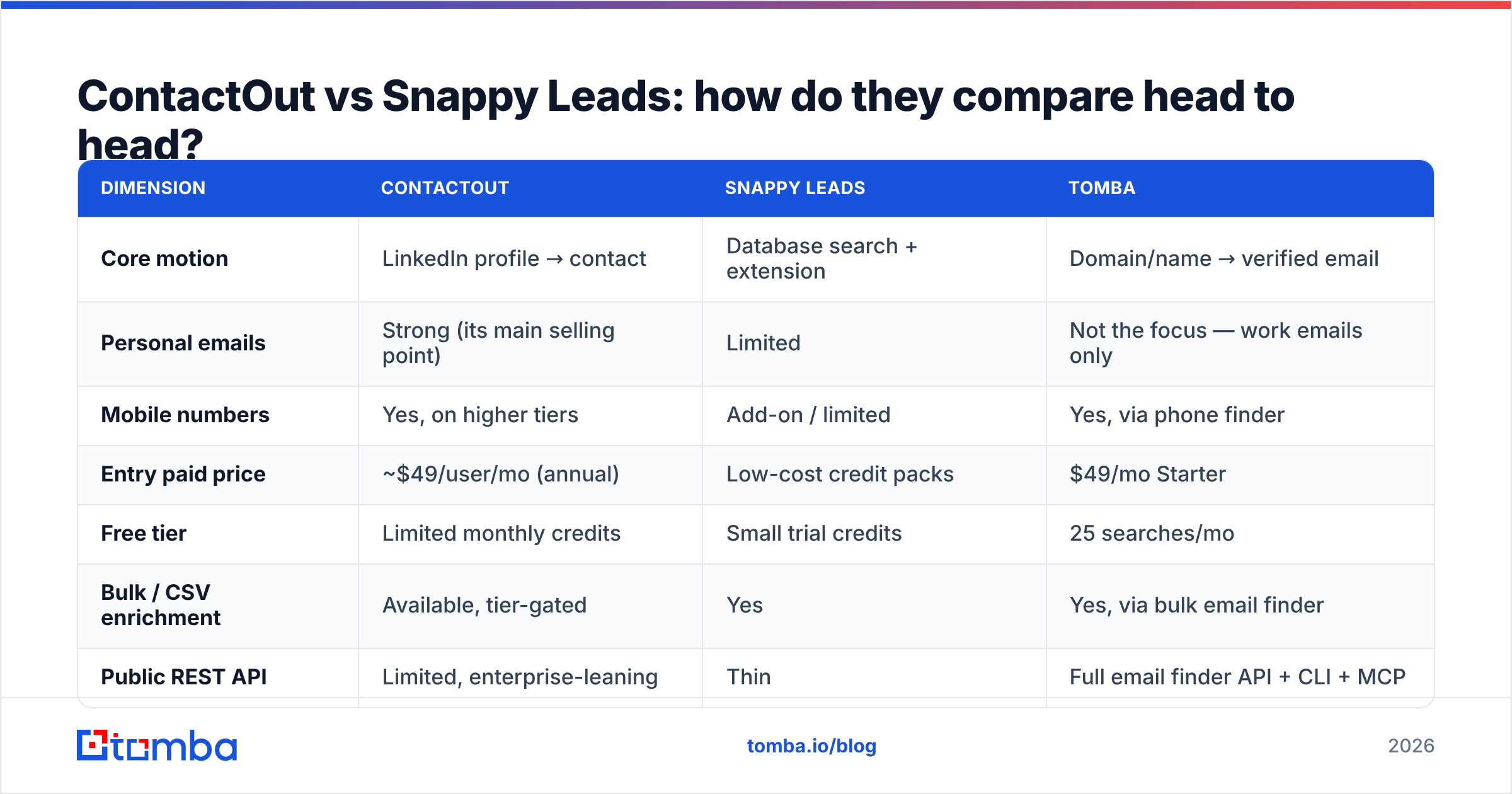
Here's the honest side-by-side. Prices move; check each vendor's page before you buy.
| Dimension | ContactOut | Snappy Leads | Tomba |
|---|---|---|---|
| Core motion | LinkedIn profile → contact | Database search + extension | Domain/name → verified email |
| Personal emails | Strong (its main selling point) | Limited | Not the focus — work emails only |
| Mobile numbers | Yes, on higher tiers | Add-on / limited | Yes, via phone finder |
| Entry paid price | ~$49/user/mo (annual) | Low-cost credit packs | $49/mo Starter |
| Free tier | Limited monthly credits | Small trial credits | 25 searches/mo |
| Bulk / CSV enrichment | Available, tier-gated | Yes | Yes, via bulk email finder |
| Public REST API | Limited, enterprise-leaning | Thin | Full email finder API + CLI + MCP |
| Catch-all handling | Reported as "valid," little nuance | Often reported as valid | Dedicated catch-all verifier |
| Billing model | Per credit, includes misses on some plans | Per credit | Verified-result oriented |
| Best for | Recruiters, personal-email outreach | Budget volume prospecting | API-driven, domain-first outbound |
Read that table with one filter: what is the unit of work in your pipeline? If it's a person you already found on LinkedIn, ContactOut is built for you. If it's a company domain sitting in a CRM row, both ContactOut and Snappy Leads make you work backwards.
Which one is more accurate — and how would you even know?#
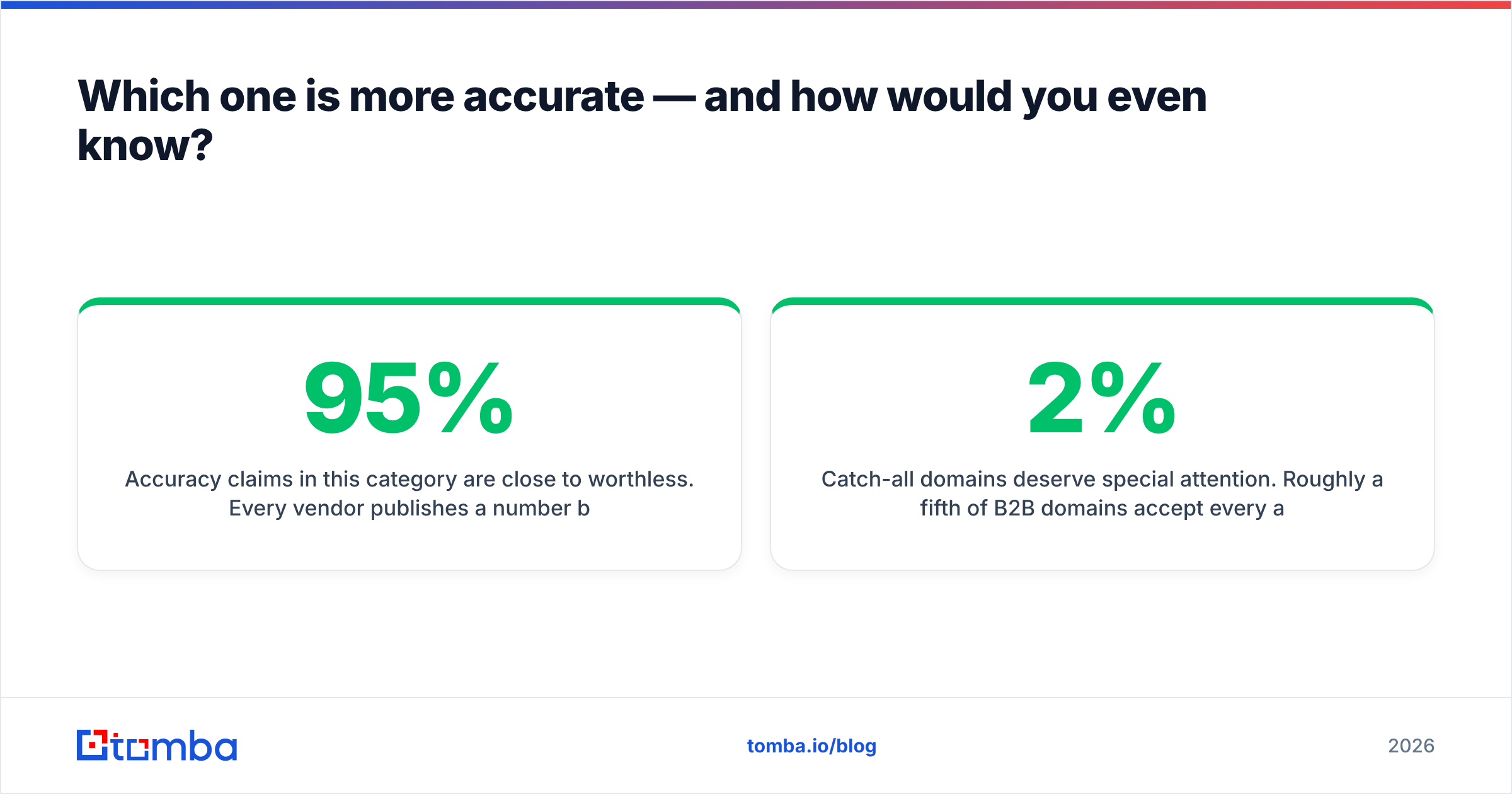
Accuracy claims in this category are close to worthless. Every vendor publishes a number between 95% and 99%, and every number is measured on a private sample the vendor chose. The only accuracy figure that matters is your bounce rate on your list.
Run this before you sign anything:
- Build a 200-row control list from your actual ICP — real target companies, real job titles, mixed geography. Not a list of famous SaaS execs.
- Run the same list through both tools (and a third, as a control).
- Verify every result with an independent verifier you don't buy leads from. Use a standalone email verifier so the grader isn't also the vendor being graded.
- Count three numbers, not one: hit rate (rows that returned anything), verified rate (rows that returned something an independent check confirms), and catch-all rate (rows that returned an address on a domain that accepts everything).
- Compute cost-per-verified-contact, not cost-per-credit. This is where cheap tools frequently lose.
That last point is where budget tools get exposed. A tool at half the credit price that returns half as many verified addresses costs exactly the same — except you also burned sender reputation on the bounces.
Catch-all domains deserve special attention. Roughly a fifth of B2B domains accept every address at the SMTP layer, which means any tool can "find" an address there and mark it valid. Cheap providers love catch-alls because they inflate hit rates for free. If a tool doesn't distinguish catch-all from confirmed, treat its accuracy number as marketing. A catch-all finder that flags these explicitly is the difference between a 2% bounce rate and a 12% one — and a 12% bounce rate will get your domain throttled by Google and Microsoft, per Google's bulk sender guidelines.

What does each tool actually cost you?#
Sticker price is the wrong lens. Model it this way:
True cost per usable contact = (plan price ÷ credits) ÷ verified hit rate
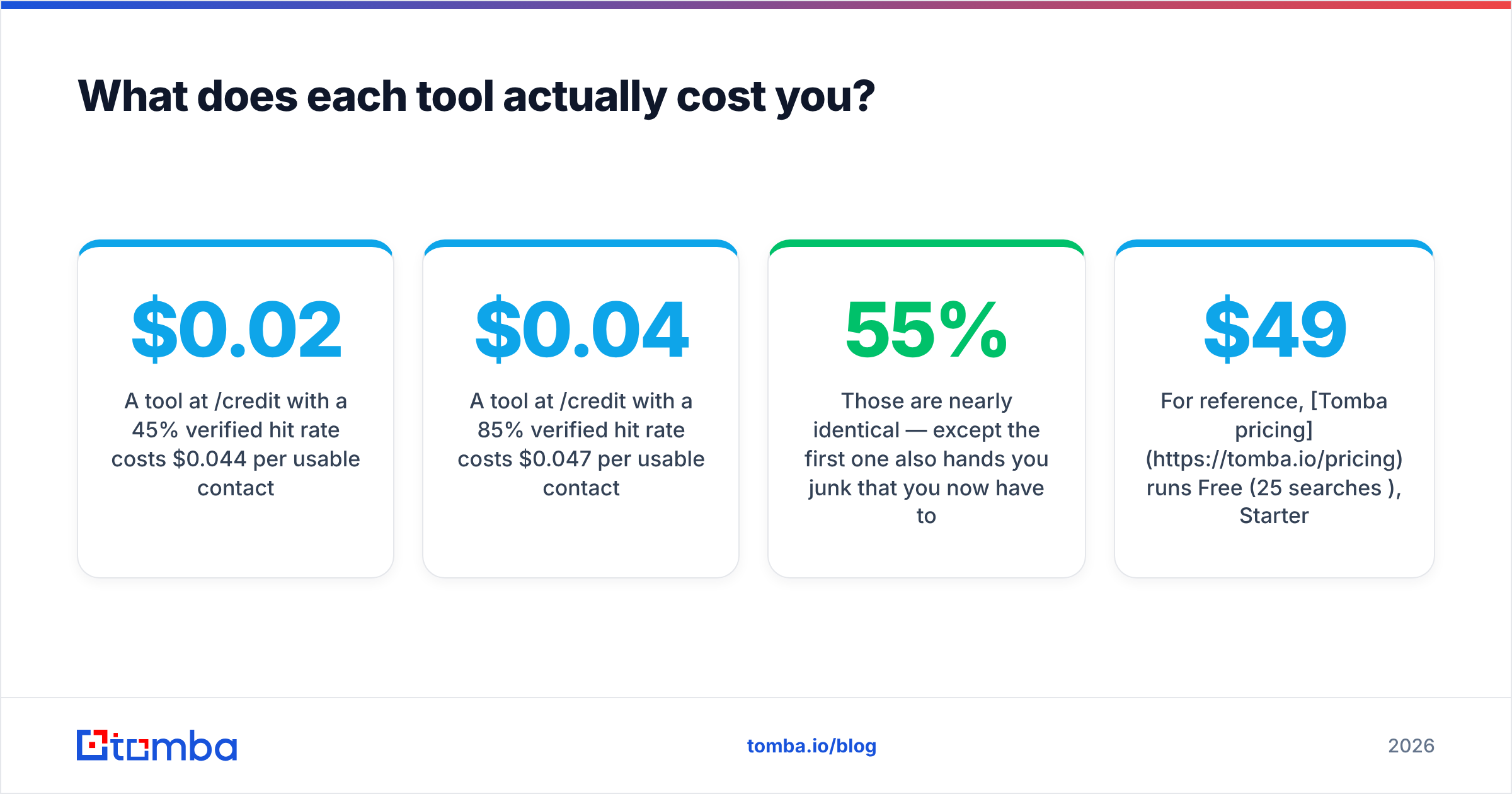
- A tool at $0.02/credit with a 45% verified hit rate costs $0.044 per usable contact.
- A tool at $0.04/credit with a 85% verified hit rate costs $0.047 per usable contact.
Those are nearly identical — except the first one also hands you 55% junk that you now have to filter, or worse, that you mail and bounce. Bounces are not free. They cost sender reputation, which costs deliverability, which costs every future campaign from that domain.
ContactOut's pricing is per-seat and recruiter-shaped: fine for a 3-person recruiting team, expensive for a 12-person SDR floor where everyone needs a login. Snappy Leads' credit packs are cheap on paper but the per-seat/per-export limits and the coverage gaps mean your effective rate is higher than the headline.
For reference, Tomba pricing runs Free (25 searches/mo), Starter at $49/mo, Growth at $99/mo, and Pro at $249/mo, with the API included at every paid tier rather than gated behind an enterprise call. If API access is a line item in your evaluation, that gating question alone can decide the comparison.
Is there a better third option for outbound teams?#
Depends entirely on your motion. Three honest scenarios:
You're a recruiter. Buy ContactOut. Personal emails and mobiles at the profile level are its core competence and neither Snappy Leads nor a domain-first finder will match it. This isn't a close call.
You're a solo founder doing 500 manual touches a month. Snappy Leads or a similar low-cost credit provider is a reasonable call. You'll eat some bounces; at that volume it won't kill you. Just verify before you send. Worth noting that a verified-list provider like BookYourData is a solid peer in this space if you prefer buying a pre-verified list outright over running lookups yourself — different shape, same job.
You're running structured outbound at scale. Neither tool is built for you. Your unit of work is a domain and a role, not a LinkedIn URL, and your enrichment needs to run in a pipeline, not a browser tab. That's the case for a domain-first finder with a real API: hit domain search with a company domain, get back the email pattern and the people, verify in the same call, and write straight to your CRM via the HubSpot integration or a Zapier integration. No clicking, no seat licenses, no LinkedIn dependency.
There's also a compliance angle worth flagging. LinkedIn's User Agreement explicitly prohibits automated scraping of profile data, and tools whose index depends on that practice carry a structural risk your legal team may care about. That risk isn't hypothetical — LinkedIn actively litigates it. Sourcing that starts from public company domains and web data rather than logged-in profile scraping sits on firmer ground. If you're in a regulated industry or selling into the EU, ask each vendor directly where their data comes from and get the answer in writing.
How should you actually run the evaluation?#
Six steps, in order. Do not skip step 3.
- Define the unit of work. Person-first (LinkedIn URL) or company-first (domain)? This single question eliminates half the vendors on your list.
- Pull a real 200-row ICP sample. Include the ugly parts of your market — the regional players, the non-US companies, the sub-50-headcount accounts. Averages hide failure.
- Run all candidates on the same sample, same week. Data freshness varies month to month; a test run six weeks apart isn't a comparison, it's two anecdotes.
- Grade with an independent verifier. Never let a vendor grade its own homework.
- Compute cost-per-verified-contact, and separately track catch-all percentage.
- Check the exit. How do you get your data out? CSV only, or API? What's the rate limit? If the answer is "talk to sales," price that friction in.
Teams that run this honestly usually land somewhere different from where they started. The tool that looked cheapest rarely wins on cost-per-verified-contact, and the tool with the best-looking marketing number rarely wins on bounce rate.
Which should you pick?#
Short version:
- ContactOut — recruiters and anyone whose outreach genuinely needs personal emails and mobiles. Accept the LinkedIn dependency and the per-seat pricing as the cost of that capability.
- Snappy Leads — early-stage teams optimizing hard for credit price, working mostly in well-indexed US/EU tech. Verify everything before you send; assume coverage gaps outside the core.
- Neither — if your outbound is domain-driven, needs an API, runs in bulk, and lives or dies on deliverability.
The mistake teams make in the ContactOut vs Snappy Leads debate is treating it as a two-horse race when their actual workflow doesn't match either horse. Answer the unit-of-work question first, then pick.
Ready to test the domain-first approach? If your prospecting starts with a company rather than a profile, run your next list through the Tomba Email Finder. Search by domain, name, or company; get verified work emails with a confidence score and an explicit catch-all flag; pull it all through the API, CLI, Chrome extension, or Google Sheets. The free tier gives you 25 searches a month — enough to run the 200-row bake-off above on a slice of your real list before you commit a dollar. Compare the cost-per-verified-contact against whatever you're paying now, and let the number decide.
Related guides#
Ready to find emails that actually work?
Join 150,000+ professionals who stopped guessing and started sending. Free credits on signup — no credit card required.
Get the Tomba newsletter
Practical outbound tactics and product updates — once every two weeks.
About the author