ContactOut vs Soleadify (2026): Which B2B Data Tool Wins?
ContactOut mines LinkedIn profiles. Soleadify crawls company websites. They solve different prospecting problems — and picking wrong costs you a quarter of pipeline. Here's the honest breakdown.
TL;DR
- ContactOut is a LinkedIn-first contact database. You browse profiles, it reveals personal and work emails plus phone numbers. Strongest for recruiters and AEs whose ICP already lives on LinkedIn.
- Soleadify is a website-first company database. It crawls millions of business sites and pulls local/SMB companies (dentists, plumbers, agencies, restaurants) that barely have a LinkedIn footprint.
- They are not direct substitutes. If your ICP is "VP Engineering at a 500-person SaaS," ContactOut wins. If it's "roofing companies in Texas with a Shopify store," Soleadify wins.
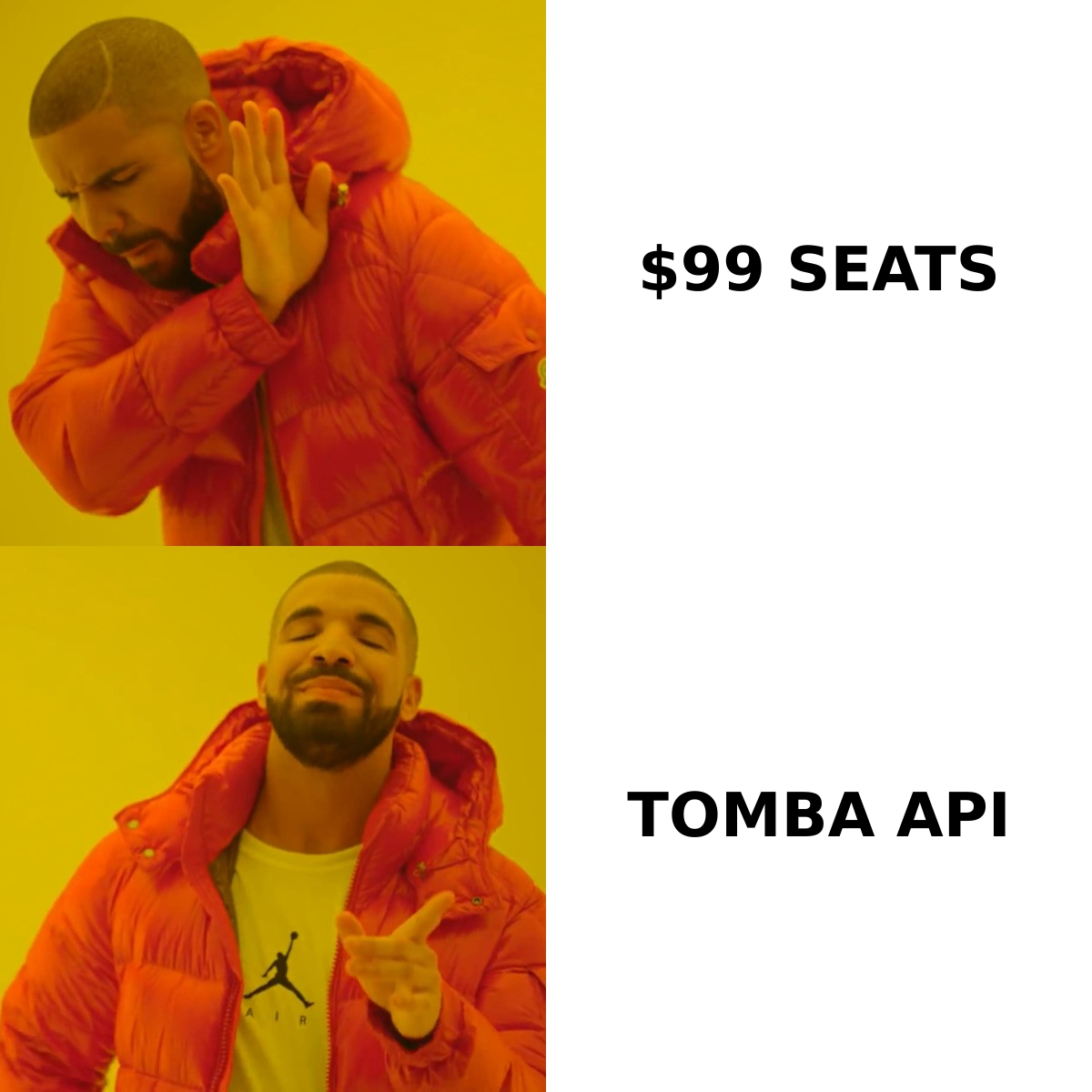
- Both are seat-based and get expensive at team scale. If you mostly need verified work emails at a known domain, an API-first email finder like Tomba covers the same job at a lower per-contact cost.
- Whatever you pick, verify before you send. Neither tool guarantees deliverability, and a 6% bounce rate will torch your domain faster than a bad subject line.
What is ContactOut and who actually uses it?#
ContactOut is a Chrome extension plus a searchable database built around LinkedIn. You install it, open a profile, and a sidebar surfaces work email, personal email (often a Gmail), and mobile number. There's also a web app with a search portal, list building, and a basic email sender.
The core value prop is personal email coverage. That's why recruiters adopted it first — candidates ignore work inboxes when they're job hunting, but they read personal Gmail. ContactOut claims coverage of a very large share of professionals, and in practice its personal-email hit rate on tech and knowledge-worker profiles is genuinely strong.
Where it gets used:
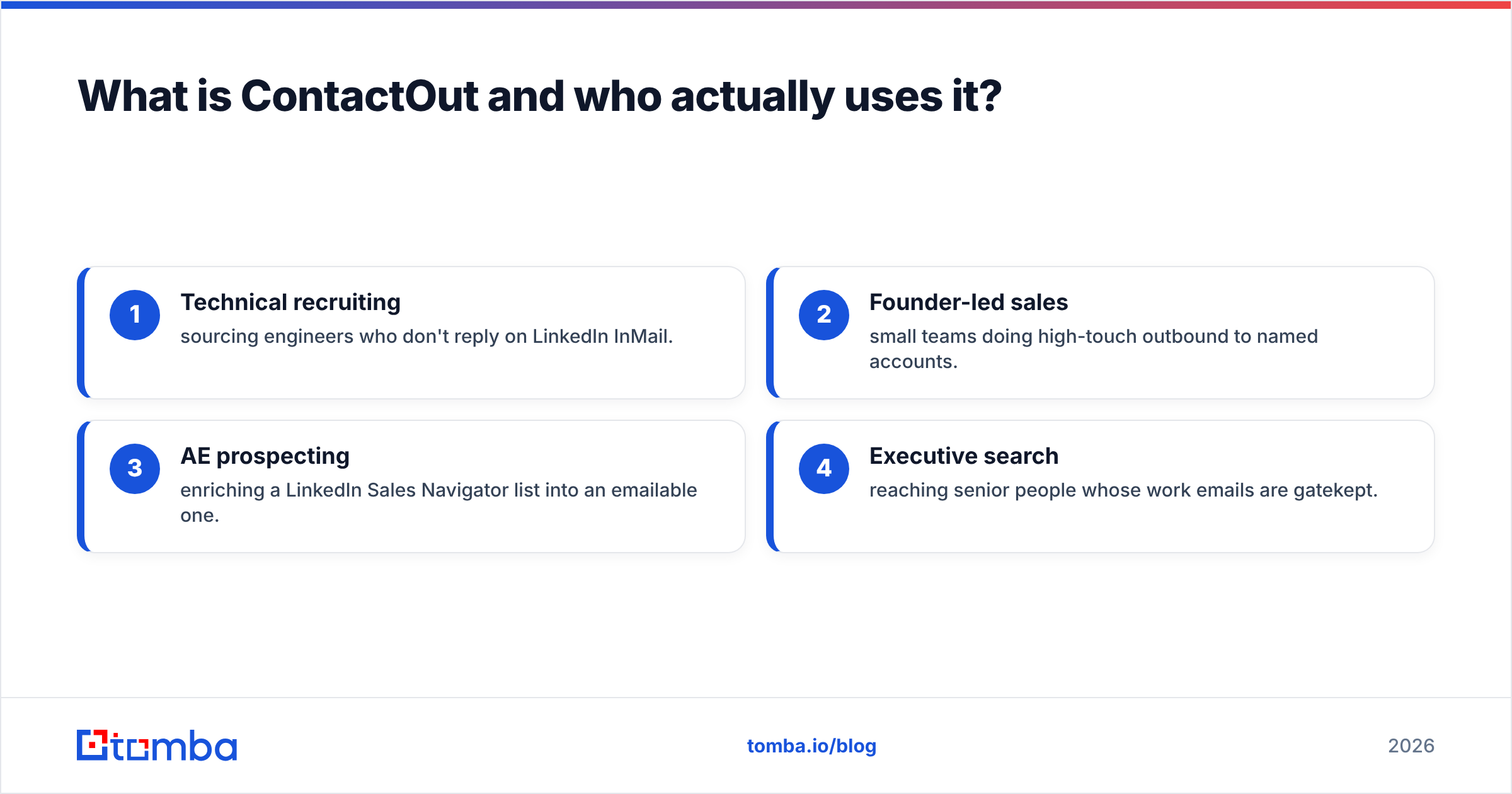
- Technical recruiting — sourcing engineers who don't reply on LinkedIn InMail.
- Founder-led sales — small teams doing high-touch outbound to named accounts.
- AE prospecting — enriching a LinkedIn Sales Navigator list into an emailable one.
- Executive search — reaching senior people whose work emails are gatekept.
The catch: ContactOut is only as good as LinkedIn is. If your buyer doesn't maintain a profile — and in trades, local services, hospitality, and most of the SMB long tail, they don't — ContactOut has nothing to reveal.
What is Soleadify and why is it different?#
Soleadify (soleadify.com) went the opposite direction. Instead of scraping a professional network, it crawls the open web — company websites, listings, local directories — and builds records from what businesses publish about themselves. The result is a database heavy on small and local businesses: contractors, clinics, restaurants, e-commerce shops, regional agencies.
Its filters reflect that. You can search by business type, technologies detected on the site, whether the company has a physical location, employee count bands, and content signals scraped from the site itself. That last one matters — you can find "companies whose website mentions 'we're hiring'" or "sites running WooCommerce," which is a very different search than "Director of Ops at a Series B."
Soleadify's typical buyers:
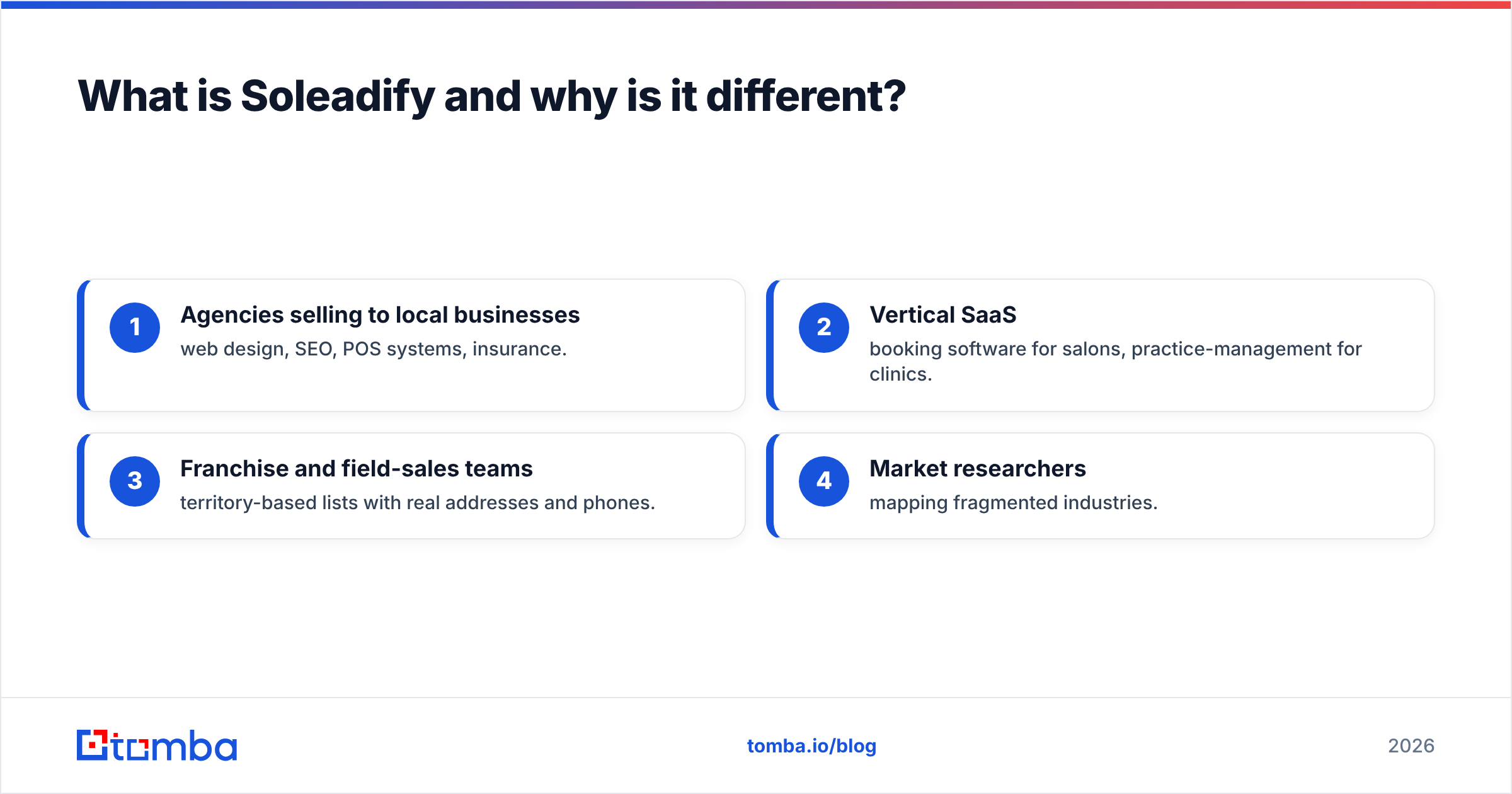
- Agencies selling to local businesses — web design, SEO, POS systems, insurance.
- Vertical SaaS — booking software for salons, practice-management for clinics.
- Franchise and field-sales teams — territory-based lists with real addresses and phones.
- Market researchers mapping fragmented industries.
The tradeoff is depth per person. Soleadify is great at finding the business; it is weaker at naming the exact decision-maker with a title you trust, because most SMB sites list one generic contact and one owner name, if that.
ContactOut vs Soleadify: how do they compare head-to-head?#
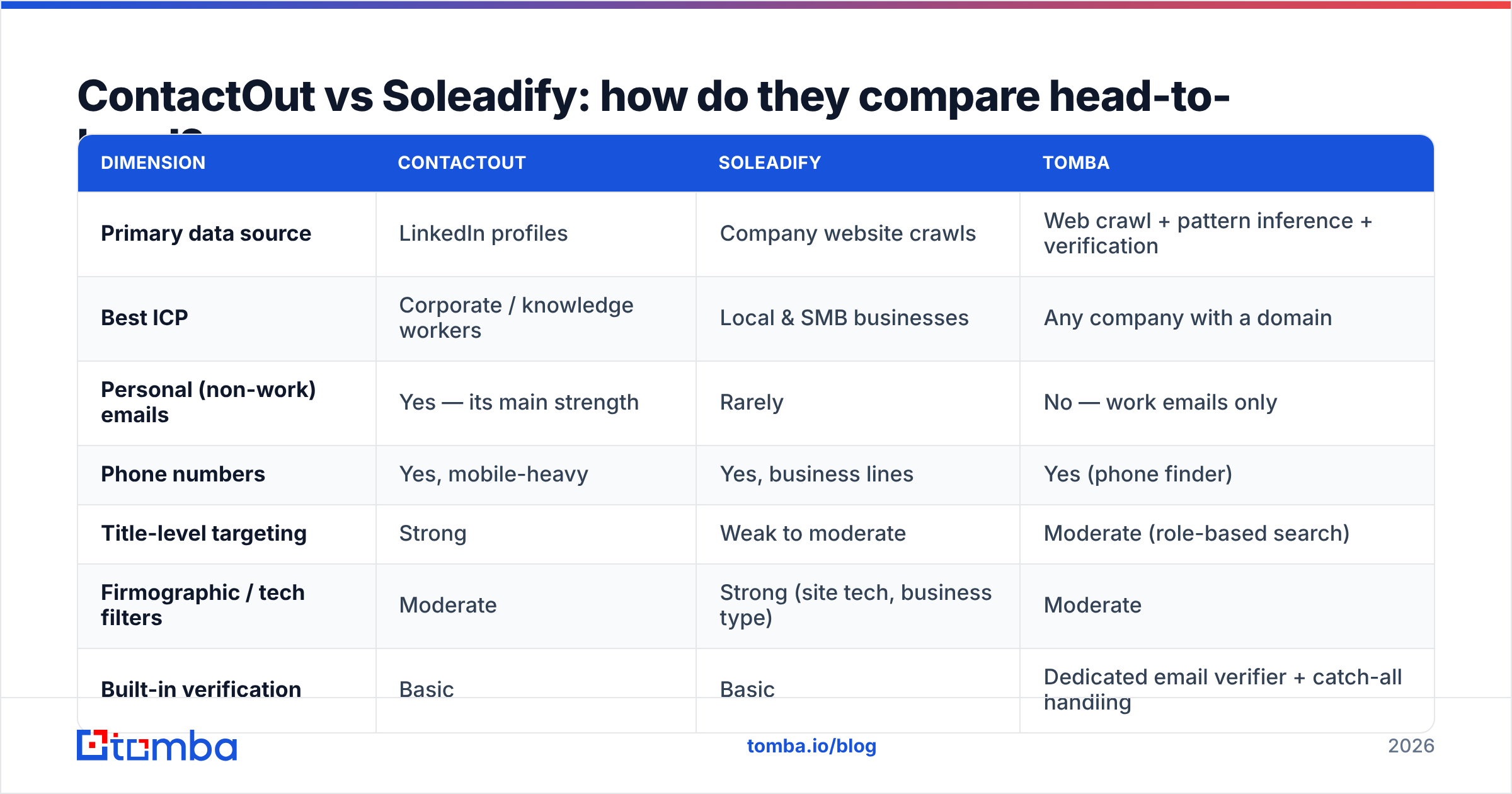
Here is the practical comparison. Pricing on both moves and is often quote-gated above the entry tier, so treat the numbers as the published/typical range rather than a locked quote — check ContactOut and Soleadify directly before you commit.
| Dimension | ContactOut | Soleadify | Tomba |
|---|---|---|---|
| Primary data source | LinkedIn profiles | Company website crawls | Web crawl + pattern inference + verification |
| Best ICP | Corporate / knowledge workers | Local & SMB businesses | Any company with a domain |
| Personal (non-work) emails | Yes — its main strength | Rarely | No — work emails only |
| Phone numbers | Yes, mobile-heavy | Yes, business lines | Yes (phone finder) |
| Title-level targeting | Strong | Weak to moderate | Moderate (role-based search) |
| Firmographic / tech filters | Moderate | Strong (site tech, business type) | Moderate |
| Built-in verification | Basic | Basic | Dedicated email verifier + catch-all handling |
| Entry price | ~$29-49/user/mo | ~$99/mo range | Free (25/mo), then $49/mo |
| Team scaling model | Per seat | Per seat + credits | Credits + API, seats not the unit |
| Chrome extension | Yes (core UX) | Yes | Yes |
| API access | Higher tiers | Yes | All paid tiers |
The row that decides most deals is the first one. Data source dictates coverage. No amount of UI polish fixes the fact that ContactOut cannot find a plumber who has never made a LinkedIn profile, and Soleadify cannot reliably tell you which of four VPs at Snowflake owns the data-platform budget.
Which one is more accurate?#
Wrong question. The honest question is: accurate for which record type?
- On corporate work emails at mid-to-large companies, ContactOut is solid but not immune to stale data — people change jobs and LinkedIn profiles lag by months. Expect a real-world bounce rate in the low-to-mid single digits if you send unverified.
- On personal emails, ContactOut is the strongest of the two by a wide margin. Also the riskiest to use — personal-inbox outreach carries GDPR and CAN-SPAM exposure you should clear with legal, not with a growth hack blog.
- On SMB business emails, Soleadify is often more accurate than LinkedIn-derived tools simply because it reads the address off the company's own contact page. But those are frequently role accounts (
info@,office@,contact@), which land in a shared inbox and convert worse than a named contact. - On catch-all domains, both struggle, and so does everyone. A catch-all server accepts every address at SMTP time, so a "valid" result means nothing. This is where a dedicated catch-all verifier earns its keep — it uses signal beyond the SMTP handshake to score whether the mailbox actually exists.
A workable rule: treat any vendor's claimed accuracy number as a ceiling, not a floor, and run every export through independent verification before it touches your sending domain. Google and Yahoo's bulk-sender rules put the spam-complaint threshold at 0.3%, and a list full of dead addresses is the fastest way to blow past it and wreck your sender reputation.
How does pricing really compare at team scale?#
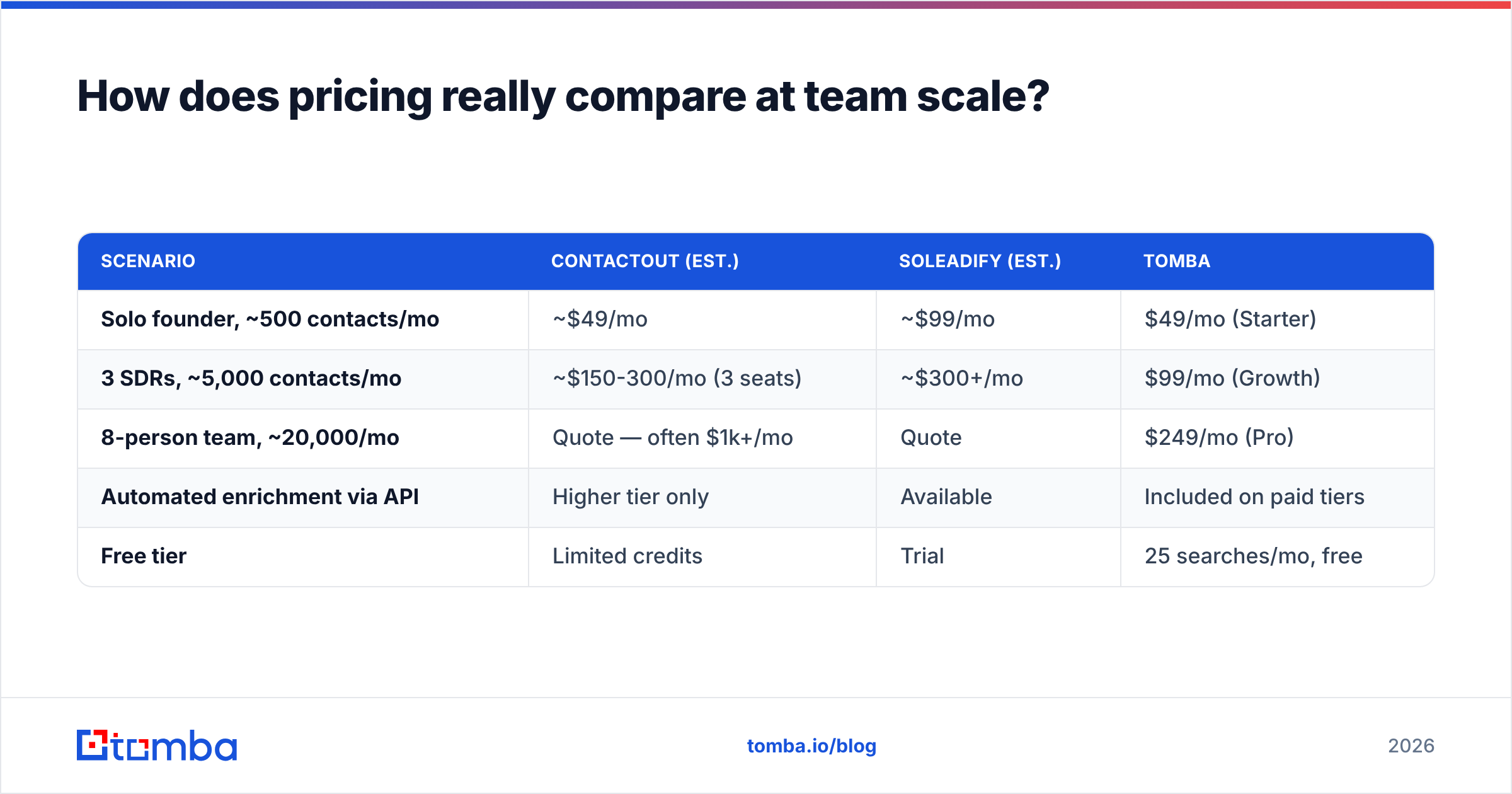
Both tools are priced per user, which is fine for a two-person team and painful for a ten-person one.
| Scenario | ContactOut (est.) | Soleadify (est.) | Tomba |
|---|---|---|---|
| Solo founder, ~500 contacts/mo | ~$49/mo | ~$99/mo | $49/mo (Starter) |
| 3 SDRs, ~5,000 contacts/mo | ~$150-300/mo (3 seats) | ~$300+/mo | $99/mo (Growth) |
| 8-person team, ~20,000/mo | Quote — often $1k+/mo | Quote | $249/mo (Pro) |
| Automated enrichment via API | Higher tier only | Available | Included on paid tiers |
| Free tier | Limited credits | Trial | 25 searches/mo, free |
The structural difference: ContactOut and Soleadify sell seats. Tomba sells credits and API calls. If your workflow is "one ops person enriches a 20,000-row CSV once a month," you're paying for seats you don't use with a seat-based tool. See Tomba pricing for the exact tiers, and note the bulk email finder handles the CSV case without anyone touching a Chrome extension.
Also worth checking: credit rollover, export limits, and whether phone reveals cost extra credits. Vendors rarely lead with those, and they're where the effective price hides. G2 reviews for both tools (ContactOut on G2) are a decent place to see what users complain about after month three.
When should you pick a different tool entirely?#
There's a third option most comparison posts skip: neither.
Pick ContactOut if: you're recruiting, your ICP maintains an active LinkedIn presence, and personal-email reach is worth the compliance overhead. Nothing else does personal emails as well.
Pick Soleadify if: you sell to local and small businesses, you need firmographic and website-tech filters, and "the business" is a more useful unit than "the person."
Pick a dedicated email finder if: you already know who and where — you have a name and a company domain, or just a domain — and you need verified work emails at volume without paying per seat. That's the domain search + verification workflow. It's cheaper, it's automatable, and it produces the one thing both databases treat as an afterthought: a verified address.
Consider a peer like BookYourData if: you'd rather buy a pre-built, pay-as-you-go list than run a subscription. It's a genuinely different purchase model — no seats, no monthly minimum — and for one-off campaigns that math often wins.
Layer, don't replace. The teams that get this right usually run two systems: one for discovery (ContactOut or Soleadify, matched to their ICP), and one for resolution and hygiene (an email finder + verifier API in the pipeline before anything reaches the sequencer). A LinkedIn export feeds a LinkedIn finder that resolves the work email; a Soleadify company list feeds a domain search that finds the named contact behind info@.
What does a sane 2026 prospecting stack look like?#
Four moving parts, in order:
- Discovery layer — where your ICP is findable. LinkedIn-native (ContactOut), web-native (Soleadify), or a static database. Pick by where your buyers actually exist, not by which UI you liked in the demo.
- Resolution layer — turn a name + domain into a real, current mailbox. This is where email finders live, and where most of your bounce risk gets removed.
- Hygiene layer — verification, catch-all scoring, deduplication. Run it every single time, even on "premium" data. A list decays roughly 2-3% per month through job changes alone.
- Sending layer — sequencer, warmed domains, sane volume. Your data quality shows up here as deliverability, and no amount of copy fixes a bad list.
Most teams over-invest in layer 1 and under-invest in layers 2 and 3, then blame the copy when reply rates flatline. If you're choosing between ContactOut and Soleadify and your bounce rate is already above 3%, you have a hygiene problem, not a database problem — and swapping vendors will not fix it.
The verdict#
ContactOut vs Soleadify is a coverage question, not a quality question. ContactOut is the better tool for reaching people at companies with a LinkedIn presence, with personal-email reach nobody else matches. Soleadify is the better tool for finding businesses in the SMB long tail, with website-derived filters that LinkedIn-based tools simply cannot replicate.
Neither is a general-purpose email infrastructure. Both are discovery tools with verification bolted on, priced per seat, and both will hand you addresses that bounce if you send without checking.
If your actual job is "get verified work emails for a list of companies, at volume, without buying eight seats," start with the Tomba Email Finder. Free tier gives you 25 searches a month to test hit rate against your own ICP — run the same 50 target accounts through it and through whichever database you're evaluating, compare verified-deliverable counts, and let the numbers pick the winner instead of the pricing page.
Related guides#
Ready to find emails that actually work?
Join 150,000+ professionals who stopped guessing and started sending. Free credits on signup — no credit card required.
Get the Tomba newsletter
Practical outbound tactics and product updates — once every two weeks.
About the author