ContactOut vs SphereScout: Which Email Finder Wins in 2026?
ContactOut is a LinkedIn-first contact finder with a long track record. SphereScout is the newer challenger. Here is how they actually compare on data coverage, accuracy, credits, and real cost per usable email in 2026.
TL;DR#
- ContactOut is the established, LinkedIn-first contact finder: a Chrome extension, a personal/recruiter-heavy user base, and pricing that is licensed per seat with monthly credit caps. It is strongest when a human is browsing profiles.
- SphereScout is the newer, far less documented challenger. It markets itself around scouted/enriched B2B contact discovery, but it publishes little verifiable pricing or accuracy data — treat every claim as unproven until you run your own test.
- Neither is an API-first tool. If your workflow is "enrich 20,000 rows in a pipeline," a seat-licensed browser extension is the wrong shape of product, no matter which one you pick.
- The only number that matters is cost per usable email — verified, deliverable, and role-correct — not the sticker price or the credit count.
- Run the 100-contact bake-off in the last section before you buy anything. It takes an hour and settles the argument with your own data.
What are ContactOut and SphereScout?#
ContactOut (contactout.com) has been around long enough to have a real reputation. It is built primarily as a browser extension that sits on top of LinkedIn: you open a profile, click the icon, and it surfaces personal and work emails plus phone numbers. It also ships a web search app, a recruiter-oriented workflow, and integrations into ATS and CRM systems. Its core buyer has historically been recruiters and individual sourcers who live inside LinkedIn all day, with sales teams as a secondary audience. You can read verified user reviews on G2's lead intelligence category rather than trusting anyone's marketing page — including this one.
SphereScout is the newer name in this matchup, and honesty demands a caveat: it has a much thinner public footprint. There is little independently verifiable data on its match rates, its data sourcing, or its pricing tiers, and it does not have the review volume that a decade-old tool accumulates. That is not automatically a knock — every tool starts somewhere, and newer vendors are often cheaper and hungrier. But it does change how you should evaluate it. With ContactOut you are arguing about whether the price is worth it. With SphereScout you are first establishing whether the data is real.
That asymmetry is the actual story of this comparison, and it is why the rest of this post is structured around testing rather than around feature checklists.
How do the two data models actually differ?#
Contact-data tools get emails in one of three ways, and the mix determines everything downstream — coverage, accuracy, GDPR exposure, and how quickly the data rots.
- Extension-harvested / contributory data. Users install a browser extension; the tool observes and contributes contact data back into a shared pool. This is a big part of how LinkedIn-first tools like ContactOut build coverage. It produces excellent personal email coverage (the gmail.com addresses recruiters want) but the pool is only as fresh as its contributors.
- Pattern inference + SMTP verification. The tool knows the company's email format (
first.last@,f.last@,first@), generates the candidate, and then verifies it against the mail server before returning it. This is how most work-email finders — including Tomba's email finder — hit high deliverability on corporate domains. - Licensed / crawled B2B databases. Bulk contact records purchased or crawled at scale. Cheap per record, wildly variable in freshness. Vendors like BookYourData have built a solid reputation here by focusing on verified, purpose-built B2B lists rather than raw volume — a legitimate model if the verification layer is real.
ContactOut leans heavily on model 1 with verification layered on. SphereScout, based on its own positioning, leans toward model 3 with enrichment on top. Tomba sits primarily in model 2, with transparent data sourcing documented publicly.
Why this matters in practice: model 1 wins on personal emails, model 2 wins on corporate deliverability, model 3 wins on price and loses on freshness. If you are a recruiter chasing candidates on their personal Gmail, ContactOut's model is genuinely well suited to you. If you are an SDR sending cold email to @company.com addresses that must pass a spam filter, model 2 is the one that keeps your bounce rate under 2%.

Which one is more accurate?#
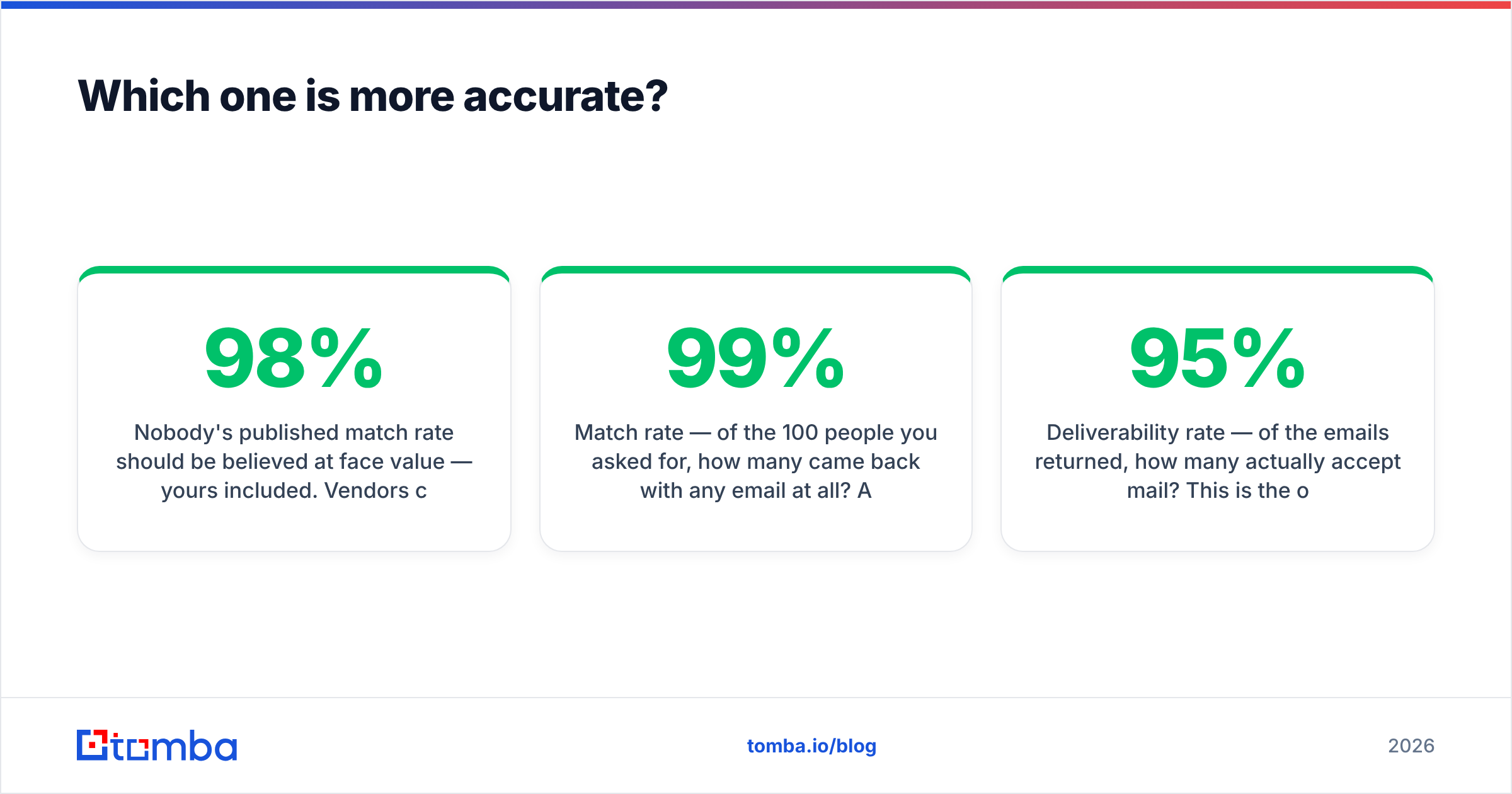
Nobody's published match rate should be believed at face value — yours included. Vendors compute "accuracy" on datasets they choose, and a 98% claim usually means "98% of the emails we returned," not "98% of the contacts you asked for." Those are radically different numbers.
The three metrics that actually predict your outcome:
- Match rate — of the 100 people you asked for, how many came back with any email at all? A tool that returns 40 addresses at 99% accuracy is worse than one that returns 85 at 95%.
- Deliverability rate — of the emails returned, how many actually accept mail? This is the one that protects your sender reputation. Anything under ~95% will start costing you domain health.
- Catch-all share — how many results are on catch-all domains, where verification is inherently uncertain? A tool that dumps catch-alls into your "valid" bucket is inflating its own numbers. Run those through a catch-all verifier before you trust them.
ContactOut's public reputation on personal-email match rate is strong; on corporate work emails it is competitive but not category-leading. SphereScout has no independently verifiable numbers at all as of 2026, which means you must generate them yourself or accept the risk. That is a fair statement, not a swipe.

How do ContactOut and SphereScout compare on features and pricing?#
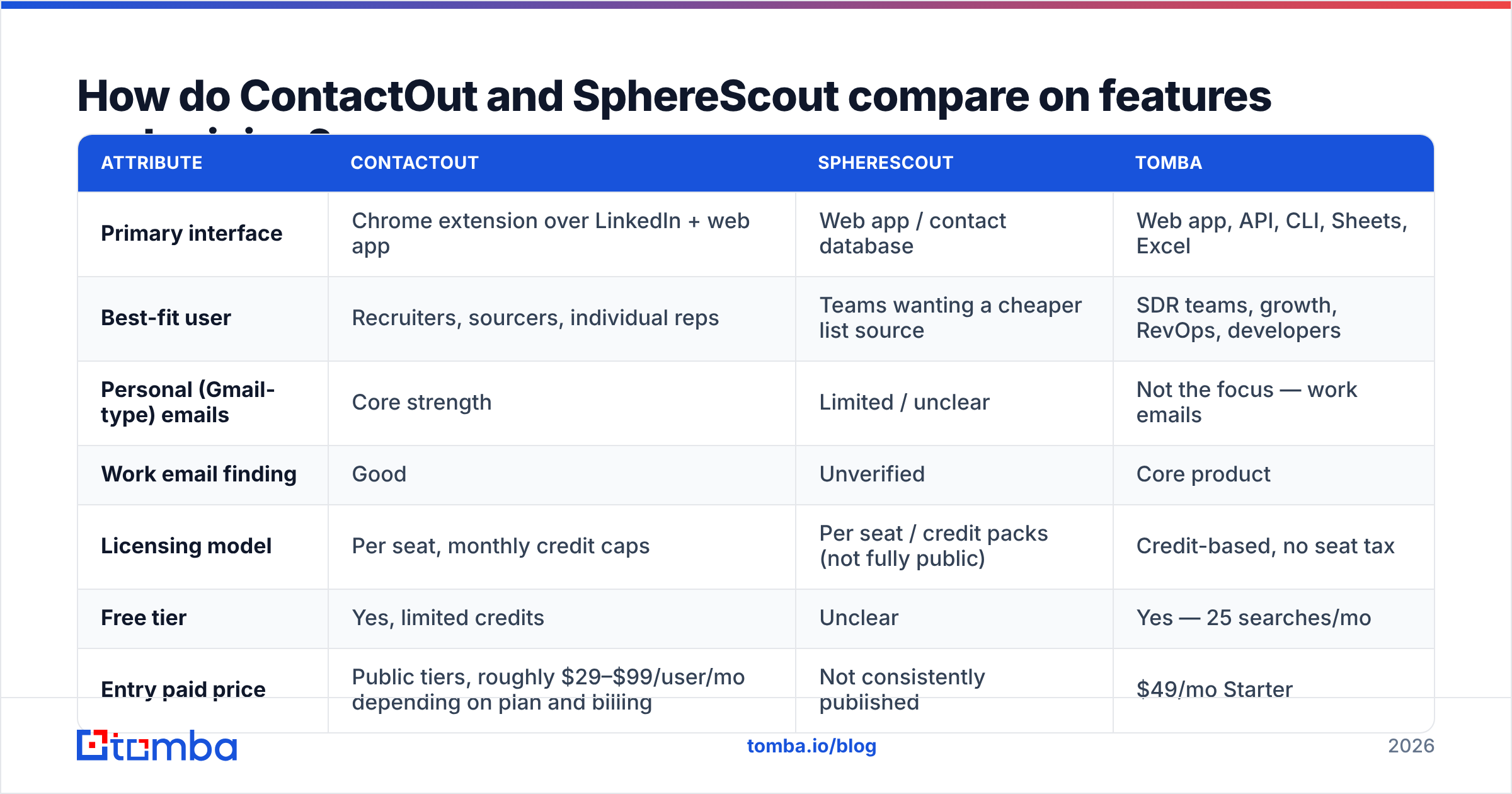
Here is the honest comparison. Where a vendor does not publish a number, this table says so rather than inventing one — always re-check the vendor's own pricing page before you buy, because tiers change quarterly.
| Attribute | ContactOut | SphereScout | Tomba |
|---|---|---|---|
| Primary interface | Chrome extension over LinkedIn + web app | Web app / contact database | Web app, API, CLI, Sheets, Excel |
| Best-fit user | Recruiters, sourcers, individual reps | Teams wanting a cheaper list source | SDR teams, growth, RevOps, developers |
| Personal (Gmail-type) emails | Core strength | Limited / unclear | Not the focus — work emails |
| Work email finding | Good | Unverified | Core product |
| Licensing model | Per seat, monthly credit caps | Per seat / credit packs (not fully public) | Credit-based, no seat tax |
| Free tier | Yes, limited credits | Unclear | Yes — 25 searches/mo |
| Entry paid price | Public tiers, roughly $29–$99/user/mo depending on plan and billing | Not consistently published | $49/mo Starter |
| Mid tier | Sales/recruiter plans, per seat | Not published | $99/mo Growth |
| Scale tier | Enterprise, quoted | Quoted | $249/mo Pro, then Enterprise |
| Bulk enrichment | Yes, with export limits | Claimed | Yes — bulk finder + verifier |
| Public API | Limited | Unclear | Full REST API + MCP server |
| Verification included | Basic | Unclear | Built-in email verifier |
| Data sourcing disclosed | Partially | No | Yes, documented publicly |

Two things jump out of that table.
First, the seat model is the hidden cost. A per-seat tool that looks cheap at one user gets expensive fast at five, and it prices your ops engineer out of automating anything — because automation does not have a LinkedIn tab open. If three SDRs and one RevOps person all need access, a $99/seat tool is a $396/month tool.
Second, "not published" is itself a data point. Vendors with strong, defensible pricing publish it. Vendors who quote everything are usually either enterprise-only or still figuring out what the market will bear. Neither is disqualifying, but you should never sign a contract you had to email someone to see the price of without running a trial first.
What does each one actually cost per usable email?#
Sticker price is theater. Do this math instead:
Cost per usable email = (monthly price × seats) ÷ (credits used × match rate × deliverability rate)
Worked example. Say a tool costs $99/user/month, you have 3 users, and each seat gets 1,000 credits. That is $297/month for 3,000 credits. If the match rate is 65% and deliverability on what comes back is 92%:
3,000 × 0.65 × 0.92 = 1,794 usable emails → $297 ÷ 1,794 = $0.166 per usable email.
Now run the same math against a credit-based tool with no seat tax at $99/month for the whole team, a 70% match rate, and 97% deliverability on 5,000 credits:
5,000 × 0.70 × 0.97 = 3,395 usable emails → $99 ÷ 3,395 = $0.029 per usable email.
That is roughly a 5x difference, and none of it came from the headline price. It came from seats, credit allocation, and — most of all — the verification layer. This is exactly why Tomba's pricing is structured around credits, not seats: your automation shouldn't need a login.
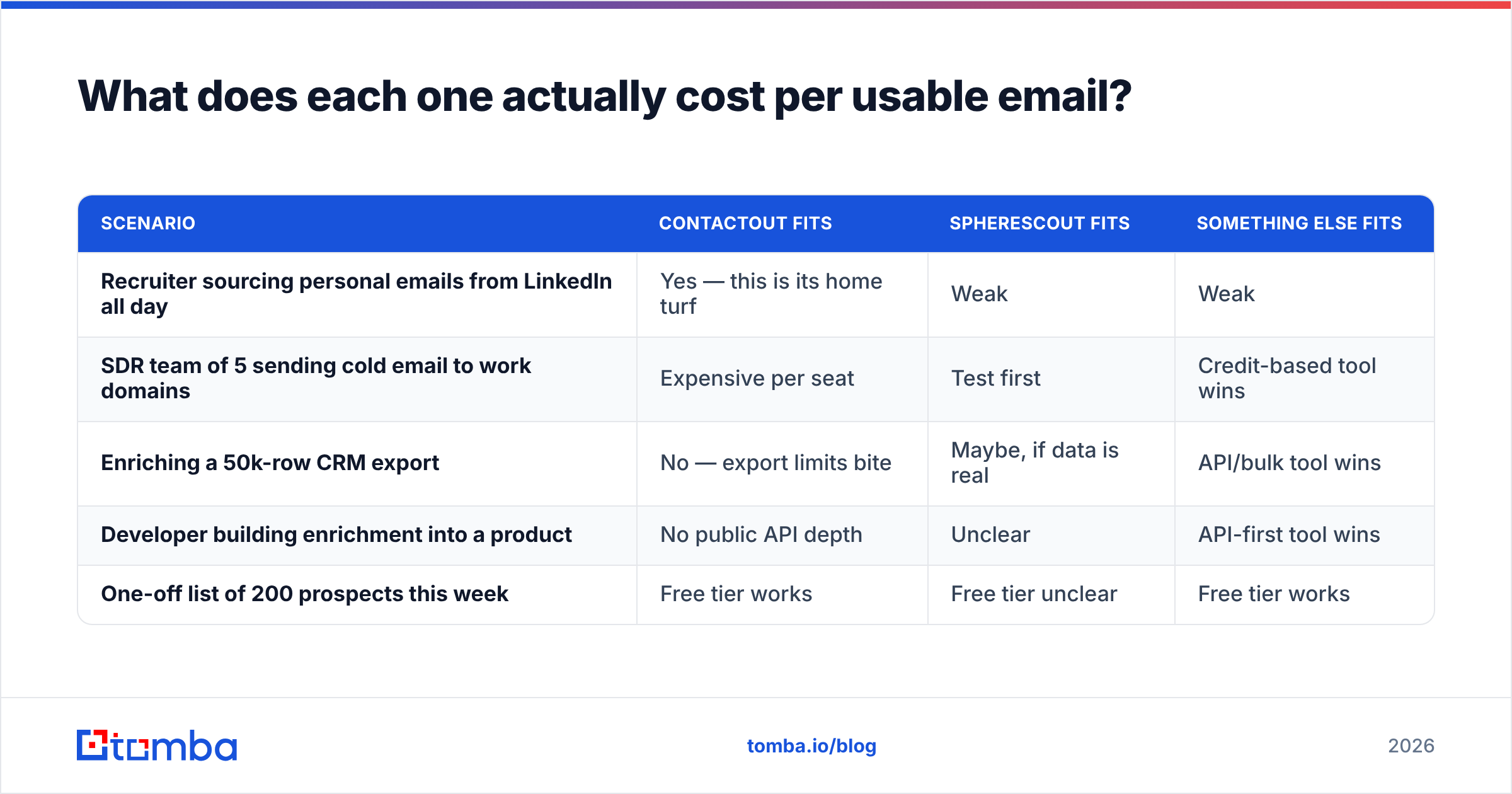
| Scenario | ContactOut fits | SphereScout fits | Something else fits |
|---|---|---|---|
| Recruiter sourcing personal emails from LinkedIn all day | Yes — this is its home turf | Weak | Weak |
| SDR team of 5 sending cold email to work domains | Expensive per seat | Test first | Credit-based tool wins |
| Enriching a 50k-row CRM export | No — export limits bite | Maybe, if data is real | API/bulk tool wins |
| Developer building enrichment into a product | No public API depth | Unclear | API-first tool wins |
| One-off list of 200 prospects this week | Free tier works | Free tier unclear | Free tier works |
Where does Tomba fit in this comparison?#
Bluntly: Tomba is not trying to be ContactOut. It does not scrape personal Gmail addresses off LinkedIn profiles, and if that is your job to be done, ContactOut is the better tool and you should buy it.
Tomba is built for the other job — finding and verifying work emails at volume, programmatically. The domain search returns every discoverable address at a company with its confidence score and source. The email verifier runs SMTP-level checks before anything lands in your sequencer. The Tomba API means your ops team can wire enrichment into HubSpot, Clay, or a homegrown pipeline without buying anyone a seat. And if you're evaluating specifically against ContactOut, there's a direct ContactOut alternative breakdown.
The strategic point is this: most teams reach for a LinkedIn extension because it is the tool they know, then discover eighteen months later that half their spend is seat licenses for people who touch it twice a week. Match the licensing model to the shape of the work.

How do you run a fair 100-contact bake-off?#
Do not buy on this article, or any article. Buy on your own data. This takes about an hour.
- Build a control set of 100 real prospects. Pull them from your actual ICP — not from a tool's demo list. Mix company sizes: 30 enterprise, 40 mid-market, 30 SMB. SMB domains are where match rates quietly collapse, and that is where most vendors' demos avoid looking.
- Run the same 100 through every tool on its free or trial tier. ContactOut, SphereScout, and at least one credit-based alternative. Same names, same companies, same day.
- Record match rate per tool. Emails returned ÷ 100. Do not let anyone count "we found a LinkedIn profile" as a match.
- Verify every returned email through a neutral third party. Do not let the vendor grade its own homework. Use an independent email checker and log valid / invalid / catch-all / unknown for each address.
- Send a single, harmless email to a 20-address sample from each tool and record hard bounces. This is the only measurement that reflects reality, because email deliverability is what your domain reputation is actually made of.
- Compute cost per usable email using the formula above, with the seat count you will actually have in six months — not the one you have today.
The tool with the lowest cost per usable email wins. It usually is not the one with the best marketing site.
Which should you choose?#
Choose ContactOut if your team lives inside LinkedIn, you need personal email addresses, you are recruiting rather than selling, and you have a small number of heavy users who will genuinely exhaust their credits every month. It is a mature product with a clear buyer, and the per-seat model is defensible when the seat is used daily.
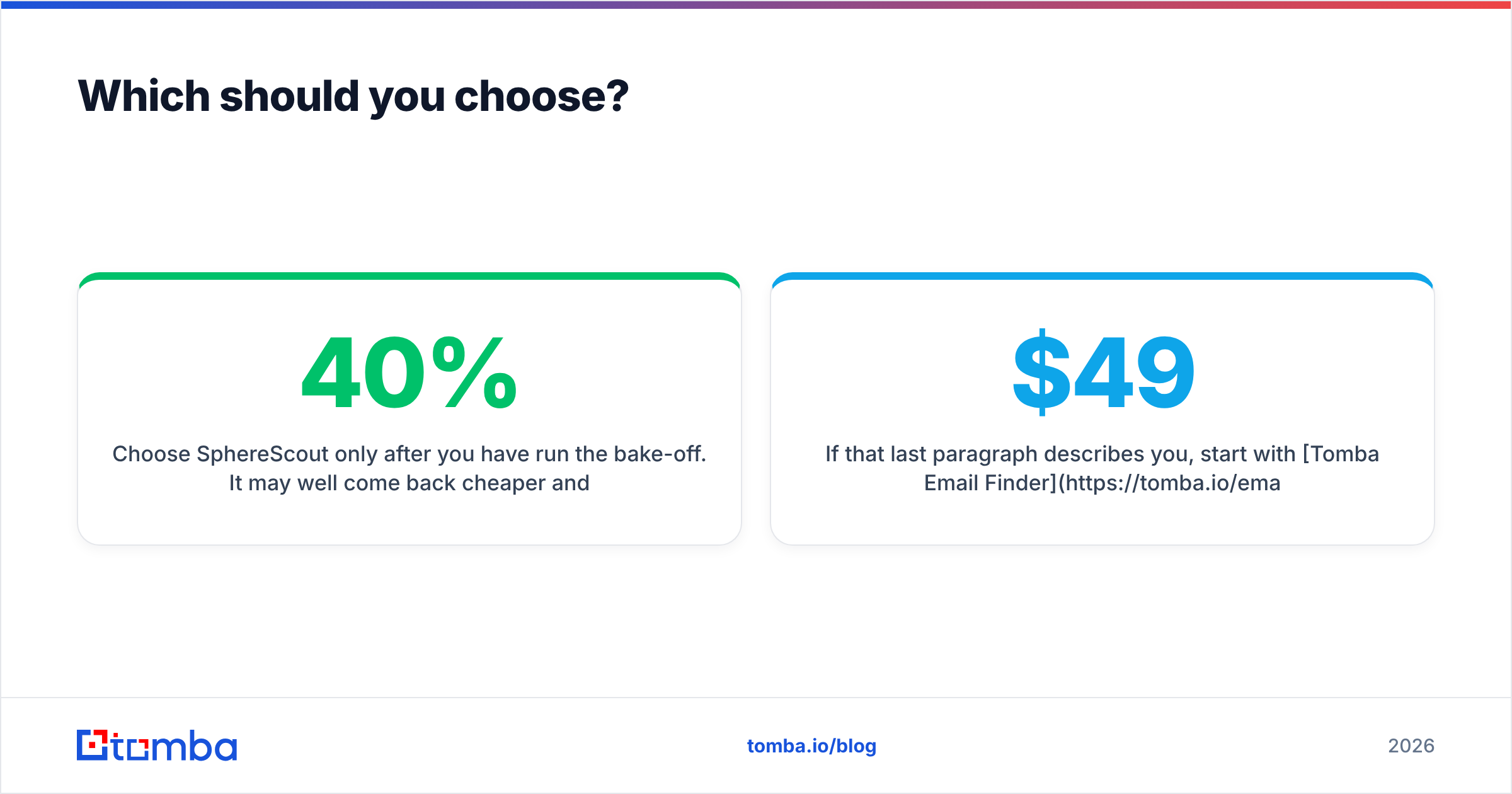
Choose SphereScout only after you have run the bake-off. It may well come back cheaper and good enough — newer vendors often do. But go in with the discipline of someone who cannot rely on public accuracy data, because right now there isn't any. Ask for a trial, ask where the data comes from, and ask what happens to your list if their coverage on your ICP turns out to be 40%.
Choose a credit-based, API-first tool if you are doing outbound at volume to work email addresses, if more than three people need access, or if any part of your enrichment happens inside a pipeline rather than a browser tab. That is a different product category, and the economics are not close.
If that last paragraph describes you, start with Tomba Email Finder — the free tier gives you 25 searches a month, which is enough to run the 100-contact test on a sample and see the match rate for your own ICP before you spend anything. Starter is $49/month, Growth is $99/month for the whole team rather than per seat, and every result comes back with a confidence score and a verification status attached. Run it head-to-head against whatever you are using now, and let the cost-per-usable-email number make the decision for you.
Related guides#
Ready to find emails that actually work?
Join 150,000+ professionals who stopped guessing and started sending. Free credits on signup — no credit card required.
Get the Tomba newsletter
Practical outbound tactics and product updates — once every two weeks.
About the author