ContactOut vs The Data City: Which Data Tool Wins in 2026?
ContactOut finds the person. The Data City maps the market. They are not really competitors — and buying the wrong one is how teams waste a year of budget. Here is the honest breakdown, with pricing, coverage, and a clear pick.
ContactOut vs The Data City looks like a head-to-head. It isn't. One tool finds people. The other maps markets. Buy the wrong one and you lose a year of budget. Here is the honest breakdown: what each does, what it costs, and which layer you actually need.
TL;DR
- ContactOut works at the contact level. It is a Chrome extension plus a search app. It pulls work emails, personal emails, and phone numbers off LinkedIn profiles. It answers one question: "how do I reach this person?"
- The Data City works at the company level. It is a UK market intelligence platform. It sorts firms by what they actually do, reading live website data instead of stale SIC codes. It answers a different question: "which companies exist in this market?"
- So ContactOut vs The Data City is not a fair fight. The two overlap on almost nothing. Buying one and expecting the other is the classic mistake here.
- The pricing models are opposites. ContactOut is self-serve and per seat. The Data City is an annual, quoted licence for analysts, investors, and economic-development bodies.
- Most outbound teams need both layers: a company list and verified contact routes. If you already have your account list, an email finder with an API is the cheaper way to finish the job.
What is ContactOut, actually?#
ContactOut is a contact data platform built around LinkedIn. You install the browser extension. You open a profile or a LinkedIn search. It then surfaces likely email addresses and phone numbers. Recruiters were the first buyers. Sales and RevOps teams followed.
Its core loop looks like this:
- Source from LinkedIn — profile page, Sales Navigator list, or Recruiter search.
- Reveal contact routes — the extension shows emails and, on higher tiers, mobile numbers.
- Export or push — CSV, or a sync to an ATS/CRM.
- Search app — a standalone people and company search. Filter by title, seniority, location, and headcount without touching LinkedIn.
The pitch is coverage of personal emails. That matters a lot in recruiting, because people ignore work inboxes for job conversations. It matters much less in B2B sales. Cold outreach to a personal Gmail reads as creepy, and it hurts your sending domain.
What ContactOut is not: a way to decide which companies belong on your list. It assumes you already know who you want. That is one half of the ContactOut vs The Data City split.
You can read more on the official site at contactout.com. Cross-check buyer sentiment on G2 rather than trusting either vendor's own case studies.
What is The Data City, actually?#
The Data City is a UK company intelligence platform. Its edge is Real-Time Industrial Classification (RTIC).
Legacy SIC codes are filed once at Companies House. They are often wrong, self-reported, and never updated. RTIC skips them. It reads what a company says about itself on its own website. Then it sorts the firm into a live sector — "net zero", "quantum", "agritech", "creative industries".
That produces a very different object than a lead list:
- Sector-defined universes of companies ("every UK firm doing battery tech")
- Growth signals — headcount trajectory, funding, filings
- Geographic clustering, useful for regional economic policy
- Custom taxonomy builds when your market has no official code
Its buyers are analysts, investors, universities, local growth agencies, and strategy teams. They need to size and map a market. They do not need 500 emails by Friday.
Pricing follows from that. It is an annual, quoted licence, not a credit card and a Chrome extension. See thedatacity.com for the current product scope. This is the other half of ContactOut vs The Data City.
Is ContactOut vs The Data City even a fair fight?#
Honestly? No — and that is the useful conclusion.
These tools sit on different layers of the GTM data stack:
- Market layer — which sectors and companies exist, and which are growing. The Data City lives here.
- Account layer — which of those companies fit your ICP (size, tech stack, funding, geography).
- Contact layer — who owns the problem, and how you reach them. ContactOut lives here.
- Validation layer — is that email real, catch-all, or a bounce waiting to happen.
- Activation layer — sequencing, calling, CRM sync.
Buy The Data City and expect to start emailing on Monday, and you will be disappointed. You get a defensible list of 1,400 UK hydrogen companies. You get no way to contact anyone at them. Buy ContactOut and expect a market map, and you end up guessing which companies matter, one LinkedIn tab at a time.
So the real ContactOut vs The Data City question is not "which one wins". It is "which layer is your bottleneck?"
ContactOut vs The Data City: head-to-head comparison#
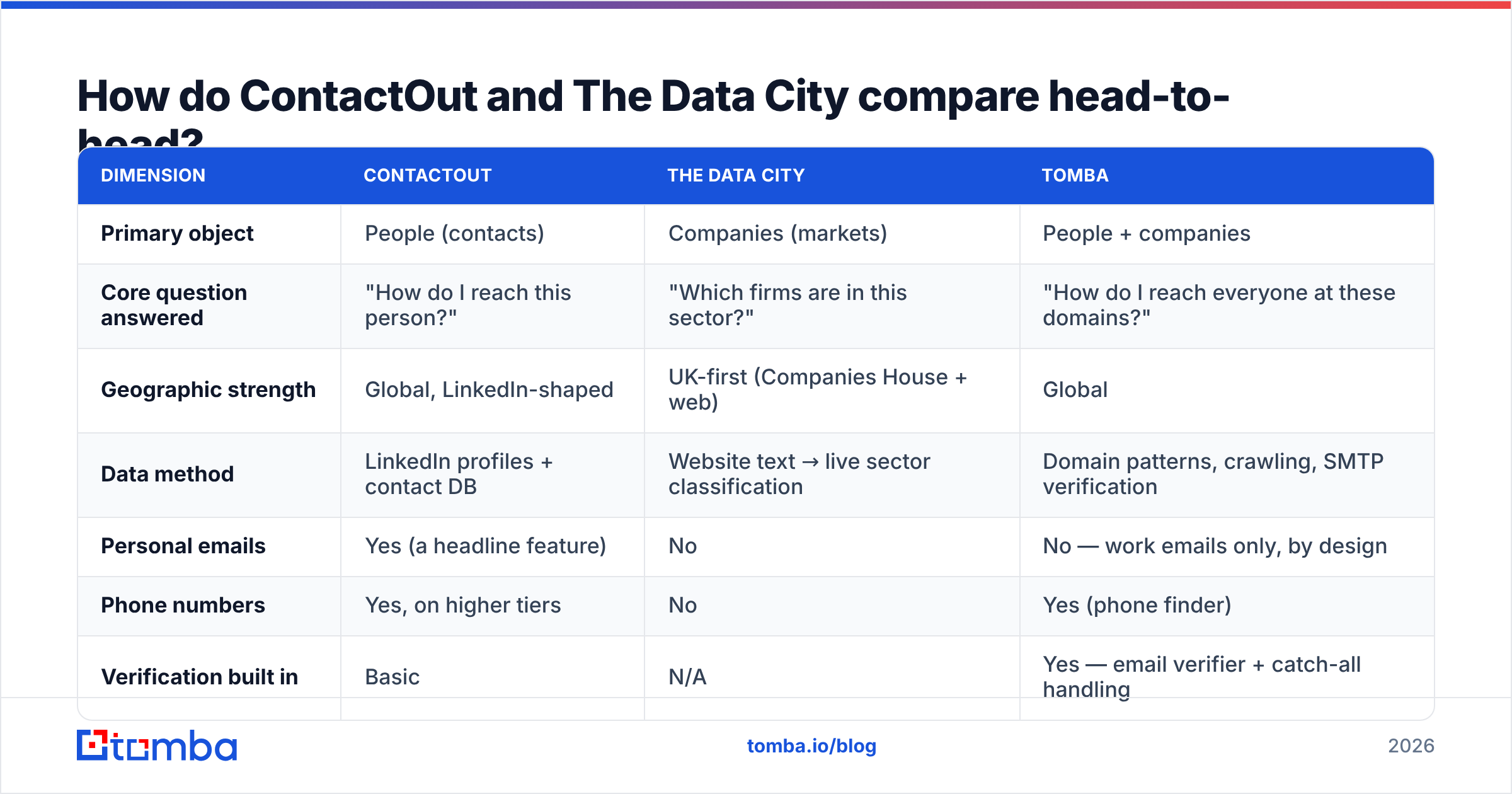
Pricing on both platforms moves. Treat the figures below as directional. Confirm with the vendors before you sign. Tomba's numbers are exact.
| Dimension | ContactOut | The Data City | Tomba |
|---|---|---|---|
| Primary object | People (contacts) | Companies (markets) | People + companies |
| Core question answered | "How do I reach this person?" | "Which firms are in this sector?" | "How do I reach everyone at these domains?" |
| Geographic strength | Global, LinkedIn-shaped | UK-first (Companies House + web) | Global |
| Data method | LinkedIn profiles + contact DB | Website text → live sector classification | Domain patterns, crawling, SMTP verification |
| Personal emails | Yes (a headline feature) | No | No — work emails only, by design |
| Phone numbers | Yes, on higher tiers | No | Yes (phone finder) |
| Verification built in | Basic | N/A | Yes — email verifier + catch-all handling |
| API access | Yes, on paid tiers | Yes, on licence | Yes, on all paid plans (Tomba API) |
| Free tier | Limited monthly reveals | No public free tier | 25 searches/mo |
| Entry paid price | ~$49/mo per seat (self-serve, varies by tier) | Custom annual licence (quote-based) | $49/mo Starter |
| Typical buyer | Recruiter, SDR, founder | Analyst, investor, policy body | RevOps, growth, dev teams |
| Bulk workflow | CSV export, seat-limited | Dataset export | Bulk email finder + API |
The last row decides most deals. One recruiter, one browser, ten profiles a day? A seat-based extension is fine. Need to enrich 8,000 rows tonight and re-verify every month? Then you need an API and a credit model, not a browser tab.
Which one should you buy for outbound sales?#
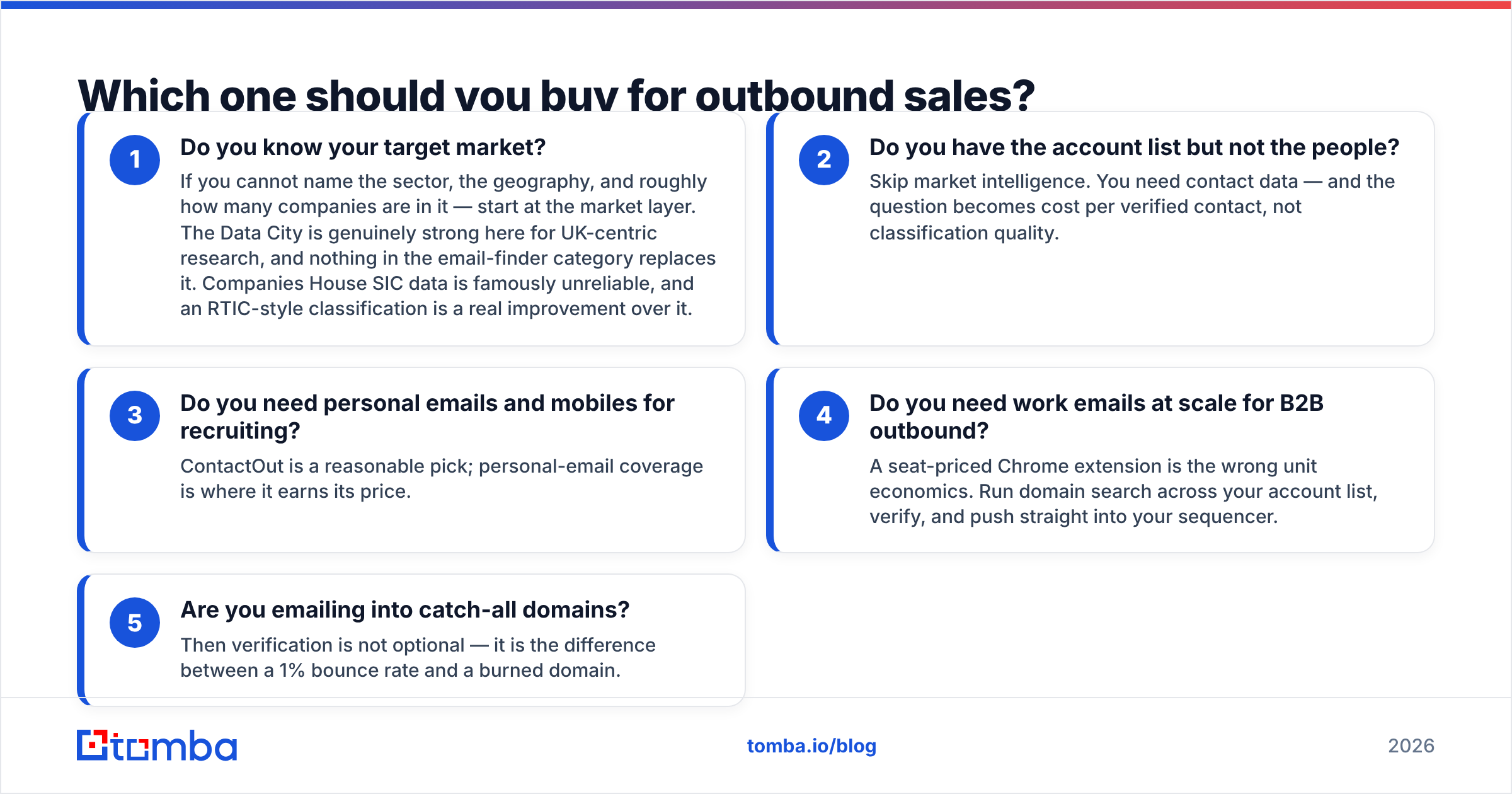
Neither, on its own. Work through the decision path in order.
- Do you know your target market? If you cannot name the sector, the geography, and the rough company count, start at the market layer. The Data City is genuinely strong for UK-centric research. No email tool replaces it. Companies House SIC data is famously unreliable, and RTIC-style classification beats it.
- Do you have the account list but not the people? Skip market intelligence. You need contact data. The question becomes cost per verified contact, not classification quality.
- Do you need personal emails and mobiles for recruiting? ContactOut is a fair pick. Personal-email coverage is where it earns its price.
Two more questions matter if you sell rather than recruit.
- Do you need work emails at scale for B2B outbound? A seat-priced Chrome extension is the wrong unit economics. Run domain search across your account list, verify, and push straight into your sequencer.
- Are you emailing into catch-all domains? Then verification is not optional. It is the difference between a 1% bounce rate and a burned domain.
That fifth point deserves its own section. It is where most "we bought a data tool and outbound still failed" stories actually end.
Why does verification matter more than raw coverage?#
Because a vendor measures accuracy on the records it chooses to return. It does not measure accuracy on your list.
Every provider sits on the same tradeoff — ContactOut, Tomba, everyone. Return more guesses, and coverage climbs while accuracy falls. Return only high-confidence records, and accuracy looks great while half your list comes back empty.
The number on the marketing page tells you where the vendor set that dial. It does not tell you what will happen to your ICP. That holds on both sides of ContactOut vs The Data City.
What actually protects your sender reputation:
- Reject catch-all domains you cannot confirm. A catch-all server accepts everything, so an "accepted" reply proves nothing. Use a catch-all verifier that scores confidence instead of shrugging.
- Re-verify on a cadence. B2B data decays roughly 2-3% per month as people change jobs. A list you bought in January is measurably worse in July.
- Verify at send time, not at import time. Bounces are born in the gap between enrichment and first touch.
- Watch the whole domain, not the address. A sudden bounce spike from one domain usually means a mail-server change, not bad data.
Google and Microsoft both tightened their bulk-sender rules in the last two years. The threshold is unforgiving. Sustained bounce and spam-complaint rates above a fraction of a percent will get you throttled.
Want the mechanics? HubSpot's deliverability documentation is a decent neutral primer. Tomba's notes on where the data comes from cover the sourcing side.

What does each tool cost in practice?#
Cost per usable contact is the only metric that matters. It is not the sticker price.
Take a realistic scenario. You want 5,000 verified work emails at UK climate-tech companies, refreshed every quarter. Here is how the ContactOut vs The Data City choice plays out.
- The Data City route: you get the 5,000 companies — accurately, defensibly, with growth signals no email tool has. Contacts so far: zero. You still need layer 3.
- ContactOut route: you must already know the companies. Then you reveal contacts profile by profile, and reveal credits are gated by seat and tier. At scale, per-seat pricing turns into "buy more seats". That is the expensive way to buy volume.
- API route: run the 5,000 domains through a bulk email finder. Verify the output. Push the results into your CRM. Cost scales with credits, not headcount, and the job re-runs next quarter on its own.
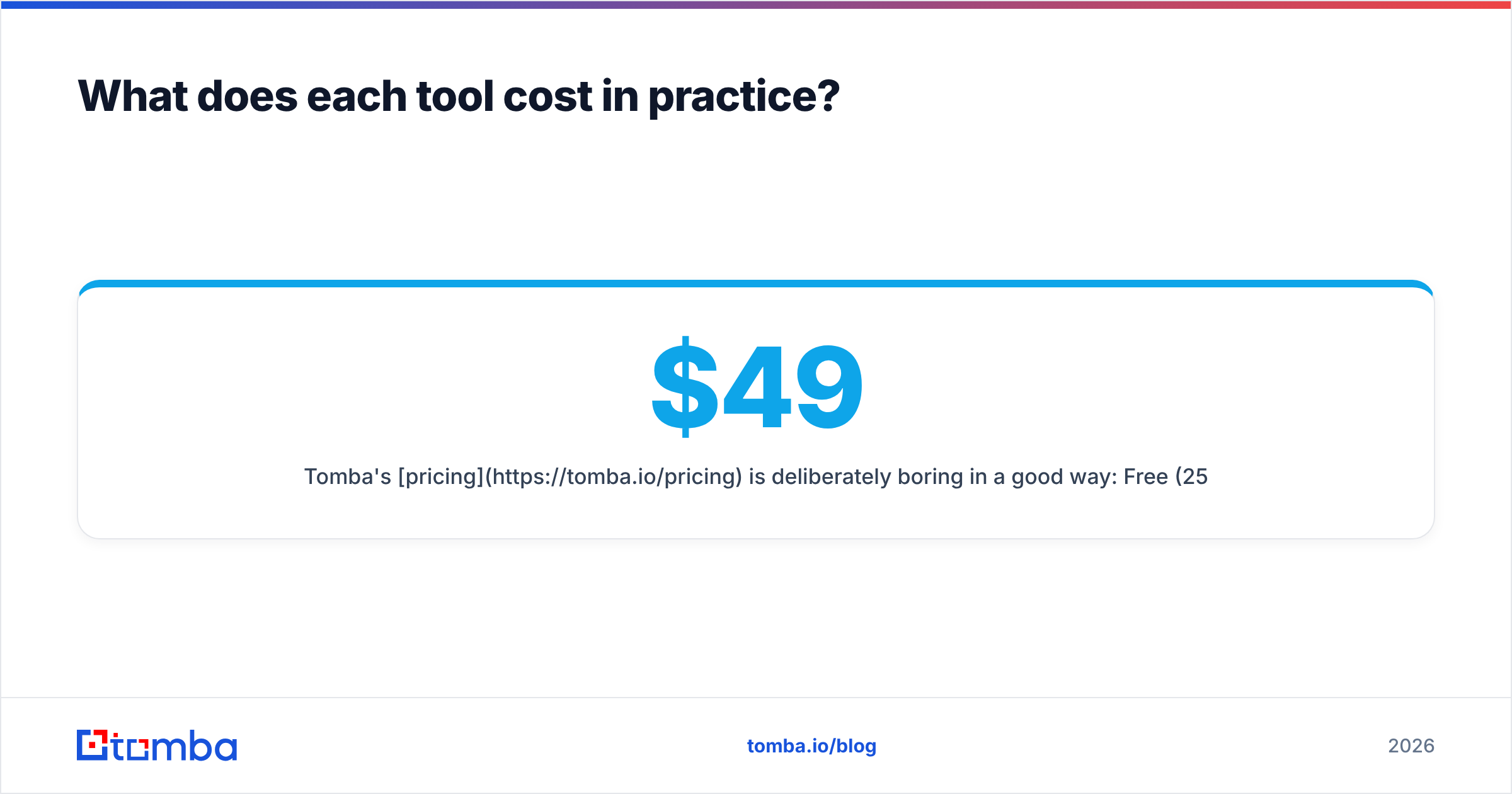
Tomba's pricing is boring in a good way: Free (25 searches/mo), Starter at $49/mo, Growth at $99/mo, Pro at $249/mo, and Enterprise on request.
Every paid tier includes API access. So the same budget covers the manual researcher and the automated pipeline. You do not have to buy a second product when you outgrow the extension.
Already have ContactOut in your stack? If the friction is volume or API access rather than data quality, test side by side instead of ripping it out. That is what a ContactOut alternative comparison is for. Take the same 200 target domains, run both tools, then measure hit rate, bounce rate, and cost per verified contact. Trust your bounce log, not either vendor's homepage.
Can you combine them into one workflow?#
Yes. For UK-focused GTM teams, this is the best-of-both setup — and the most useful answer to ContactOut vs The Data City.
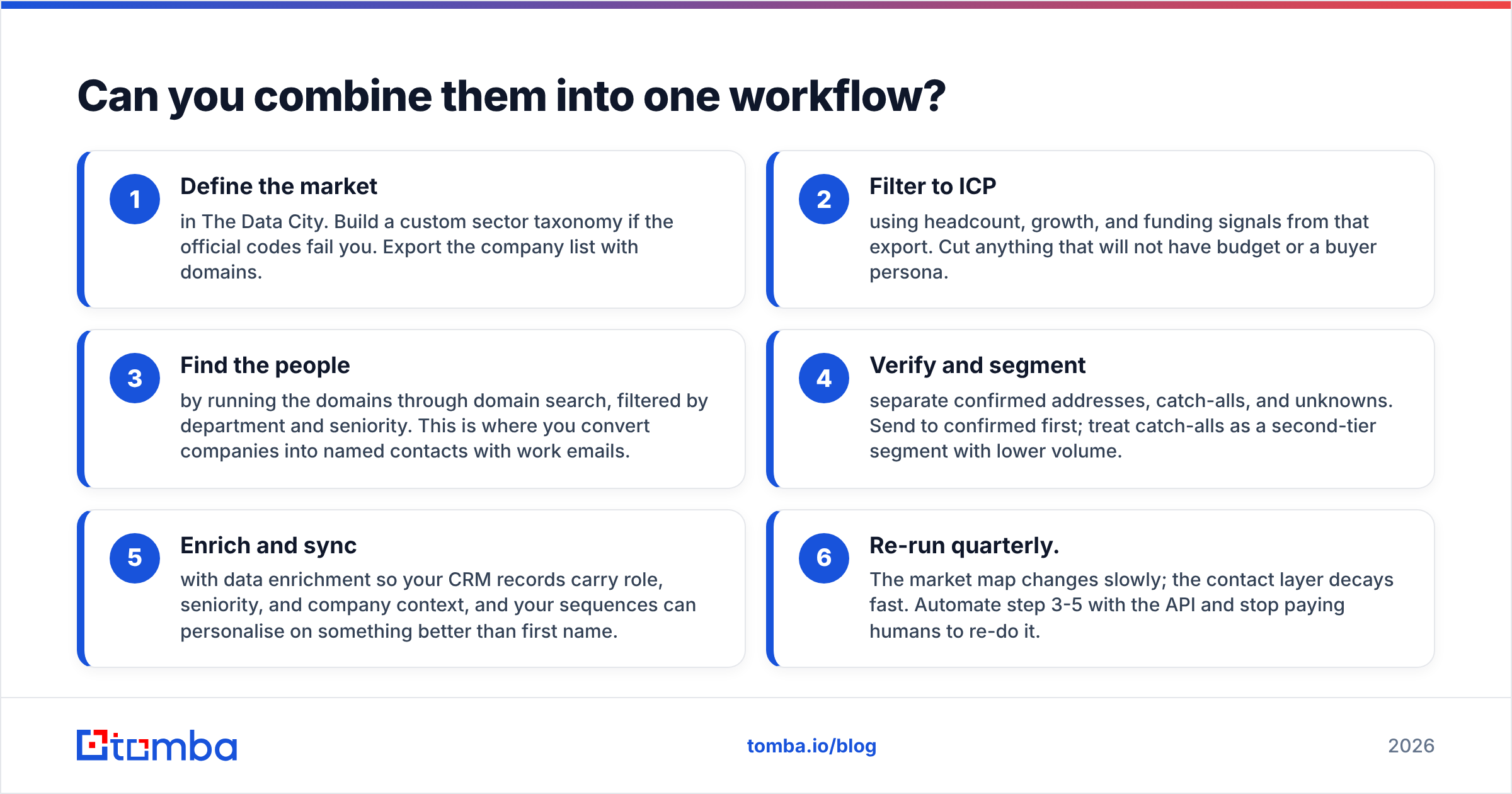
- Define the market in The Data City. Build a custom sector taxonomy if the official codes fail you. Export the company list with domains.
- Filter to ICP using headcount, growth, and funding signals from that export. Cut anything without budget or a buyer persona.
- Find the people by running the domains through domain search, filtered by department and seniority. This turns companies into named contacts with work emails.
- Verify and segment. Separate confirmed addresses, catch-alls, and unknowns. Send to confirmed first. Treat catch-alls as a second-tier segment at lower volume.
- Enrich and sync with data enrichment. Your CRM records then carry role, seniority, and company context, so sequences can personalise on more than a first name.
- Re-run quarterly. The market map changes slowly. The contact layer decays fast. Automate steps 3-5 with the API.
Step 1 is a research budget. Steps 3-5 are an operations budget. Confusing the two is why data spend gets cut in year two. The market map is a one-time insight. Contact data is a recurring utility. Procure them differently.
ContactOut vs The Data City: which tool wins in 2026?#
Verdict: The Data City wins the question "what does this market look like?" ContactOut wins the question "what is this person's personal email?" Neither wins the big one: "how do I reliably reach 5,000 buyers without burning my domain?"
That last question is what most B2B teams are actually asking. A verification-first email finder answers it, with a real API and credit-based pricing. A per-seat browser extension does not. Neither does a market intelligence licence.
Practical guidance:
- Recruiting, UK or global: ContactOut's personal-email coverage is a legitimate reason to buy it.
- Market research, policy, or investment in the UK: The Data City has no real substitute. Buy it for what it is.
- B2B outbound at volume: buy the contact layer on credits, verify everything, and keep your sender reputation intact.
Ready to complete the contact layer?#
Whatever you conclude from ContactOut vs The Data City, the companies are only half the job. If you already know which ones you want — from The Data City, from Companies House, from your CRM, or from a spreadsheet a founder built at 2am — the missing piece is a reliable route to the humans inside them.
Start with the Tomba Email Finder. Feed it a name and a domain, or just a domain. You get verified work emails back with a confidence score attached. The free tier gives you 25 searches a month to test it on your own list. No seat licence, no annual contract, no quote call. Run it against whatever you use today, compare bounce rates after two weeks, and let the numbers decide.
Related guides#
Ready to find emails that actually work?
Join 150,000+ professionals who stopped guessing and started sending. Free credits on signup — no credit card required.
Get the Tomba newsletter
Practical outbound tactics and product updates — once every two weeks.
About the author