ContactOut vs Vocusio (2026): Which Tool Actually Wins?
ContactOut finds the contact. Vocusio sends the email. Most teams buy one and quietly need the other. Here's the honest breakdown of pricing, data accuracy, workflow fit, and who should buy which in 2026.
TL;DR — what's the real difference?#
- ContactOut is a data tool. Vocusio (Vocus.io) is a sending tool. ContactOut surfaces emails and phone numbers from LinkedIn profiles; Vocus.io lives inside Gmail and handles tracking, mail merge, follow-ups, and scheduling. They barely overlap.
- If you compare them head-to-head on price, Vocus.io looks 5-10x cheaper. That's because it isn't paying for a contact database. You're comparing a car to a tank of gas.
- ContactOut's weakness is scale and workflow. It's browser-first and LinkedIn-bound. If you need bulk enrichment, CSV lifts, or an API in your stack, it fights you.
- Vocus.io's weakness is data. Its finder/verify features are a convenience layer, not a data business. Feed it bad addresses and it will happily send to them.
- The honest answer for most teams: you need a data source and a sender. Pair a dedicated finder like Tomba Email Finder (free tier: 25 searches/mo; Starter $49/mo) with whatever sending layer your team already lives in.
What is ContactOut, actually?#
ContactOut (contactout.com) is a contact-data platform built around a Chrome extension. You open a LinkedIn profile, click the extension, and it reveals personal and work emails plus phone numbers. It also ships a searchable database, a data-search UI, and a recruiter-friendly export flow.
Its center of gravity is recruiting. That matters more than the marketing copy admits. ContactOut over-indexes on personal email addresses — gmail.com, outlook.com, icloud.com — because recruiters want to reach candidates outside their work inbox. That's a real advantage if you're hiring. It's a liability if you're doing B2B outbound, where sending to a prospect's personal Gmail is a fast way to get marked as spam and torch your sender reputation.
What ContactOut does well:
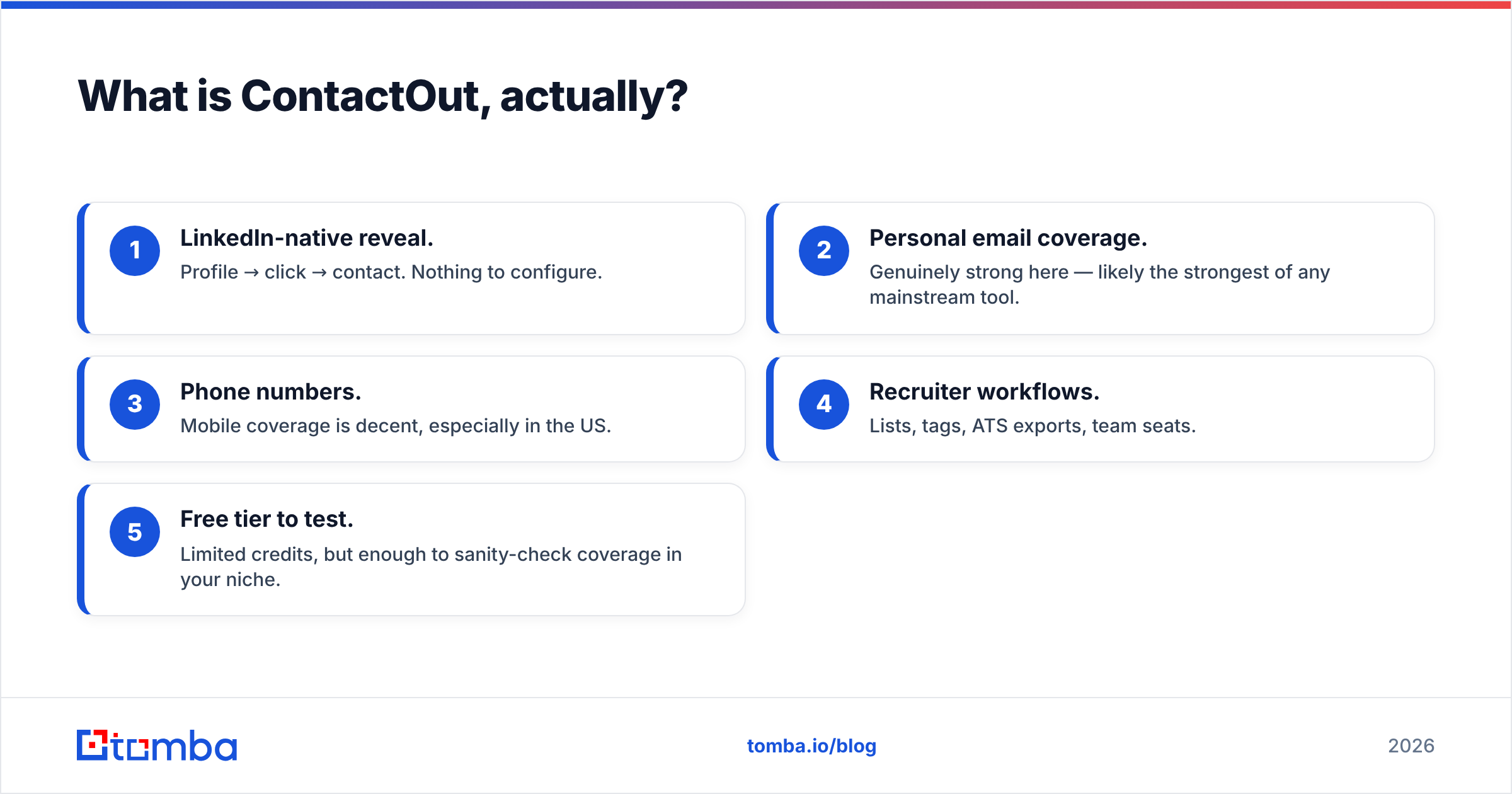
- LinkedIn-native reveal. Profile → click → contact. Nothing to configure.
- Personal email coverage. Genuinely strong here — likely the strongest of any mainstream tool.
- Phone numbers. Mobile coverage is decent, especially in the US.
- Recruiter workflows. Lists, tags, ATS exports, team seats.
- Free tier to test. Limited credits, but enough to sanity-check coverage in your niche.
What it doesn't do: send email, sequence, track opens, or handle follow-ups. It's the top of your funnel, not the whole thing.
What is Vocusio (Vocus.io)?#
Vocus.io (vocus.io) is a Gmail productivity and outreach layer. Install it, and your Gmail compose window grows superpowers: open and click tracking, templates and snippets, mail merge from a spreadsheet, automated follow-up sequences, meeting scheduling links, and CRM sync.
It is aimed at founders, solo consultants, agencies, and small sales teams who already live in Gmail and don't want to migrate to a heavyweight sequencer. The pricing reflects that positioning — Vocus.io sits in the single-digits-to-low-double-digits per user per month range, which makes it one of the cheapest ways to add real sequencing to an existing Google Workspace inbox. (Check the vendor page for current tiers; these move.)
Vocus.io does bolt on some contact lookup and verification. Treat that the way you'd treat the tire gauge on a gas station air pump: useful in a pinch, not what you'd build a process on. Vocus.io's business is the send, not the data.
Is ContactOut vs Vocusio even a fair comparison?#
Only partially — and pretending otherwise is how teams end up with a stack that doesn't work.
Here's the honest overlap map:
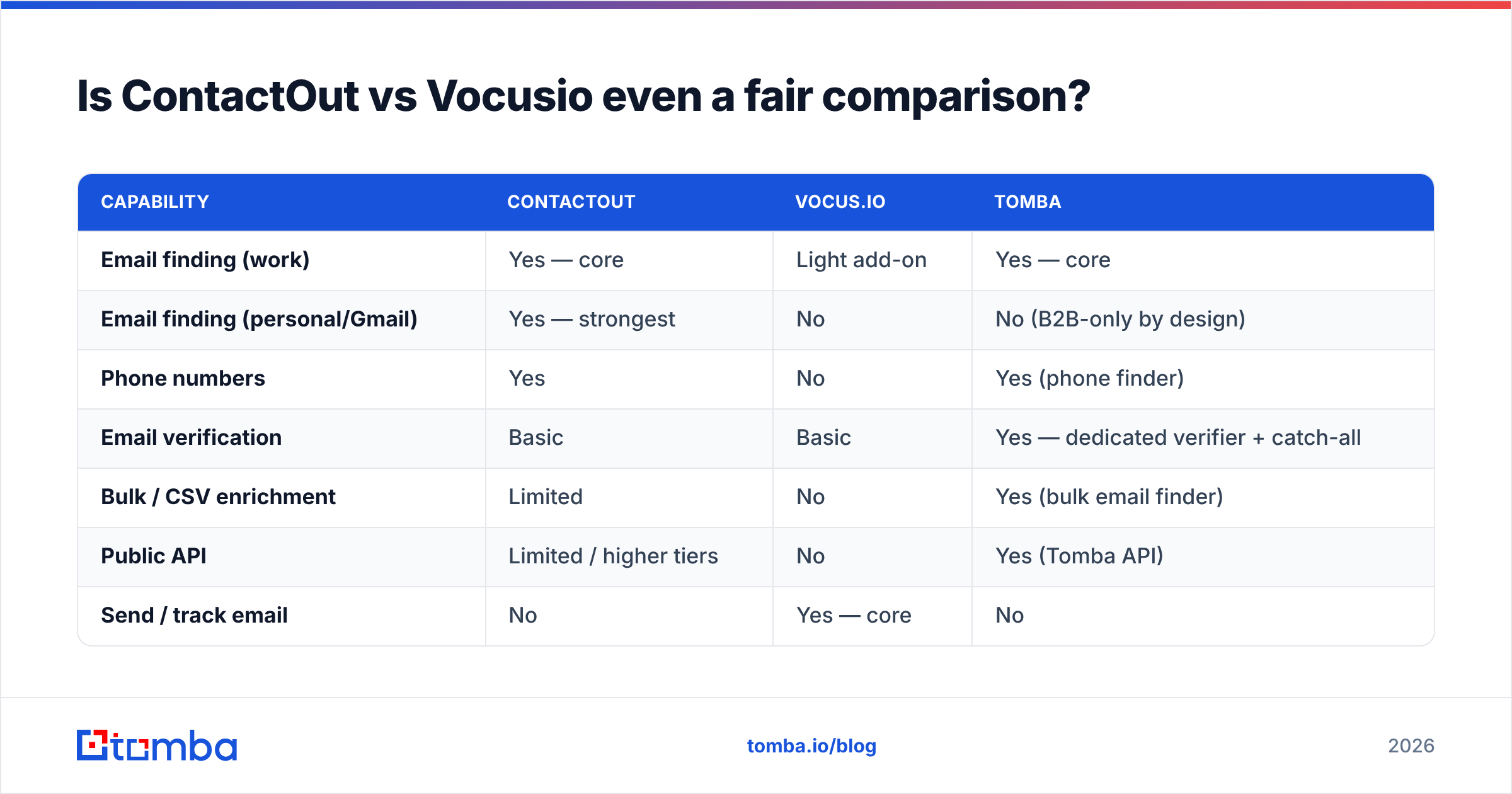
| Capability | ContactOut | Vocus.io | Tomba |
|---|---|---|---|
| Email finding (work) | Yes — core | Light add-on | Yes — core |
| Email finding (personal/Gmail) | Yes — strongest | No | No (B2B-only by design) |
| Phone numbers | Yes | No | Yes (phone finder) |
| Email verification | Basic | Basic | Yes — dedicated verifier + catch-all |
| Bulk / CSV enrichment | Limited | No | Yes (bulk email finder) |
| Public API | Limited / higher tiers | No | Yes (Tomba API) |
| Send / track email | No | Yes — core | No |
| Mail merge + sequences | No | Yes — core | No |
| Meeting scheduling | No | Yes | No |
| CRM sync | Yes (recruiting-leaning) | Yes (HubSpot, Pipedrive, Salesforce) | Yes (integrations) |
| Lives where? | Chrome + LinkedIn | Chrome + Gmail | Web, API, CLI, Sheets, Excel |
Read that table twice. There is exactly one row where both tools genuinely compete: email finding. And on that row, one of them treats it as the entire product and the other treats it as a feature.
So the useful question isn't "which is better." It's "which gap am I actually trying to close?"
- Can't get contacts → ContactOut (or a dedicated finder).
- Can't send at volume from Gmail → Vocus.io.
- Both → you're buying two tools, and you should budget accordingly.
How do the pricing models compare?#
This is where the comparison gets genuinely misleading if you're not careful.
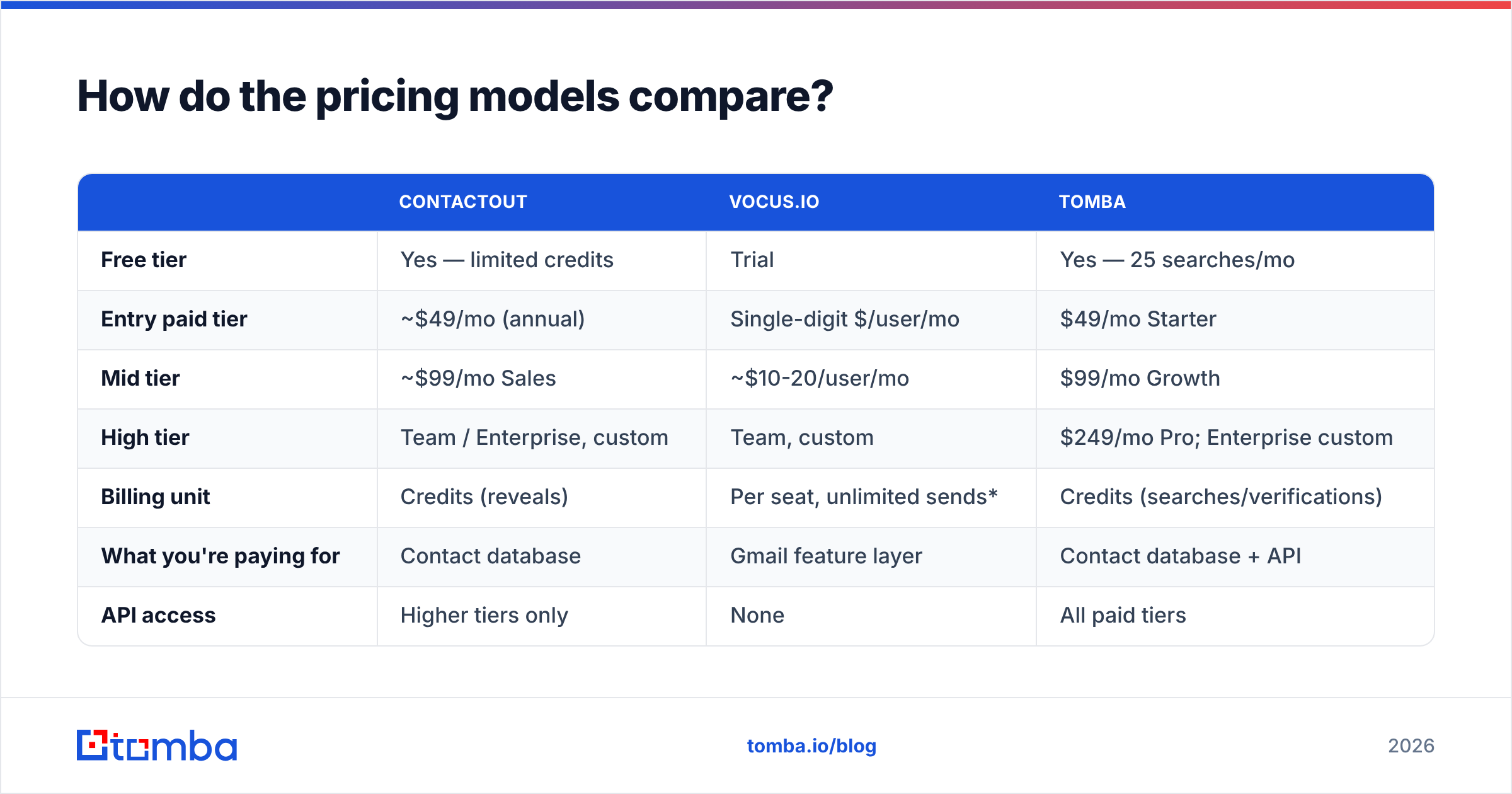
| ContactOut | Vocus.io | Tomba | |
|---|---|---|---|
| Free tier | Yes — limited credits | Trial | Yes — 25 searches/mo |
| Entry paid tier | ~$49/mo (annual) | Single-digit $/user/mo | $49/mo Starter |
| Mid tier | ~$99/mo Sales | ~$10-20/user/mo | $99/mo Growth |
| High tier | Team / Enterprise, custom | Team, custom | $249/mo Pro; Enterprise custom |
| Billing unit | Credits (reveals) | Per seat, unlimited sends* | Credits (searches/verifications) |
| What you're paying for | Contact database | Gmail feature layer | Contact database + API |
| API access | Higher tiers only | None | All paid tiers |
*Subject to Gmail's own sending limits, which are the real ceiling — Google Workspace caps external recipients per day regardless of what your sequencer promises.
Prices move; always confirm on the vendor's own page. But the shape holds: Vocus.io is cheap because software is cheap and data is expensive. ContactOut charges what a data business has to charge. Comparing their sticker prices tells you nothing about value — it tells you they sell different things.
Where this bites people: a founder sees "$10/mo vs $99/mo" and buys Vocus.io, assuming the built-in lookup will cover contact discovery. Three weeks later they've burned their domain reputation on a list of guessed addresses. The $89/mo they "saved" cost them a warmed-up sending domain — which takes weeks to rebuild.
Which one has better data accuracy?#

On raw contact-discovery accuracy, ContactOut is the serious contender of the two — Vocus.io simply isn't in this fight and doesn't claim to be.
But "accuracy" is three different questions, and vendors love to blur them:
- Coverage — of 1,000 target prospects, how many return any address? A tool can hit 95% coverage by guessing patterns and still be useless.
- Precision — of the addresses returned, how many actually deliver? This is the number that protects your domain.
- Freshness — how old is the record? A perfectly valid address for someone who left the company in 2024 is a bounce waiting to happen, and B2B contact data decays at roughly 2-3% per month.
ContactOut scores well on coverage, especially personal emails. Its precision on corporate addresses — the ones you actually want for B2B outbound — is more variable, and it exposes less verification tooling than a dedicated verification stack. Vocus.io's lookup is a convenience feature; don't build a list strategy on it.
Whichever finder you pick, the non-negotiable step is verification before send. Run every list through an email verifier, and treat catch-all domains as their own problem — they accept everything at the SMTP layer and tell you nothing, which is why catch-all verification exists as a separate discipline.

Which one fits your workflow better?#
Workflow is where most tool decisions are actually won or lost, and it's the part buyers skip.
ContactOut assumes you work in LinkedIn. Its happy path is: search LinkedIn → open profile → reveal → save to list. If that's your motion — recruiter, founder doing manual founder-led sales, an SDR doing high-touch account work — it fits like a glove.
It fits badly when:
- You're enriching a CSV of 5,000 rows exported from a webinar platform.
- You want emails for a whole company at once rather than one profile at a time (that's a domain search job).
- You want enrichment to run inside your own product or data pipeline via API.
- LinkedIn rate-limits or restricts the account you're browsing from — a real and increasingly common risk with extension-heavy scraping workflows.
Vocus.io assumes you work in Gmail. Its happy path is: paste a list → merge → sequence → track. If your entire GTM motion is one or two humans sending genuinely personalized email from a Google Workspace inbox, it's excellent value and far less overhead than a full sequencer like Outreach or Salesloft.
It fits badly when:
- You need multi-inbox rotation and deliverability infrastructure at real volume.
- You need a shared team pipeline with reporting your CFO will accept.
- You expected it to find the contacts.
What should you actually buy in 2026?#

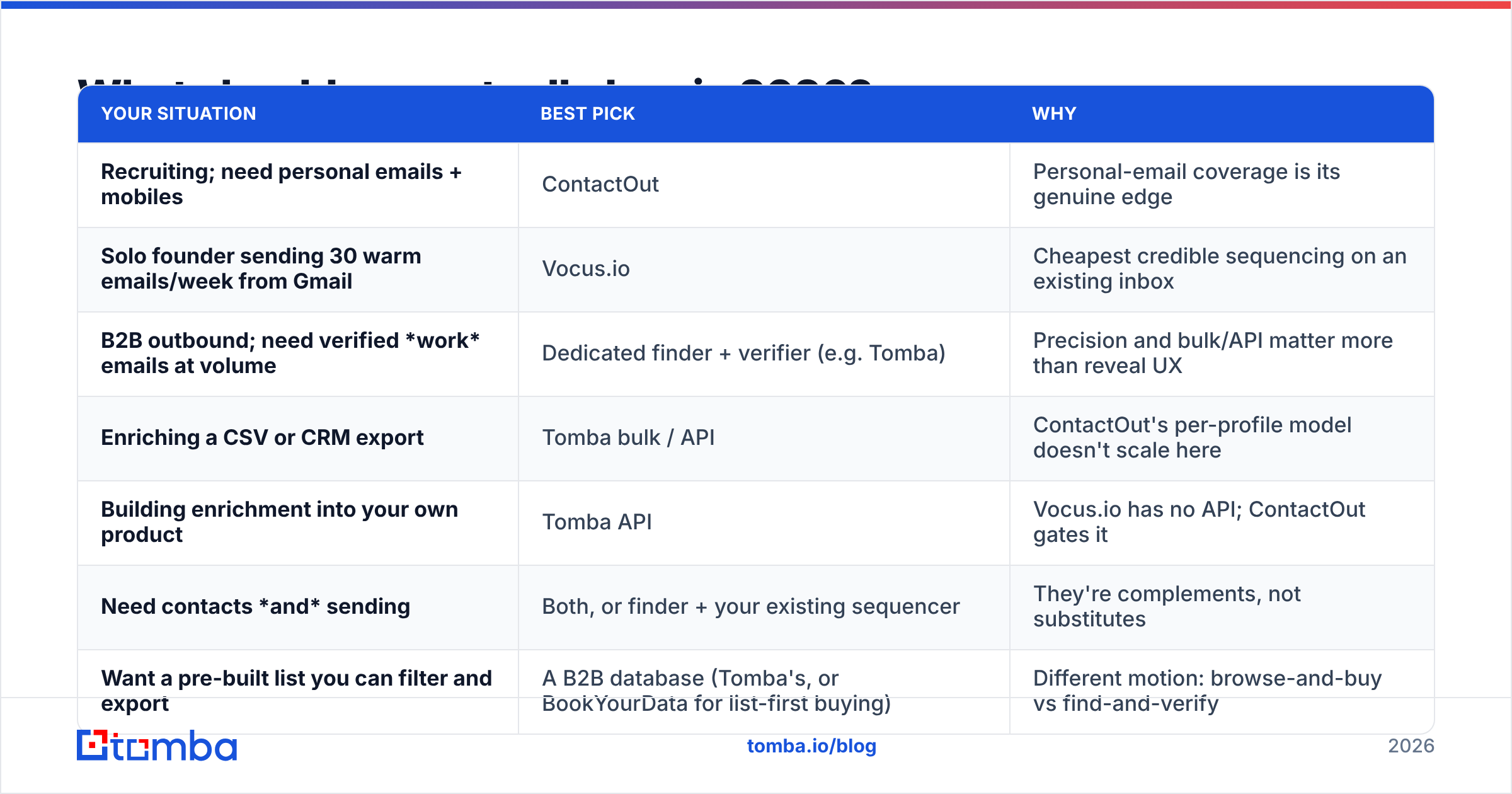
Here's the decision table. Find your row, buy that.
| Your situation | Best pick | Why |
|---|---|---|
| Recruiting; need personal emails + mobiles | ContactOut | Personal-email coverage is its genuine edge |
| Solo founder sending 30 warm emails/week from Gmail | Vocus.io | Cheapest credible sequencing on an existing inbox |
| B2B outbound; need verified work emails at volume | Dedicated finder + verifier (e.g. Tomba) | Precision and bulk/API matter more than reveal UX |
| Enriching a CSV or CRM export | Tomba bulk / API | ContactOut's per-profile model doesn't scale here |
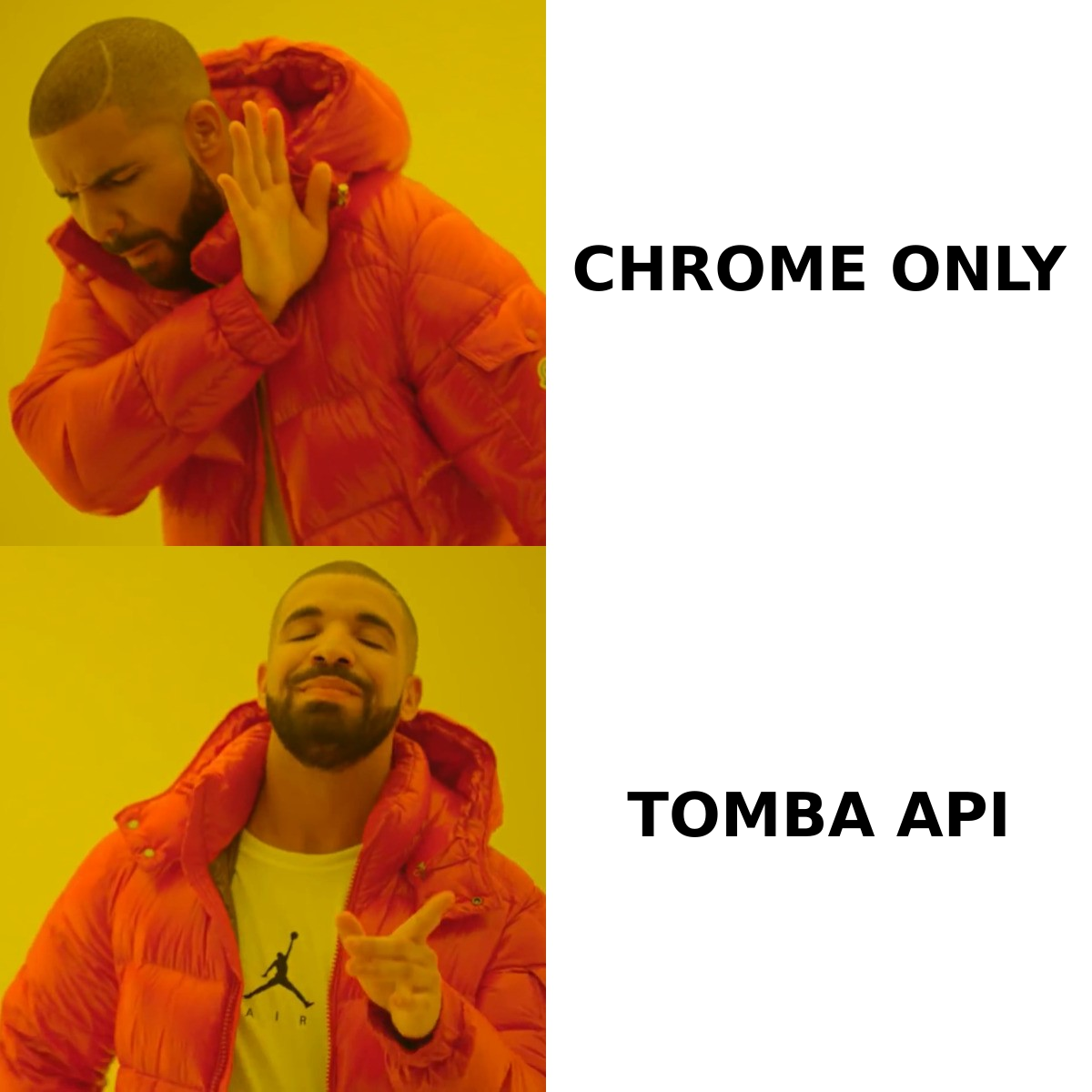
| Building enrichment into your own product | Tomba API | Vocus.io has no API; ContactOut gates it |
| Need contacts and sending | Both, or finder + your existing sequencer | They're complements, not substitutes |
| Want a pre-built list you can filter and export | A B2B database (Tomba's, or BookYourData for list-first buying) | Different motion: browse-and-buy vs find-and-verify |
The uncomfortable truth: for B2B outbound specifically, neither tool is the complete answer. ContactOut gets you contacts but leaves you without a sending layer and with a personal-email bias you don't want. Vocus.io gets you sending but leaves you sourcing contacts elsewhere. If your budget only stretches to one, buy the one that closes your actual bottleneck — and be honest about which that is.
What are the strongest alternatives to consider?#
Before you commit, look at these two swaps.
Instead of ContactOut, if you're doing B2B (not recruiting): a work-email-first finder gives you better precision on the addresses you'll actually send to, plus the bulk and API surface ContactOut restricts. Tomba's free tier (25 searches/mo) is enough to run a real coverage test on 25 of your own target accounts — do that before you pay anyone. Compare notes on our ContactOut alternative breakdown, and see Tomba pricing for how credits map to plans.
Instead of Vocus.io, if you're outgrowing Gmail: the moment you're running multiple inboxes, rotating domains, or need real deliverability telemetry, Vocus.io's simplicity becomes its ceiling. That's when a purpose-built sequencer earns its price — and when email deliverability stops being an afterthought and becomes a discipline. Independent user reviews on G2 are useful here for spotting the ceiling before you hit it.
How do you test both without wasting a month?#
Run the same 50-contact benchmark against each tool. Not a vibe check — an actual test:
- Pick 50 real targets from your ICP. Mix of company sizes, at least two geographies.
- Run all 50 through each tool. Record: found / not found, address returned, and whether it's a work or personal domain.
- Verify every result with a third-party verifier neither vendor owns. This is the whole point — you're measuring precision, not the vendor's own optimism.
- Send a small, warm batch (10-15) and record actual bounces. Bounce rate is ground truth; everything else is a claim.
- Score it: coverage %, verified-valid %, and cost per verified contact. That last number is the only one that belongs in a budget conversation.
Most teams discover the tool with the best-looking coverage number has the worst cost-per-verified-contact. That's the number that decides.
The bottom line#
ContactOut vs Vocusio isn't a fight — it's a mismatch. One is a contact database with a LinkedIn front end, strongest for recruiters who want personal emails and mobiles. The other is a cheap, capable Gmail layer for people who already have contacts and just need to send. Buying one expecting the other's job is the most common and most expensive mistake in this comparison.
If your bottleneck is finding verified work emails for B2B outbound — the actual reason most people land on this comparison — neither one is your best pick. Start with Tomba Email Finder: 25 free searches a month to run your own benchmark, $49/mo Starter when it proves out, an API on every paid tier, and a verifier and catch-all check built into the same stack so verification isn't a second vendor. Test it against your own 50-contact list. Let the bounce rate decide, not the pricing page.
Related guides#
Ready to find emails that actually work?
Join 150,000+ professionals who stopped guessing and started sending. Free credits on signup — no credit card required.
Get the Tomba newsletter
Practical outbound tactics and product updates — once every two weeks.
About the author