Contacts Pricing 2026: Reviews, Pros and Cons Compared
A neutral breakdown of what contact-data platforms actually charge in 2026 — credit models, hidden overage costs, real user reviews, and the pros and cons buyers only discover after signing.
Buying contact data looks simple until the invoice shows up. You compare two sticker prices, pick the cheaper one, and three months later you're paying for credits you burned on bounced addresses, a seat you don't use, and an annual commit you signed to get the "discount."
This is a neutral look at contacts pricing — reviews, pros and cons — across the platforms most B2B teams actually shortlist in 2026. No vendor wrote this section for us. Where Tomba is the better fit, we say so; where it isn't, we say that too.
TL;DR#
- The sticker price is not the price. Credit consumption rules, verification double-charges, and export limits move real cost 2-4x above the advertised monthly figure.
- Credits are not standardized. One vendor's "credit" is a single email reveal; another's covers a full enrichment record with phone. Compare cost-per-verified-usable contact, not cost-per-credit.
- Annual commits are the most common regret in G2 and Capterra reviews — teams lock in 12 months at team scale, then use 30% of the quota.
- Pros of premium tiers: higher match rates on hard domains, phone data, API access. Cons: minimum seat counts, aggressive auto-renew, and per-seat pricing that punishes small teams.
- Best-value pattern in 2026: pay for accuracy and verification on a usage-based plan, not for a bundled sequencer you already have elsewhere.
What does "contacts pricing" actually mean in 2026?#
Contacts pricing is the cost of acquiring a usable business contact record — an email address, and often a phone number and firmographic context — from a data vendor. Almost every platform now prices on credits rather than flat seats, which sounds fair and usually isn't.
Here's the wrinkle: the unit called a "credit" is defined by the vendor, not by a standard. That single fact explains most pricing confusion.
The four models you'll encounter:
- Pure credit consumption — you spend one credit per successful reveal. Failed lookups are free. This is the most buyer-friendly model and increasingly the norm among email finder tools.
- Charge-on-attempt — you spend a credit whether or not the tool finds anything. Rare now, still present in some legacy plans. Read the fine print.
- Tiered enrichment credits — an email costs 1 credit, a phone number costs 5-10, a full enrichment record costs more. Sensible in theory; brutal when your ICP skews toward mobile-first outreach.
- Seat + credit hybrid — you pay per seat and per credit, with a minimum seat count. Common at the enterprise end. This is where the "$99/mo" listed price becomes $1,200/mo for a five-person team.
The right question is not "what's the monthly price?" It's "what does a verified, deliverable contact cost me, all-in, at my actual volume?"

How do the major contact-data platforms compare on price?#
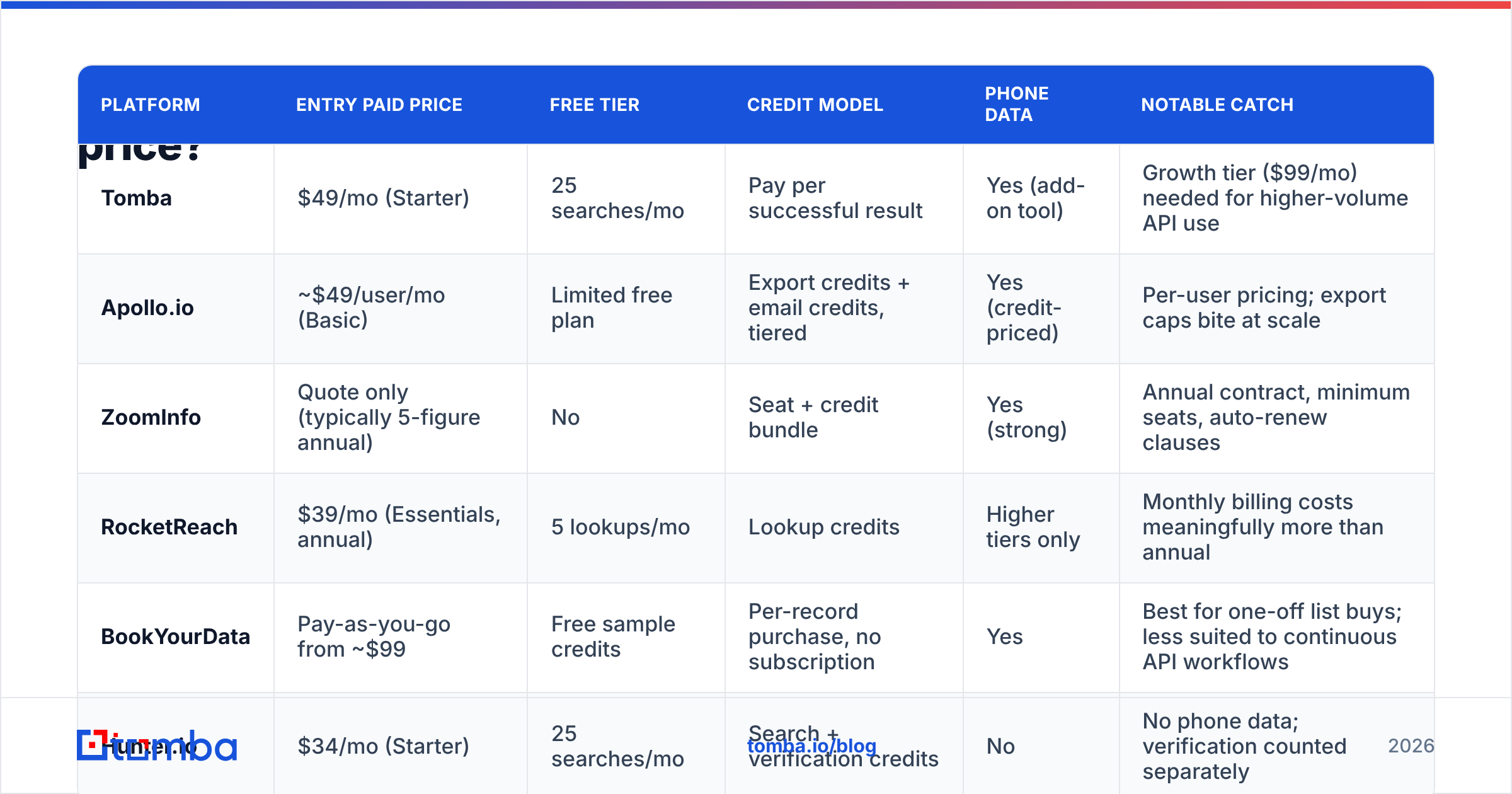
Below is a like-for-like comparison at the entry paid tier, using publicly listed 2026 pricing. Where a vendor requires a sales call for pricing, that's noted — and that opacity is itself a con worth weighing.
| Platform | Entry paid price | Free tier | Credit model | Phone data | Notable catch |
|---|---|---|---|---|---|
| Tomba | $49/mo (Starter) | 25 searches/mo | Pay per successful result | Yes (add-on tool) | Growth tier ($99/mo) needed for higher-volume API use |
| Apollo.io | ~$49/user/mo (Basic) | Limited free plan | Export credits + email credits, tiered | Yes (credit-priced) | Per-user pricing; export caps bite at scale |
| ZoomInfo | Quote only (typically 5-figure annual) | No | Seat + credit bundle | Yes (strong) | Annual contract, minimum seats, auto-renew clauses |
| RocketReach | $39/mo (Essentials, annual) | 5 lookups/mo | Lookup credits | Higher tiers only | Monthly billing costs meaningfully more than annual |
| BookYourData | Pay-as-you-go from ~$99 | Free sample credits | Per-record purchase, no subscription | Yes | Best for one-off list buys; less suited to continuous API workflows |
| Hunter.io | $34/mo (Starter) | 25 searches/mo | Search + verification credits | No | No phone data; verification counted separately |
Two notes on reading this table honestly. First, BookYourData's pay-as-you-go model is a genuinely different product shape — if you want to buy a defined list once and own it, a per-record purchase beats any subscription, and their accuracy guarantee is one of the stronger ones in the category. It's simply a different job than continuous enrichment. Second, ZoomInfo's price is high because the data depth is real — the con isn't quality, it's contract structure.
What do the reviews actually say?#
Aggregate sentiment on G2 and Capterra is remarkably consistent across the category, and it clusters into four themes.
Theme 1 — "The data was good; the contract was not." Overwhelmingly the top complaint in the enterprise tier. Reviewers praise match rates, then describe auto-renewals they didn't catch and quotas they couldn't roll over. Pro: excellent coverage. Con: you're locked in for 12 months regardless of usage.
Theme 2 — "Credits vanished faster than expected." Common at the mid-market tier. Usually traced to one of three causes: charge-on-attempt behavior, phone lookups costing 5-10x an email, or bulk uploads silently consuming credits on rows that were never going to match. The fix is boring and effective — clean your input list before you enrich it.
Theme 3 — "Bounce rates were higher than the advertised accuracy." This is where the gap between found and verified shows up. A tool can find firstname.lastname@company.com with high confidence and still hand you an address that bounces because the person left in March. Reviewers who verify separately before sending report dramatically better outcomes. If you're not running a final email verifier pass, you're paying for accuracy you never actually collected.
Theme 4 — "Great tool, half of which I don't use." Bundled suites — data plus sequencer plus dialer plus CRM — win on paper and lose on usage. If you already run Instantly, Smartlead, or HubSpot for sending, you're paying twice for the sequencer.

What are the real pros and cons of each pricing tier?#
Strip away brand names and contact-data pricing sorts into three bands. Each band has a defensible use case and a predictable failure mode.
Free tiers (0-50 lookups/month)#
Pros: Zero risk. Genuinely sufficient for founder-led sales in the first 90 days, for testing match rates against a known-good list, and for one-off research. Tomba's free tier gives 25 searches/mo; Hunter's gives the same; Apollo's free plan is generous on record views but tight on exports.
Cons: Rate limits, no API in most cases, and — the one that catches people — data that's often served from a slightly staler index. Free tiers are a sampling of the product, not a slice of it.
Verdict: Use free tiers to benchmark, not to operate. Run the same 50 known contacts through three tools and count the bounces. That single test is worth more than any review.
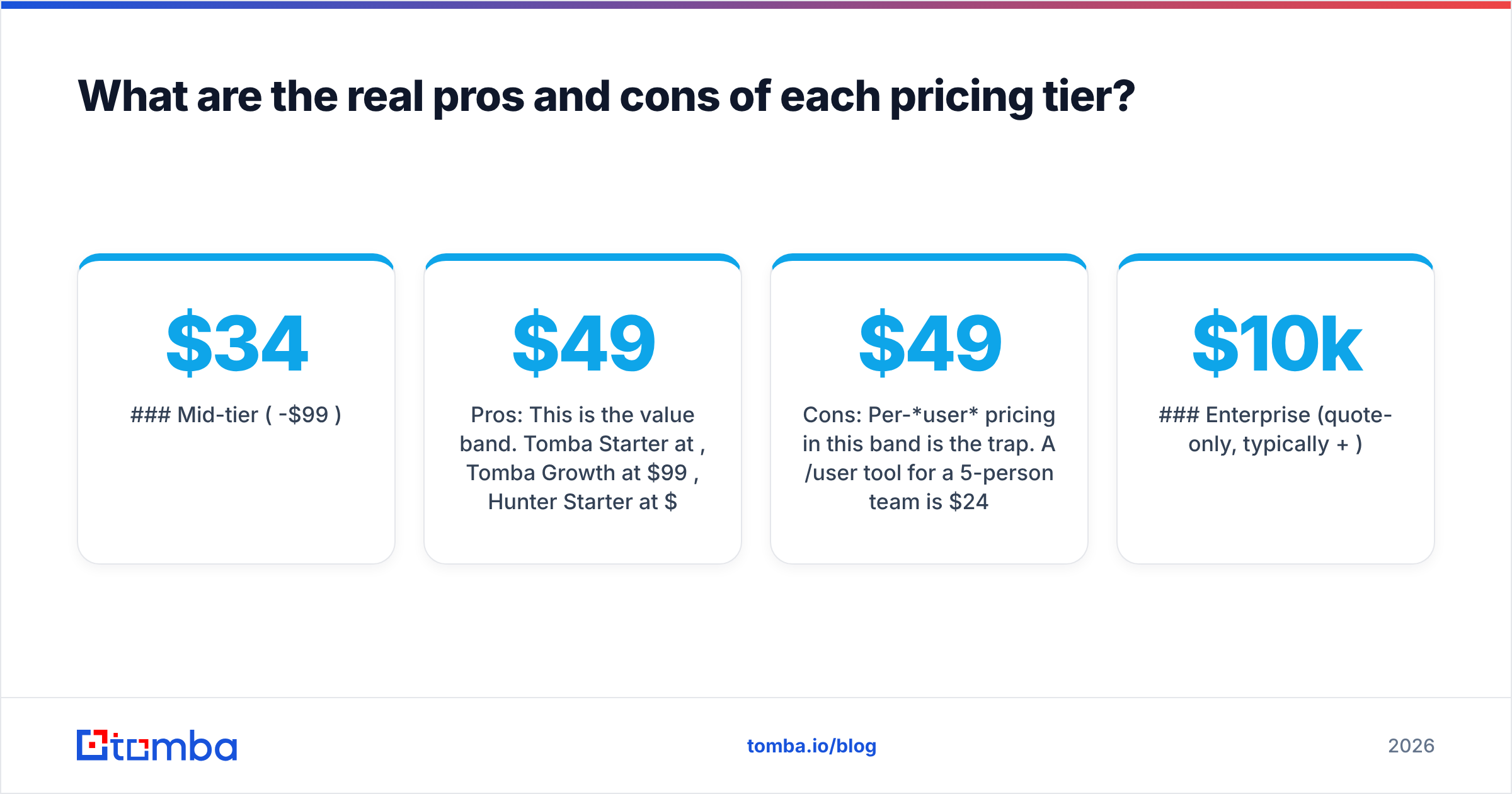
Mid-tier ($34-$99/month)#
Pros: This is the value band. Tomba Starter at $49/mo, Tomba Growth at $99/mo, Hunter Starter at $34/mo, Apollo Basic around $49/user/mo. You get API access, meaningful volume, and bulk processing. For a team of one to five doing 500-2,000 lookups a month, this band is almost always the correct answer.
Cons: Per-user pricing in this band is the trap. A $49/user/mo tool for a 5-person team is $245/mo — five times the headline. Check whether the price is per-account or per-seat before you compare anything else. Also watch for verification being billed separately from finding.
Verdict: Compare on cost-per-verified-contact at your volume, and confirm whether the price is per-seat. See Tomba pricing for a per-account (not per-seat) example of this band.
Enterprise (quote-only, typically $10k+/year)#
Pros: Depth. Intent signals, org charts, technographics, verified direct dials, dedicated CSM, SOC 2 and GDPR documentation your legal team will actually accept. If you're running an SDR team of 15+, this is real leverage and the ROI math often works.
Cons: Opaque pricing, minimum seat counts, multi-year commits, and auto-renew clauses with 60-90 day notice windows. Several reviewers describe paying a full second year for a product they'd stopped using in month four.
Verdict: Worth it above a certain team size. Below it, you're subsidizing features you'll never open. Negotiate the renewal terms harder than the price.

Which hidden costs should you budget for?#
These don't appear on any pricing page. Budget for them anyway.
- Verification, when billed separately. Some vendors charge to find an address and charge again to confirm it's live. That's a 2x on your effective per-contact cost. Tools that bundle validation into the reveal — or price it near-zero — win here.
- Catch-all domains. A significant slice of B2B domains accept everything at the SMTP layer, which means standard verification returns "unknown." You either skip those contacts (losing coverage) or send blind (risking your sender reputation). A dedicated catch-all verifier is the only way to resolve them, and not every vendor offers one.
- Overage rates. Blowing past your quota mid-month is typically billed at 1.5-3x the in-plan credit rate. If your volume is spiky, a slightly larger plan is cheaper than predictable overages.
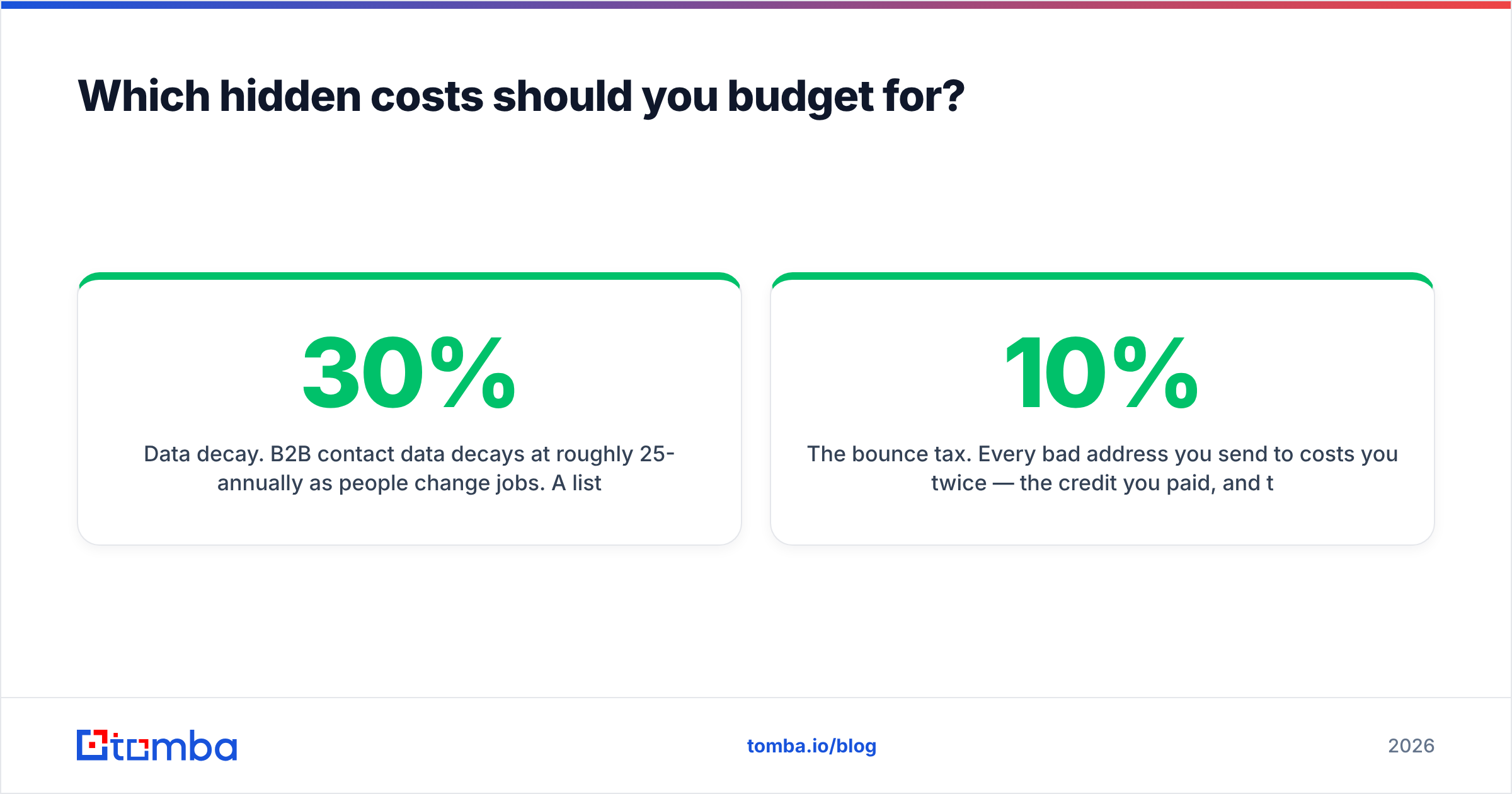
- Data decay. B2B contact data decays at roughly 25-30% annually as people change jobs. A list you bought in January is meaningfully worse by October. Budget for re-enrichment, not just acquisition.
- The bounce tax. Every bad address you send to costs you twice — the credit you paid, and the deliverability damage. At a 10% bounce rate you're not just wasting 10% of your credits; you're degrading the inbox placement of the other 90%.

Is a cheaper plan actually better value?#
Not automatically — and this is the most common reasoning error in the category.
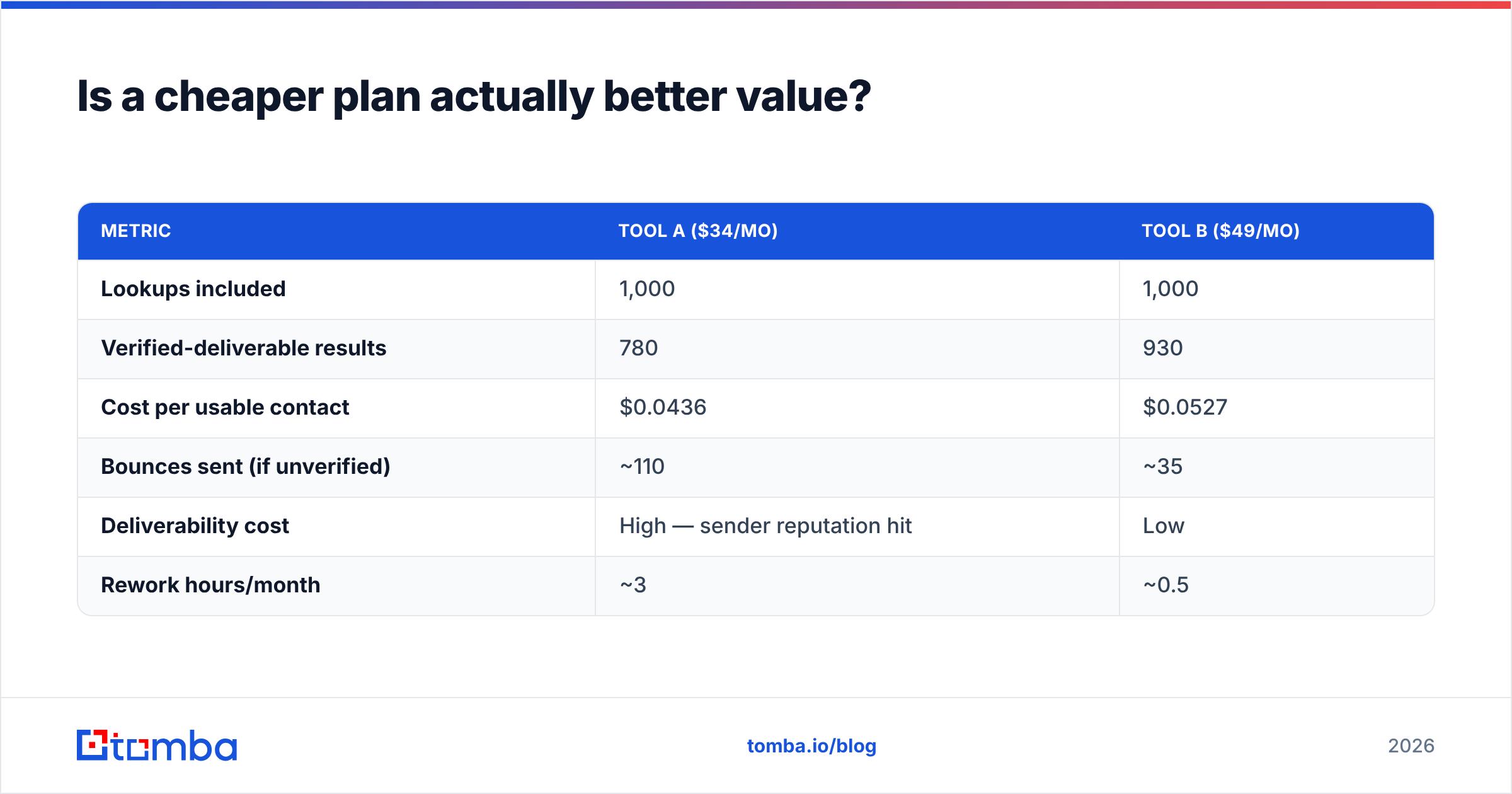
Run the math on effective cost, not sticker cost. Take a $34/mo tool with a 78% verified-deliverable rate against a $49/mo tool with a 93% verified-deliverable rate, both at 1,000 lookups:
| Metric | Tool A ($34/mo) | Tool B ($49/mo) |
|---|---|---|
| Lookups included | 1,000 | 1,000 |
| Verified-deliverable results | 780 | 930 |
| Cost per usable contact | $0.0436 | $0.0527 |
| Bounces sent (if unverified) | ~110 | ~35 |
| Deliverability cost | High — sender reputation hit | Low |
| Rework hours/month | ~3 | ~0.5 |
On raw cost-per-contact, Tool A wins. Once you price the bounce tax and the rework, Tool B is usually the cheaper option in practice — and that's before you count the domains you couldn't reach with Tool A at all.
The correct comparison metric is cost per contact that produces a delivered email. Everything else is vanity math. This is also why running a separate verification pass is rarely a cost — it's usually a saving.
How should you pick a plan without regretting it?#
A five-step process that takes about an hour and saves months of contract pain:
- Define your monthly volume honestly. Not your aspirational volume. Look at how many prospects you actually contacted last month. Most teams overestimate by 3x, then buy accordingly.
- Benchmark on your own ICP, not a generic list. Take 100 contacts you already have verified emails for. Run them through each shortlisted tool's free tier. Count exact matches, near-misses, and blanks. Vendor-published accuracy numbers are measured on the vendor's favorable sample; yours won't be.
- Check per-seat vs. per-account. This one line item can 5x your bill. Ask directly, in writing.
- Read the renewal clause before the price. Notice period, auto-renew, rollover of unused credits, mid-term downgrade rights. In a year, this will matter more to you than $15/mo.
- Start monthly, upgrade later. The annual discount is typically 15-20%. The cost of being locked into the wrong tool for 12 months is far higher than 20%.
If you'd rather not build a spreadsheet, the Tomba API documentation lists the exact per-request credit consumption so you can model cost before you commit — which, frankly, more vendors should do.
Frequently asked questions#
Is free contact-data pricing ever enough? For under 25 lookups a month, yes. Above that, free tiers hit rate limits and stale indexes fast. Treat them as a benchmarking harness.
Why do phone numbers cost more credits than emails? Mobile numbers are harder to source, decay faster, and carry more compliance risk. A 5-10x credit multiplier for a verified direct dial is standard across the category — including on Tomba's phone finder.
Should I buy a static list or subscribe to an enrichment API? Buy a static list if your target market is defined and stable, and you want to own the data outright — vendors like BookYourData are built exactly for this, and pay-as-you-go beats a subscription you underuse. Subscribe to an API if you're enriching continuously, in-workflow, from inbound signups or CRM records.
Does annual billing ever make sense? Yes — after you've run the tool monthly for a full quarter and your volume is stable. Not before.
The bottom line#
Contacts pricing rewards buyers who compare on cost-per-delivered-contact and punishes buyers who compare on sticker price. The pros of the premium tiers are real — coverage, phone data, compliance paperwork. The cons are structural: seat minimums, opaque quotes, and renewal clauses written by people who do this for a living.
If you're a founder, small team, or agency doing 500-2,000 lookups a month and you already have a sender in place, you don't need a bundled suite. You need accurate finding, honest credit consumption, and verification you don't pay twice for.
That's the gap the Tomba Email Finder is built for: $49/mo Starter, $99/mo Growth, a genuinely usable free tier at 25 searches, per-account pricing rather than per-seat, credits spent only on results you actually get, and a full API when you're ready to automate. Run your own 100-contact benchmark against it before you sign anything longer than a month — that's the only review that counts.
Related guides#
Ready to find emails that actually work?
Join 150,000+ professionals who stopped guessing and started sending. Free credits on signup — no credit card required.
Get the Tomba newsletter
Practical outbound tactics and product updates — once every two weeks.
About the author