Conversion Blitz vs Leadsforge: Which Lead Tool Wins in 2026?
One is a sprawling all-in-one growth suite, the other an AI chat that builds lead lists on request. We put Conversion Blitz and Leadsforge side by side on data quality, pricing, and what actually lands in your inbox replies.
TL;DR
- Conversion Blitz is a bundle: a dozen-plus small growth tools (lead scraper, email finder, chatbot, review widget, email sender) sold under one subscription. Breadth is the pitch. Depth is the trade-off.
- Leadsforge is the opposite bet: a conversational AI that builds a lead list when you describe your ICP in plain English. Fast to a first list, thin on control.
- Neither tool wins on data accuracy, which is the only metric that decides whether your sequence lands or bounces. Both lean on aggregated third-party data with limited real-time verification.
- If your bottleneck is "I need lots of small tools," Conversion Blitz is defensible. If it's "I need a list in 90 seconds," Leadsforge is defensible. If it's "my bounce rate is killing my domain," neither is the answer — a dedicated finder plus verifier is.
- Practical stack for most teams: a dedicated data layer for contacts, plus whatever sending tool you already like. Don't buy breadth you'll never open.
What is Conversion Blitz?#
Conversion Blitz is an all-in-one lead generation and marketing suite. Instead of one product, you get a shelf of them: a B2B lead database, a domain-based email finder, an email verifier, a chatbot widget, a social-proof notification popup, a review-collection tool, an email marketing sender, and a handful of extras that rotate as the roadmap moves.
The commercial logic is simple. A small agency or solo founder juggles five subscriptions that each cost $30–$70. Conversion Blitz says: pay once, get all of it. It has been widely distributed through lifetime-deal marketplaces, which is why you'll see it in a lot of "tools I bought and never used" threads.
That distribution model tells you something honest about the product. It's optimised for the purchase decision — a long feature list is very persuasive on a pricing page — more than for the daily-use decision. In practice, most buyers use two of the twelve tools. The question you should ask is whether those two are best-in-class, because you're paying for ten you'll ignore.
Where it genuinely helps: if you run a small services business and you want a chatbot, a review widget, and a basic lead list from the same login and the same invoice, the consolidation is real value. Fewer vendors, fewer passwords, one line on the P&L.
Where it doesn't: outbound at any volume. The email finder and verifier are bundled utilities, not the company's core competency, and the data underneath them is licensed and aggregated rather than continuously re-verified.
What is Leadsforge?#
Leadsforge approaches the same job from a completely different angle. There's no dashboard full of filters. You open a chat and type something like "Series A fintech companies in the UK, heads of engineering, 50–200 employees" — and the AI comes back with a list.
It's a genuinely good demo. The friction of traditional prospecting tools is real: you spend twenty minutes learning someone's filter taxonomy before you get your first row. Leadsforge deletes that step. For a founder who prospects two hours a week and doesn't want to become a power user of anything, that's a legitimate wedge.
The trade-offs show up on the second use. Natural language is lossy. When you say "mid-market SaaS," the AI has to guess whether you mean 100–500 employees or $10M–$50M ARR, and it won't always guess the way you would. You can refine in follow-up messages, but refining by conversation is slower than refining by checkbox once you know what you want. Power users tend to graduate out of chat interfaces and back into filters.
The deeper issue is the same one Conversion Blitz has: the AI is an interface, not a data source. However elegant the front end, the emails it hands you come from an underlying database, and that database's freshness determines your bounce rate. A conversational wrapper around stale data is still stale data.

How do Conversion Blitz and Leadsforge compare head to head?#
Here's the honest side-by-side. Pricing moves — always confirm on the vendor's own page before you buy — but the structural differences are stable.
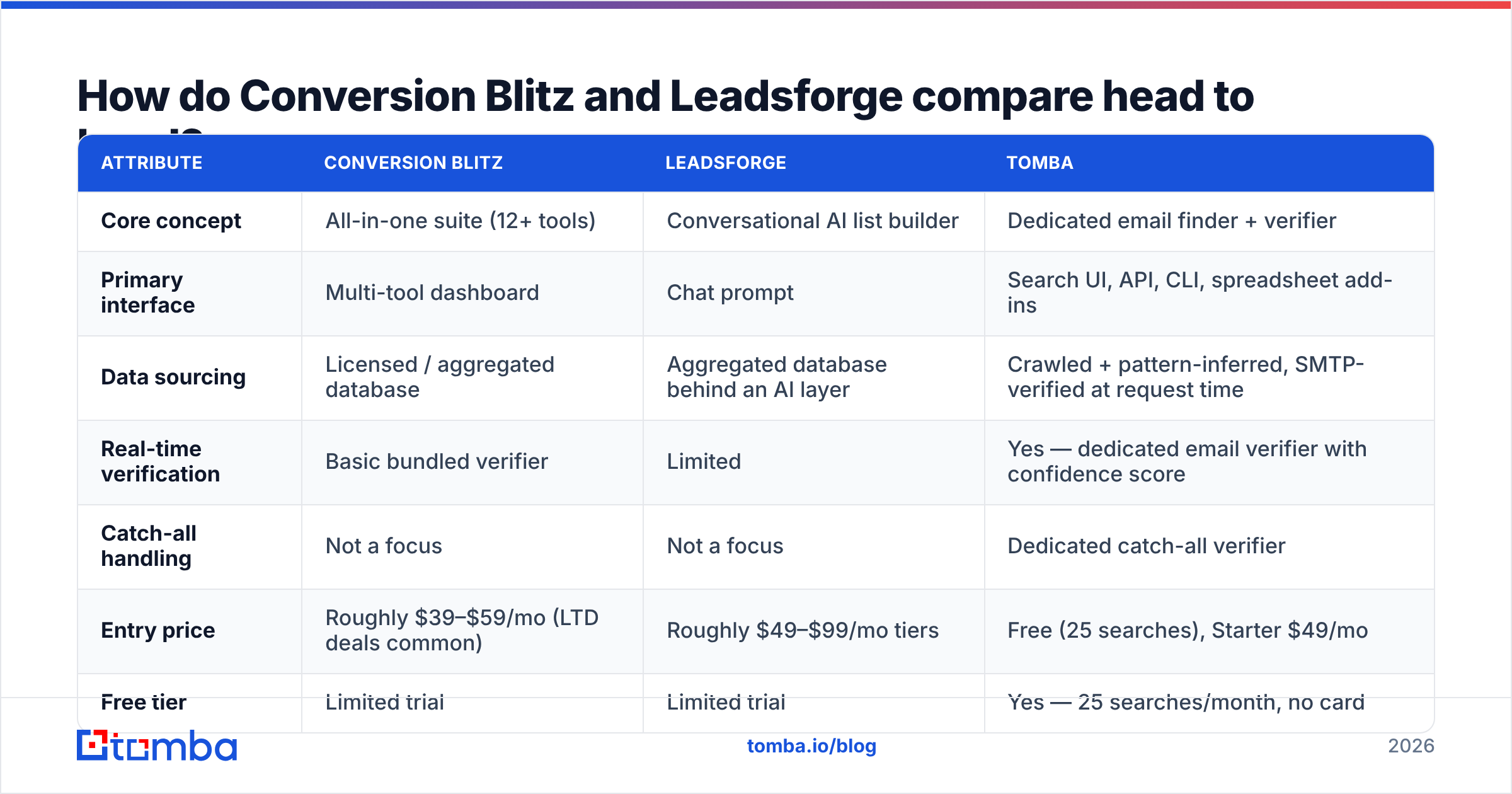
| Attribute | Conversion Blitz | Leadsforge | Tomba |
|---|---|---|---|
| Core concept | All-in-one suite (12+ tools) | Conversational AI list builder | Dedicated email finder + verifier |
| Primary interface | Multi-tool dashboard | Chat prompt | Search UI, API, CLI, spreadsheet add-ins |
| Data sourcing | Licensed / aggregated database | Aggregated database behind an AI layer | Crawled + pattern-inferred, SMTP-verified at request time |
| Real-time verification | Basic bundled verifier | Limited | Yes — dedicated email verifier with confidence score |
| Catch-all handling | Not a focus | Not a focus | Dedicated catch-all verifier |
| Entry price | Roughly $39–$59/mo (LTD deals common) | Roughly $49–$99/mo tiers | Free (25 searches), Starter $49/mo |
| Free tier | Limited trial | Limited trial | Yes — 25 searches/month, no card |
| API access | Limited / partial | Limited | Full REST email finder API, CLI, MCP server |
| Bulk enrichment | Yes, capped | Yes, capped | Yes — bulk email finder with CSV in/out |
| Best for | Solo marketers wanting many small tools | Founders who hate filters | Teams whose bounce rate is the bottleneck |
| Worst for | High-volume outbound | Precision ICP targeting | Anyone who needs a chatbot widget |
Two things fall out of that table.
First, Conversion Blitz and Leadsforge are not really competitors. They're competing for the same budget line, but they solve different problems. Comparing them is like comparing a Swiss Army knife to a voice assistant — both are "convenient," in opposite directions.
Second, neither one is primarily a data company. Conversion Blitz is a bundling company. Leadsforge is an interface company. That's not an insult; it's a description of where their engineering hours go. And it matters, because the failure mode of outbound in 2026 is not "I couldn't find a tool." It's "my emails bounced, my domain reputation tanked, and now my clean leads don't land either."
Which one has better data accuracy?#
This is the section that should decide your purchase, and it's the one both vendors talk about least.

Here's the mechanic that trips people up. A "verified" email in most bundled suites means the address passed a syntax check and the domain has valid MX records. That's a spellcheck, not a verification. It tells you the mailbox could exist. It doesn't tell you it does.
Real verification means an SMTP-level handshake at the moment you ask — connecting to the receiving mail server and asking whether that specific mailbox accepts mail, right now. That's slower and more expensive to run, which is exactly why tools that bundle a verifier as a freebie tend to run the cheap version.
The consequences compound:
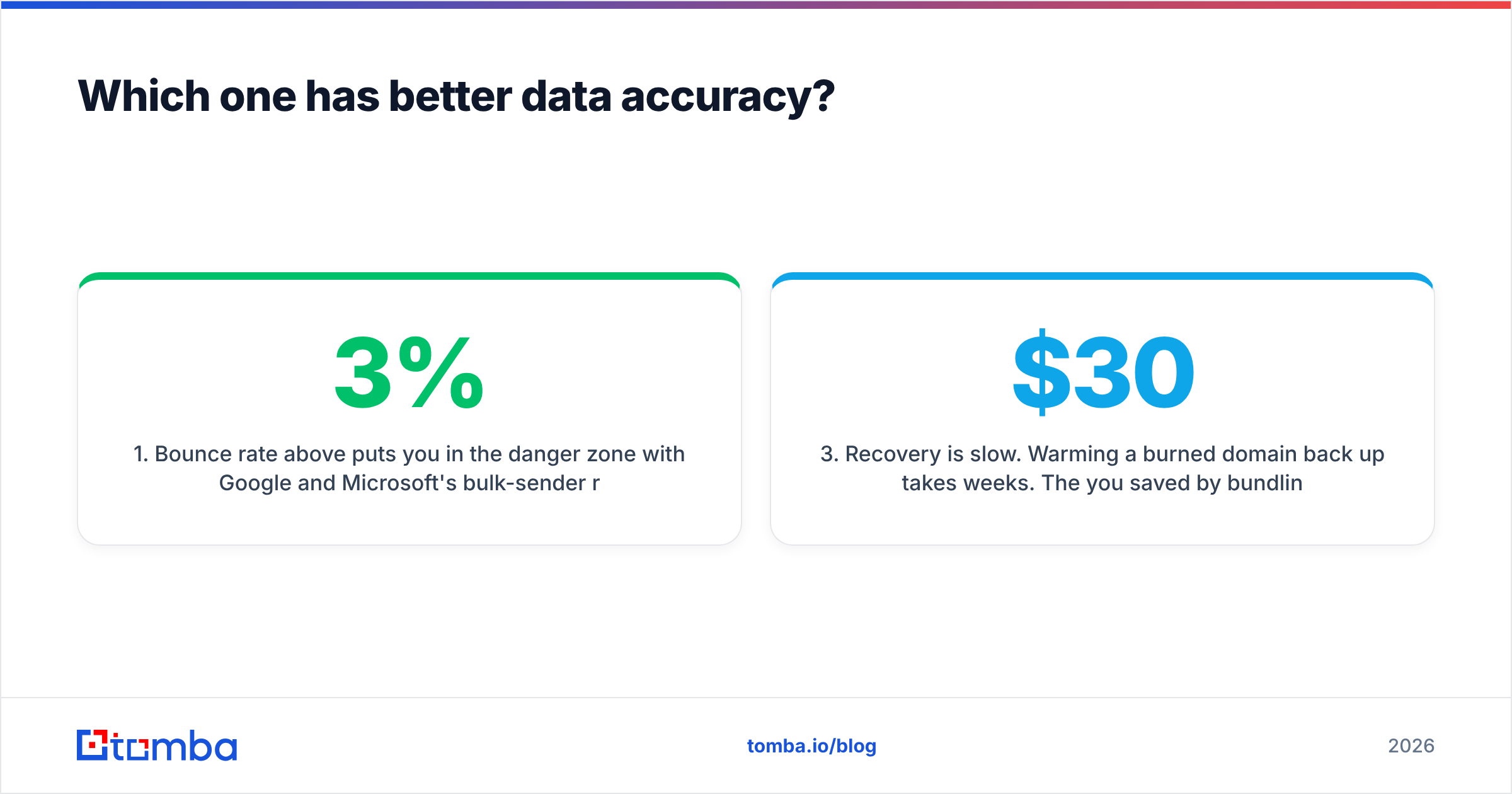
- Bounce rate above 3% puts you in the danger zone with Google and Microsoft's bulk-sender rules. Above 5%, you're actively damaging your sender reputation.
- Damaged reputation is retroactive. It doesn't just hurt the bad list — it hurts every email from that domain afterwards, including the ones to your good leads.
- Recovery is slow. Warming a burned domain back up takes weeks. The $30/month you saved by bundling your verifier is not a good trade against that.
- Catch-all domains hide the problem. A catch-all server accepts everything, so a naive verifier marks the address "valid" and you find out it was wrong when nobody replies. This is why a real catch-all verifier is a separate, harder product.
Neither Conversion Blitz nor Leadsforge is uniquely bad here. They're typical. The point is that "it comes with a verifier" and "it verifies" are different claims, and only one of them protects your domain.
If you want to sanity-check any vendor's claims yourself, run the same 100 known-good contacts through each tool and count the bounces. Vendor-reported accuracy numbers are marketing. Your own bounce log is data. G2's category reviews are a useful second opinion, though they skew toward whoever ran the last review campaign.
Is an all-in-one suite better than a specialist tool?#
The all-in-one pitch is emotionally compelling and usually wrong for the part of the stack that matters most.
Think of it like kitchen equipment. A multi-cooker that steams, fries, and slow-cooks is a great buy for a small flat — until you're a professional kitchen, at which point you own a real hob, a real fryer, and a real oven, because the multi-cooker is mediocre at each. Nobody who cooks for a living buys the multi-cooker to serve customers. They buy it for convenience at home.
Your outbound data layer is the professional hob. Everything else in the suite — the chatbot, the popup, the review widget — genuinely can be a multi-cooker, because a mediocre chatbot costs you nothing but a mediocre lead list costs you your domain.
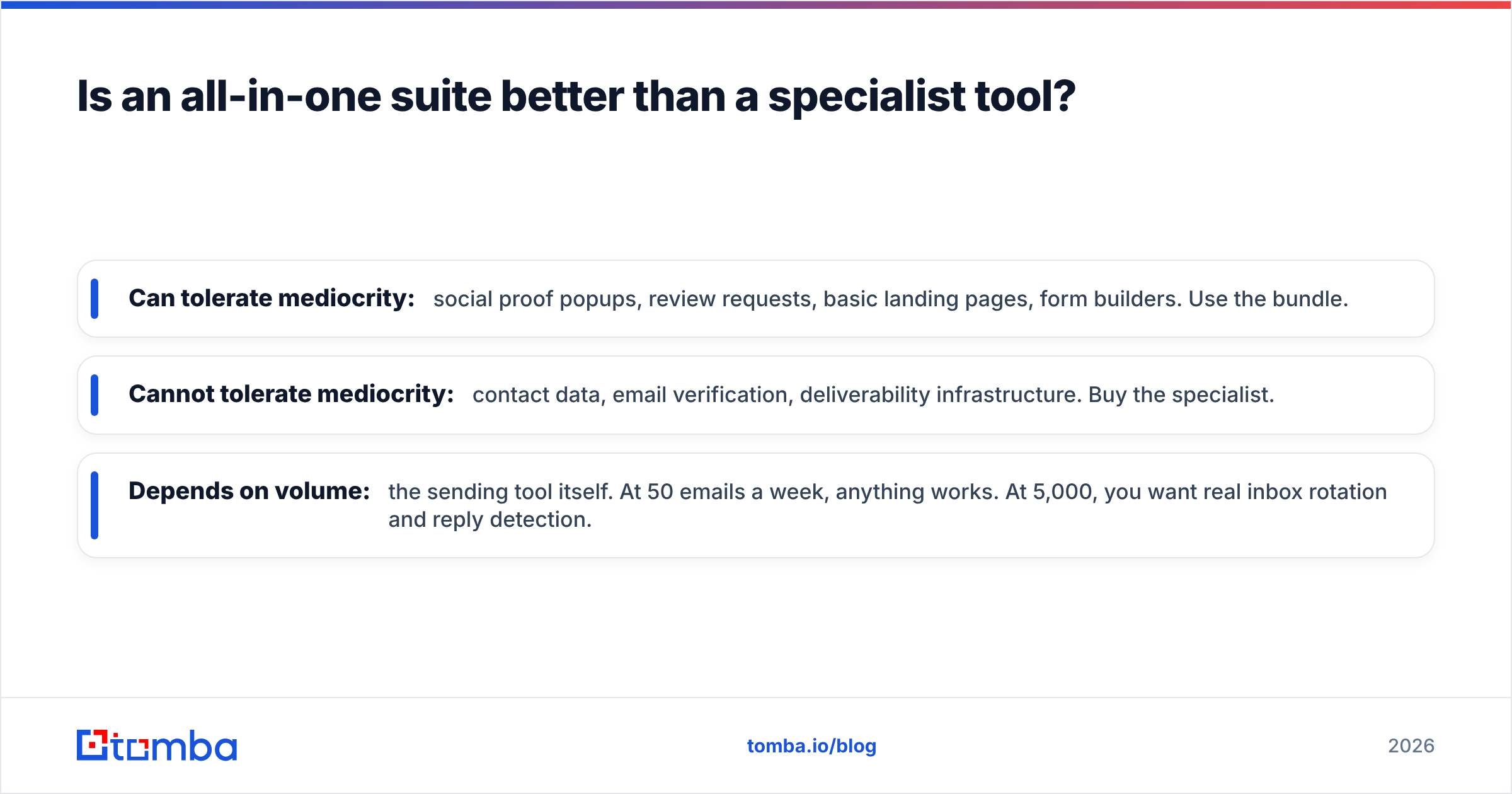
So the useful framing isn't "suite vs specialist." It's which layers of your stack can tolerate mediocrity, and which cannot.
- Can tolerate mediocrity: social proof popups, review requests, basic landing pages, form builders. Use the bundle.
- Cannot tolerate mediocrity: contact data, email verification, deliverability infrastructure. Buy the specialist.
- Depends on volume: the sending tool itself. At 50 emails a week, anything works. At 5,000, you want real inbox rotation and reply detection.

What should you actually buy in 2026?#
Match the tool to your real bottleneck, not to the longest feature list.
Buy Conversion Blitz if: you're a solo marketer or small agency, you want a chatbot and a review widget and a popup tool without three more subscriptions, and your outbound volume is low enough that data quality is a rounding error. The bundle economics are genuinely good at that scale. Just don't rely on the bundled finder for anything you'd call a campaign.
Buy Leadsforge if: you prospect occasionally, you don't want to learn a filter taxonomy, and "good enough list, right now" beats "perfect list, after an hour of setup." Founders doing 20 hand-written emails a week are the ideal customer here.
Buy neither if: outbound is a real channel for you. The moment you're sending hundreds of emails a week, your constraint stops being finding contacts and starts being trusting them. That's a data problem, and you solve data problems with a data company.
For that third case, look at dedicated providers. BookYourData is a solid option if you want to buy a pre-built, human-verified list outright — a different model that works well when you want ownership rather than a subscription. Tomba works differently: you search live by domain or name, and every result comes back with a verification status, so you can drop anything below your confidence threshold before it ever reaches your sequencer.
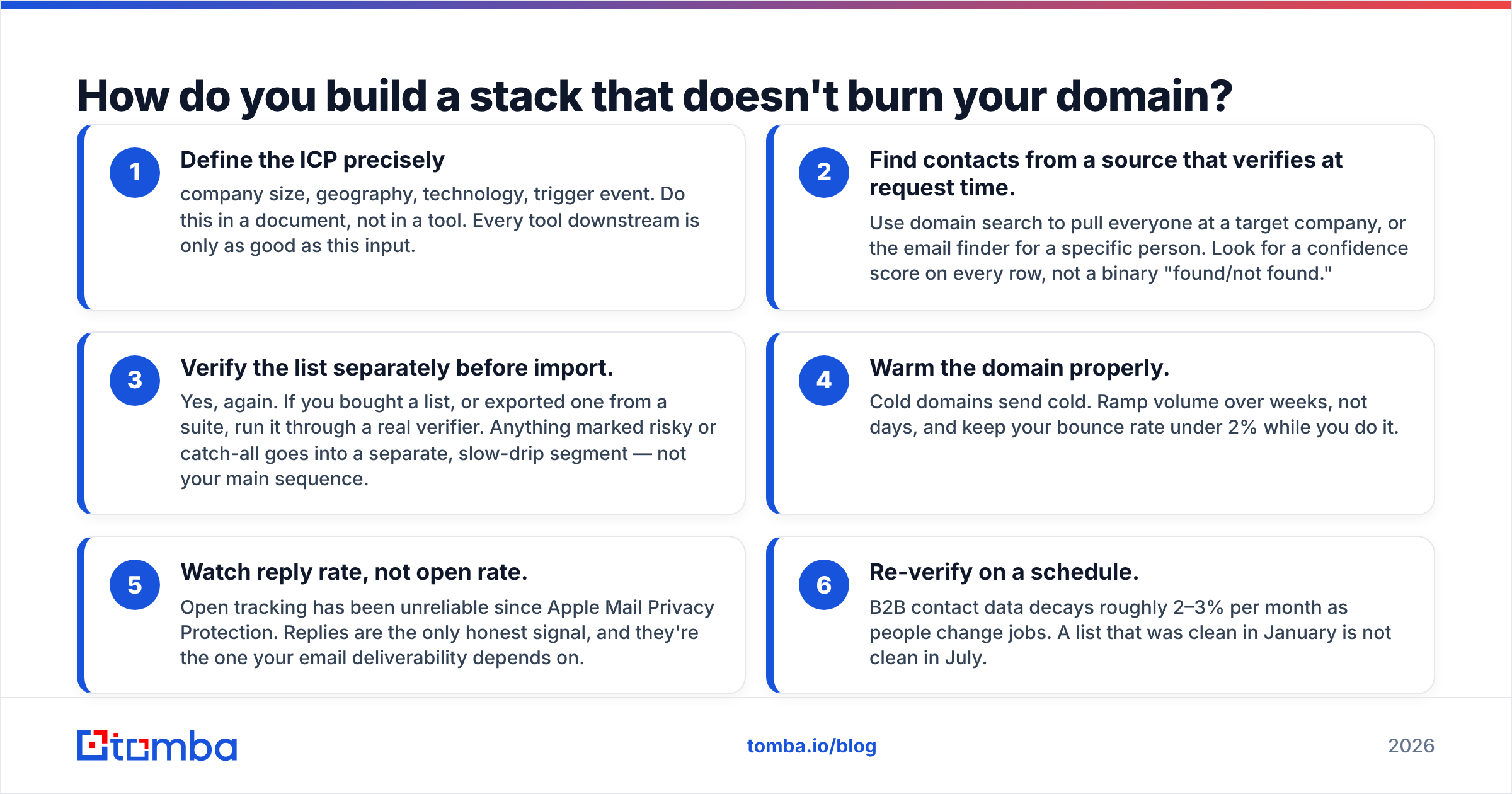
How do you build a stack that doesn't burn your domain?#
Here's the sequence that actually works, in order:
- Define the ICP precisely — company size, geography, technology, trigger event. Do this in a document, not in a tool. Every tool downstream is only as good as this input.
- Find contacts from a source that verifies at request time. Use domain search to pull everyone at a target company, or the email finder for a specific person. Look for a confidence score on every row, not a binary "found/not found."
- Verify the list separately before import. Yes, again. If you bought a list, or exported one from a suite, run it through a real verifier. Anything marked risky or catch-all goes into a separate, slow-drip segment — not your main sequence.
- Warm the domain properly. Cold domains send cold. Ramp volume over weeks, not days, and keep your bounce rate under 2% while you do it.
- Watch reply rate, not open rate. Open tracking has been unreliable since Apple Mail Privacy Protection. Replies are the only honest signal, and they're the one your email deliverability depends on.
- Re-verify on a schedule. B2B contact data decays roughly 2–3% per month as people change jobs. A list that was clean in January is not clean in July.
Steps 2 and 3 are where the money is. Steps 1, 4, 5, and 6 are free and most teams skip them anyway.

What's the honest verdict?#
Conversion Blitz vs Leadsforge is the wrong fight to pick. One is a bundle for people who want many small tools; the other is a chat interface for people who want zero setup. Both are reasonable purchases for the customer they're built for, and both are the wrong purchase if your problem is that your emails aren't landing.
If you're choosing between them purely on which produces a better outbound list, the answer is closer to "it depends on the week, and neither will tell you which contacts are actually deliverable." That's not a reason to write either one off — it's a reason to stop treating your contact data as a bundled afterthought.
Look at what you're actually paying for. If two-thirds of a suite goes unopened, you're not saving money on consolidation; you're paying a subscription for a feature list you read once. And if an AI hands you 500 rows in ninety seconds but 12% of them bounce, the ninety seconds cost you more than they saved.
Check the Tomba pricing page against whatever you're currently paying for your data layer and do the arithmetic per usable, verified contact rather than per raw credit. That single change in denominator flips most of these comparisons.
Ready to fix the data layer?#
Start with the part of the stack that can't tolerate mediocrity. The Tomba Email Finder returns a professional email from a name and domain — with an SMTP-level verification status and a confidence score attached to every result, so you know what you're sending to before you send it. The free tier gives you 25 searches a month with no card, which is enough to run the bounce test described above against whatever tool you're using today. Starter is $49/month when you're ready to scale, and there's a full API, CLI, and Chrome extension if you'd rather it live inside the workflow you already have.
Run your current list through it. Count the difference. Then decide what your data layer is worth.
Related guides#
Ready to find emails that actually work?
Join 150,000+ professionals who stopped guessing and started sending. Free credits on signup — no credit card required.
Get the Tomba newsletter
Practical outbound tactics and product updates — once every two weeks.
About the author