Conversion Blitz vs Wiza (2026): Which Lead Tool Actually Wins?
Conversion Blitz bundles a dozen lead-gen tools for one price. Wiza goes deep on LinkedIn exports. We compare data accuracy, credit math, and real monthly cost — and name the pick for most B2B teams.
TL;DR
- Conversion Blitz is a bundle: a dozen small lead-gen tools (email finder, chatbot, review widget, email sender, company scraper) sold under one subscription. Breadth is the pitch; depth is the trade-off.
- Wiza is a specialist: it turns LinkedIn and Sales Navigator searches into exportable contact lists with verified emails and some mobile numbers. If your prospecting lives inside LinkedIn, this is the native fit.
- They barely compete on the same axis. The real question is whether you need a suite or a source of truth for contact data.
- On raw email accuracy and cost per verified contact, a dedicated finder-plus-verifier stack (Tomba, or Wiza if you're LinkedIn-only) beats an all-in-one bundle almost every time.
- Budget honestly: Wiza's paid tiers climb fast once you add phone credits. Conversion Blitz looks cheap per tool but you pay for eight tools you'll never open.
What are Conversion Blitz and Wiza, really?#
Conversion Blitz markets itself as an all-in-one lead generation and sales automation suite. Under one login you get an email finder, a domain/company scraper, an email sender, a chatbot, social proof notifications, a review-collection widget, a daily leads feed, and a handful of smaller utilities. The pitch is consolidation: stop paying five vendors, pay one.
Wiza does one thing. You run a search in LinkedIn or Sales Navigator, hit the Wiza extension, and it exports the result set as a CSV or pushes it to your CRM — with work emails, personal emails, and (on higher tiers) mobile numbers appended and verified in real time. It's a LinkedIn-to-list machine, and it's good at that.
So "Conversion Blitz vs Wiza" isn't apples to apples. It's a Swiss Army knife versus a chef's knife. The comparison only becomes useful when you frame it around a specific job: how do I get accurate contact data into a sequence, at a cost I can defend?

How do Conversion Blitz and Wiza compare head-to-head?#
Prices below reflect publicly listed plans at the time of writing. Both vendors change tiers and credit allocations often — check the live pricing page before you commit, and check what a "credit" buys, because the definitions differ wildly.
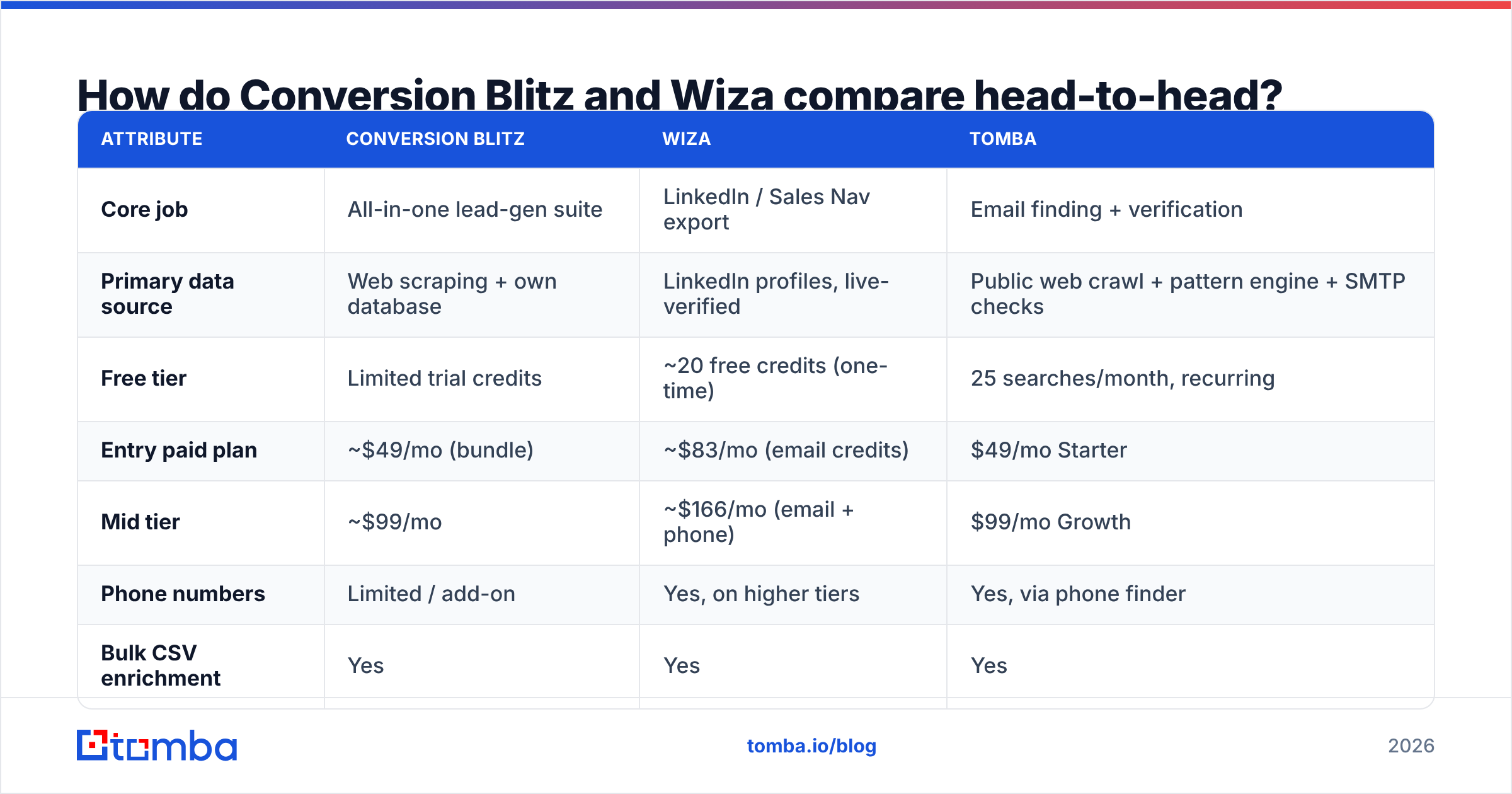
| Attribute | Conversion Blitz | Wiza | Tomba |
|---|---|---|---|
| Core job | All-in-one lead-gen suite | LinkedIn / Sales Nav export | Email finding + verification |
| Primary data source | Web scraping + own database | LinkedIn profiles, live-verified | Public web crawl + pattern engine + SMTP checks |
| Free tier | Limited trial credits | ~20 free credits (one-time) | 25 searches/month, recurring |
| Entry paid plan | ~$49/mo (bundle) | ~$83/mo (email credits) | $49/mo Starter |
| Mid tier | ~$99/mo | ~$166/mo (email + phone) | $99/mo Growth |
| Phone numbers | Limited / add-on | Yes, on higher tiers | Yes, via phone finder |
| Bulk CSV enrichment | Yes | Yes | Yes |
| Public API | Limited | Yes | Yes, full REST API |
| Catch-all handling | Not documented | Flags risky | Dedicated catch-all verifier |
| Best for | Solo founders wanting one bill | SDRs living in Sales Navigator | Teams that need accurate emails at scale |
Two things jump out of that table.
First, Wiza's price ladder is steep. The moment you want mobile numbers alongside emails, you're roughly doubling your monthly bill. That's defensible if you're a multi-threaded enterprise SDR who genuinely calls people. It's expensive if you just need emails.
Second, Conversion Blitz's price is low because the value is spread thin. You're not buying a best-in-class email finder for $49 — you're buying an acceptable email finder plus a chatbot plus a review widget plus a social-proof popup. If you'd have bought those anyway, it's a bargain. If you only wanted the email finder, you're subsidising eight tools you'll never touch.
Which one has better email accuracy?#
Accuracy is where the suite-versus-specialist gap shows up hardest, and it's the only metric that survives contact with a real inbox.

Wiza's advantage is provenance. Because it starts from a LinkedIn profile — a real, named human at a named company — it isn't guessing who exists. It then verifies the address at export time. In practice that yields low bounce rates on standard corporate domains, and Wiza is honest about flagging contacts it can't confirm rather than shipping you a permutation and hoping.
Conversion Blitz's finder is fine for what it is: a pattern-and-scrape engine that guesses first.last@domain.com and checks whether the mailbox answers. It works on well-indexed mid-market companies. It struggles on catch-all domains, on companies with non-obvious formats, and on anything outside the English-language web.
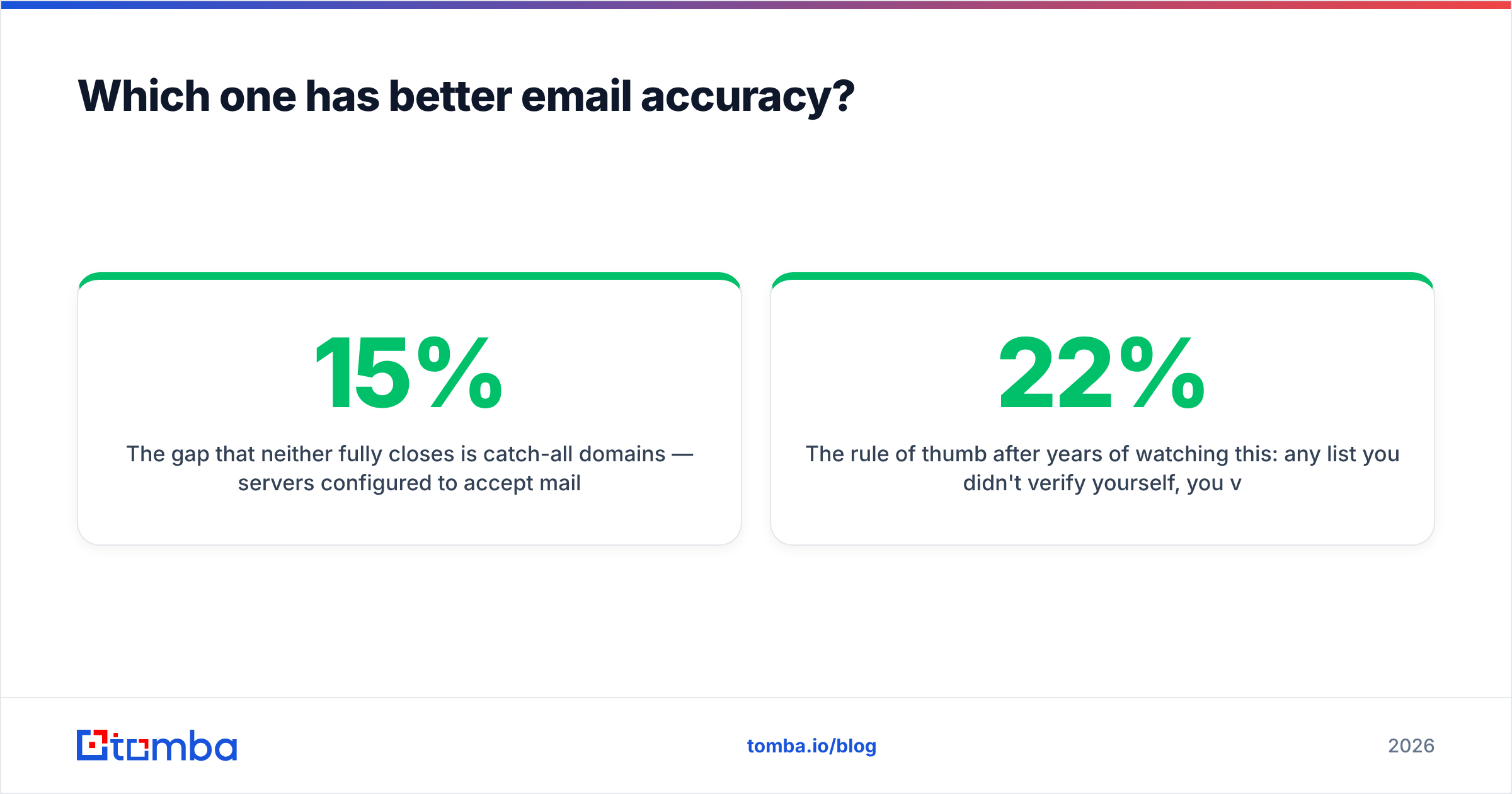
The gap that neither fully closes is catch-all domains — servers configured to accept mail to any address, which makes standard SMTP verification useless. Somewhere between 15% and 25% of B2B domains are catch-alls, depending on the segment. If your tool marks those "valid" and moves on, you're shipping guesses. If it marks them "risky" and you delete them, you're throwing away a fifth of your addressable market.
This is where a dedicated stack earns its keep. A catch-all verifier runs deeper heuristics — historic engagement signals, format confidence, MX behaviour — to give you a graded confidence score instead of a shrug. Combine that with a standard email verifier pass and you can safely mail domains that a one-size-fits-all bundle would either bounce on or discard.

The rule of thumb after years of watching this: any list you didn't verify yourself, you verified badly. Whichever tool sources the contact, run the file through verification before it touches your sending domain. A 22% bounce rate does not just cost you 22% of your pipeline — it costs you your sender reputation, which is far harder to buy back than credits.
What does each tool actually cost per usable contact?#
List price is theatre. What matters is cost per usable contact — one that exists, is deliverable, and belongs to someone in your ICP.
Work through it:
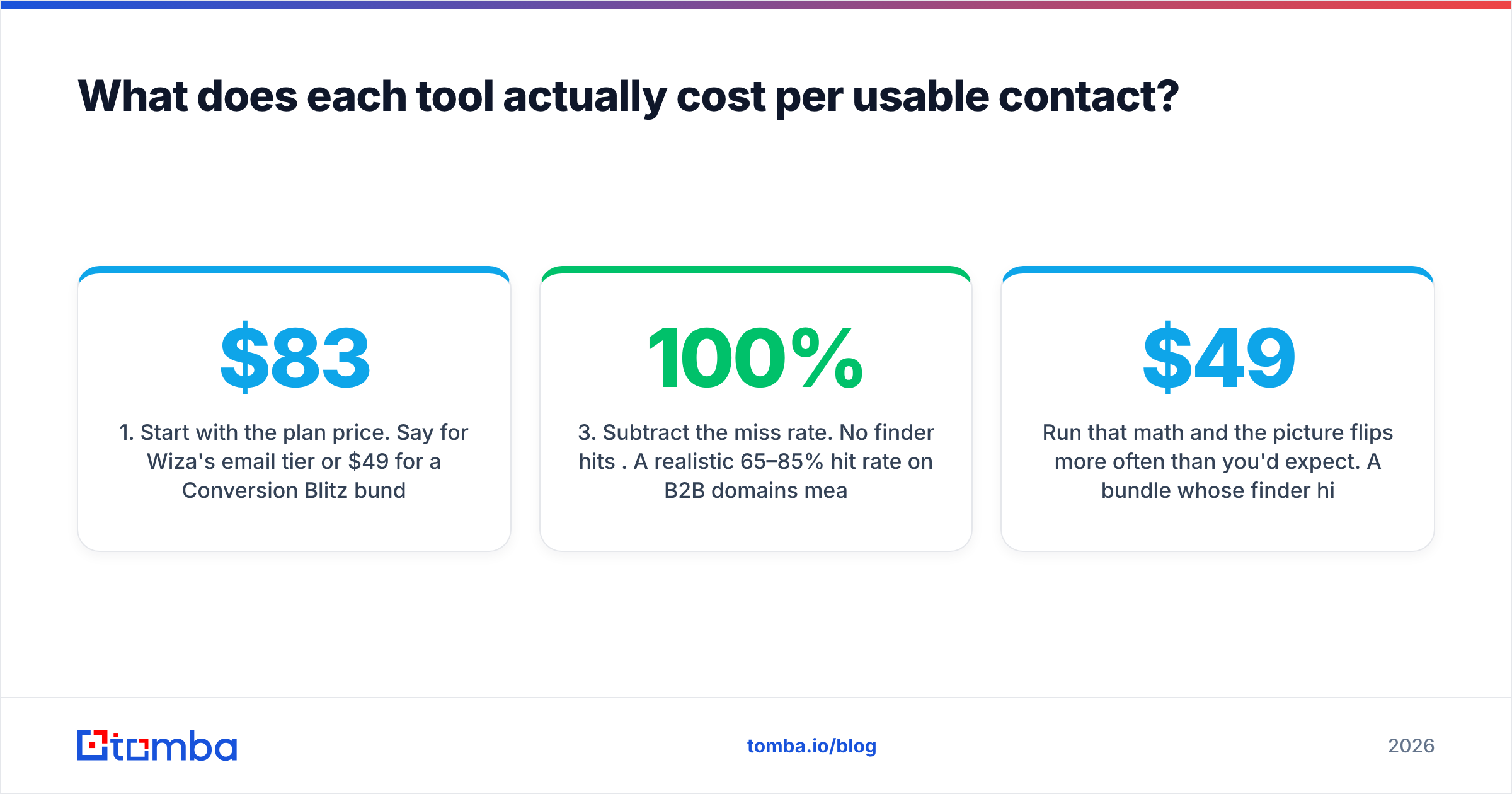
- Start with the plan price. Say $83/mo for Wiza's email tier or $49/mo for a Conversion Blitz bundle.
- Divide by credits, not "leads." Some tools charge a credit for a search, some for a result, some for a verified result. Wiza charges for successfully found contacts, which is the fairest model. Bundle tools often burn credits on failed lookups.
- Subtract the miss rate. No finder hits 100%. A realistic 65–85% hit rate on B2B domains means your effective cost per contact is 20–50% higher than the sticker math suggests.
- Subtract the bad-but-billed contacts. Addresses that were returned as valid and bounced anyway. This is the silent killer, and it's where cheap bundles quietly cost the most.
- Add the verification pass you should be running regardless — a few dollars per thousand.
- Add the tools you're not using. If you bought a nine-tool suite for the finder, the finder's true cost is the whole subscription.
Run that math and the picture flips more often than you'd expect. A $49 bundle whose finder hits 60% and bounces 15% is more expensive per landed email than a $99 specialist plan hitting 90% with a 2% bounce — and it damages the domain you'll be sending from next quarter.
Is Conversion Blitz better than Wiza for outbound?#
Depends entirely on where your prospects come from.
Choose Wiza if:
- Your prospecting starts in Sales Navigator. Wiza's workflow is a two-click export from a saved search. Nothing else is that frictionless for LinkedIn-native SDRs.
- You need mobile numbers and you actually dial them. Wiza's phone coverage on senior US contacts is genuinely competitive.
- You value flagged uncertainty over false confidence. It tells you when it isn't sure.
- You're a team, not a solo founder. The seat-based pricing makes sense when three SDRs share a workflow.
Choose Conversion Blitz if:
- You're a solo founder or small agency who wants a chatbot, a review widget, a sender, and a finder without four invoices.
- Your budget ceiling is hard and "good enough on all fronts" beats "excellent on one."
- You're doing SMB or local-business outreach, where domain patterns are simple and scraped company data is adequate.
- You want lifetime-deal style economics rather than a growing per-seat bill.
Choose neither if:
- Your bottleneck is contact data quality at volume — thousands of verified emails a month across varied domains, delivered through an API into your own systems. That's a different product category, and both of these will frustrate you inside a quarter.
Where does Tomba fit in this comparison?#
Honestly: Tomba isn't trying to be a nine-tool bundle, and it isn't a LinkedIn scraper. It's the layer underneath both — the part that finds and verifies the address.
The practical difference is what happens when your prospecting isn't a LinkedIn search. Maybe you have a list of 4,000 target domains from a market map. Maybe you're enriching inbound signups. Maybe you want to email the author of every article that mentioned your category last quarter. None of those workflows start on LinkedIn, and none of them are well served by a suite whose finder is its fourth-most-important feature.
For those, you want:
- Domain search — give it a company domain, get back every discoverable address plus the org's email pattern, so you can construct the rest with confidence.
- Email finder — name plus domain, one verified address back, with a confidence score you can filter on.
- Bulk processing — upload a CSV of 10,000 rows, get it back enriched and verified, rather than clicking through a UI.
- A real API — because at some point your finder should live inside your workflow, not in a browser tab a human has to remember to open.
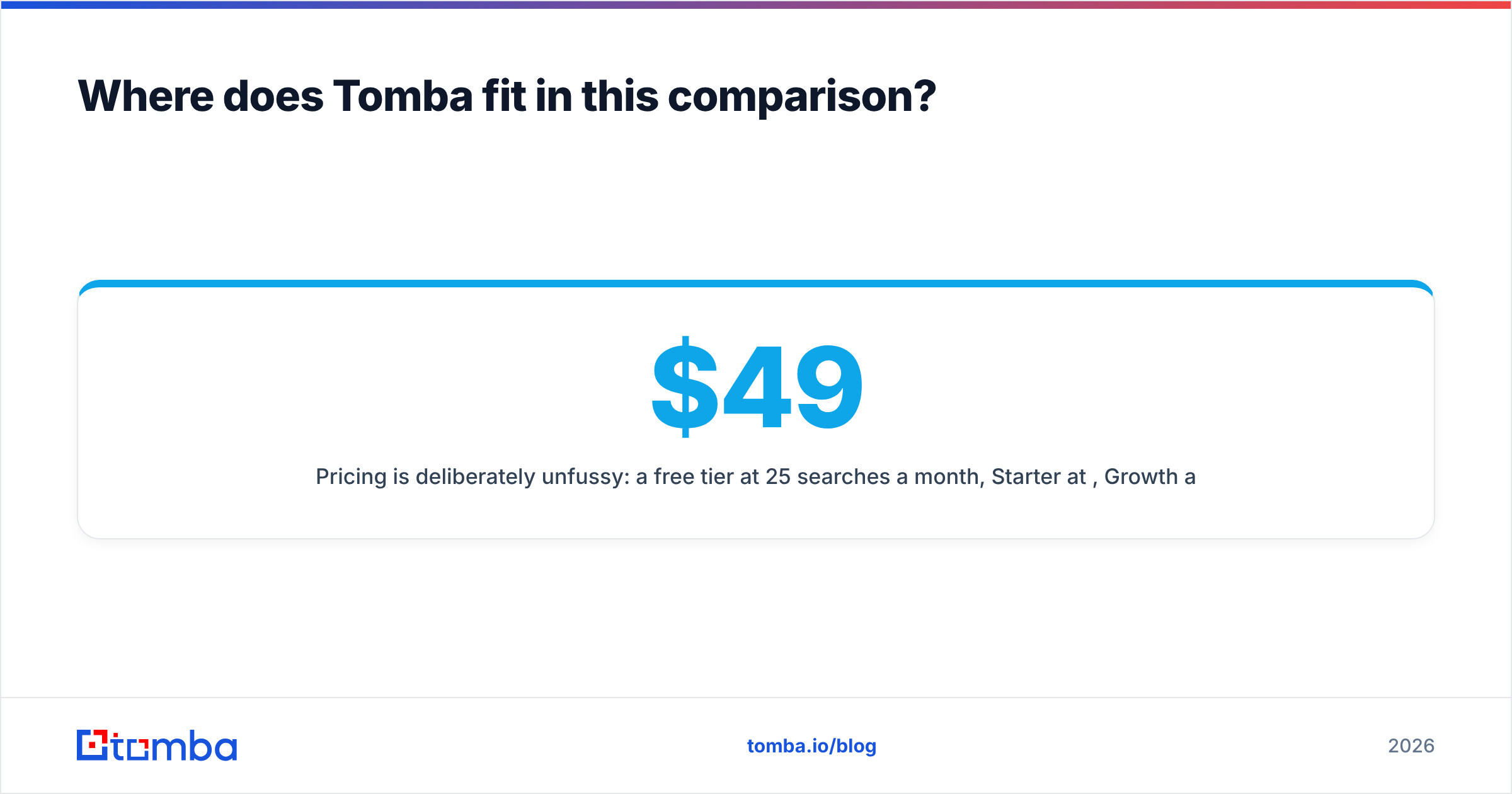
Pricing is deliberately unfussy: a free tier at 25 searches a month, Starter at $49/mo, Growth at $99/mo, Pro at $249/mo. Full Tomba pricing is public, no sales call required.

Where Tomba does not win: if your entire motion is "export this Sales Navigator search with mobile numbers attached," Wiza's LinkedIn-native workflow is smoother and you should just use it. And if you genuinely want a chatbot and a review widget in the same subscription, a bundle like Conversion Blitz is doing something Tomba doesn't attempt. Peer tools like BookYourData serve a different need again — prebuilt, filterable B2B lists you buy outright rather than search for. Different job, legitimately.
What should your stack actually look like?#
The teams with the best deliverability and the lowest cost per meeting almost never buy one tool. They compose three or four:
- A source layer — where contacts come from. LinkedIn (Wiza), a market map, an inbound form, a scraped conference list, a purchased database.
- A finding/enrichment layer — turns a name and a company into a real, current email address and phone number. This is where a dedicated finder and data enrichment earn their money.
- A verification layer — the non-negotiable gate before anything hits your sending domain. Standard verify plus a catch-all pass.
- A sending layer — your sequencer, with proper warmup, SPF, DKIM, and DMARC. This is a deliverability problem, not a data problem, and no finder solves it for you.
Conversion Blitz tries to be layers 2, 3, and 4 at once, plus some things that aren't layers at all. Wiza owns layer 1 (for LinkedIn) and part of layer 2. Neither is wrong — they're just partial. Once you see the stack this way, the "vs" framing dissolves, and the buying question becomes much easier: which layer am I actually weak in?
If your answer is "my lists bounce" or "half my target companies don't show up in LinkedIn," no bundle and no LinkedIn exporter is going to fix that. You need a better source of truth for contact data.
Final verdict: which should you buy in 2026?#
- LinkedIn-native SDR team with phone-call motion? Wiza. Pay the premium, use the workflow, budget for the phone tier from day one rather than being surprised by it.
- Solo founder or small agency who wants one bill and eight utilities? Conversion Blitz. Go in clear-eyed that the email finder is competent, not exceptional, and verify everything before you send.
- Anyone whose growth depends on accurate email data across many domains, at volume, through an API? Neither, on its own. Build the layered stack.
Start with the layer that's costing you money. If your bounce rate is above 3%, or your finder is returning "not found" on a third of your target list, the source-of-truth layer is your bottleneck — and that's a solvable problem this week, not a re-platforming project.
Try the Tomba Email Finder free — 25 searches a month, no card, no call. Drop in a name and a domain and compare what comes back against whatever you're using now. If it doesn't find more, verified, at a lower cost per landed contact, keep your current tool with a clear conscience. If it does, you just found the cheapest fix in your funnel.
Related guides#
Ready to find emails that actually work?
Join 150,000+ professionals who stopped guessing and started sending. Free credits on signup — no credit card required.
Get the Tomba newsletter
Practical outbound tactics and product updates — once every two weeks.
About the author