Copper vs HubSpot (2026): Which CRM Actually Fits Your Team?
Copper is a Google Workspace CRM that hides inside Gmail. HubSpot is a full GTM platform that wants to run your whole funnel. Here is the honest breakdown of price, workflow, data quality, and who should pick which.
TL;DR
- Copper is a Google Workspace-native CRM. It lives inside Gmail, requires almost no training, and is the fastest path from "spreadsheet chaos" to "a real pipeline" for teams under ~20 people.
- HubSpot is a platform, not just a CRM. Sales Hub is one hub among marketing, service, and CMS. It scales further, reports deeper, and costs materially more once you leave the free tier.
- Price reality: Copper's mid-tiers land in the $23–$59/user/month range; HubSpot Sales Hub Professional starts around $100/seat/month with a one-time onboarding fee that regularly runs into four figures.
- The tie-breaker is not features — it's your data. Neither CRM finds or verifies contacts for you. A CRM full of stale emails burns your sending domain regardless of the logo on the login screen.
- Our pick: Copper if your team lives in Gmail and sells relationship-first. HubSpot if you need marketing automation, lifecycle reporting, and room to grow past 25 seats.
What is Copper, really?#
Copper (formerly ProsperWorks) is a CRM built specifically for Google Workspace. That is not marketing spin — it is the entire product thesis. Copper installs as a Chrome extension and a Gmail sidebar. You read an email, click a button, and the contact, company, and deal are created without you leaving the inbox. Calendar events, Drive attachments, and Meet invites sync back automatically.
The consequence of that design is a CRM with unusually low resistance. Reps who refuse to update Salesforce will update Copper, because updating Copper is a side effect of doing their job. Copper leans hard into this: its own positioning is around "relationship" selling — agencies, consultancies, real estate, professional services — where deals close on trust and follow-through rather than on a 14-stage MEDDIC funnel.
What you give up is depth. Copper's automation is competent but shallow next to a real workflow engine. Its reporting answers "what is in my pipeline and what closed" but struggles with "which marketing channel produced the pipeline that closed at the highest ACV in Q2." There is no native marketing automation suite, no CMS, no ticketing depth. Copper knows this and does not pretend otherwise.
What is HubSpot, really?#
HubSpot is a go-to-market operating system that happens to include a free CRM. The free CRM is genuinely usable — unlimited users, contact and deal management, basic email tracking — and it is the single best on-ramp in the category. That free tier is a business model, not a gift. It exists to make the paid hubs feel inevitable.
Sales Hub is where the sales-specific tooling lives: sequences, playbooks, quotes, forecasting, custom objects at the top tier. Marketing Hub adds landing pages, lifecycle stages, lead scoring, and campaign attribution. Service Hub adds tickets and SLAs. When people say "HubSpot is expensive," they almost never mean the CRM — they mean the moment they needed Marketing Hub Professional and Sales Hub Professional on the same account.
HubSpot's real advantage is the shared data layer. A form fill on a landing page, a sequence enrollment, a support ticket, and a closed-won deal all sit on the same contact record with the same lifecycle stage. Nothing about Copper is designed to do that, and no amount of Zapier will fake it convincingly.

Copper vs HubSpot: how do they actually compare?#
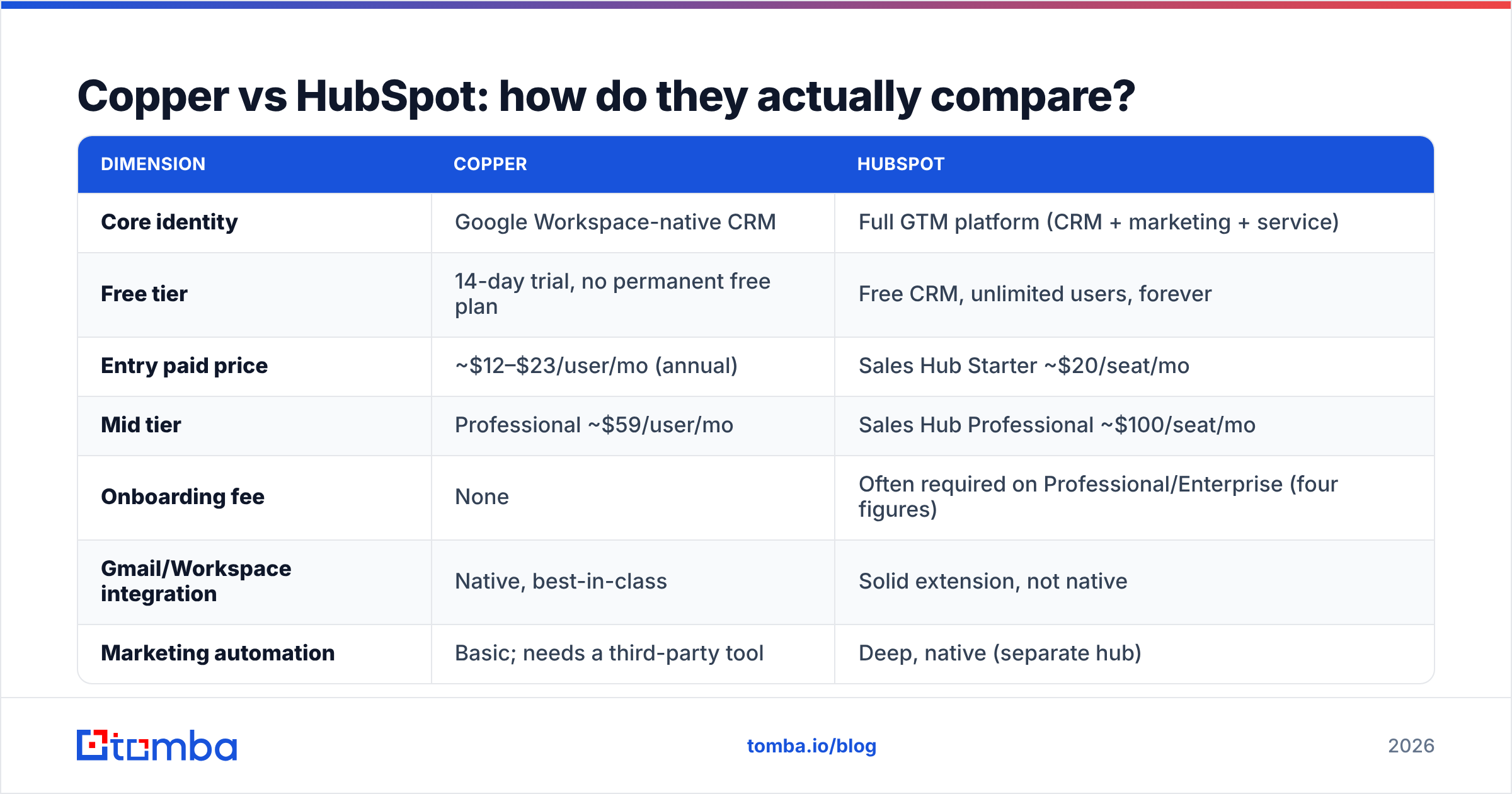
| Dimension | Copper | HubSpot |
|---|---|---|
| Core identity | Google Workspace-native CRM | Full GTM platform (CRM + marketing + service) |
| Free tier | 14-day trial, no permanent free plan | Free CRM, unlimited users, forever |
| Entry paid price | ~$12–$23/user/mo (annual) | Sales Hub Starter ~$20/seat/mo |
| Mid tier | Professional ~$59/user/mo | Sales Hub Professional ~$100/seat/mo |
| Onboarding fee | None | Often required on Professional/Enterprise (four figures) |
| Gmail/Workspace integration | Native, best-in-class | Solid extension, not native |
| Marketing automation | Basic; needs a third-party tool | Deep, native (separate hub) |
| Custom objects | Limited | Yes (Enterprise) |
| Reporting depth | Pipeline and activity level | Multi-touch attribution, lifecycle, revenue |
| Ease of adoption | Very high — reps just use Gmail | Moderate — real onboarding required |
| Ceiling | ~20–50 seats before you feel walls | Thousands of seats |
| Best for | Agencies, consultancies, services, SMB | Scaling B2B, marketing-led growth, RevOps |
Prices move. Check Copper's pricing page and HubSpot's pricing page before you budget — both vendors reprice, and both have annual-vs-monthly gaps that change the math by 15–20%.
Which one is cheaper — and where do the costs hide?#
Copper is cheaper on paper and mostly cheaper in practice. Five seats on Copper Professional runs roughly $295/month. Five seats on HubSpot Sales Hub Professional runs roughly $500/month plus an onboarding fee that is not optional at that tier. That gap widens once you add Marketing Hub.
But "cheaper" is the wrong frame. The hidden costs break down like this:
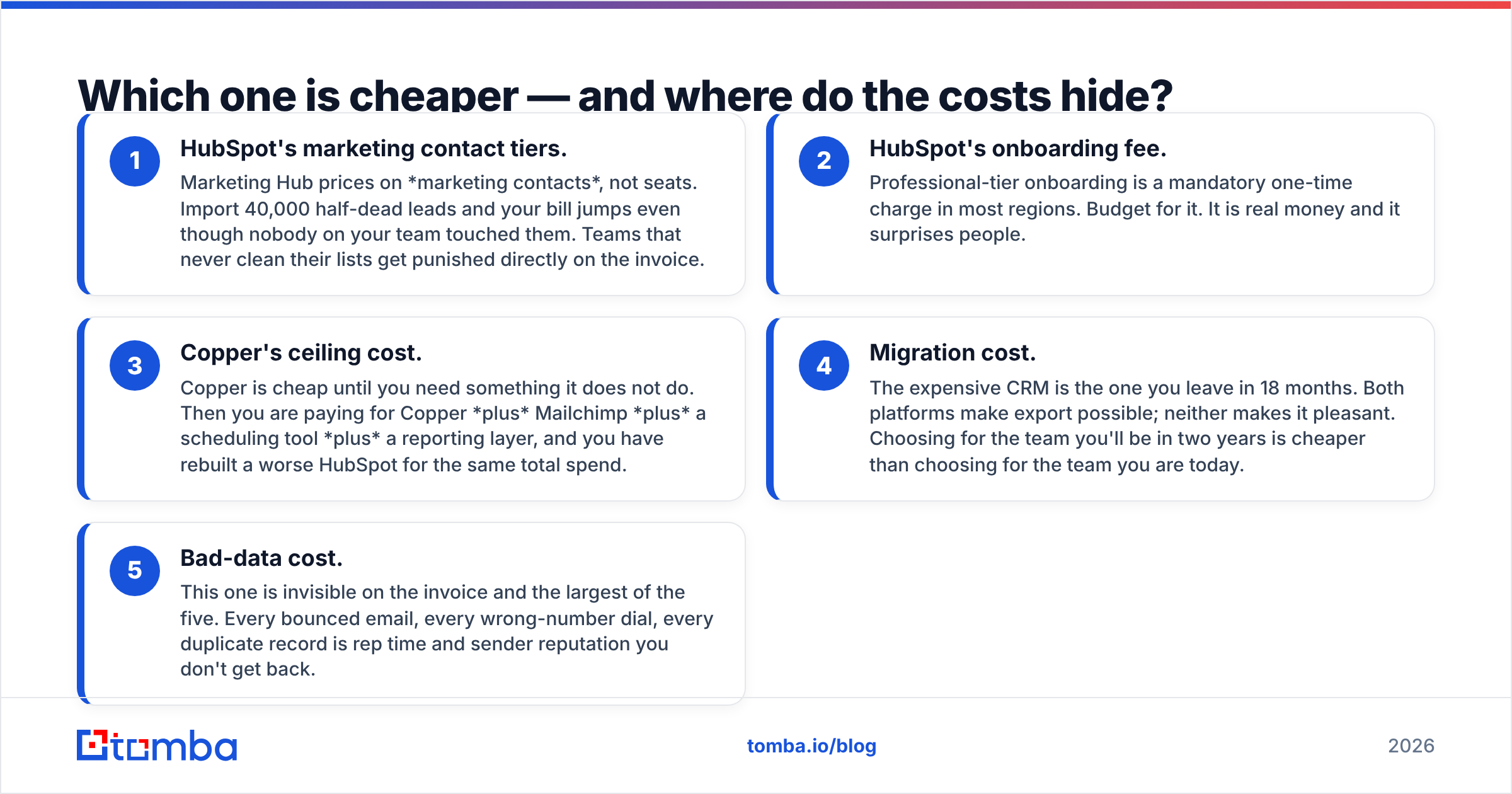
- HubSpot's marketing contact tiers. Marketing Hub prices on marketing contacts, not seats. Import 40,000 half-dead leads and your bill jumps even though nobody on your team touched them. Teams that never clean their lists get punished directly on the invoice.
- HubSpot's onboarding fee. Professional-tier onboarding is a mandatory one-time charge in most regions. Budget for it. It is real money and it surprises people.
- Copper's ceiling cost. Copper is cheap until you need something it does not do. Then you are paying for Copper plus Mailchimp plus a scheduling tool plus a reporting layer, and you have rebuilt a worse HubSpot for the same total spend.
- Migration cost. The expensive CRM is the one you leave in 18 months. Both platforms make export possible; neither makes it pleasant. Choosing for the team you'll be in two years is cheaper than choosing for the team you are today.
- Bad-data cost. This one is invisible on the invoice and the largest of the five. Every bounced email, every wrong-number dial, every duplicate record is rep time and sender reputation you don't get back.
That last point is where most CRM comparisons stop paying attention, so let's not.
Does the CRM you pick actually fix your data problem?#
No. And this is the most useful thing in this article.
Copper and HubSpot are both systems of record. They store what you put in them. Neither one goes out and finds the CTO's email address at the 40-person logistics company you just added to your target list. Neither one tells you that the address you imported six months ago belongs to someone who left the company in March. HubSpot's enrichment (via Breeze Intelligence) covers a slice of firmographic data on known companies; Copper offers essentially nothing here.
The result is a predictable failure pattern. You migrate 12,000 contacts from a spreadsheet into a shiny new CRM, launch a sequence, and watch a 15–20% bounce rate torch your domain reputation in week one. Mailbox providers do not care that you paid $100/seat. They care that one in six of your sends hit a dead mailbox.
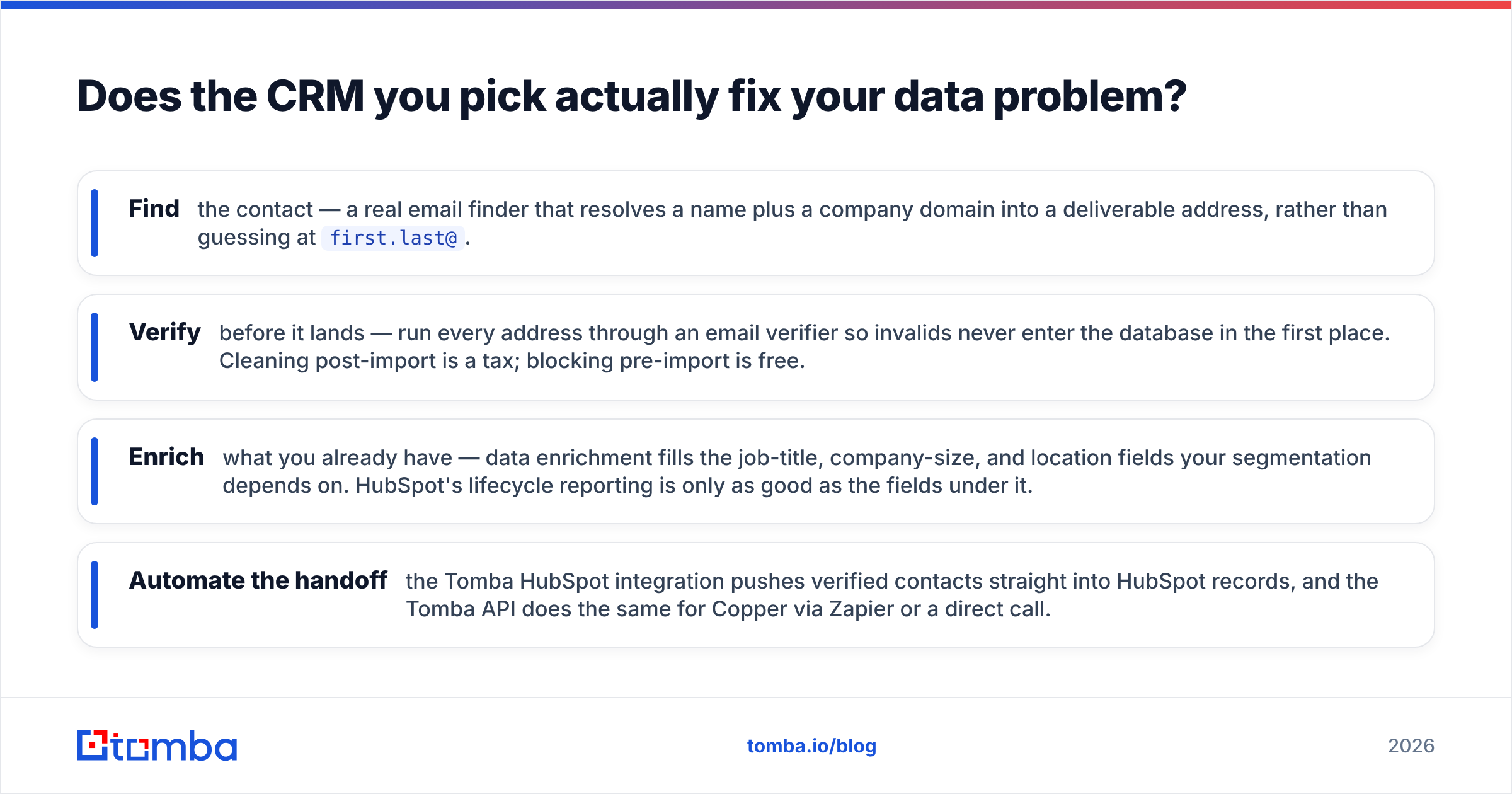
The fix is a data layer that sits in front of the CRM:
- Find the contact — a real email finder that resolves a name plus a company domain into a deliverable address, rather than guessing at
first.last@. - Verify before it lands — run every address through an email verifier so invalids never enter the database in the first place. Cleaning post-import is a tax; blocking pre-import is free.
- Enrich what you already have — data enrichment fills the job-title, company-size, and location fields your segmentation depends on. HubSpot's lifecycle reporting is only as good as the fields under it.
- Automate the handoff — the Tomba HubSpot integration pushes verified contacts straight into HubSpot records, and the Tomba API does the same for Copper via Zapier or a direct call.
Do this and the Copper-vs-HubSpot decision gets a lot lower-stakes, because the thing that was actually killing your outbound was never the CRM.

Is Copper better than HubSpot for small teams?#
For a specific kind of small team, yes — and it is not a close call.
Choose Copper if most of these are true:
- Your team runs on Google Workspace and lives in Gmail all day.
- Your sales motion is relationship-led: referrals, repeat clients, long trust cycles. Agencies, consultancies, boutique real estate, professional services.
- You have fewer than ~25 reps and no dedicated RevOps person.
- Your reps have historically refused to update a CRM. (Copper's adoption rate is its single strongest argument. A CRM nobody updates has a value of zero, regardless of feature count.)
- You do not need multi-touch marketing attribution and are honest with yourself about that.
Choose HubSpot if most of these are true:
- Marketing and sales need to share one contact record and one definition of a marketing qualified lead.
- You run inbound campaigns, landing pages, or lifecycle nurture — and want the closed-won deal traced back to the campaign that sourced it.
- You expect to pass 25–50 seats within two years.
- You need custom objects, deal-based forecasting, or approval workflows.
- You have someone who will own the instance. HubSpot rewards ownership and punishes neglect; an unmaintained HubSpot becomes an expensive contact list.
The honest middle case: start on HubSpot's free CRM, keep your data clean from day one, and upgrade only when a specific paid feature blocks a specific deal. That path costs $0 and preserves optionality. It is what we'd recommend to most sub-10-person teams who are genuinely unsure. Read the G2 category grid if you want peer reviews at volume — both tools rate well, for different reasons, from different buyers.
What do users actually complain about?#
Copper complaints cluster around three things: reporting that runs out of road faster than expected, automation that feels rigid once you want branching logic, and pricing per-user that stings once the team grows. Users almost never complain about adoption or the Gmail experience — that part delivers.
HubSpot complaints cluster around cost escalation (the marketing-contact tier surprise is the most common), the onboarding fee, and complexity creep. A HubSpot instance that has been "configured" by three different admins over four years is a genuinely hard thing to untangle. Users almost never complain that HubSpot can't do something — they complain about what it costs to do it.
Note the pattern: Copper users hit ceilings, HubSpot users hit bills. Pick the failure mode you'd rather have.
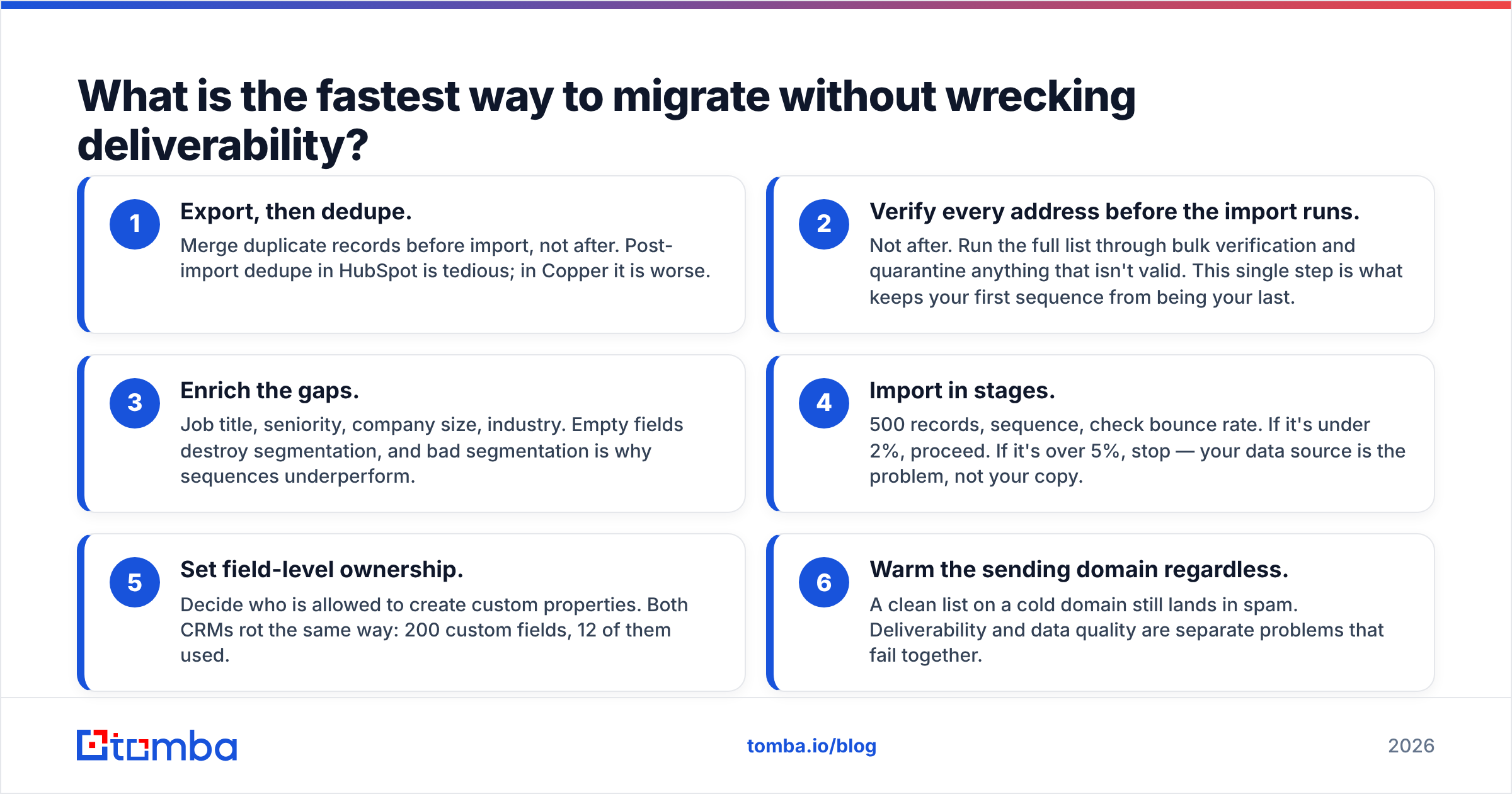
What is the fastest way to migrate without wrecking deliverability?#
Whichever CRM wins, do this in order:
- Export, then dedupe. Merge duplicate records before import, not after. Post-import dedupe in HubSpot is tedious; in Copper it is worse.
- Verify every address before the import runs. Not after. Run the full list through bulk verification and quarantine anything that isn't valid. This single step is what keeps your first sequence from being your last.
- Enrich the gaps. Job title, seniority, company size, industry. Empty fields destroy segmentation, and bad segmentation is why sequences underperform.
- Import in stages. 500 records, sequence, check bounce rate. If it's under 2%, proceed. If it's over 5%, stop — your data source is the problem, not your copy.
- Set field-level ownership. Decide who is allowed to create custom properties. Both CRMs rot the same way: 200 custom fields, 12 of them used.
- Warm the sending domain regardless. A clean list on a cold domain still lands in spam. Deliverability and data quality are separate problems that fail together.
Final verdict: Copper vs HubSpot in 2026#
Copper wins on adoption, speed, and price for Google-native relationship sellers. If your reps will not touch a CRM that isn't Gmail, Copper is not a compromise — it is the correct answer.
HubSpot wins on ceiling, reporting, and the shared marketing-sales data layer. If you are building a repeatable, measurable, multi-channel GTM motion, you will outgrow Copper and you will feel it.
Neither wins on data. Both will faithfully store whatever garbage you feed them, and both will let you burn your domain doing it.
Before you migrate a single record into either platform, run your list through the Tomba Email Finder and verifier. Find the addresses you're missing, verify the ones you have, and push only deliverable contacts into your new CRM. The free tier covers 25 searches a month so you can test the accuracy on your own list before committing, and paid plans start at $49/month — see Tomba pricing for the full breakdown. A clean database makes a cheap CRM look great. A dirty one makes an expensive CRM look like a waste of money.
Related guides#
Ready to find emails that actually work?
Join 150,000+ professionals who stopped guessing and started sending. Free credits on signup — no credit card required.
Get the Tomba newsletter
Practical outbound tactics and product updates — once every two weeks.
About the author