Corteza Alternatives in 2026: 7 Low-Code CRM Options Ranked
Corteza is a genuinely good open-source low-code CRM platform — until you price the hosting, the ramp-up, and the empty database. Here are seven alternatives, scored on setup time, cost, and how fast you get a working pipeline.
TL;DR
- Corteza is a solid AGPL-licensed low-code platform with a CRM module on top. It is free to license and expensive to operate — the real cost is DevOps time, not seats.
- Most teams searching for Corteza alternatives fall into two camps: they want a simpler open-source CRM (EspoCRM, SuiteCRM, Twenty) or they want a general low-code builder (Odoo, Budibase, NocoDB). Pick your camp before you shortlist.
- If you have no in-house ops engineer, self-hosting anything — Corteza included — will cost you more than a $50–$100/month SaaS CRM once you count downtime and upgrades.
- No CRM ships with contacts. The bottleneck for most outbound teams is not the platform; it is populating it with verified emails, phones, and firmographics.
- Best pairing for most B2B teams: a lightweight CRM (EspoCRM or HubSpot free) plus a data layer like Tomba's email finder feeding it through the API.
What is Corteza and why do people look for alternatives?#
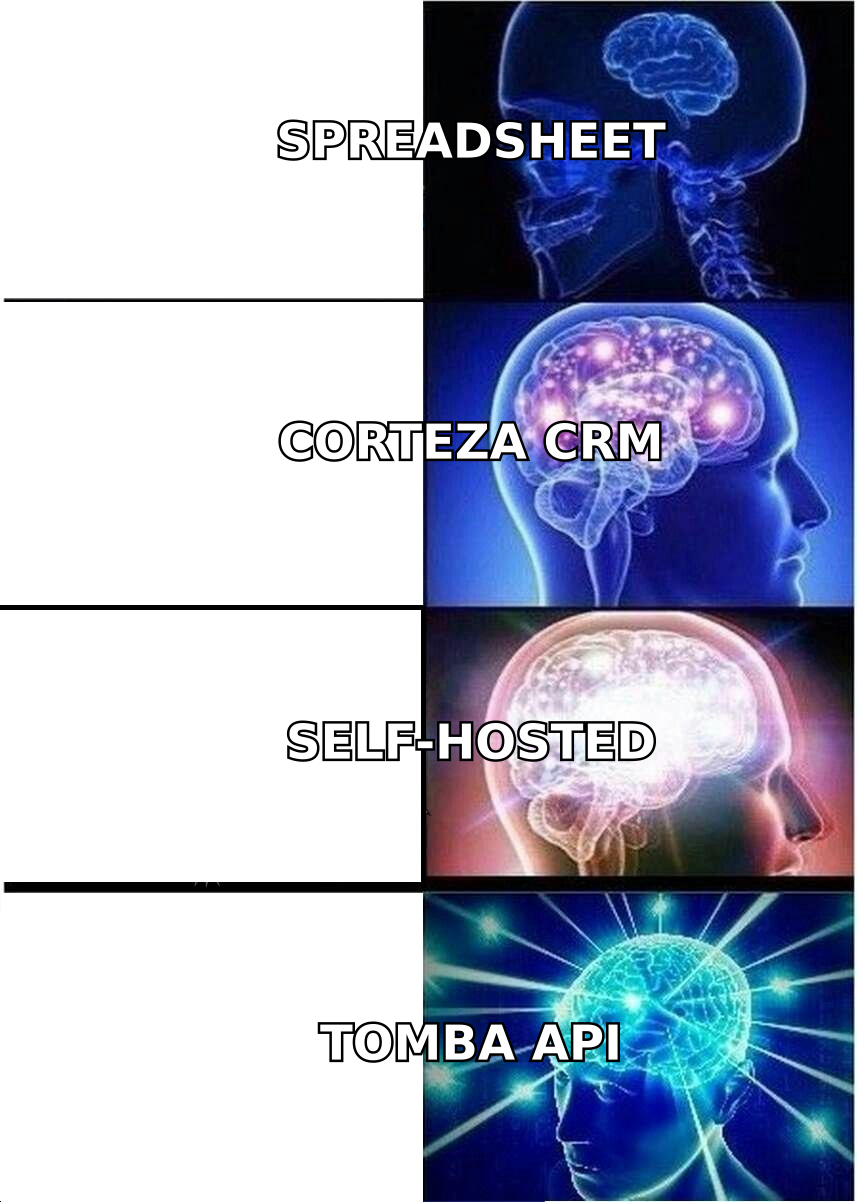
Corteza is an open-source low-code platform maintained by Planet Crust. Think of it as a self-hosted Lego set for business apps: a Go backend, a Vue frontend, a workflow engine, and a pre-built CRM module you can extend into case management, HR tracking, or whatever internal tool you need. It ships under AGPL-3.0, runs on your own infrastructure, and is often pitched as the open-source answer to Salesforce Platform or ServiceNow. You can read the official docs at cortezaproject.org.
The pitch is honest, and for a specific buyer it lands: a mid-size org with a real DevOps team, strict data-residency requirements (public sector, healthcare, EU banking), and a need to build several internal apps rather than buy several SaaS subscriptions.
The pitch stops landing when any of these are true:
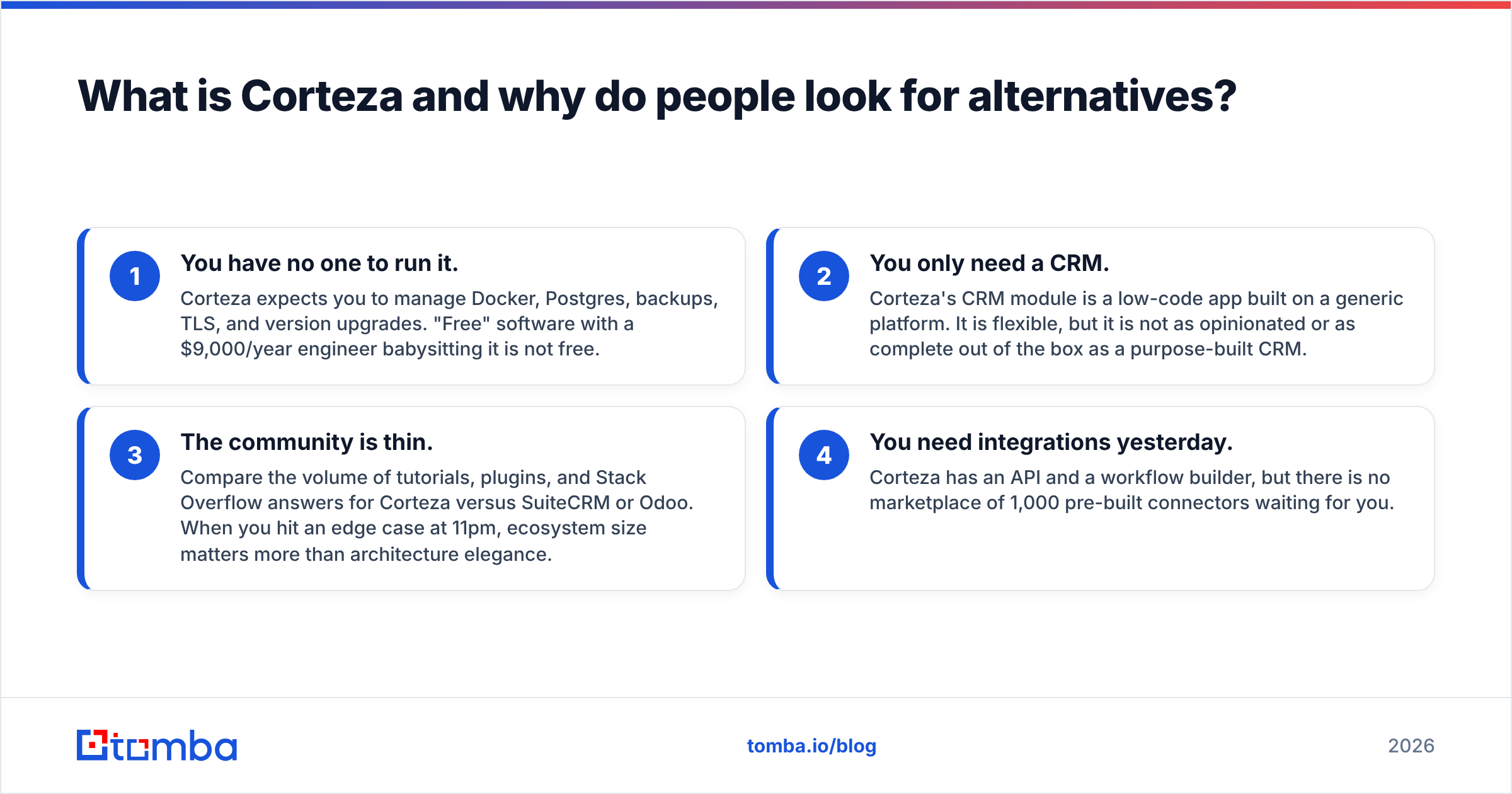
- You have no one to run it. Corteza expects you to manage Docker, Postgres, backups, TLS, and version upgrades. "Free" software with a $9,000/year engineer babysitting it is not free.
- You only need a CRM. Corteza's CRM module is a low-code app built on a generic platform. It is flexible, but it is not as opinionated or as complete out of the box as a purpose-built CRM.
- The community is thin. Compare the volume of tutorials, plugins, and Stack Overflow answers for Corteza versus SuiteCRM or Odoo. When you hit an edge case at 11pm, ecosystem size matters more than architecture elegance.
- You need integrations yesterday. Corteza has an API and a workflow builder, but there is no marketplace of 1,000 pre-built connectors waiting for you.
None of that makes Corteza bad. It makes it a platform, and platforms have a ramp. The question is whether you want to climb it.
What should you actually compare Corteza alternatives on?#
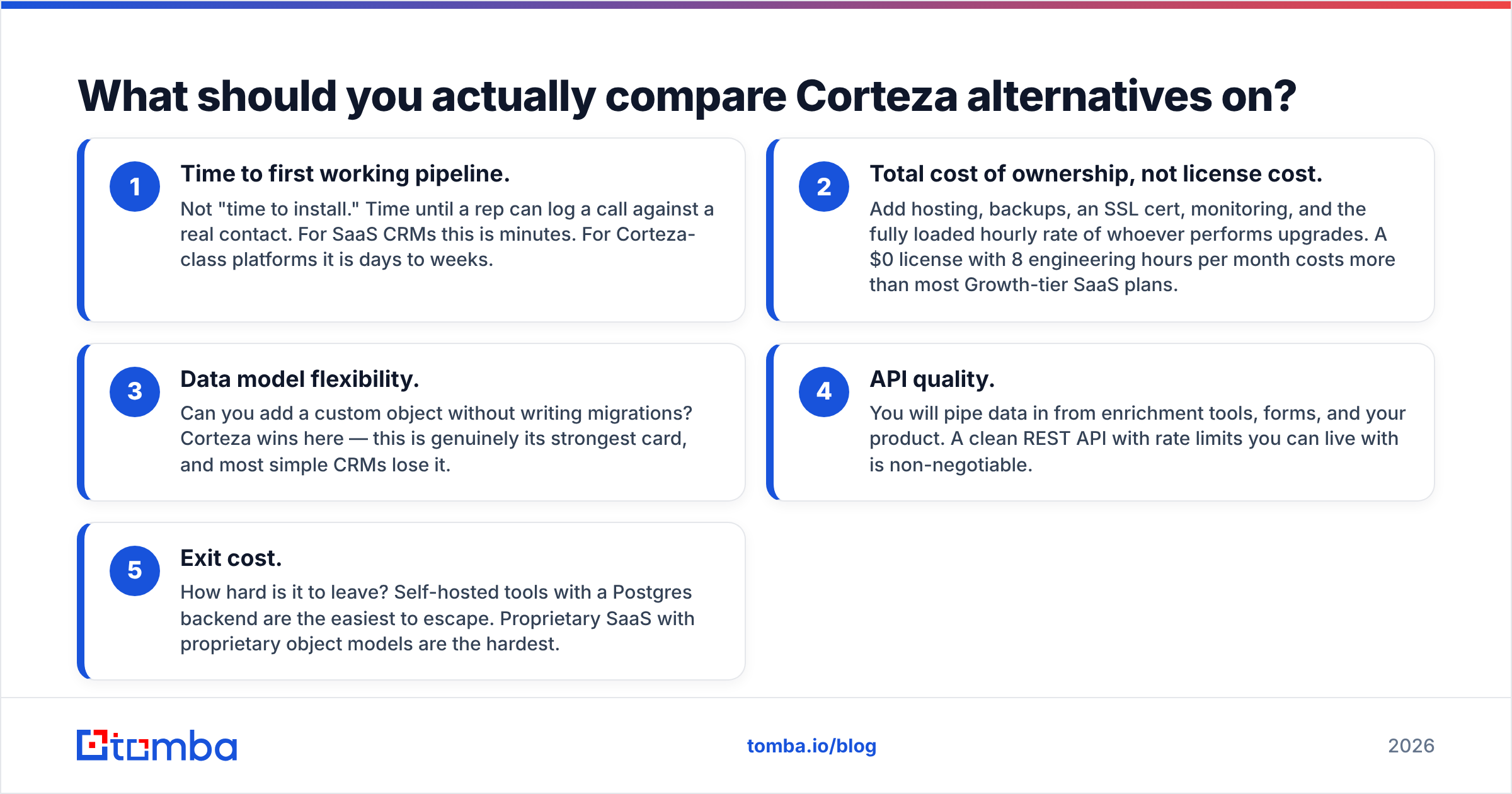
Feature checklists lie. Here are the five dimensions that predict whether you'll still be happy in month six:
- Time to first working pipeline. Not "time to install." Time until a rep can log a call against a real contact. For SaaS CRMs this is minutes. For Corteza-class platforms it is days to weeks.
- Total cost of ownership, not license cost. Add hosting, backups, an SSL cert, monitoring, and the fully loaded hourly rate of whoever performs upgrades. A $0 license with 8 engineering hours per month costs more than most Growth-tier SaaS plans.
- Data model flexibility. Can you add a custom object without writing migrations? Corteza wins here — this is genuinely its strongest card, and most simple CRMs lose it.
- API quality. You will pipe data in from enrichment tools, forms, and your product. A clean REST API with rate limits you can live with is non-negotiable.
- Exit cost. How hard is it to leave? Self-hosted tools with a Postgres backend are the easiest to escape. Proprietary SaaS with proprietary object models are the hardest.
Which Corteza alternatives are worth shortlisting in 2026?#
Here is the honest field. I have grouped them by what they actually replace, because "alternative" means different things depending on which half of Corteza you were using.
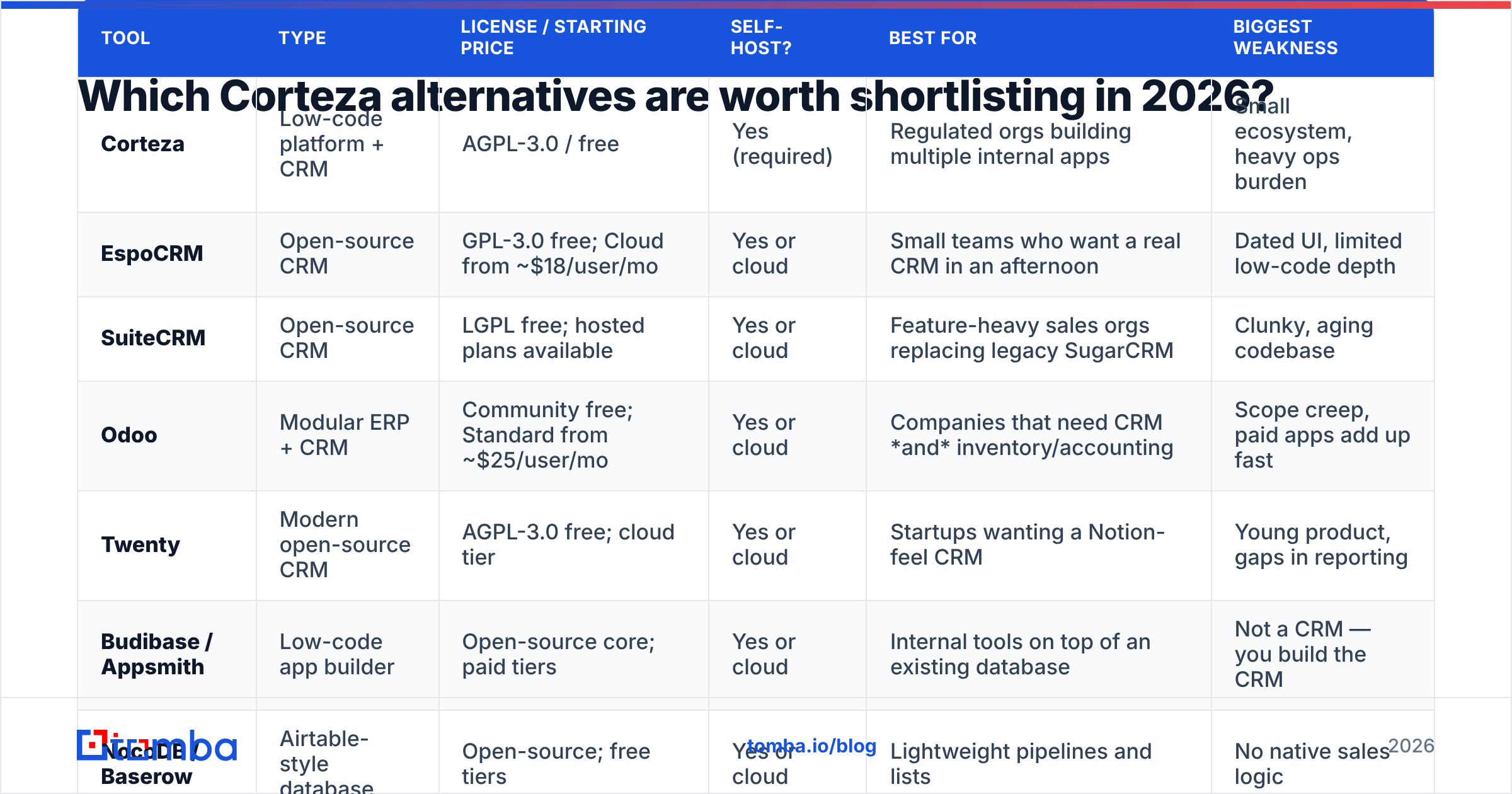
| Tool | Type | License / Starting price | Self-host? | Best for | Biggest weakness |
|---|---|---|---|---|---|
| Corteza | Low-code platform + CRM | AGPL-3.0 / free | Yes (required) | Regulated orgs building multiple internal apps | Small ecosystem, heavy ops burden |
| EspoCRM | Open-source CRM | GPL-3.0 free; Cloud from ~$18/user/mo | Yes or cloud | Small teams who want a real CRM in an afternoon | Dated UI, limited low-code depth |
| SuiteCRM | Open-source CRM | LGPL free; hosted plans available | Yes or cloud | Feature-heavy sales orgs replacing legacy SugarCRM | Clunky, aging codebase |
| Odoo | Modular ERP + CRM | Community free; Standard from ~$25/user/mo | Yes or cloud | Companies that need CRM and inventory/accounting | Scope creep, paid apps add up fast |
| Twenty | Modern open-source CRM | AGPL-3.0 free; cloud tier | Yes or cloud | Startups wanting a Notion-feel CRM | Young product, gaps in reporting |
| Budibase / Appsmith | Low-code app builder | Open-source core; paid tiers | Yes or cloud | Internal tools on top of an existing database | Not a CRM — you build the CRM |
| NocoDB / Baserow | Airtable-style database | Open-source; free tiers | Yes or cloud | Lightweight pipelines and lists | No native sales logic |
| HubSpot | SaaS CRM | Free tier; paid from ~$20/seat/mo | No | Teams that want zero ops and fast onboarding | Cost escalates sharply at scale |
The open-source CRM camp#
EspoCRM is the pragmatic default. If your reason for looking at Corteza was "I want a CRM I control, on my own server, without paying per seat," EspoCRM gets you there faster with fewer moving parts. It has accounts, contacts, opportunities, workflows, and a decent REST API. It is also considerably lighter to run — a modest VPS handles it. The trade-off is that it is a CRM, not a platform: building an unrelated internal app on top of it is fighting the tool. See espocrm.com for the current feature set.
SuiteCRM is the heavyweight. Descended from SugarCRM's open-source fork, it has more sales features than most teams will ever configure — quotes, contracts, campaigns, security groups. The cost is a codebase that shows its age and an admin UI that will not delight anyone. If you're migrating off a legacy Sugar install, this is the path of least resistance. Details at suitecrm.com.
Twenty is the newcomer worth watching. It is what a CRM looks like if you designed it in 2024 instead of 2010: keyboard-first, clean data model, AGPL, active development. It is also genuinely young — reporting, permissions, and integrations lag the incumbents. Good for a 5-person startup, risky for a 200-person sales org.
The low-code platform camp#
Odoo Community is the closest thing to a true Corteza competitor in scope. It is modular: CRM, inventory, invoicing, HR, all sharing one data model. The Community edition is free and self-hostable; the paid Enterprise edition unlocks the polish. The honest warning is that Odoo's app-by-app pricing is where budgets go to die — read the fine print at odoo.com before you commit. But if you wanted Corteza because you were replacing five SaaS tools with one platform, Odoo has the deeper bench.
Budibase and Appsmith are the right answer if you liked Corteza's builder and did not care about the CRM module. They connect to your existing Postgres/MySQL/REST endpoints and let you ship an internal tool in a day. They are not CRMs, and you should not pretend otherwise — but if your "CRM" is really an ops dashboard, this is a shorter road.
NocoDB and Baserow sit one rung below: open-source Airtable clones. For a pipeline under a few thousand records, a Kanban view over a table plus a webhook to Slack is a perfectly respectable CRM. Many seed-stage companies run this way for two years and are fine.
The "just buy it" camp#
HubSpot's free CRM deserves a mention precisely because the open-source crowd tends to dismiss it. If your objection to SaaS is per-seat pricing, HubSpot's free tier removes that objection for small teams, and the ramp is measured in hours. Data residency and lock-in are real concerns; ops burden is zero. Tomba has a native HubSpot integration if you go this route.
Is Corteza actually better than the alternatives?#
For one buyer: yes, clearly.
You should stay on Corteza (or adopt it) if you check three boxes: (a) data must live on infrastructure you control for compliance reasons, (b) you have a platform engineer with spare cycles, and (c) you are building more than one business app, not just a sales pipeline. In that scenario, Corteza's unified data model and workflow engine save you from stitching together four separate tools, and its AGPL license means no vendor can reprice you.
You should leave if any of these are true: you're under 20 people, your only real need is a sales pipeline, no one on the team enjoys Docker, or you have been "about to finish the Corteza setup" for more than a month. That last one is the tell. Time-to-value is a feature, and it is the feature Corteza charges you the most for.
Cross-check the peer reviews on G2 before you commit either way — the pattern in low-code CRM reviews is consistent: high satisfaction from teams with engineering support, high frustration from teams without it.
Why does every CRM migration stall on data, not software?#
Here is the part the comparison posts skip. You can migrate from Corteza to EspoCRM in a weekend. What you cannot migrate is contacts you never had.
Every CRM — open-source, SaaS, low-code, hand-rolled — ships empty. It is a filing cabinet. The reps' complaint is never "the object model is inflexible"; it is "there's nothing in here I can call." A team that spends six weeks evaluating Corteza alternatives and zero weeks fixing its data pipeline has optimized the wrong variable.
The data layer has three jobs, and your CRM does none of them:
- Find — turn a company domain and a name into a working email address. This is what a domain search does: give it
acme.com, get back the people and the email pattern. - Verify — confirm the address will not bounce before your sequencer sends to it. Bounce rates above 3% start damaging sender reputation, and no CRM will warn you.
- Enrich — attach job title, seniority, headcount, tech stack, and phone number so your reps can prioritize and personalize. Data enrichment is what turns a list into a segmented pipeline.
If you are self-hosting your CRM, the integration path is an API call, not a marketplace app — which is actually simpler. The Tomba API returns JSON; every tool on this list can consume JSON. A twenty-line webhook that fires on record-create, finds the email, verifies it, and writes it back solves the problem permanently, regardless of which CRM you land on.
Worth noting for buyers who want a static list instead of an API: providers like BookYourData are a reasonable option when you need a bulk, ready-made B2B list rather than real-time lookups. Different shape of problem, different tool — but the same principle: the CRM is the container, not the contents.
What does the data layer cost compared to the CRM?#
This is where the math gets uncomfortable for people who chose a free CRM to save money.
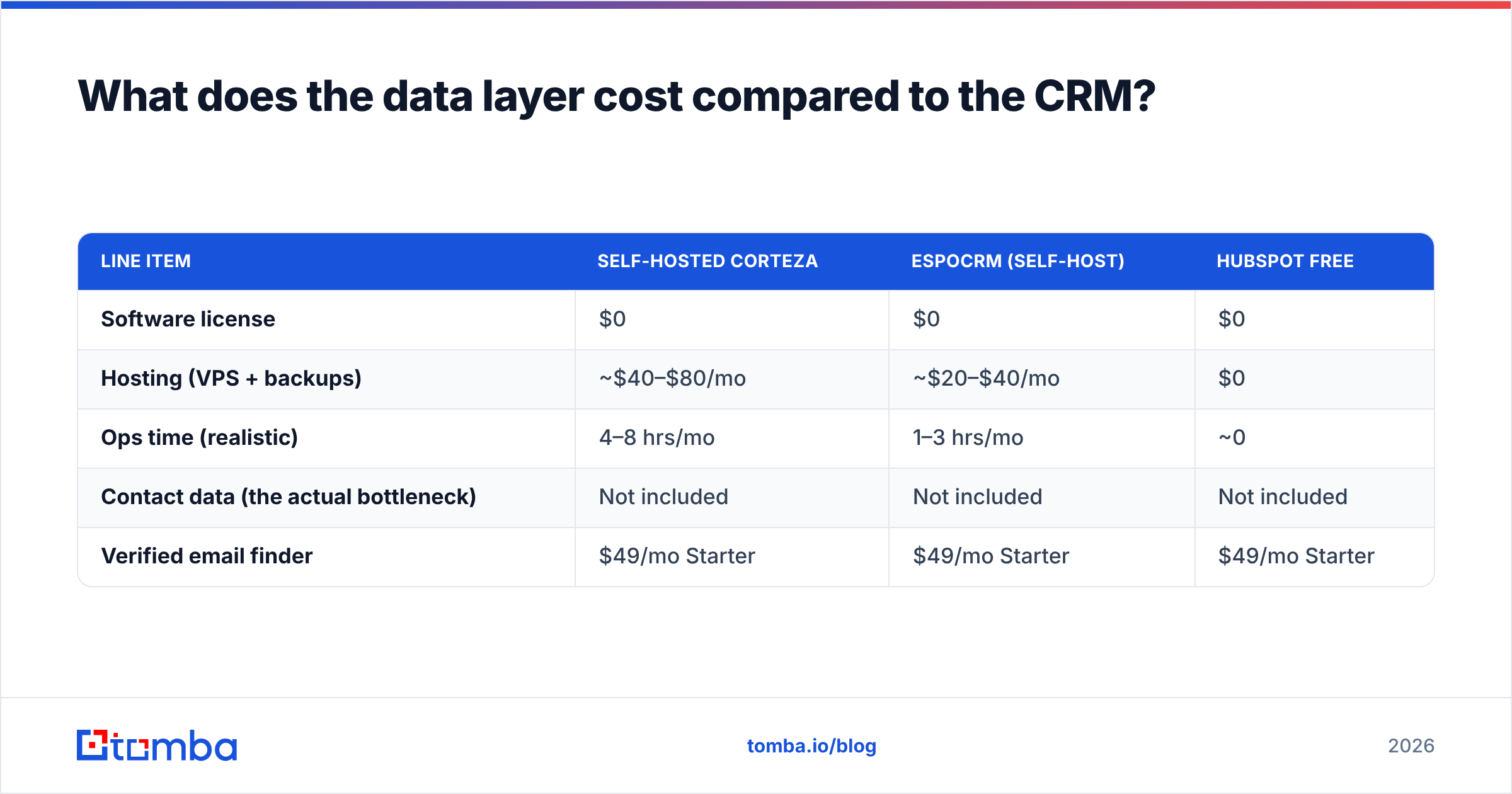
| Line item | Self-hosted Corteza | EspoCRM (self-host) | HubSpot Free |
|---|---|---|---|
| Software license | $0 | $0 | $0 |
| Hosting (VPS + backups) | ~$40–$80/mo | ~$20–$40/mo | $0 |
| Ops time (realistic) | 4–8 hrs/mo | 1–3 hrs/mo | ~0 |
| Contact data (the actual bottleneck) | Not included | Not included | Not included |
| Verified email finder | $49/mo Starter | $49/mo Starter | $49/mo Starter |
The pattern is obvious once it's on a table: the CRM decision moves a few dozen dollars a month. The data decision moves whether the pipeline exists at all. Tomba's pricing starts with a free tier of 25 searches per month, then $49/month for Starter, $99/month for Growth, and $249/month for Pro — which is a rounding error next to the fully loaded cost of the engineer maintaining your self-hosted stack.
How should you decide, in one page?#
- You need a platform, have engineers, face compliance constraints → stay with Corteza. It is the right tool and the alternatives will feel like a downgrade.
- You need a CRM, have some technical ability, want to self-host → EspoCRM. Fastest path to a working pipeline you own.
- You need CRM plus ERP modules → Odoo Community, with your eyes open about paid apps.
- You need a modern UX and you're small → Twenty.
- You need an internal tool, not a CRM → Budibase or Appsmith over your existing database.
- You need to sell this quarter and have no ops resource → HubSpot free tier. Revisit in a year.
- In every case → budget for the data layer before you budget for the CRM.
Fill the CRM you actually pick#
Whichever tool wins your shortlist, it arrives empty. The Tomba Email Finder closes that gap: give it a company domain and a name, and it returns a verified, deliverable email address with a confidence score — via the web app, the Chrome extension, Google Sheets, or a direct API call into whatever CRM you just spent three weeks choosing. Start on the free tier at 25 searches a month, confirm the accuracy against contacts you already know, and only then decide whether the pipeline problem was ever really about Corteza.
Related guides#
Ready to find emails that actually work?
Join 150,000+ professionals who stopped guessing and started sending. Free credits on signup — no credit card required.
Get the Tomba newsletter
Practical outbound tactics and product updates — once every two weeks.
About the author