CRM Dialer Alternatives: 7 Better Options for 2026 Teams
Your CRM's built-in dialer is convenient, but it's rarely the best tool for high-volume calling. Here are 7 CRM dialer alternatives that connect more calls and log everything back automatically.
Your CRM's built-in dialer is the path of least resistance. It's already there, it logs calls automatically, and nobody has to buy anything new. That convenience is exactly why so many teams never question it — and why they leave connect rates and rep hours on the table every quarter.
This guide breaks down the best CRM dialer alternatives for 2026: what each one does better than a native dialer, where they fit, and the one variable most buyers ignore that decides whether any dialer actually pays off.
TL;DR#
- Native CRM dialers optimize for logging, not throughput. They're fine at low volume but slow reps down once you're making 80+ calls a day.
- The best CRM dialer alternatives fall into three buckets: standalone power dialers, parallel/AI dialers, and full sales-engagement platforms that blend calls with email and LinkedIn.
- Aircall, JustCall, Kixie, PhoneBurner, Orum, and Salesloft cover most use cases from SMB to enterprise.
- Dialer choice is secondary to data quality. A parallel dialer burning through wrong numbers just wastes money faster — accurate phone data is the real multiplier.
- Feed any dialer with verified numbers from a phone finder and you'll connect more conversations regardless of which tool you pick.
What is a CRM dialer, and why look for an alternative?#
A CRM dialer is a calling feature baked into your customer relationship management platform — think the click-to-call button inside HubSpot, Salesforce, or Pipedrive. You click a contact, it dials, and the call auto-logs to that record. Simple.
The problem is that "auto-log" is roughly all it does well. Native dialers are built by CRM vendors as a checkbox feature, not as a calling engine. They dial one number at a time, they wait through every ring and voicemail, and they rarely include local presence, voicemail drop, or the analytics a real calling operation needs.
Here's the everyday analogy: a native CRM dialer is like the speakerphone built into a conference-room TV. It works in a pinch, but nobody runs a call center on it. A dedicated dialer is the actual phone system — purpose-built for volume, quality, and coverage.
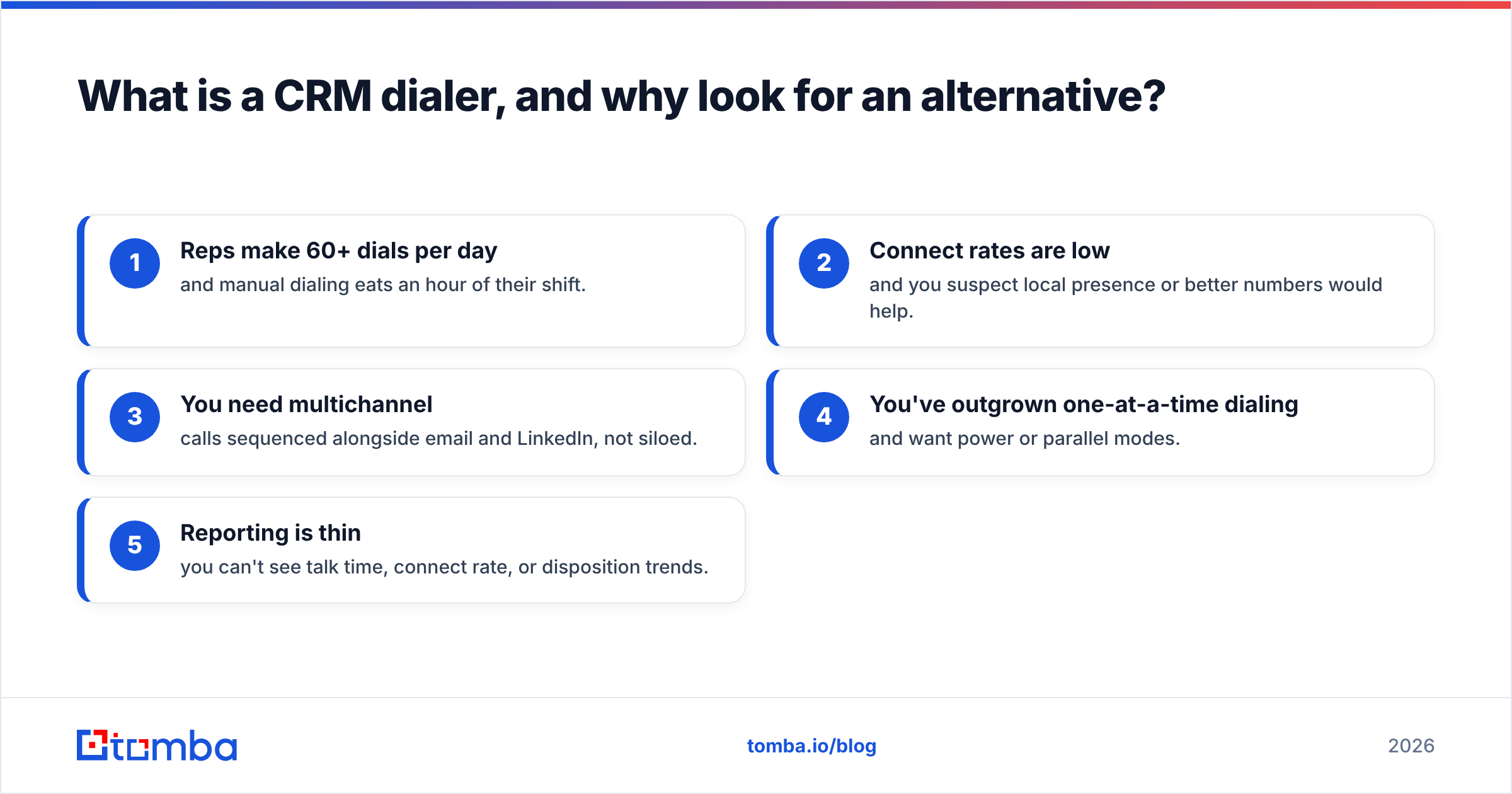
You should look at CRM dialer alternatives when any of these are true:
- Reps make 60+ dials per day and manual dialing eats an hour of their shift.
- Connect rates are low and you suspect local presence or better numbers would help.
- You need multichannel — calls sequenced alongside email and LinkedIn, not siloed.
- You've outgrown one-at-a-time dialing and want power or parallel modes.
- Reporting is thin — you can't see talk time, connect rate, or disposition trends.
What are the main types of CRM dialer alternatives?#
Not every "dialer" is the same product. Before comparing brands, sort them into categories so you're comparing like with like.
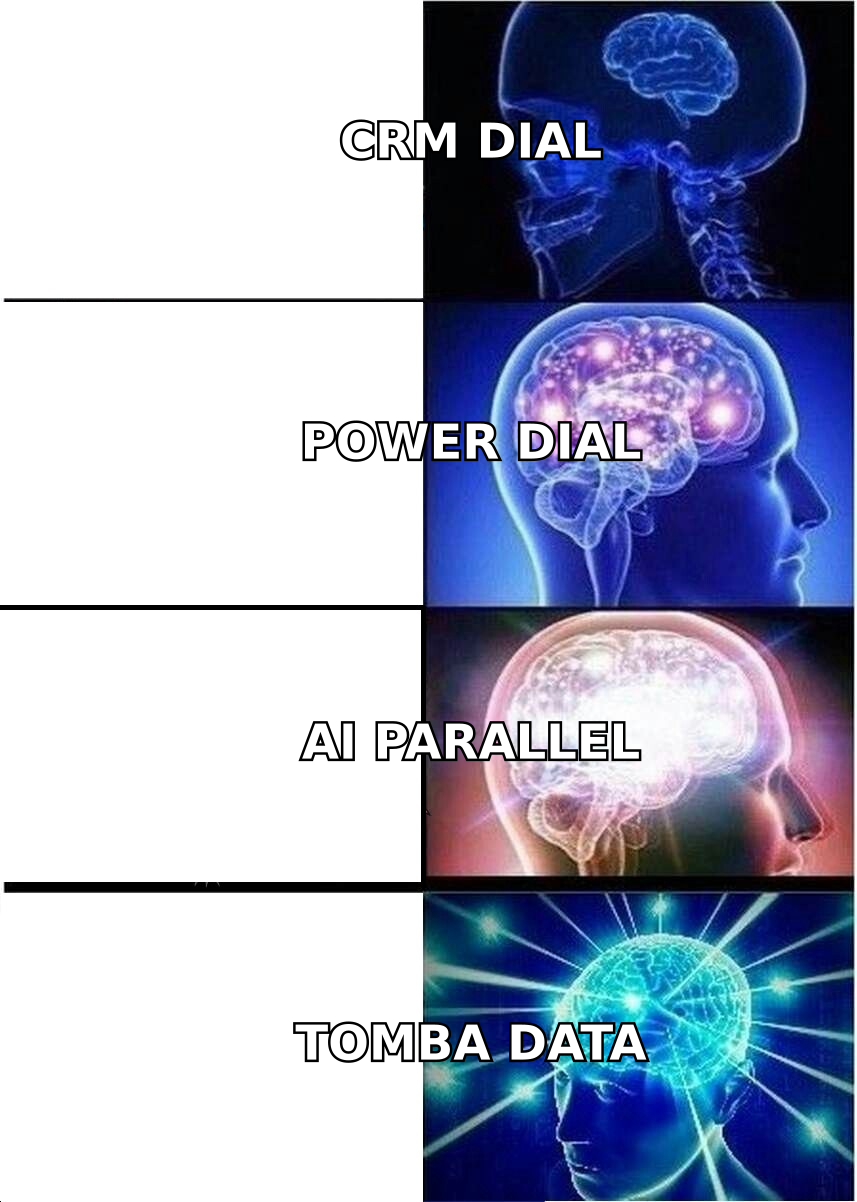
- Power dialers — dial through a list one number at a time, but automatically move to the next contact the moment a call ends. Best for reps who want steady pace without touching the keypad. Examples: PhoneBurner, Kixie.
- Parallel / AI dialers — dial multiple numbers simultaneously and connect a rep only when a human answers. Massive throughput for high-volume SDR teams, at the cost of occasional dropped calls. Examples: Orum, Nooks.
- Cloud phone systems with CRM integrations — full VoIP business phone platforms that happen to sync tightly with your CRM. Best when you need calling for support and sales. Examples: Aircall, JustCall.
- Sales engagement platforms — the dialer is one channel inside a broader sequencing tool that also runs email and social touches. Best for full-funnel outbound. Examples: Salesloft, Outreach.
Match the category to your motion first. A support-heavy team wants a cloud phone system; a 200-dial-a-day SDR floor wants a parallel dialer; a founder-led sales team wants a power dialer that stays out of the way.
Which CRM dialer alternatives are best in 2026?#
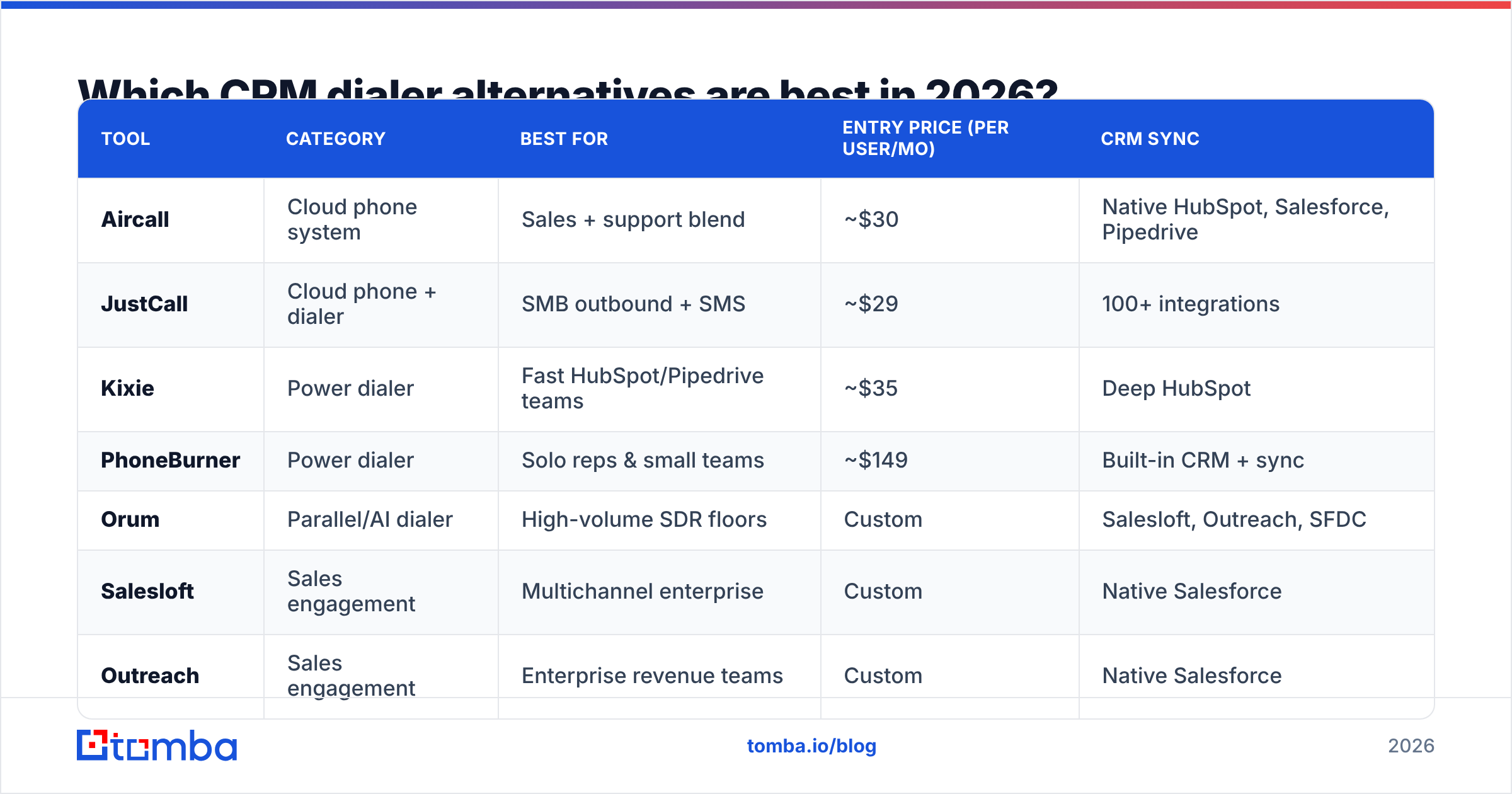
Here's a side-by-side of the tools most teams shortlist, with real positioning rather than marketing gloss. Pricing reflects publicly listed entry tiers and moves often — always confirm on the vendor's own page.
| Tool | Category | Best for | Entry price (per user/mo) | CRM sync |
|---|---|---|---|---|
| Aircall | Cloud phone system | Sales + support blend | ~$30 | Native HubSpot, Salesforce, Pipedrive |
| JustCall | Cloud phone + dialer | SMB outbound + SMS | ~$29 | 100+ integrations |
| Kixie | Power dialer | Fast HubSpot/Pipedrive teams | ~$35 | Deep HubSpot |
| PhoneBurner | Power dialer | Solo reps & small teams | ~$149 | Built-in CRM + sync |
| Orum | Parallel/AI dialer | High-volume SDR floors | Custom | Salesloft, Outreach, SFDC |
| Salesloft | Sales engagement | Multichannel enterprise | Custom | Native Salesforce |
| Outreach | Sales engagement | Enterprise revenue teams | Custom | Native Salesforce |
A few honest takeaways from the table:
- Cloud phone systems (Aircall, JustCall) win on price and flexibility if you also field inbound calls.
- Power dialers (Kixie, PhoneBurner) are the sweet spot for teams that live in one CRM and want more dials without a platform migration.
- Parallel dialers (Orum) deliver the biggest raw throughput but need volume to justify the cost — and they punish bad data hardest.
- Sales engagement platforms (Salesloft, Outreach) aren't really dialer replacements; they're the whole outbound stack, with calling as one lane.
For a broader field of user reviews across these categories, G2's software marketplace is a useful neutral cross-check before you commit to a demo.
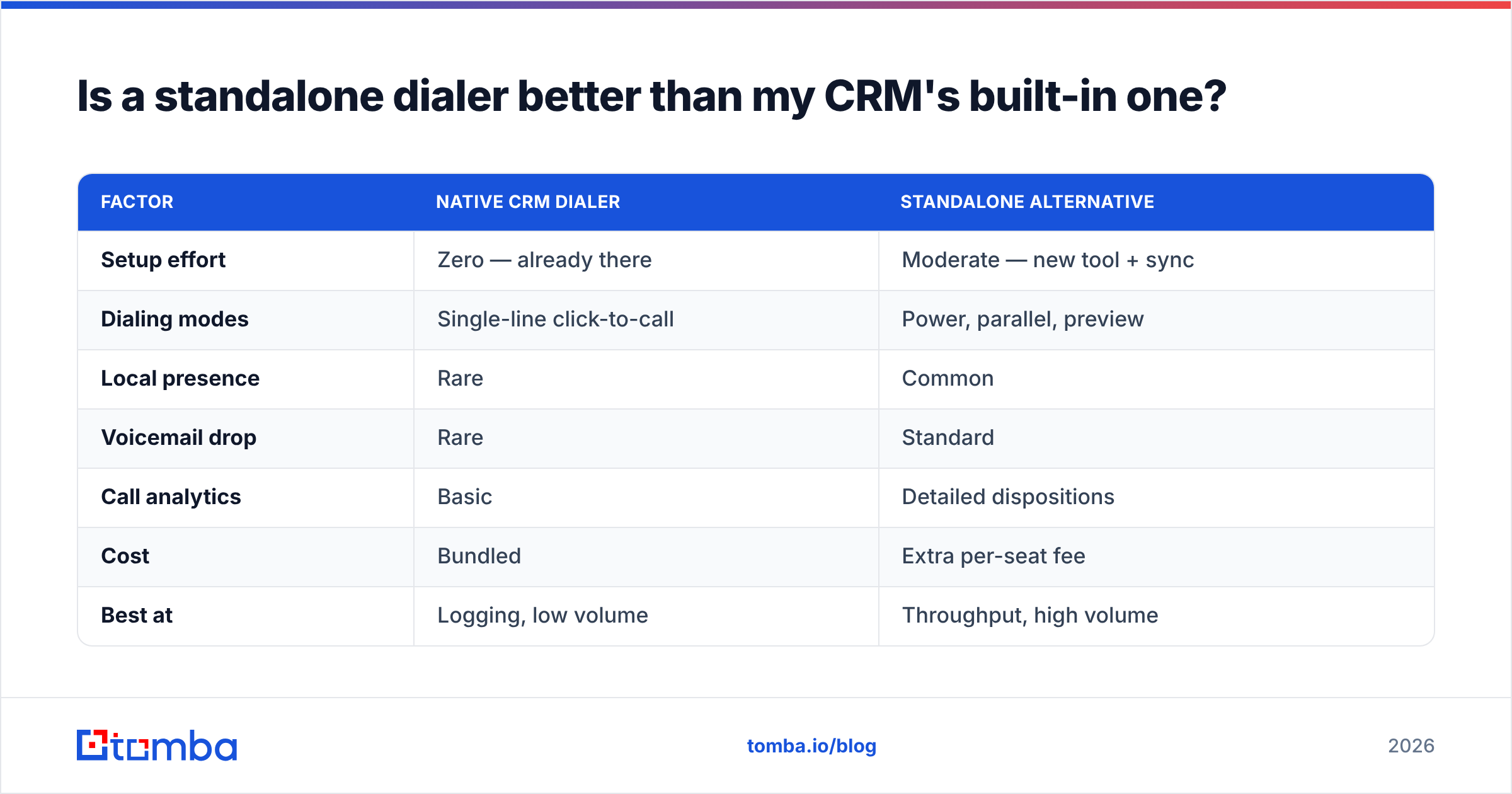
Is a standalone dialer better than my CRM's built-in one?#
Usually yes for volume — but the honest answer is "it depends on your call count." Below roughly 40 dials per rep per day, a native dialer inside a well-integrated CRM like HubSpot is perfectly adequate, and adding a second tool just creates another login and another sync to babysit.
Above that threshold, the math changes fast. A standalone power dialer that shaves 20 seconds of dead time off each call — the pause between hangup and next dial — gives a rep making 100 calls a day over half an hour back. Multiply that across a team and a year, and the subscription pays for itself many times over.
Here's the tradeoff table:
| Factor | Native CRM dialer | Standalone alternative |
|---|---|---|
| Setup effort | Zero — already there | Moderate — new tool + sync |
| Dialing modes | Single-line click-to-call | Power, parallel, preview |
| Local presence | Rare | Common |
| Voicemail drop | Rare | Standard |
| Call analytics | Basic | Detailed dispositions |
| Cost | Bundled | Extra per-seat fee |
| Best at | Logging, low volume | Throughput, high volume |
The rule of thumb: if calling is a core motion, buy a purpose-built dialer. If it's occasional, keep the native one and spend your budget elsewhere.
What actually determines dialer ROI? (Hint: it's not the dialer)#
The uncomfortable truth is that the dialer is the smallest lever. Two teams running the identical Orum or Kixie setup can see wildly different results — and the difference is almost always the contact data going in.
Think of it like a race car. The dialer is the engine; your phone list is the fuel. A parallel dialer firing through a list where 30% of numbers are disconnected, wrong, or belong to the switchboard doesn't produce 30% fewer conversations — it produces far fewer, because every dead dial also burns rep patience, phone reputation, and the caller-ID trust that gets your next call answered.
This is where most "our dialer isn't working" complaints actually originate. The tool is fine. The data is stale.
Three data problems quietly cap dialer ROI:
- Wrong or outdated numbers. People change roles and companies constantly; a number from a list bought 18 months ago is a coin flip.
- Missing direct dials. Reaching a main switchboard instead of a mobile or direct line kills connect rates — gatekeepers do their job.
- No verification layer. Dialing unverified numbers at volume trips carrier spam flags and gets your outbound numbers labeled "Scam Likely."
Fixing the data is cheaper and faster than switching dialers. Before you migrate platforms, enrich and verify your list. Pull direct dials with a dedicated phone finder, run them through a phone validator to drop dead lines, and layer in data enrichment so every record carries role, company, and a matching email for multichannel follow-up. That way a "no answer" call can flip to an email sequence instead of a dead end.
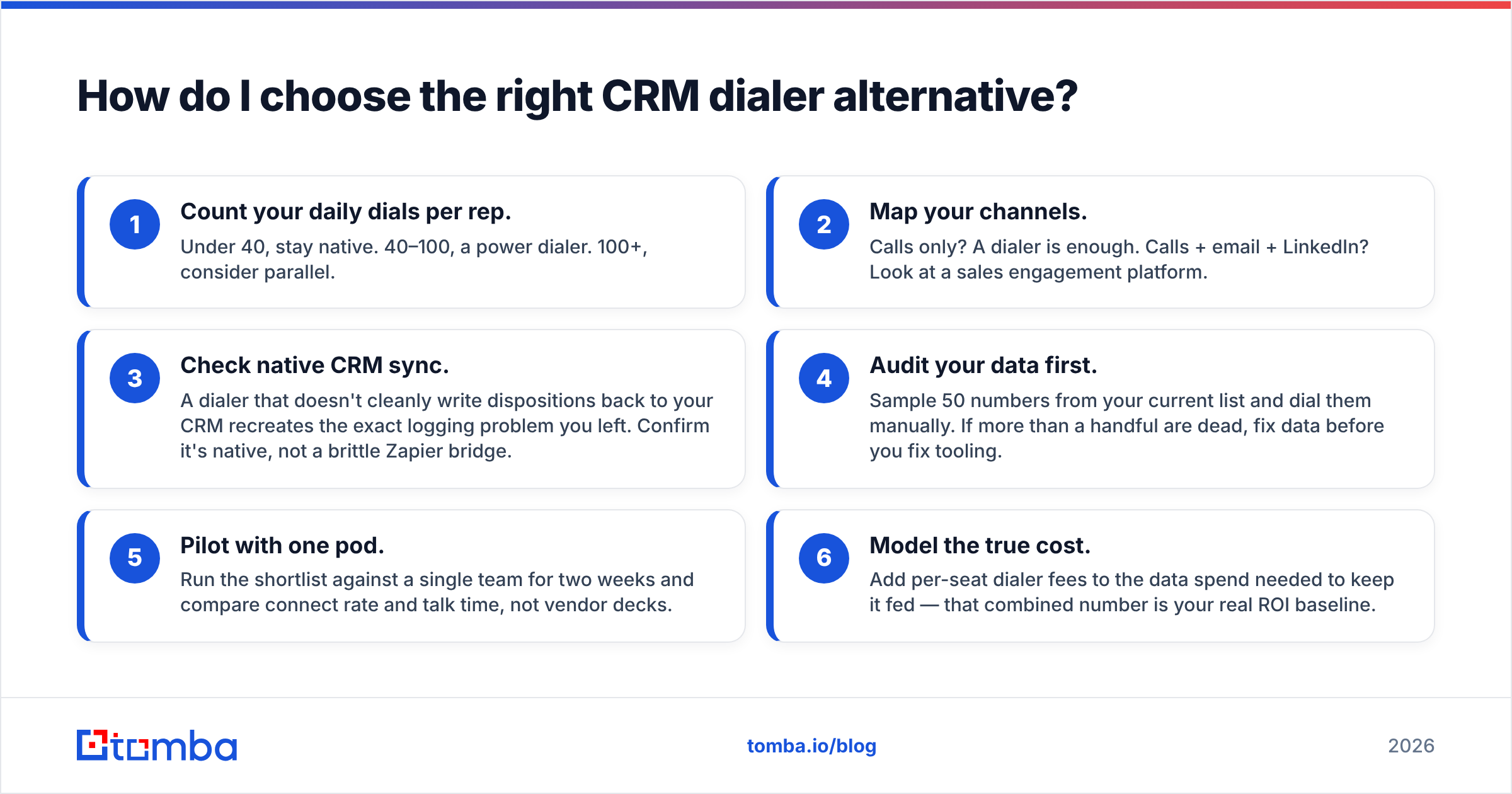
How do I choose the right CRM dialer alternative?#
Work through this in order — it keeps you from buying throughput you can't feed:
- Count your daily dials per rep. Under 40, stay native. 40–100, a power dialer. 100+, consider parallel.
- Map your channels. Calls only? A dialer is enough. Calls + email + LinkedIn? Look at a sales engagement platform.
- Check native CRM sync. A dialer that doesn't cleanly write dispositions back to your CRM recreates the exact logging problem you left. Confirm it's native, not a brittle Zapier bridge.
- Audit your data first. Sample 50 numbers from your current list and dial them manually. If more than a handful are dead, fix data before you fix tooling.
- Pilot with one pod. Run the shortlist against a single team for two weeks and compare connect rate and talk time, not vendor decks.
- Model the true cost. Add per-seat dialer fees to the data spend needed to keep it fed — that combined number is your real ROI baseline.
If you're also rethinking your broader outbound stack, it's worth reading how dialers slot into sales automation so calling, sequencing, and enrichment reinforce each other instead of living in separate silos.
Frequently asked questions#
Do I need to replace my CRM to switch dialers? No. Every alternative here is designed to sync back into your existing CRM. The point is to add a better calling engine on top of the CRM you already run, not to migrate records.
Are parallel dialers legal and safe for reputation? They're legal in most regions when used with proper consent and compliance (respecting DNC lists and local telemarketing rules — see the overview of robocall and dialer regulations). The reputation risk comes from dialing bad data at volume, which is another reason verification matters before you scale.
What's the cheapest way to improve calls without a new dialer? Clean your list. Verifying numbers and adding direct dials typically lifts connect rates more than any tool swap, at a fraction of the cost of a platform migration.
Can Tomba dial for me? No — Tomba isn't a dialer. It's the data layer that feeds one. You find and verify accurate contact details in Tomba, then push them into Aircall, Kixie, Orum, or whichever dialer you choose.
The bottom line#
The best CRM dialer alternative is the one that matches your call volume and channel mix — a power dialer for focused teams, a parallel dialer for high-volume SDR floors, a cloud phone system when support and sales share a line. But whichever you pick, remember that the dialer is only as good as the numbers you load into it.
Before you spend a cent on new calling software, make sure your contacts are real, current, and complete. Use the Tomba Email Finder alongside our phone finder and enrichment tools to build a verified list of decision-makers with direct dials and matching emails — so every dialer you test connects more conversations from day one. Start free with 25 searches, and check the full Tomba pricing when you're ready to scale your outbound data.
Related guides#
Ready to find emails that actually work?
Join 150,000+ professionals who stopped guessing and started sending. Free credits on signup — no credit card required.
Get the Tomba newsletter
Practical outbound tactics and product updates — once every two weeks.
About the author