CRM Integration in 2026: The Complete Guide for Sales Teams
A CRM integration is only as good as the data flowing through it. Here's how to connect your tools, kill duplicate records, and keep your pipeline clean in 2026.
Your CRM is the system of record for revenue. The problem is that no CRM works alone. Leads come from a form, get enriched by a data tool, warmed by a sequencer, called from a dialer, and closed in a deal desk. A CRM integration is what stitches those tools into one loop so a rep never re-types a phone number and a manager never argues with a dashboard.
Done well, integration is invisible: data lands where it should, deduplicated and current. Done badly, it's the single biggest source of dirty pipeline data your team will ever fight. This guide covers what CRM integration actually means in 2026, the patterns that hold up, the trade-offs between native connectors and middleware, and a checklist to keep your records clean.
TL;DR#
- CRM integration = automated, two-way data flow between your CRM and the tools around it (enrichment, sequencing, dialers, marketing, billing) so records stay consistent without manual entry.
- The three integration patterns are native connectors, iPaaS middleware (Zapier, Make), and direct API. Most teams end up with a mix.
- Duplicate records and stale fields kill more integrations than any technical failure. Field mapping and dedup rules matter more than the connector you pick.
- Feed your CRM verified data at the source — validate emails and enrich contacts before they sync, not after.
- Start with the two or three integrations that touch every deal (data, email, calendar), prove the sync, then expand.
What is a CRM integration?#
A CRM integration is an automated connection that moves data between your customer relationship management platform and another system, so both stay in sync without anyone copying and pasting. If you're fuzzy on the underlying term, Tomba's glossary has a plain-English take on CRM itself.
Think of your CRM as an airport control tower. The tower doesn't fly the planes — marketing tools, email finders, dialers, and billing systems do that. Integration is the radio channel that keeps every pilot reporting to the same tower, so nobody lands on an occupied runway. Without it, each tool has its own version of the truth, and your reps become the human middleware carrying data between them.
Integrations generally move data in one of two directions:
- One-way sync — data flows from a source into the CRM (or out of it) but not back. A lead-capture form pushing new contacts into Salesforce is one-way.
- Two-way sync — changes in either system update the other. If a rep edits a phone number in the CRM and it also updates in your sequencer, that's two-way.
Two-way is more powerful and more dangerous. It's where conflicting edits and duplicate creation happen, which is why the rules you set around it matter more than the pipes themselves.
Why does CRM integration matter for revenue teams?#
Because the cost of not integrating is paid every single day in rep time and bad decisions. According to Salesforce, sales reps spend a large share of their week on non-selling admin work — and manual data entry between disconnected tools is a chunk of that. Every minute a rep spends retyping a contact is a minute not spent selling.
The second cost is data decay. B2B contact data goes stale fast: people change jobs, companies rebrand, emails bounce. When your tools aren't integrated, a corrected record in one system never reaches the others. Your CRM slowly fills with dead emails and wrong titles, and your win-rate forecasting inherits the rot.
The third cost is trust. When the CRM dashboard and the marketing report disagree, leadership stops believing either one. Integration — with clean field mapping — is what makes a single number defensible.
What are the main types of CRM integration?#
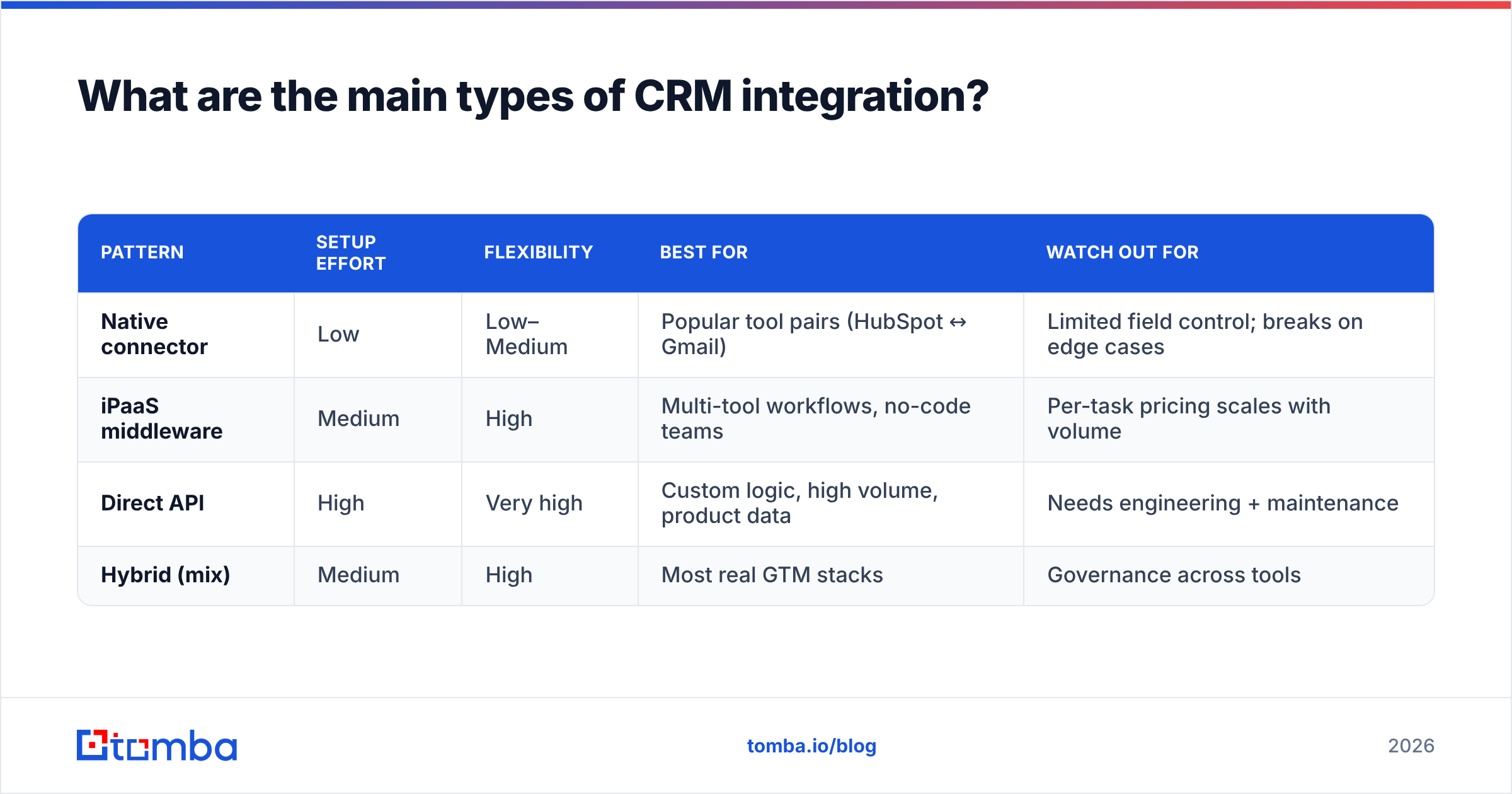
There are three architectural patterns, and the right answer for most teams is a blend. Here's how they compare.
| Pattern | Setup effort | Flexibility | Best for | Watch out for |
|---|---|---|---|---|
| Native connector | Low | Low–Medium | Popular tool pairs (HubSpot ↔ Gmail) | Limited field control; breaks on edge cases |
| iPaaS middleware | Medium | High | Multi-tool workflows, no-code teams | Per-task pricing scales with volume |
| Direct API | High | Very high | Custom logic, high volume, product data | Needs engineering + maintenance |
| Hybrid (mix) | Medium | High | Most real GTM stacks | Governance across tools |
1. Native connectors. Built and maintained by the vendor. You authenticate once and a fixed set of fields sync. Fast to turn on, but you get whatever mapping the vendor decided on. Great for common pairs; frustrating when you need a custom field to travel.
2. iPaaS middleware. Tools like Zapier and Make sit between your apps and let you build workflows with no code — "when a lead is created, enrich it, then create a CRM contact." Enormous flexibility, but pricing is usually per task, so high-volume syncs get expensive.
3. Direct API. Your engineers call the CRM's API directly. Total control over logic, timing, and volume. It's the most robust option and the most work — someone has to own it when the CRM ships a breaking change.
Most healthy stacks use native connectors for the obvious pairs, middleware for the glue, and a direct API where volume or custom logic demands it.
How do you set up a CRM integration without creating a data mess?#
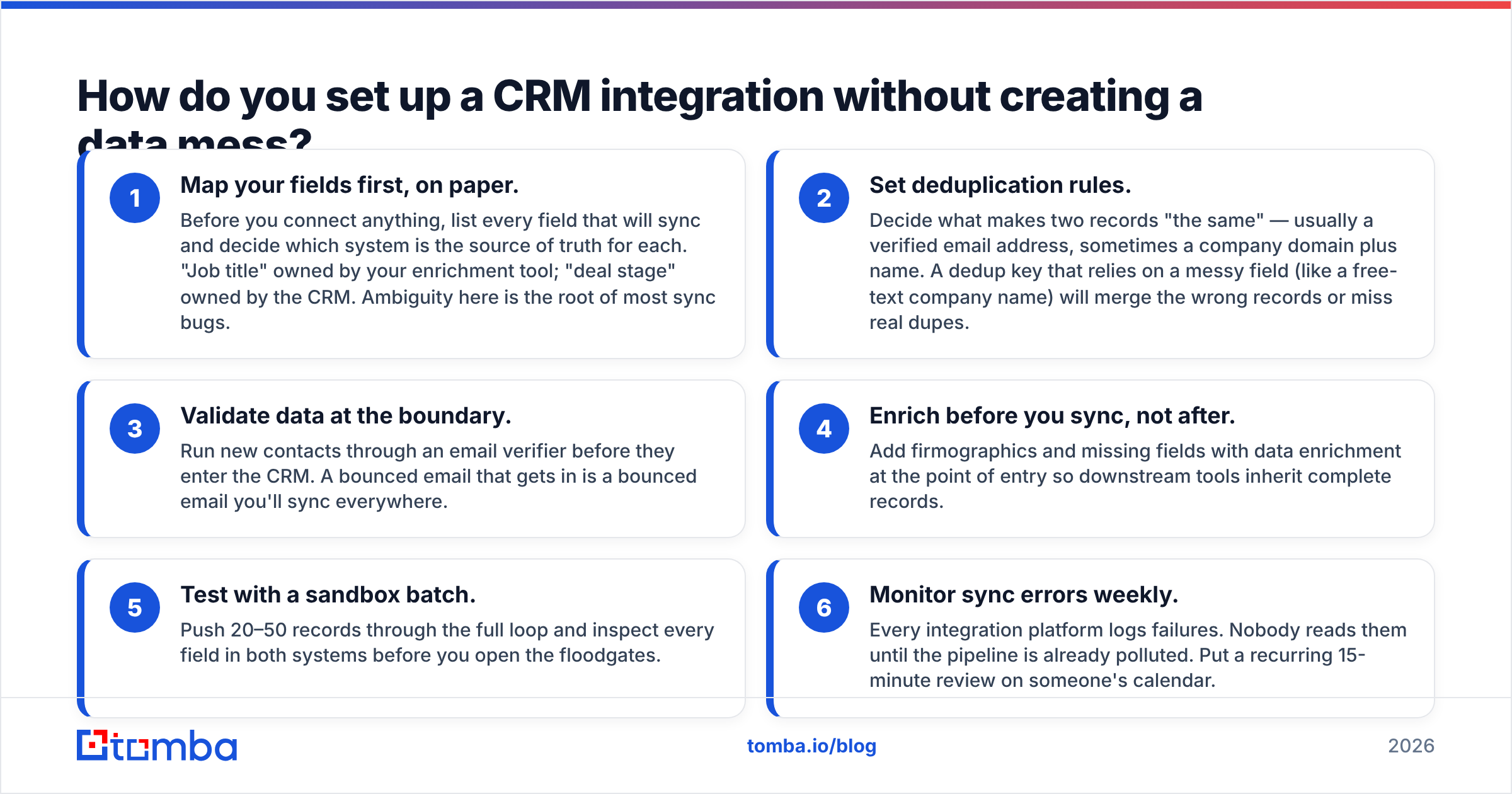
The connector is the easy part. The data hygiene is where integrations live or die. Follow this order.
- Map your fields first, on paper. Before you connect anything, list every field that will sync and decide which system is the source of truth for each. "Job title" owned by your enrichment tool; "deal stage" owned by the CRM. Ambiguity here is the root of most sync bugs.
- Set deduplication rules. Decide what makes two records "the same" — usually a verified email address, sometimes a company domain plus name. A dedup key that relies on a messy field (like a free-text company name) will merge the wrong records or miss real dupes.
- Validate data at the boundary. Run new contacts through an email verifier before they enter the CRM. A bounced email that gets in is a bounced email you'll sync everywhere.
- Enrich before you sync, not after. Add firmographics and missing fields with data enrichment at the point of entry so downstream tools inherit complete records.
- Test with a sandbox batch. Push 20–50 records through the full loop and inspect every field in both systems before you open the floodgates.
- Monitor sync errors weekly. Every integration platform logs failures. Nobody reads them until the pipeline is already polluted. Put a recurring 15-minute review on someone's calendar.
Skip steps 1–3 and you get the classic outcome below.

Which CRM integrations should you prioritize?#
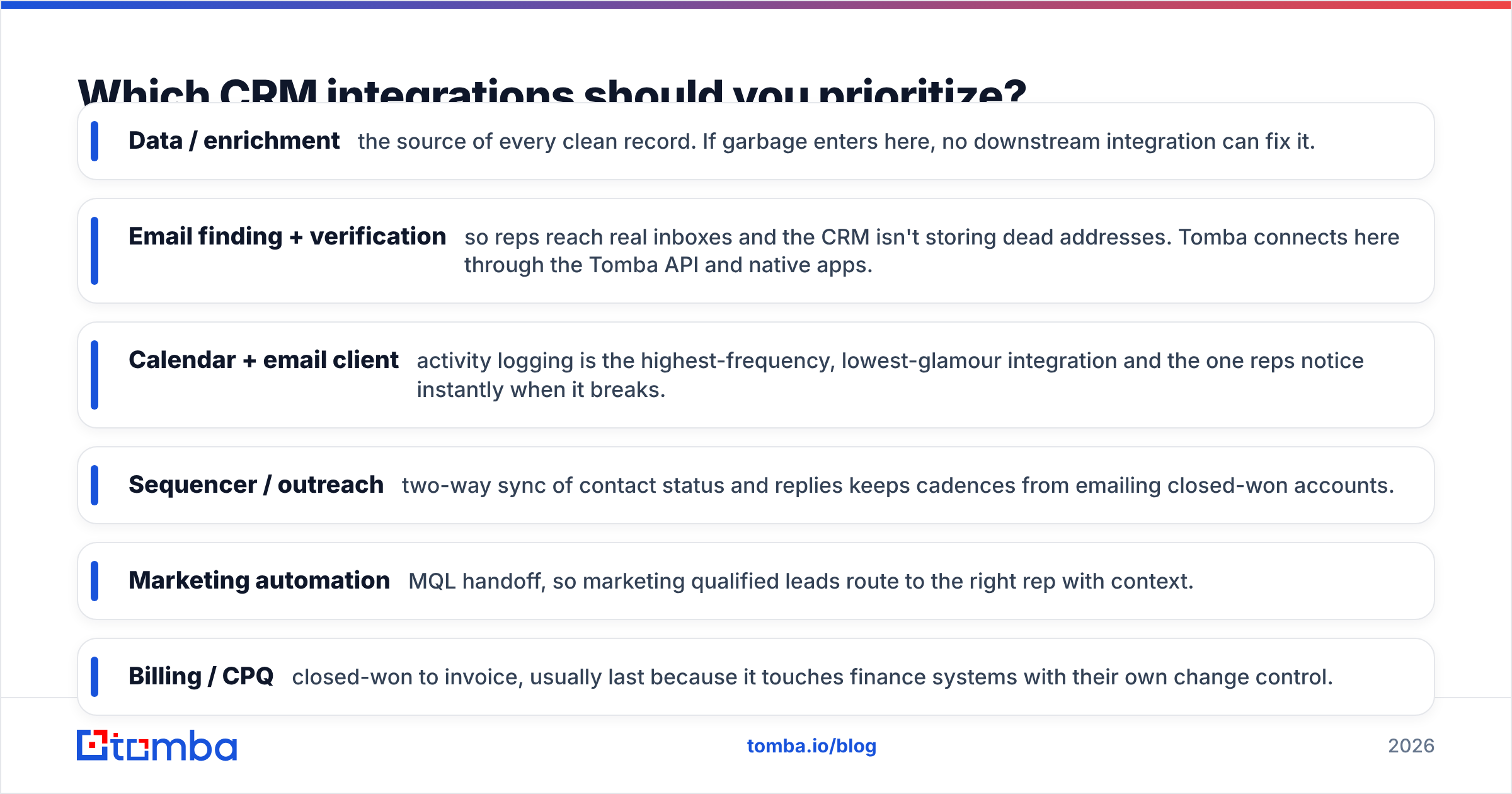
Don't boil the ocean. Rank integrations by how many deals they touch, and turn on the top few first. For most B2B teams the priority order looks like this:
- Data / enrichment — the source of every clean record. If garbage enters here, no downstream integration can fix it.
- Email finding + verification — so reps reach real inboxes and the CRM isn't storing dead addresses. Tomba connects here through the Tomba API and native apps.
- Calendar + email client — activity logging is the highest-frequency, lowest-glamour integration and the one reps notice instantly when it breaks.
- Sequencer / outreach — two-way sync of contact status and replies keeps cadences from emailing closed-won accounts.
- Marketing automation — MQL handoff, so marketing qualified leads route to the right rep with context.
- Billing / CPQ — closed-won to invoice, usually last because it touches finance systems with their own change control.
Tomba ships native connectors for the big CRMs, including a HubSpot integration and a Salesforce integration, plus a full list of integrations covering Pipedrive, Zapier, Make, and more — so verified contacts land in your CRM already validated.
Native connector vs middleware: which should you choose?#
Ask three questions.
How custom is your logic? If you need "enrich, verify, score, then route to different owners by territory," native connectors won't do it — reach for middleware or API. If you just need contacts to appear in HubSpot, the native connector is fewer moving parts.
What's your volume? Middleware priced per task is fine at hundreds of syncs a month and painful at hundreds of thousands. High volume favors native connectors (often flat-rate) or a direct API.
Who maintains it? Native connectors are maintained by the vendor — one less thing to own. Middleware and API are yours to babysit. Be honest about whether you have the engineering bandwidth before you commit to the flexible option.
You can compare specific connector capabilities on a review site like G2 before committing, since native connector depth varies a lot between vendors even for the same CRM.
What are the most common CRM integration mistakes?#
- No field-mapping doc. If it lives only in one person's head, it breaks the day they're on vacation.
- Two-way sync on fields that should be one-way. Letting two systems both "own" a field guarantees a race condition and a wrong value.
- Syncing unverified emails. A dirty list in equals a dirty CRM everywhere. Verify at the door.
- Ignoring the error log. Silent failures accumulate for weeks before anyone notices the missing records.
- Over-integrating early. Ten half-working integrations are worse than three solid ones. Prove each loop before adding the next.
- No dedup key. Without a reliable unique identifier (a verified email is the best one), you'll create duplicate contacts on every sync run.
The through-line: clean, verified, well-mapped data beats a fancier connector every time.
How does data quality affect CRM integration?#
It's the whole game. An integration is a multiplier — it takes whatever data you feed it and spreads it everywhere, fast. Feed it clean records and it compounds your team's efficiency. Feed it dirty records and it compounds the mess just as efficiently.
This is why the smartest teams treat data validation as part of the integration itself, not a separate cleanup project they'll get to later. Every new contact should be verified and enriched before it reaches the CRM, so the sync only ever moves good data. Tools that pull from transparent data sources and verify in real time keep the whole loop trustworthy. When the source is clean, every downstream integration inherits that quality for free.
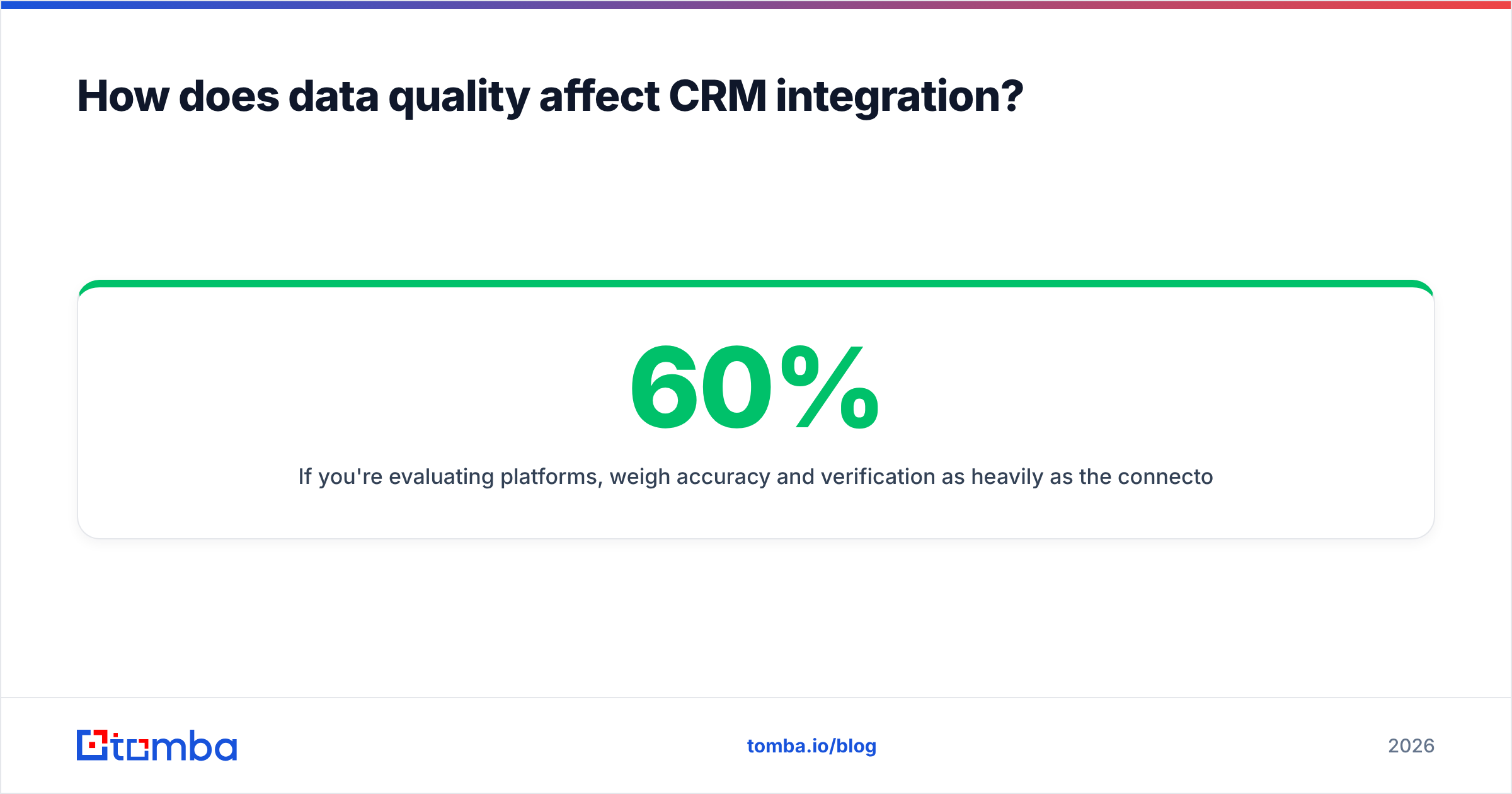
If you're evaluating platforms, weigh accuracy and verification as heavily as the connector list. A tool with fifty integrations and a 60% accuracy rate will pollute all fifty systems. Check the Tomba pricing tiers against your volume — the Free tier gives you 25 searches a month to test the sync quality before you commit, with Starter at $49/mo and Growth at $99/mo as you scale.
Frequently asked questions#
What does CRM integration mean? It's an automated connection that syncs data between your CRM and other tools — enrichment, email finders, sequencers, marketing platforms — so records stay consistent without manual re-entry.
Is native or third-party integration better? Neither wins outright. Native connectors are simpler and vendor-maintained; middleware and APIs are more flexible but need ownership. Most teams use both.
How do I stop duplicate records when integrating? Define a reliable dedup key (a verified email address is the strongest), set merge rules before you connect, and validate emails at the point of entry so the same contact isn't created twice under two spellings.
Do I need engineers to integrate my CRM? Not for native connectors or no-code middleware like Zapier. You only need engineering for direct API integrations with custom logic or very high volume.
The bottom line#
A CRM integration is only ever as good as the data moving through it. Pick the pattern that fits your logic and volume, map your fields before you connect anything, and — most importantly — verify and enrich every contact at the boundary so the sync only spreads clean data.
Start at the source. Use the Tomba Email Finder to find and verify professional email addresses, then let Tomba's native connectors push those validated contacts straight into HubSpot, Salesforce, or Pipedrive. Clean data in, clean pipeline out — that's the whole point of integrating in the first place. Try it free with 25 searches and see what a verified sync actually feels like.
Related guides#
Ready to find emails that actually work?
Join 150,000+ professionals who stopped guessing and started sending. Free credits on signup — no credit card required.
Get the Tomba newsletter
Practical outbound tactics and product updates — once every two weeks.
About the author