Crono Pricing in 2026: Plans, Real Costs, and a Cheaper Pick
A neutral breakdown of Crono pricing in 2026 — every plan, the credit limits nobody mentions, the hidden add-on costs, and when a leaner stack beats it.
Crono has become one of the louder names in the AI-SDR category, promising to fold prospecting, data, multichannel outreach, and a sales assistant into one platform. But the marketing pages are deliberately vague on numbers, and the real question every buyer asks — "what will this actually cost my team per month?" — takes some digging. This is that dig.
TL;DR — What does Crono cost in 2026?#
- Crono uses a base subscription plus a credit system. The seat price is only half the bill; data credits (for finding and enriching contacts) are metered and run out fast on active teams.
- Expect roughly $29–$99+ per user/month depending on tier and billing cycle, with the genuinely useful automation and integrations gated to higher plans.
- The "free" plan is a trial-grade tier — enough to demo, not to run outbound at volume.
- Hidden costs are real: extra credit packs, per-seat scaling, and add-ons for advanced enrichment or higher sending limits.
- If your core need is accurate contact data, a focused email finder like Tomba Email Finder covers the expensive part of the stack for a flat, predictable price — often cheaper than Crono's credit overages alone.
What is Crono and who is it for?#
Crono is an AI-powered sales engagement platform aimed at SDR and BDR teams. Think of it as a Swiss Army knife: it bundles a B2B contact database, an email and LinkedIn sequencer, an AI writing assistant, and CRM sync into a single subscription. The pitch is consolidation — instead of paying for a data tool, a sequencer, and a writer separately, you pay Crono once.
That pitch only works if the bundled price beats the sum of the parts. Sometimes it does. Often, for teams that already own a CRM or only need one or two of those functions, it doesn't. The trap with all-in-one sales automation tools is paying for five features to use two.
The other thing to understand up front: Crono is a credit-metered product. Your subscription buys you a seat and a monthly allotment of credits. Every time you reveal an email, enrich a contact, or pull a phone number, you spend credits. Run out, and you either wait for the reset or buy more. This is the single biggest source of surprise on the invoice, so we'll come back to it.
How is Crono pricing structured?#
Crono's pricing has three moving parts, and you need all three to model a real bill:
- Base seat subscription — the per-user monthly fee, discounted if you pay annually.
- Credit allotment — the monthly bucket of data actions (email reveals, enrichment, phone lookups) included with your seat.
- Add-ons and overages — extra credit packs, premium enrichment, and higher-tier features layered on top.
Because pricing shifts and Crono negotiates on annual and team deals, treat published numbers as a starting point and confirm the live figure on the Crono pricing page before you commit. What rarely changes is the shape of the pricing: a modest base fee that looks affordable, plus a credit meter that determines your actual cost once the team is active.
Here's the mental model that matters: your bill is base × seats + credit overages. Teams that under-estimate credit burn are the ones who feel misled three months in.
What are the Crono plans and prices?#
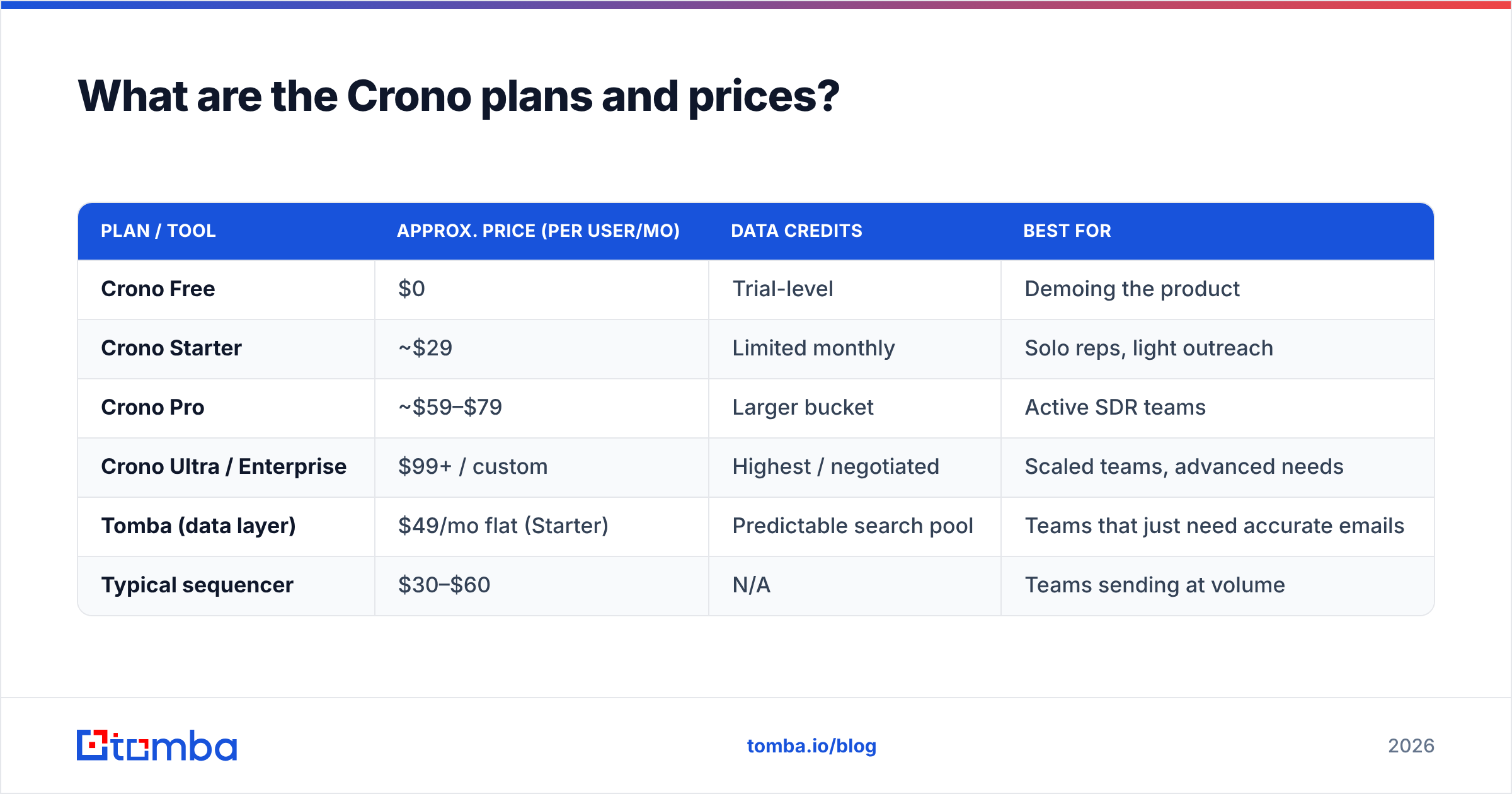
The following table reflects the typical tier structure for Crono and a like-for-like comparison against a couple of common alternatives. Numbers are approximate 2026 list prices per user/month on annual billing — always verify current figures directly.
| Plan / tool | Approx. price (per user/mo) | Data credits | Best for |
|---|---|---|---|
| Crono Free | $0 | Trial-level | Demoing the product |
| Crono Starter | ~$29 | Limited monthly | Solo reps, light outreach |
| Crono Pro | ~$59–$79 | Larger bucket | Active SDR teams |
| Crono Ultra / Enterprise | $99+ / custom | Highest / negotiated | Scaled teams, advanced needs |
| Tomba (data layer) | $49/mo flat (Starter) | Predictable search pool | Teams that just need accurate emails |
| Typical sequencer | $30–$60 | N/A | Teams sending at volume |
Two things jump out. First, Crono's entry price looks competitive, but the automation, AI, and integration features most teams actually buy it for tend to live on Pro and above. Second, the "credits" column is where the real cost variance hides — a light user on Starter and a heavy prospector on Pro can have wildly different effective costs even inside the same plan.
For context on how a flat, non-metered model compares, see Tomba pricing — the difference between "flat pool" and "credit meter" is the whole ballgame for cost predictability.
What does Crono actually include at each tier?#
Feature gating is where all-in-one tools make their margin. A rough map of what unlocks where:
- Free: account creation, a taste of the database, limited sequences. Good for a kick-the-tires evaluation, not for production outbound.
- Starter: basic sequencing, contact finding within a small credit cap, core CRM sync. Fine for a solo rep or a founder doing light outreach.
- Pro: the tier most teams land on — multichannel sequences (email + LinkedIn), the AI assistant, larger credit buckets, deeper integrations, analytics.
- Ultra / Enterprise: highest credit allotments, priority support, advanced admin controls, custom data terms, SSO.
The pattern is consistent with the category: the genuinely differentiating features — AI writing at volume, multichannel automation, meaningful credit headroom — cluster on Pro and above. If you're pricing Crono, price the tier you'll actually use, not the one on the billboard.
Where do the hidden costs come from?#
This is the section most reviews skip. Three places the invoice grows beyond the sticker:
1. Credit overages. The included credits sound generous until a rep runs a few hundred enrichments a week. Once the bucket empties, you buy more — and per-credit top-up rates are always worse than the bundled rate. Heavy prospecting months can double a naive estimate.
2. Per-seat scaling. A five-person team on Pro isn't "the Pro price." It's five times the Pro price, and any annual discount is the only thing softening that. Bundled tools get expensive fast as headcount grows because you pay full freight for every seat, even the rep who only uses the sequencer.
3. Data accuracy tax. If the bundled database returns stale or wrong emails, you pay twice: once in credits to find the address, and again in deliverability damage when bounces pile up. Bad data isn't free — it quietly raises your cost per booked meeting.

That third point is why a lot of teams separate their data layer from their sending layer. If a dedicated finder gives you cleaner emails, your bounce rate drops, your sender reputation holds, and your whole outbound engine runs more efficiently — regardless of which sequencer you use.
Is Crono worth it compared to a focused stack?#
Short answer: it depends on how many of Crono's bundled functions you'll genuinely use.
Crono makes sense if you want one login for data, sequencing, and AI, and you're okay paying a premium for that convenience across every seat. For a small, tightly-run SDR team that lives inside one tool all day, the consolidation can be worth it.
It makes less sense if:
- You already own a sequencer or a CRM with sequencing built in.
- Only one or two people need the data features, but everyone needs a seat.
- Your credit burn is high and unpredictable — the meter will punish you.
- Your priority is data accuracy over an all-in-one dashboard.
For that last group, the smarter build is a lean stack: a best-in-class data tool feeding a sequencer you already like. You control cost at each layer and never pay for shelfware.
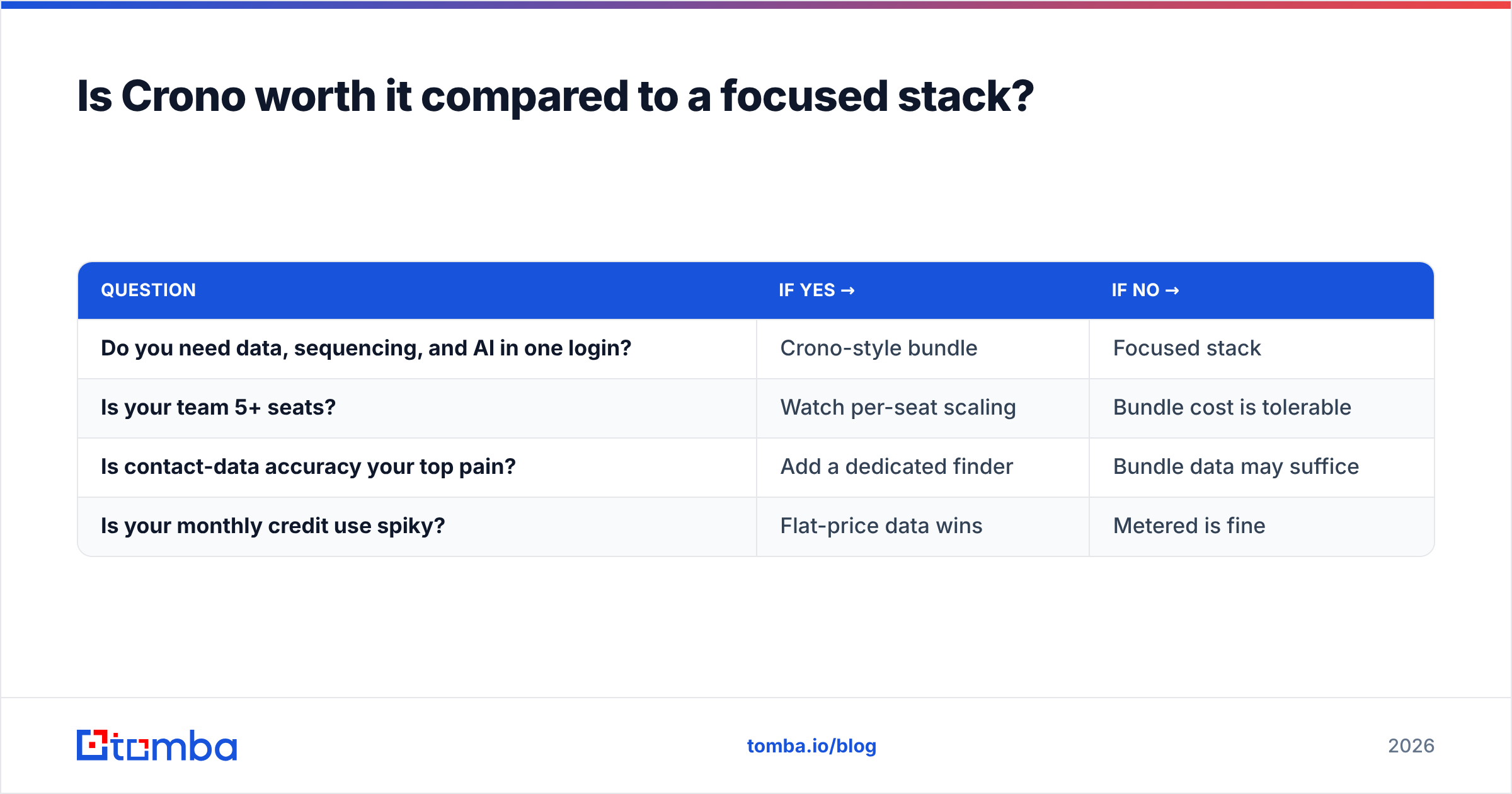
Here's how a focused-stack decision usually breaks down:
| Question | If yes → | If no → |
|---|---|---|
| Do you need data, sequencing, and AI in one login? | Crono-style bundle | Focused stack |
| Is your team 5+ seats? | Watch per-seat scaling | Bundle cost is tolerable |
| Is contact-data accuracy your top pain? | Add a dedicated finder | Bundle data may suffice |
| Is your monthly credit use spiky? | Flat-price data wins | Metered is fine |
How does the data layer compare on price and accuracy?#
Since data credits are the volatile part of any Crono bill, it's worth isolating just that function. A dedicated email-finding and verification layer does one job and does it predictably.
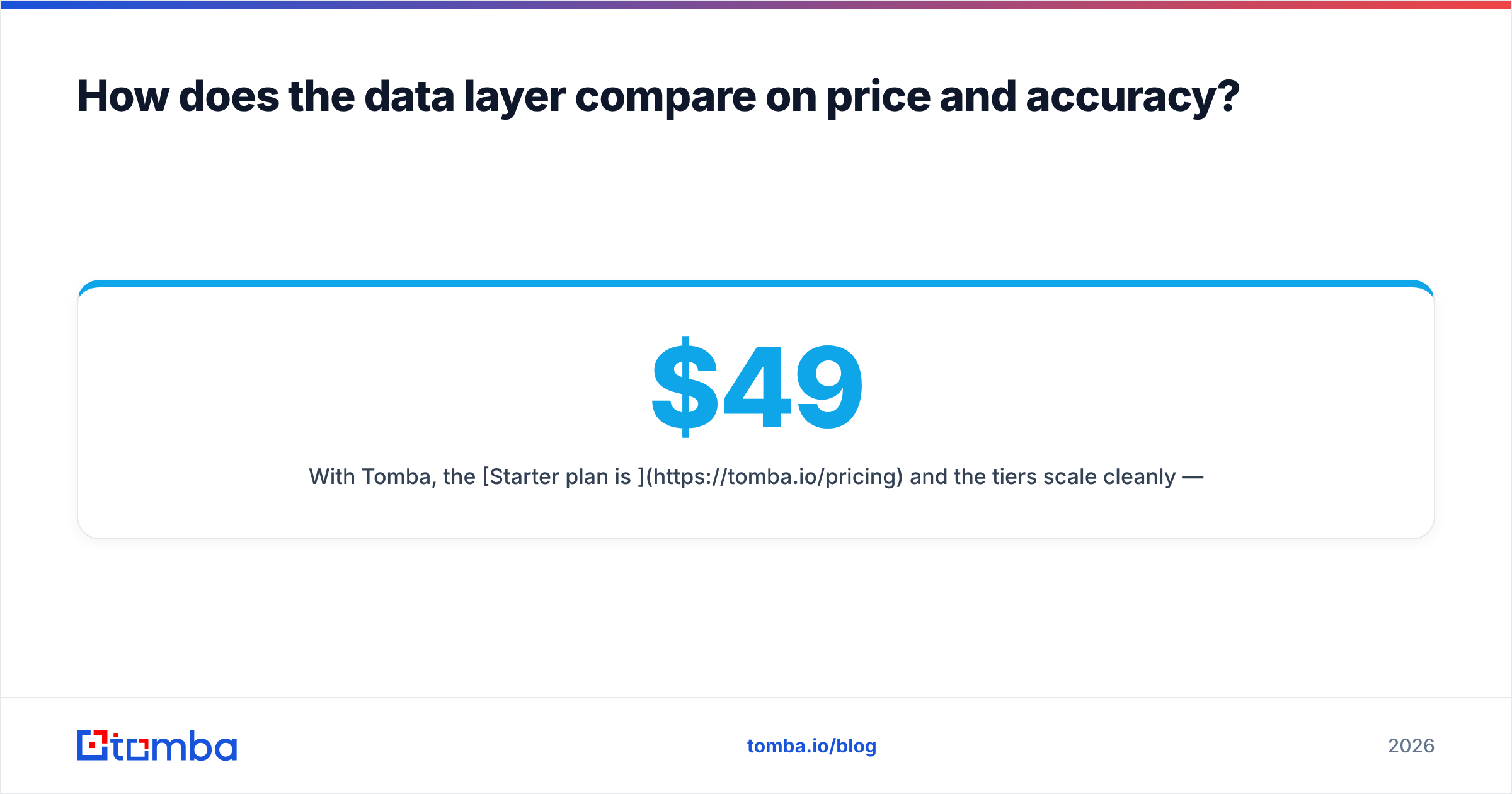
With Tomba, the Starter plan is $49/mo and the tiers scale cleanly — Free (25 searches/mo), Starter $49, Growth $99, Pro $249, Enterprise custom. Instead of a meter that surprises you, you get a known pool of searches and verifications. You can pair it with tools like:
- Email verifier to scrub lists before sending and protect sender reputation.
- Domain search to pull every reachable contact at a target account.
- Bulk email finder to enrich a whole prospect list in one pass.
The point isn't that Tomba replaces a sequencer — it doesn't. It's that the most cost-volatile piece of a Crono subscription can be handled by a flat-priced specialist, so your outbound data cost stops being a moving target. Independent buyers can sanity-check both tools on G2 before deciding.
What's the verdict on Crono pricing?#
Crono is a capable, genuinely useful platform — and its pricing is fair for the team it's built for: a small SDR group that wants everything in one place and will use most of it. The catch is that the sticker price and the real bill diverge, and the gap is almost entirely credits and per-seat scaling.
Before you sign:
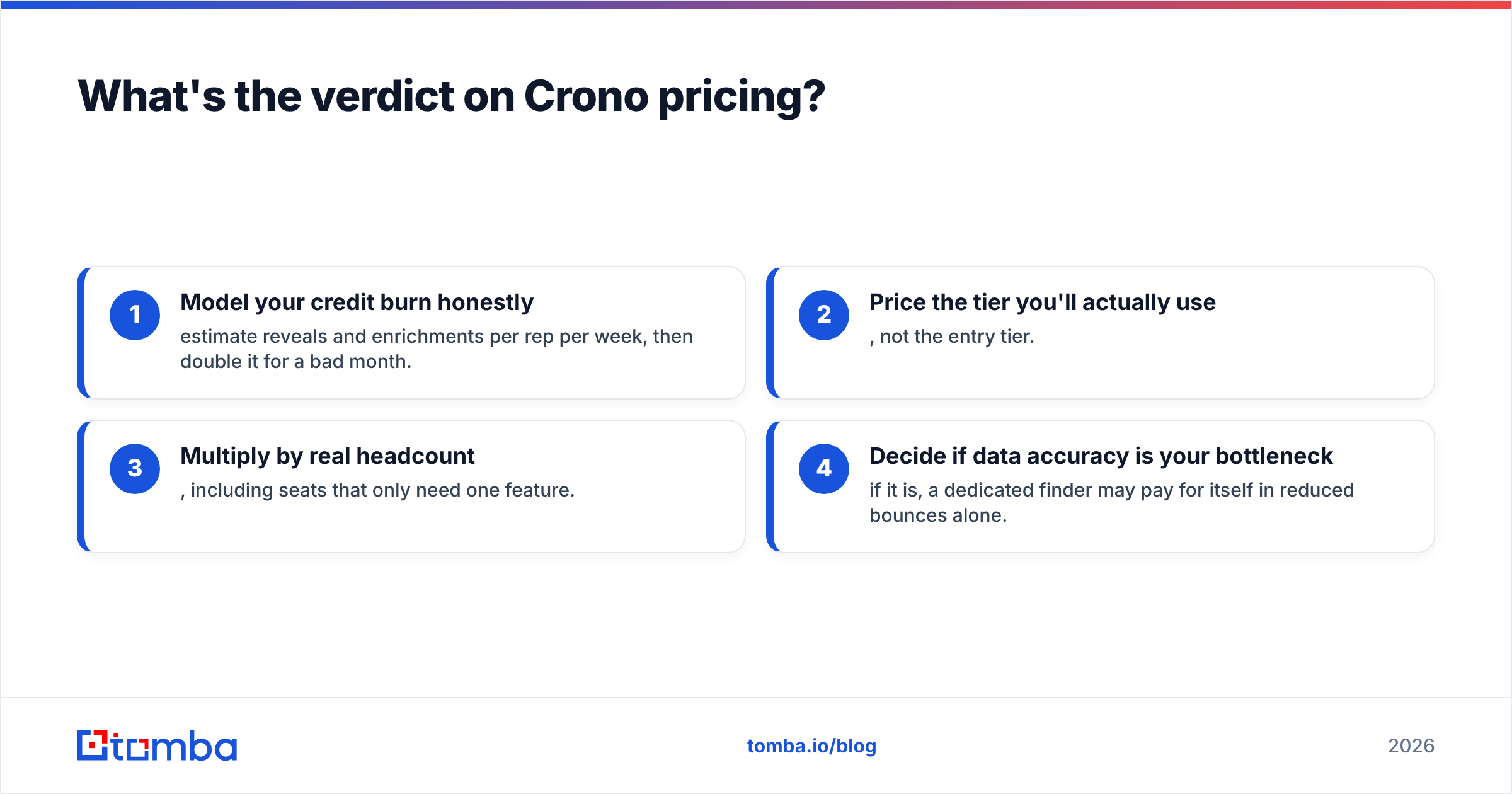
- Model your credit burn honestly — estimate reveals and enrichments per rep per week, then double it for a bad month.
- Price the tier you'll actually use, not the entry tier.
- Multiply by real headcount, including seats that only need one feature.
- Decide if data accuracy is your bottleneck — if it is, a dedicated finder may pay for itself in reduced bounces alone.
Do that math and Crono either looks like a smart consolidation or an expensive way to buy features you won't touch. Only your numbers can tell you which.
Get the expensive part of the stack under control#
If the thing keeping you up at night is contact-data cost and accuracy — the credit meter, the bounces, the stale emails — start there. Tomba's Email Finder gives you verified, professional email addresses by name, domain, or company at a flat, predictable price, so the most volatile line item in any sales stack becomes a fixed one. Try the free tier (25 searches/month, no card), plug it into whichever sequencer you already run, and see how much of your "Crono credit problem" simply disappears.
Related guides#
Ready to find emails that actually work?
Join 150,000+ professionals who stopped guessing and started sending. Free credits on signup — no credit card required.
Get the Tomba newsletter
Practical outbound tactics and product updates — once every two weeks.
About the author