Crono Pros and Cons in 2026: A Complete, No-Fluff Review
An honest, vendor-neutral look at Crono's pros and cons in 2026 — where its AI sales automation shines, where it falls short, and who should actually buy it.
Crono markets itself as an all-in-one AI sales platform: find prospects, enrich them, sequence them across email and LinkedIn, and let AI write the copy. That pitch is attractive when your reps are stitching together five tools to do one job. But "all-in-one" always hides trade-offs, and the honest question isn't whether Crono is good — it's whether it's good for you.
This is a vendor-neutral breakdown of the real Crono pros and cons in 2026. No hype, no hit piece. Just where it earns its price, where it quietly costs you, and the concrete situations where a leaner stack beats it.
TL;DR: Crono pros and cons at a glance#
- Best for: small-to-mid outbound teams that want prospecting, multichannel sequencing, and AI copy in one login instead of five subscriptions.
- Biggest pro: genuinely unified workflow — LinkedIn + email + AI writing + CRM sync without duct tape between tools.
- Biggest con: the built-in contact data is inconsistent, so you'll still want a dedicated email verifier to protect deliverability.
- Pricing reality: credit-based tiers mean heavy prospecting months get expensive fast; model your real volume before committing.
- Skip it if: you already own a sequencer you like and only need better data — a specialized email finder plus your existing stack is cheaper and more accurate.
What is Crono, and what does it actually do?#
Crono is a sales engagement platform built around AI-assisted outbound. Think of it as a Swiss Army knife for an SDR: instead of one blade, you get prospecting, data enrichment, multichannel sequences (email plus LinkedIn), an AI copywriter, and a lightweight CRM layer, all in one interface.
The core loop looks like this: you find a prospect (or import a list), Crono enriches the contact with an email and profile data, the AI drafts a personalized opener, and the sequence engine fires touches across channels on a schedule. Replies and activity sync back so you're not living in spreadsheets.
That consolidation is the whole value proposition. The trade-off — and this is the theme of every all-in-one tool — is that a suite rarely wins every category. A jack-of-all-trades is a genius at none, and the places Crono is merely "fine" are exactly where a point solution pulls ahead.
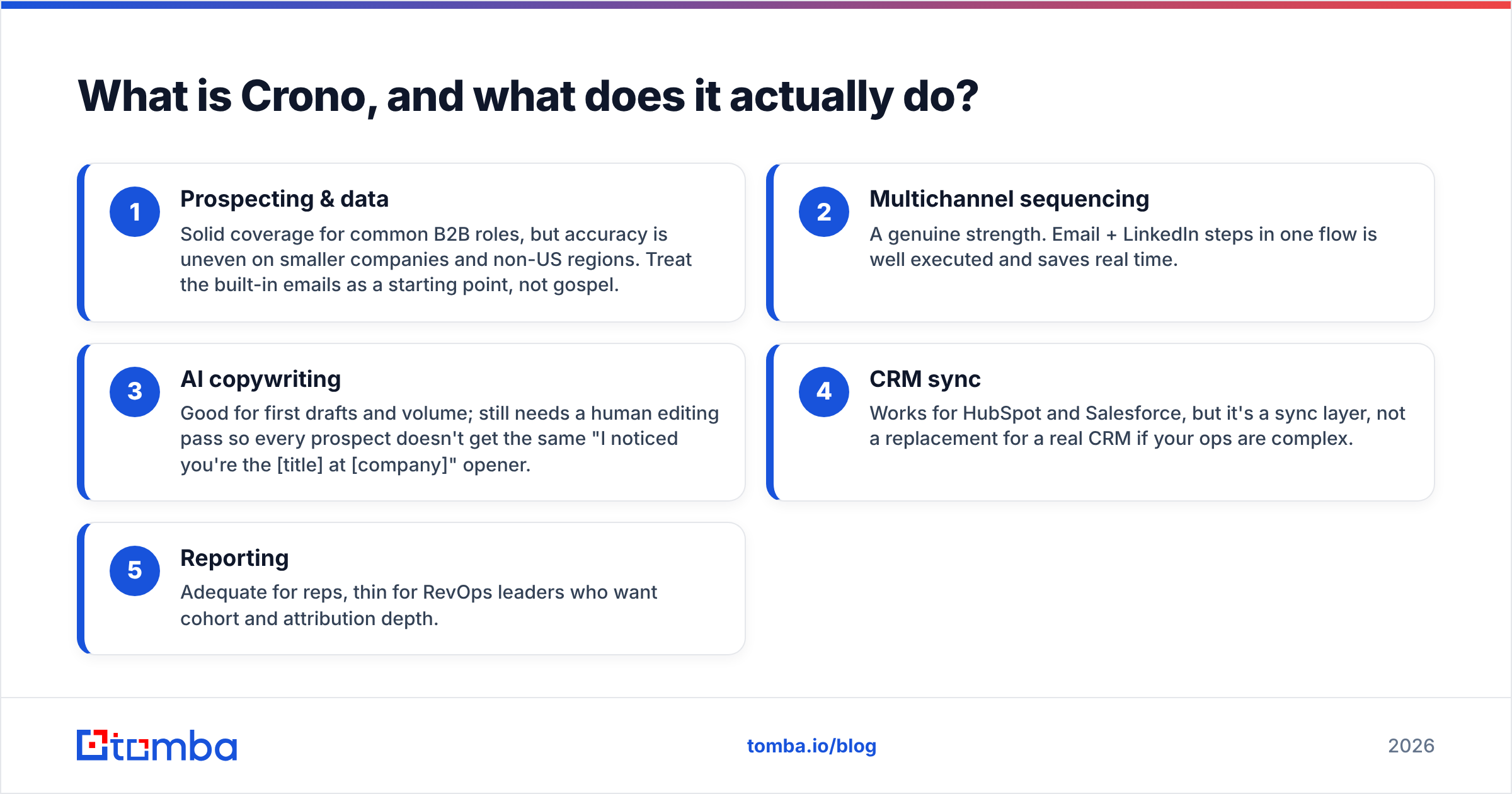
Here's the honest feature-by-feature read:
- Prospecting & data — Solid coverage for common B2B roles, but accuracy is uneven on smaller companies and non-US regions. Treat the built-in emails as a starting point, not gospel.
- Multichannel sequencing — A genuine strength. Email + LinkedIn steps in one flow is well executed and saves real time.
- AI copywriting — Good for first drafts and volume; still needs a human editing pass so every prospect doesn't get the same "I noticed you're the [title] at [company]" opener.
- CRM sync — Works for HubSpot and Salesforce, but it's a sync layer, not a replacement for a real CRM if your ops are complex.
- Reporting — Adequate for reps, thin for RevOps leaders who want cohort and attribution depth.
What are the biggest pros of Crono?#
1. One workflow instead of five tabs. The strongest argument for Crono is that it collapses the outbound stack. A rep can go from "who do I contact" to "message sent across two channels" without exporting a CSV, cleaning it, uploading it somewhere else, and rewriting copy in a third tool. For small teams, that friction reduction is worth real money.
2. Native LinkedIn + email sequencing. Plenty of tools bolt LinkedIn on awkwardly. Crono treats it as a first-class channel, so a sequence can mix a connection request, a LinkedIn message, and two emails on one timeline. If LinkedIn outreach is central to your motion, this is a legitimate differentiator.
3. AI that removes the blank-page problem. The AI copywriter won't win awards, but it kills the slowest part of a rep's day: writing the first line. Used as a drafting assistant rather than an autopilot, it meaningfully raises throughput.
4. Fast onboarding. Because everything lives in one place, a new rep can be productive quickly. There's no month-long integration project to connect a finder, a verifier, a sequencer, and a CRM.
5. Reasonable entry price for the bundle. When you total what you'd pay for a separate prospecting tool, sequencer, and AI writer, Crono's bundled pricing can undercut the sum of the parts — if your usage stays inside the credit allowance.
What are the biggest cons of Crono?#
1. Data accuracy is the weak link. This is the con that matters most, because bad emails don't just waste credits — they hurt your sender reputation. Bundled data providers optimize for coverage, not precision, and Crono's enrichment is no exception. Expect a meaningful bounce rate on unverified sends, especially outside large US enterprises.
2. Credit math gets expensive at volume. The bundle looks cheap until a big prospecting month burns through your credits and you're buying top-ups. Teams that scrape and enrich heavily often find the "all-in-one saves money" story reverses at scale.
3. AI personalization is shallow by default. Left unedited, the AI produces recognizably templated openers. Prospects have seen a thousand "Loved your recent post about..." lines. Without a human pass, reply rates suffer — which erodes the time savings the AI was supposed to deliver.
4. It's a sync layer, not a system of record. If your RevOps team runs complex routing, scoring, and attribution, Crono's CRM features feel thin. You'll keep your real CRM and use Crono as a front-end, which weakens the "one tool" pitch.
5. Deliverability is your problem, not Crono's. The platform sends; it doesn't warm your domain or guarantee inbox placement. You still need warmup, SPF/DKIM/DMARC, and list hygiene. If you assume the suite handles email deliverability end-to-end, you'll be disappointed.

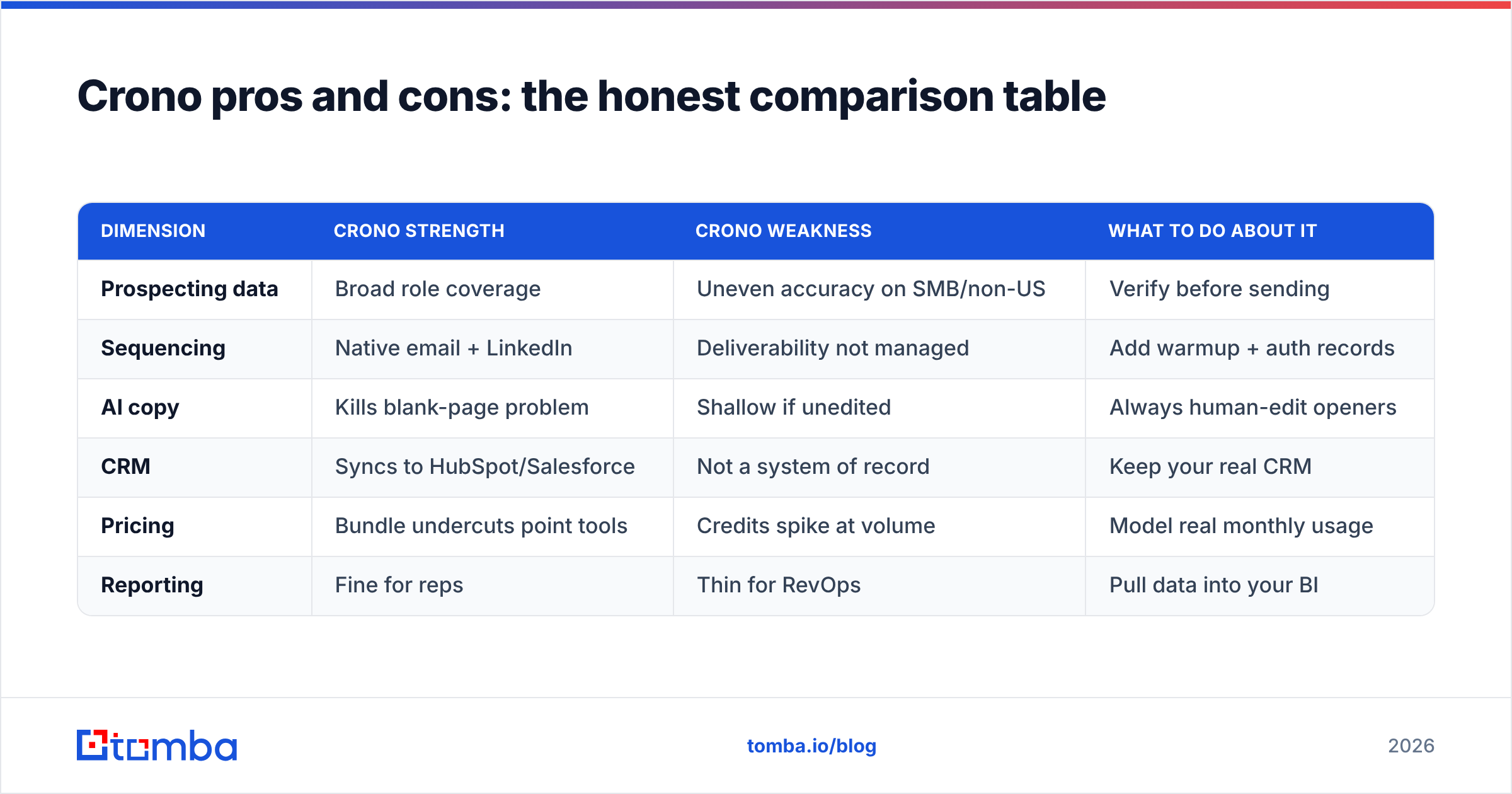
Crono pros and cons: the honest comparison table#
| Dimension | Crono strength | Crono weakness | What to do about it |
|---|---|---|---|
| Prospecting data | Broad role coverage | Uneven accuracy on SMB/non-US | Verify before sending |
| Sequencing | Native email + LinkedIn | Deliverability not managed | Add warmup + auth records |
| AI copy | Kills blank-page problem | Shallow if unedited | Always human-edit openers |
| CRM | Syncs to HubSpot/Salesforce | Not a system of record | Keep your real CRM |
| Pricing | Bundle undercuts point tools | Credits spike at volume | Model real monthly usage |
| Reporting | Fine for reps | Thin for RevOps | Pull data into your BI |
The pattern is clear: Crono is strong on workflow and average on data quality and depth. That's the exact trade every suite makes, and it tells you who should buy it.
How does Crono compare to a specialized stack?#
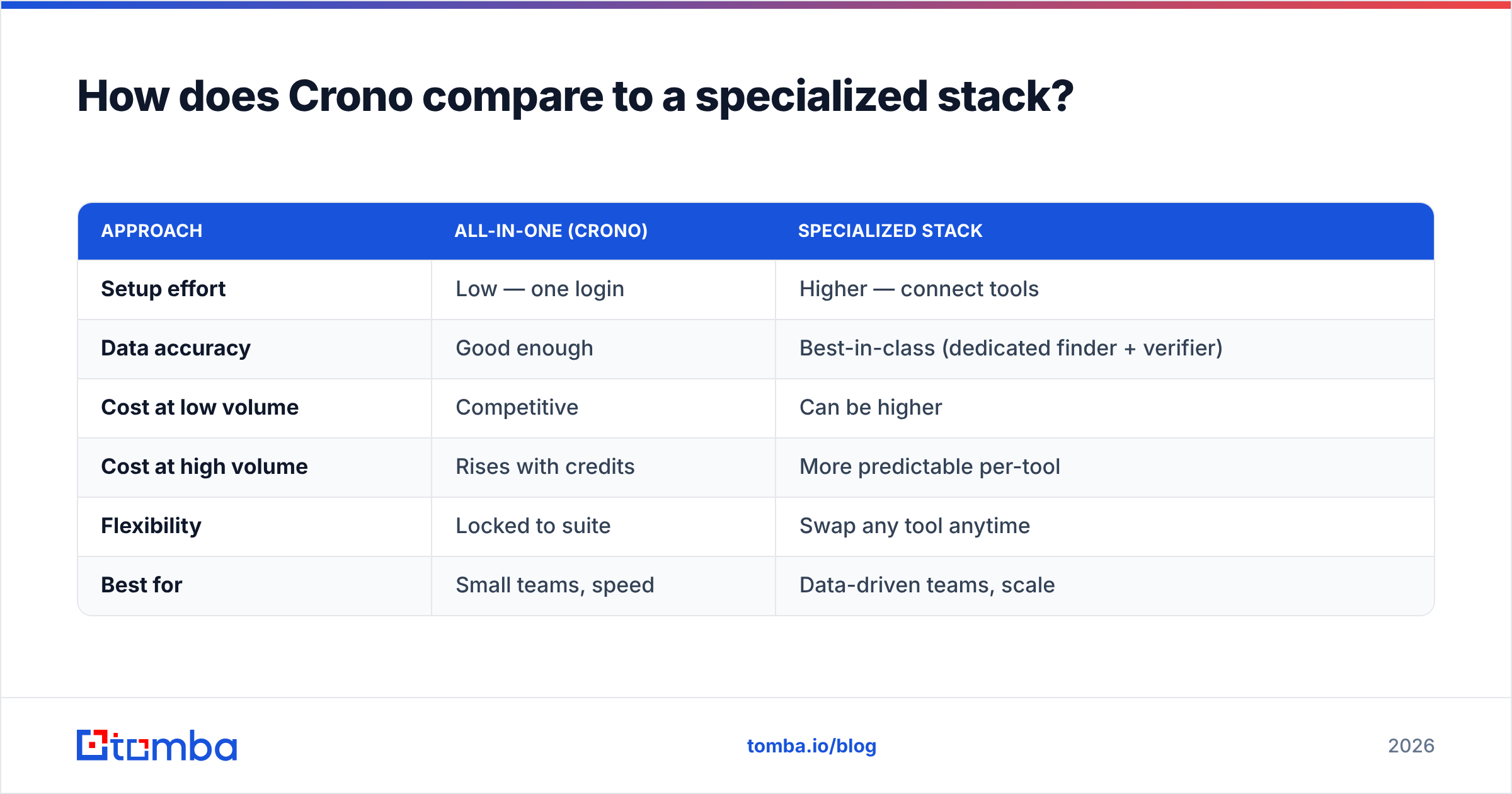
The real decision isn't "Crono vs a competitor suite." It's "one bundled tool vs a few sharp point tools." Here's the head-to-head that actually matters:
| Approach | All-in-one (Crono) | Specialized stack |
|---|---|---|
| Setup effort | Low — one login | Higher — connect tools |
| Data accuracy | Good enough | Best-in-class (dedicated finder + verifier) |
| Cost at low volume | Competitive | Can be higher |
| Cost at high volume | Rises with credits | More predictable per-tool |
| Flexibility | Locked to suite | Swap any tool anytime |
| Best for | Small teams, speed | Data-driven teams, scale |
If your bottleneck is coordination — reps drowning in tabs — Crono wins. If your bottleneck is data quality and cost control at scale, a focused stack wins. Many teams land in the middle: use Crono for sequencing, but feed it clean, pre-verified contacts from a dedicated source instead of trusting the built-in enrichment.
That hybrid is where Tomba fits. You use a purpose-built email finder and verifier to get accurate, deliverable contacts, then push them into whatever sequencer you like — Crono included. You get the suite's workflow without inheriting its weakest link.
Is Crono worth it in 2026? (Who should buy, who should skip)#
Buy Crono if:
- You're a small or mid-size outbound team and reps are stitching tools together manually.
- LinkedIn is a core channel and you want it native, not bolted on.
- You value speed-to-productivity over squeezing the last point of data accuracy.
- Your monthly prospecting volume is predictable and fits inside a credit tier.
Skip Crono if:
- You already own a sequencer your team likes — you'd be paying for overlap.
- Your outbound lives or dies on data accuracy (regulated industries, ABM into specific accounts).
- You prospect in high, spiky volumes where credit top-ups will blow your budget.
- Your RevOps needs deep reporting and a real system of record.
The most common regret isn't "Crono is bad." It's "I bought the suite and still had to add a verifier and a warmup tool anyway." Know that going in, and price it accordingly.
How to get the most out of Crono (or any suite)#
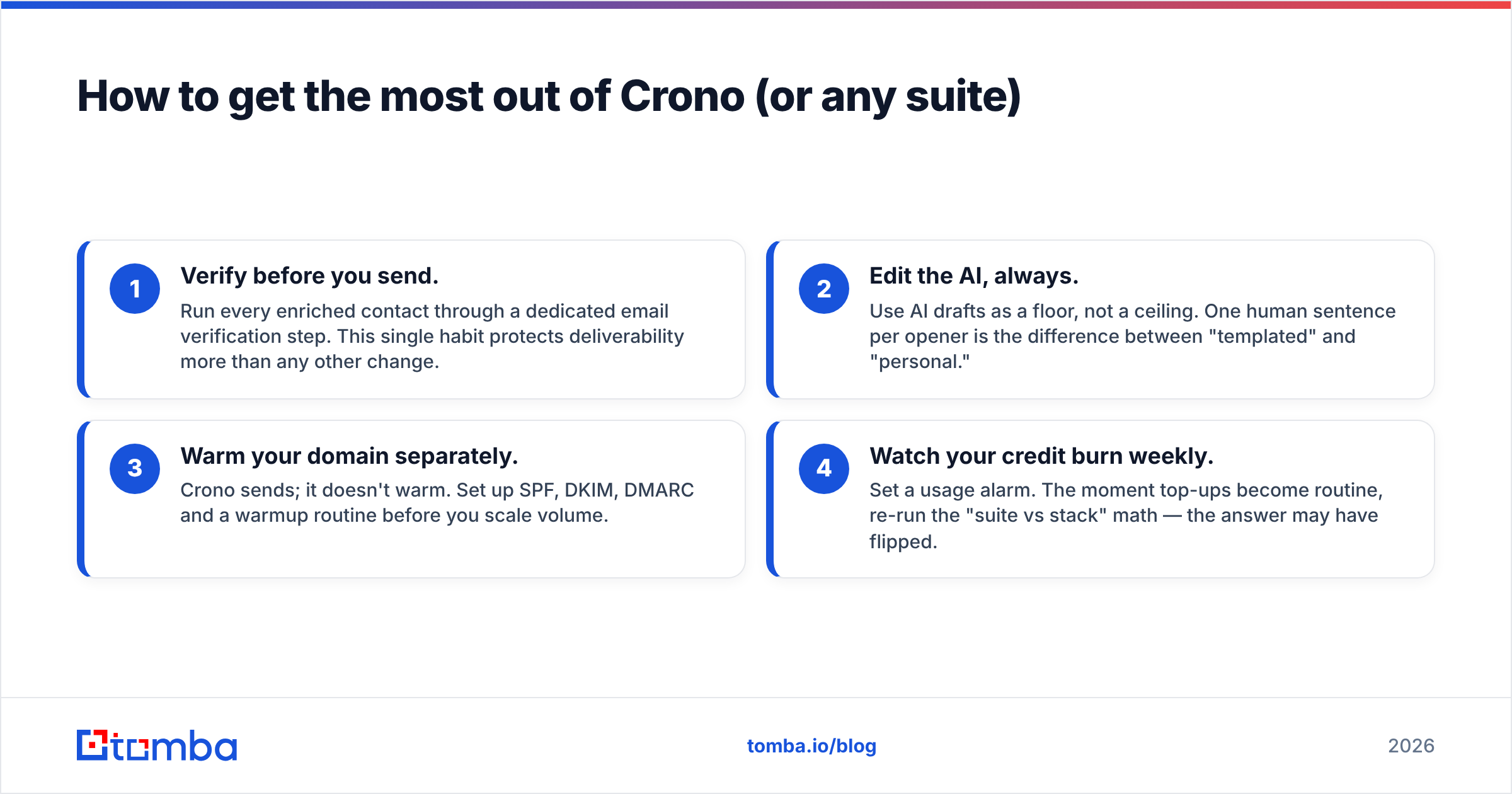
If you do adopt Crono, these four moves neutralize its biggest cons:
- Verify before you send. Run every enriched contact through a dedicated email verification step. This single habit protects deliverability more than any other change.
- Edit the AI, always. Use AI drafts as a floor, not a ceiling. One human sentence per opener is the difference between "templated" and "personal."
- Warm your domain separately. Crono sends; it doesn't warm. Set up SPF, DKIM, DMARC and a warmup routine before you scale volume.
- Watch your credit burn weekly. Set a usage alarm. The moment top-ups become routine, re-run the "suite vs stack" math — the answer may have flipped.
For reference on the broader landscape and how vendors price these bundles, G2's category pages and each vendor's own docs are the most reliable starting points — check G2 for verified user reviews and cross-reference against the vendor's live pricing page for Tomba's own transparent tiers. HubSpot's free sales resources are also a solid, neutral primer on sequence design.
The bottom line on Crono's pros and cons#
Crono is a capable all-in-one for teams whose real problem is workflow fragmentation. Its multichannel sequencing and AI drafting are genuinely useful, and for a small team the consolidation can pay for itself. But it inherits the classic suite weakness: the bundled data is average, credits get expensive at scale, and deliverability is still on you.
The smartest setup for most teams is a hybrid — keep the workflow tool you like, but never trust it as your source of truth for contact data. Feed it accurate, verified emails from a specialist, and you get the best of both: the suite's speed and a specialist's precision.
That's where Tomba earns its place in your stack. Start with the Tomba Email Finder to source real, deliverable professional emails by name, domain, or company, verify them in the same platform, and hand clean lists to Crono or any sequencer you run. Fewer bounces, a healthier sending reputation, and a data layer you actually control — try it free with 25 searches a month and see the accuracy difference before you commit a dollar.
Related guides#
Ready to find emails that actually work?
Join 150,000+ professionals who stopped guessing and started sending. Free credits on signup — no credit card required.
Get the Tomba newsletter
Practical outbound tactics and product updates — once every two weeks.
About the author