Crono Reviews 2026: Features, Pricing, Pros and Cons
An independent look at Crono in 2026: what the AI sales platform does well, where it falls short, real pricing, and whether it fits your outbound stack.
Crono markets itself as an all-in-one AI sales platform that finds prospects, builds multichannel sequences, and drafts your outreach. But marketing pages and real-world results rarely line up perfectly. If you are weighing Crono against tools you already run, you need an honest read on what it does well, where it stumbles, and what it actually costs.
This review pulls apart Crono feature by feature so you can decide whether it belongs in your 2026 outbound stack — or whether you are better off pairing a leaner data source with the sequencer you already trust.
TL;DR: Is Crono worth it in 2026?#
- What it is: Crono is an AI-powered sales engagement platform combining prospecting, data enrichment, multichannel sequences (email + LinkedIn + calls), and AI-written copy in one workspace.
- Best for: Small-to-mid B2B sales teams and founders who want prospecting, sequencing, and CRM sync in a single tool instead of stitching five apps together.
- The catch: Email data accuracy is inconsistent on smaller domains, credit-based enrichment gets expensive at scale, and the AI copy still needs heavy editing.
- Smart move: Many teams keep Crono for sequencing but feed it verified contacts from a dedicated email finder to cut bounces and protect sender reputation.
- Verdict: A capable, modern platform with a real learning curve — strong on workflow, weaker on raw data quality.
What is Crono and who is it for?#
Crono is a sales automation platform built around one promise: collapse your outbound workflow into a single screen. Instead of exporting leads from one tool, verifying them in another, and running sequences in a third, Crono tries to do prospecting, enrichment, and outreach together.
Think of it like a Swiss Army knife for outbound. A dedicated blade (a specialist email finder, a specialist dialer) will usually out-cut it on that one job, but the convenience of having everything fold into one handle is the whole pitch. For a two-person startup running its first cold campaigns, that consolidation is genuinely valuable. For a 40-rep team with an entrenched RevOps stack, the calculus changes.
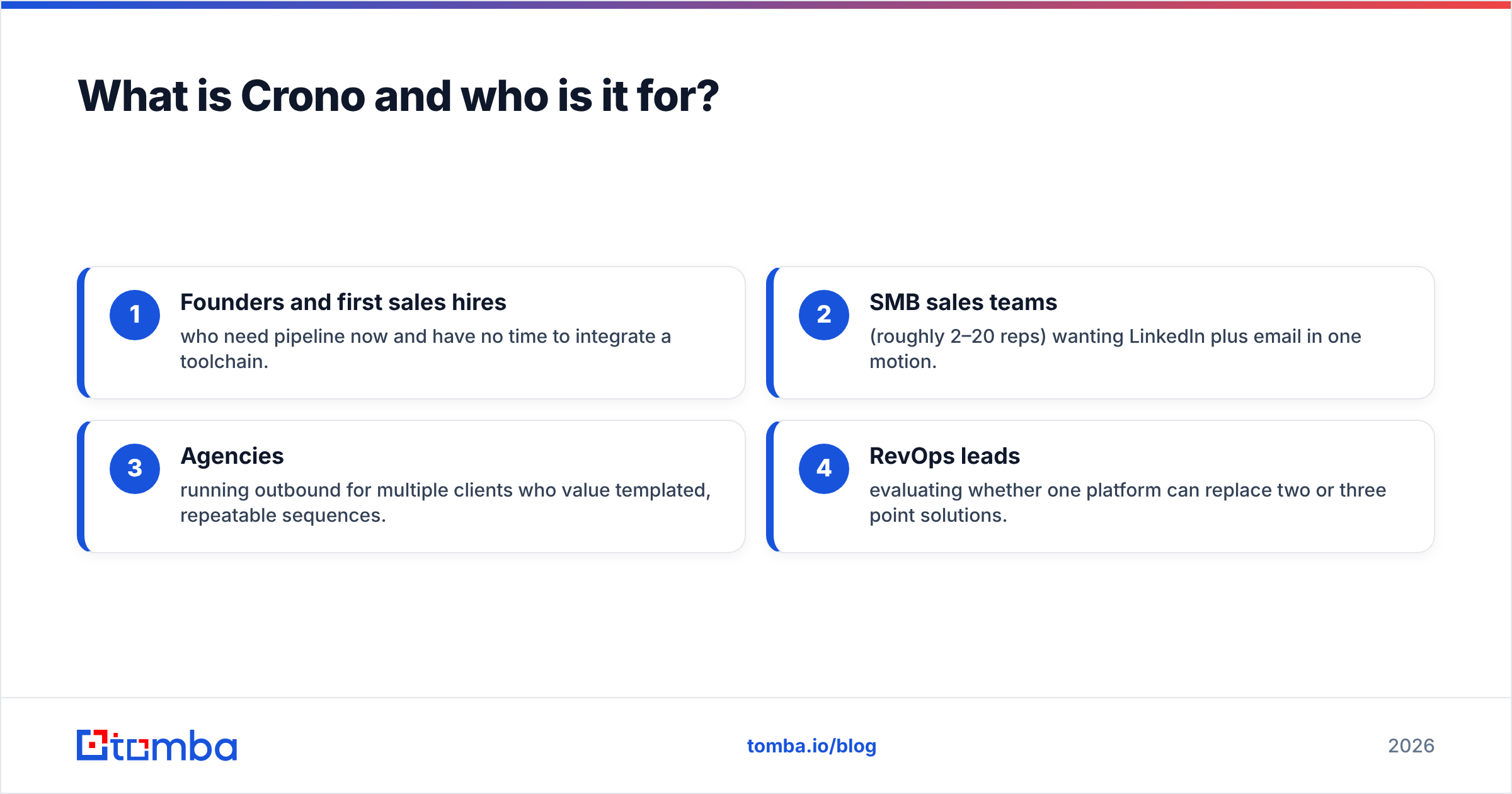
The core audience is clear:
- Founders and first sales hires who need pipeline now and have no time to integrate a toolchain.
- SMB sales teams (roughly 2–20 reps) wanting LinkedIn plus email in one motion.
- Agencies running outbound for multiple clients who value templated, repeatable sequences.
- RevOps leads evaluating whether one platform can replace two or three point solutions.
If you sit in enterprise with strict data-governance requirements, Crono can feel light. If you are earlier stage, that same lightness reads as speed.
What features does Crono actually offer?#
Crono groups its capabilities into four buckets. Here is what each one really does, minus the marketing gloss.
- Prospecting and data: A built-in contact database plus a Chrome extension that pulls leads from LinkedIn and company sites, then enriches them with emails and phone numbers on a credit basis.
- Multichannel sequences: Visual sequence builder that mixes email steps, LinkedIn actions (connection requests, messages, profile visits), and call tasks with conditional branches.
- AI assistant: Generates first-draft cold emails, LinkedIn messages, and follow-ups based on the prospect's profile and your product context.
- CRM and analytics: Two-way sync with major CRMs, plus dashboards for reply rate, meetings booked, and sequence performance.
The sequencer is the strongest piece. Branching logic ("if they open twice, send LinkedIn step") is intuitive, and the LinkedIn automation is tighter than many email-first rivals bolt on as an afterthought. The LinkedIn email extraction workflow is where a lot of teams start, and Crono handles the sequencing side of that motion well.
The weak point is data. Enrichment quality varies — it is solid on large, well-known company domains and noticeably shakier on SMBs, freelancers, and non-US regions. That matters because a sequence is only as good as the addresses feeding it. Send to stale or guessed emails and you burn sender reputation before your copy ever gets read.
How much does Crono cost?#
Crono uses a seat-plus-credits model, which is standard for the category but worth scrutinizing. Seats cover platform access and sequencing; credits cover data enrichment (email and phone lookups). The trap teams fall into is buying enough seats but under-budgeting credits, then hitting a wall mid-campaign.
Pricing shifts periodically, so confirm current numbers on Crono's official site before committing. The structure, however, is consistent: the more prospecting volume you need, the faster credit costs climb relative to the flat seat fee.
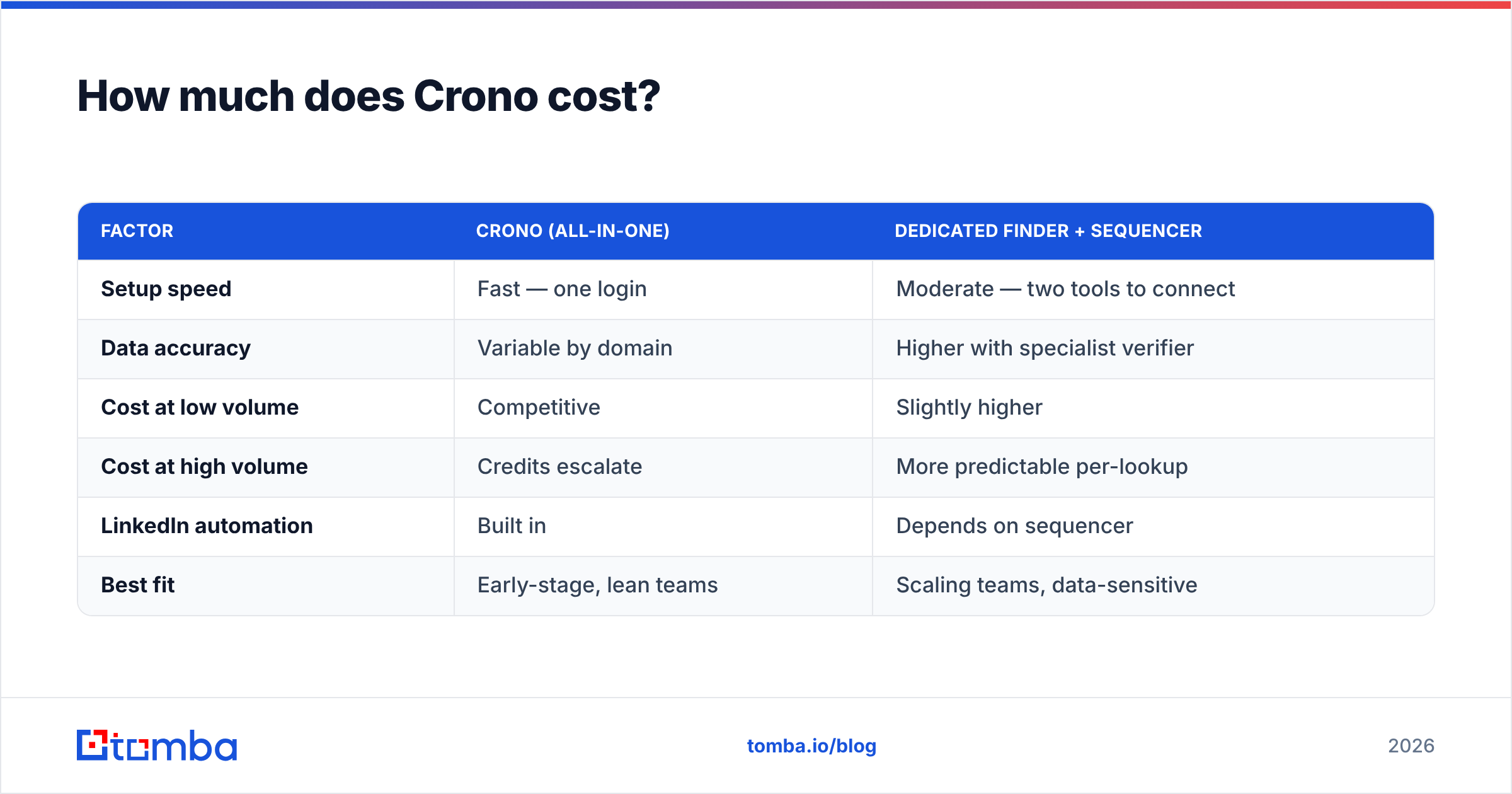
Here is how Crono's model compares to running a dedicated data source alongside your sequencer — a common alternative setup.
| Factor | Crono (all-in-one) | Dedicated finder + sequencer |
|---|---|---|
| Setup speed | Fast — one login | Moderate — two tools to connect |
| Data accuracy | Variable by domain | Higher with specialist verifier |
| Cost at low volume | Competitive | Slightly higher |
| Cost at high volume | Credits escalate | More predictable per-lookup |
| LinkedIn automation | Built in | Depends on sequencer |
| Best fit | Early-stage, lean teams | Scaling teams, data-sensitive |
The honest read: at low volume, Crono's bundling saves money and time. At high volume, credit consumption for enrichment can exceed what you would pay a focused provider — and you still inherit the accuracy gaps. Compare the math against transparent Tomba pricing if data volume is your main cost driver.
Is Crono's data accurate enough for cold outreach?#
This is the question that decides everything, because bounce rate feeds directly into deliverability. A single campaign to a dirty list can push you into spam folders for weeks.
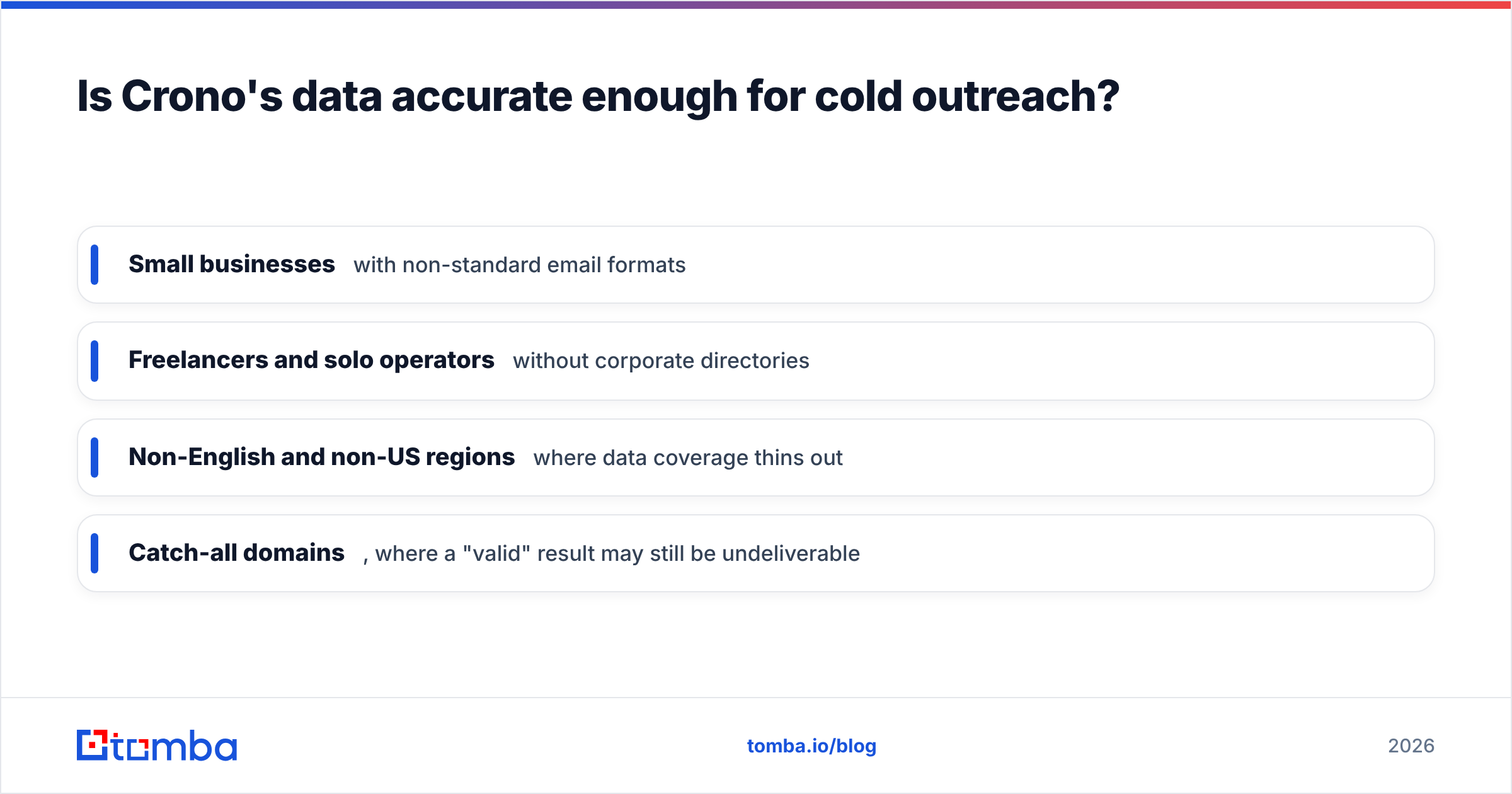
In testing patterns reported across user communities, Crono performs well on enterprise and mid-market domains where public data is abundant. Accuracy drops on:
- Small businesses with non-standard email formats
- Freelancers and solo operators without corporate directories
- Non-English and non-US regions where data coverage thins out
- Catch-all domains, where a "valid" result may still be undeliverable
That last one is a common blind spot. A catch-all domain accepts every address at the SMTP layer, so a naive verifier marks guesses as "valid" when they may bounce. Running suspect results through a dedicated catch-all verifier before you send is the difference between a clean list and a reputation problem.
The practical fix most disciplined teams use: treat any all-in-one platform's enrichment as a first pass, then re-verify with a specialist email verifier before the sequence goes live. It adds a step, but it protects the inbox placement your whole outbound motion depends on. For more on why this matters, HubSpot's research on email deliverability is a solid primer.
How does Crono compare to other AI sales tools?#
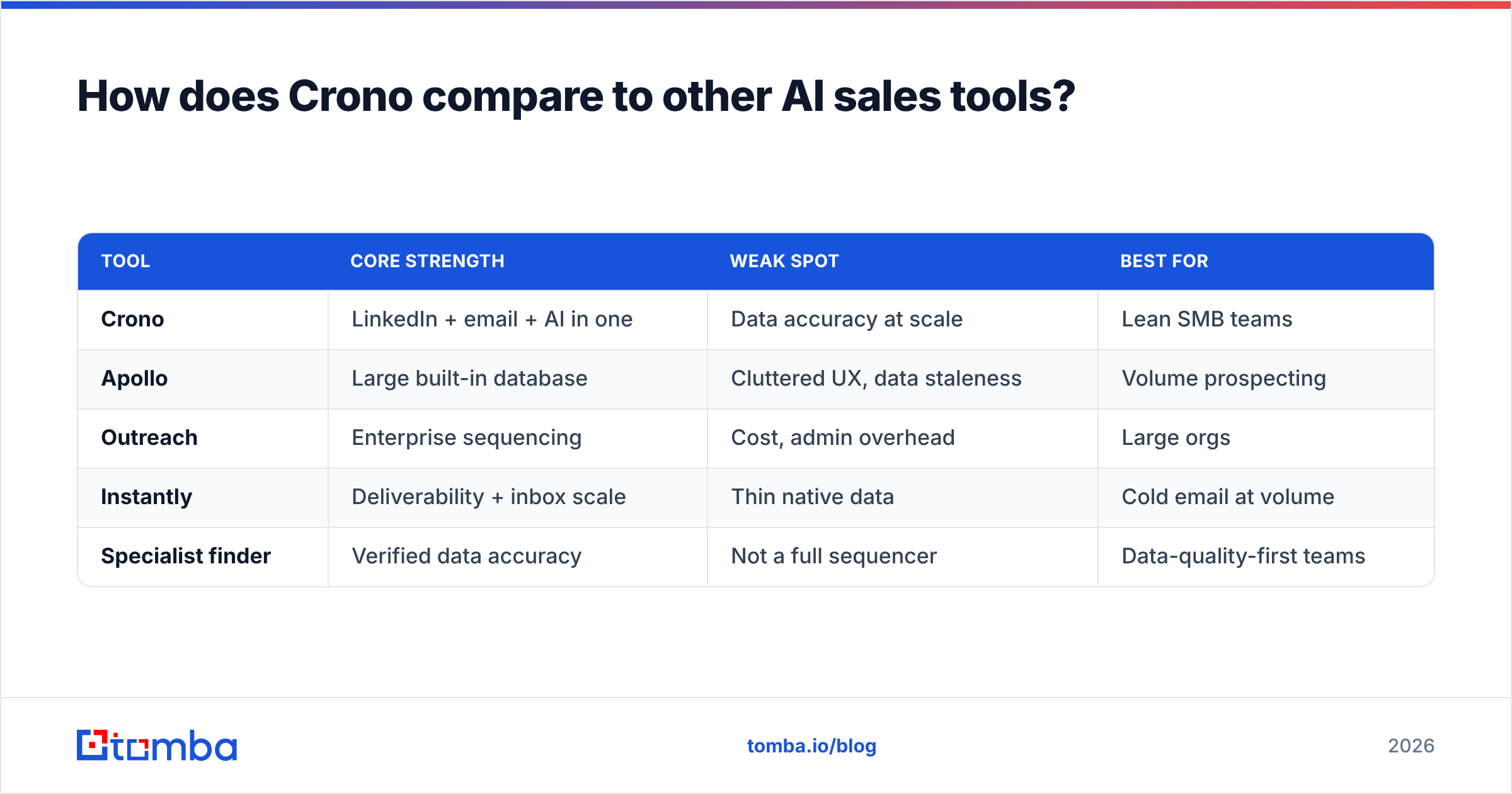
Crono competes in a crowded lane against Apollo, Outreach, Salesloft, Instantly, and a wave of newer AI-first entrants. Its differentiator is the combination of native LinkedIn automation with AI copy in a single, approachable UI — heavier platforms like Outreach and Salesloft assume a dedicated RevOps admin, while Crono is friendlier to self-serve teams.
| Tool | Core strength | Weak spot | Best for |
|---|---|---|---|
| Crono | LinkedIn + email + AI in one | Data accuracy at scale | Lean SMB teams |
| Apollo | Large built-in database | Cluttered UX, data staleness | Volume prospecting |
| Outreach | Enterprise sequencing | Cost, admin overhead | Large orgs |
| Instantly | Deliverability + inbox scale | Thin native data | Cold email at volume |
| Specialist finder | Verified data accuracy | Not a full sequencer | Data-quality-first teams |
Where Crono wins is time-to-first-campaign. Where it loses is raw data depth against Apollo's database and enterprise controls against Outreach. Cross-referencing verified reviews on G2 will show the same pattern: users praise the interface and multichannel flow, and flag credit costs and enrichment accuracy as the recurring gripes.
If your bottleneck is workflow, Crono is a strong pick. If your bottleneck is data quality, no sequencer solves that alone — you need a dedicated source. That is why pairing Crono (or any engagement tool) with a focused finder and data enrichment layer is such a common setup among teams that care about reply rates.
What are the real pros and cons of Crono?#
Cutting through both the hype and the hate, here is the balanced ledger.
Pros:
- Genuinely all-in-one — prospecting, enrichment, LinkedIn, email, and CRM sync without app-switching.
- Best-in-class onboarding for the category; a new rep can build a sequence in an afternoon.
- Native LinkedIn automation that feels designed-in, not bolted-on.
- AI drafts that give you a usable starting point and cut blank-page paralysis.
- Clean analytics that map to metrics that matter (replies, meetings), not vanity opens alone.
Cons:
- Inconsistent data accuracy on SMB, solo, and non-US contacts.
- Credit costs escalate faster than flat-fee alternatives at high volume.
- AI copy needs heavy editing — usable, rarely send-ready.
- Catch-all handling can mark risky addresses as valid.
- Lighter enterprise controls than incumbent platforms.
None of these are dealbreakers on their own. The pattern that emerges is a tool that is excellent at orchestrating outbound and merely adequate at sourcing the data that outbound runs on.
Who should use Crono, and who should skip it?#
Use Crono if you are an early-stage or SMB team that values speed and consolidation over squeezing out the last point of data accuracy. If you are launching your first structured outbound motion and want LinkedIn plus email in one place, the learning curve pays off fast.
Skip Crono if you already run a mature sequencer you like (Instantly, Outreach, your CRM's native tooling) and your real gap is verified contact data. In that case, adding another full platform is overkill — you want a precise email finder and verifier that plug into what you already have, not a second sequencer competing with the first.
The hybrid most pros land on: keep whatever sequencer fits your team, and feed it clean, pre-verified contacts. The engagement layer handles cadence; a specialist data layer handles accuracy. Splitting those two jobs keeps bounce rates low and your domain out of spam filters — the single biggest lever on cold-email ROI.
The bottom line on Crono#
Crono is a legitimately good AI sales engagement platform with a modern UI, strong LinkedIn automation, and an onboarding experience that shames older incumbents. Its honest weaknesses are data accuracy on harder-to-source contacts and credit economics at scale — exactly the two areas where a specialist tool outperforms any all-in-one.
If you adopt Crono, do not rely on its enrichment as your last line of defense. Verify before you send. Whether you run Crono, Apollo, or a homegrown stack, your reply rate lives and dies on whether the address is real and the inbox is reachable.
That is where Tomba fits. Use the Tomba Email Finder to source and verify accurate B2B emails by name, domain, or company — then hand clean, deliverable contacts to whatever sequencer you choose. Start free with 25 searches a month, and stop letting bad data throttle good outreach. Your sequences are only as strong as the list behind them.
Related guides#
Ready to find emails that actually work?
Join 150,000+ professionals who stopped guessing and started sending. Free credits on signup — no credit card required.
Get the Tomba newsletter
Practical outbound tactics and product updates — once every two weeks.
About the author