Crunchbase vs FindThatLead: Which B2B Data Tool Wins in 2026?
Crunchbase sells company intelligence; FindThatLead finds emails. We compare pricing, accuracy, coverage, and use cases so you know which one your outbound actually needs in 2026.
Crunchbase and FindThatLead get lumped together as "prospecting tools," but they solve two different problems. One tells you which companies to chase. The other tries to hand you the email address to chase them at. Picking the wrong one — or paying for both when you only need part of each — is how B2B teams quietly burn budget every quarter.
This is a practical, side-by-side breakdown of Crunchbase vs FindThatLead: what each does well, where each falls down, what they actually cost in 2026, and which one your pipeline needs. Spoiler: for a lot of outbound teams, the honest answer is "neither, at least not on its own."
TL;DR: Crunchbase vs FindThatLead in five bullets#
- Crunchbase is a company-intelligence database — funding rounds, headcount, tech signals, and account discovery. It is not built to hand you verified work emails.
- FindThatLead is an email finder and lightweight cold-email sender — it turns names and domains into addresses, then lets you sequence them.
- Pricing: Crunchbase Pro runs roughly $99/user/mo billed annually; FindThatLead starts near $49/mo. Neither is "cheap" once you add seats.
- Accuracy is the make-or-break number for email tools, and FindThatLead's hit-rate is solid but inconsistent on smaller domains and catch-alls.
- If your real need is finding and verifying emails at scale, a dedicated tool like the Tomba Email Finder usually beats both on cost-per-valid-contact.
What is Crunchbase, and who is it for?#
Crunchbase is a company and funding database. It started life as the go-to public record for startup financing — who raised, how much, from whom — and grew into a full account-intelligence platform. You use it to build a target list, not to write to individuals.
Typical Crunchbase jobs:
- Account discovery — filter companies by funding stage, headcount, industry, and location to build a total addressable market list.
- Timing signals — a company that closed a Series B last month is a different buyer than one that hasn't raised in three years.
- Competitive and market research — mapping who owns which space, who acquired whom.
- Enrichment of firmographics — attaching revenue bands, employee counts, and tech to CRM accounts.
What Crunchbase is not built for: giving you a verified, deliverable email for the VP of Marketing you just found. It surfaces some contacts and offers limited contact data, but that has never been its strength, and its own users know it. You leave Crunchbase with a list of companies and people, then go somewhere else for reliable addresses.
What is FindThatLead, and who is it for?#
FindThatLead is an email-finding tool with a cold-email layer bolted on. You give it a domain (or a first name + last name + company) and it returns a best-guess professional email, scored by confidence. Its "Prospector" lets you pull lists by role and location, and "Scrab.in" plus its sender let you run basic LinkedIn and email outreach.
Typical FindThatLead jobs:
- Email lookup — turn a known contact into an address.
- Domain search — pull the emails associated with a company domain.
- Lead lists by segment — role, industry, country filters.
- Send-from-the-same-tool outreach — small cold-email campaigns without a separate sequencer.
So the two tools barely overlap. Crunchbase answers who should I target? FindThatLead answers what's their email, and can I message them here? The comparison people actually mean when they type "crunchbase vs findthatlead" is usually: which of these gets me from a blank page to booked meetings faster and cheaper?
Crunchbase vs FindThatLead: the head-to-head table#
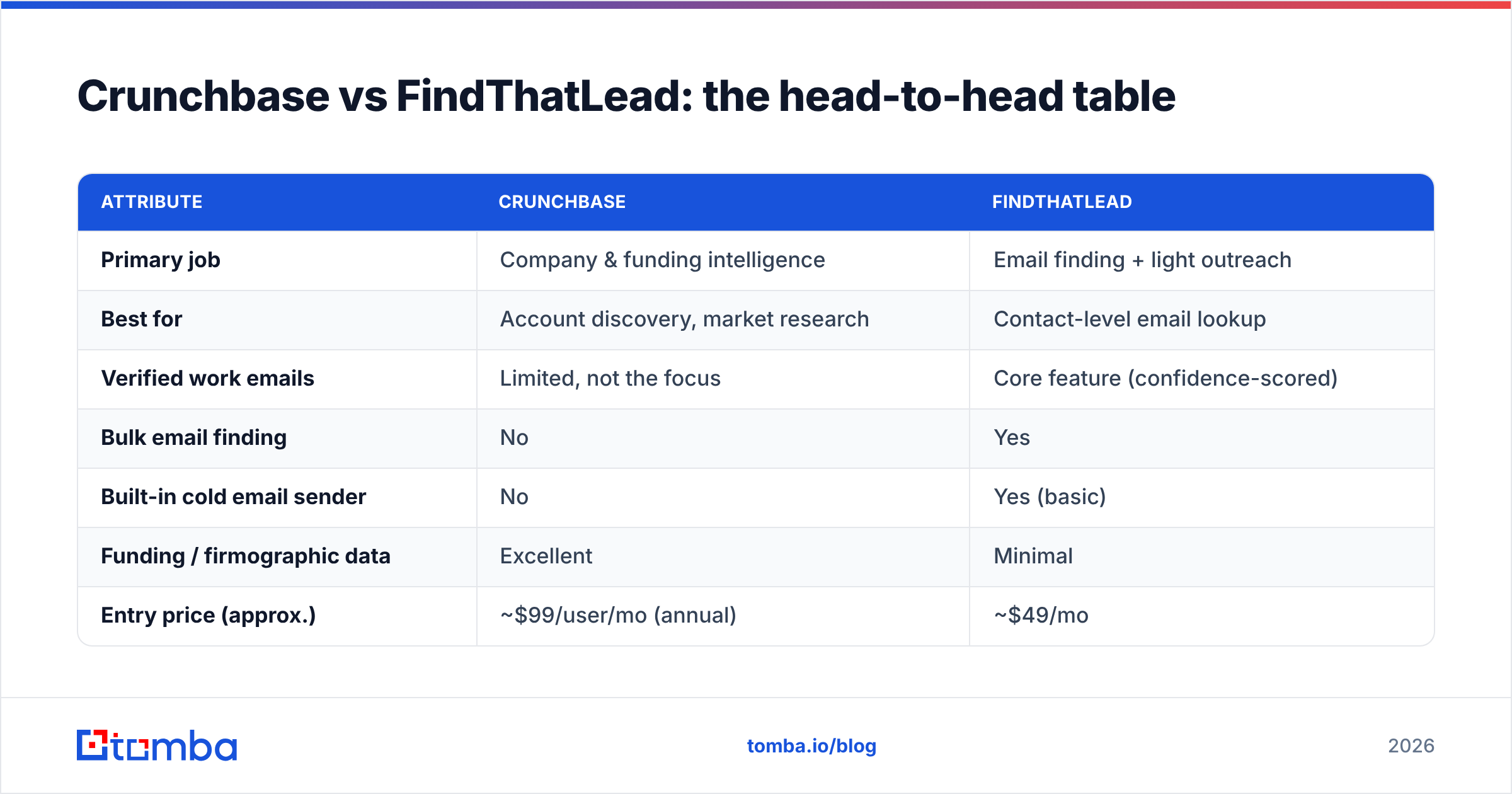
Here is the core comparison. Prices reflect publicly listed 2026 plans and shift with billing terms and seats, so treat them as directional.
| Attribute | Crunchbase | FindThatLead |
|---|---|---|
| Primary job | Company & funding intelligence | Email finding + light outreach |
| Best for | Account discovery, market research | Contact-level email lookup |
| Verified work emails | Limited, not the focus | Core feature (confidence-scored) |
| Bulk email finding | No | Yes |
| Built-in cold email sender | No | Yes (basic) |
| Funding / firmographic data | Excellent | Minimal |
| Entry price (approx.) | ~$99/user/mo (annual) | ~$49/mo |
| Free tier | Limited free account | Small monthly credit allowance |
| API access | Yes (higher tiers) | Yes |
| Where it falls short | Weak contact/email data | Inconsistent accuracy on catch-alls |
The pattern is clear: these are complementary, not interchangeable. If you only buy one, you'll end up manually filling the gap the other leaves — company data if you pick FindThatLead, emails if you pick Crunchbase.
Which one has better data accuracy?#
Accuracy means two different things here, and that's the trap.
For Crunchbase, accuracy is about firmographics — is the funding figure right, is the headcount current, is the tech stack real. On that axis Crunchbase is strong; it's one of the most cited startup datasets in the industry and powers a lot of downstream tools.
For FindThatLead, accuracy is about email deliverability — of the addresses it returns, how many actually land and don't bounce. This is where email finders live or die, and it's also where they vary the most. FindThatLead performs reasonably on large, well-structured domains where the pattern is obvious (first.last@company.com). It gets shakier on:
- Small domains with no discoverable pattern
- Catch-all domains that accept every address (so "valid" is a lie)
- Recently changed roles where the public web is stale

This is why smart teams never trust a finder's "found" label at face value. You run every address through a separate email verifier before it touches a live campaign, and you treat catch-all domains with a dedicated catch-all verifier instead of assuming a green checkmark means deliverable. A finder that returns a plausible-looking guess and a verifier that confirms it are two different jobs — and conflating them is how bounce rates creep past the 3% line that wrecks sender reputation.
How much do Crunchbase and FindThatLead cost in 2026?#
Budget is usually the real decider, so let's be concrete.
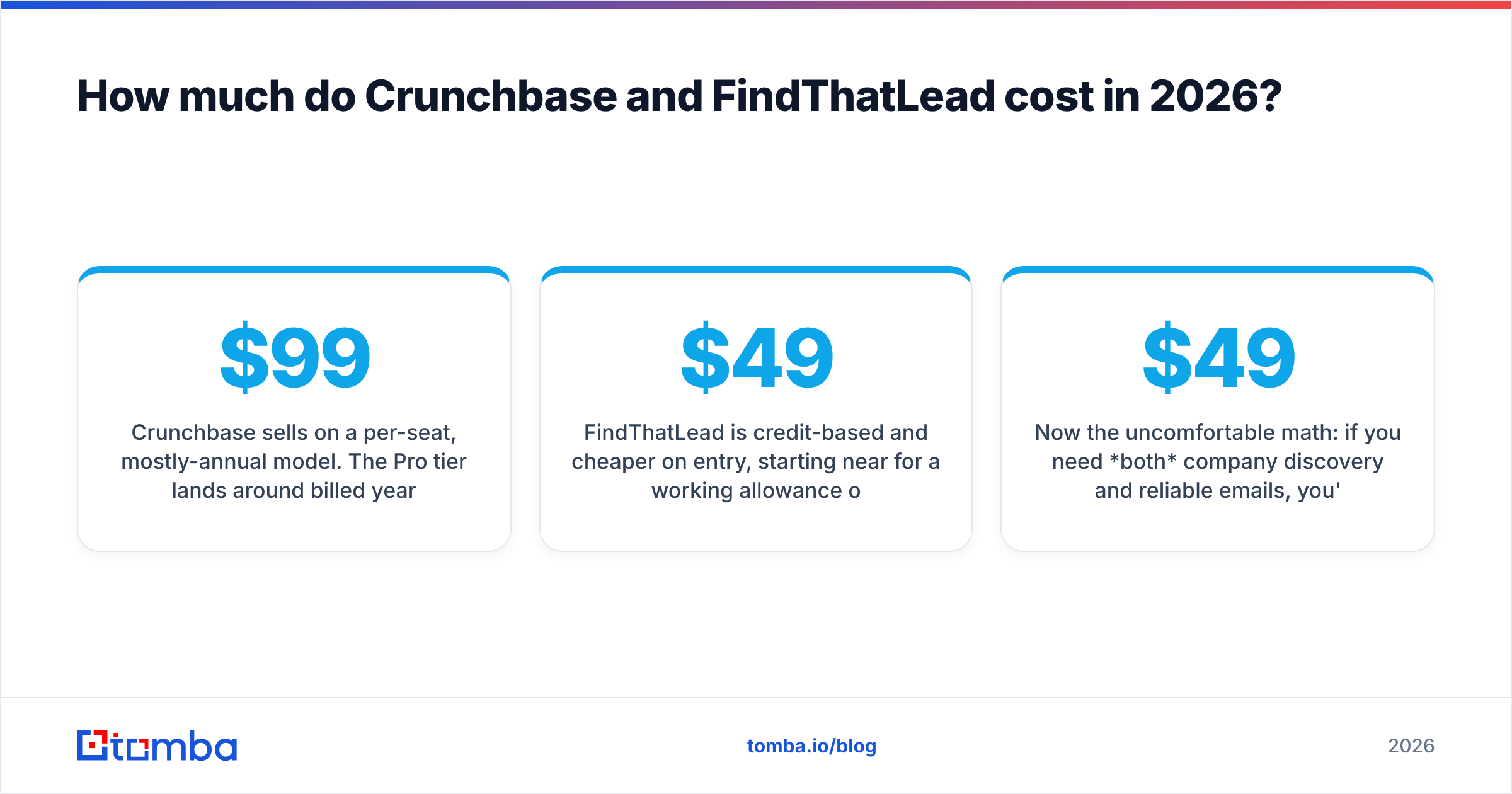
Crunchbase sells on a per-seat, mostly-annual model. The Pro tier lands around $99 per user per month billed yearly, with Enterprise pricing on request for API volume and advanced search. You're paying for the dataset and discovery engine — the value is the filtering, not the contacts.
FindThatLead is credit-based and cheaper on entry, starting near $49/mo for a working allowance of lookups, scaling up as your search and send volume grows. You're paying per contact discovered, so cost scales with prospecting volume, not seats.
Now the uncomfortable math: if you need both company discovery and reliable emails, you're looking at two subscriptions and a manual export-import dance between them. That's where a consolidated approach starts to win. A single platform that does domain search, finding, and verification under one credit pool — see Tomba pricing with a free tier of 25 searches, Starter at $49/mo, and Growth at $99/mo — often costs less than stacking a discovery tool on top of a finder.

Crunchbase vs FindThatLead: pros and cons#
A quick, honest ledger for each.
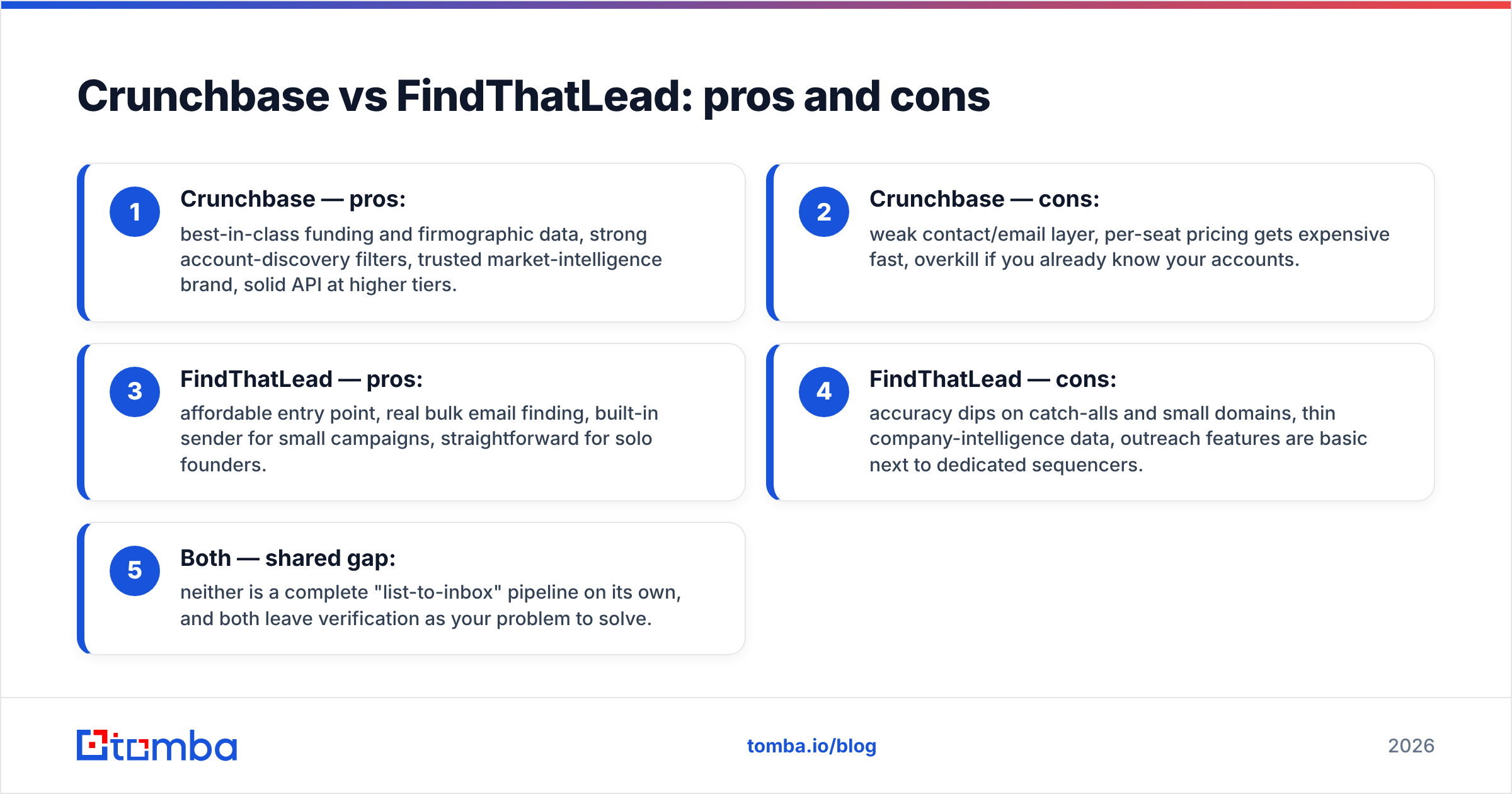
- Crunchbase — pros: best-in-class funding and firmographic data, strong account-discovery filters, trusted market-intelligence brand, solid API at higher tiers.
- Crunchbase — cons: weak contact/email layer, per-seat pricing gets expensive fast, overkill if you already know your accounts.
- FindThatLead — pros: affordable entry point, real bulk email finding, built-in sender for small campaigns, straightforward for solo founders.
- FindThatLead — cons: accuracy dips on catch-alls and small domains, thin company-intelligence data, outreach features are basic next to dedicated sequencers.
- Both — shared gap: neither is a complete "list-to-inbox" pipeline on its own, and both leave verification as your problem to solve.
When should you use Crunchbase instead of FindThatLead?#
Choose Crunchbase when your bottleneck is targeting, not contacting. Signs you need it:
- You sell to funded startups and want to reach out right after a raise.
- Your ICP is defined by firmographics (stage, size, industry) more than by named accounts.
- You're doing market or competitive research, not just outbound.
- Your team already has a reliable way to source emails downstream.
In that world, Crunchbase is the front of the funnel and something else handles the addresses. It's a research investment, not a prospecting-execution tool.
When should you use FindThatLead instead of Crunchbase?#
Choose FindThatLead when you already know who you want and just need how to reach them, on a budget:
- You're a solo founder or small team running lightweight cold email.
- You have a domain list and need emails fast without a big data spend.
- You want finding and sending loosely bundled in one cheap tool.
- Your volumes are low enough that a per-credit model stays affordable.
The catch: as you scale, the accuracy gaps and thin verification start costing you in bounces and blocked domains. That's the point where teams graduate to a purpose-built email data stack.
Is there a better option than either for finding emails?#
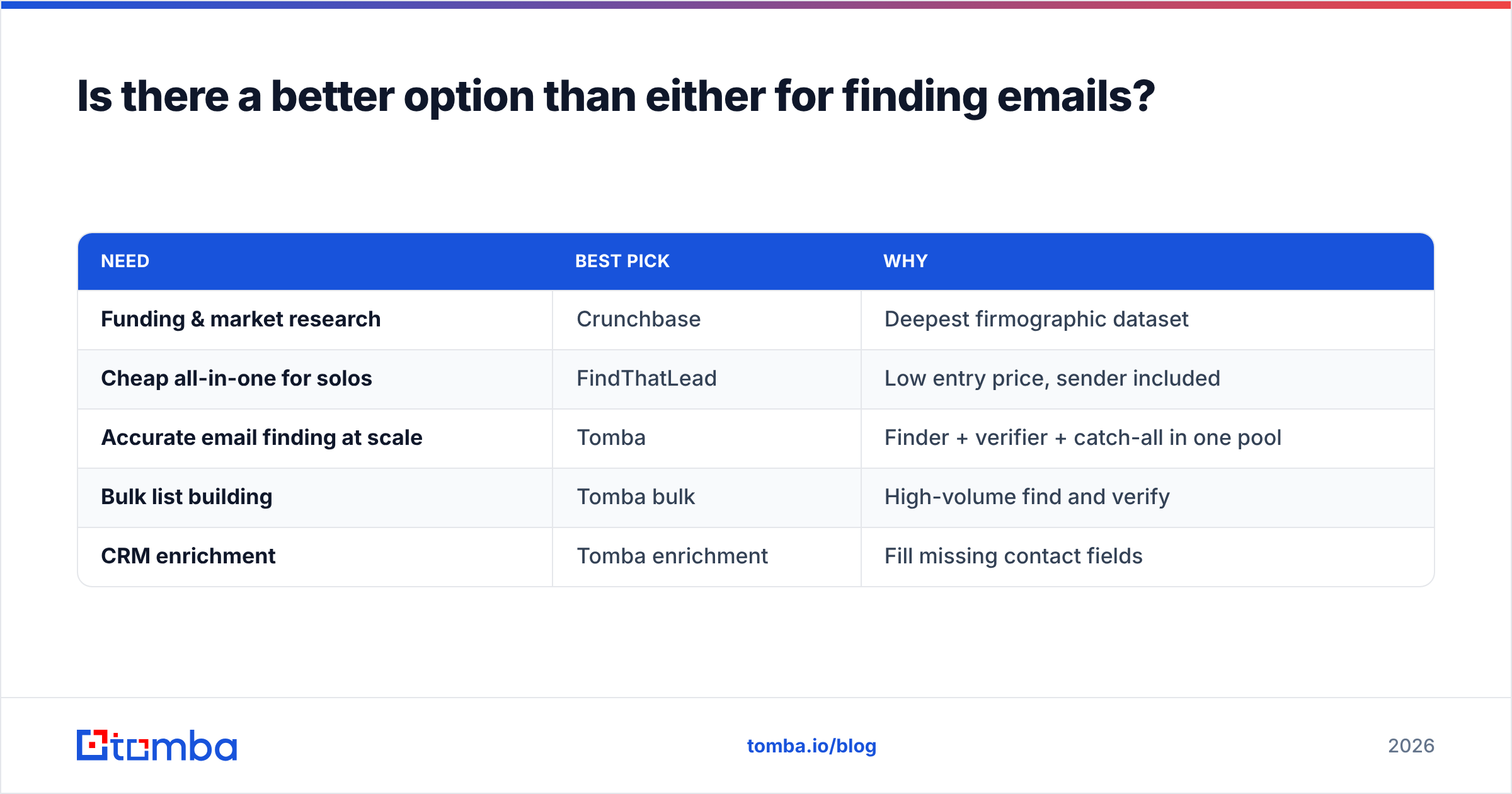
For the specific job of finding and verifying professional emails at scale, a dedicated email-data platform usually beats both Crunchbase and FindThatLead on cost-per-valid-contact. That's the lane Tomba is built for.

Here's how the decision typically shakes out:
| Need | Best pick | Why |
|---|---|---|
| Funding & market research | Crunchbase | Deepest firmographic dataset |
| Cheap all-in-one for solos | FindThatLead | Low entry price, sender included |
| Accurate email finding at scale | Tomba | Finder + verifier + catch-all in one pool |
| Bulk list building | Tomba bulk | High-volume find and verify |
| CRM enrichment | Tomba enrichment | Fill missing contact fields |
Tomba runs finding, verification, bulk email finder jobs, and data enrichment through one credit pool, so you're not paying a discovery tax on top of a finding tax. And because verification is native rather than an afterthought, the addresses you export are ones you can actually send to — which is the entire point of prospecting in the first place.
None of this means Crunchbase or FindThatLead is bad. Crunchbase is excellent at what it's for. FindThatLead is a fair pick for scrappy, low-volume outreach. The mistake is expecting either to be the whole pipeline. Cross-check any tool's own claims against independent reviews on G2 and the vendors' own docs at crunchbase.com and findthatlead.com before you commit a budget.
The bottom line on Crunchbase vs FindThatLead#
Crunchbase wins on company intelligence. FindThatLead wins on cheap, bundled email lookup for small teams. But if the metric you're graded on is booked meetings from deliverable emails, the smarter move for most B2B teams is to keep discovery lean and put your data budget into a finder-plus-verifier that gets addresses right the first time.
That's exactly what the Tomba Email Finder is built to do: find professional emails by name, domain, or company, verify them before they hit your sequence, and do it under one predictable price instead of two overlapping subscriptions. Start on the free tier of 25 searches, connect it to your CRM, and see how many valid contacts you pull before you ever pay — then scale up only when the pipeline says it's worth it.
Related guides#
Ready to find emails that actually work?
Join 150,000+ professionals who stopped guessing and started sending. Free credits on signup — no credit card required.
Get the Tomba newsletter
Practical outbound tactics and product updates — once every two weeks.
About the author