Crunchbase vs Generect: B2B Data Platforms Compared (2026)
Crunchbase tracks companies and funding; Generect builds targeted lead lists. See where each wins, where each falls short, and how to fix the contact-data gap both leave behind.
Choosing between Crunchbase and Generect is really a choice between two different jobs. One tells you which companies matter and why. The other hands you lists of people to contact. They overlap just enough to look like competitors, and differ just enough that picking the wrong one wastes a quarter of pipeline.
This guide breaks down what each platform actually does, where the data holds up, what you pay, and the one gap both of them share — the reason most teams end up bolting a dedicated contact tool onto whichever they buy.
TL;DR: Crunchbase vs Generect at a glance#
- Crunchbase is a company-intelligence and funding database. Best for market research, account prioritization, investor tracking, and spotting companies that just raised money.
- Generect is a B2B lead-data provider focused on generating targeted contact lists (people, roles, companies) for outbound teams.
- They are not true substitutes. Crunchbase answers "who should I sell to and why now?" Generect answers "give me a list of people at those companies."
- Both leave a verification gap. Neither is built to guarantee that a specific person's email is deliverable today — you still need an email verifier before you hit send.
- The practical stack: use one for targeting signal, then run a dedicated email finder like Tomba to get accurate, verified contact details at the moment of outreach.
What is Crunchbase?#
Crunchbase started as the company database behind TechCrunch and grew into one of the most recognized sources of company, funding, and investor data on the web. Think of it as a corporate LinkedIn crossed with a funding tracker: profiles for millions of companies, their financing rounds, acquisitions, key people, and news.
Sales and marketing teams use Crunchbase mostly for timing and prioritization. If a company closed a Series B last week, that's a buying signal — new budget, new headcount, new tooling needs. Crunchbase Pro lets you build lists filtered by funding stage, industry, location, and headcount, then export or push them into your CRM.
What Crunchbase is not is a bulk contact-data engine. It surfaces some key executives per company, but it won't reliably hand you the direct email of the mid-level manager who actually owns the buying decision. That's by design — it's an intelligence product, not a prospecting list builder.
What is Generect?#
Generect sits on the other end of the workflow. It's a B2B data platform aimed at outbound teams who need lead lists: give it a target profile (industry, company size, job titles, geography) and it returns people who match, with company and role data attached.
Where Crunchbase is about understanding a market, Generect is about populating a sequence. It's closer in spirit to tools like Apollo, Lusha, or a B2B database than to a research platform. The pitch is speed to list: define the ICP, pull the contacts, load them into your outreach tool.
The tradeoff is the one every list-based provider faces. Contact data decays fast — people change jobs, companies rebrand, catch-all domains hide invalid addresses. A list that looked clean at export can bounce hard three weeks later if it isn't re-checked.

Crunchbase vs Generect: side-by-side comparison#
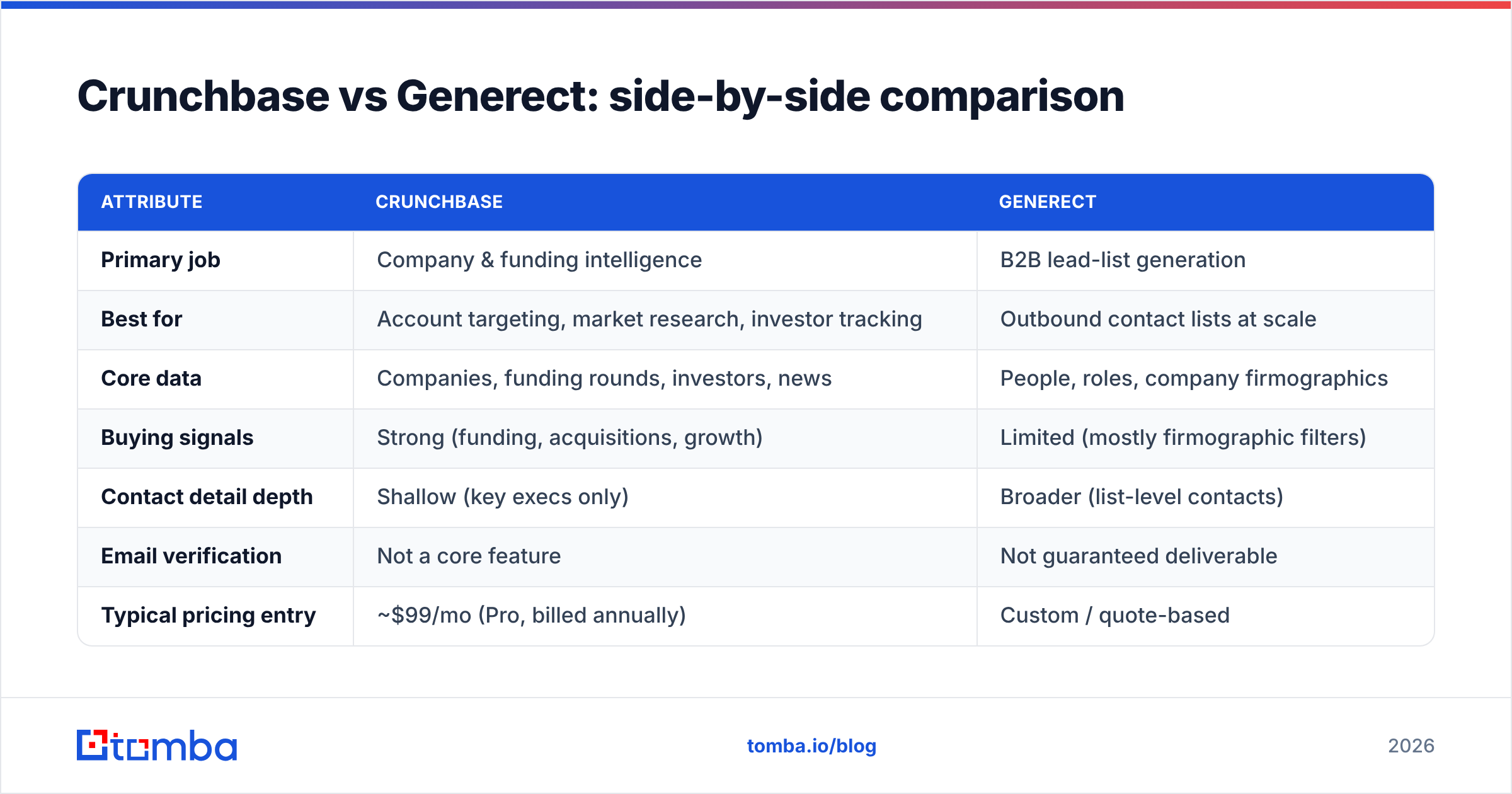
| Attribute | Crunchbase | Generect |
|---|---|---|
| Primary job | Company & funding intelligence | B2B lead-list generation |
| Best for | Account targeting, market research, investor tracking | Outbound contact lists at scale |
| Core data | Companies, funding rounds, investors, news | People, roles, company firmographics |
| Buying signals | Strong (funding, acquisitions, growth) | Limited (mostly firmographic filters) |
| Contact detail depth | Shallow (key execs only) | Broader (list-level contacts) |
| Email verification | Not a core feature | Not guaranteed deliverable |
| Typical pricing entry | ~$99/mo (Pro, billed annually) | Custom / quote-based |
| API access | Yes (enterprise tier) | Yes |
| Where it falls short | Thin on direct contact emails | Data freshness & verification |
The table makes the split obvious: these tools win at different stages of the same funnel. Crunchbase is upstream (who and why now), Generect is midstream (which people), and neither fully owns the downstream step of confirming the contact is reachable.
Is Crunchbase better than Generect?#
It depends entirely on what you're trying to do — the question is almost the wrong one. Here's how to decide without overthinking it:
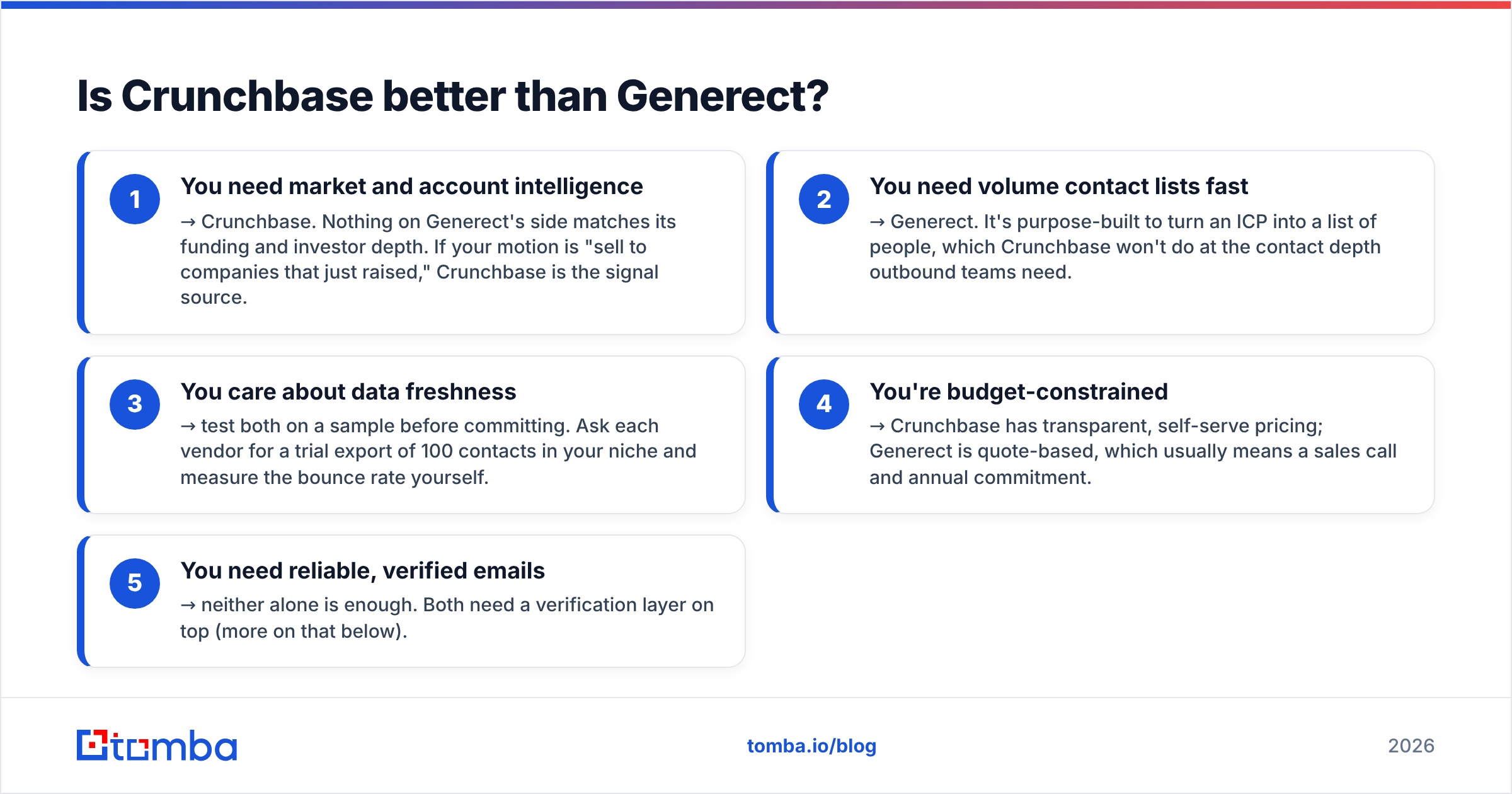
- You need market and account intelligence → Crunchbase. Nothing on Generect's side matches its funding and investor depth. If your motion is "sell to companies that just raised," Crunchbase is the signal source.
- You need volume contact lists fast → Generect. It's purpose-built to turn an ICP into a list of people, which Crunchbase won't do at the contact depth outbound teams need.
- You care about data freshness → test both on a sample before committing. Ask each vendor for a trial export of 100 contacts in your niche and measure the bounce rate yourself.
- You're budget-constrained → Crunchbase has transparent, self-serve pricing; Generect is quote-based, which usually means a sales call and annual commitment.
- You need reliable, verified emails → neither alone is enough. Both need a verification layer on top (more on that below).
So "better" is a category error. The real question most teams should ask is: which one covers the gap I already have? If you have contacts but no signal, buy Crunchbase. If you have signal but no contacts, buy Generect. If you have both but your emails keep bouncing, you don't need either — you need a finder and verifier.
Where both Crunchbase and Generect fall short#
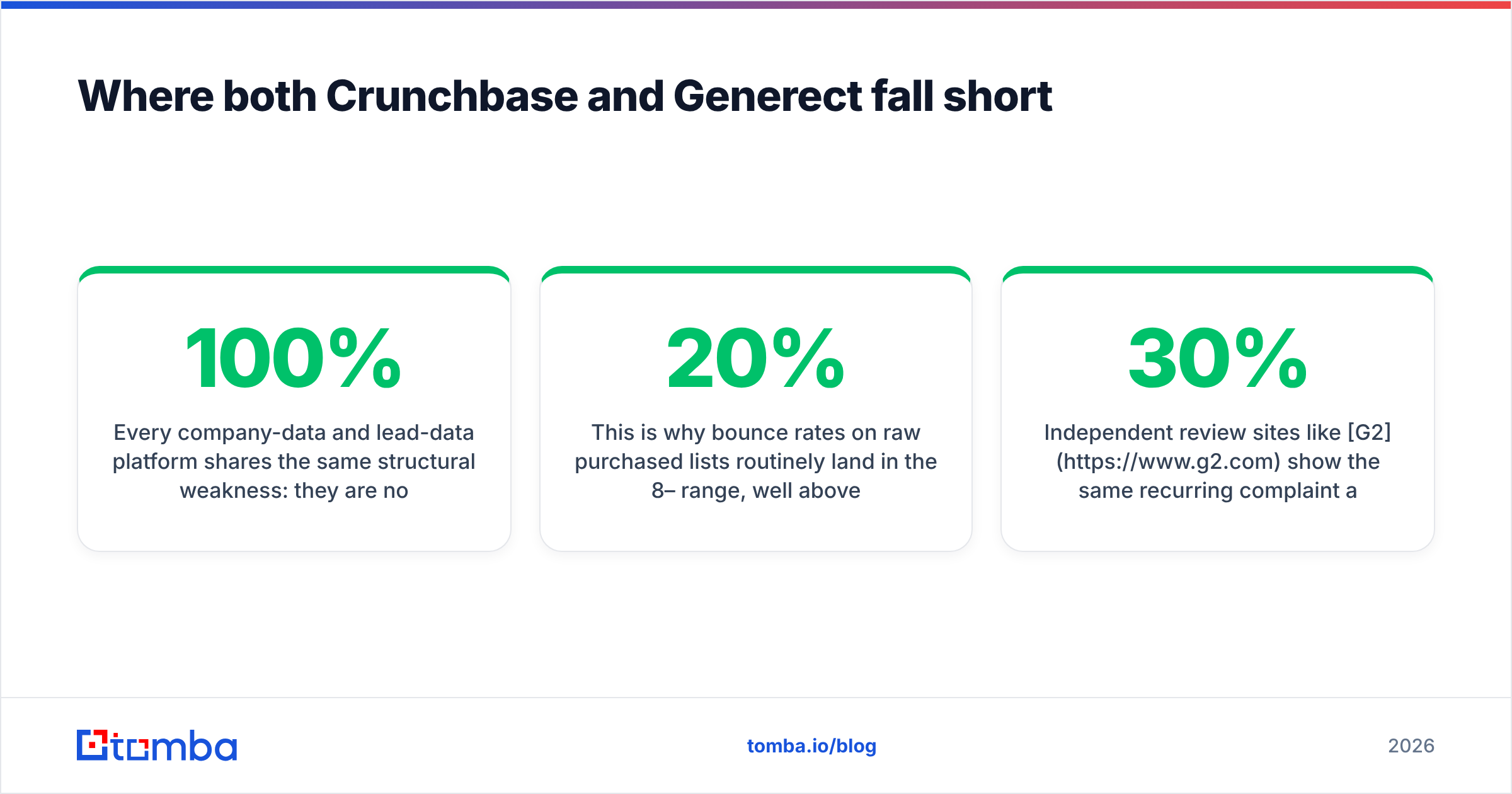
Every company-data and lead-data platform shares the same structural weakness: they are not deliverability tools. A record can be 100% accurate on the day it was scraped and still fail when you email it, because:
- The person changed roles or left the company.
- The domain is a catch-all that accepts everything at the server and silently drops invalid mail — you need a catch-all verifier to tell the difference between real and fake.
- The address was guessed from a pattern and never confirmed.
- The mailbox is full, disabled, or a spam trap.
This is why bounce rates on raw purchased lists routinely land in the 8–20% range, well above the ~2% ceiling that keeps your sender reputation healthy. One bad send can drag your domain into spam folders for weeks.
Independent review sites like G2 show the same recurring complaint across the entire data-provider category: great coverage, inconsistent accuracy on individual contacts. That's not a knock on any single vendor — it's the nature of static databases in a world where 30% of contact data goes stale every year.

How Tomba fills the gap Crunchbase and Generect leave#
Tomba isn't trying to replace a funding database or a firmographic list builder. It does the one thing both of those tools treat as an afterthought: turn a name and a company into a verified, deliverable email at the moment you actually reach out.
The workflow that works in practice:
- Target with Crunchbase or Generect. Use them for what they're good at — signal and list-building.
- Enrich and verify with Tomba. Feed the companies or names into Tomba's domain search to pull every email on a company's domain, or use the email finder to resolve a specific person. Every result is scored for deliverability, and the email verifier confirms it before you send.
- Scale without breaking your list. For big pulls, the bulk email finder verifies at volume so you're not shipping guesses into your sequencer.
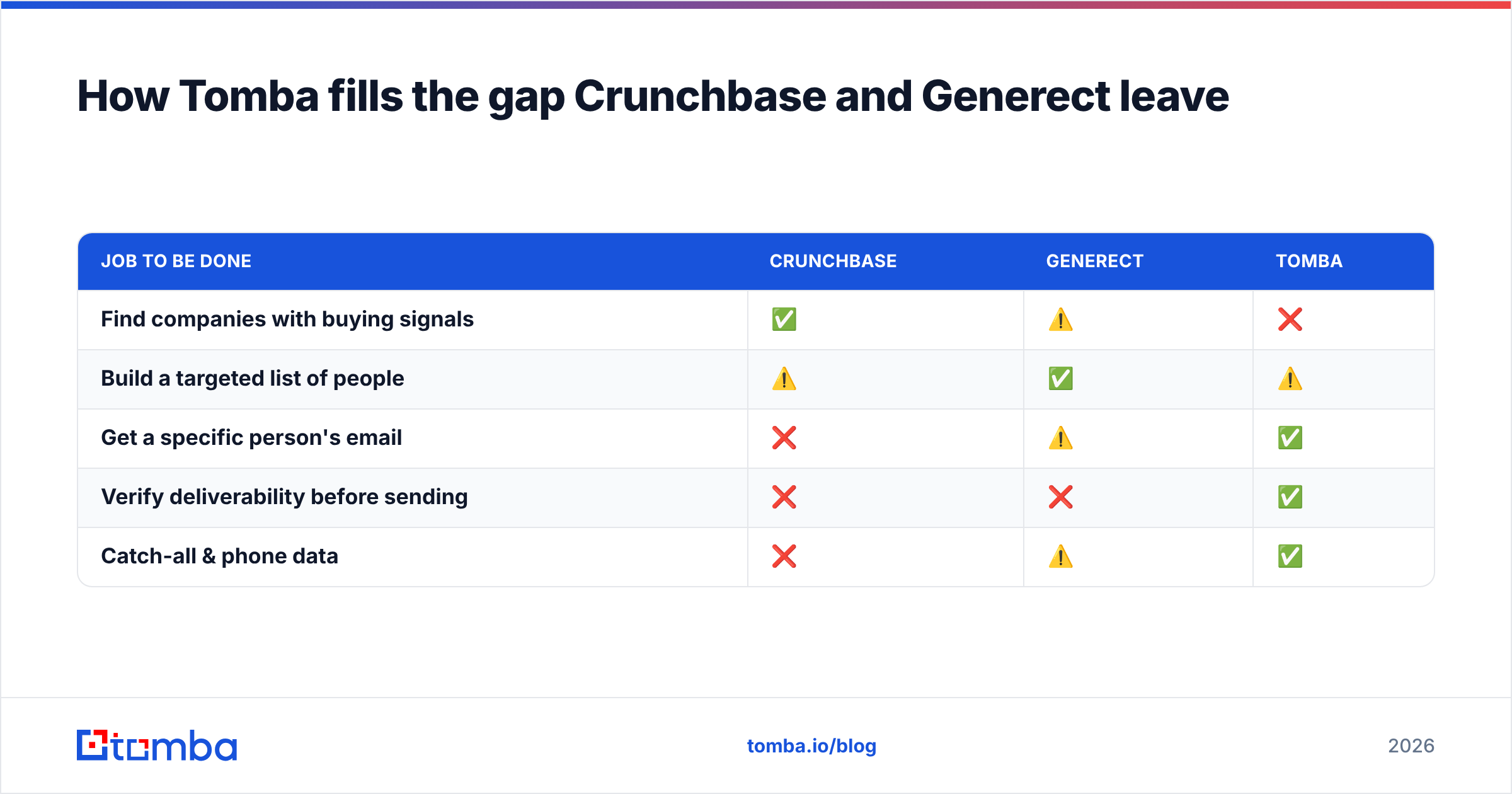
Here's how the roles line up:
| Job to be done | Crunchbase | Generect | Tomba |
|---|---|---|---|
| Find companies with buying signals | ✅ | ⚠️ | ❌ |
| Build a targeted list of people | ⚠️ | ✅ | ⚠️ |
| Get a specific person's email | ❌ | ⚠️ | ✅ |
| Verify deliverability before sending | ❌ | ❌ | ✅ |
| Catch-all & phone data | ❌ | ⚠️ | ✅ |
Tomba's pricing is transparent and self-serve, which is a meaningful difference from quote-based providers: a Free tier with 25 searches/month, then Starter at $49/mo, Growth at $99/mo, and Pro at $249/mo. You can test accuracy on your own domain list before spending a dollar.
Which should you actually buy in 2026?#
Match the tool to the gap, not the hype:
- Pick Crunchbase if your team lives on market intelligence and timing — VC, PE, partnerships, or any motion where "who just raised" drives the day. Pair it with a finder so your researchers can act on the signal instantly.
- Pick Generect if you're a high-volume outbound team that needs lists more than insight, and you're comfortable with a custom contract and a mandatory verification step on everything it exports.
- Add Tomba to either — this is the part most teams skip and regret. Whichever platform you choose gives you targets; Tomba gives you reachable contacts. That's the difference between a list and a pipeline.
For most SMB and mid-market sales teams, the highest-ROI combination is a single intelligence or list source plus a dedicated finder-and-verifier. You avoid paying enterprise prices for contact depth you can get more accurately elsewhere, and you protect your domain from the bounce-driven reputation damage that raw lists cause.
The bottom line#
Crunchbase and Generect solve different halves of the same problem, and comparing them head-to-head only makes sense once you know which half you're missing. Crunchbase wins on company and funding intelligence. Generect wins on turning an ICP into a list of people. Both leave the last, most important step — is this email actually going to land? — unsolved.
That's the step that decides whether your outreach reaches an inbox or a spam folder. Close it with the Tomba Email Finder: find the right person, verify the address, and send with confidence. Start free with 25 searches — test it against your current data and let the bounce rate settle the argument.
Related guides#
Ready to find emails that actually work?
Join 150,000+ professionals who stopped guessing and started sending. Free credits on signup — no credit card required.
Get the Tomba newsletter
Practical outbound tactics and product updates — once every two weeks.
About the author