Crunchbase vs Owler: Which B2B Data Platform Wins in 2026?
Crunchbase and Owler both promise company intelligence, but they solve different problems. Here's an honest breakdown of data, pricing, and which one earns a spot in your stack.
Choosing between Crunchbase and Owler comes down to one question: do you need deep company profiles and funding data, or do you need lightweight, crowdsourced tracking of competitors and news? Both tools live in the "company intelligence" bucket, but they were built for different jobs, and picking the wrong one wastes budget on data you'll never use.
This is a neutral, side-by-side breakdown for sales, marketing, and RevOps teams evaluating both in 2026.
TL;DR — Crunchbase vs Owler at a Glance#
- Crunchbase wins on funding data, investor records, and structured firmographics. Best for VC research, competitive intel, and account prioritization by growth signals.
- Owler wins on lightweight competitor tracking, community-sourced estimates, and daily news alerts. Best for staying current on a watchlist of accounts and rivals.
- Neither is a contact database. Both give you company-level data, not verified email addresses or direct dials, so most teams pair them with a dedicated email finder.
- Pricing: Crunchbase Pro starts around $99/user/month billed annually; Owler Pro is cheaper (roughly $39/month) but shallower. Enterprise pricing on both is quote-based.
- The honest verdict: Crunchbase for depth and data exports, Owler for cheap real-time monitoring. If your goal is actually reaching people, a data tool alone won't get you there.
What Is Crunchbase and Who Is It For?#
Crunchbase started life as a startup and funding database and still leads there. It tracks companies, funding rounds, acquisitions, investors, board members, and key people, with structured fields you can filter, save, and export. If you've ever researched who raised a Series B last quarter, you've probably landed on a Crunchbase profile.
The platform's core value for go-to-market teams is signal-based prospecting. You can build lists of companies that just raised money, changed leadership, or hit a headcount threshold, then push those accounts into your CRM. Crunchbase also sells enrichment and a REST API for programmatic access.
Where it's strongest:
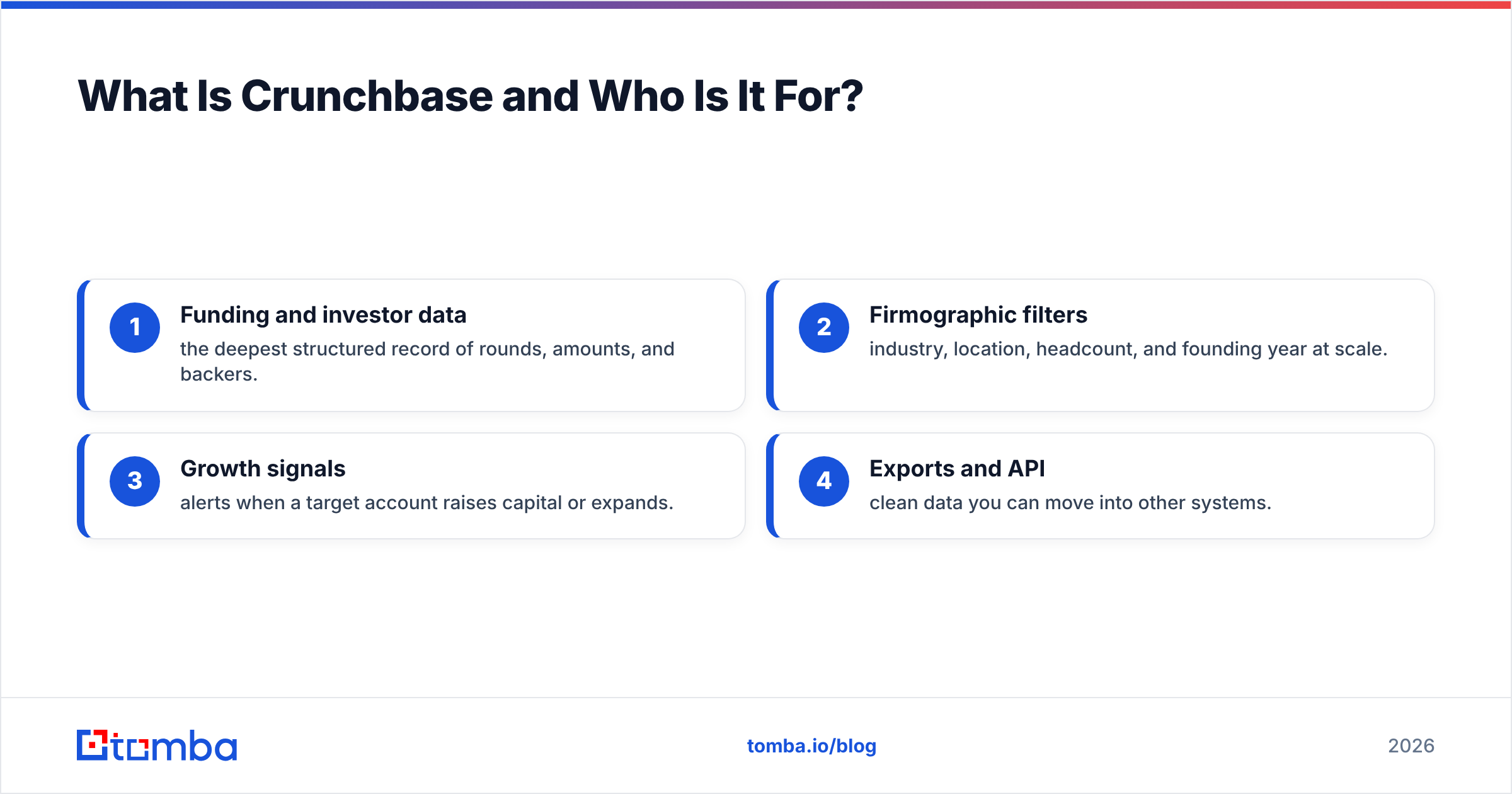
- Funding and investor data — the deepest structured record of rounds, amounts, and backers.
- Firmographic filters — industry, location, headcount, and founding year at scale.
- Growth signals — alerts when a target account raises capital or expands.
- Exports and API — clean data you can move into other systems.
Where it's weaker: contact-level data is thin. You get companies and named people, but not reliably verified work emails or phone numbers, which is exactly the gap teams fill with a separate email verifier.
What Is Owler and Who Is It For?#
Owler takes a different approach: it's a community-powered competitive intelligence tool. Users contribute and vote on estimates for revenue, employee count, and funding, and Owler layers on daily news alerts, "3-minute" company snapshots, and competitor comparison views.
The appeal is simplicity and price. Instead of building complex queries, you follow companies, and Owler feeds you a digest of news, leadership changes, acquisitions, and funding events for your watchlist. Sales reps use it to walk into calls with a fresh talking point about the prospect's latest move.
Where it's strongest:
- Real-time news alerts on companies you follow, delivered daily.
- Competitor mapping — quick "who competes with whom" views.
- Low cost and a genuinely usable free tier.
- Speed — snapshots are built for a rep with 30 seconds before a call.
Where it's weaker: the crowdsourced estimates are exactly that, estimates. Revenue and headcount figures can be dated or off, and Owler's coverage skews toward mid-market and larger known brands rather than the long tail of small companies.
Crunchbase vs Owler: Full Comparison Table#
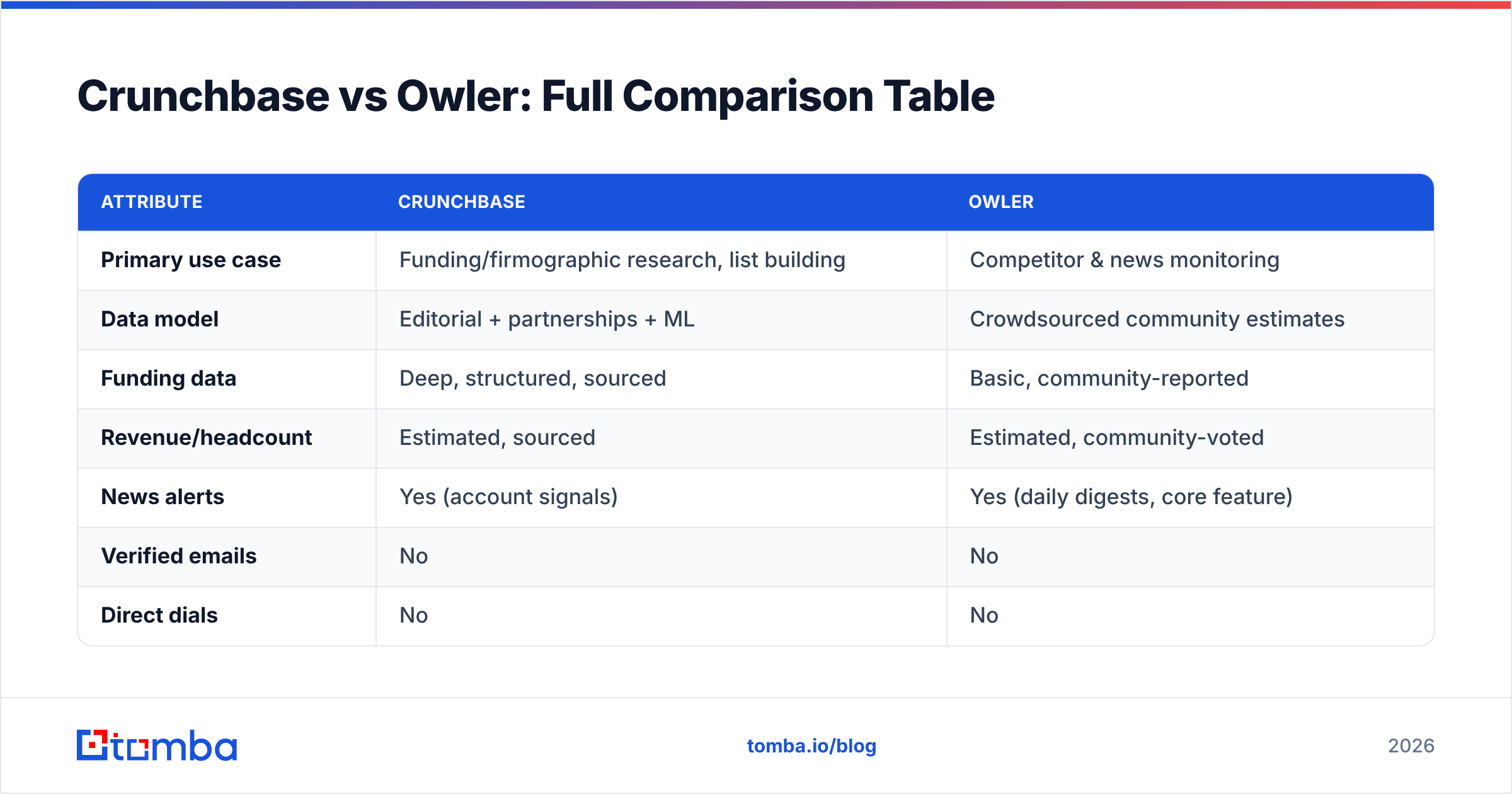
Here's how the two stack up on the attributes that actually drive a buying decision.
| Attribute | Crunchbase | Owler |
|---|---|---|
| Primary use case | Funding/firmographic research, list building | Competitor & news monitoring |
| Data model | Editorial + partnerships + ML | Crowdsourced community estimates |
| Funding data | Deep, structured, sourced | Basic, community-reported |
| Revenue/headcount | Estimated, sourced | Estimated, community-voted |
| News alerts | Yes (account signals) | Yes (daily digests, core feature) |
| Verified emails | No | No |
| Direct dials | No | No |
| API access | Yes (paid tiers) | Limited |
| Free tier | Limited search | Yes, usable |
| Entry paid price | ~$99/user/mo (annual) | ~$39/mo |
| Best for | RevOps, VC, ABM targeting | Reps, quick competitive intel |
The pattern is clear: Crunchbase is the heavier data platform, Owler is the lightweight monitor. They overlap on "tell me about this company," but diverge sharply on depth, export power, and price.
Is Crunchbase More Accurate Than Owler?#
Yes, on structured data — but with a catch. Crunchbase's funding and investor records are editorially maintained and partner-sourced, so they're more reliable than Owler's community votes for things like round size and lead investor. For revenue and employee estimates, both tools are guessing to some degree; treat those numbers as ranges, not facts.
Owler's advantage isn't accuracy, it's freshness of narrative. Its news alerts surface events fast, which is useful even when the underlying financial estimates are fuzzy. If you need "what happened this week," Owler is nimble. If you need "prove this company raised $40M from these investors," Crunchbase is the citation.
Two rules of thumb:
- Trust Crunchbase for funding, investors, acquisitions, and structured firmographics.
- Trust Owler for timeliness of news and quick competitor context, not for precise financials.
For a deeper look at how vendors source and validate company records, see how Tomba's data sources are assembled and checked, since data provenance is the real differentiator once you get past marketing claims.
How Much Do Crunchbase and Owler Cost in 2026?#
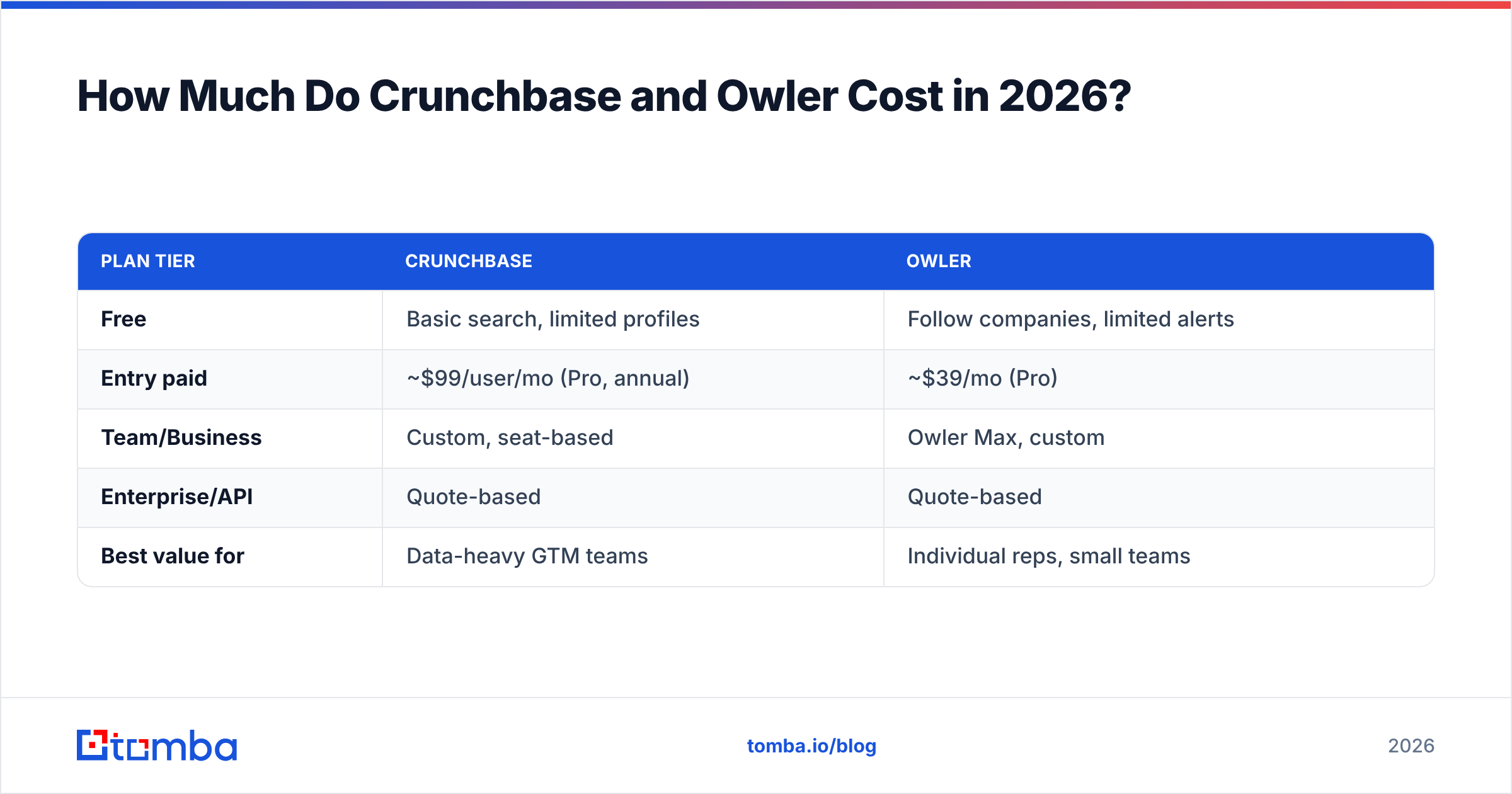
Pricing is where many teams make their decision, so here's the honest shape of it. Both vendors gate their best features behind annual contracts and quote-based enterprise tiers, so published numbers are starting points.
| Plan tier | Crunchbase | Owler |
|---|---|---|
| Free | Basic search, limited profiles | Follow companies, limited alerts |
| Entry paid | ~$99/user/mo (Pro, annual) | ~$39/mo (Pro) |
| Team/Business | Custom, seat-based | Owler Max, custom |
| Enterprise/API | Quote-based | Quote-based |
| Best value for | Data-heavy GTM teams | Individual reps, small teams |
Crunchbase costs more because you're paying for depth, exports, and API access. Owler is cheaper because it's doing less and leaning on its community. Neither price includes the thing your outbound team actually needs next: contact data. That's a separate line item you should budget for, and it's worth comparing against Tomba pricing, which starts free (25 searches/month) and scales to $49/month Starter.
Crunchbase vs Owler: Which Should You Choose?#
Pick based on the job, not the brand:
- Choose Crunchbase if you build target-account lists from funding and growth signals, need clean exports or an API, run account-based marketing, or do investor/competitive research. The depth justifies the price when data feeds real workflows.
- Choose Owler if you want cheap, fast competitor and news monitoring for a watchlist, you're an individual rep who wants a talking point before a call, or your budget is tight and you don't need exports.
- Choose both if you have the budget and want Crunchbase's depth plus Owler's daily narrative, though most teams find that overkill.
If you want a broader field of options before committing, it's worth reviewing dedicated B2B database tools too, since the "company intelligence" category has grown well beyond these two names.
What Neither Tool Solves — The Contact Gap#
Here's the part both vendors gloss over: company data is not a lead. Knowing that Acme Corp raised $30M and hired a new VP of Sales is useful, but you still can't email that VP without a verified address. Crunchbase and Owler stop at the company (and sometimes the person's name). They don't hand you a deliverable inbox.
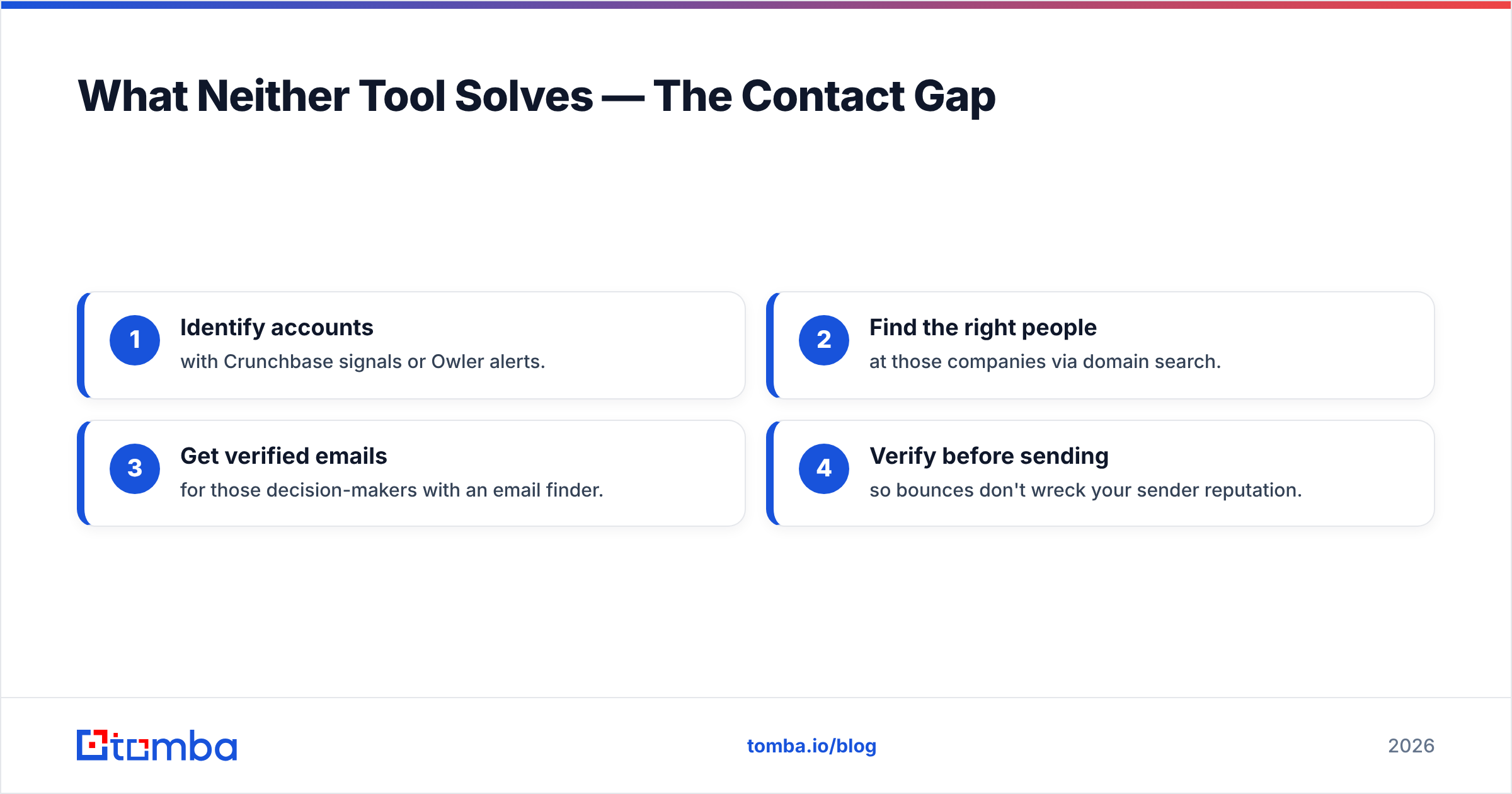
That's why the most effective stacks pair a data platform with a contact-finding layer. The workflow looks like this:
- Identify accounts with Crunchbase signals or Owler alerts.
- Find the right people at those companies via domain search.
- Get verified emails for those decision-makers with an email finder.
- Verify before sending so bounces don't wreck your sender reputation.
Skipping steps 2–4 is why so many "great lists" produce silence. A prioritized account with no reachable contact is just trivia. Getting the email right protects email deliverability and keeps your outreach out of spam folders.
Frequently Asked Questions#
Is Owler free? Owler has a genuinely usable free tier that lets you follow companies and receive limited alerts. Its Pro plan (around $39/month) unlocks more follows and features. Crunchbase's free tier is more limited for serious research.
Does Crunchbase have contact information? Crunchbase lists named people at companies but does not provide reliably verified work emails or direct dials. You'll need a dedicated tool like Tomba's email finder to reach them.
Which is better for sales prospecting? Crunchbase for building signal-based target lists, Owler for quick pre-call context. Neither replaces a contact database, so pair either one with an email finder and verifier.
Can I export data from both? Crunchbase offers exports and an API on paid tiers. Owler's export and API capabilities are more limited, reflecting its lighter positioning.
The Bottom Line#
Crunchbase and Owler aren't really competitors so much as complements at different price points. Crunchbase is the deep, structured, export-ready data platform for teams that turn signals into pipeline. Owler is the cheap, fast monitor for reps who want a fresh talking point and a competitor pulse. Compare both against your actual workflow, and check independent reviews on G2 before you commit to an annual contract.
But remember the gap neither closes: turning a company into a conversation. Once you've picked your intelligence layer, you still need verified contacts to act on it. That's where Tomba's Email Finder fits — find and verify professional email addresses by domain, name, or company, so the accounts you prioritize in Crunchbase or track in Owler actually become replies in your inbox. Start free with 25 searches a month and connect your data tools to real, reachable people.
Related guides#
Ready to find emails that actually work?
Join 150,000+ professionals who stopped guessing and started sending. Free credits on signup — no credit card required.
Get the Tomba newsletter
Practical outbound tactics and product updates — once every two weeks.
About the author