Crunchbase vs ZoomInfo (2026): Which B2B Data Platform Wins?
Crunchbase vs ZoomInfo: a neutral, side-by-side breakdown of data depth, contact accuracy, pricing, and best-fit use cases — plus a cheaper way to get verified emails.
Choosing between Crunchbase and ZoomInfo comes down to one question: do you need company intelligence or contact intelligence? They look similar on a feature grid, but they were built for different jobs, and paying for the wrong one is how B2B teams burn five figures a year on data they never use.
This is a neutral, hands-on comparison. No vendor spin — just what each platform actually does well, where it falls short, what it costs in 2026, and how to fill the gaps without overpaying.
TL;DR — Crunchbase vs ZoomInfo in 30 seconds#
- Crunchbase is a company and funding database. It's the best tool for tracking startups, investors, M&A, and growth signals — but it's thin on verified direct-dial phone numbers and personal emails.
- ZoomInfo is a contact and intent database. It's deeper on org charts, direct dials, and buyer intent — but it's expensive, locks you into annual contracts, and the data decays fast.
- Pricing gap is huge: Crunchbase Pro starts around $99/mo; ZoomInfo routinely lands between $15,000 and $40,000+ per year after seats and credits.
- Neither is a great email finder. For clean, verified emails at a fraction of the cost, a dedicated tool like Tomba Email Finder plugs the gap for both.
- Best combo for most teams: Crunchbase for signals, a focused email/enrichment tool for outreach, and ZoomInfo only if you have the budget and need enterprise intent data.
What is Crunchbase and who is it for?#
Crunchbase started as a public database of tech startups and funding rounds, and that DNA still defines it. Think of it as the Wikipedia of company milestones — who raised money, from whom, when, and what they do — layered with paid features for search, alerts, and light contact data.
Crunchbase is strongest when your buying trigger is a company event: a Series B round, a new executive hire, an acquisition, or headcount growth. You can build lists like "SaaS companies that raised $5M–$20M in the last 90 days in North America" in a couple of clicks.
Where it's weaker: contact coverage. Crunchbase surfaces some emails and social profiles, but it's not built to hand you a verified direct dial for a VP of Sales. It tells you which companies to chase, not always how to reach the exact person.
Typical Crunchbase users:
- Founders and BD teams tracking competitors, partners, and acquisition targets.
- VCs and analysts monitoring funding and market movement.
- Sales teams at early-stage startups who need affordable, signal-based prospecting.
What is ZoomInfo and who is it for?#
ZoomInfo is a contact-first B2B intelligence platform. Its core value is depth of people data — direct-dial phone numbers, work emails, org charts, and reporting structures — combined with buyer intent signals that flag accounts researching topics related to your product.
If Crunchbase is the Wikipedia of companies, ZoomInfo is closer to a corporate phone book with a research assistant attached. For a large outbound team dialing hundreds of prospects a week, that depth matters.
Where it's weaker: cost and commitment. ZoomInfo sells annual contracts, gates features behind add-on modules (Sales, Marketing, Talent, intent), and meters credits. Data also decays — people change jobs constantly, so even good records go stale, and you pay to keep re-verifying them.
Typical ZoomInfo users:
- Mid-market and enterprise sales orgs with dedicated SDR teams.
- Demand-gen and ABM marketers who need intent data and firmographic targeting at scale.
- RevOps teams enriching CRM records in bulk.

Crunchbase vs ZoomInfo: the core comparison table#
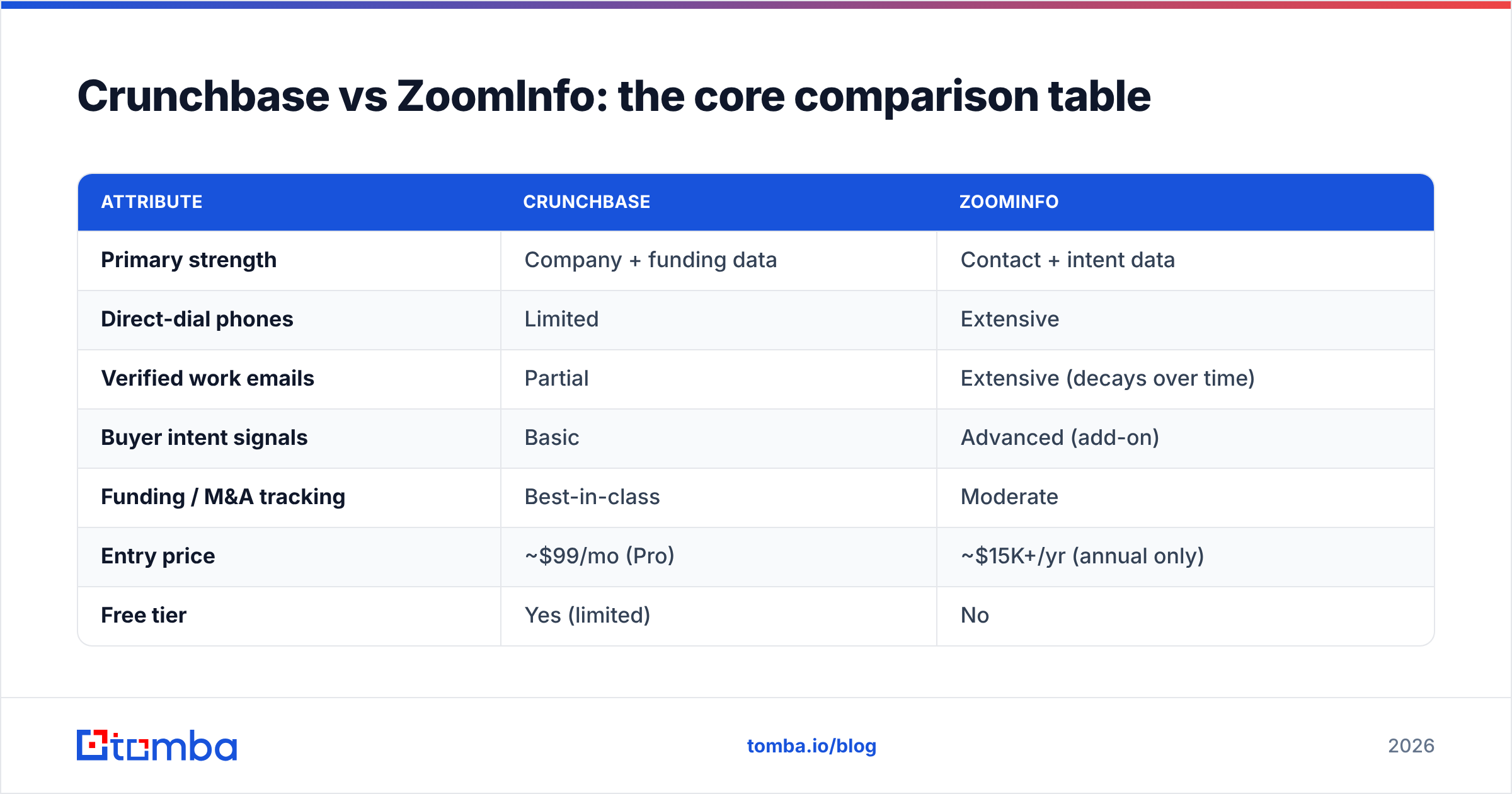
Here's the head-to-head on the attributes that actually drive a buying decision. Numbers reflect publicly listed and widely reported 2026 pricing; enterprise deals vary.
| Attribute | Crunchbase | ZoomInfo |
|---|---|---|
| Primary strength | Company + funding data | Contact + intent data |
| Direct-dial phones | Limited | Extensive |
| Verified work emails | Partial | Extensive (decays over time) |
| Buyer intent signals | Basic | Advanced (add-on) |
| Funding / M&A tracking | Best-in-class | Moderate |
| Entry price | ~$99/mo (Pro) | ~$15K+/yr (annual only) |
| Free tier | Yes (limited) | No |
| Contract | Monthly or annual | Annual commitment |
| Best fit | Startups, VCs, signal-based BD | Enterprise outbound, ABM |
| CRM enrichment | Light | Deep (native integrations) |
The pattern is clear: Crunchbase wins on affordability and company signals; ZoomInfo wins on contact depth and intent — at a premium.
Is ZoomInfo's data more accurate than Crunchbase?#
Yes for contacts, no for company events — but "accurate" is the wrong frame. The real question is freshness.
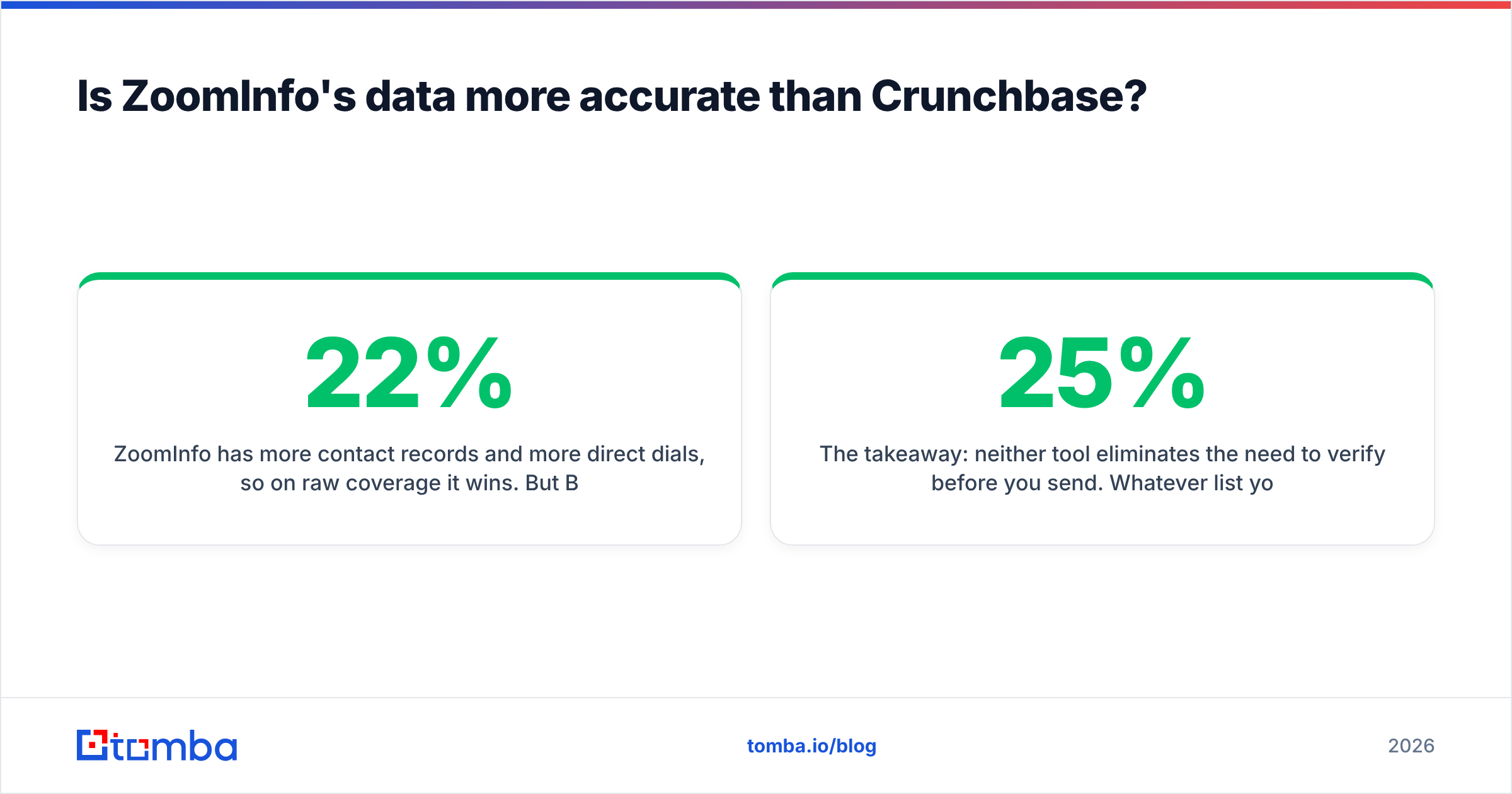
ZoomInfo has more contact records and more direct dials, so on raw coverage it wins. But B2B contact data decays fast — industry estimates put email and phone data decay at roughly 22%–30% per year as people switch jobs. A big database that isn't continuously re-verified quietly fills with bounces. According to research aggregated by platforms like G2, buyers of both tools consistently cite stale records as their top complaint.
Crunchbase, by contrast, is highly accurate on the thing it tracks — funding, headcount, leadership changes — because that data is event-based and frequently sourced from public filings and news.
The takeaway: neither tool eliminates the need to verify before you send. Whatever list you export, running it through an email verifier before a campaign is the single cheapest way to protect your sender reputation. A 10-minute verification pass routinely catches the 15–25% of records that would have bounced.

How much do Crunchbase and ZoomInfo cost in 2026?#
This is where the two diverge most sharply.
Crunchbase pricing (per user, billed annually or monthly):
- Starter / Free — basic search, limited profiles, no bulk export.
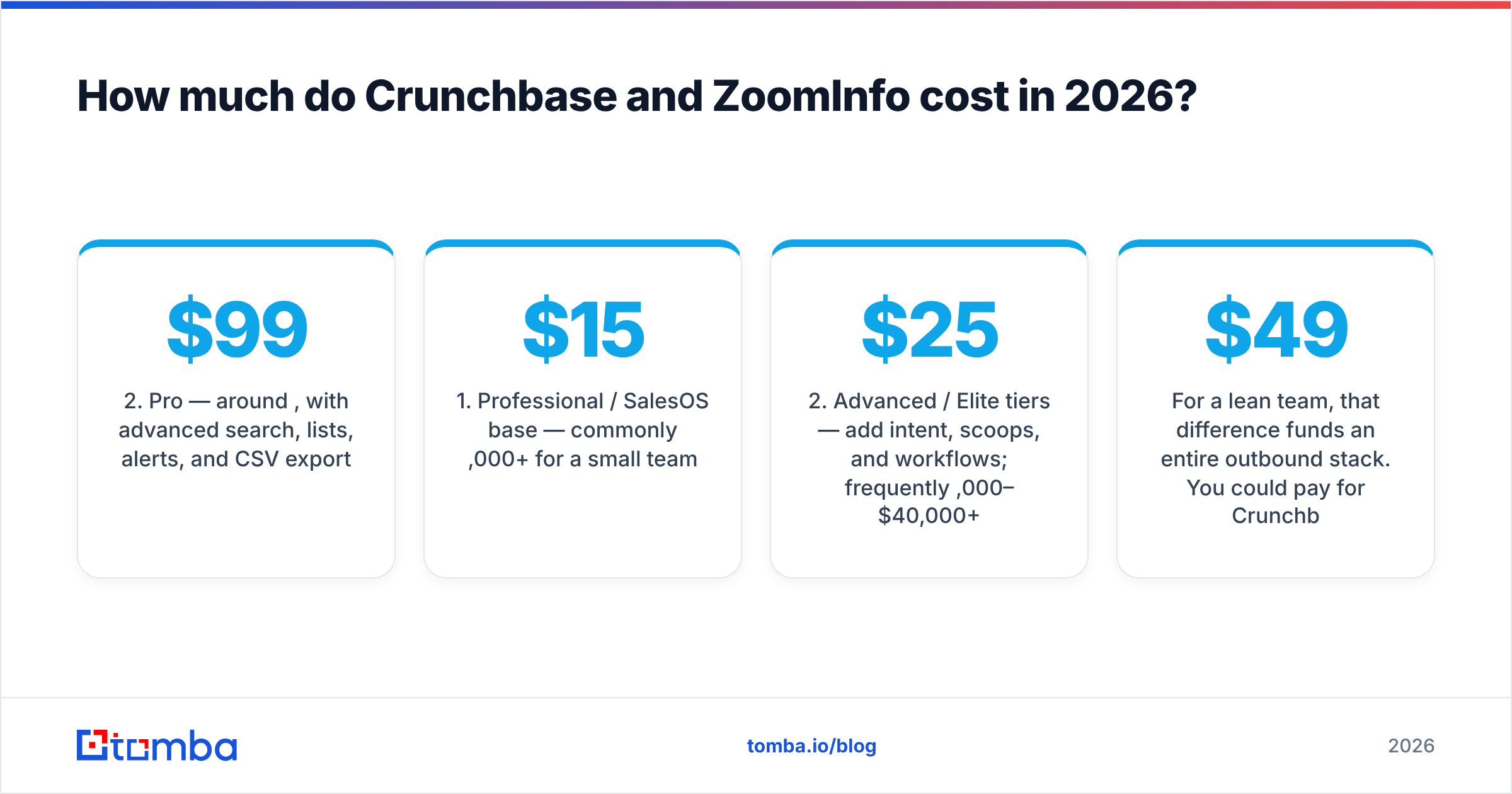
- Pro — around $99/mo, with advanced search, lists, alerts, and CSV export.
- Enterprise / Applications — custom pricing for API access, larger exports, and team features.
ZoomInfo pricing (annual contracts, quoted by seat + credits):
- Professional / SalesOS base — commonly $15,000+ per year for a small team.
- Advanced / Elite tiers — add intent, scoops, and workflows; frequently $25,000–$40,000+ per year.
- Add-on modules — Marketing, Talent, and enrichment each carry separate costs.
ZoomInfo rarely publishes exact numbers, and real quotes depend on seats, credit volume, and which modules you bolt on. The practical reality: ZoomInfo is a budget-line commitment, while Crunchbase is a subscription you can expense monthly.
For a lean team, that difference funds an entire outbound stack. You could pay for Crunchbase Pro, a dedicated email tool, and a sequencer for less than one ZoomInfo seat. Speaking of which — you can compare that math against transparent Tomba pricing, which starts at a $49/mo Starter plan with a genuine free tier.
Crunchbase vs ZoomInfo: pros and cons#
Crunchbase pros
- Affordable, transparent, month-to-month available.
- Best-in-class funding, M&A, and growth-signal data.
- Free tier to test before you commit.
- Clean, fast search for company-based list building.
Crunchbase cons
- Thin on verified direct dials and personal emails.
- Not built for high-volume contact enrichment.
- Intent data is basic compared to enterprise tools.
ZoomInfo pros
- Deep contact coverage: emails, direct dials, org charts.
- Advanced buyer intent and website visitor signals.
- Strong native CRM enrichment and workflow automation.
ZoomInfo cons
- Expensive, annual-only contracts with credit metering.
- Data decays; you pay to keep it fresh.
- Steeper learning curve and add-on sprawl.
- Aggressive sales process reported by many buyers.
What's the best alternative to both?#
For most teams, the smartest setup isn't "Crunchbase or ZoomInfo" — it's a signal source plus a focused contact tool, skipping the enterprise data tax entirely.
Here's the logic. Crunchbase (or free public sources) tells you which companies are worth pursuing. Then, instead of paying ZoomInfo thousands to attach names and emails, you use a targeted email-finding and enrichment layer on demand:
- Find the right people with domain search — enter a company domain and get the verified email pattern and contacts by department.
- Confirm reachability with an email verifier so your bounce rate stays under 2%.
- Enrich at scale with data enrichment and bulk email finder when you're working a larger list.
This approach keeps your data pay-as-you-go and always freshly verified, instead of renting a giant database that decays whether you use it or not. If you're specifically evaluating contact-data vendors, it's also worth looking at transparent providers like BookYourData for pay-as-you-go B2B lists — a legitimate option alongside a verification workflow.
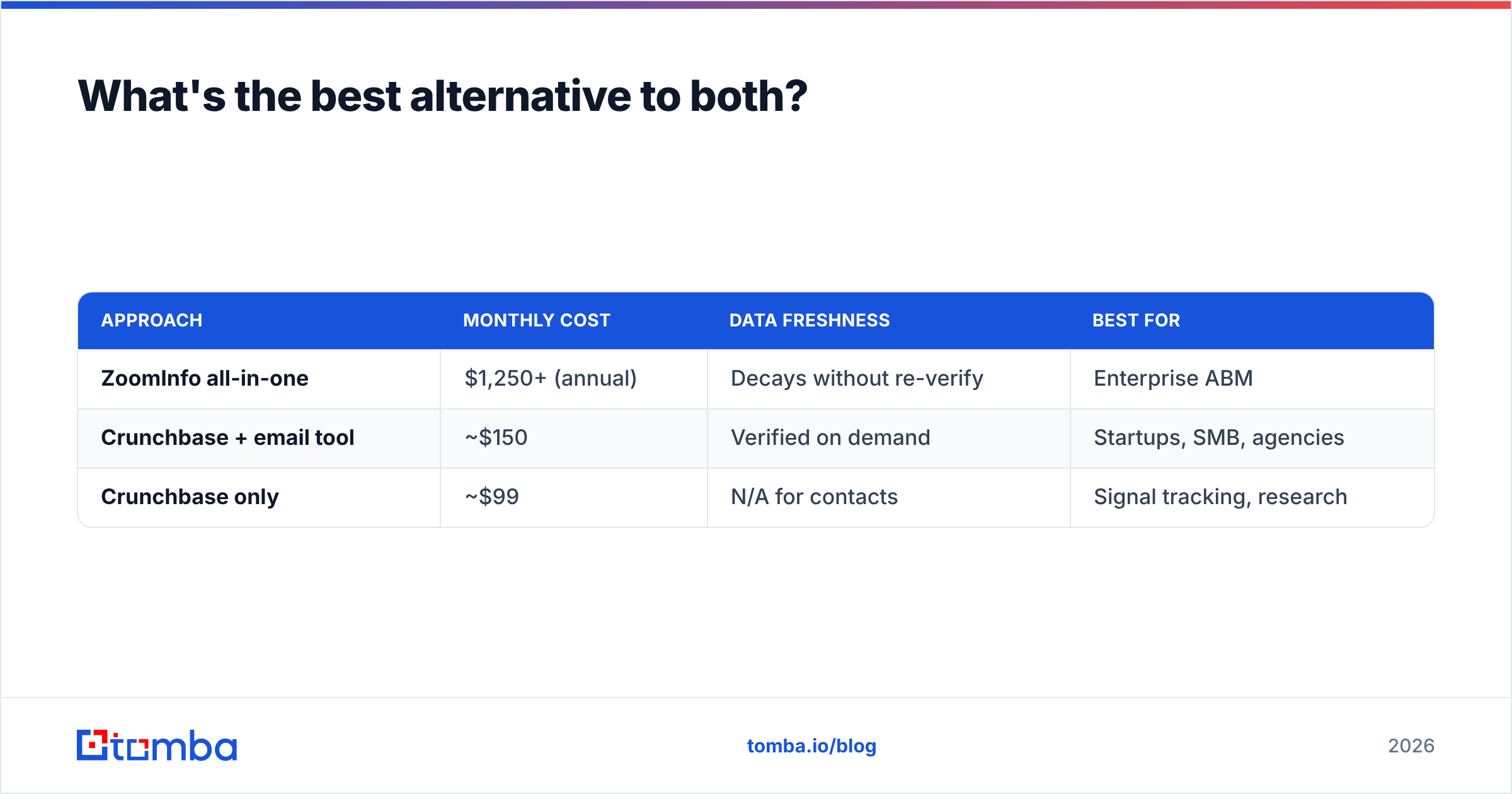
Here's how the "combo" stack compares to buying an all-in-one enterprise platform:
| Approach | Monthly cost | Data freshness | Best for |
|---|---|---|---|
| ZoomInfo all-in-one | $1,250+ (annual) | Decays without re-verify | Enterprise ABM |
| Crunchbase + email tool | ~$150 | Verified on demand | Startups, SMB, agencies |
| Crunchbase only | ~$99 | N/A for contacts | Signal tracking, research |
For teams under 50 people, the middle row wins on nearly every metric except raw intent data.
When should you actually pay for ZoomInfo?#
ZoomInfo earns its price in specific situations — be honest about whether you're in one:
- You run a large SDR team dialing hundreds of prospects weekly and need direct dials at scale.
- You run account-based marketing and depend on buyer intent to prioritize accounts.
- You need deep CRM enrichment across tens of thousands of records with native Salesforce/HubSpot sync.
- You have the budget and a RevOps function to actually operationalize the data.
If two or more of those describe you, ZoomInfo's depth can pay for itself. If not, you're likely paying enterprise prices for features a lean stack delivers for a fraction of the cost. You can dig into ZoomInfo's own capabilities on their official site and Crunchbase's on crunchbase.com before you commit.
How to build a verified prospecting list either way#
Regardless of which platform you pick, the workflow that protects deliverability looks the same:
- Source companies by trigger (funding, hiring, tech stack) — Crunchbase excels here.
- Identify decision-makers by role and department.
- Find their emails with a purpose-built email finder rather than trusting a bulk export blindly.
- Verify every address before your first send to strip out bounces and traps.
- Enrich and sync the survivors into your CRM and sequencer.
Skipping step 4 is the most common reason cold campaigns crater — even ZoomInfo exports need it. If you want to understand the mechanics behind that, this primer on email deliverability is a useful, vendor-neutral read.
Final verdict: Crunchbase or ZoomInfo?#
Pick Crunchbase if you're a startup, agency, investor, or SMB sales team that prospects on company signals and wants transparent, monthly pricing. It's the better value and the better research tool.
Pick ZoomInfo if you're a mid-market or enterprise org with a large outbound motion, an ABM strategy, and the budget to operationalize deep contact and intent data.
Pick neither as your email source. Both databases decay, and both charge you for coverage you can get more cheaply and more freshly on demand. Whatever you choose for signals and firmographics, pair it with a dedicated finding-and-verification layer.
That's exactly where Tomba fits. Use Tomba Email Finder to turn any company or name into a verified, ready-to-send email — with a free tier to start, a $49/mo Starter plan, and pay-as-you-grow pricing that costs a rounding error next to an enterprise data contract. Combine it with your platform of choice and you get the best of both: strong signals and clean, verified contacts, without the five-figure lock-in.
Related guides#
Ready to find emails that actually work?
Join 150,000+ professionals who stopped guessing and started sending. Free credits on signup — no credit card required.
Get the Tomba newsletter
Practical outbound tactics and product updates — once every two weeks.
About the author