Csvgo vs Skrapp (2026): Which Email Finder Actually Wins?
Csvgo and Skrapp both promise verified B2B emails, but they win on different jobs. Here's an honest breakdown of accuracy, pricing, and data coverage — plus a stronger third pick.
You're choosing between Csvgo and Skrapp because both claim to turn a list of names or a domain into verified, ready-to-send B2B emails. The problem: they're built for slightly different buyers, and the wrong pick quietly burns your sender reputation with bounces you didn't budget for.
This is a neutral, side-by-side look at where each tool actually earns its keep — and where a third option beats both on the metric that matters most: cost per usable contact.
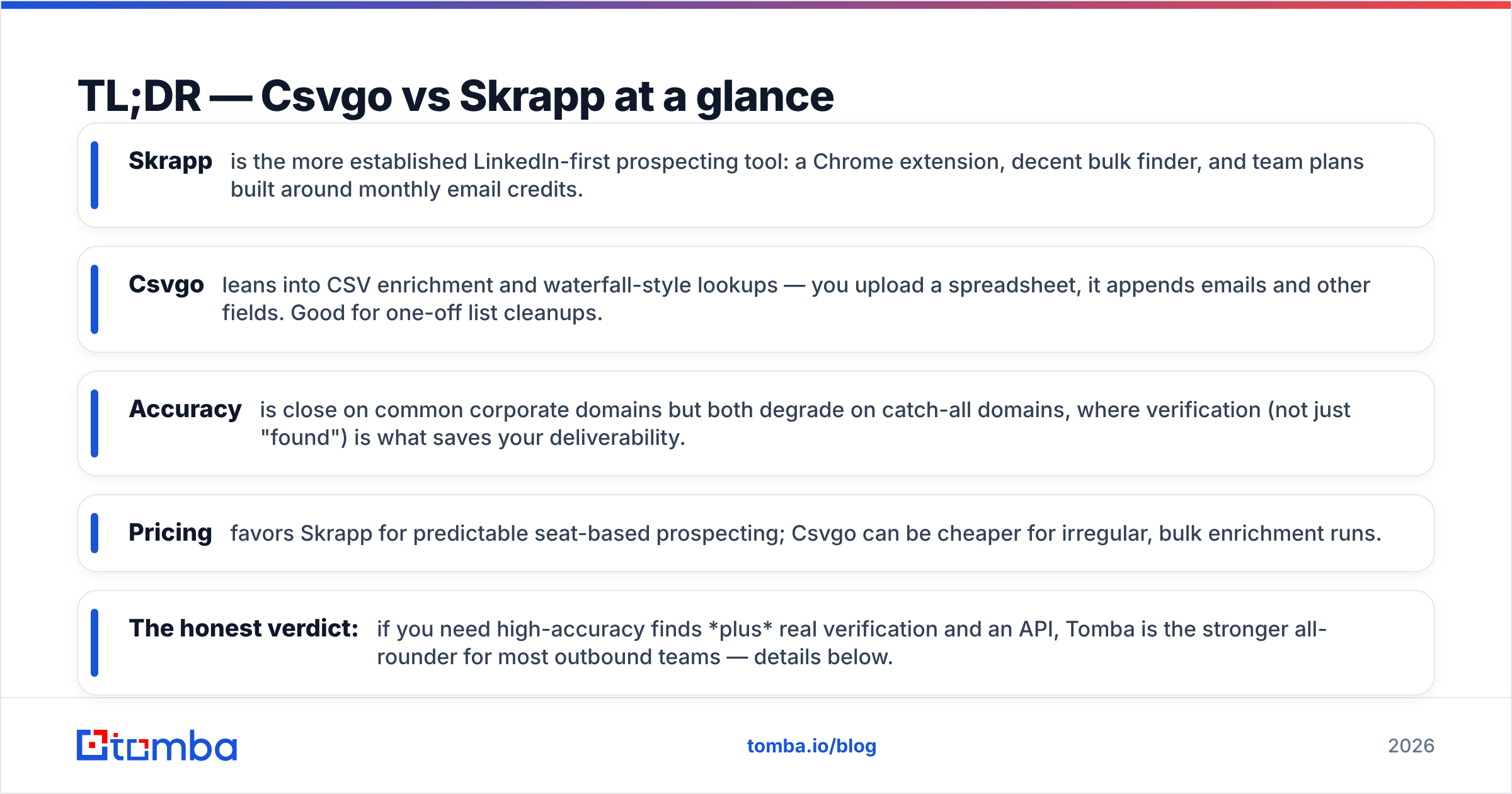
TL;DR — Csvgo vs Skrapp at a glance#
- Skrapp is the more established LinkedIn-first prospecting tool: a Chrome extension, decent bulk finder, and team plans built around monthly email credits.
- Csvgo leans into CSV enrichment and waterfall-style lookups — you upload a spreadsheet, it appends emails and other fields. Good for one-off list cleanups.
- Accuracy is close on common corporate domains but both degrade on catch-all domains, where verification (not just "found") is what saves your deliverability.
- Pricing favors Skrapp for predictable seat-based prospecting; Csvgo can be cheaper for irregular, bulk enrichment runs.
- The honest verdict: if you need high-accuracy finds plus real verification and an API, Tomba is the stronger all-rounder for most outbound teams — details below.
What do Csvgo and Skrapp actually do?#
Both belong to the same category — email finders — but they emphasize different workflows.
Skrapp is a prospecting-first platform. Its core loop is: browse a LinkedIn profile or a Sales Navigator list, click the extension, and pull emails into a Skrapp list or export them. It also offers a domain search equivalent and a bulk finder where you paste names + companies. It's aimed at SDRs and recruiters who live inside LinkedIn.
Csvgo is enrichment-first. The mental model is a spreadsheet: you bring a CSV of names, companies, or partial data, and Csvgo appends the missing email (and sometimes other fields) using multiple data sources in sequence. It's aimed at ops people and founders doing periodic list builds rather than daily prospecting.
Think of it like transport. Skrapp is a commuter card you tap every day inside one system (LinkedIn). Csvgo is a rental van you grab when you need to move a big load once a month. Neither is "wrong" — it depends on how often you drive.

How accurate are Csvgo and Skrapp?#
Accuracy is where email finders live or die, because a "found" email that bounces is worse than no email — it damages your sender reputation and pushes future sends toward spam.
Here's the nuance most comparison posts skip: "found rate" and "accuracy" are not the same number. A tool can find something for 90% of your list and still be wrong 20% of the time. What you actually care about is the verified, deliverable rate.
On standard corporate domains (think firstname.lastname@company.com), both Csvgo and Skrapp perform well — pattern detection on clean domains is close to a solved problem. The gap opens on three hard cases:
- Catch-all domains — servers that accept every address, so a simple SMTP check can't confirm anything. You need a dedicated catch-all verifier to score these, or you're guessing.
- Small companies and custom domains — thinner public data means more tools fall back to permutation guessing.
- Role and generic inboxes —
info@,sales@addresses inflate found rates but rarely reach a decision-maker.
Neither Csvgo nor Skrapp publishes a fully independent, audited accuracy figure, so treat any headline percentage — from either vendor — as marketing until you test it on your list. The reliable move is to always run finds through a separate email verifier before you send.

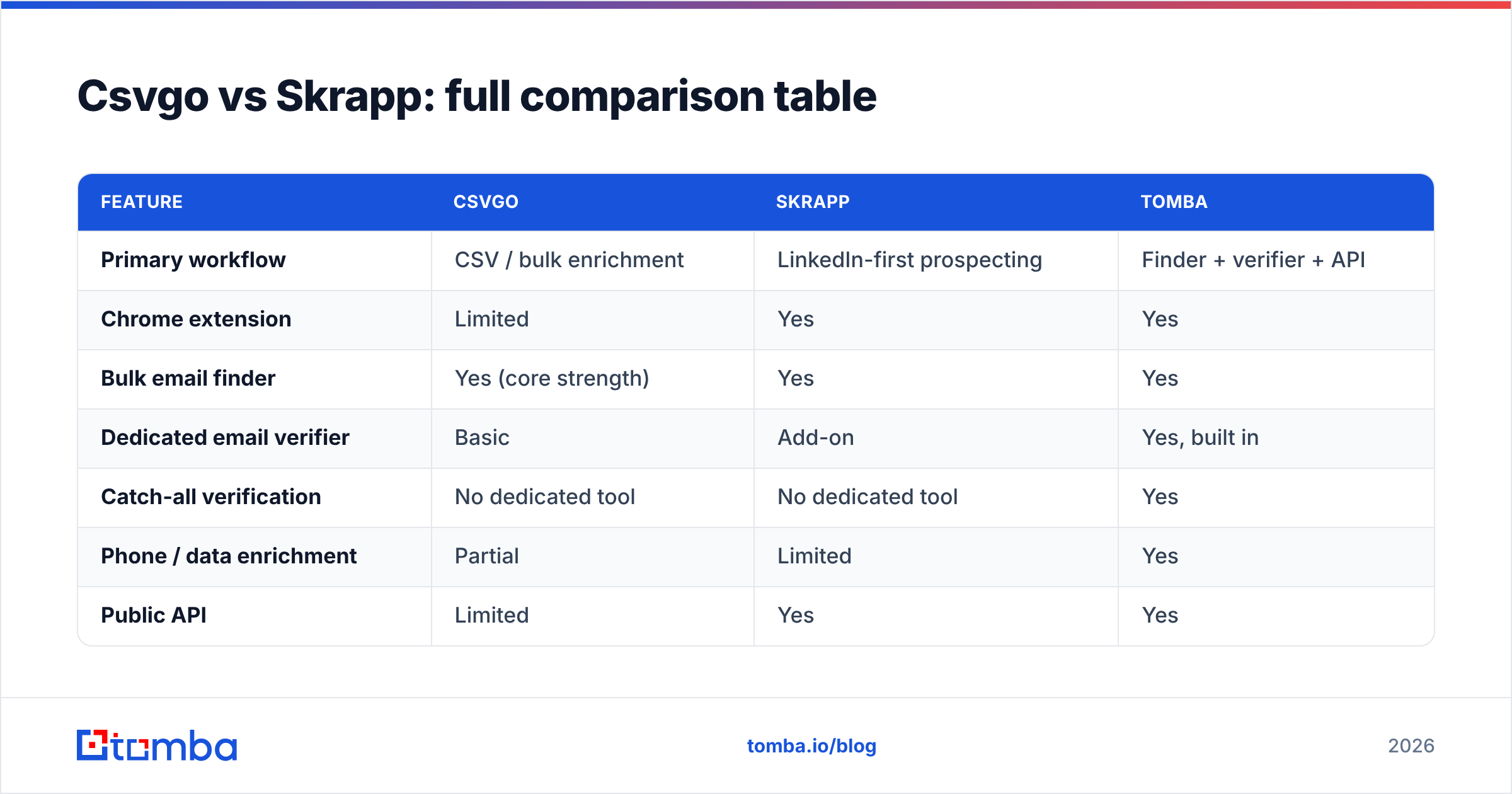
Csvgo vs Skrapp: full comparison table#
| Feature | Csvgo | Skrapp | Tomba |
|---|---|---|---|
| Primary workflow | CSV / bulk enrichment | LinkedIn-first prospecting | Finder + verifier + API |
| Chrome extension | Limited | Yes | Yes |
| Bulk email finder | Yes (core strength) | Yes | Yes |
| Dedicated email verifier | Basic | Add-on | Yes, built in |
| Catch-all verification | No dedicated tool | No dedicated tool | Yes |
| Phone / data enrichment | Partial | Limited | Yes |
| Public API | Limited | Yes | Yes |
| Free tier | Trial credits | ~100 emails/mo | 25 searches/mo |
| Entry paid plan | Usage-based | ~$49/mo range | $49/mo |
| Best for | One-off list cleanups | Daily SDR prospecting | Teams needing accuracy + scale |
Prices and limits shift; confirm current numbers on each vendor's own pricing page before you buy. The structural differences — where each tool is strong — are more stable than the exact dollar figures.
Which is cheaper, Csvgo or Skrapp?#
The cheaper tool depends entirely on your usage shape, not the sticker price.
- Irregular, big batches (build 5,000 contacts once a quarter): Csvgo's enrichment-style, usage-based billing often wins because you're not paying for idle seats.
- Steady daily prospecting (an SDR pulling 30–50 contacts a day): Skrapp's seat-and-credit model tends to be more predictable and cheaper per active user.
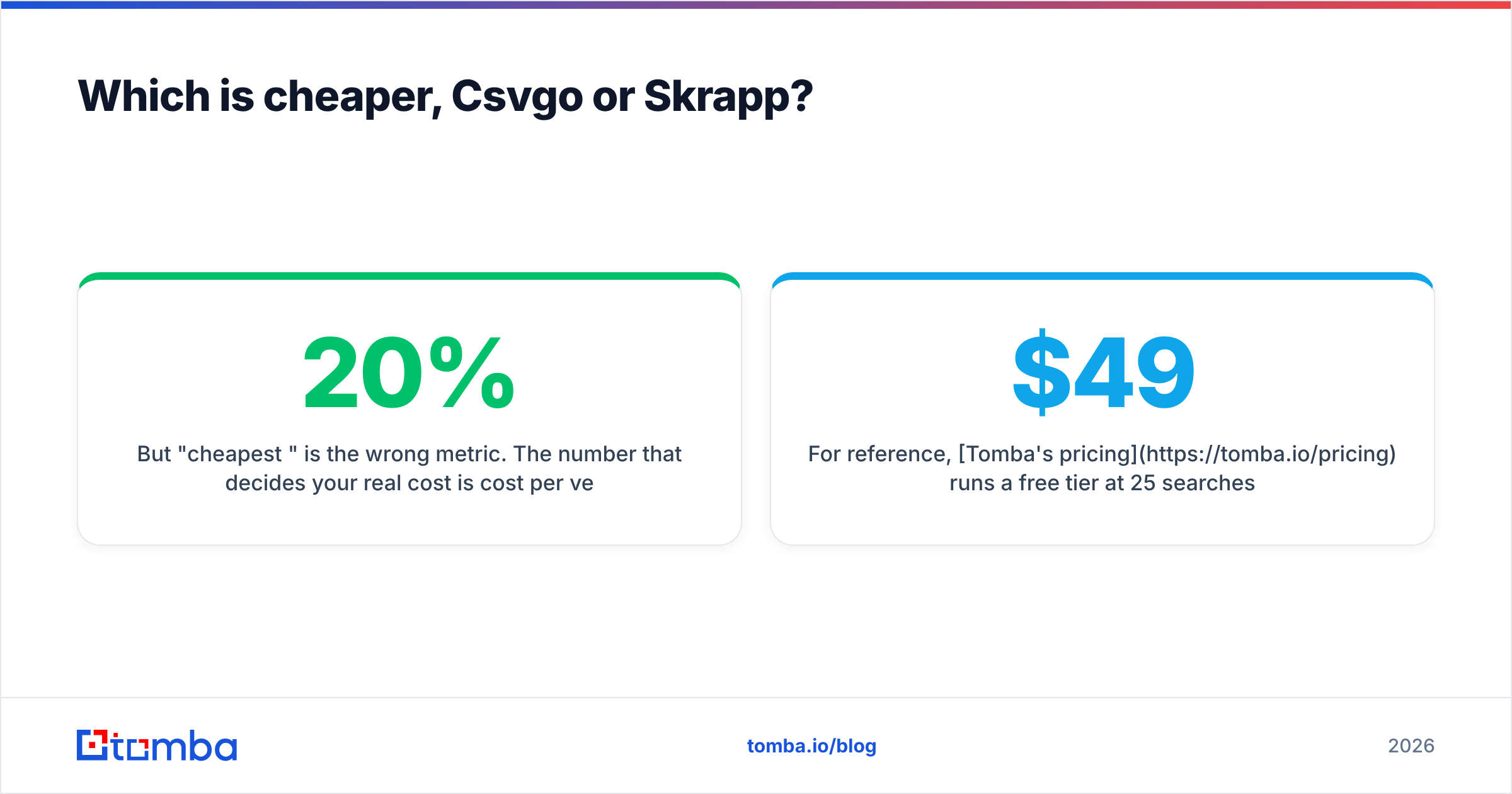
But "cheapest per credit" is the wrong metric. The number that decides your real cost is cost per verified, deliverable contact. A plan that's 20% cheaper per lookup but 15% less accurate can cost you more once you factor in bounces, wasted sequence slots, and reputation damage. Always divide price by usable contacts, not raw finds.
For reference, Tomba's pricing runs a free tier at 25 searches/month, Starter at $49/mo, Growth at $99/mo, and Pro at $249/mo, with verification bundled rather than sold as a separate add-on — which changes the per-usable-contact math in its favor when you account for verification you'd otherwise buy elsewhere.
Is Csvgo or Skrapp better for LinkedIn prospecting?#
Skrapp is the stronger LinkedIn tool of the two. Its extension is built around the LinkedIn and Sales Navigator experience, so if your motion is "find people on LinkedIn, then email them," Skrapp fits the workflow with less friction. Csvgo's center of gravity is the spreadsheet, so LinkedIn scraping feels bolted on by comparison.
That said, LinkedIn-sourced emails still need verification before you send — profiles list personal or outdated addresses more often than you'd expect. If LinkedIn outreach is your primary channel, pair whichever finder you choose with a verifier step, or use a tool that does both natively so you're not exporting to a second system every time.

What are the pros and cons of each?#
Csvgo — pros
- Purpose-built for bulk CSV enrichment; comfortable for ops and RevOps workflows.
- Usage-based billing suits irregular, project-based list building.
- Minimal learning curve if you already live in spreadsheets.
Csvgo — cons
- Weaker daily-prospecting ergonomics; not a LinkedIn-native experience.
- Verification and catch-all handling are lighter, so you'll often need a second tool.
- Less mature API and integration ecosystem.
Skrapp — pros
- Strong LinkedIn and Sales Navigator workflow for SDRs and recruiters.
- Predictable seat-based pricing for steady teams.
- Established product with a usable bulk finder and API.
Skrapp — cons
- Verification is more of an add-on than a first-class, built-in step.
- Catch-all domains remain a soft spot without a dedicated verifier.
- Credit models can get expensive as headcount grows.
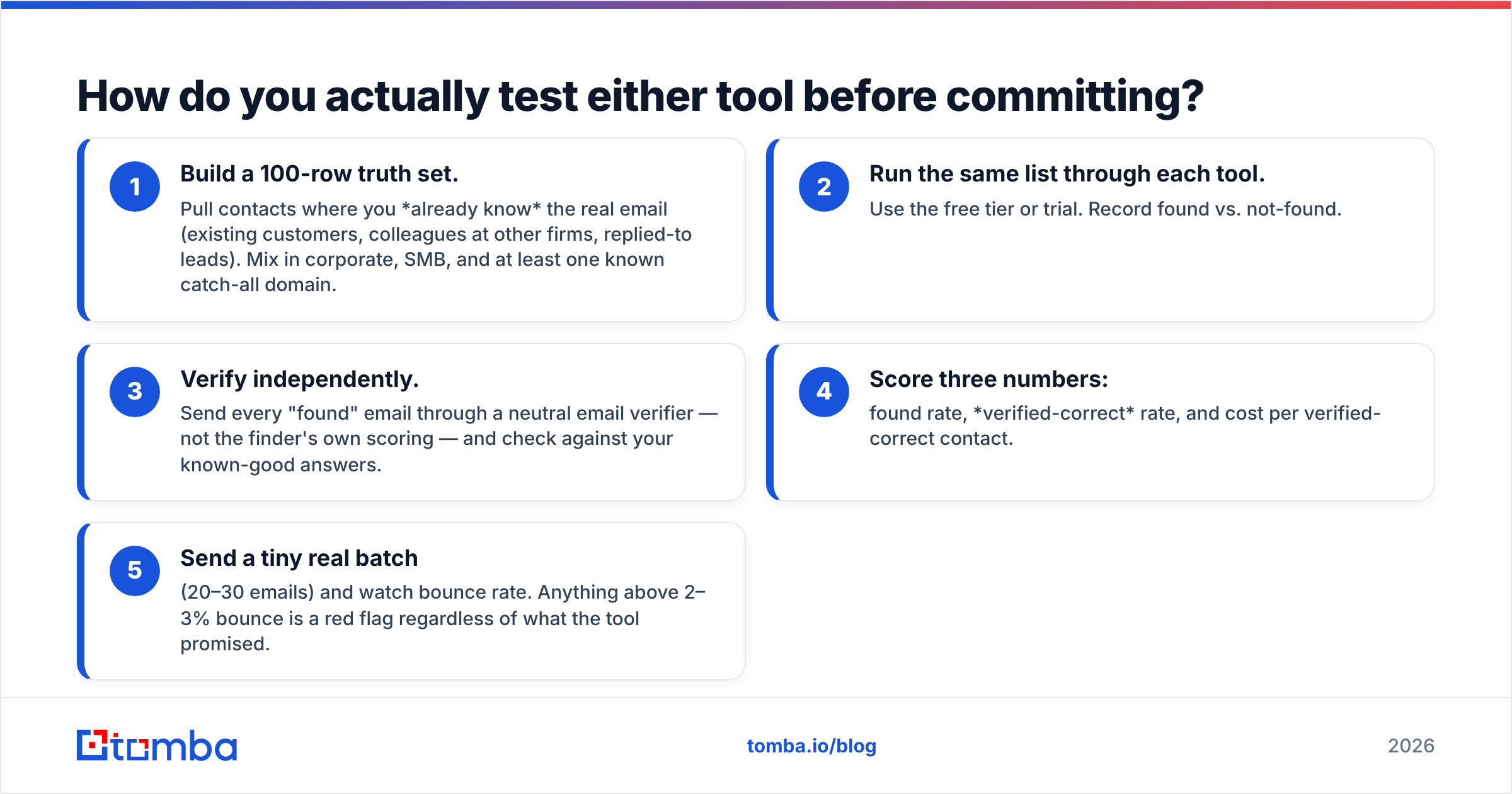
How do you actually test either tool before committing?#
Don't trust anyone's headline accuracy claim — including this article's summary. Run a controlled bake-off:
- Build a 100-row truth set. Pull contacts where you already know the real email (existing customers, colleagues at other firms, replied-to leads). Mix in corporate, SMB, and at least one known catch-all domain.
- Run the same list through each tool. Use the free tier or trial. Record found vs. not-found.
- Verify independently. Send every "found" email through a neutral email verifier — not the finder's own scoring — and check against your known-good answers.
- Score three numbers: found rate, verified-correct rate, and cost per verified-correct contact.
- Send a tiny real batch (20–30 emails) and watch bounce rate. Anything above 2–3% bounce is a red flag regardless of what the tool promised.
This takes an afternoon and will tell you more than a month of reading reviews on G2 or Capterra. Vendor-reported accuracy and third-party verified accuracy are frequently different animals.
Why consider Tomba over both?#
Because the Csvgo-vs-Skrapp choice forces a tradeoff Tomba doesn't: enrichment depth or prospecting ergonomics, finding or verifying.
Tomba combines the email finder, a built-in verifier, domain search, a dedicated catch-all check, bulk email finder, and a documented email finder API in one system — so the "found but unverified" gap that hurts both Csvgo and Skrapp is closed by default. For teams that both prospect daily and run periodic bulk enrichment, that removes the second-tool tax.
To be fair, Tomba isn't automatically the answer for everyone. If your entire motion is spreadsheet enrichment run twice a year, Csvgo's usage billing may be all you need. If you're a solo recruiter who never leaves LinkedIn, Skrapp's extension may feel more natural. The strongest case for Tomba is the common middle: an outbound team that needs accuracy, verification, scale, and an API without stitching three subscriptions together.
Independent analyst coverage of the sales-intelligence category — from firms like Gartner — consistently flags data accuracy and coverage as the top differentiators buyers underweight at purchase and regret later. That's the axis to optimize, not the per-credit price.
The verdict: Csvgo vs Skrapp#
Pick Skrapp if you're an SDR or recruiter whose day runs through LinkedIn and you want predictable seat pricing.
Pick Csvgo if you're in ops and your job is periodic, large CSV enrichment where usage-based billing wins.
Pick Tomba if you want one platform that finds and verifies — including catch-all domains — with an API and bulk tools, so your cost per usable contact stays low as you scale.
Whatever you choose, the discipline is the same: verify before you send, measure verified-correct rate rather than found rate, and re-test quarterly, because data decays.
Ready to compare on your own list instead of a marketing page? Start free with the Tomba Email Finder — 25 searches a month, built-in verification, no card required — and run the 100-row bake-off above. Let your bounce rate pick the winner.
Related guides#
Ready to find emails that actually work?
Join 150,000+ professionals who stopped guessing and started sending. Free credits on signup — no credit card required.
Get the Tomba newsletter
Practical outbound tactics and product updates — once every two weeks.
About the author