CSVGO vs Wiza (2026): Which Email Finder Actually Wins?
CSVGO vs Wiza compared on accuracy, data coverage, pricing, and workflow fit for 2026 — plus where a leaner third option quietly beats both on cost per verified email.
Picking between CSVGO and Wiza comes down to one question most comparison pages dodge: how many of the emails you pay for actually land in an inbox. Both promise fresh B2B contact data, both plug into a LinkedIn-driven workflow, and both bill on credits — but they solve slightly different problems, and the wrong choice quietly taxes every campaign you run afterward.
This is a neutral breakdown of where each tool is strong, where it leaks money, and when a leaner third option makes more sense than either.
TL;DR — CSVGO vs Wiza in 30 seconds#
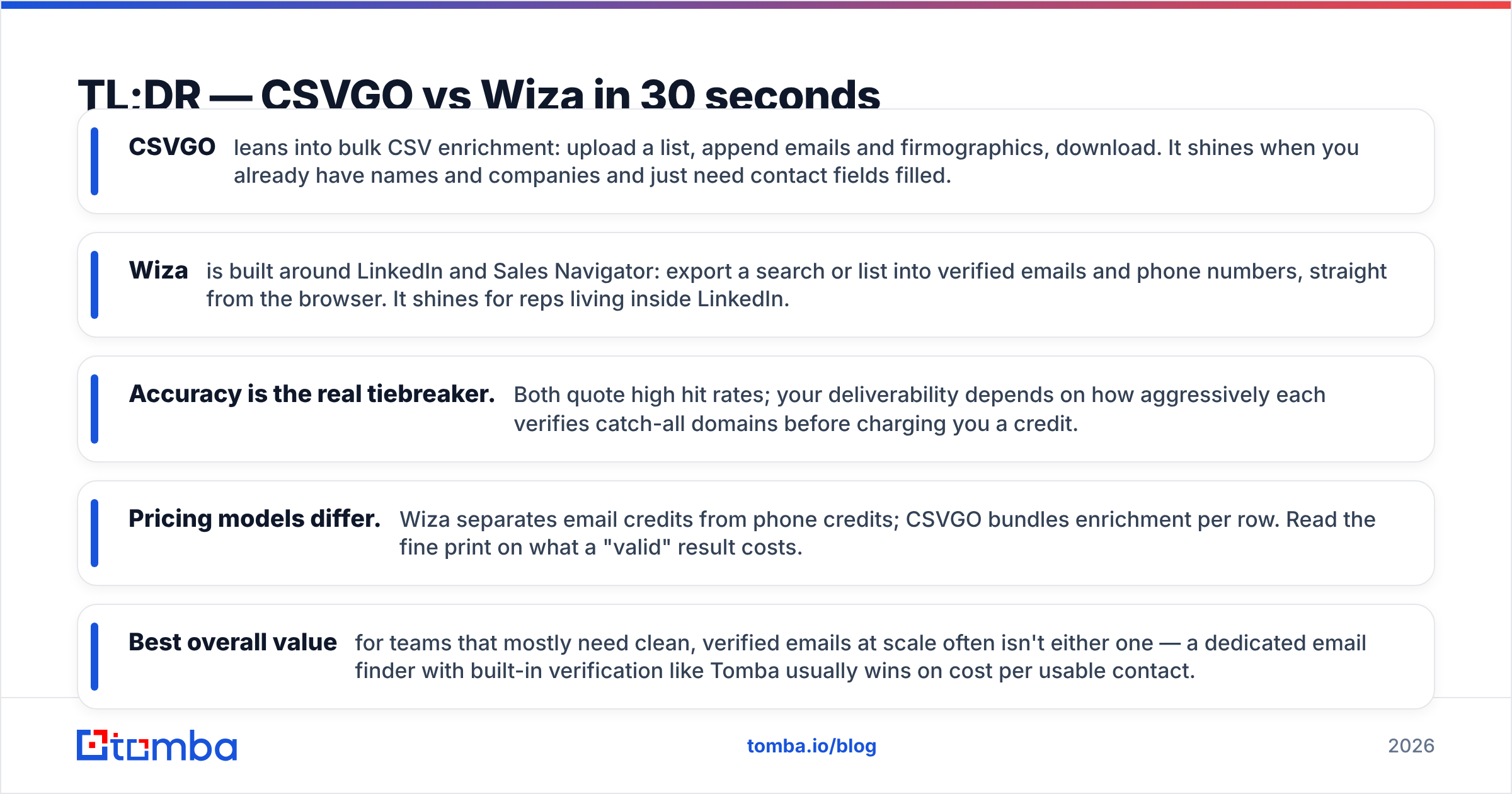
- CSVGO leans into bulk CSV enrichment: upload a list, append emails and firmographics, download. It shines when you already have names and companies and just need contact fields filled.
- Wiza is built around LinkedIn and Sales Navigator: export a search or list into verified emails and phone numbers, straight from the browser. It shines for reps living inside LinkedIn.
- Accuracy is the real tiebreaker. Both quote high hit rates; your deliverability depends on how aggressively each verifies catch-all domains before charging you a credit.
- Pricing models differ. Wiza separates email credits from phone credits; CSVGO bundles enrichment per row. Read the fine print on what a "valid" result costs.
- Best overall value for teams that mostly need clean, verified emails at scale often isn't either one — a dedicated email finder with built-in verification like Tomba usually wins on cost per usable contact.
What is CSVGO and who is it for?#
CSVGO positions itself as a bulk data-enrichment tool. The core loop is simple: bring a spreadsheet of leads — names, companies, domains, or partial records — and CSVGO appends the missing pieces, primarily work emails and basic company data, then hands the enriched file back.
That workflow fits a specific buyer. If your leads already come from events, webinars, form fills, or a scraped list and you need to complete them, a row-based enricher removes a lot of manual lookup. You are not prospecting from scratch inside CSVGO; you are filling gaps in data you already own.
The trade-off is that enrichment quality depends heavily on input quality. Feed it clean company domains and match rates climb. Feed it messy, free-email, or ambiguous records and you'll see more blanks and more guesses. That's not unique to CSVGO — it's true of every enrichment engine — but it matters when you compare quoted "accuracy" numbers to what you actually get back.
What is Wiza and who is it for?#
Wiza is built for people who prospect inside LinkedIn. Its signature move is turning a LinkedIn or Sales Navigator search into an exportable list of contacts with verified emails and, on higher tiers, phone numbers. You can pull a single profile, a saved list, or a full search result set without leaving the browser.
For SDRs and founders who build target lists by filtering LinkedIn — by title, industry, headcount, geography — Wiza collapses the "find the person, then find their email" step into one export. That's a genuinely different starting point from CSVGO's "I already have a spreadsheet" model.
Wiza's data is real-time weighted: it tends to look the contact up at export time rather than serving purely from a static cache, which helps freshness. The cost shows up in credit consumption and in a pricing structure that treats email and phone as separate line items. If you rarely touch LinkedIn, a lot of Wiza's value is stranded.
CSVGO vs Wiza: the core differences at a glance#
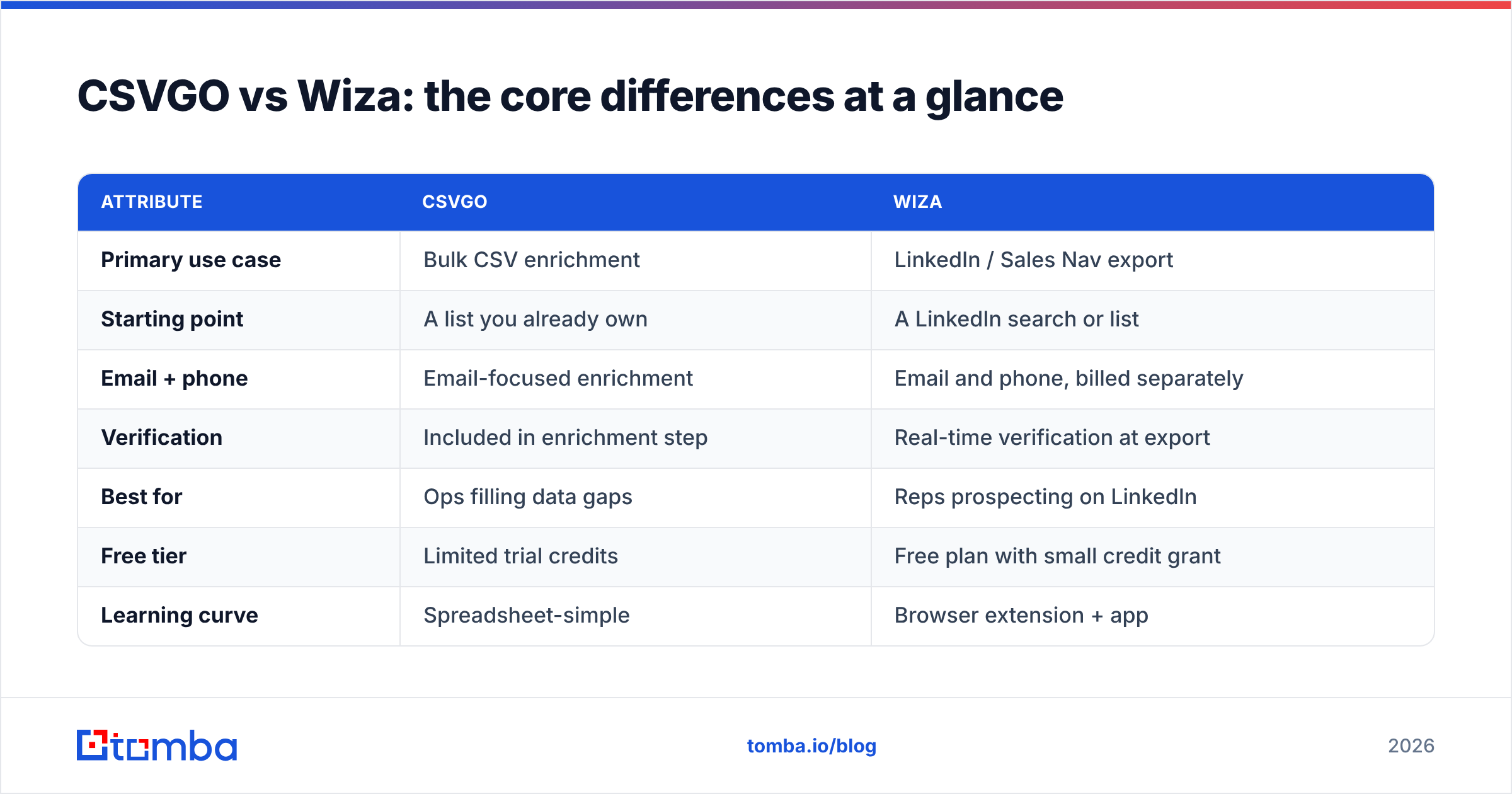
Here's the honest side-by-side. Treat the pricing rows as directional — both vendors adjust plans, so confirm current numbers on their own pages before you buy.
| Attribute | CSVGO | Wiza |
|---|---|---|
| Primary use case | Bulk CSV enrichment | LinkedIn / Sales Nav export |
| Starting point | A list you already own | A LinkedIn search or list |
| Email + phone | Email-focused enrichment | Email and phone, billed separately |
| Verification | Included in enrichment step | Real-time verification at export |
| Best for | Ops filling data gaps | Reps prospecting on LinkedIn |
| Free tier | Limited trial credits | Free plan with small credit grant |
| Learning curve | Spreadsheet-simple | Browser extension + app |
| Weak spot | Needs clean inputs | Value stranded off LinkedIn |
The pattern is clear: CSVGO optimizes for enriching known lists; Wiza optimizes for generating new ones from LinkedIn. Neither is "better" in the abstract — they answer to different starting positions in your funnel.
Which is more accurate — CSVGO or Wiza?#
Accuracy is where these tools should be judged, and where marketing copy gets slippery. Every email finder quotes a headline hit rate, but two numbers actually decide your outcome:
- Match rate — of the contacts you requested, how many returned any email.
- Deliverability rate — of those emails, how many pass verification and reach a real inbox.
A tool can post a gaudy match rate by returning guessed or catch-all addresses that later bounce. That's the trap. What you want is a high verified deliverability rate, even if the raw match rate looks a touch lower.

Wiza's real-time verification at export helps here — it's checking the address when you pull it, not months earlier. CSVGO's enrichment includes validation, but because it runs on lists in bulk, results hinge on how it handles catch-all and role-based addresses. If you send to unverified catch-alls, your bounce rate — and your sender reputation — pays the price.
The practical move regardless of tool: never trust a raw export. Run every list through a dedicated email verifier before your first send. It's the cheapest insurance in outbound. One does not simply skip verification and expect a clean inbox rate.

How do CSVGO and Wiza compare on pricing?#
Both bill on credits, but they define a credit differently, and that's where cost-per-usable-email diverges.
- Wiza separates email credits from phone credits and offers a free plan plus paid tiers that scale with volume. If you only need emails, you shouldn't pay for phone credits — check that your plan isn't bundling capacity you'll never use.
- CSVGO charges per enriched row, so a run that returns blanks for messy inputs still consumes attempts. Clean inputs keep your effective cost down; dirty inputs inflate it.
The number that matters is not sticker price — it's cost per verified, deliverable email. A cheap plan that returns 60% deliverable contacts is more expensive than a pricier one at 90%, once you account for wasted sends and reputation damage.
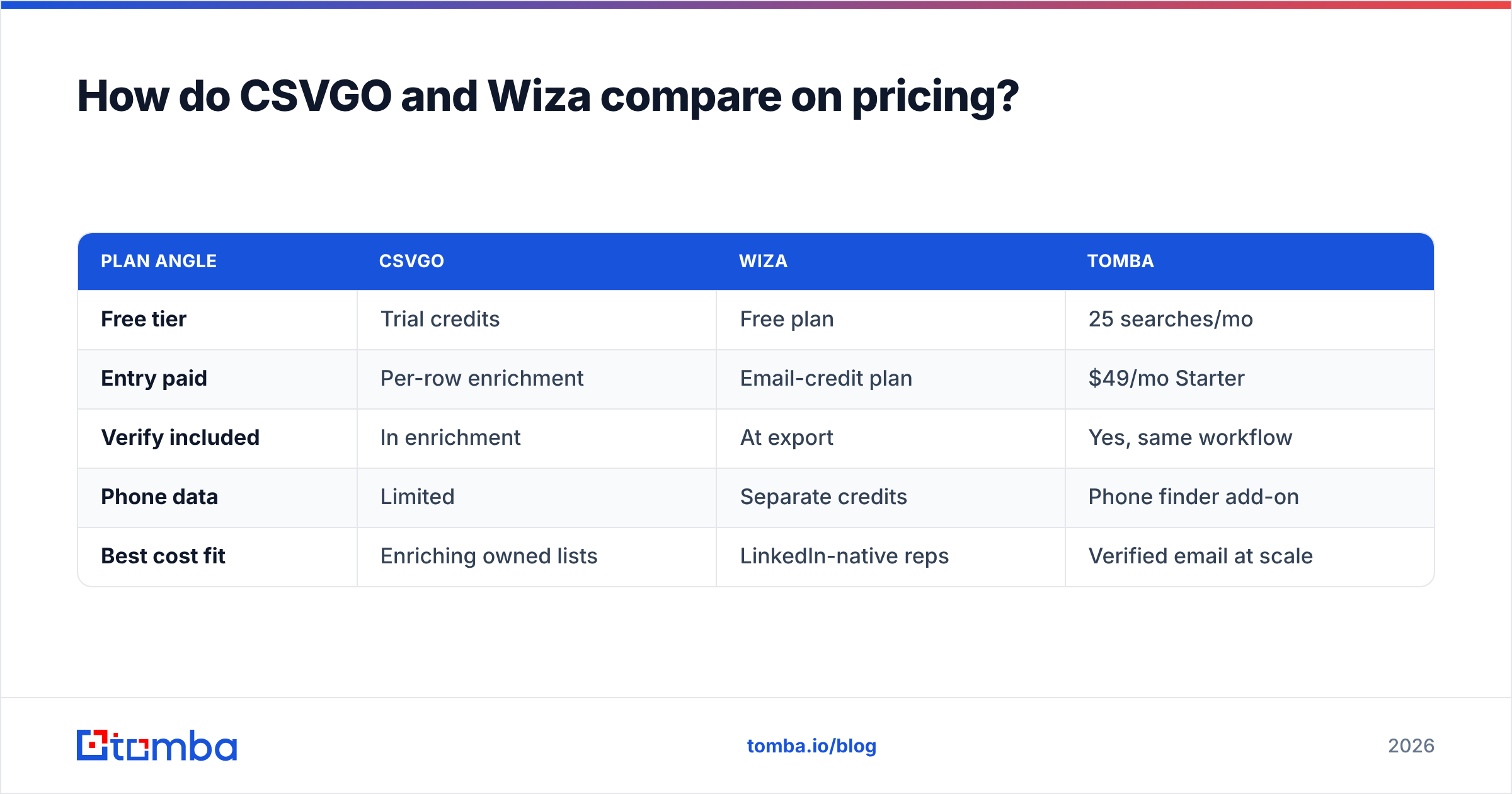
This is also where a third option enters the picture. Tomba pricing starts with a free tier of 25 searches per month, then $49/mo (Starter), $99/mo (Growth), and $249/mo (Pro), with verification built into the same workflow rather than sold as a separate credit bucket. For teams whose main job is "find clean emails at scale," bundling find + verify in one price often beats juggling two credit types.
| Plan angle | CSVGO | Wiza | Tomba |
|---|---|---|---|
| Free tier | Trial credits | Free plan | 25 searches/mo |
| Entry paid | Per-row enrichment | Email-credit plan | $49/mo Starter |
| Verify included | In enrichment | At export | Yes, same workflow |
| Phone data | Limited | Separate credits | Phone finder add-on |
| Best cost fit | Enriching owned lists | LinkedIn-native reps | Verified email at scale |
When should you choose CSVGO?#
Pick CSVGO when your problem is completion, not discovery. Concretely:
- You already have spreadsheets of leads with names and companies and just need work emails and basic firmographics appended.
- Your inputs are reasonably clean — real company domains, not gmail addresses and typos.
- You want a low-friction, upload-download loop your ops team can run without training.
- LinkedIn isn't central to how you build lists.
If that's you, CSVGO's row-based model is efficient. Just budget for a verification pass and monitor how many rows return blanks, since that's your true cost signal.
When should you choose Wiza?#
Pick Wiza when your prospecting starts inside LinkedIn:
- Your reps build target lists in Sales Navigator by title, industry, and company size.
- You want emails and phone numbers from the same export and are willing to pay for both.
- Freshness matters more than the lowest possible price — real-time lookup beats stale cache for fast-moving roles.
- You value staying in one browser flow over stitching tools together.
If LinkedIn is your prospecting engine, Wiza's export-in-place model saves real time. Consider a LinkedIn finder workflow as a benchmark, though — you may find comparable coverage at a different price point.
Is there a better alternative to both?#
For a large share of teams, yes — because most people don't actually need CSVGO's row enrichment or Wiza's LinkedIn export as their core capability. They need a reliable, verified email finder that works from a name and domain, in bulk, at a predictable price.
That's the lane where a dedicated finder like Tomba fits between the two. You can:
- Search by name, company, or domain with domain search to pull every public email pattern for a company.
- Run large lists through the bulk email finder instead of enriching row by row.
- Verify inline so exports are send-ready, no second tool required.
- Pull data through the API when you want find-and-verify inside your own stack.

The point isn't that CSVGO and Wiza are bad — both are legitimate tools with real strengths. It's that "which of these two" is often the wrong question. The right question is "what's the lowest cost per verified, deliverable contact for how I actually work?" Sometimes that's a LinkedIn-native tool, sometimes a bulk enricher, and very often it's a purpose-built finder with verification baked in.
If you want a neutral benchmark before committing, cross-check independent reviews on G2 and pull each vendor's current numbers straight from the source — Wiza and CSVGO both publish plan details — then compare them against a free Tomba run on the same test list. Same 50 contacts, three tools, one honest deliverability count. The winner usually reveals itself fast.
How to run a fair head-to-head test#
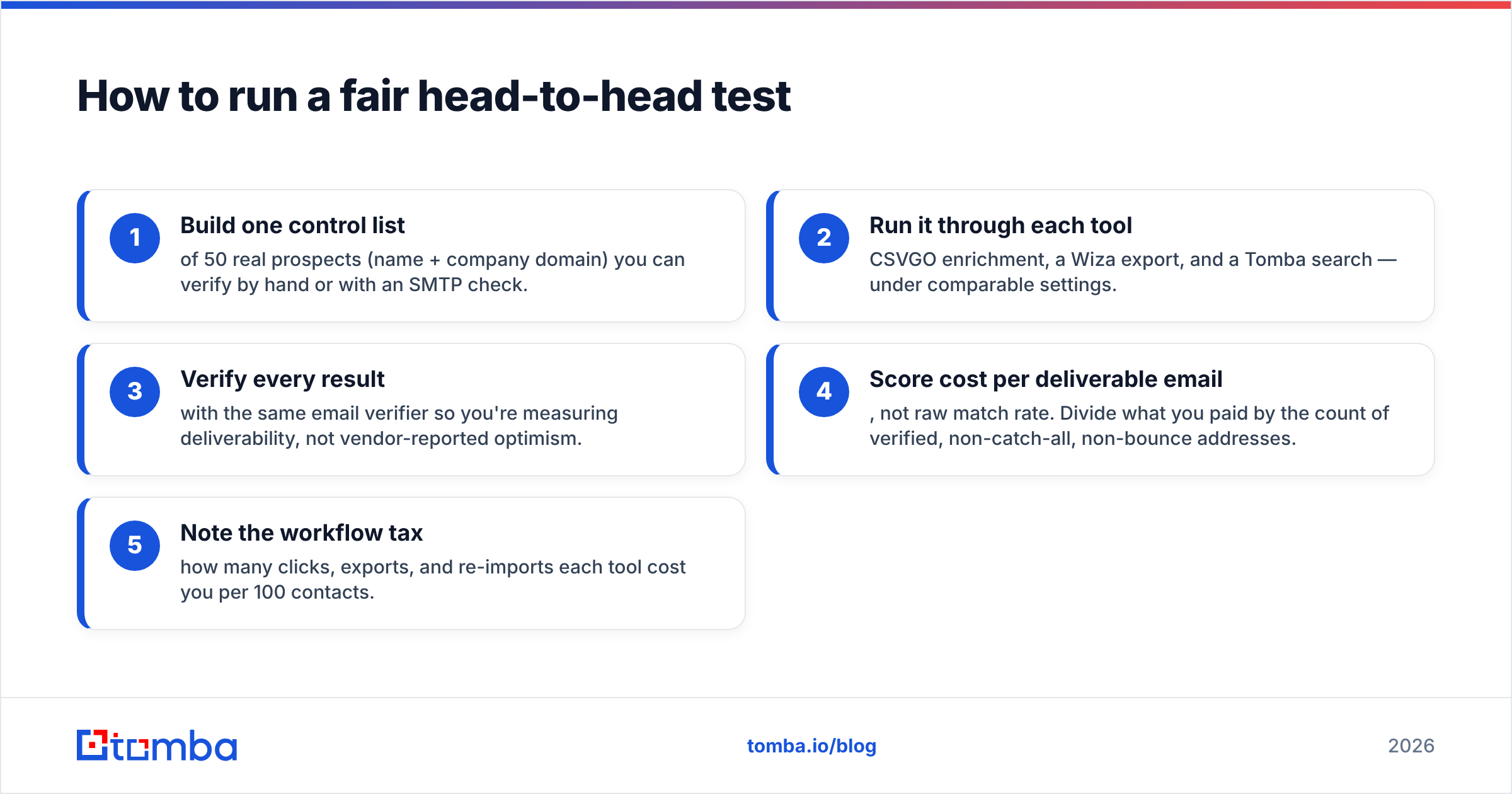
Don't decide on marketing pages. Run the same experiment across all three:
- Build one control list of 50 real prospects (name + company domain) you can verify by hand or with an SMTP check.
- Run it through each tool — CSVGO enrichment, a Wiza export, and a Tomba search — under comparable settings.
- Verify every result with the same email verifier so you're measuring deliverability, not vendor-reported optimism.
- Score cost per deliverable email, not raw match rate. Divide what you paid by the count of verified, non-catch-all, non-bounce addresses.
- Note the workflow tax — how many clicks, exports, and re-imports each tool cost you per 100 contacts.
Whichever tool wins that scorecard is the right answer for your team — and it beats trusting any comparison post, including this one.
The bottom line#
CSVGO and Wiza win different races. CSVGO is the better fit when you're enriching lists you already own and LinkedIn isn't central. Wiza is the better fit when LinkedIn and Sales Navigator drive your prospecting and you want email plus phone in one export. Both are respectable; both bill on credits; both demand a verification pass before you hit send.
But if your real need is clean, verified emails at a predictable cost — not row enrichment or LinkedIn scraping specifically — start with a tool built for exactly that. Spin up a free run on the Tomba Email Finder, point it at your next target account, and compare the verified hit rate against whatever CSVGO or Wiza returns on the same list. Let the deliverability numbers, not the marketing, make the call.
Related guides#
Ready to find emails that actually work?
Join 150,000+ professionals who stopped guessing and started sending. Free credits on signup — no credit card required.
Get the Tomba newsletter
Practical outbound tactics and product updates — once every two weeks.
About the author