Cufinder Pricing in 2026: Plans, Credits, and Real Costs
A neutral breakdown of Cufinder pricing in 2026: how its credit model works, what each plan really costs per lookup, the hidden limits to watch, and a flat-rate alternative worth comparing.
Cufinder markets itself as an all-in-one B2B data engine: email finder, company and contact enrichment, prospecting lists, and an API, all fed by a credit balance. The tooling is capable, but the pricing is where most buyers get tripped up. Credit math is not the same as knowing your cost per verified email, and the difference can be several times over once you run real volume.
This is a neutral, buyer-side breakdown of Cufinder pricing in 2026: how the model works, what you actually pay per usable record, the limits that bite at scale, and where a flat-rate tool changes the math.
TL;DR#
- Cufinder charges by credits, not by verified results — so your true cost depends on hit rate, not the sticker price.
- Entry paid tiers look cheap, but enrichment, mobile numbers, and API calls often consume multiple credits per record.
- Annual billing is where the discounts live; month-to-month pricing is noticeably higher per credit.
- If you mostly need accurate emails, a flat-rate finder like Tomba (from $49/mo) is usually simpler to forecast and cheaper per usable email.
- Run your own 100-lead test before committing — published price-per-credit rarely equals price-per-outcome.

What is Cufinder and who is it for?#
Cufinder is a B2B data platform that bundles several jobs into one dashboard and one B2B database: finding business emails, appending company firmographics, pulling contact details, and enriching CRM records through an API. Think of it less as a single email finder and more as a data faucet you meter by credits.
That positioning matters for pricing. A pure email finder charges you to find one thing well. A platform like Cufinder charges you across many actions — email lookup, phone append, company match, list export — and each of those can draw a different number of credits. The convenience is real. So is the accounting complexity.
Cufinder tends to fit teams that want data enrichment and prospecting in one contract, especially those already comfortable with a credit-based model. It fits less cleanly when your core need is simply "give me verified emails I can send to," because you end up paying platform pricing for a single-tool job.
How does Cufinder pricing actually work?#
The short version: Cufinder sells credits, and different actions burn different amounts. You pick a plan with a monthly (or annual) credit allowance, and every enrichment call, email lookup, or list pull draws down that balance. Unused credits typically expire at the end of the cycle, which is the part that quietly inflates cost.
Here is the mental model. Imagine a prepaid transit card. The card has a fixed balance, but a bus ride, a train ride, and an express line all cost different fares. If you only ever take the bus, you overpay for a card built around express trips. Credit-based data tools work the same way: unless your usage matches the plan's intended mix, you leave value on the table.
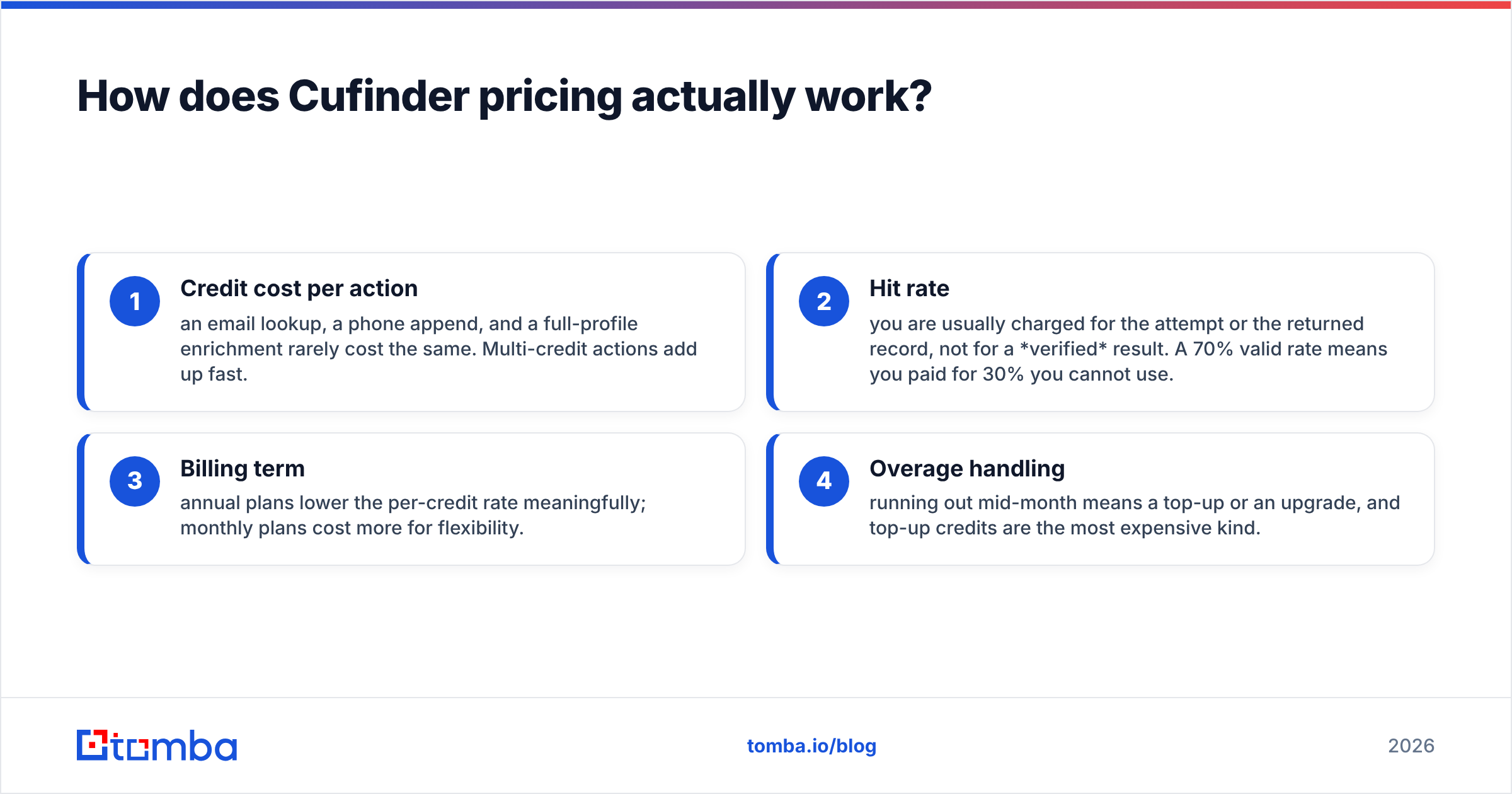
Four variables decide your real Cufinder cost:
- Credit cost per action — an email lookup, a phone append, and a full-profile enrichment rarely cost the same. Multi-credit actions add up fast.
- Hit rate — you are usually charged for the attempt or the returned record, not for a verified result. A 70% valid rate means you paid for 30% you cannot use.
- Billing term — annual plans lower the per-credit rate meaningfully; monthly plans cost more for flexibility.
- Overage handling — running out mid-month means a top-up or an upgrade, and top-up credits are the most expensive kind.
Because those four move independently, two teams on the identical plan can end up with wildly different effective costs. That is not a knock on Cufinder specifically — it is inherent to every credit model. It just means the published number is a starting point, not your invoice.
For the current tier names, credit allowances, and exact figures, check Cufinder's official pricing page directly, since credit tools revise allowances often. What follows is the structural comparison that stays true regardless of this quarter's numbers.
Cufinder pricing vs a flat-rate model: side by side#
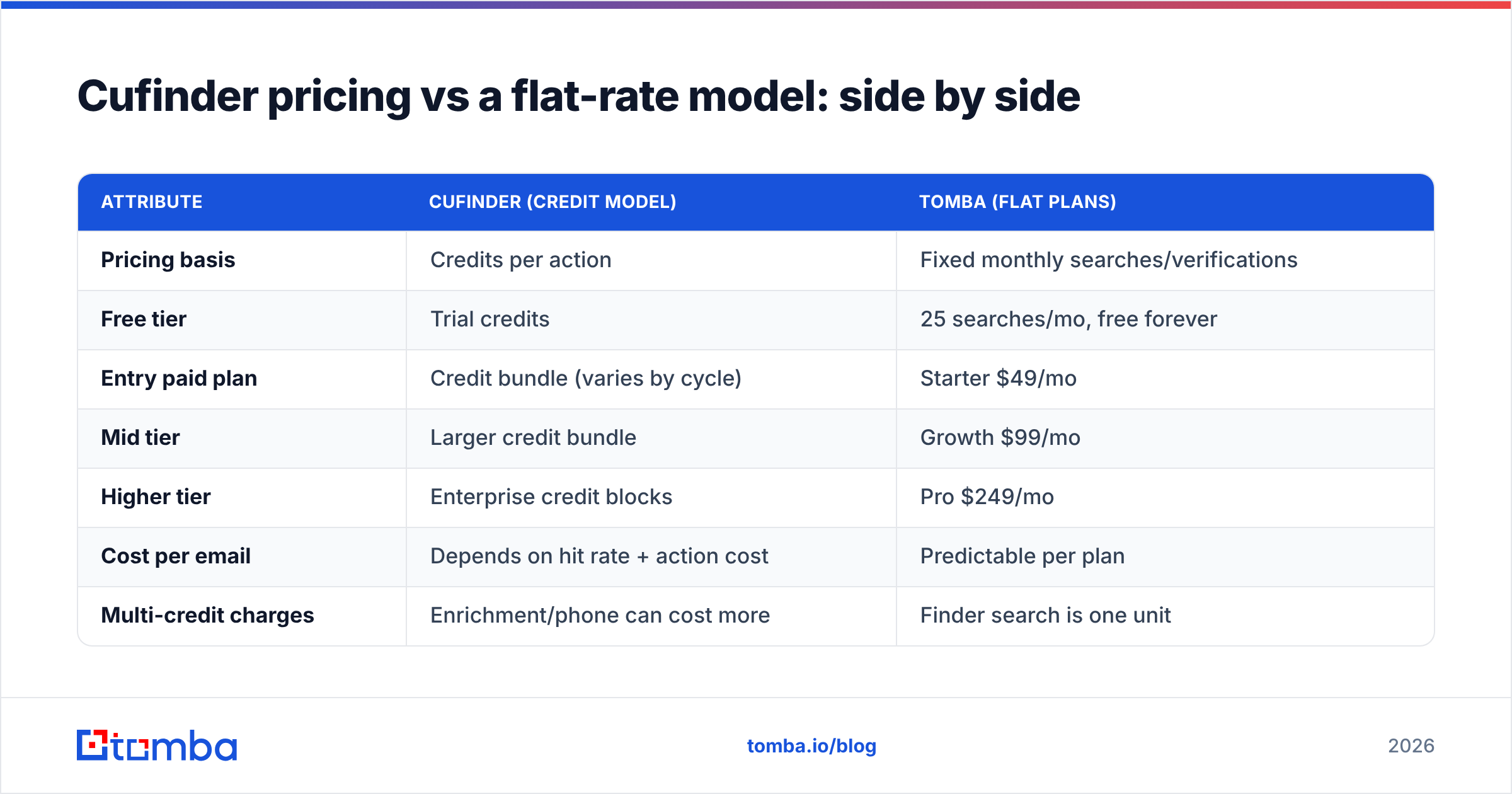
The clearest way to judge Cufinder pricing is against a tool that charges a predictable flat rate for the same core outcome — finding and verifying business emails. Below, Cufinder represents the credit-based approach and Tomba represents the flat-subscription approach.
| Attribute | Cufinder (credit model) | Tomba (flat plans) |
|---|---|---|
| Pricing basis | Credits per action | Fixed monthly searches/verifications |
| Free tier | Trial credits | 25 searches/mo, free forever |
| Entry paid plan | Credit bundle (varies by cycle) | Starter $49/mo |
| Mid tier | Larger credit bundle | Growth $99/mo |
| Higher tier | Enterprise credit blocks | Pro $249/mo |
| Cost per email | Depends on hit rate + action cost | Predictable per plan |
| Multi-credit charges | Enrichment/phone can cost more | Finder search is one unit |
| Forecasting | Harder (variable draw-down) | Easy (fixed allowance) |
| Best for | Blended enrichment + prospecting | Teams that mainly need verified emails |
Neither model is universally better. If your workflow genuinely spans enrichment, firmographics, phones, and emails, paying once for a blended platform can beat stitching several subscriptions together. But if 80% of your usage is "find the email, confirm it's valid, send," a flat plan removes the guesswork. You can see the full flat structure on the Tomba pricing page and compare it against your credit burn.
What does Cufinder actually cost per verified email?#
The sticker price per credit is not your cost per usable email — hit rate is the multiplier everyone forgets. Here is a worked example using round numbers so you can plug in your own.
Say a plan gives you 5,000 credits and an email lookup costs one credit. On paper that is 5,000 emails. Now apply reality:
- Deliverable rate of 75% → 3,750 usable emails, so your effective per-email cost is 33% higher than the per-credit price.
- Catch-all domains that need extra verification → those may draw a second credit or return an uncertain status you still paid for.
- Enrichment add-ons (title, phone, company size) → often billed separately, multiplying the draw-down per contact.
Run the same exercise on any tool and you get an apples-to-apples number. The lesson is not that Cufinder is expensive — it is that any credit tool's real price is the published price divided by your hit rate, plus multi-credit actions. Always benchmark on verified, deliverable results, which is exactly why pairing any finder with a strict email verifier protects your spend and your sender reputation.

Where does Cufinder pricing get expensive?#
Credit models have predictable pressure points. Watch these four before you sign an annual deal:
- Expiring credits. Unused monthly credits usually vanish. If your outreach is seasonal or lumpy, you pay for capacity you never touch.
- Multi-credit enrichment. A single "enrich this contact fully" call can cost several credits. Blended workflows drain balances faster than the headline plan size suggests.
- API volume. Programmatic enrichment through the API is convenient but easy to over-run; automated jobs consume credits around the clock.
- Top-ups and overages. The moment you exhaust a plan mid-cycle, the cheapest per-credit rate is gone. Emergency top-ups are the priciest credits you will buy.
None of these are hidden in a dishonest sense — they are simply the nature of metered pricing. But they are why the invoice at month-end often surprises first-time credit buyers. If predictability matters more than flexibility, a fixed allowance sidesteps all four. For bulk jobs specifically, compare Cufinder's credit draw against a flat bulk email finder run, where the cost is known before you press start.
Is Cufinder worth it in 2026?#
Cufinder is worth it when you genuinely use the breadth — email, phone, firmographics, and API enrichment in one place. For a data team consolidating vendors, a single blended contract can be simpler and cheaper than four subscriptions, and the credit model rewards heavy, varied usage.
It is a weaker fit when your reality is narrower. If you are a founder-led sales team or an SDR pod whose day is "find the decision-maker's email, verify it, add to sequence," you are buying a Swiss Army knife to open envelopes. In that case the credit accounting is overhead you do not need, and a flat email finder is easier to defend to finance.
A quick way to decide:
- Choose a credit platform if enrichment and multi-signal data are core, usage is steady, and you'll commit annually to get the best rate.
- Choose a flat-rate finder if emails are the main deliverable, your volume swings month to month, or you need one predictable line item.
Cufinder alternatives worth pricing against#
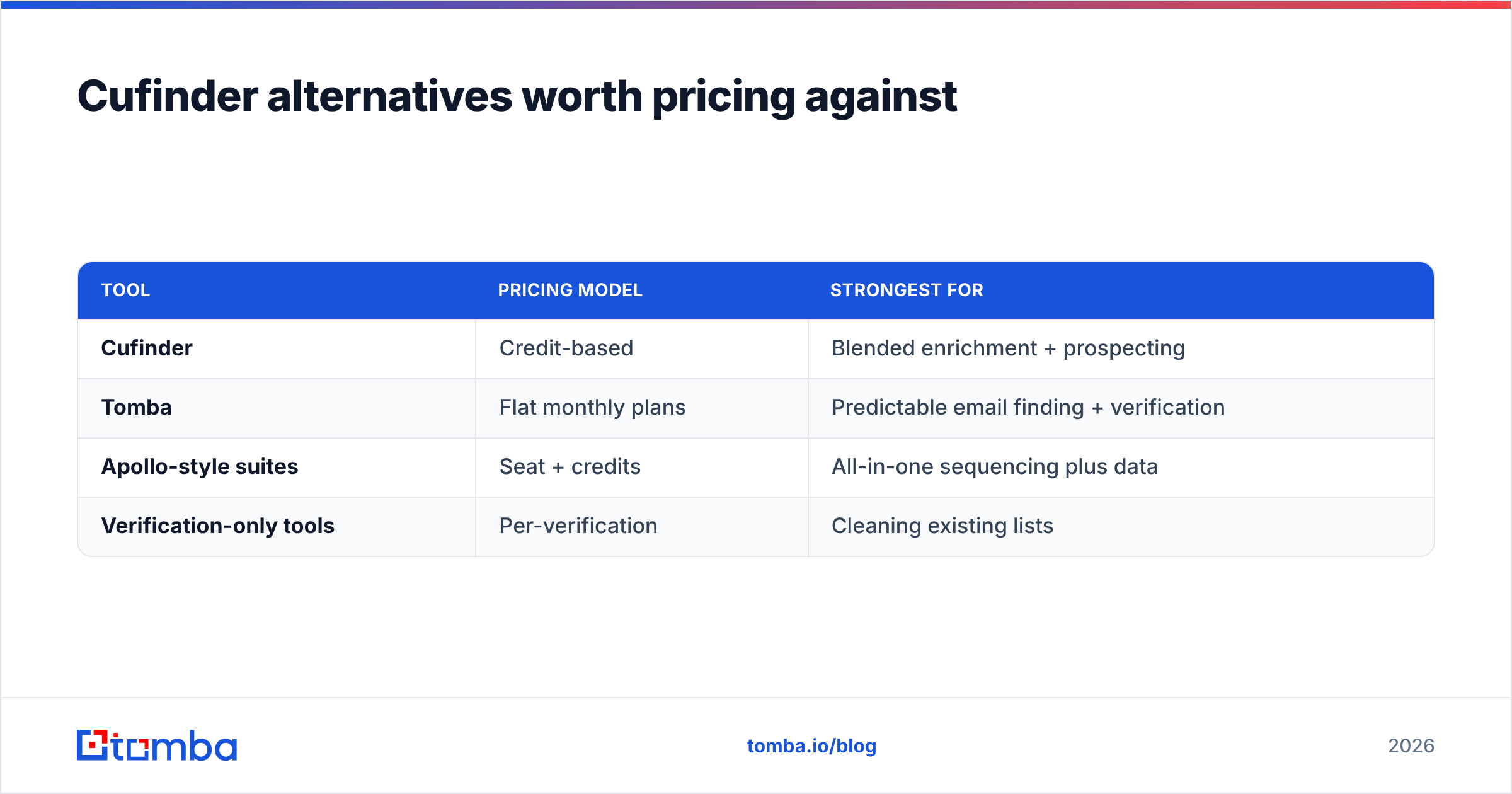
Do not evaluate any single tool in isolation. B2B data pricing is competitive, and the "right" choice is the one whose cost model matches your usage shape. Before committing, price Cufinder against at least two others so you have a real spread.
| Tool | Pricing model | Strongest for |
|---|---|---|
| Cufinder | Credit-based | Blended enrichment + prospecting |
| Tomba | Flat monthly plans | Predictable email finding + verification |
| Apollo-style suites | Seat + credits | All-in-one sequencing plus data |
| Verification-only tools | Per-verification | Cleaning existing lists |
When you compare, use one metric across all of them: cost per verified, deliverable email at your real hit rate. Vendor-published prices are marketing; your blended cost-per-outcome is the truth. Independent reviews on G2 and Capterra are useful for spotting accuracy and support complaints that never appear on a pricing page. If you want deeper contact context beyond email, weigh a dedicated data enrichment layer rather than paying platform credits for enrichment you rarely use.
How to test Cufinder pricing before you commit#
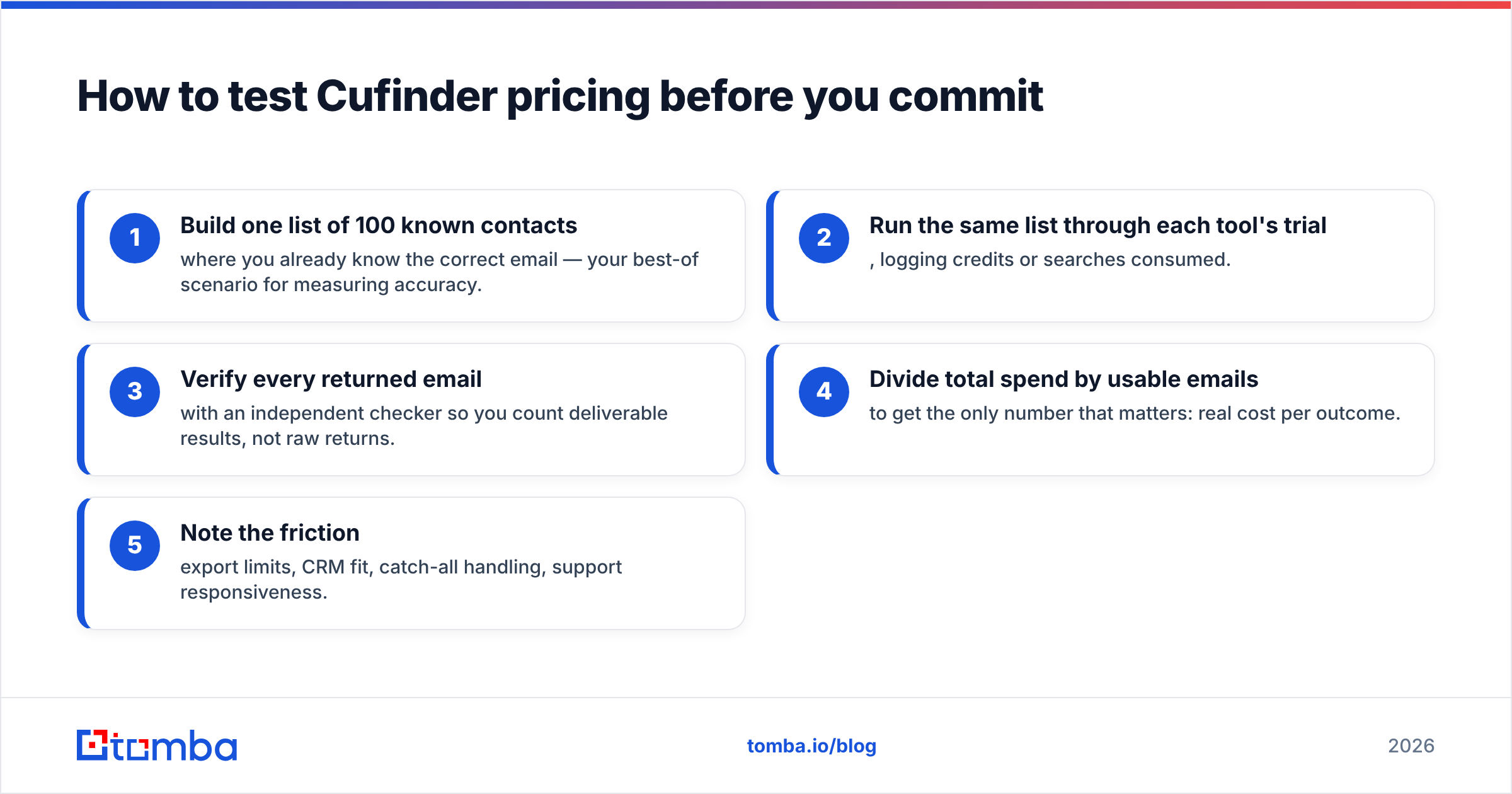
Never buy an annual data plan on the strength of a demo. Run a controlled bake-off:
- Build one list of 100 known contacts where you already know the correct email — your best-of scenario for measuring accuracy.
- Run the same list through each tool's trial, logging credits or searches consumed.
- Verify every returned email with an independent checker so you count deliverable results, not raw returns.
- Divide total spend by usable emails to get the only number that matters: real cost per outcome.
- Note the friction — export limits, CRM fit, catch-all handling, support responsiveness.
Whichever tool wins on cost-per-verified-email at your hit rate is the correct choice, regardless of which had the shiniest pricing page. This test takes an afternoon and routinely saves four figures over an annual commitment.
The bottom line on Cufinder pricing#
Cufinder's credit model is fair, but it demands that you do the math the marketing does not. Your true cost is the per-credit price divided by your hit rate, plus every multi-credit action and expiring balance along the way. For blended data teams, that trade can absolutely pay off. For teams whose core job is finding and verifying business emails, a flat plan is usually simpler to forecast and cheaper per usable record.
If your main need is accurate emails without credit accounting, start free and price it against Cufinder yourself: the Tomba Email Finder gives you 25 searches a month at no cost and flat plans from $49/mo, so your cost-per-email is known before the invoice — not after. Run the 100-lead test above, compare the two on verified results, and let the numbers pick the winner.
Related guides#
Ready to find emails that actually work?
Join 150,000+ professionals who stopped guessing and started sending. Free credits on signup — no credit card required.
Get the Tomba newsletter
Practical outbound tactics and product updates — once every two weeks.
About the author