Cufinder vs Data Axle: B2B Data Provider Comparison (2026)
Cufinder vs Data Axle: an honest 2026 breakdown of data coverage, accuracy, pricing, and use cases — plus which one actually fits your outbound stack.
Choosing a B2B data provider is really a bet on two things: how much of your market it can see, and how much of what it shows you is still true. Cufinder and Data Axle sit on opposite ends of that trade-off. One is a modern, API-first enrichment engine built for outbound teams; the other is a decades-old compiled database with deep US business coverage. This comparison walks through where each wins, where each frustrates, and how to decide without wasting a paid seat.
TL;DR — Cufinder vs Data Axle at a glance#
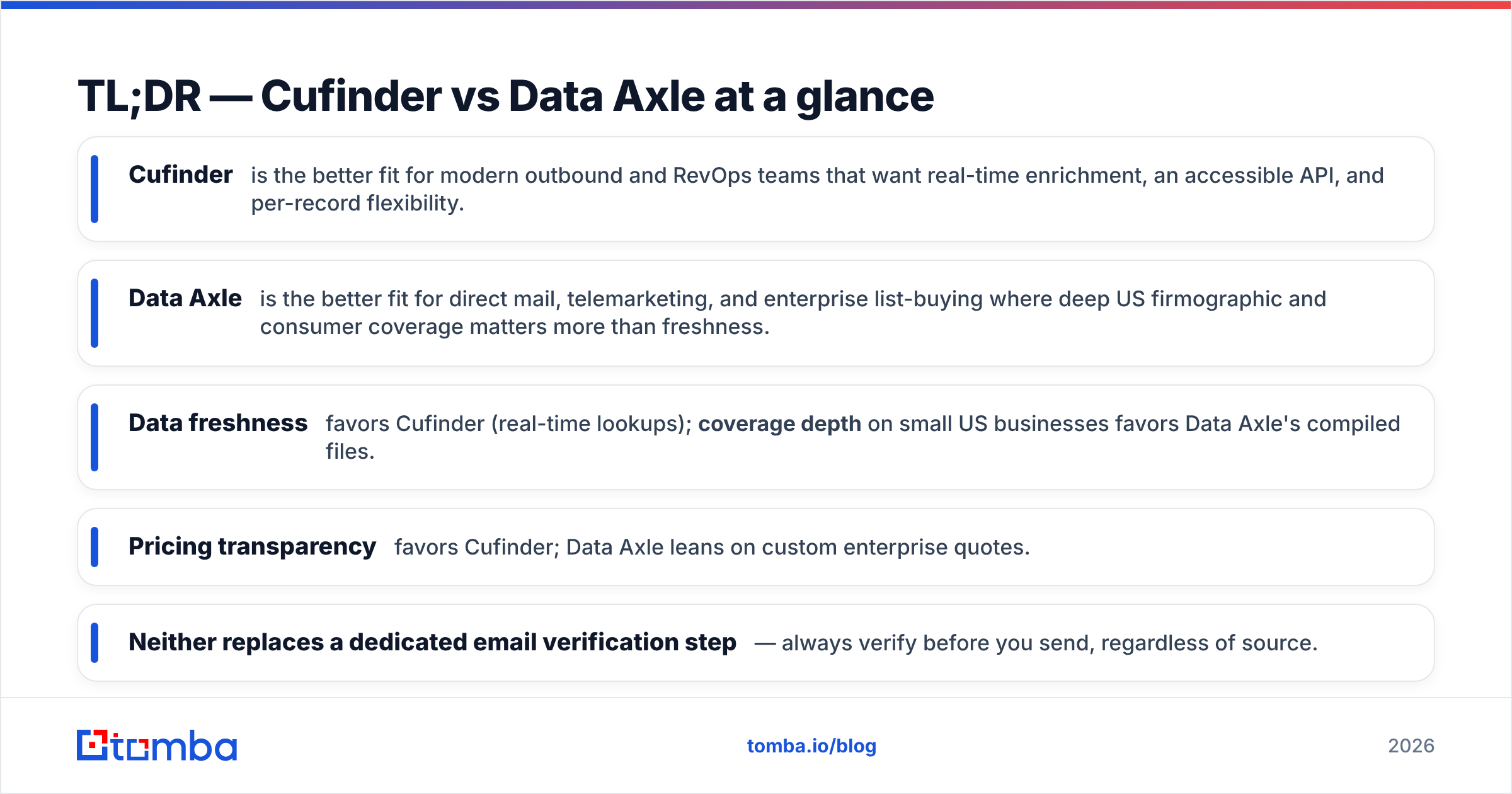
- Cufinder is the better fit for modern outbound and RevOps teams that want real-time enrichment, an accessible API, and per-record flexibility.
- Data Axle is the better fit for direct mail, telemarketing, and enterprise list-buying where deep US firmographic and consumer coverage matters more than freshness.
- Data freshness favors Cufinder (real-time lookups); coverage depth on small US businesses favors Data Axle's compiled files.
- Pricing transparency favors Cufinder; Data Axle leans on custom enterprise quotes.
- Neither replaces a dedicated email verification step — always verify before you send, regardless of source.
What is Cufinder?#
Cufinder is a B2B lead-generation and data-enrichment platform built around real-time lookups. You feed it a company name, domain, or a partial contact record, and it returns firmographics, emails, phone numbers, and social profiles — either through its web app or its Tomba API-style REST endpoints. Its identity is "enrichment on demand": instead of buying a static list, you enrich the records you already have or pull fresh contacts as you need them.
The platform targets startups, agencies, and sales teams that live inside a modern stack — CRM, sequencer, spreadsheet — and want data that flows in through automation rather than a CSV import once a quarter. Its coverage is strongest on tech-forward companies and roles that maintain a visible web and social footprint. You can read Cufinder's own positioning on cufinder.io.
What is Data Axle?#
Data Axle (formerly Infogroup) is one of the oldest names in compiled US business and consumer data. Its database is assembled from public records, directories, phone verification, and licensed sources, then sold for list generation, direct mail, telemarketing, and enterprise data licensing. If your go-to-market includes physical mailers, local-business targeting, or regulated industries that demand a paper trail on data provenance, Data Axle has a genuine edge.
Where Cufinder feels like a developer tool, Data Axle feels like a data brokerage. Deals often run through sales reps, contracts, and custom scoping rather than a self-serve credit purchase. You can see its enterprise framing on data-axle.com.
Cufinder vs Data Axle: the core comparison table#
Here is the head-to-head on the attributes that actually change your results.
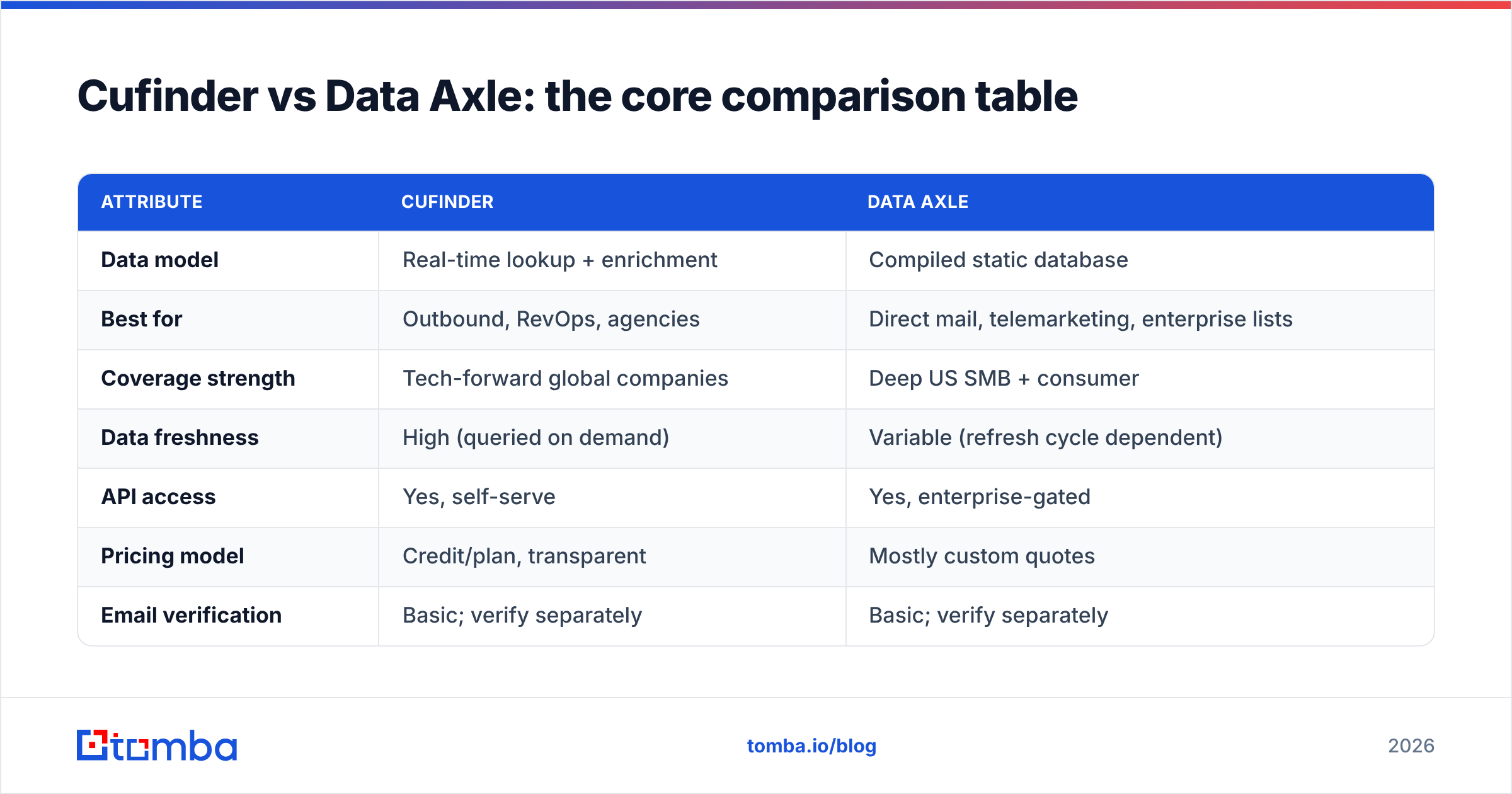
| Attribute | Cufinder | Data Axle |
|---|---|---|
| Data model | Real-time lookup + enrichment | Compiled static database |
| Best for | Outbound, RevOps, agencies | Direct mail, telemarketing, enterprise lists |
| Coverage strength | Tech-forward global companies | Deep US SMB + consumer |
| Data freshness | High (queried on demand) | Variable (refresh cycle dependent) |
| API access | Yes, self-serve | Yes, enterprise-gated |
| Pricing model | Credit/plan, transparent | Mostly custom quotes |
| Email verification | Basic; verify separately | Basic; verify separately |
| Onboarding | Sign up and go | Sales-led |
The single most important row is the first one. A compiled database is a photograph; a real-time lookup is a live feed. For roles that change jobs constantly — the exact people in most B2B buying committees — the live feed wins on accuracy the day you actually send.
Which has better data accuracy?#
Accuracy depends on what you're measuring. For contact-level accuracy (is this person still in this role, is this email still deliverable), Cufinder's real-time approach generally produces fresher results because it resolves the record at query time rather than serving a row that may have aged in storage. For business-level completeness (does this obscure 8-person US contractor even exist in the file), Data Axle's compiled coverage often wins because it has spent decades cataloging exactly those long-tail firms.
Two practical rules follow from this:
- Verify email addresses before you send, no matter the source. Provider "accuracy" claims describe the database, not the moment your campaign hits the SMTP server. Run every list through an email verifier to strip catch-alls, traps, and dead mailboxes.
- Match the source to the segment. Chasing US small businesses for a mailer? Data Axle's depth helps. Prospecting SaaS decision-makers for cold email? Fresh, real-time contact data matters far more, and stale rows quietly wreck your sender reputation.
Independent reviews on G2 echo this split: Cufinder scores well on ease of use and data recency for outbound, while Data Axle earns marks for breadth and enterprise support.
How do Cufinder and Data Axle price?#
Cufinder uses a transparent, plan-and-credit model you can evaluate without a sales call — helpful when you want to run a small paid test before committing. Data Axle typically routes serious buyers to custom enterprise quotes, which makes sense for large licensing deals but slows down a team that just wants to enrich 5,000 records this month.
If budget predictability and self-serve scaling matter, Cufinder's model is easier to reason about. If you're negotiating a six-figure annual data license with compliance requirements, Data Axle's contract-based approach is the norm in that world.
A quick cost sanity check before you buy either:
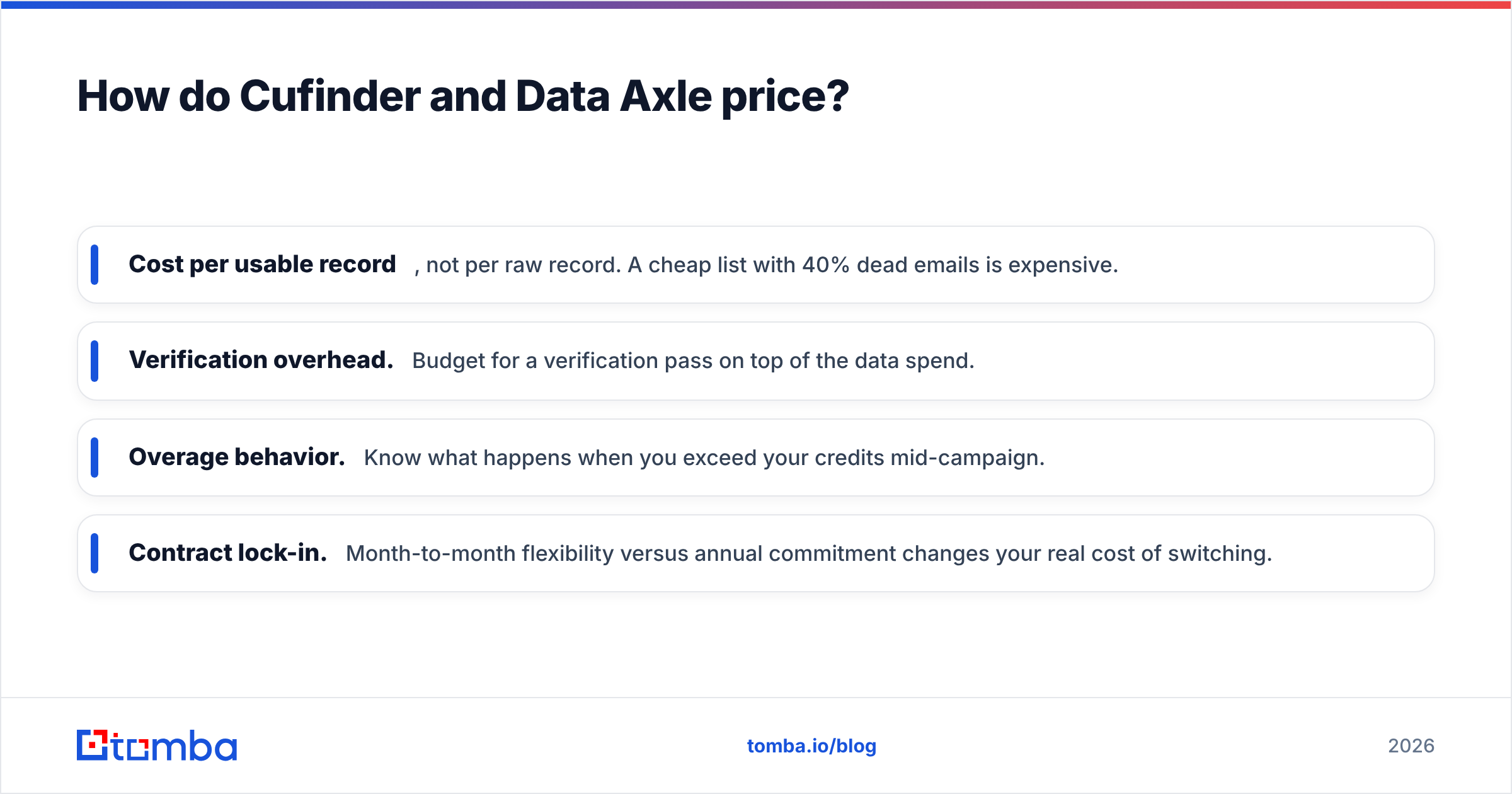
- Cost per usable record, not per raw record. A cheap list with 40% dead emails is expensive.
- Verification overhead. Budget for a verification pass on top of the data spend.
- Overage behavior. Know what happens when you exceed your credits mid-campaign.
- Contract lock-in. Month-to-month flexibility versus annual commitment changes your real cost of switching.

Which should you choose for cold outbound?#
Choose Cufinder if your motion is modern outbound: cold email, LinkedIn, multichannel sequences aimed at people who change roles often. Real-time enrichment keeps your data current, the self-serve API drops cleanly into automation, and transparent pricing lets you test cheaply. Pair it with a verification step and you have a fast, defensible outbound data pipeline.
Choose Data Axle if your motion depends on breadth of US business and consumer records — direct mail, telemarketing, local-market saturation, or enterprise data licensing with strict provenance needs. Its compiled files reach corners of the SMB market that lookup-based tools miss, and its enterprise support fits regulated, high-volume programs.
Many teams honestly need neither as their only source. The strongest outbound stacks blend a real-time finder for fresh contacts, a broad database for coverage, and a verifier as the final gate. That's exactly why data enrichment is treated as a pipeline, not a single purchase.
Where does Tomba fit in this comparison?#
If your primary pain is finding and confirming professional email addresses at the moment you need them, a purpose-built finder is often a better first tool than either a broad brokerage or a general enrichment suite. Tomba's email finder resolves emails by name, company, or domain in real time, and its verifier and catch-all checks run in the same workflow — so you're not stitching three vendors together just to send one clean campaign.
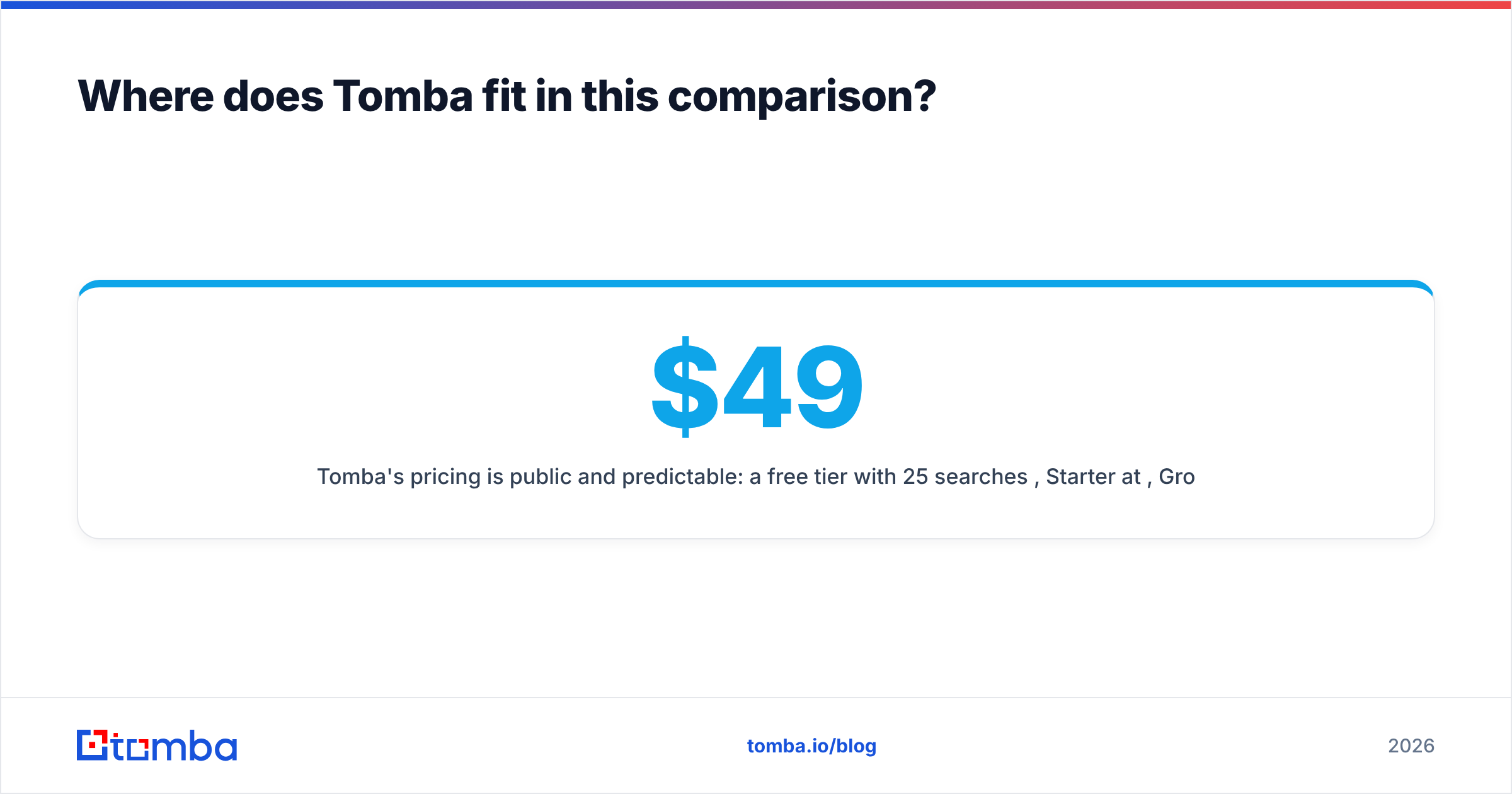
Tomba's pricing is public and predictable: a free tier with 25 searches per month, Starter at $49/mo, Growth at $99/mo, Pro at $249/mo, and custom Enterprise. You can see the full breakdown on the Tomba pricing page and compare it against a Cufinder plan or a Data Axle quote line by line.
Here's how the three approaches map to intent:
| Need | Best-fit approach |
|---|---|
| Find + verify emails on demand | Purpose-built finder (Tomba) |
| Enrich CRM records in real time | Cufinder or Tomba enrichment |
| Broad US SMB / consumer lists | Data Axle |
| Direct mail / telemarketing | Data Axle |
| Predictable self-serve budget | Tomba or Cufinder |
What do people get wrong about this decision?#
The most common mistake is treating "bigger database" as "better data." A larger file only helps if your buyers live inside it and the records are still true. The second mistake is skipping verification because the vendor advertised high accuracy — vendor accuracy and your inbox placement are different numbers measured at different times. The third is over-buying: signing an annual enterprise contract when a month of self-serve credits would have told you whether the coverage even fits your niche.
Run a small, honest test first. Pull 200–500 records from each candidate, verify them yourself, and measure connect and reply rates on a real campaign. The winner on your data — not on a review site — is the one to scale. And keep your CRM clean over time with periodic re-enrichment, because even the best source decays the moment someone changes jobs. A living B2B database is maintained, not bought once.
The bottom line on Cufinder vs Data Axle#
Cufinder is the modern, API-first, freshness-focused pick for outbound and RevOps teams that value speed and transparent pricing. Data Axle is the deep, compiled, enterprise-grade pick for direct mail, telemarketing, and broad US coverage where provenance and breadth beat recency. Neither removes your obligation to verify before you send.
If your real goal is simply to find accurate, deliverable emails without wiring together a data brokerage, an enrichment suite, and a verifier, start with a tool built for exactly that. Try the Tomba Email Finder free — 25 searches a month, no sales call — verify your results in the same place, and only scale the source that actually books meetings.
Related guides#
Ready to find emails that actually work?
Join 150,000+ professionals who stopped guessing and started sending. Free credits on signup — no credit card required.
Get the Tomba newsletter
Practical outbound tactics and product updates — once every two weeks.
About the author