Cufinder vs LeadFuze (2026): Full B2B Data Platform Comparison
Choosing between Cufinder and LeadFuze? We break down pricing, data coverage, accuracy, and integrations in 2026—and show where a leaner alternative fits your budget.
Picking a B2B data platform usually comes down to three questions: how accurate is the data, how much does it cost, and how easily does it drop into the tools you already run. Cufinder and LeadFuze both promise clean contact records and enriched company data, but they take very different routes to get there.
This comparison is written for the person who has to defend the line item — the RevOps lead, the founder-seller, the agency owner buying credits out of pocket. No marketing gloss. Just what each tool actually does, where it wins, where it stalls, and a cheaper pick to test alongside them.
TL;DR: Cufinder vs LeadFuze at a glance#
- Cufinder is a data-first platform: large company/contact database, 20+ enrichment tools, and an API that appeals to teams doing bulk enrichment and list building.
- LeadFuze leans into list building and "FuzeBot" automation, with strong role-based search and native tie-ins for outbound teams that live in sequences.
- Pricing is the real divider. Both scale by credits/leads, and both can climb fast once you move past entry tiers — neither publishes a genuinely free working plan the way some rivals do.
- Data accuracy is comparable on common corporate domains and diverges on smaller companies, catch-all domains, and non-US records — which is exactly where verification matters most.
- If you mainly need accurate, verified emails at a predictable price, a focused email finder like Tomba often covers 80% of the job for a fraction of the spend.
What is Cufinder?#
Cufinder is a B2B data and enrichment platform built around a large contact and company database. Its pitch is breadth: one account gives you company search, contact lookup, and a stack of point tools (email finder, phone finder, technographics, and various enrichment endpoints) that you can chain together for list building or feed through an API.
The typical Cufinder user is doing volume work — building segmented lists by industry, headcount, or tech stack, then enriching those records with emails, phone numbers, and firmographics before pushing them into a CRM. The API and bulk workflows are the center of gravity, not a single-record lookup.
Where Cufinder gets attention is the sheer number of tools under one roof. Where it gets criticized, per public reviews on G2, is the same place most database vendors do: coverage and freshness vary by region and company size, so you still need a verification step before you hit send.
What is LeadFuze?#
LeadFuze is a lead-generation platform focused on building lists of people and the companies they work for. Its signature feature is "FuzeBot," an automation layer that continuously finds new leads matching your saved criteria, so your list keeps growing without manual re-runs.
LeadFuze markets heavily to recruiters, agencies, and sales teams that want role-based targeting — "find me VPs of Marketing at SaaS companies with 50–200 employees" — and then wants those contacts pushed straight into an outreach tool or CRM. It integrates natively with several sequencers and supports CSV export and API access.
The tradeoff is that LeadFuze is a list-building engine first and a precision lookup tool second. If you already know the exact person and just need their verified email, you're paying for machinery you won't fully use.

Cufinder vs LeadFuze: the core comparison#
Here's the side-by-side. Prices and limits shift over time, so treat the pricing rows as directional and confirm on each vendor's current pricing page before you buy.
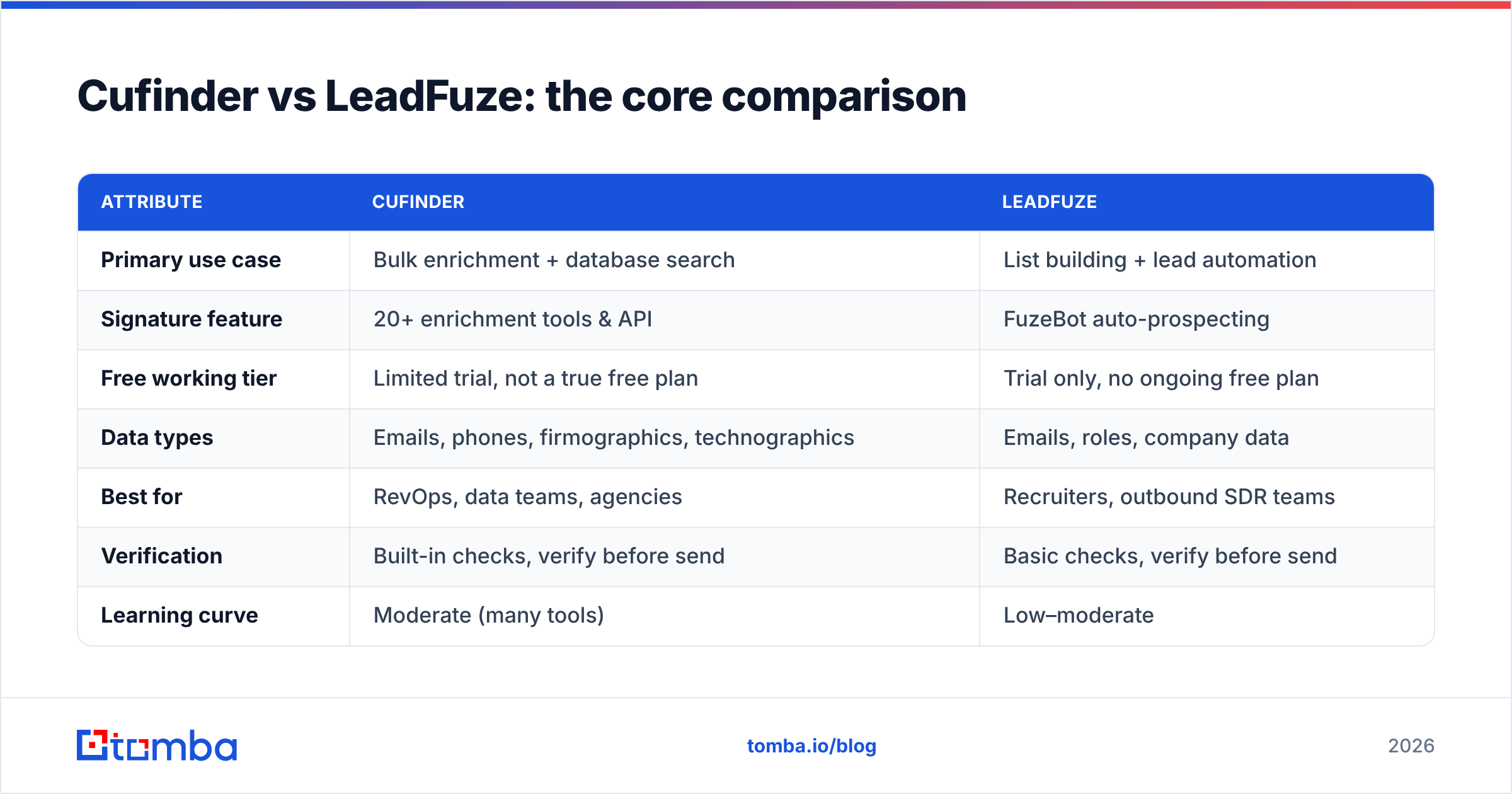
| Attribute | Cufinder | LeadFuze |
|---|---|---|
| Primary use case | Bulk enrichment + database search | List building + lead automation |
| Signature feature | 20+ enrichment tools & API | FuzeBot auto-prospecting |
| Free working tier | Limited trial, not a true free plan | Trial only, no ongoing free plan |
| Data types | Emails, phones, firmographics, technographics | Emails, roles, company data |
| Best for | RevOps, data teams, agencies | Recruiters, outbound SDR teams |
| Verification | Built-in checks, verify before send | Basic checks, verify before send |
| Learning curve | Moderate (many tools) | Low–moderate |
| API access | Yes | Yes (higher tiers) |
The pattern is clear: Cufinder optimizes for data breadth and programmatic access; LeadFuze optimizes for continuous list generation. Neither is "wrong" — they're built for different jobs.
Which has better data accuracy?#
Accuracy is where both tools live or die, and where the honest answer is "it depends on your list."
On common, well-indexed corporate domains — mid-to-large US SaaS, tech, and enterprise companies — both Cufinder and LeadFuze return solid, usable emails. The gap widens on the hard cases:
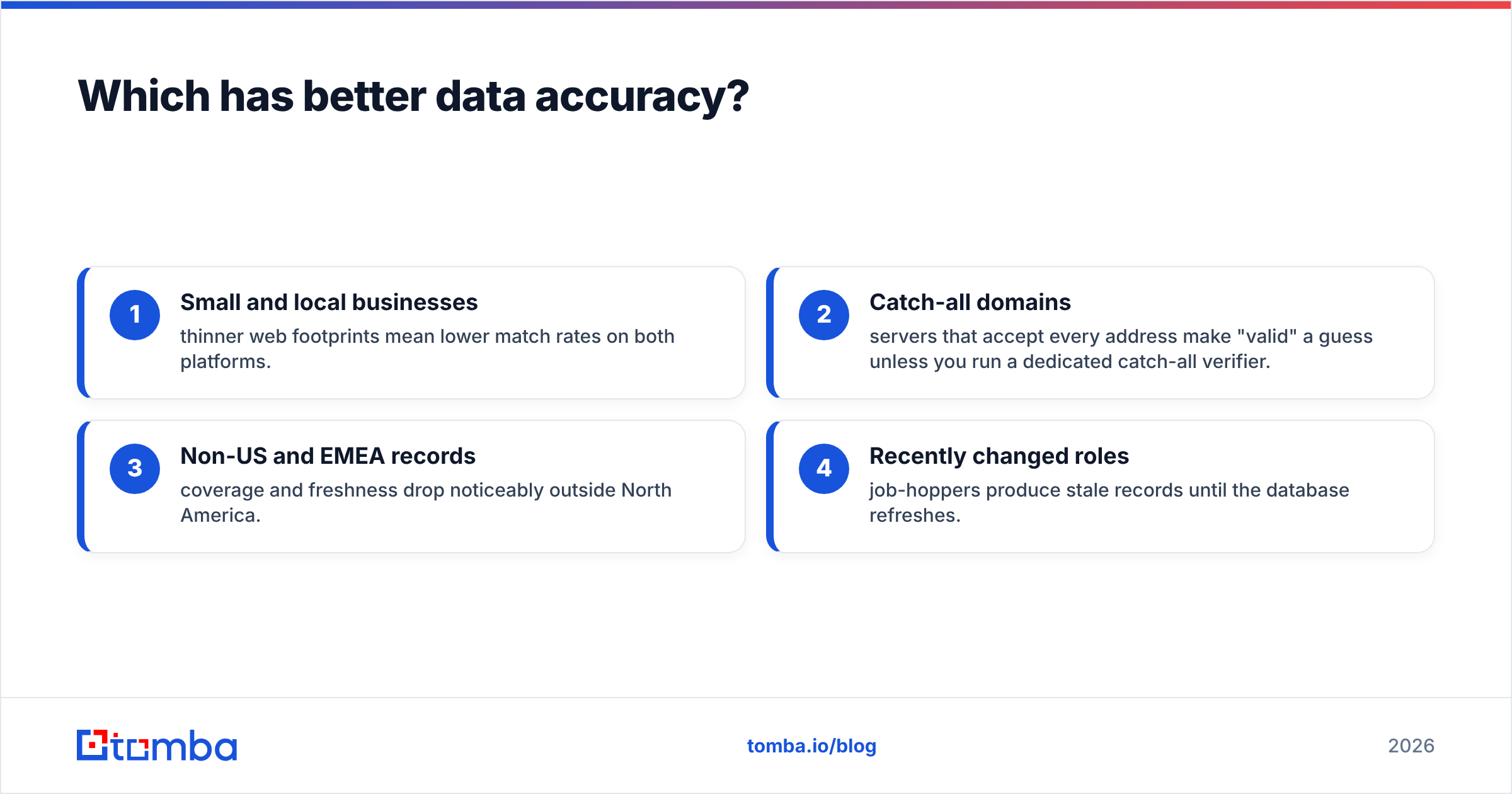
- Small and local businesses — thinner web footprints mean lower match rates on both platforms.
- Catch-all domains — servers that accept every address make "valid" a guess unless you run a dedicated catch-all verifier.
- Non-US and EMEA records — coverage and freshness drop noticeably outside North America.
- Recently changed roles — job-hoppers produce stale records until the database refreshes.

The takeaway isn't "one is 20% better." It's that any database result should be verified before it enters a sequence. Bouncing 15% of a cold campaign will tank your sender reputation faster than any accuracy difference between vendors. Whether you use Cufinder, LeadFuze, or something else, run every list through an email verifier before the first send. That single step protects deliverability more than chasing a marginally higher match rate.
How do Cufinder and LeadFuze compare on pricing?#
This is where buyers get surprised. Both platforms use credit- or lead-based pricing that looks reasonable at the entry tier and compounds as you scale.
- Cufinder tiers by credits and tool access, with meaningful jumps as you add volume and API throughput.
- LeadFuze tiers by leads per month, and the useful features (unlimited-ish lists, higher exports, API) sit on the pricier plans.
Neither offers a true ongoing free plan — you get a trial, then you're paying. For a team running a few hundred lookups a month, that can mean paying database prices for tool-level usage.

Here's a rough shape of how the three options stack up on entry cost and what you get. Confirm live numbers before purchase — this is for orientation, not quoting.
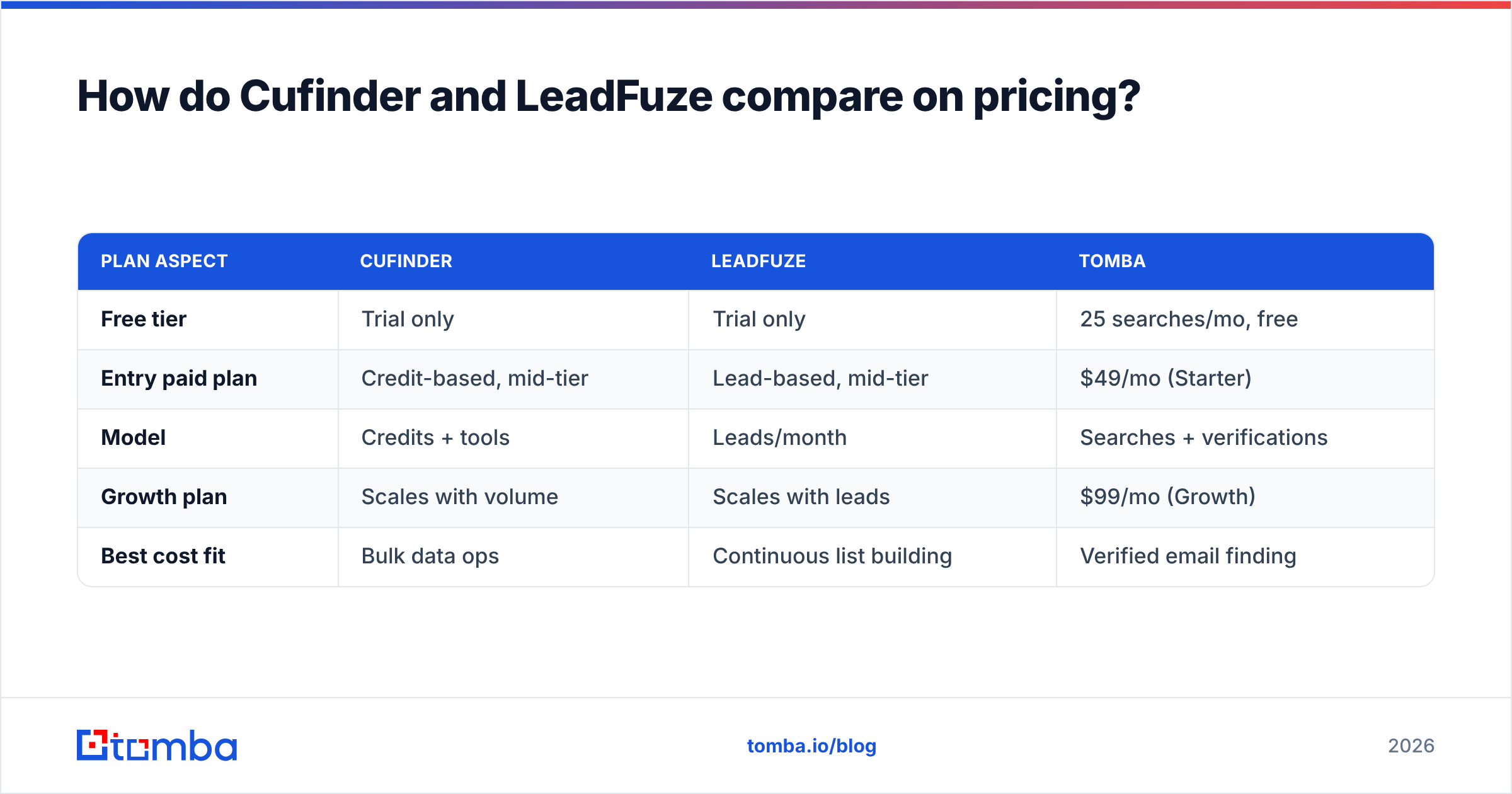
| Plan aspect | Cufinder | LeadFuze | Tomba |
|---|---|---|---|
| Free tier | Trial only | Trial only | 25 searches/mo, free |
| Entry paid plan | Credit-based, mid-tier | Lead-based, mid-tier | $49/mo (Starter) |
| Model | Credits + tools | Leads/month | Searches + verifications |
| Growth plan | Scales with volume | Scales with leads | $99/mo (Growth) |
| Best cost fit | Bulk data ops | Continuous list building | Verified email finding |
If your core need is finding and verifying professional emails — not maintaining a rolling prospect machine — a focused tool is dramatically cheaper. You can see the full breakdown on the Tomba pricing page, where the Starter plan runs $49/mo (note: not $39 — that number floats around outdated blog posts). The point isn't that Tomba does everything Cufinder or LeadFuze do; it's that most teams overbuy database capacity they never touch.
Which integrations and workflows matter most?#
Both tools connect to the usual suspects, but the workflows differ.
Cufinder is strongest when you treat it as a data source. Pull records via API, enrich in bulk, and route the output into your warehouse or CRM. If your team writes scripts or runs no-code automations, this is the flexible option. Pair it with data enrichment steps to fill gaps like phone numbers and firmographics.
LeadFuze shines when the output flows directly into outreach. FuzeBot builds the list, native integrations push it to your sequencer, and the loop repeats. For an SDR team that wants "always-on" pipeline of net-new contacts, that automation is the selling point.
A practical middle path many teams land on:
- Build the target list in whichever database has better coverage for your niche.
- Verify every address with a dedicated verifier to protect deliverability.
- Enrich the survivors with phone and firmographic data only where it changes the play.
- Sync the clean set into your CRM and sequencer.
That decoupled stack keeps you from being locked into one vendor's weakest layer.
Cufinder vs LeadFuze: pros and cons#
Cufinder — pros
- Wide range of enrichment tools in one account
- API-friendly for bulk and programmatic workflows
- Good fit for data and RevOps teams
Cufinder — cons
- Many tools mean a steeper first-week learning curve
- Coverage varies outside core US corporate data
- Credit pricing can climb quickly at volume
LeadFuze — pros
- FuzeBot automates continuous list building
- Strong role- and company-based targeting
- Clean handoff into outreach tools
LeadFuze — cons
- List-building focus is overkill for single lookups
- Best features gated behind higher tiers
- No ongoing free plan to test at low volume
When should you pick a leaner alternative instead?#
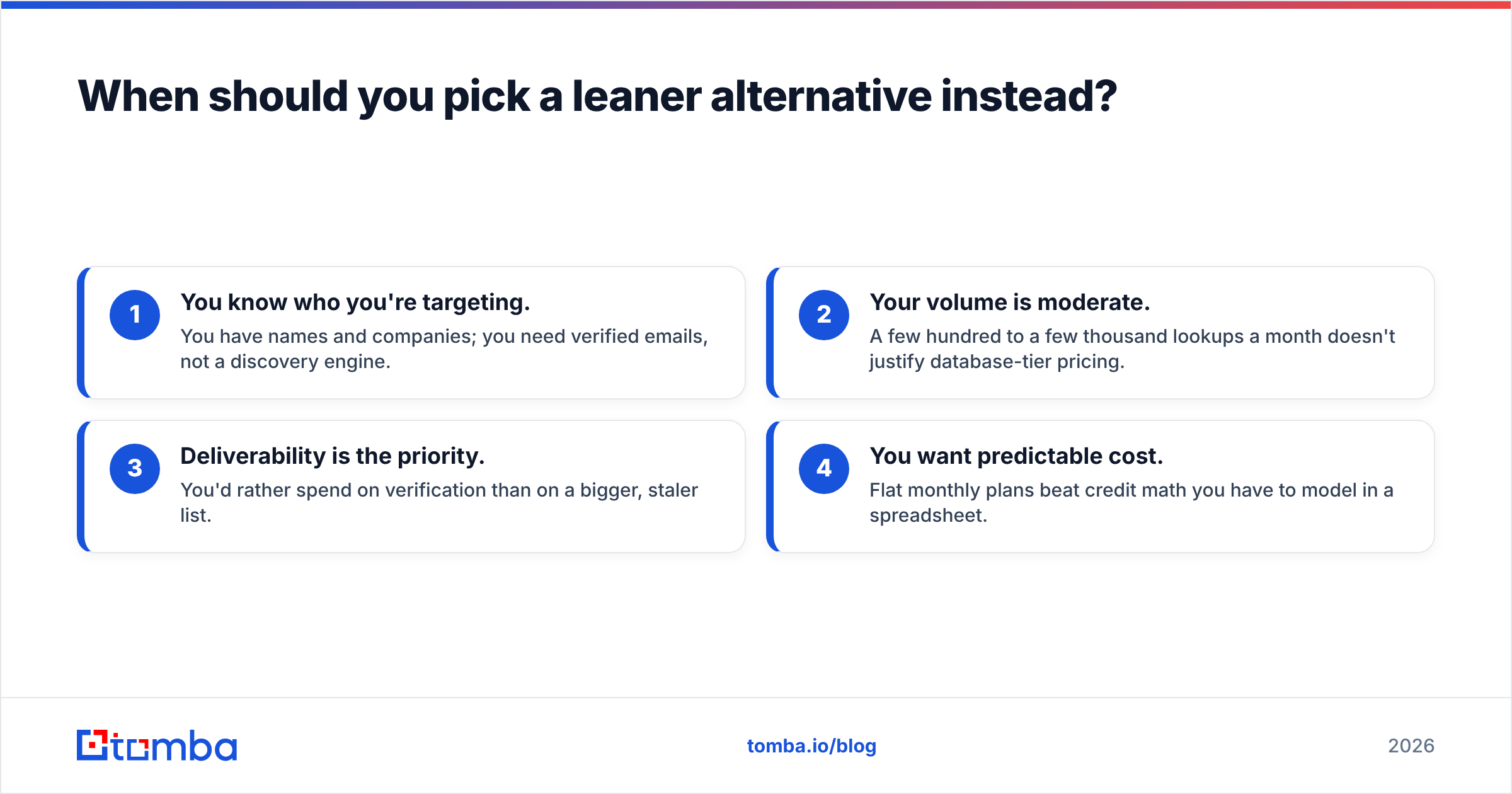
Choose a focused email finder over a full database platform when your reality looks like this:
- You know who you're targeting. You have names and companies; you need verified emails, not a discovery engine.
- Your volume is moderate. A few hundred to a few thousand lookups a month doesn't justify database-tier pricing.
- Deliverability is the priority. You'd rather spend on verification than on a bigger, staler list.
- You want predictable cost. Flat monthly plans beat credit math you have to model in a spreadsheet.
This is the case for a tool like Tomba. Its core is the email finder — find professional addresses by name, domain, or company — backed by verification, domain search, and enrichment when you need them. You get a genuine free tier (25 searches/month) to test accuracy on your own list before paying a cent, which is more than either Cufinder or LeadFuze offers.

None of this makes Cufinder or LeadFuze bad tools. If you genuinely need a rolling prospect machine (LeadFuze) or a broad enrichment API (Cufinder), buy the one that matches — and confirm current details on cufinder.io or leadfuze.com. Just don't buy database capacity to solve an email-finding problem.
The verdict: Cufinder vs LeadFuze in 2026#
Pick Cufinder if you're a data or RevOps team that wants breadth, bulk enrichment, and API access under one roof, and you have the volume to justify credit-based pricing.
Pick LeadFuze if you're an SDR team, agency, or recruiter who wants continuous, automated list building that flows straight into outreach.
Pick a focused alternative if your job is really "find verified emails for people I already know I want to reach" at a predictable monthly cost. That's the majority of teams, and it's where overspending hides.
Whatever you choose, make verification non-negotiable. The best-sourced list still bounces if you skip that step, and bounces cost you the one asset you can't buy back: sender reputation.
Ready to test the leaner path before committing to a full database contract? Start with the Tomba Email Finder — find and verify professional emails by name, domain, or company on the free tier, then compare the accuracy against your Cufinder or LeadFuze results on your own list. It's the fastest way to see how much data platform you actually need before you pay for one.
Related guides#
Ready to find emails that actually work?
Join 150,000+ professionals who stopped guessing and started sending. Free credits on signup — no credit card required.
Get the Tomba newsletter
Practical outbound tactics and product updates — once every two weeks.
About the author