Cufinder vs LeadsGorilla: The Honest 2026 Lead-Gen Comparison
Cufinder targets B2B contact data at scale; LeadsGorilla hunts local business leads for agencies. Here's which one fits your pipeline in 2026 — and where a dedicated finder beats both.
Choosing between Cufinder and LeadsGorilla is really a choice between two different jobs. One builds B2B contact databases for outbound sales teams. The other finds and scores local businesses for agencies selling marketing services. Put them head to head and the "winner" depends entirely on who you're trying to reach.
This comparison breaks down what each tool actually does, how their data and pricing stack up, and where a purpose-built email finder fits when your real problem is contact accuracy — not lead lists.
TL;DR: Cufinder vs LeadsGorilla at a glance#
- Cufinder is a B2B data and enrichment platform: company search, contact and email lookup, and API-based enrichment for sales and RevOps teams doing outbound at scale.
- LeadsGorilla is a local lead-generation tool built for agencies and freelancers who sell websites, SEO, and ads to small businesses.
- They barely compete. If you sell B2B software, Cufinder is closer to your need; if you sell services to local businesses, LeadsGorilla is closer.
- Both bundle data with workflow, which means you pay for features you may not use — and neither is optimized purely for email accuracy.
- If your bottleneck is finding and verifying decision-maker emails, a focused finder-and-verifier stack usually beats either bundle on cost and deliverability.
What is Cufinder and who is it for?#
Cufinder is a B2B data platform. You start with a company name, domain, or a filter set (industry, size, location, technology) and it returns firmographic data plus contact details — including work emails and phone numbers. It leans on a large company database and an enrichment API, so teams often wire it into a CRM or a spreadsheet workflow rather than living inside its dashboard.
The core audience is outbound sales, demand gen, and revenue operations teams that need contact records in volume. Typical jobs: build a target account list, enrich inbound signups with company data, or append missing emails to an existing list.
Where Cufinder is strong: breadth of firmographic filters and API-first data enrichment. Where it gets fuzzy: like every database vendor, coverage and accuracy vary by region and seniority, and "found an email" is not the same as "the email is deliverable." That verification gap is exactly where cold campaigns quietly die.
What is LeadsGorilla and who is it for?#
LeadsGorilla solves a completely different problem. It's a local lead-generation and prospecting tool aimed at agencies, consultants, and freelancers who sell digital services — websites, Google Business Profile optimization, reviews, SEO, and paid ads — to small and local businesses.
You search a location and niche ("dentists in Austin," "plumbers in Leeds") and it pulls local businesses from sources like Google and Facebook, then scores each lead by how "optimizable" it is: missing website, poor reviews, no Google Business Profile, weak SEO. It even generates white-label audit reports you can send to a prospect as a door-opener.
So LeadsGorilla isn't really a contact database — it's a local opportunity finder. Its value is in identifying businesses with fixable problems and handing you a pitch. Its weakness for classic B2B outbound is obvious: it's tuned for local SMBs, not for reaching a VP of Engineering at a 500-person SaaS company.
Cufinder vs LeadsGorilla: side-by-side comparison#
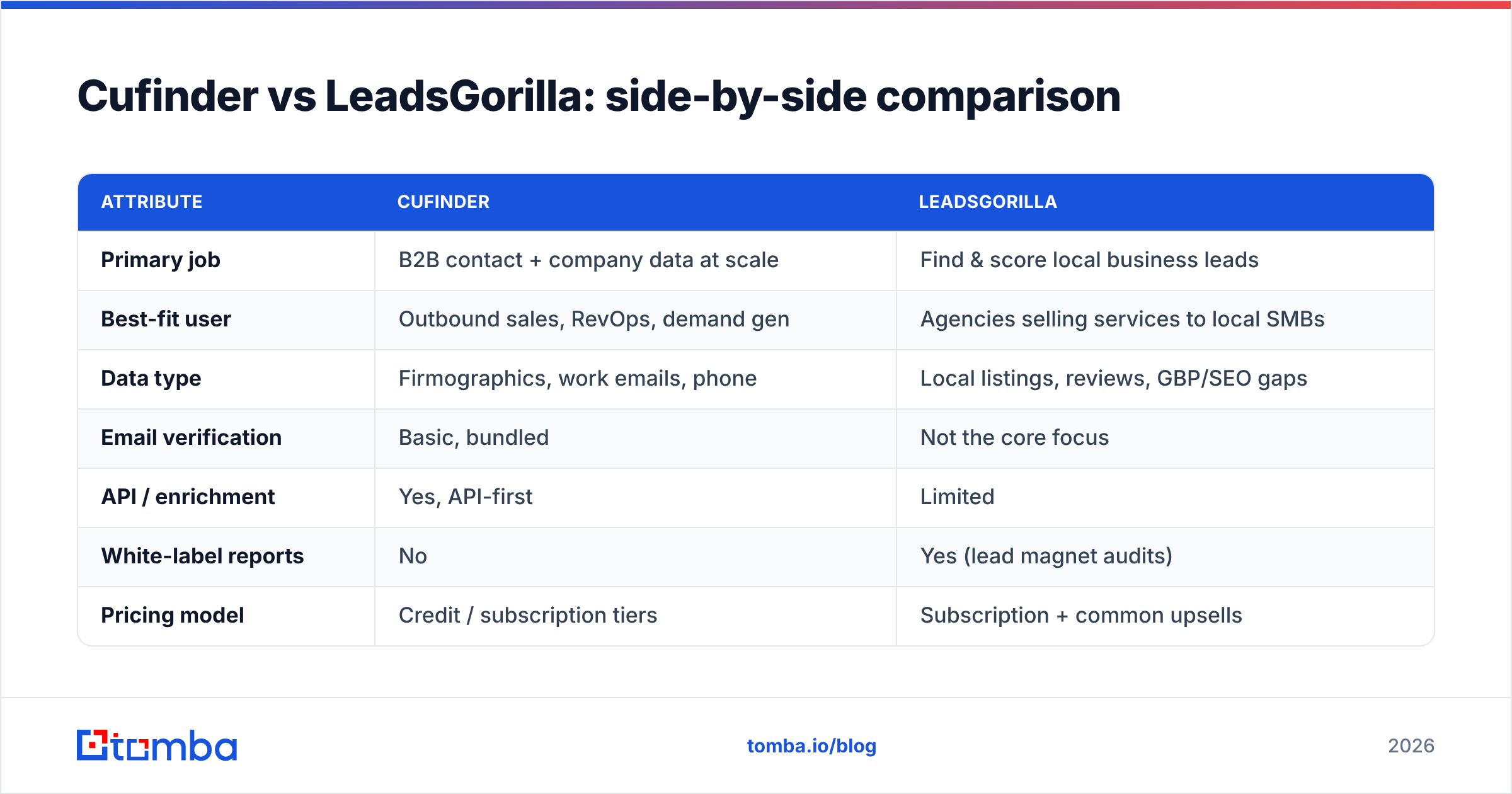
Here's the honest breakdown. Pricing shifts over time, so treat the numbers as directional and confirm on each vendor's page before you buy.
| Attribute | Cufinder | LeadsGorilla |
|---|---|---|
| Primary job | B2B contact + company data at scale | Find & score local business leads |
| Best-fit user | Outbound sales, RevOps, demand gen | Agencies selling services to local SMBs |
| Data type | Firmographics, work emails, phone | Local listings, reviews, GBP/SEO gaps |
| Email verification | Basic, bundled | Not the core focus |
| API / enrichment | Yes, API-first | Limited |
| White-label reports | No | Yes (lead magnet audits) |
| Pricing model | Credit / subscription tiers | Subscription + common upsells |
| Free option | Limited free trial | Trial-based |
The pattern to notice: Cufinder optimizes for coverage, LeadsGorilla optimizes for a sales pitch. Neither one treats email deliverability as the headline metric — and that's the metric that decides whether your outreach lands.

Which one has better data quality?#
It depends on what you mean by "data."
For B2B contact records — a named person, their role, their verified work email — Cufinder is the relevant tool, and its quality tracks the usual database realities: strong on well-documented mid-market and enterprise companies, thinner on very small firms and some regions. You should always re-verify emails before a send, regardless of the source.
For local business intelligence — which dentists lack a decent website, which restaurants have sub-4-star reviews — LeadsGorilla is more purpose-built. Its scoring is genuinely useful if your pitch is "I can fix your online presence."
The trap is buying one tool expecting the other's strength. Cufinder won't tell you which plumber has a broken website. LeadsGorilla won't hand you a clean list of SaaS CTOs with verified emails. Independent reviews on G2 and Capterra reflect this split: both score reasonably within their lane and get dinged when reviewers try to use them outside it.
A reliable way to sanity-check any provider's contacts is to run a sample through a dedicated email verifier. If a meaningful share bounces or comes back as risky or catch-all, that number is your true starting accuracy — not the vendor's marketing figure.
How do Cufinder and LeadsGorilla pricing compare?#
Both use tiered subscriptions, and both follow the "bundle" logic — you pay for a platform, not for the specific outcome you want.
- Cufinder prices around credits and seats, scaling with how many lookups and enrichments you run. Heavy enrichment volume is where the bill climbs.
- LeadsGorilla prices around agency usage and commonly pushes upsells (pro tiers, additional credits, add-on features) after the base plan.
The strategic cost question isn't "which sticker price is lower." It's cost per usable, verified contact. A cheaper plan that returns unverified or off-target leads costs more once you factor in bounced sends, damaged sender reputation, and wasted rep hours.
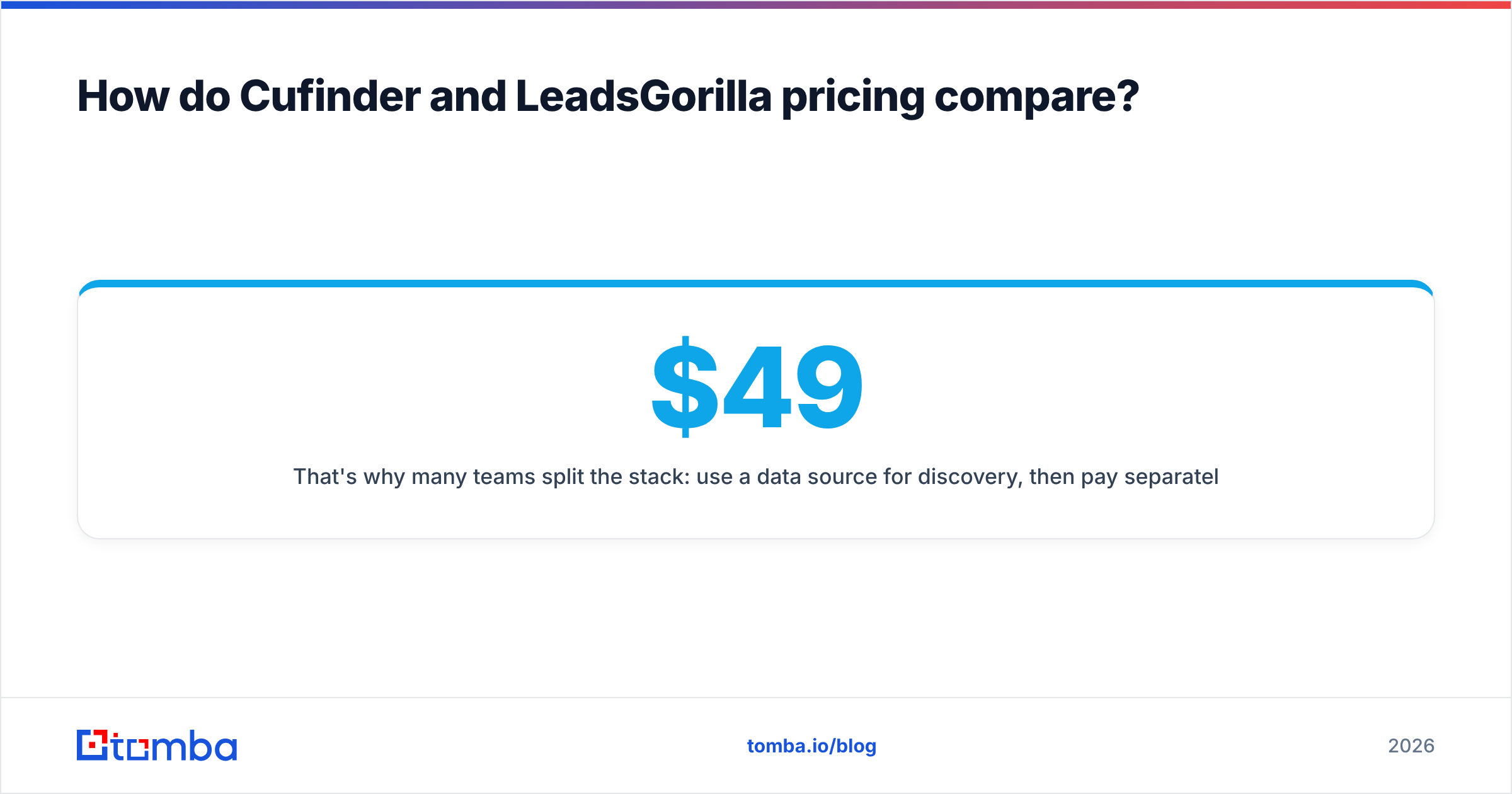
That's why many teams split the stack: use a data source for discovery, then pay separately — and cheaply — for accurate finding and verification. On that axis, a focused tool like Tomba is deliberately simple: a free tier (25 searches/month), then Starter at $49/mo, Growth at $99/mo, and Pro at $249/mo. You can compare the full Tomba pricing against whatever bundle you're evaluating and measure it on verified contacts, not feature checklists.
When should you skip both and use a dedicated finder?#
Skip the bundle when your actual bottleneck is reaching the right person with a deliverable email — which, for most B2B outbound, it is.
Choose a dedicated finder-and-verifier stack when:
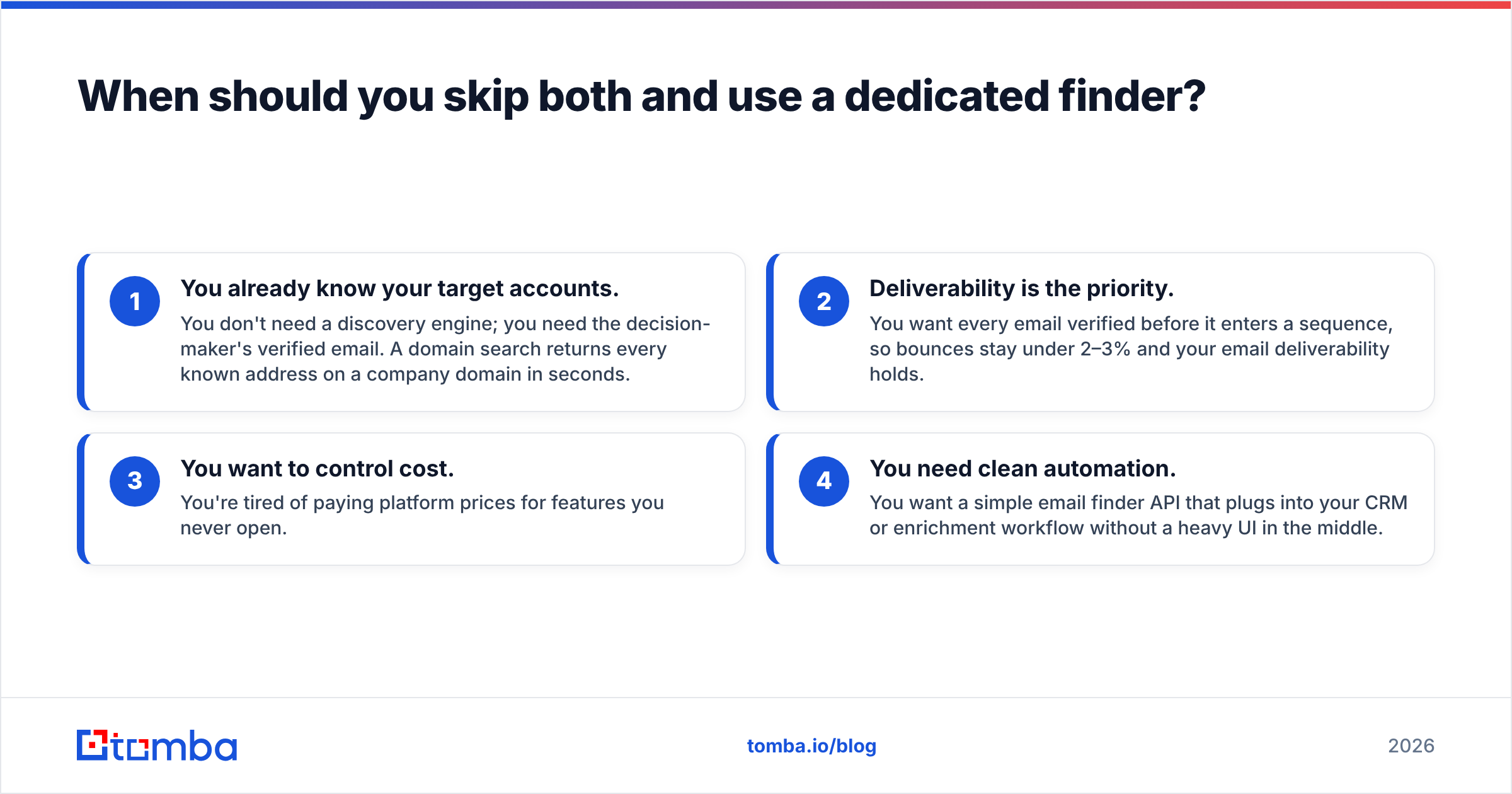
- You already know your target accounts. You don't need a discovery engine; you need the decision-maker's verified email. A domain search returns every known address on a company domain in seconds.
- Deliverability is the priority. You want every email verified before it enters a sequence, so bounces stay under 2–3% and your email deliverability holds.
- You want to control cost. You're tired of paying platform prices for features you never open.
- You need clean automation. You want a simple email finder API that plugs into your CRM or enrichment workflow without a heavy UI in the middle.
This is where the comparison stops being "Cufinder vs LeadsGorilla" and becomes "bundle vs precision tool." For discovery of local opportunities, LeadsGorilla is legitimately good. For broad B2B data, Cufinder has its place. But for the last, most fragile step — turning a name into an email that actually inboxes — a specialist wins on both accuracy and price.
Cufinder vs LeadsGorilla vs a focused finder#
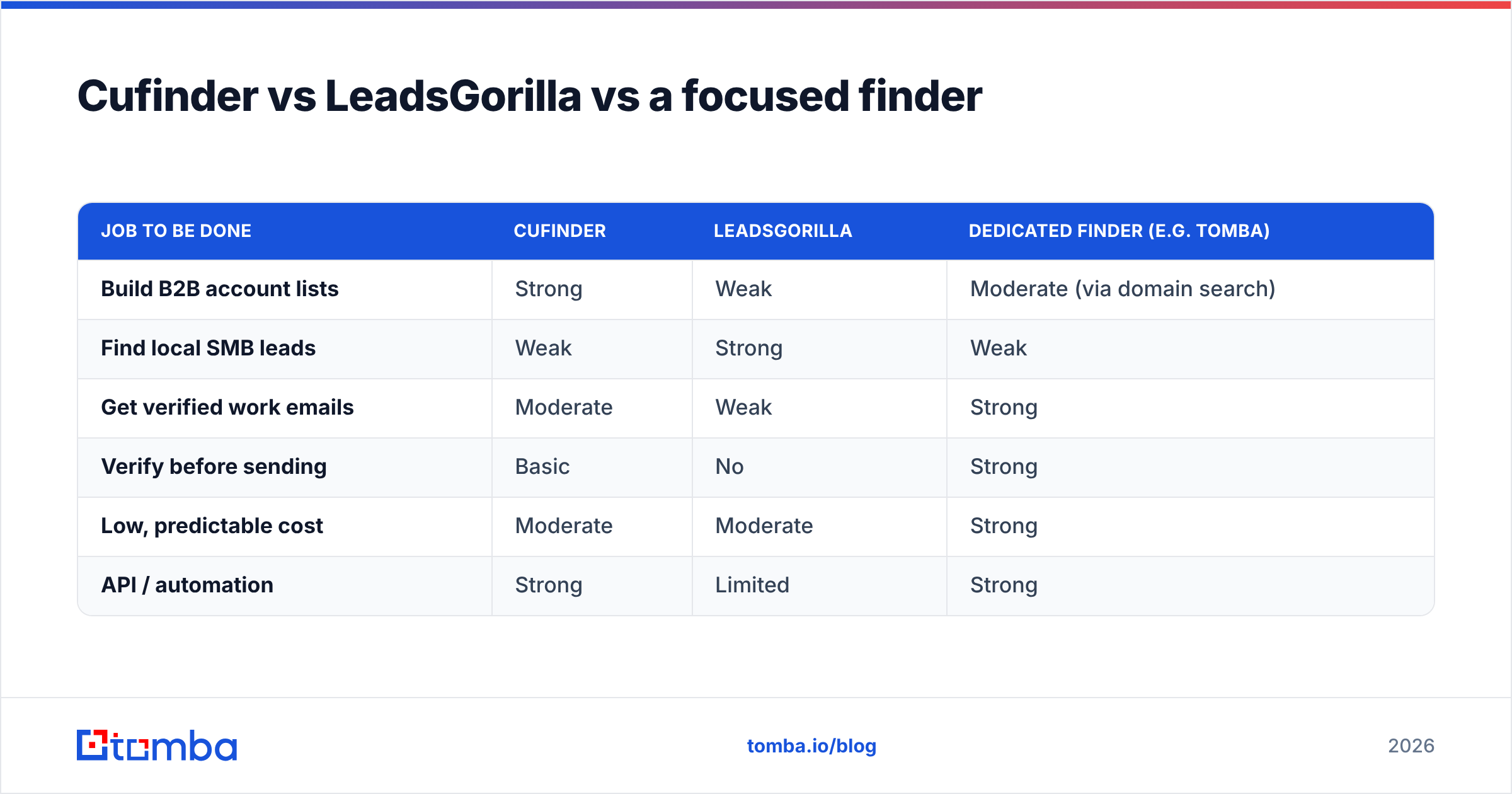
To make the three-way trade-off explicit:
| Job to be done | Cufinder | LeadsGorilla | Dedicated finder (e.g. Tomba) |
|---|---|---|---|
| Build B2B account lists | Strong | Weak | Moderate (via domain search) |
| Find local SMB leads | Weak | Strong | Weak |
| Get verified work emails | Moderate | Weak | Strong |
| Verify before sending | Basic | No | Strong |
| Low, predictable cost | Moderate | Moderate | Strong |
| API / automation | Strong | Limited | Strong |
The takeaway: these tools are complements more often than competitors. A common high-performing setup is discovery in one tool, then finding and verification in a dedicated one — so nothing hits your outbound sequence unverified.
How to actually decide#
Run a 30-minute test instead of trusting any comparison post, including this one.
- Pick 25 real target accounts that represent your ICP.
- In Cufinder, pull the contacts and export the emails.
- In LeadsGorilla (if local is your motion), run the same geography and niche and see how many usable, contactable leads surface.
- Verify every email through an independent email verification pass and record the valid rate and the catch-all rate.
- Divide plan cost by verified contacts. That single number — cost per verified, reachable person — tells you more than any feature table.
Whichever tool wins your test for your motion is the right answer. If both leave you re-verifying a large chunk of contacts, that's your signal that the real gap is accuracy, not discovery.
The bottom line#
Cufinder and LeadsGorilla aren't really rivals — they're built for different buyers. Pick Cufinder if you need B2B company and contact data at scale for outbound. Pick LeadsGorilla if you're an agency selling services to local businesses and want scored opportunities plus ready-made audit reports. Both do their core job competently and stumble when pushed outside it.
But if your outreach lives or dies on whether the email is real, don't make deliverability an afterthought of a bundle. Start with an accurate finder, verify everything, and only then decide whether you need a broader platform on top.
Ready to test contact accuracy for yourself? Run your next 25 target accounts through the Tomba Email Finder — find verified professional emails by name or domain, confirm them before you send, and measure your true cost per reachable contact. The free tier covers 25 searches so you can benchmark it against Cufinder or LeadsGorilla today, no credit card required.
Related guides#
Ready to find emails that actually work?
Join 150,000+ professionals who stopped guessing and started sending. Free credits on signup — no credit card required.
Get the Tomba newsletter
Practical outbound tactics and product updates — once every two weeks.
About the author