Cufinder vs Thomson Data (2026): Which B2B Data Tool Wins?
Cufinder sells self-serve enrichment APIs; Thomson Data sells curated list packages. Here's an honest 2026 breakdown of accuracy, pricing, and which one actually fits your outbound.
Choosing between Cufinder and Thomson Data comes down to one question: do you want a self-serve enrichment engine you plug into your own workflow, or a done-for-you contact list a vendor hands you? They sit on opposite ends of the B2B data market, and picking the wrong one wastes budget on data your team never uses.
This is a neutral breakdown — no vendor wrote it — of how the two stack up on accuracy, pricing, coverage, and fit in 2026.
TL;DR: Cufinder vs Thomson Data at a glance#
- Cufinder is a self-serve platform: company/contact enrichment, an email + phone finder, and APIs you wire into your CRM. Best if you want data on demand and control the pipeline yourself.
- Thomson Data is a list-and-services vendor: you brief them on an audience (industry, title, geography) and they deliver a curated, often human-verified contact list or run campaigns for you.
- Accuracy favors the model that re-verifies at query time. Static purchased lists decay fast — B2B data goes stale at roughly 2–3% per month as people change jobs.
- Pricing models differ: Cufinder is credit/subscription and predictable; Thomson Data is quote-based per project, which can be cheaper per record at volume but slower to start.
- If you run continuous outbound, a live API-first finder like Tomba's email finder or Cufinder beats a one-time list. If you need a bulk targeted list for a single campaign, Thomson Data's model can make sense.
What is Cufinder?#
Cufinder is a self-service B2B data platform built around enrichment and lookup. You give it a domain, a name, or a company, and it returns firmographic data, contact emails, and phone numbers. Its pitch is a combined database plus real-time discovery, exposed through a dashboard, bulk tools, and a developer API.
The core use cases:
- Company enrichment — turn a domain or company name into industry, size, location, tech stack, and social profiles.
- Contact discovery — find decision-maker emails and phone numbers by role or company.
- CRM enrichment — push cleaned data back into HubSpot, Salesforce, or a spreadsheet.
Cufinder appeals to growth teams and developers who want to own the workflow. You pay for access, you run the queries, and you decide how the data flows. It behaves much like other API-first tools — comparable in spirit to a data enrichment layer you script against.
What is Thomson Data?#
Thomson Data is a data provider and marketing-services company. Instead of a self-serve credit meter, you engage them for a specific deliverable: an email list for "IT directors at US manufacturers with 200+ employees," a technology-install list, or a healthcare database — often with human verification and appended fields.
The core use cases:
- Custom list building — you brief an audience, they scope and deliver the file.
- Data appending — fill gaps in an existing list (add emails, phones, firmographics).
- Managed campaigns — some engagements extend into email or multichannel campaign execution.
Thomson Data suits teams that would rather outsource the sourcing entirely, or that need a large one-off list for a defined campaign and don't want to build a pipeline.
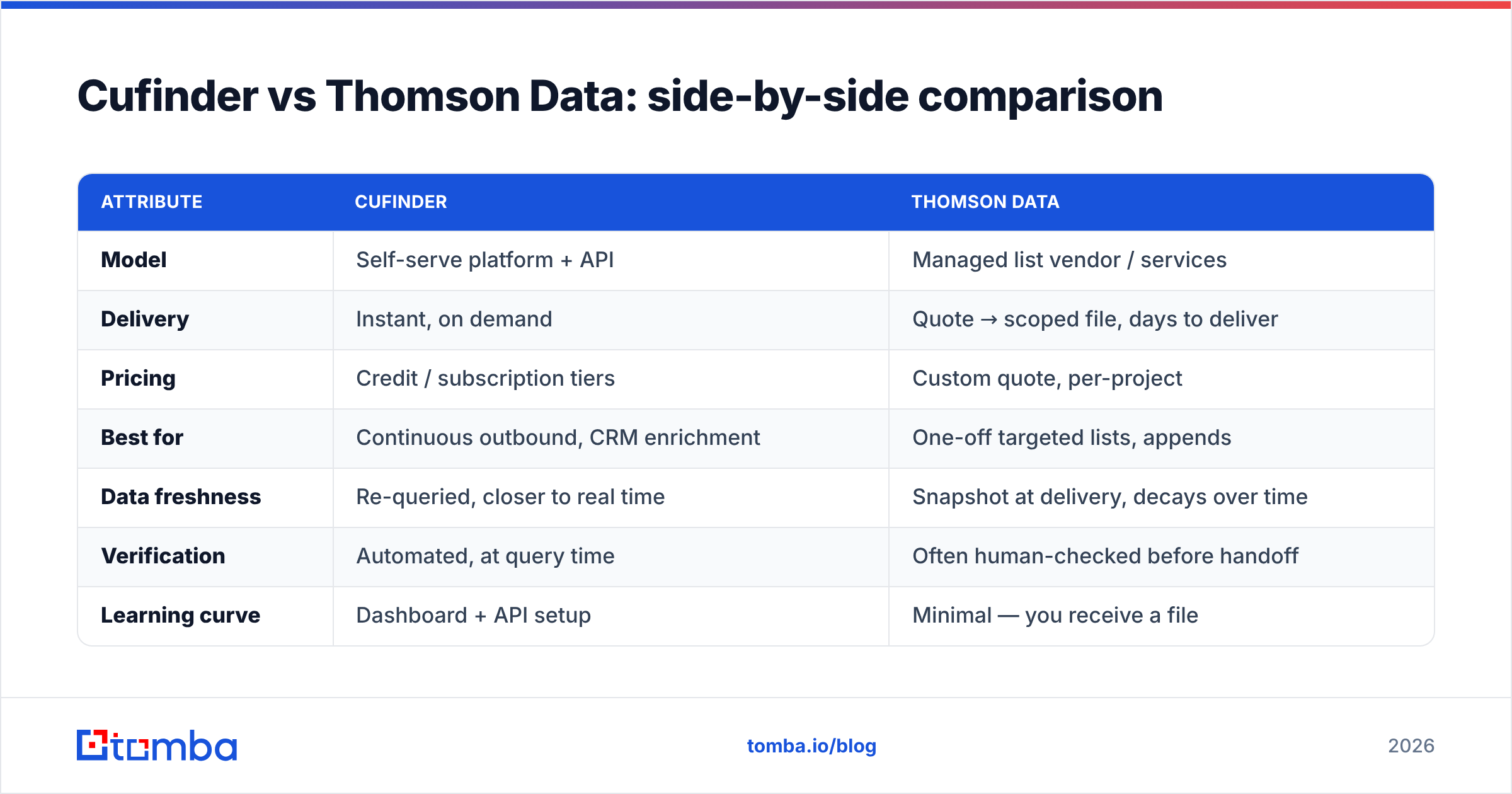
Cufinder vs Thomson Data: side-by-side comparison#
| Attribute | Cufinder | Thomson Data |
|---|---|---|
| Model | Self-serve platform + API | Managed list vendor / services |
| Delivery | Instant, on demand | Quote → scoped file, days to deliver |
| Pricing | Credit / subscription tiers | Custom quote, per-project |
| Best for | Continuous outbound, CRM enrichment | One-off targeted lists, appends |
| Data freshness | Re-queried, closer to real time | Snapshot at delivery, decays over time |
| Verification | Automated, at query time | Often human-checked before handoff |
| Learning curve | Dashboard + API setup | Minimal — you receive a file |
| Volume economics | Scales with credits | Can be cheaper per record at bulk |
Neither wins every row. The honest read: Cufinder trades a little setup effort for control and freshness, while Thomson Data trades control for a hands-off, human-vetted deliverable.
Which has better data accuracy?#
Accuracy is where the models diverge most, so it deserves its own answer: re-verified data beats snapshot data over any campaign that lasts more than a few weeks.
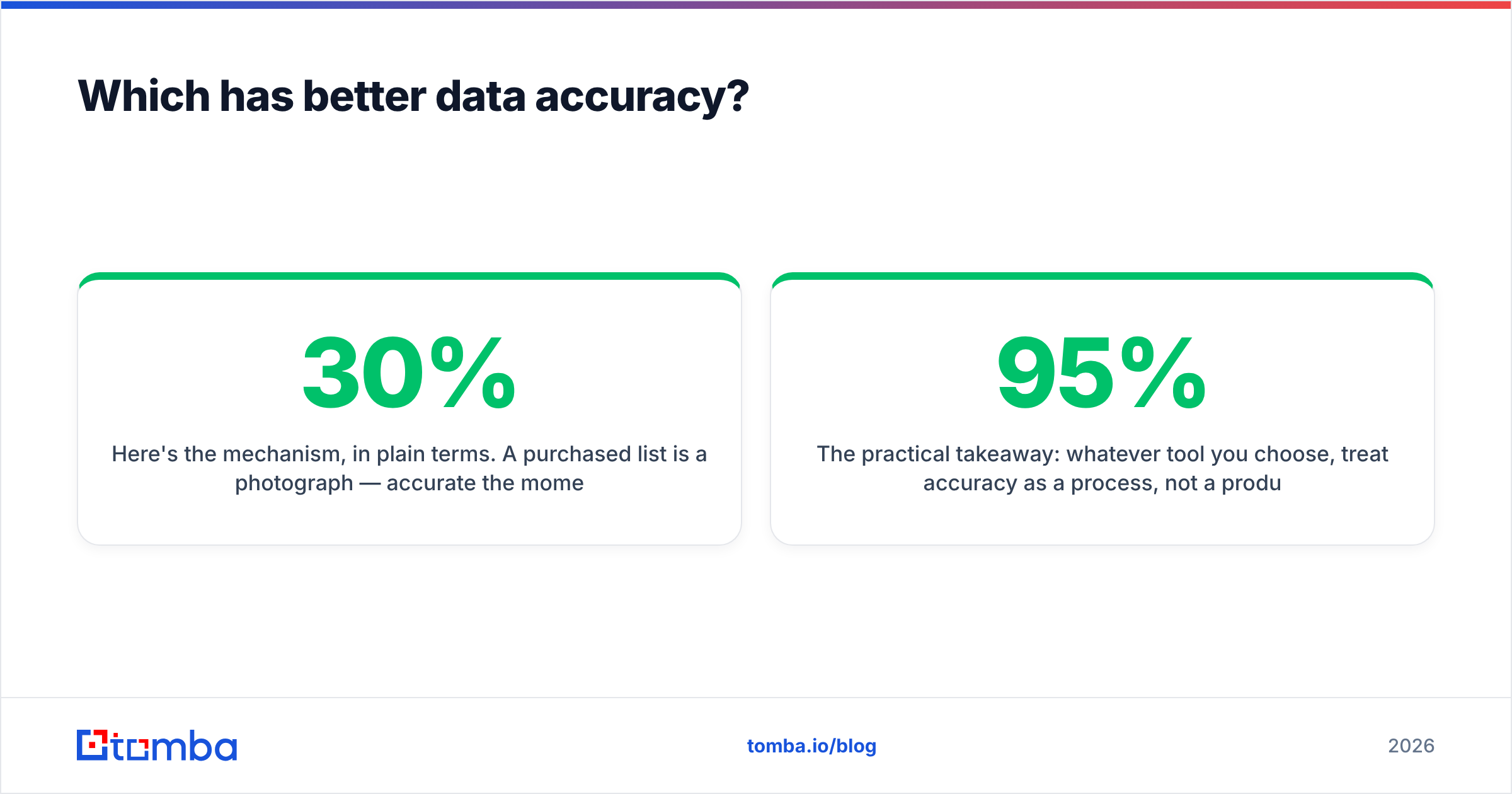
Here's the mechanism, in plain terms. A purchased list is a photograph — accurate the moment it's taken, then aging every day after. Contacts change jobs, companies rebrand, inboxes get deactivated. Industry estimates put B2B data decay around 22–30% per year. A self-serve tool that re-queries and re-verifies at the moment you pull a record is more like a live video feed: it reflects reality now, not last quarter.
That doesn't make managed lists worthless. Thomson Data's human verification step can catch things automation misses, and for a single, time-boxed campaign a fresh delivery is perfectly usable. But if you're running evergreen outbound, you'll want verification baked into every pull — the reason serious teams pair any finder with a dedicated email verifier before sending.

The practical takeaway: whatever tool you choose, treat accuracy as a process, not a product. Verify before send, suppress bounces, and re-enrich records on a schedule. A 95%-accurate source that you never re-check drifts to 70% within a year.
How do Cufinder and Thomson Data price?#
Cufinder uses a transparent, self-serve structure — subscription tiers with monthly credit allotments, plus API access on higher plans. You can start small and scale. The advantage is predictability: you know your ceiling and you're not negotiating.
Thomson Data is quote-based. You describe the audience and volume, they price the project. This can produce a lower cost-per-record on large lists, but there's no public price sheet — you're in a sales conversation before you see a number, and turnaround takes days rather than minutes.
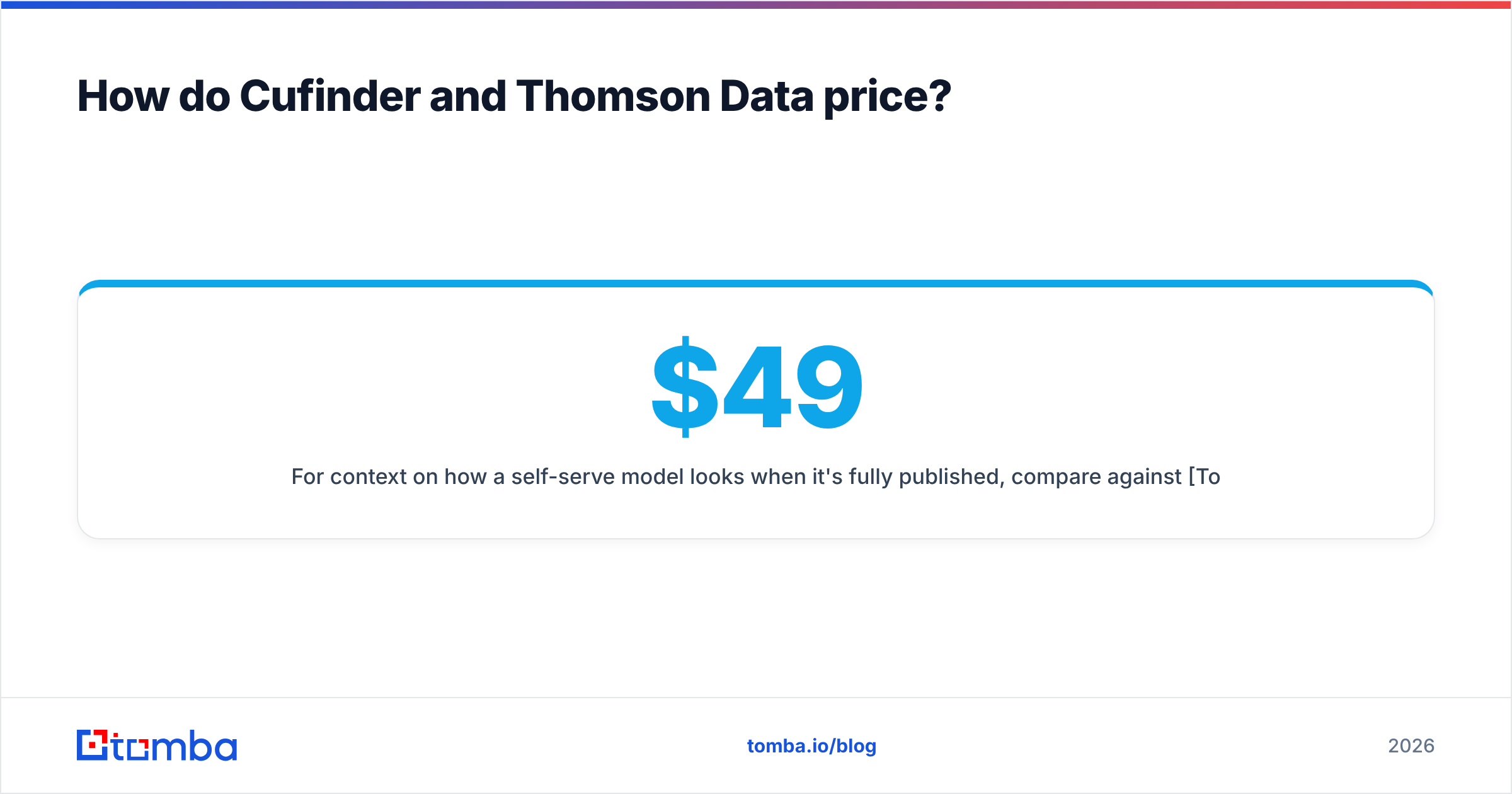
For context on how a self-serve model looks when it's fully published, compare against Tomba's pricing: a free tier (25 searches/mo), Starter at $49/mo, Growth at $99/mo, and Pro at $249/mo. That kind of open, tiered pricing is the norm for API-first finders and the exception for managed-list vendors.

Rule of thumb:
- Small, ongoing volume, want control → self-serve subscription (Cufinder-style).
- Large one-off list, hands-off → managed quote (Thomson Data-style).
- High-frequency programmatic pulls → API-first tool with metered credits and a real email finder API.
Which should you pick for outbound in 2026?#
Pick based on how your team actually works, not on feature counts:
- You run continuous prospecting and own your CRM data. Go self-serve. You want records fresh at pull-time and an API you can automate. Cufinder fits here; so do dedicated finders.
- You need one large, targeted list for a defined campaign and have no pipeline to build. Thomson Data's managed model earns its place — you brief, they deliver, you send.
- You care most about email accuracy and deliverability. Prioritize whatever tool verifies at query time and lets you re-verify in bulk. Sending to a stale list torches your sender reputation faster than any single win justifies.
- You're technical and want to compose your own stack. Favor the API-first option and wire verification, enrichment, and finding into one flow.
Cross-checking reviews on G2 before you commit is worth the ten minutes — both vendors have public profiles, and the recurring themes in reviews (delivery speed, support, data hit-rate) tell you more than any feature grid. You can also validate each vendor's own claims against their sites directly at cufinder.io and thomsondata.com.
Where does Tomba fit in this comparison?#
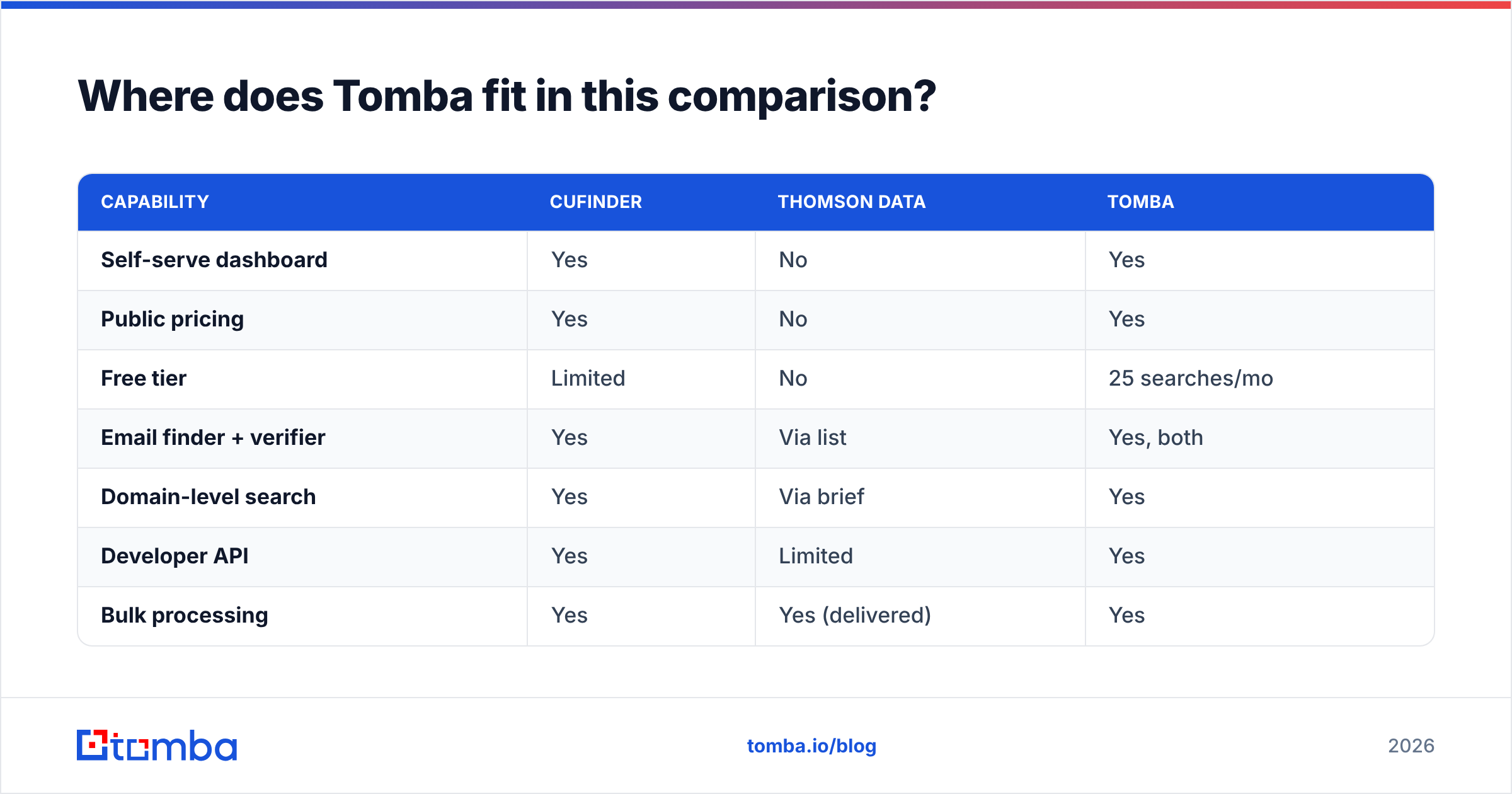
Tomba sits firmly on the self-serve, API-first side — closer to Cufinder's model than Thomson Data's, but built specifically around finding and verifying professional email addresses at the point of use.
| Capability | Cufinder | Thomson Data | Tomba |
|---|---|---|---|
| Self-serve dashboard | Yes | No | Yes |
| Public pricing | Yes | No | Yes |
| Free tier | Limited | No | 25 searches/mo |
| Email finder + verifier | Yes | Via list | Yes, both |
| Domain-level search | Yes | Via brief | Yes |
| Developer API | Yes | Limited | Yes |
| Bulk processing | Yes | Yes (delivered) | Yes |
If your bottleneck is "I need accurate work emails for named companies, on demand, without a sales call," that's the exact job Tomba is built for. Its domain search returns the email patterns and named contacts for a company in seconds, and every result can be run through verification before it reaches your sequence — the two-step that keeps bounce rates low and reputation intact.
Frequently asked questions#
Is Cufinder or Thomson Data more accurate? It depends on timing. Thomson Data's human-verified snapshots can be very accurate on delivery day, but they decay. Cufinder's re-queried model stays fresher over time. For ongoing campaigns, a tool that verifies at query time wins; for a single dated campaign, a freshly delivered list is fine.
Can I get a free trial of either? Cufinder offers self-serve entry tiers you can start on immediately. Thomson Data is quote-based, so "trial" usually means a sample file negotiated with sales. Fully free tiers are more common among API-first finders like Tomba.
Which is better for developers? Cufinder, clearly — it exposes an API and is designed to be automated. Thomson Data is oriented around delivered files and managed services, not programmatic access.
Do I still need an email verifier? Yes, with any source. Even accurate data ages, and verifying before send protects deliverability. Pair your finder with a standalone verifier and re-check on a schedule.
The bottom line#
Cufinder and Thomson Data aren't really the same product — they're two answers to "how do I get B2B contact data." Cufinder gives you a self-serve engine and control; Thomson Data gives you a done-for-you list and less work. For a single, large, targeted campaign, the managed route can pay off. For continuous outbound where freshness and deliverability decide your results, the self-serve, verify-at-query-time model is the safer bet.
If that's your world — always-on prospecting, accuracy first, no sales call to get started — try the Tomba Email Finder. Find professional emails by domain, name, or company, verify them in the same workflow, and start on the free tier before you spend a dollar. Fresh data you pull yourself beats a list that started aging the moment it was delivered.
Related guides#
Ready to find emails that actually work?
Join 150,000+ professionals who stopped guessing and started sending. Free credits on signup — no credit card required.
Get the Tomba newsletter
Practical outbound tactics and product updates — once every two weeks.
About the author