Cufinder vs Tomba (2026): Which Email Finder Wins?
Cufinder vs Tomba compared on accuracy, pricing, data coverage, and API. See which email finder actually fits your outbound stack in 2026 — and where each one falls short.
Choosing between Cufinder and Tomba comes down to one question: do you want a broad enrichment-and-list-building suite, or a focused, verification-first email finder with a developer-grade API? Both tools promise accurate B2B contact data, but they solve slightly different problems — and picking the wrong one costs you bounces, wasted credits, and a damaged sender reputation.
This is a neutral, hands-on comparison. No fluff, no vendor spin. Here's how Cufinder and Tomba stack up on accuracy, pricing, data coverage, verification, and API quality — so you can decide which fits your outbound motion.
TL;DR — Cufinder vs Tomba at a glance#
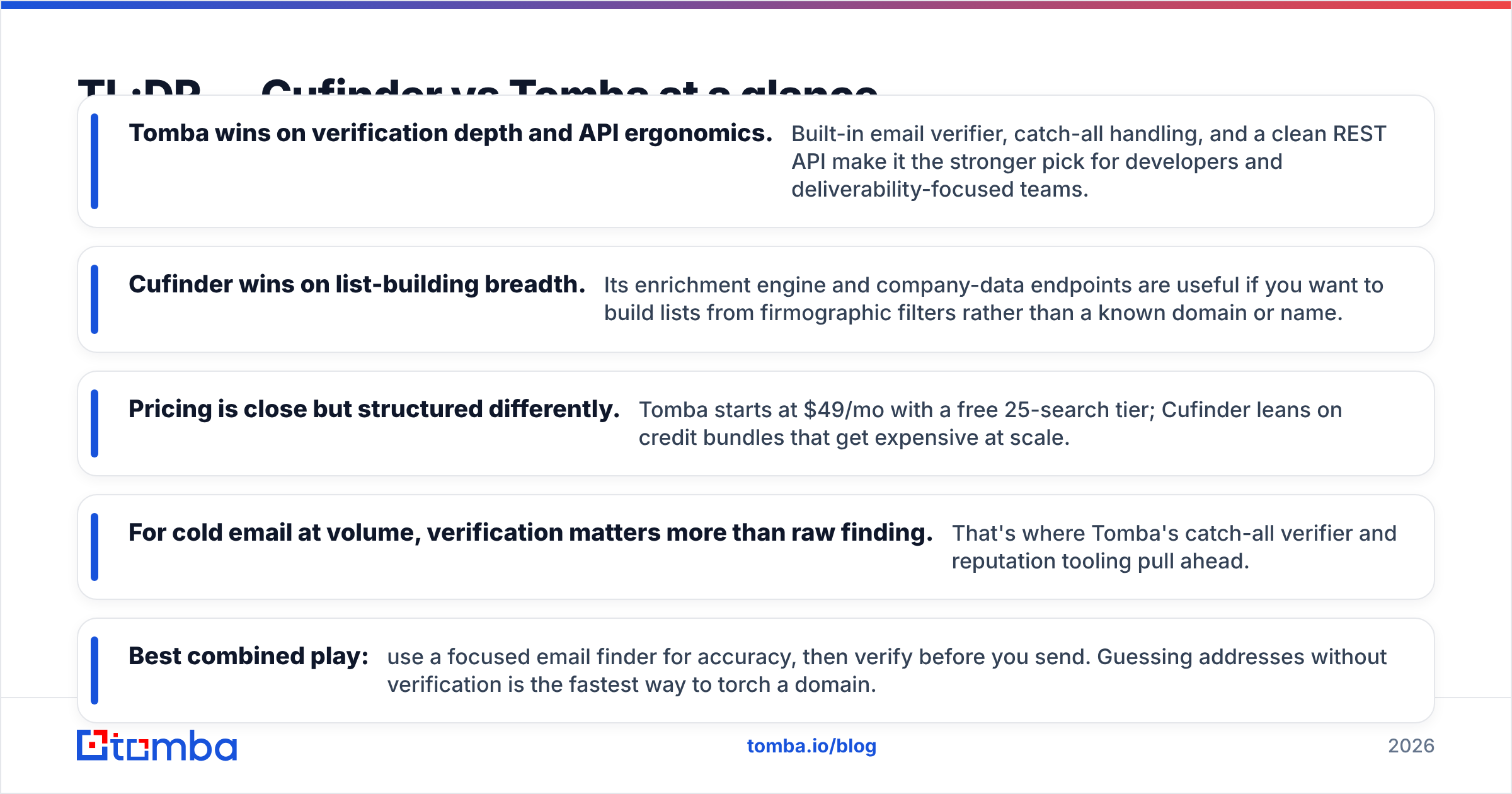
- Tomba wins on verification depth and API ergonomics. Built-in email verifier, catch-all handling, and a clean REST API make it the stronger pick for developers and deliverability-focused teams.
- Cufinder wins on list-building breadth. Its enrichment engine and company-data endpoints are useful if you want to build lists from firmographic filters rather than a known domain or name.
- Pricing is close but structured differently. Tomba starts at $49/mo with a free 25-search tier; Cufinder leans on credit bundles that get expensive at scale.
- For cold email at volume, verification matters more than raw finding. That's where Tomba's catch-all verifier and reputation tooling pull ahead.
- Best combined play: use a focused email finder for accuracy, then verify before you send. Guessing addresses without verification is the fastest way to torch a domain.
What is Cufinder?#
Cufinder is a B2B data and lead-generation platform that bundles an email finder with company enrichment, a contact database, and firmographic search. Its pitch is breadth: give it a company name or domain and it returns emails, phone numbers, tech stack, and company attributes in one pass.
That makes Cufinder attractive to teams doing top-of-funnel list building — you start from an industry, headcount band, or location and let the platform surface accounts and contacts. It's closer to a lightweight prospecting database than a pure lookup tool.
The tradeoff is that breadth-first tools often trade away verification rigor. When a platform is optimized for "return something for every row," you get more matches — but a higher share of guessed, unverified, or catch-all addresses slipping into your send list.
What is Tomba?#
Tomba is a verification-first email finder built around accuracy and developer access. You give it a domain, a name, or a company, and it returns professional email addresses with a confidence score and source attribution — plus a built-in email verifier so you're not shipping guesses to your mail server.
Tomba's toolset extends past finding: domain search for company-wide email discovery, a catch-all verifier for the domains that accept everything, phone finding, and data enrichment. The Tomba API is the part power users care about — it's documented, rate-limited sanely, and returns structured JSON with the sources each email was found on.

If your work is "I know who I want to reach, get me a verified way to reach them," Tomba is built for exactly that shape.
Cufinder vs Tomba: the head-to-head comparison#
Here's the direct feature and pricing breakdown. Prices reflect published tiers as of 2026; always check current Tomba pricing since plans change.
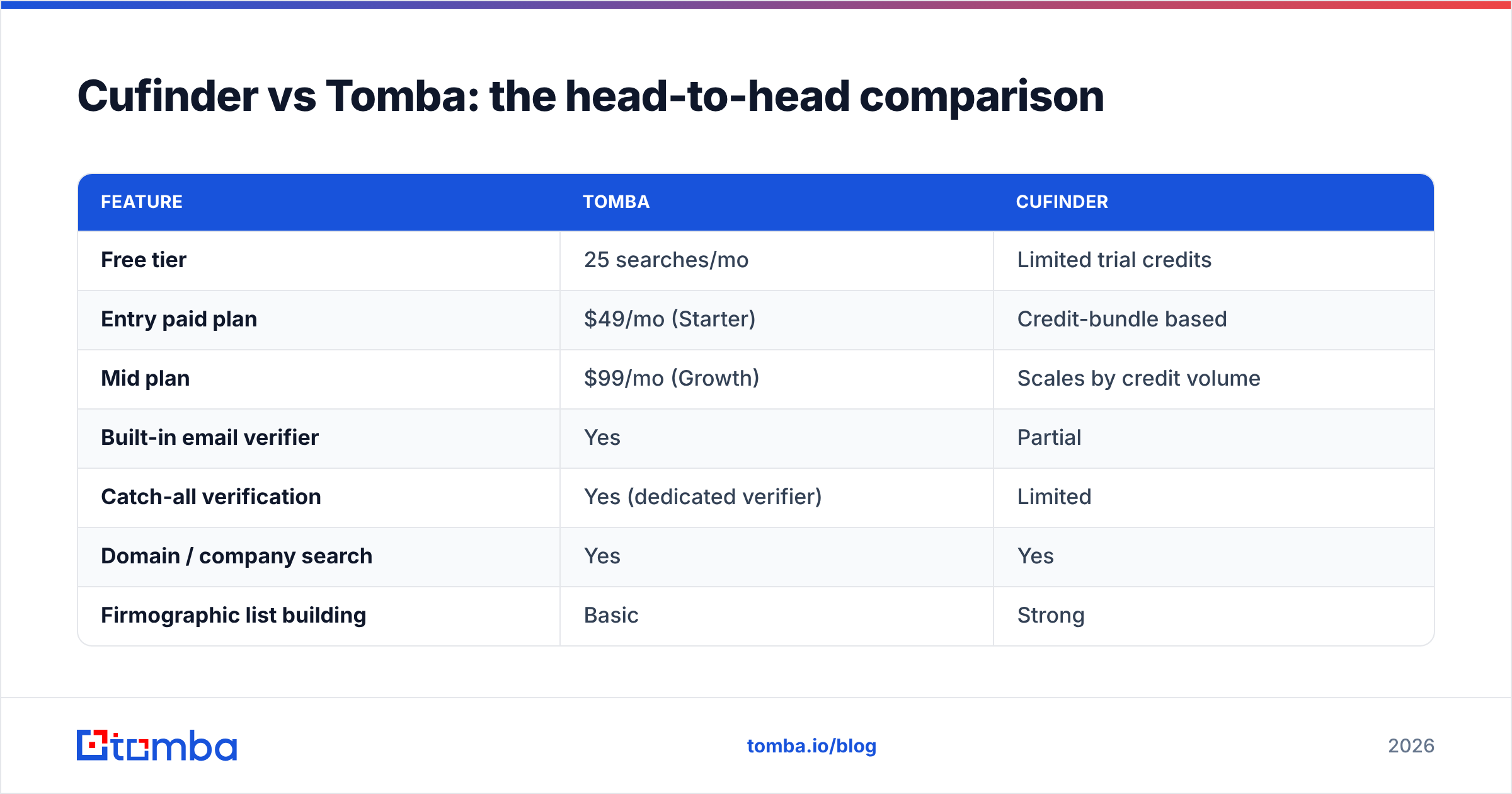
| Feature | Tomba | Cufinder |
|---|---|---|
| Free tier | 25 searches/mo | Limited trial credits |
| Entry paid plan | $49/mo (Starter) | Credit-bundle based |
| Mid plan | $99/mo (Growth) | Scales by credit volume |
| Built-in email verifier | Yes | Partial |
| Catch-all verification | Yes (dedicated verifier) | Limited |
| Domain / company search | Yes | Yes |
| Firmographic list building | Basic | Strong |
| Phone number lookup | Yes | Yes |
| Public REST API | Yes, documented | Yes |
| Source attribution per email | Yes | No |
| Best for | Accuracy + API + deliverability | Broad list building |
The pattern is clear: Cufinder is wider, Tomba is deeper on the parts that protect your sending. Source attribution and catch-all verification are the details that separate a tool you can trust at volume from one that pads its hit rate.

Is Tomba more accurate than Cufinder?#
Accuracy is the whole game, so treat every vendor's "98% accurate" claim with suspicion — including any you see quoted for either tool. What actually matters is how a tool handles the hard cases:
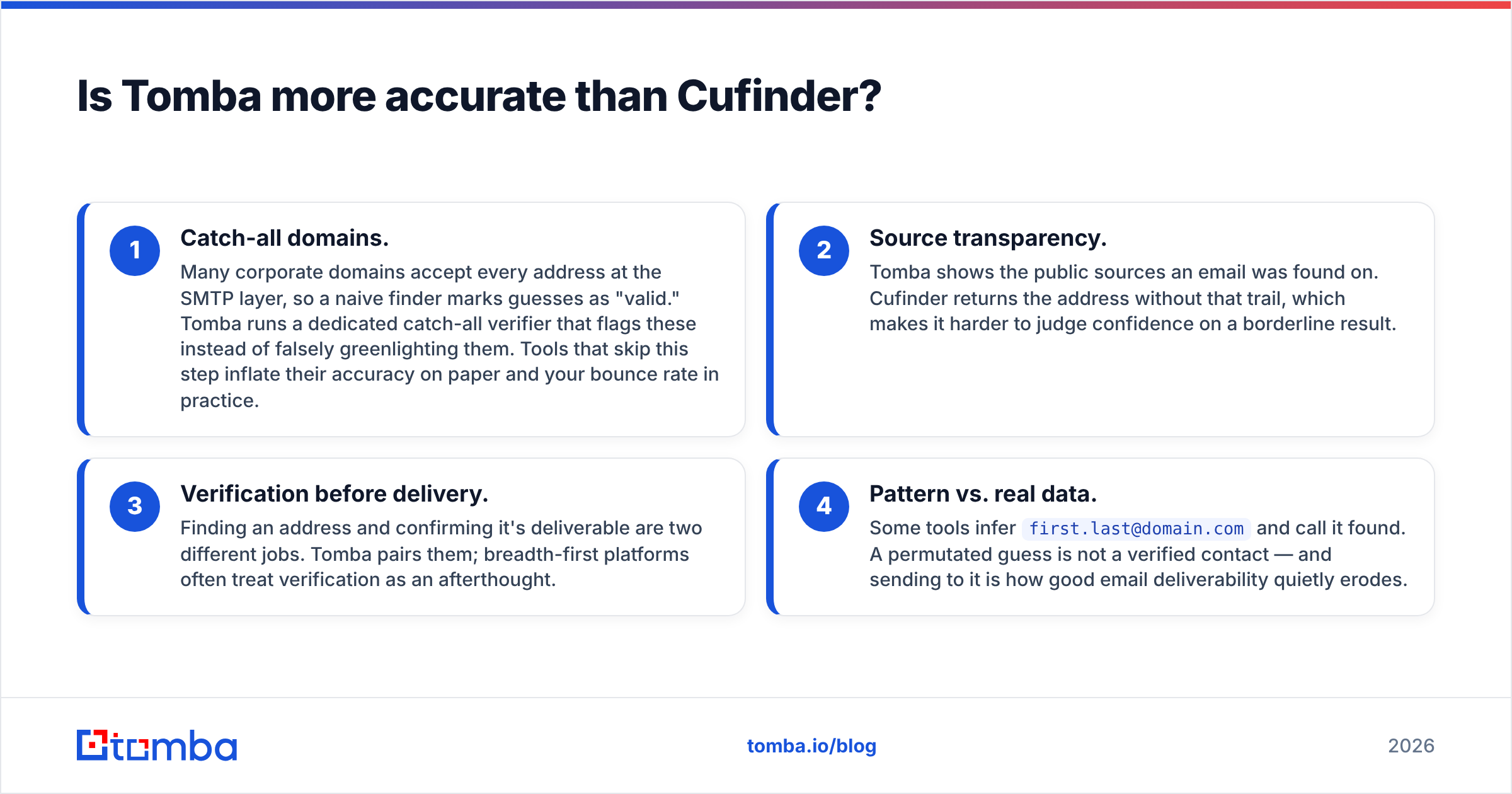
- Catch-all domains. Many corporate domains accept every address at the SMTP layer, so a naive finder marks guesses as "valid." Tomba runs a dedicated catch-all verifier that flags these instead of falsely greenlighting them. Tools that skip this step inflate their accuracy on paper and your bounce rate in practice.
- Source transparency. Tomba shows the public sources an email was found on. Cufinder returns the address without that trail, which makes it harder to judge confidence on a borderline result.
- Verification before delivery. Finding an address and confirming it's deliverable are two different jobs. Tomba pairs them; breadth-first platforms often treat verification as an afterthought.
- Pattern vs. real data. Some tools infer
first.last@domain.comand call it found. A permutated guess is not a verified contact — and sending to it is how good email deliverability quietly erodes.
For a deeper look at how leading tools measure up on these dimensions, third-party review sites like G2 aggregate real user data on match and bounce rates.
Which one is better for cold email at scale?#
Tomba, in most cases — because at scale, a bad address is more expensive than a missed one. When you're sending thousands of cold emails a month, every unverified address that bounces chips away at your sender reputation, and once that drops your inboxing rate falls for every prospect, not just the bad ones.
Think of your sending domain like a credit score. One or two dings are survivable; a pattern of bounces from unverified lists is a default that takes months to recover from. That's why the verify-before-send workflow matters more than squeezing out a few extra matches.
Tomba's bulk email finder plus verification lets you run a list through find → verify → export before a single email goes out. Cufinder can build the list quickly, but you'll often want to run its output through a dedicated verifier anyway — which erodes the "all-in-one" convenience that's its main selling point.
If your motion is heavy on prospecting from firmographic filters, Cufinder's list-building saves time up front. If it's heavy on outbound volume where deliverability is the constraint, Tomba's verification stack is the safer foundation. Pair either with a real warmup routine and monitor your sender reputation — the tool only gets the address; you protect the domain.
How does pricing really compare?#
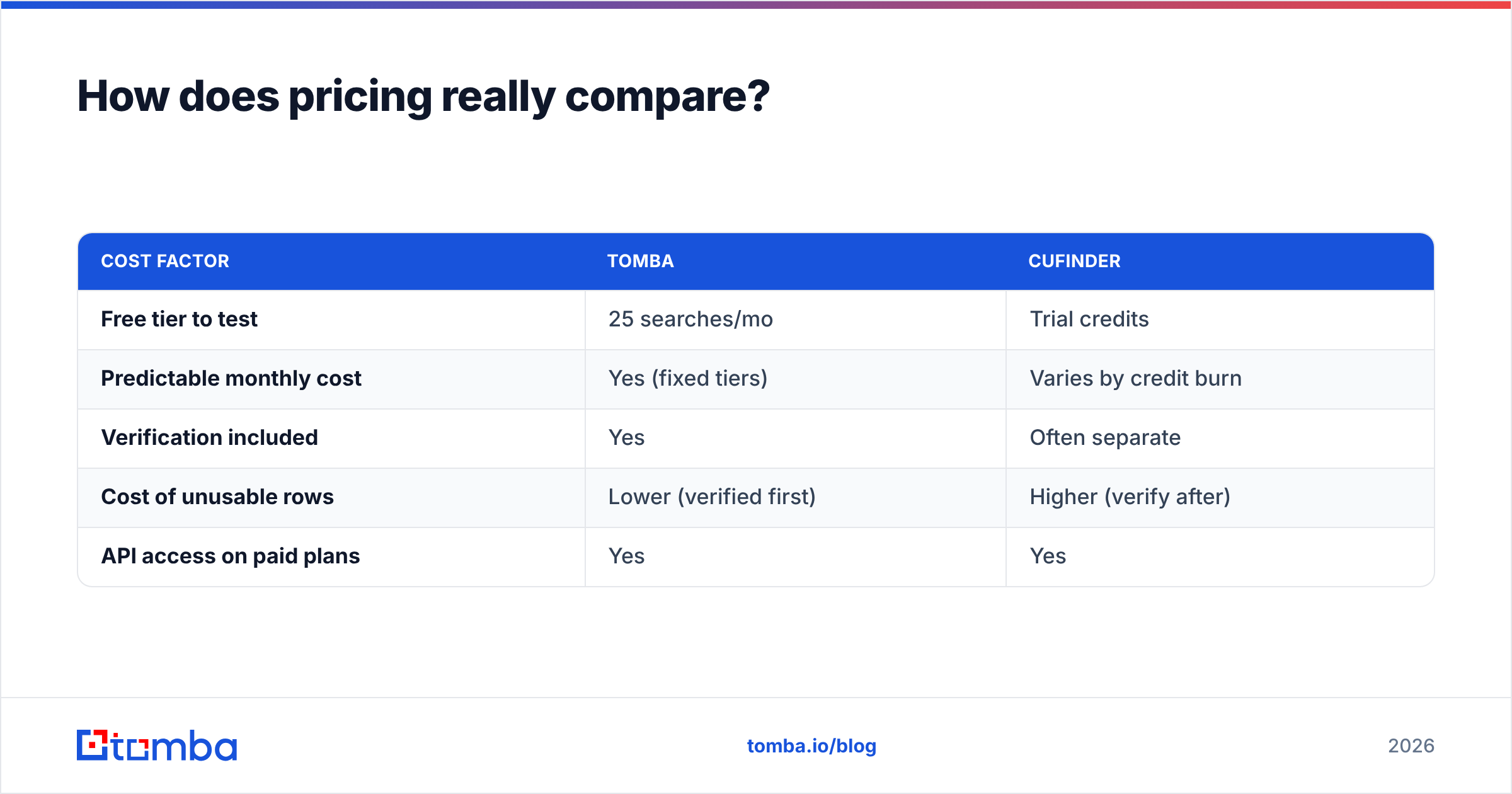
Sticker price is the easy part; cost-per-usable-contact is what actually hits your budget.
Tomba uses transparent monthly tiers: a free plan with 25 searches, Starter at $49/mo, Growth at $99/mo, Pro at $249/mo, and custom Enterprise. Searches and verifications draw from your plan allowance, and the free tier is enough to test real workflows before paying.
Cufinder leans on credit bundles. The headline entry cost can look competitive, but credits get consumed across finding, enrichment, and company lookups — and heavy list-building burns through them fast. The effective cost depends heavily on how many of those returned rows you actually keep after verification.
| Cost factor | Tomba | Cufinder |
|---|---|---|
| Free tier to test | 25 searches/mo | Trial credits |
| Predictable monthly cost | Yes (fixed tiers) | Varies by credit burn |
| Verification included | Yes | Often separate |
| Cost of unusable rows | Lower (verified first) | Higher (verify after) |
| API access on paid plans | Yes | Yes |
The honest read: if you run tight, verified lists, Tomba's fixed pricing is easier to forecast. If you do exploratory, high-volume list pulls and don't mind post-processing, Cufinder's credits can flex to that. Neither is universally cheaper — it depends on how much of what you pull you actually send to.
What about the API and integrations?#
For engineering teams, this is often the deciding factor. The Tomba API returns structured JSON with confidence scores and source data, supports the email finder, verifier, domain search, and enrichment endpoints, and comes with a CLI, an MCP server, and native integrations for HubSpot, Salesforce, Pipedrive, Zapier, Google Sheets, and Airtable.
Cufinder also exposes an API and covers common enrichment use cases, and it's a legitimate option for building company-data workflows. Where Tomba pulls ahead is the combination of documented verification endpoints and source attribution in the response — details that matter when you're wiring find-and-verify directly into a CRM or a data pipeline rather than a UI.
If you plan to automate enrichment inside your own product or ops stack, test both APIs on your real data. A free-tier bake-off tells you more than any comparison table — including this one.
Cufinder vs Tomba: the verdict#
Pick Tomba if accuracy, verification, and API quality drive your decision — it's the stronger fit for developers, deliverability-conscious senders, and anyone running cold email at volume. The built-in verifier, catch-all handling, and source-attributed results are the features that keep your sending healthy over months, not just this campaign.
Pick Cufinder if your primary need is broad, firmographic list building and you're comfortable verifying the output separately before you send.
For most outbound and sales teams whose bottleneck is deliverability rather than list size, the verification-first approach wins. You can't out-volume a bad sender reputation.
Ready to test accuracy on your own list? Start with the Tomba Email Finder — the free tier gives you 25 searches a month with built-in verification, so you can benchmark real results against your current tool before you commit a dollar. Find the address, verify it's deliverable, then send with confidence.
Related guides#
Ready to find emails that actually work?
Join 150,000+ professionals who stopped guessing and started sending. Free credits on signup — no credit card required.
Get the Tomba newsletter
Practical outbound tactics and product updates — once every two weeks.
About the author