Customer Dynamics Pricing, Reviews, Pros and Cons (2026)
A neutral breakdown of Customer Dynamics pricing, real user reviews, and the honest pros and cons—plus what it actually costs and a cheaper data pick for lean teams.
TL;DR: Customer Dynamics pricing, reviews, pros and cons — is it worth it?#
- Customer Dynamics is a services-led customer engagement and CRM consultancy. It is not a self-serve SaaS you buy with a credit card. Pricing is quote-based and scoped per project.
- There is no public price list. Expect a custom proposal tied to Microsoft Dynamics 365 licensing, project scope, and seats. Two buyers rarely pay the same.
- Reviews praise implementation quality and support. The common complaints are cost predictability, contract length, and slow time to value.
- The biggest hidden cost is the platform underneath. Dynamics 365 seats, add-ons, and integration work usually dwarf the consulting fee.
- If your real bottleneck is finding and verifying contact data, a focused tool like the Tomba Email Finder solves that for a fraction of the cost—often before you need a full engagement.
Let me be direct. Most people searching "Customer Dynamics pricing reviews pros and cons" want one answer: is this the right spend for my team, or am I about to sign a contract I'll regret? This post gives you a neutral read on the costs, the reputation, and the trade-offs. Then it shows where a lighter tool fits instead.
What is Customer Dynamics?#
Customer Dynamics is a customer engagement and CRM provider built on the Microsoft ecosystem. It leans on Microsoft Dynamics 365 and the Power Platform. Think of it less like a product you buy and more like a contractor you hire. The team designs, builds, and runs a customer-facing system: sales, field service, marketing, and customer data wired into one Microsoft stack.
Here is an everyday analogy. Buying Customer Dynamics is like hiring a kitchen remodeling firm, not buying a microwave. You are not grabbing one appliance off a shelf. You are paying a team to design the layout, install the plumbing, and hand you something built for how you cook. That model is powerful when your needs are complex. It is expensive overkill when you just wanted to reheat lunch.
Here is what that means in practice:
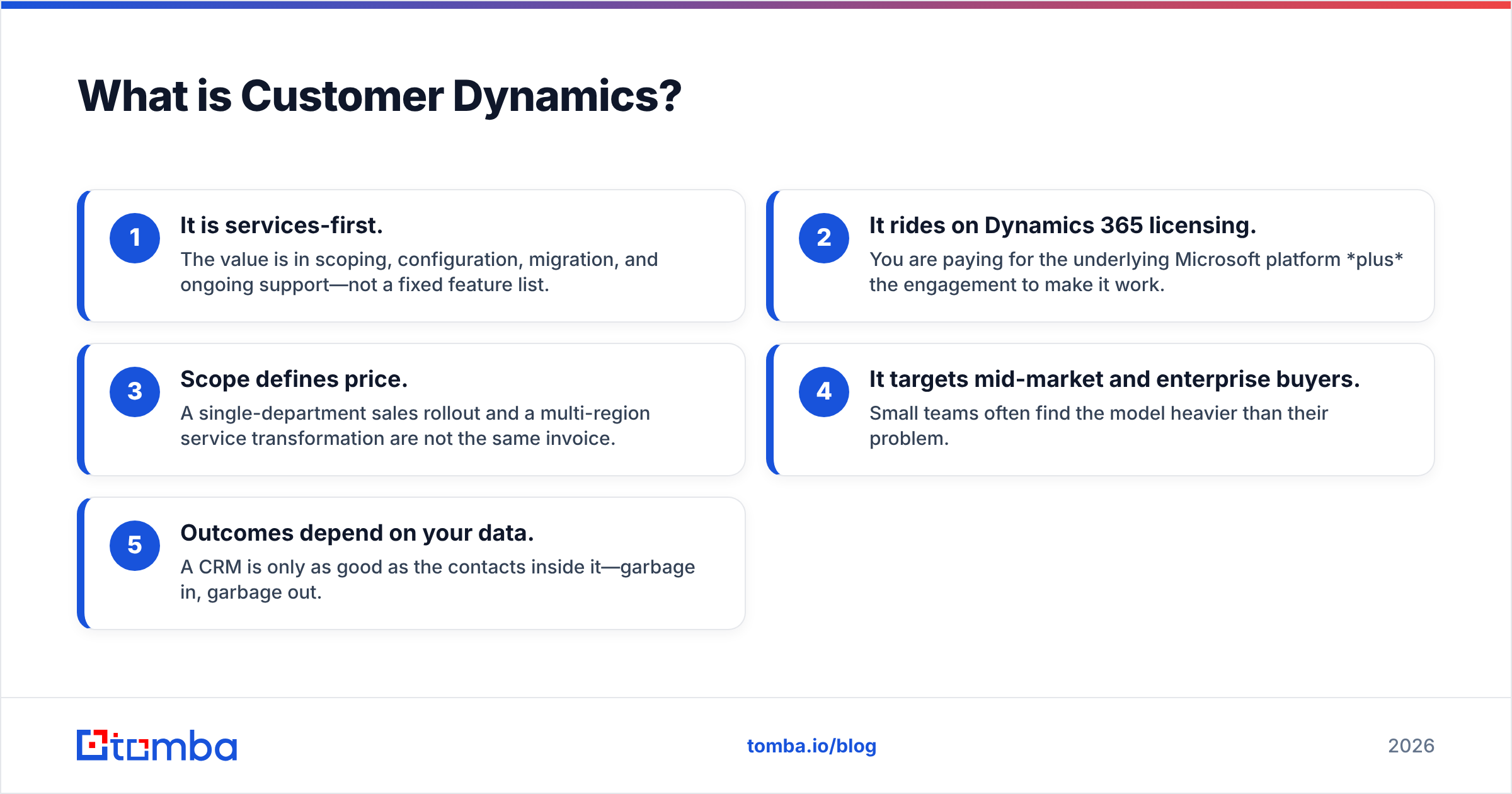
- It is services-first. The value is in scoping, setup, migration, and support—not a fixed feature list.
- It rides on Dynamics 365 licensing. You pay for the Microsoft platform plus the work to make it fit.
- Scope sets the price. A single sales rollout and a multi-region service overhaul are not the same invoice.
- It targets mid-market and enterprise buyers. Small teams often find the model heavier than their problem.
- Outcomes depend on your data. A CRM is only as good as the contacts inside it. Garbage in, garbage out.
How much does Customer Dynamics cost in 2026?#
Short answer: there is no published price. Every quote is custom. Like most Microsoft implementation partners, Customer Dynamics prices per project, not per seat on a public page. That is normal for the category. It also makes budgeting harder than a transparent SaaS tool.
Your total cost usually splits into three layers. The consulting fee is often the smallest one:
- Microsoft Dynamics 365 licensing — per user, per month, billed by Microsoft. Sales, Customer Service, and Field Service apps each carry their own seat price. Premium tiers cost more. This is the recurring base.
- Implementation and setup — a one-time or phased project fee for discovery, configuration, data migration, and training. It scales with complexity.
- Ongoing support — optional retainers for admin, upgrades, and help-desk coverage after launch.
Those layers stack. So the number you remember—the consulting proposal—is rarely what you spend over a year. For contrast, a self-serve tool publishes every tier openly. See Tomba pricing for what "no surprises" billing looks like.
Customer Dynamics vs. transparent, self-serve alternatives#
The table below is not apples-to-apples on features. It compares how you buy and what you commit to. That distinction matters more than any single feature.
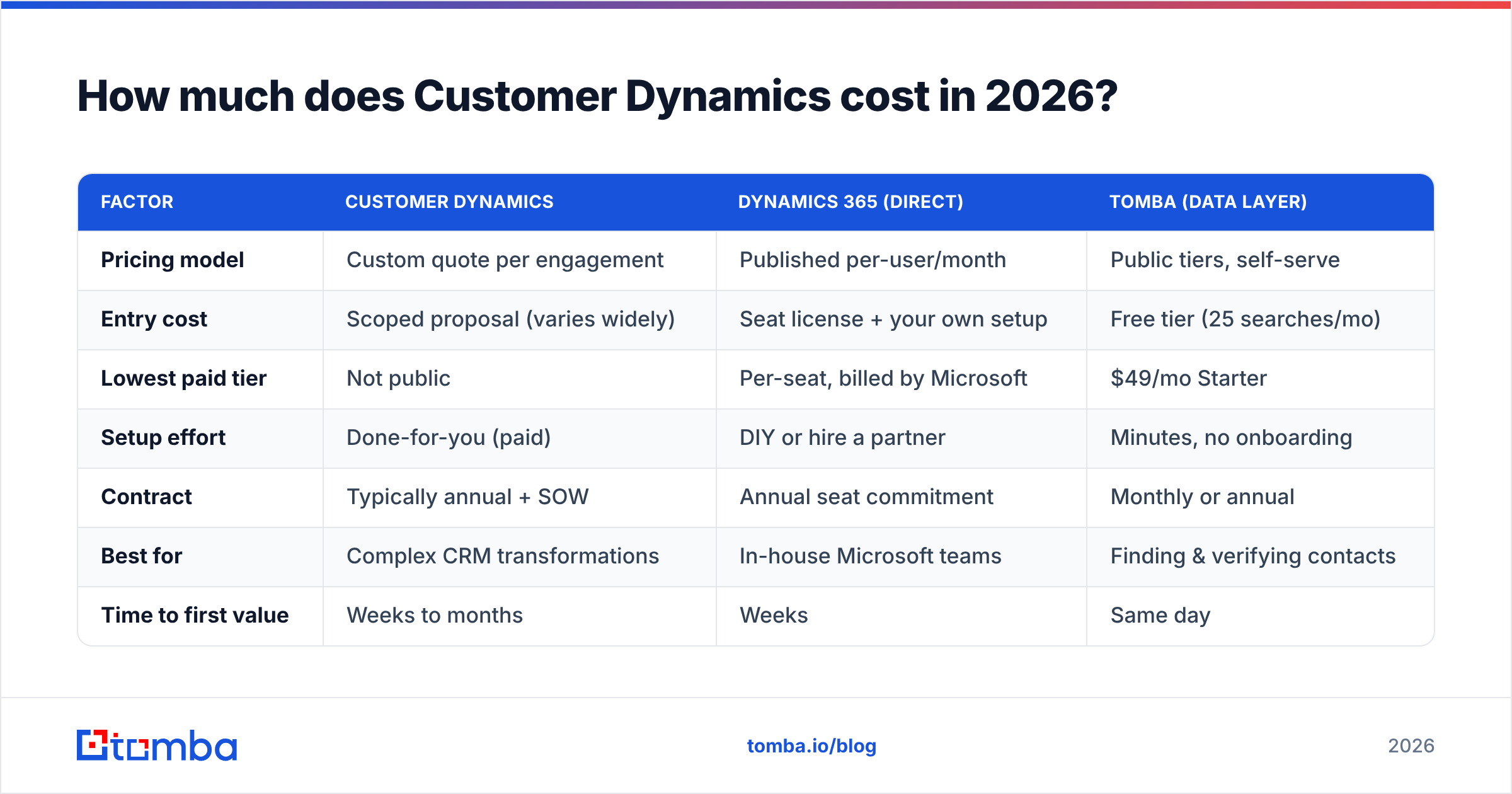
| Factor | Customer Dynamics | Dynamics 365 (direct) | Tomba (data layer) |
|---|---|---|---|
| Pricing model | Custom quote per engagement | Published per-user/month | Public tiers, self-serve |
| Entry cost | Scoped proposal (varies widely) | Seat license + your own setup | Free tier (25 searches/mo) |
| Lowest paid tier | Not public | Per-seat, billed by Microsoft | $49/mo Starter |
| Setup effort | Done-for-you (paid) | DIY or hire a partner | Minutes, no onboarding |
| Contract | Typically annual + SOW | Annual seat commitment | Monthly or annual |
| Best for | Complex CRM transformations | In-house Microsoft teams | Finding & verifying contacts |
| Time to first value | Weeks to months | Weeks | Same day |
The read: Customer Dynamics competes on handled-for-you complexity, not price transparency. Need a full CRM program built and run? That is a fair trade. Mostly need clean contacts flowing into the CRM you already have? Then you are paying for a remodel when you needed an appliance.
What do Customer Dynamics reviews say?#
Public directories like G2 and Capterra show a few consistent themes for partners in this category. Treat star counts with care—review volume for consultancies is thin—but the pattern is reliable.
What reviewers praise:
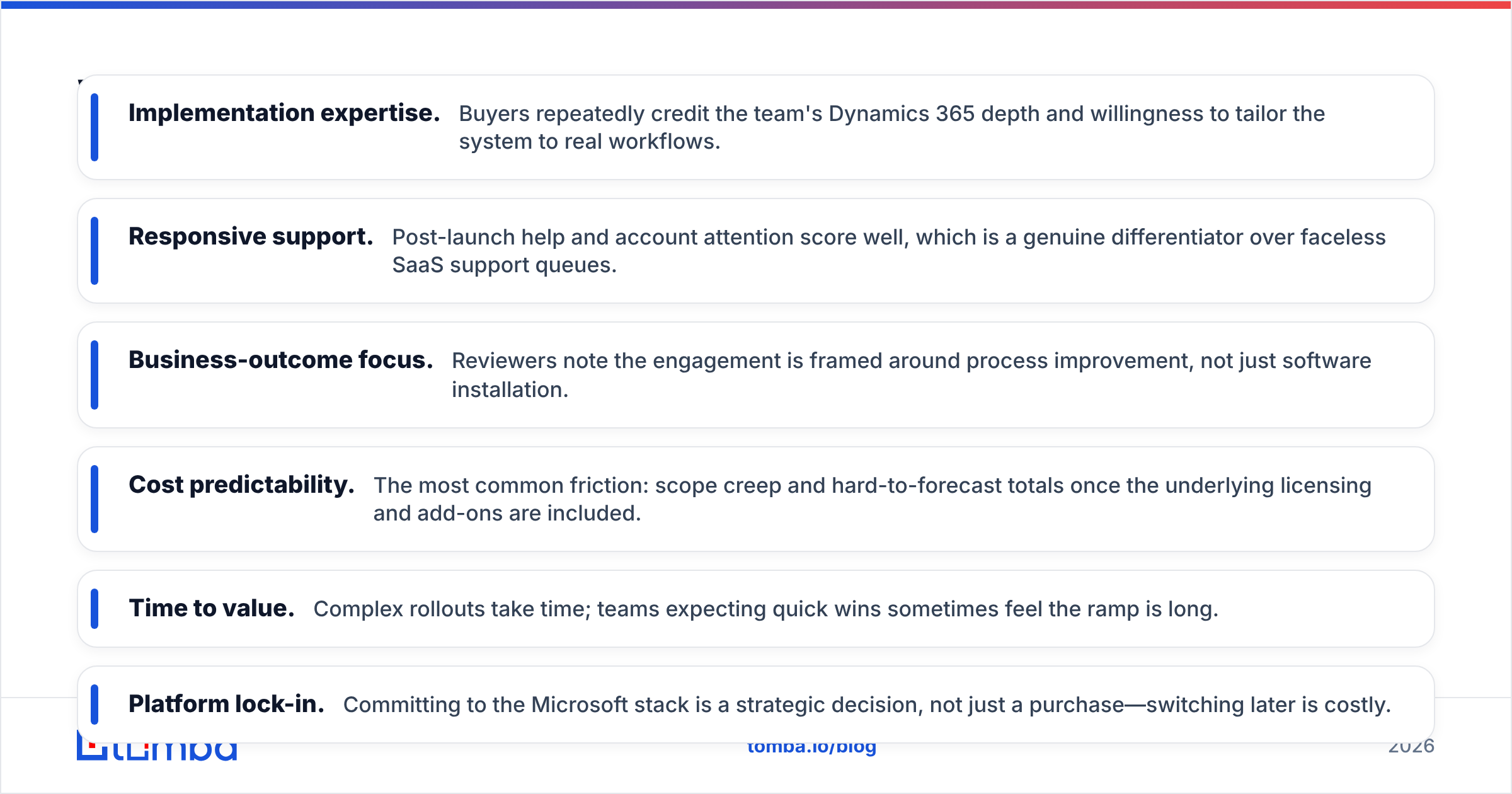
- Implementation expertise. Buyers credit the team's Dynamics 365 depth and its willingness to tailor the system to real workflows.
- Responsive support. Post-launch help and account attention score well. That beats faceless SaaS support queues.
- Business-outcome focus. Reviewers say the work is framed around process improvement, not just software installs.
What reviewers flag:
- Cost predictability. The top friction: scope creep and hard-to-forecast totals once licensing and add-ons are included.
- Time to value. Complex rollouts take time. Teams expecting quick wins can feel the ramp is long.
- Platform lock-in. Committing to the Microsoft stack is a strategic call, not just a purchase. Switching later is costly.
None of these are dealbreakers. They are the normal trade-offs of a services-led CRM program. Weigh them against building and running the same thing in-house.
What are the pros and cons of Customer Dynamics?#
Here is the honest ledger. A good vendor for one team is a poor fit for another. Read these against your situation, not in the abstract.
| Pros | Cons |
|---|---|
| Deep Microsoft Dynamics 365 expertise | No transparent, published pricing |
| Done-for-you implementation and migration | Total cost dominated by licensing + add-ons |
| Strong post-launch support and managed services | Longer time-to-value on complex rollouts |
| Tailored to your actual sales/service processes | Microsoft-ecosystem lock-in |
| Good fit for mid-market and enterprise scale | Overkill for small teams or single-use needs |
| Consolidates sales, service, and data in one stack | Consulting + contract commitment required |
The one-line verdict: Customer Dynamics is worth it when your problem is a real CRM transformation—messy processes, many departments, real change management—and you want a partner to own it. It is the wrong spend when your need is narrower, like sourcing accurate contact data or cleaning a list. In that case you would buy a full remodel to fix a leaky faucet.

When should you choose a focused tool instead?#
If your real bottleneck is data, not CRM architecture, start smaller and cheaper. Many teams sign expensive CRM engagements to fix what is really a contact quality problem: bounced emails, missing decision-makers, stale records, and no reliable way to reach the accounts they want.
That problem has a much lighter fix. Instead of a months-long program, you plug a data layer into the system you already run:
- Find the right contacts on demand. Use an email finder to pull verified professional addresses by name, company, or domain. No CRM overhaul needed.
- Keep your list clean. Run addresses through an email verifier so your outreach lands instead of bouncing and hurting your sender reputation.
- Enrich what you have. Add firmographic and contact detail with data enrichment so your CRM records convert.
- Work at scale when needed. A bulk email finder handles whole lists without a services contract.
This is not an either/or for everyone. Enterprises running a full Dynamics 365 program still need clean data feeding it, and a focused email tool complements a CRM rather than replacing it. The point is sequencing. Prove the value of better data before you commit to a multi-layer platform spend. That is the practical takeaway from any honest look at Customer Dynamics pricing, reviews, pros and cons.
Cost reality check#
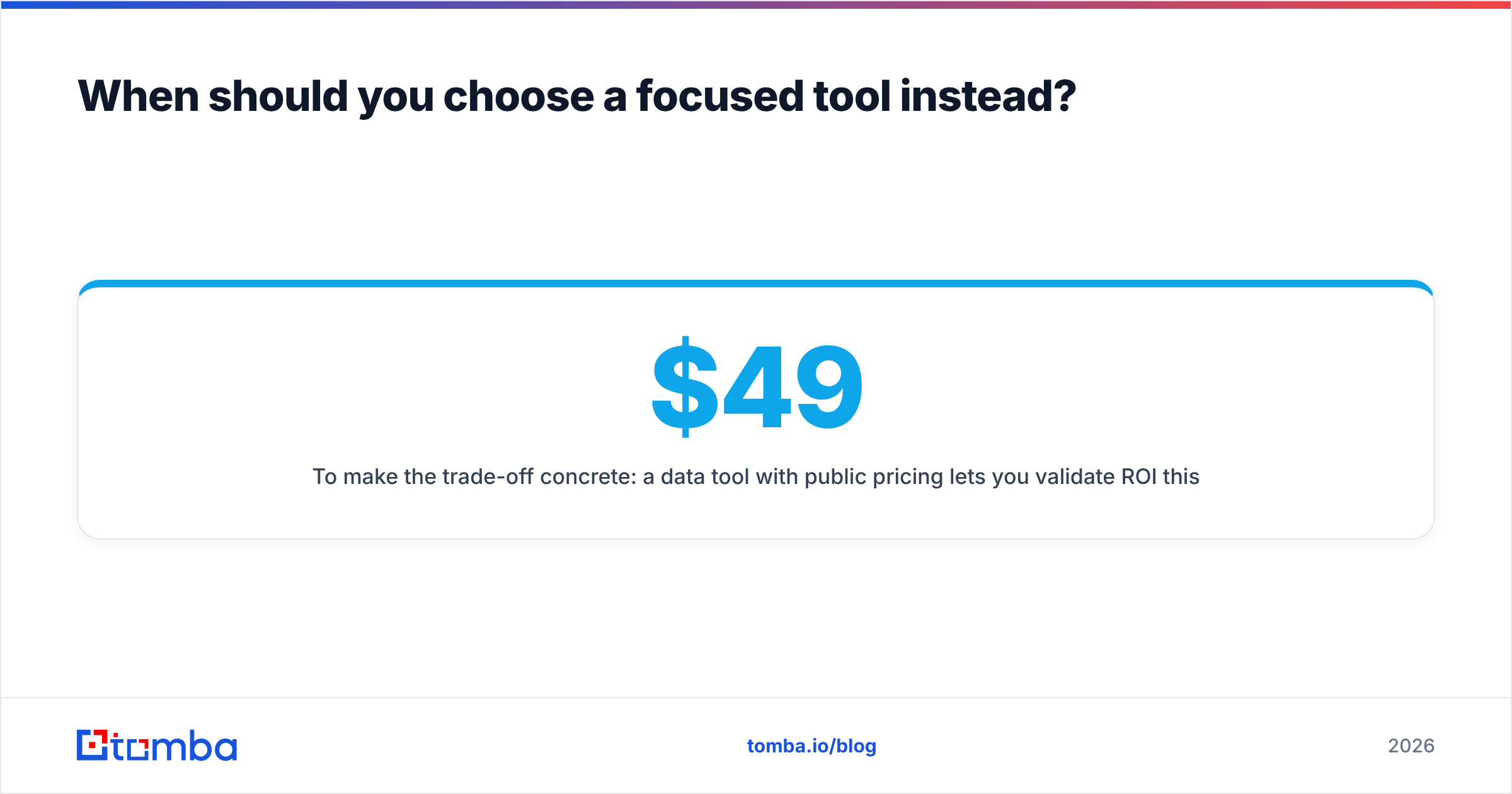
Here is the trade-off in plain numbers. A data tool with public pricing lets you validate ROI this week. Tomba's tiers run from a Free plan (25 searches/mo) to Starter at $49/mo, Growth at $99/mo, and Pro at $249/mo. Every number is visible before you commit—no proposal required. A Customer Dynamics engagement is a scoped investment you justify at the program level. Both can be right. They answer different questions.
Customer Dynamics pricing FAQ#
Is Customer Dynamics pricing published anywhere? No. Like most Microsoft Dynamics 365 partners, Customer Dynamics prices per project. You get a custom quote after a scoping call. It depends on apps, seats, migration complexity, and support scope.
Why does the total cost feel higher than the quote? Because the consulting proposal is only one layer. Under it sits recurring Dynamics 365 licensing (billed by Microsoft), plus add-ons and integration work. Those recurring costs usually outweigh the one-time setup over a year.
Is Customer Dynamics good for small teams? Usually not as a first spend. Small teams rarely need a full CRM transformation. They often get faster value from focused tools—an email finder, a verifier, or an enrichment tool—before a services engagement.
What's the main alternative if I just need contact data? A dedicated data platform. If your goal is finding and verifying B2B contacts rather than re-architecting your CRM, a self-serve tool like Tomba solves that directly. It has transparent pricing and same-day setup.
Does choosing Customer Dynamics lock me into Microsoft? Effectively, yes. The value is built on Dynamics 365 and the Power Platform, so the choice is strategic. That is fine if you are already Microsoft-centric. It is a real constraint if you are not.
The bottom line#
That is the full picture on Customer Dynamics pricing, reviews, pros and cons. The firm earns its reputation on implementation depth and support. Its pricing model—custom, quote-based, layered on Dynamics 365—is standard for a CRM consultancy. The pros and cons come down to fit. It is a strong choice for mid-market and enterprise teams tackling a real CRM transformation. It is overbuilt for teams whose actual pain is contact data.
If you are in that second group, fix the cheap problem first. Spin up the Tomba Email Finder on the free tier. Find and verify the contacts you're missing, and prove the pipeline value today—no proposal, no annual contract, no waiting weeks to go live. You can always graduate to a full CRM program once the leads are flowing. Start finding verified email addresses now and let the data make the case for whatever you build next.
Related guides#
Ready to find emails that actually work?
Join 150,000+ professionals who stopped guessing and started sending. Free credits on signup — no credit card required.
Get the Tomba newsletter
Practical outbound tactics and product updates — once every two weeks.
About the author