How to Find and Reach Cybersecurity Decision Makers in 2026
CISOs ignore 98% of cold pitches. This guide breaks down who the real cybersecurity decision makers are, how to find them, and how to reach them without getting flagged as noise.
Selling security software to the people who run security is one of the hardest jobs in B2B. The buyers are skeptical by profession, they get pitched constantly, and the person who answers your email is rarely the person who signs the check. If you treat "cybersecurity decision makers" as a single job title, you will waste your quota.
This guide breaks down who these buyers actually are, why they are so hard to reach, and the exact workflow for finding and contacting them in 2026 without ending up in a spam folder or a block list.
TL;DR#
- Cybersecurity decision makers are a committee, not a person. The CISO sets direction, but security engineers, IT directors, procurement, and finance all shape the final purchase.
- The economic buyer is usually the CISO or CIO; the technical evaluator is a security architect or SecOps lead. You need both to close.
- Cold outreach fails because of bad data and bad relevance, not because the channel is dead. Verify every address before you send.
- Multi-threading beats single-threading. Deals with 3+ contacts engaged close far more often than solo-champion deals.
- Build your list from verified sources — a clean, deduplicated contact list with roles mapped to the buying committee outperforms a bigger, dirtier one every time.
Who are cybersecurity decision makers?#
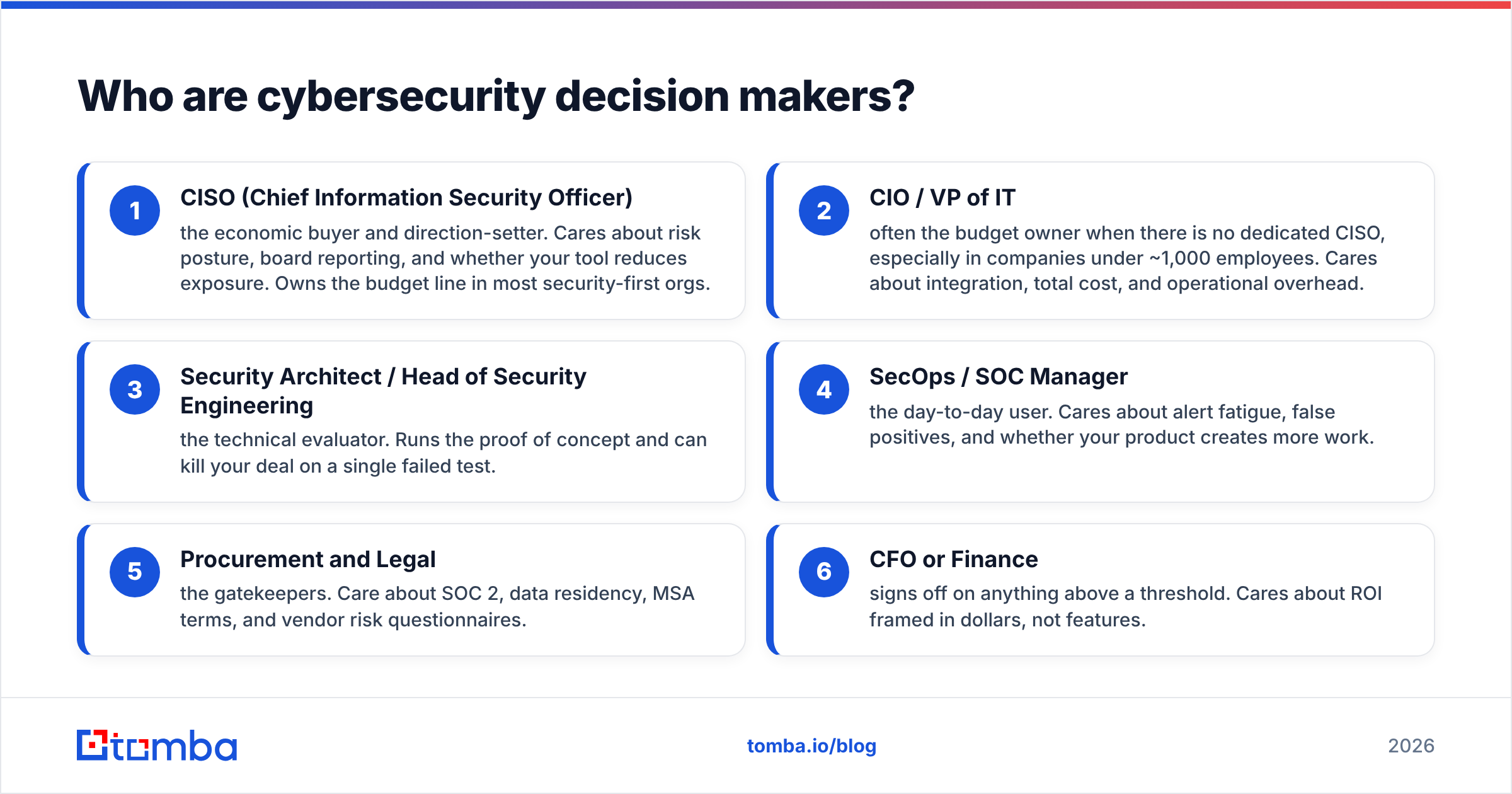
Cybersecurity decision makers are the group of people inside an organization who influence, approve, or veto security purchases. It is almost never one title. In a mid-market or enterprise deal, you are selling to a buying committee, and each member cares about something different.
Here is how the committee usually breaks down:
- CISO (Chief Information Security Officer) — the economic buyer and direction-setter. Cares about risk posture, board reporting, and whether your tool reduces exposure. Owns the budget line in most security-first orgs.
- CIO / VP of IT — often the budget owner when there is no dedicated CISO, especially in companies under ~1,000 employees. Cares about integration, total cost, and operational overhead.
- Security Architect / Head of Security Engineering — the technical evaluator. Runs the proof of concept and can kill your deal on a single failed test.
- SecOps / SOC Manager — the day-to-day user. Cares about alert fatigue, false positives, and whether your product creates more work.
- Procurement and Legal — the gatekeepers. Care about SOC 2, data residency, MSA terms, and vendor risk questionnaires.
- CFO or Finance — signs off on anything above a threshold. Cares about ROI framed in dollars, not features.
The mistake most reps make is pitching the CISO with technical feature lists, or pitching the SecOps manager with board-level risk language. Match the message to the seat.
Why are cybersecurity decision makers so hard to reach?#
Because their entire job is to be suspicious of unsolicited contact. A security leader who clicks every link and answers every unknown caller is a security leader who gets phished. That professional skepticism is baked into how they treat your outreach.
There are three compounding problems:
- Volume. A typical CISO at a recognizable company gets dozens of vendor pitches per week. According to Gartner, security and risk spending keeps climbing, which means the number of vendors chasing the same buyers climbs with it.
- Gatekeeping. Many security leaders route inbound through executive assistants, generic security aliases, or "no unsolicited vendors" policies that are enforced by procurement.
- Data decay. Security professionals change roles often, and B2B contact data goes stale fast — studies referenced across G2 and other review platforms peg B2B data decay at roughly 20–30% per year. A list you bought last year is already partly wrong.
The channel is not the problem. Cold email and cold calling still work when the targeting and the data are right. The problem is that most teams skip verification and personalization, then blame the medium.
How do you find cybersecurity decision makers?#
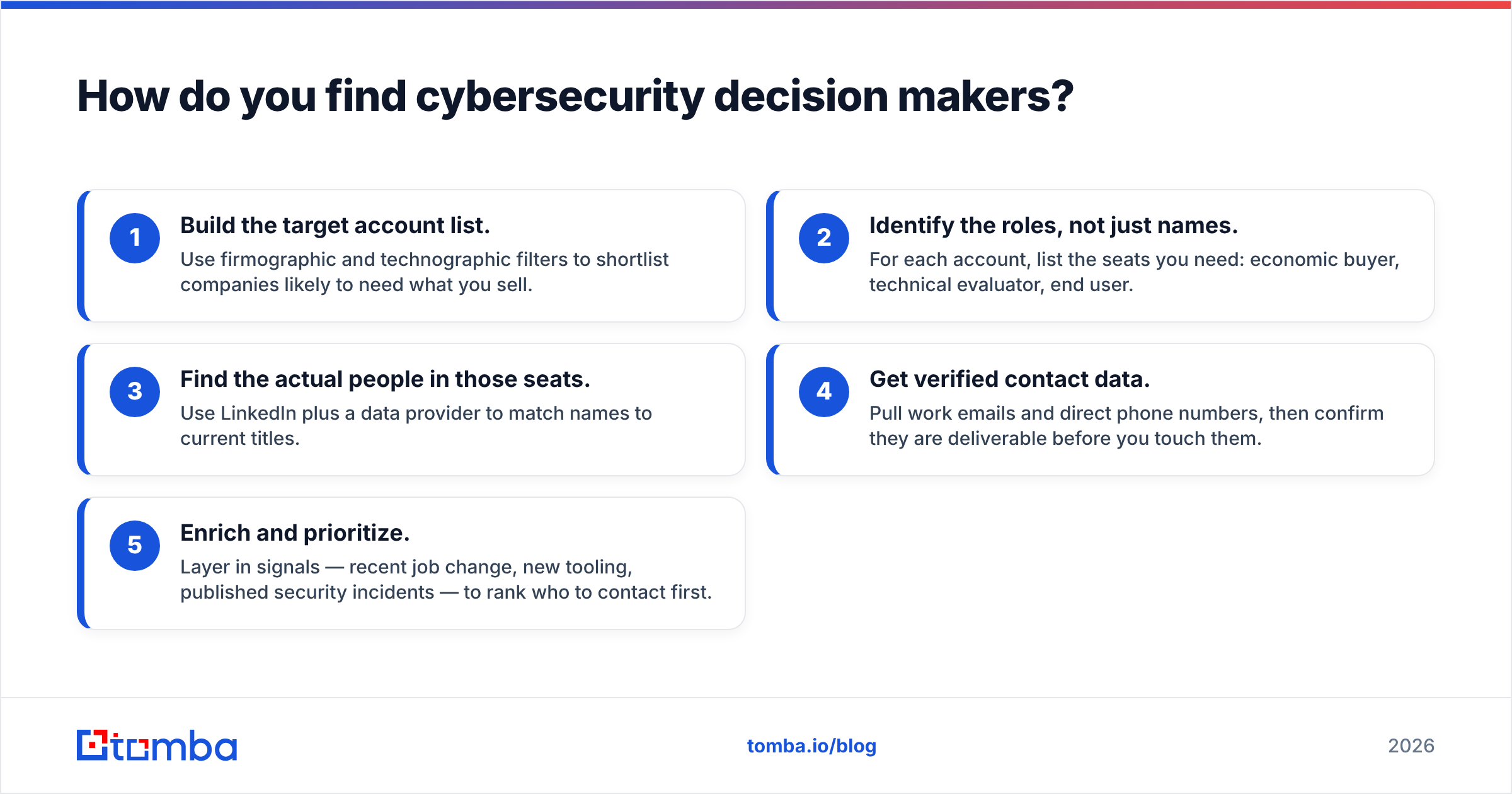
Start from the account, not the person. Pick the companies that match your ideal customer profile — industry, employee count, tech stack, recent breach or funding events — then map the committee inside each one.
A repeatable workflow looks like this:
- Build the target account list. Use firmographic and technographic filters to shortlist companies likely to need what you sell.
- Identify the roles, not just names. For each account, list the seats you need: economic buyer, technical evaluator, end user.
- Find the actual people in those seats. Use LinkedIn plus a data provider to match names to current titles.
- Get verified contact data. Pull work emails and direct phone numbers, then confirm they are deliverable before you touch them.
- Enrich and prioritize. Layer in signals — recent job change, new tooling, published security incidents — to rank who to contact first.
For steps 3–4, an email finder that works from a name and company domain lets you resolve a security architect's work address without guessing formats. When you only have a company, domain search returns the known addresses and patterns for that organization so you can see the whole team at once. For direct-dial outreach, a phone finder surfaces B2B numbers that bypass the main switchboard.
Whatever you pull, run it through an email verifier first. Sending to unverified addresses on a security-heavy domain is the fastest way to get your sending domain flagged, because these organizations run aggressive spam-trap and reputation monitoring.
What channels work for reaching security leaders?#
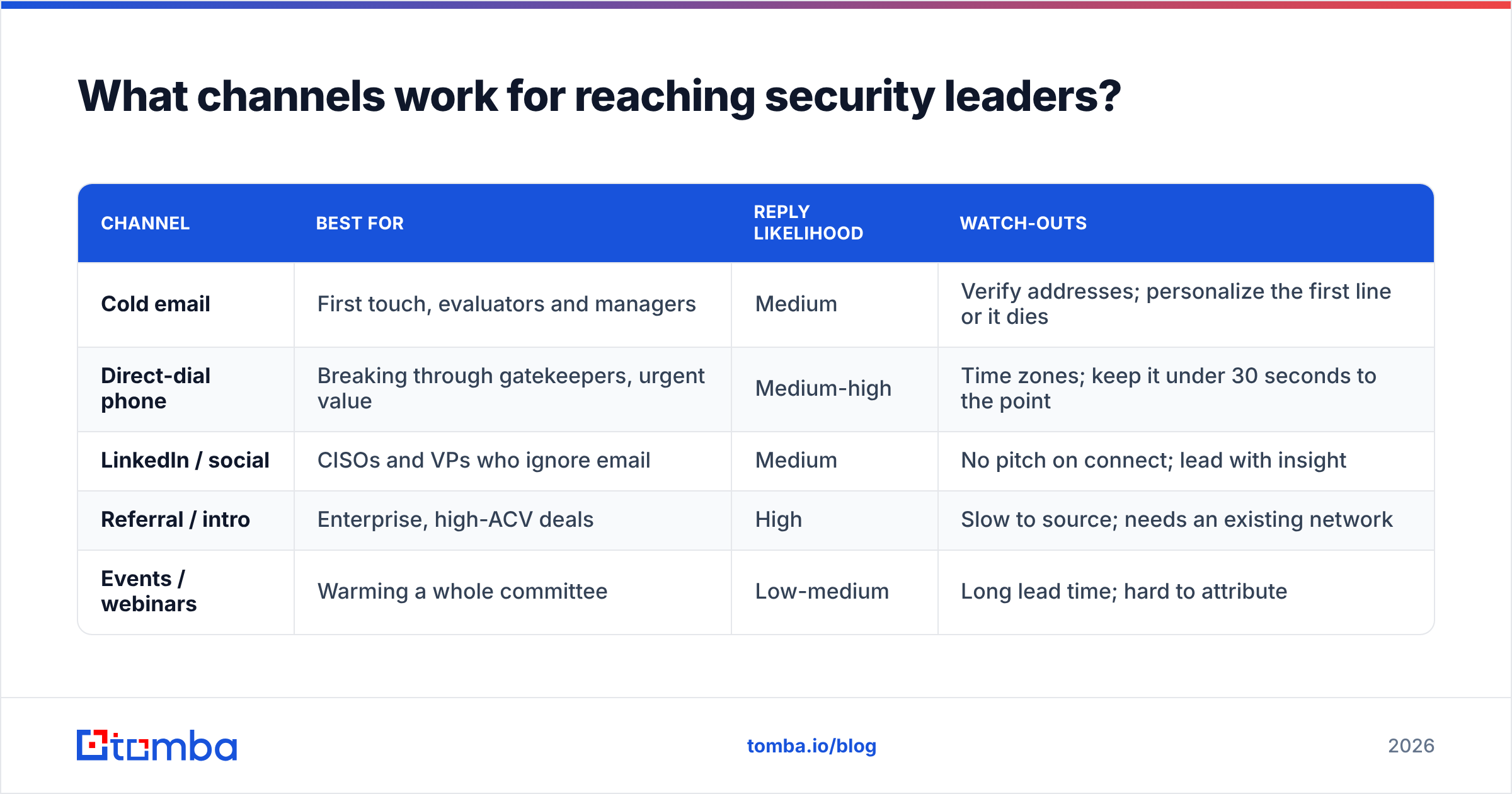
No single channel wins. The teams that book meetings with cybersecurity decision makers run coordinated sequences across email, phone, and social, spaced out so they feel like a campaign rather than a barrage.
| Channel | Best for | Reply likelihood | Watch-outs |
|---|---|---|---|
| Cold email | First touch, evaluators and managers | Medium | Verify addresses; personalize the first line or it dies |
| Direct-dial phone | Breaking through gatekeepers, urgent value | Medium-high | Time zones; keep it under 30 seconds to the point |
| LinkedIn / social | CISOs and VPs who ignore email | Medium | No pitch on connect; lead with insight |
| Referral / intro | Enterprise, high-ACV deals | High | Slow to source; needs an existing network |
| Events / webinars | Warming a whole committee | Low-medium | Long lead time; hard to attribute |
The pattern that works: open with a short, specific email, follow with a LinkedIn touch that references something the buyer published or a change at their company, then call. A LinkedIn finder helps connect a profile you found to a verified work email so your social and email touches point at the same real person instead of two half-matched records.
How should you write outreach that CISOs actually read?#
Lead with their problem, in their language, in under 90 words. Security leaders can smell a template instantly, and the second they do, you are deleted.
A few rules that hold up:
- Reference something real. A recent framework they adopted, a compliance deadline in their industry, a public incident at a peer company. Generic "I saw you're the CISO" openers get nothing.
- Skip the feature dump. Do not lead with your integration list. Lead with the outcome — reduced audit prep time, fewer false positives, lower cyber-insurance premiums.
- Quantify the ask. "15 minutes to show you how we cut alert triage by 40% at [similar company]" beats "quick call to connect."
- Respect the committee. Ask the evaluator who else should be in the room. Security purchases die when the champion can't sell internally, so arm them early.
- Never fake urgency. Manufactured scarcity reads as manipulation to people trained to detect manipulation.
If you want a starting structure, adapt proven cold email templates rather than writing from scratch — then rewrite every opener so it is specific to the account. Templates set the skeleton; relevance wins the reply.
What tools help you build a cybersecurity prospect list?#
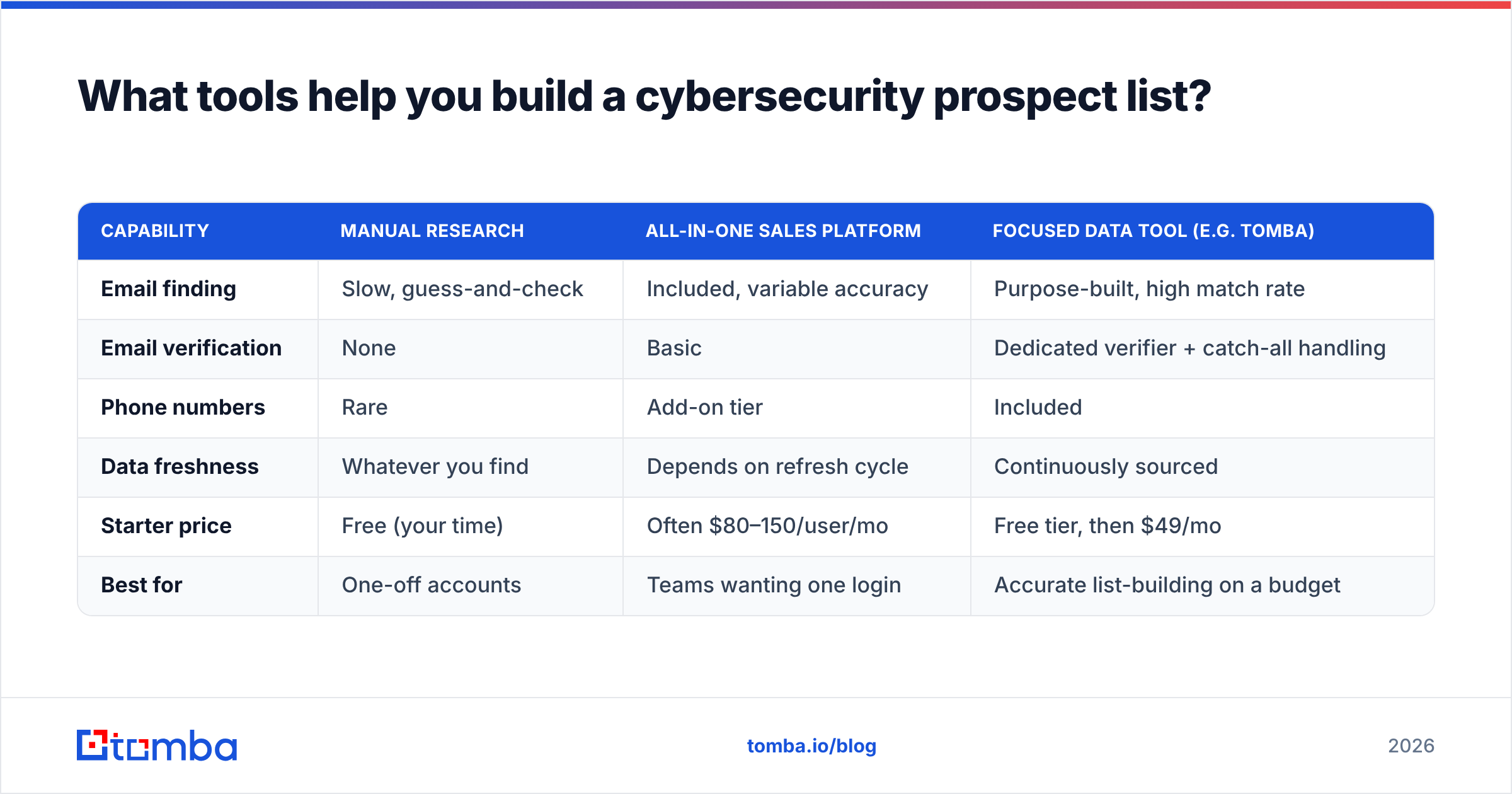
You need three capabilities: finding contacts, verifying them, and enriching them with the context that lets you personalize. Some platforms bundle all three; others do one part well. Here is how the common approaches compare.
| Capability | Manual research | All-in-one sales platform | Focused data tool (e.g. Tomba) |
|---|---|---|---|
| Email finding | Slow, guess-and-check | Included, variable accuracy | Purpose-built, high match rate |
| Email verification | None | Basic | Dedicated verifier + catch-all handling |
| Phone numbers | Rare | Add-on tier | Included |
| Data freshness | Whatever you find | Depends on refresh cycle | Continuously sourced |
| Starter price | Free (your time) | Often $80–150/user/mo | Free tier, then $49/mo |
| Best for | One-off accounts | Teams wanting one login | Accurate list-building on a budget |
Tomba sits in the focused-data column. Its free tier gives you 25 searches a month, the Starter plan is $49/mo, Growth is $99/mo, and Pro is $249/mo, with an enterprise option above that. For teams that need to build lists at volume, the bulk email finder and data enrichment turn a raw account list into a committee-mapped, verified prospect file in one pass.
If you already run an all-in-one platform, you can still use a focused verifier as a quality gate — clean the list before it hits your sequencer so your sending reputation on hard-to-reach security domains stays intact.
How do you keep a security prospect list clean over time?#
Treat the list as a living asset, not a one-time export. Because roughly a quarter of B2B contacts go stale each year, a list that closed deals last quarter will quietly rot.
Practical hygiene:
- Re-verify before every campaign, not once at import. A role change between purchase and send is common in security.
- Deduplicate on every merge so the same CISO doesn't get three copies of your sequence.
- Track role changes as buying signals. A security leader starting a new job has budget and a mandate to change tooling — that is your best window.
- Log bounces and suppress hard fails immediately to protect deliverability on the domains that watch it most closely.
Building the discipline into your workflow matters more than any single tool. But a reliable email finder and verifier make the discipline cheap enough to actually follow.
Frequently asked questions#
Who is the real decision maker for a security purchase? Usually the CISO or, in smaller companies, the CIO or VP of IT. But the technical evaluator (a security architect or SecOps lead) can veto the deal, so you need both.
Is cold email still effective for reaching CISOs? Yes, when the data is verified and the message is specific. It fails when reps send unverified, generic blasts — which trips the exact defenses security teams are paid to run.
How many contacts should I engage per account? Aim for at least three: the economic buyer, the technical evaluator, and the end user. Multi-threaded deals close at meaningfully higher rates than single-champion deals.
How do I find a CISO's direct email? Match their name and company domain through an email finder, then verify the result before sending. Guessing the format and hoping is how you land on a spam trap.
Start building your security prospect list#
The teams that win in security sales aren't the ones with the biggest lists — they're the ones with the cleanest, best-mapped ones. Get the committee right, verify every contact, and personalize to the seat.
Start with the Tomba Email Finder: pull verified work emails for the CISOs, security architects, and IT leaders on your target accounts, straight from a name and company domain. The free tier gives you 25 searches to test the match quality on your own list before you commit — build a small, accurate committee map first, then scale it.
Related guides#
Ready to find emails that actually work?
Join 150,000+ professionals who stopped guessing and started sending. Free credits on signup — no credit card required.
Get the Tomba newsletter
Practical outbound tactics and product updates — once every two weeks.
About the author