D7 Lead Finder vs FindThatLead: Honest 2026 Comparison
D7 Lead Finder vs FindThatLead compared on data freshness, accuracy, pricing, and workflow fit — plus a more accurate alternative when bulk CSVs and per-lead limits start costing you deals.
Choosing between D7 Lead Finder and FindThatLead usually comes down to one question: do you want a giant pre-scraped list dumped as a CSV, or a search tool that finds and verifies contacts on demand? Both promise leads. They get there in very different ways, and the difference shows up in your bounce rate, your deliverability, and your monthly bill.
This is a neutral, side-by-side breakdown — no affiliation with either vendor. We'll look at how each tool sources data, what the pricing really costs at scale, where each one wins, and where a more accuracy-focused option makes more sense.
TL;DR: D7 Lead Finder vs FindThatLead#
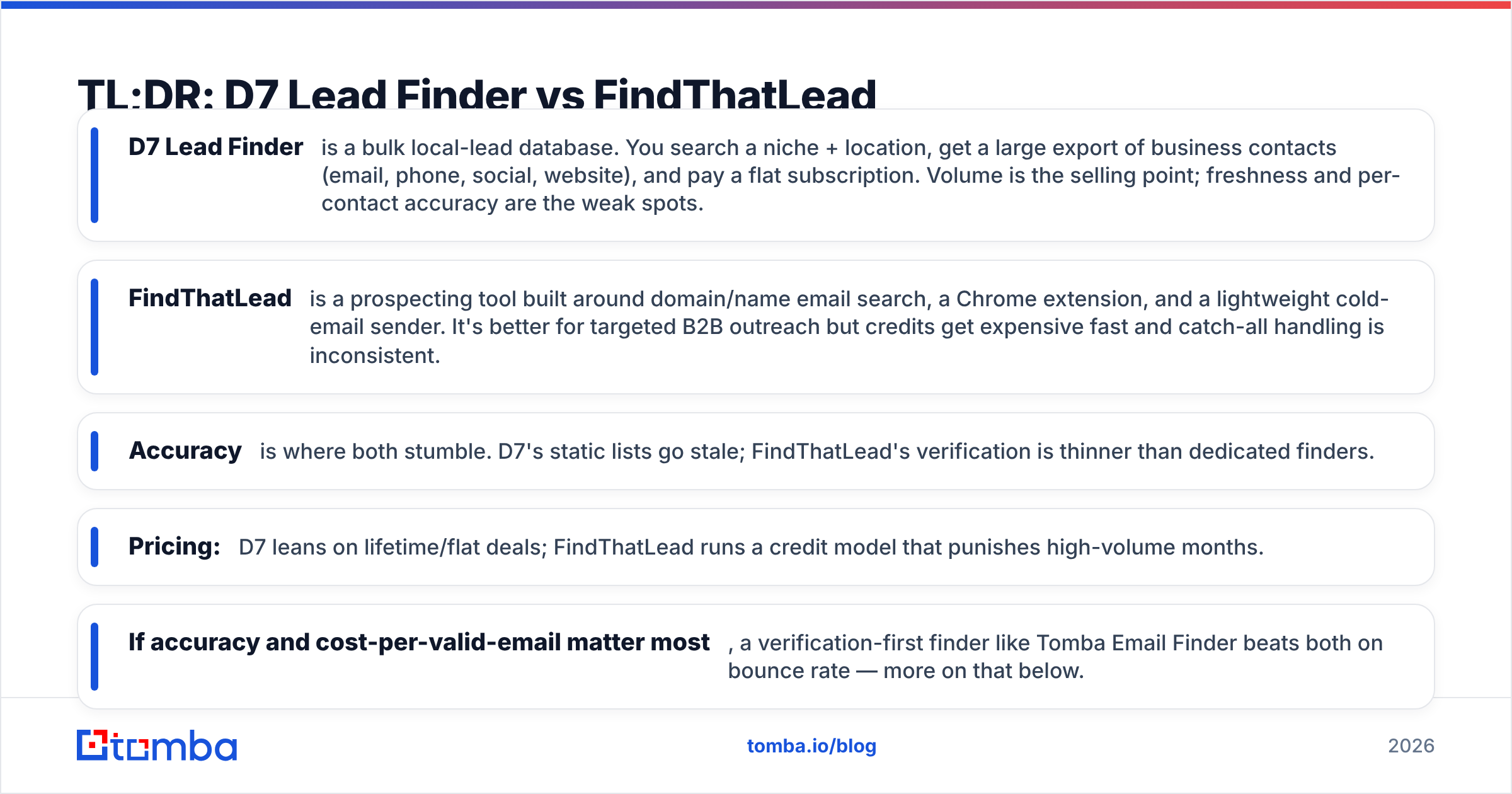
- D7 Lead Finder is a bulk local-lead database. You search a niche + location, get a large export of business contacts (email, phone, social, website), and pay a flat subscription. Volume is the selling point; freshness and per-contact accuracy are the weak spots.
- FindThatLead is a prospecting tool built around domain/name email search, a Chrome extension, and a lightweight cold-email sender. It's better for targeted B2B outreach but credits get expensive fast and catch-all handling is inconsistent.
- Accuracy is where both stumble. D7's static lists go stale; FindThatLead's verification is thinner than dedicated finders.
- Pricing: D7 leans on lifetime/flat deals; FindThatLead runs a credit model that punishes high-volume months.
- If accuracy and cost-per-valid-email matter most, a verification-first finder like Tomba Email Finder beats both on bounce rate — more on that below.
What is D7 Lead Finder?#
D7 Lead Finder is a lead-scraping platform aimed at agencies and local-service sellers. You type in a business type ("dentists," "roofers," "SaaS agencies") and a location, and D7 returns a bulk list of matching businesses pulled from directories, maps, and public web sources. Each row typically includes business name, website, a general email, phone number, and social profiles.
The appeal is raw volume and speed. For someone running local lead-gen — selling websites, ads, or SEO to small businesses — a few thousand rows in one export feels productive. Plans are usually sold as flat monthly or lifetime access rather than metered credits.
The trade-off is data quality. Because the lists are scraped in bulk and reused, you frequently get generic role addresses (info@, contact@), businesses that have closed, and emails that were valid two years ago. There's minimal real-time SMTP verification, so a chunk of every export bounces. For cold email in 2026, high bounce rates directly damage your sender reputation and torch email deliverability before your copy ever gets read.
What is FindThatLead?#
FindThatLead is a B2B prospecting suite. Its core is email discovery: give it a domain to pull company emails, or a first name + last name + company to guess and verify a specific person's address. It adds a Chrome extension for LinkedIn and websites, a "Prospector" for building lists by role and location, and a basic cold-email sender for small campaigns.
FindThatLead fits reps and small teams doing targeted outreach — you're not buying a whole town's dentists, you're finding the VP of Marketing at 200 named accounts. It's closer in spirit to a proper email finder than to a bulk scraper.
Its weak points are credit economics and verification depth. Every search and verification burns credits, and heavy months escalate quickly. Verification catches obvious invalid addresses but is less reliable on catch-all domains, where a "valid" result can still bounce because the server accepts everything. If you send a lot to catch-all domains, you'll want a dedicated catch-all verifier in the stack regardless of which tool you pick.
D7 Lead Finder vs FindThatLead: Feature Comparison#
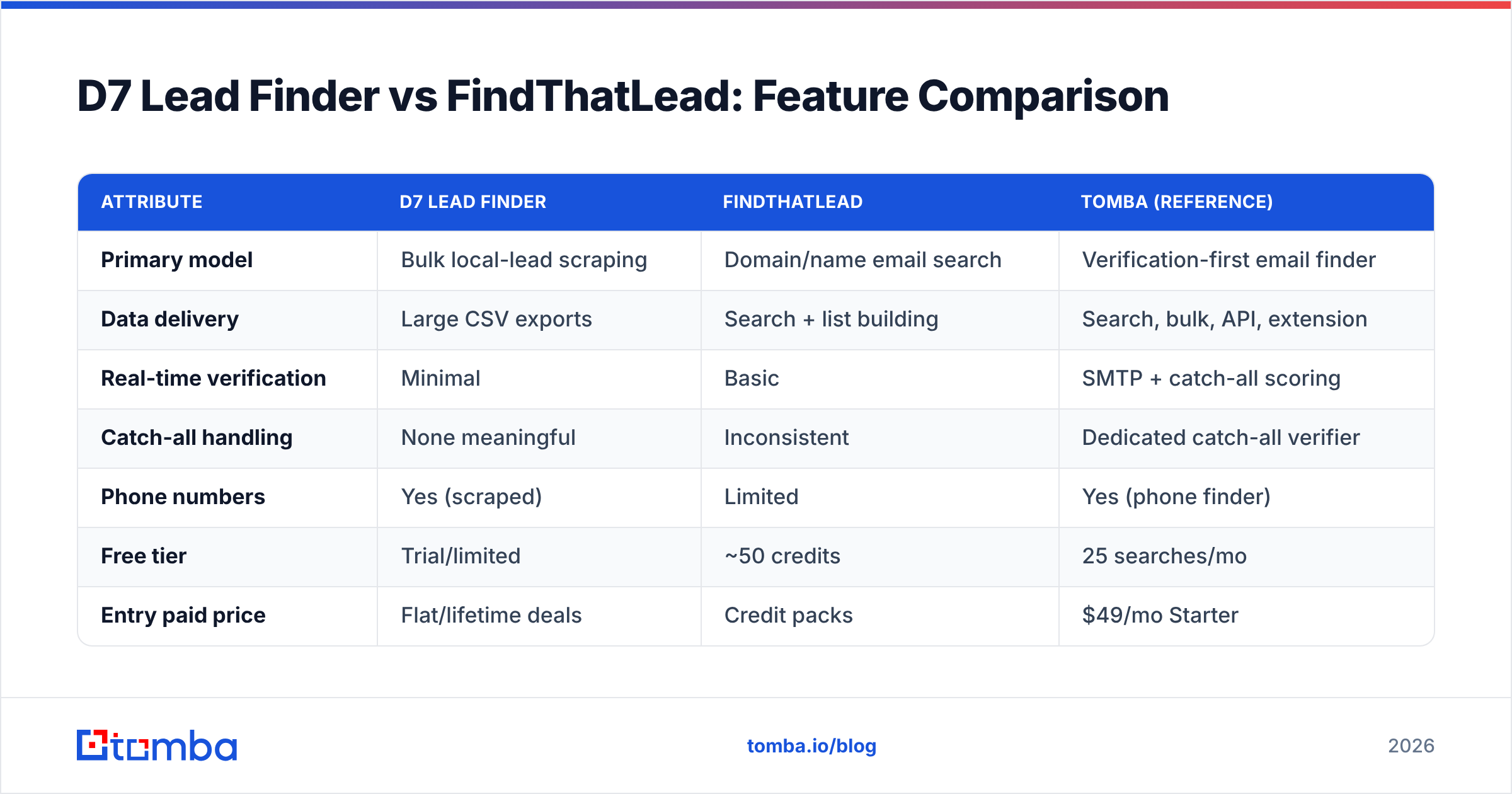
Here's the head-to-head on the attributes that actually change your results.
| Attribute | D7 Lead Finder | FindThatLead | Tomba (reference) |
|---|---|---|---|
| Primary model | Bulk local-lead scraping | Domain/name email search | Verification-first email finder |
| Data delivery | Large CSV exports | Search + list building | Search, bulk, API, extension |
| Real-time verification | Minimal | Basic | SMTP + catch-all scoring |
| Catch-all handling | None meaningful | Inconsistent | Dedicated catch-all verifier |
| Phone numbers | Yes (scraped) | Limited | Yes (phone finder) |
| Free tier | Trial/limited | ~50 credits | 25 searches/mo |
| Entry paid price | Flat/lifetime deals | Credit packs | $49/mo Starter |
| Best for | Local agency volume | Targeted B2B reps | Accuracy + low bounce |
| API access | Limited | Yes | Full REST API |
The pattern is clear: D7 optimizes for volume, FindThatLead optimizes for targeting, and neither leads on verified accuracy — which is the metric that decides whether your campaign lands in the inbox or the spam folder.
Which tool has more accurate data?#
Neither is built accuracy-first, but they fail differently. D7's failure mode is staleness: the data was real once, but businesses move, rebrand, and close, and static exports don't self-correct. FindThatLead's failure mode is catch-all ambiguity and guess-based emails that pass a shallow check but still bounce.
Independent finder benchmarks consistently show a wide accuracy gap between bulk-list vendors and verification-first finders. The tools that run live SMTP checks and score catch-all domains at the moment of search post materially lower bounce rates than tools serving pre-scraped rows.

Why this matters in dollars: a "cheap" list that's 70% deliverable is more expensive than a pricier source at 96% deliverable, once you count the deals you lose to spam-folder placement and the domain reputation you burn. If you're comparing tools, don't compare price per 1,000 emails — compare price per 1,000 valid, verified emails. That's usually where bulk scrapers lose the argument. Running every list through an independent email verifier before you send is non-negotiable in 2026, whichever finder you choose.
D7 Lead Finder vs FindThatLead: Pricing#
Pricing structures differ enough that a flat comparison is misleading, so read this by how you buy, not just the sticker number.
- D7 Lead Finder sells access to the database, often via flat monthly plans or lifetime deals. You're paying for the ability to run many bulk exports rather than per contact. Great if you genuinely consume thousands of local leads a month; wasteful if you only need a few hundred targeted contacts.
- FindThatLead uses credits. Lower tiers feel affordable, but credits are consumed by both searching and verifying, and overage or upgrades hit fast during a busy prospecting sprint. Costs scale with activity, which is either fair or frustrating depending on your volume.
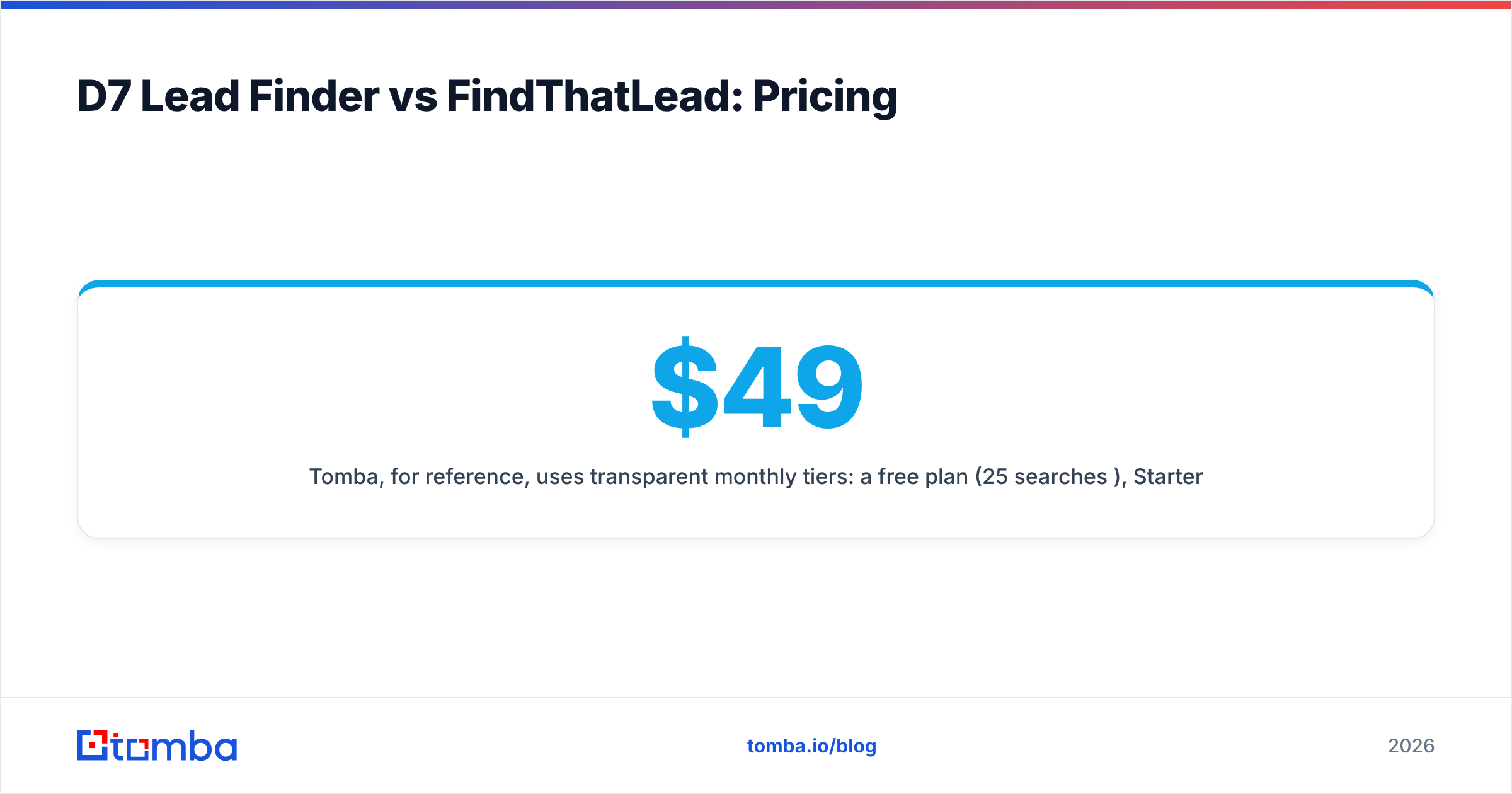
- Tomba, for reference, uses transparent monthly tiers: a free plan (25 searches/mo), Starter at $49/mo, Growth at $99/mo, Pro at $249/mo, and custom Enterprise. See full Tomba pricing for credit counts per tier.
The honest takeaway: if your volume is predictable and high-local, D7's flat model can win on raw cost. If your volume is targeted and spiky, a metered or mid-tier subscription is safer than either a lifetime scraper deal you outgrow or a credit plan you keep overshooting.
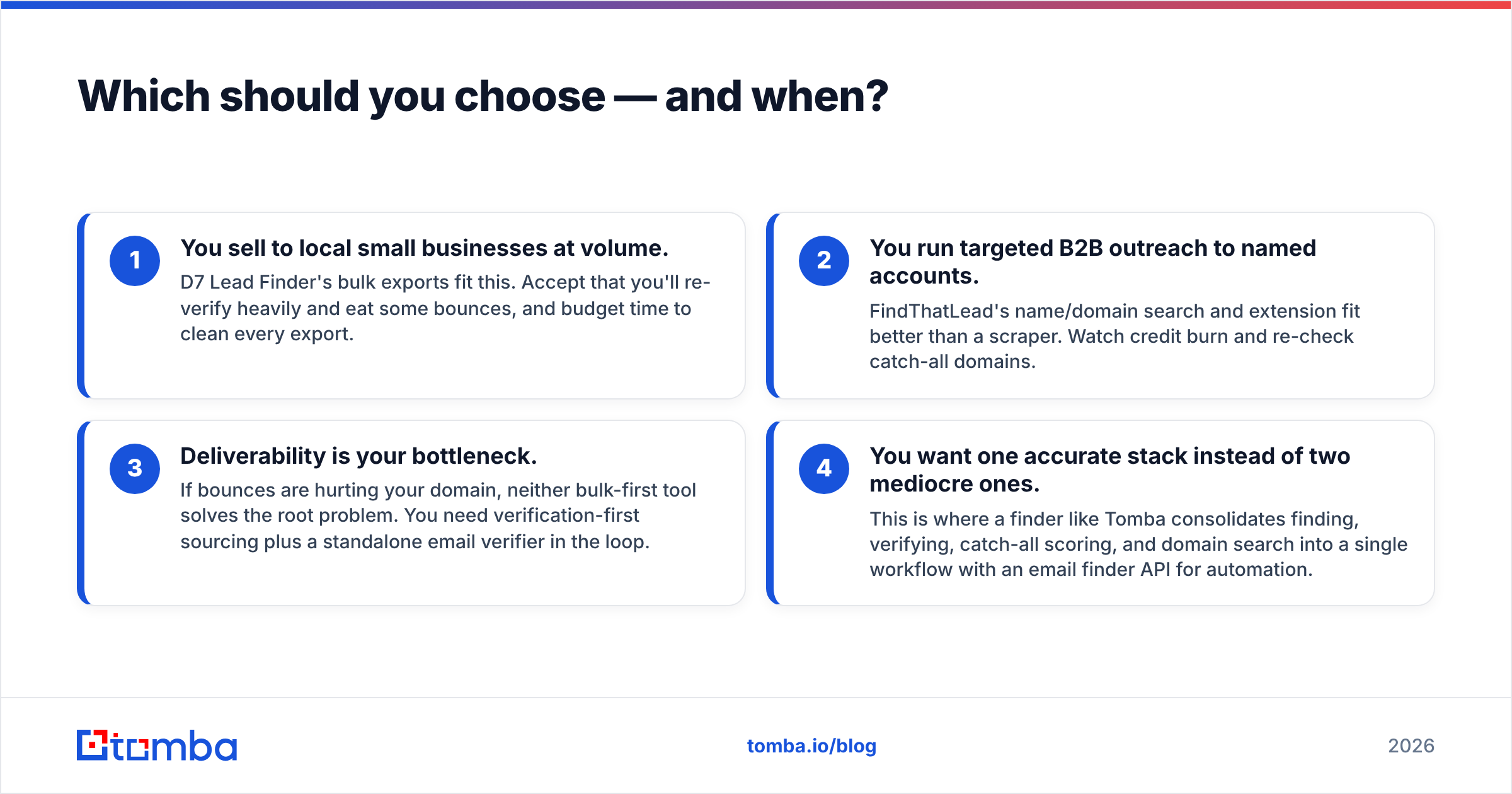
Which should you choose — and when?#
Match the tool to the motion, not the marketing.
- You sell to local small businesses at volume. D7 Lead Finder's bulk exports fit this. Accept that you'll re-verify heavily and eat some bounces, and budget time to clean every export.
- You run targeted B2B outreach to named accounts. FindThatLead's name/domain search and extension fit better than a scraper. Watch credit burn and re-check catch-all domains.
- Deliverability is your bottleneck. If bounces are hurting your domain, neither bulk-first tool solves the root problem. You need verification-first sourcing plus a standalone email verifier in the loop.
- You want one accurate stack instead of two mediocre ones. This is where a finder like Tomba consolidates finding, verifying, catch-all scoring, and domain search into a single workflow with an email finder API for automation.
For a fuller market view, third-party directories like G2 and Capterra list current user reviews for both D7 Lead Finder and FindThatLead — worth scanning for recent complaints about data staleness or credit changes before you commit.
Where does the email finder comparison land?#
When you line these tools up against dedicated, verification-first finders, the bulk-and-credit models sit mid-pack: fine for their niche, weak on deliverable-email rate.

The tools that win on accuracy share three traits: live SMTP verification at search time, explicit catch-all scoring instead of a binary valid/invalid, and transparent data sourcing you can audit. Bulk scrapers skip the first two; credit-based finders often skip the third. If you're choosing a long-term source rather than a one-off list, weight those three traits heavily — they're what keep your bounce rate under the 2-3% threshold mailbox providers watch. HubSpot's own guidance on email deliverability reinforces the same point: list quality upstream beats sending tricks downstream.
Frequently asked questions#
Is D7 Lead Finder better than FindThatLead? It depends on your motion. D7 is better for high-volume local lead scraping; FindThatLead is better for targeted, name-based B2B email search. Neither leads on verified accuracy, so both benefit from an external verification step.
Which is cheaper, D7 Lead Finder or FindThatLead? For heavy, predictable volume, D7's flat/lifetime pricing is usually cheaper per lead. For lower, targeted volume, FindThatLead's credit packs cost less upfront — but overage during busy months narrows the gap.
Do these tools verify emails in real time? Not deeply. D7 does minimal verification on bulk lists; FindThatLead does basic checks but handles catch-all domains inconsistently. Run exports through a dedicated verifier before sending.
What's a more accurate alternative to both? A verification-first finder that runs live SMTP checks and scores catch-all domains — the category that consistently posts the lowest bounce rates in independent tests. Tomba is one option built around that approach.
The bottom line#
D7 Lead Finder and FindThatLead solve two different problems — bulk local volume versus targeted B2B search — and both leave accuracy on the table. If your real KPI is deliverable leads and cost-per-valid-email, don't pick between two tools that treat verification as an afterthought.
Start with a source that verifies as it finds. Tomba Email Finder locates professional emails by name, domain, or company, scores catch-all risk, and exposes everything through a clean API and bulk tools — with a free tier (25 searches/mo) and Starter at $49/mo so you can benchmark bounce rates against your current D7 or FindThatLead lists before you switch a dollar of budget. Test it on 100 of your hardest contacts and compare the valid-email rate. That number decides the argument.
Related guides#
Ready to find emails that actually work?
Join 150,000+ professionals who stopped guessing and started sending. Free credits on signup — no credit card required.
Get the Tomba newsletter
Practical outbound tactics and product updates — once every two weeks.
About the author