D7 Lead Finder vs GetProspect: 2026 Data Accuracy Showdown
D7 Lead Finder scrapes bulk business listings; GetProspect finds verified B2B emails. We compare accuracy, pricing, and data quality so you know which one actually fills your pipeline in 2026.
Choosing between D7 Lead Finder and GetProspect comes down to one question: do you want a cheap bulk list, or verified contacts you can actually email? These two tools look similar on a pricing page, but they solve different problems. One scrapes business directories at volume. The other finds and verifies individual professional emails. Pick wrong and you either drown in dead data or pay premium rates for leads you didn't need.
This comparison breaks down accuracy, pricing, data freshness, and real use cases — then shows where a third option beats both on cost-per-valid-contact.
TL;DR: D7 Lead Finder vs GetProspect#
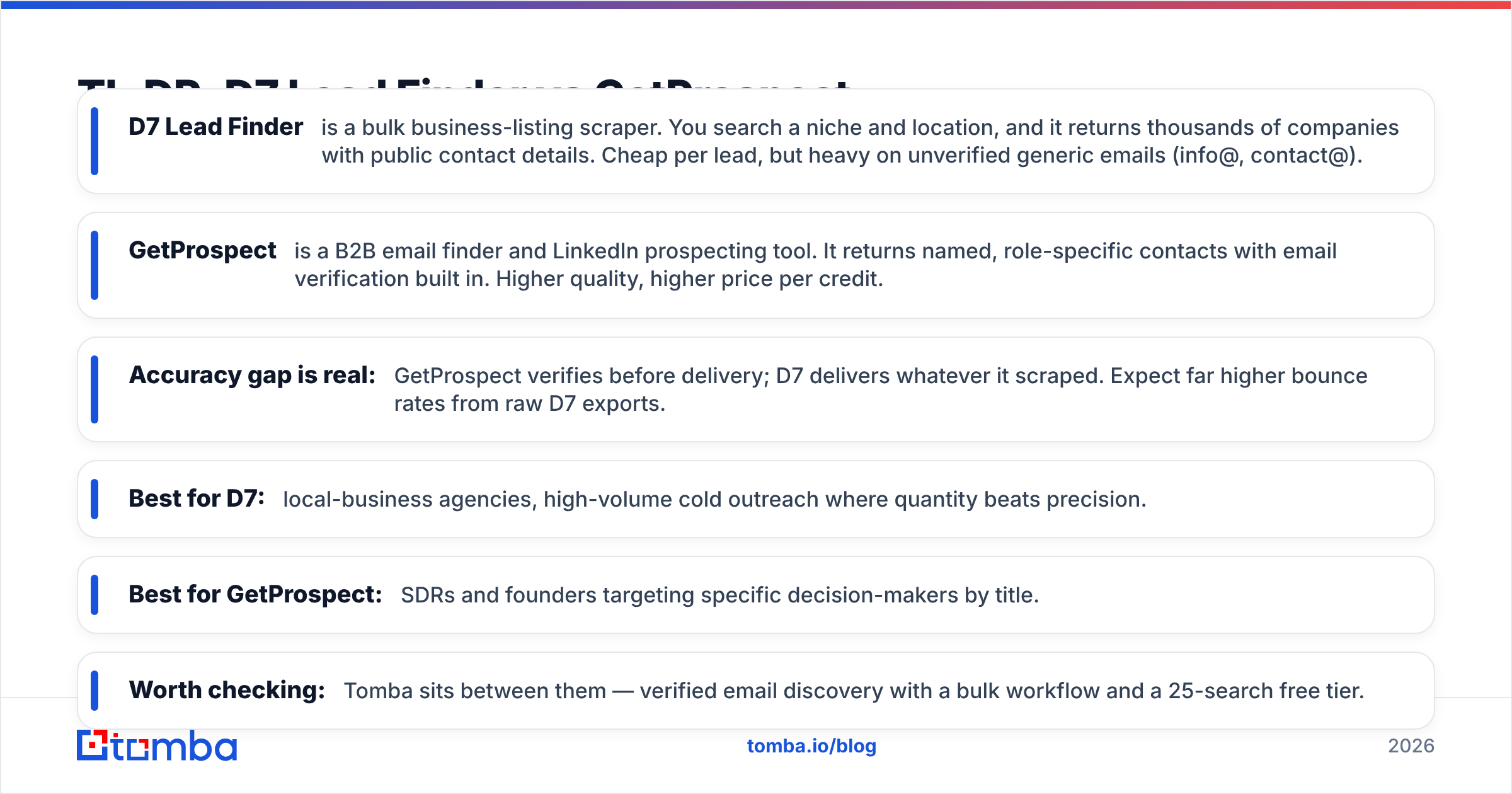
- D7 Lead Finder is a bulk business-listing scraper. You search a niche and location, and it returns thousands of companies with public contact details. Cheap per lead, but heavy on unverified generic emails (info@, contact@).
- GetProspect is a B2B email finder and LinkedIn prospecting tool. It returns named, role-specific contacts with email verification built in. Higher quality, higher price per credit.
- Accuracy gap is real: GetProspect verifies before delivery; D7 delivers whatever it scraped. Expect far higher bounce rates from raw D7 exports.
- Best for D7: local-business agencies, high-volume cold outreach where quantity beats precision.
- Best for GetProspect: SDRs and founders targeting specific decision-makers by title.
- Worth checking: Tomba sits between them — verified email discovery with a bulk workflow and a 25-search free tier.
What is D7 Lead Finder?#
D7 Lead Finder is a lead-generation tool built around scraping public business directories. You type in a business type ("dentists," "plumbers," "SaaS companies") plus a location, and D7 crawls sources like online directories and maps listings to return a spreadsheet of businesses. Each row typically includes a company name, website, phone number, social profiles, and whatever email was publicly listed.
The appeal is volume and price. A single search can surface hundreds or thousands of local businesses in minutes, and D7's plans are priced for agencies running the same play across many niches. If your outreach model is "email 5,000 local businesses and see who bites," D7 gives you raw material fast.
The tradeoff is data quality. Because D7 pulls whatever is publicly posted, a large share of the emails are generic role addresses (info@, office@, hello@) rather than a named decision-maker. Those addresses aren't verified for deliverability at capture time, so bounce rates on raw exports can be steep. You're buying a wide net, not a sharp hook.

What is GetProspect?#
GetProspect is a B2B email finder and prospecting platform. Instead of scraping directories, it focuses on finding the email address of a specific person — by name and company, by domain, or by pulling contacts from LinkedIn via its Chrome extension. Every discovered email runs through verification before it lands in your list.
That changes the shape of your data. Where D7 hands you a company with a generic inbox, GetProspect hands you "Sarah Chen, VP Marketing, sarah.chen@company.com — verified." For anyone doing account-based or title-based outreach, that's the difference between a personalized email and a shot in the dark.
GetProspect also includes list management, basic enrichment (job title, company size, location), and integrations with CRMs and outreach tools. It's a full prospecting workflow, not just an export button. The cost is per-credit pricing that adds up when you scale, and it's less suited to the "grab an entire town's worth of businesses" use case D7 owns.
D7 Lead Finder vs GetProspect: Feature Comparison#
Here's the head-to-head on the attributes that actually affect your reply rate and your budget.
| Feature | D7 Lead Finder | GetProspect |
|---|---|---|
| Core model | Bulk directory scraper | Named-contact email finder |
| Email type | Mostly generic (info@, office@) | Named, role-specific |
| Verification | Minimal / not at capture | Built-in before delivery |
| LinkedIn sourcing | No | Yes (Chrome extension) |
| Best data volume | Very high per search | Targeted, credit-limited |
| Enrichment fields | Basic (phone, social, site) | Job title, company, location |
| Typical bounce risk | High on raw exports | Low (verified) |
| Ideal buyer | Local-business agencies | SDRs, founders, ABM teams |
| Entry price | Budget monthly tiers | Free tier + per-credit plans |
The pattern is clear: D7 wins on raw quantity and cost-per-row, GetProspect wins on deliverability and targeting precision. Neither is "better" in the abstract — they're built for different outreach motions.

Is D7 Lead Finder or GetProspect more accurate?#
GetProspect is more accurate for anything you plan to actually email. The reason is structural, not marketing spin: GetProspect verifies each address against mail-server responses before it counts as a result, so most of what you receive is deliverable. D7 delivers whatever it found in a directory, verified or not, so your team inherits the cleanup work.
Accuracy isn't just a vanity metric. High bounce rates damage your sender reputation, which drags down inbox placement for every email you send afterward — including to good addresses. A cheap list that bounces 30% of the time can quietly cost you more than a verified list that bounces 2%, because it poisons the domain you rely on.
If you go the D7 route, treat verification as mandatory, not optional. Run every export through a dedicated email verifier before your first send. That single step recovers most of the deliverability gap — but it's an extra tool, an extra cost, and an extra step in your workflow that GetProspect folds in by default.
How do D7 Lead Finder and GetProspect price out?#
D7 Lead Finder leans into affordability with monthly plans built for agencies pulling large lists across many niches. Its per-lead cost is low, which is the whole pitch. GetProspect uses a credit model with a free tier to start, then paid plans that scale with how many verified emails you need each month.
The honest way to compare them is cost per valid contact, not cost per row. A D7 list at a low headline price can end up more expensive once you subtract generic inboxes and bounced addresses. A GetProspect credit costs more up front but delivers a usable contact more often.
Consider a third reference point on price and quality:
- Free CSV lists — near-zero cost, near-zero deliverability. Fine for practice, useless at scale.
- D7 Lead Finder — cheap volume, high cleanup burden, best for local-business blasts.
- GetProspect — mid-to-premium price, verified named contacts, best for targeted ABM.
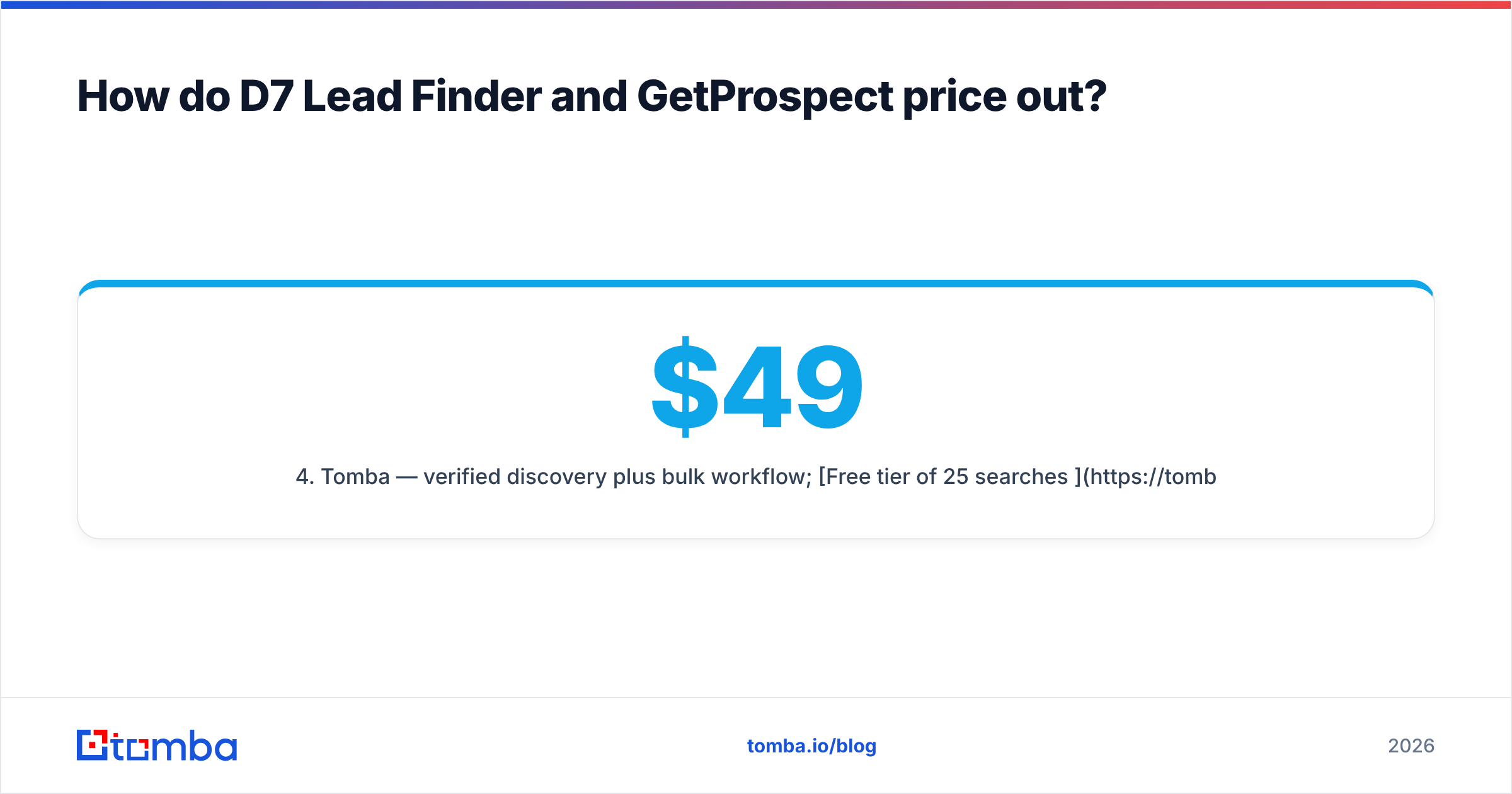
- Tomba — verified discovery plus bulk workflow; Free tier of 25 searches/mo, Starter $49/mo, Growth $99/mo, Pro $249/mo.
That laddder matters because your real spend is your tool bill plus the revenue you lose to bad data. The cheapest tool rarely wins on that math.

Which tool fits your use case?#
Match the tool to the outreach motion, not the other way around.
Pick D7 Lead Finder if: you run a local-marketing or SEO agency, your offer sells to small businesses (restaurants, contractors, clinics), and your model is high-volume outreach where you expect low response rates and just need enough at-bats. Generic inboxes are acceptable because a small business owner often reads info@. Volume is the strategy.
Pick GetProspect if: you sell B2B into specific roles, you prospect on LinkedIn, and personalization drives your reply rate. You need "the head of RevOps at this 200-person company," not "an inbox at this company." Verified, named contacts justify the higher per-lead cost because each one is worth more to you.
Consider a hybrid or an alternative if: you want verified named contacts and a bulk workflow without stitching two tools together. That's the gap most teams actually fall into — too targeted for D7's spray model, too volume-hungry for GetProspect's credit ceiling.
Where does Tomba fit against D7 and GetProspect?#
Tomba is worth putting on the shortlist because it combines the two things you'd otherwise buy separately: discovery at volume and verification you can trust. You can find emails one at a time with the email finder, map every address at a company with domain search, or process thousands at once with the bulk email finder — all with verification in the loop.
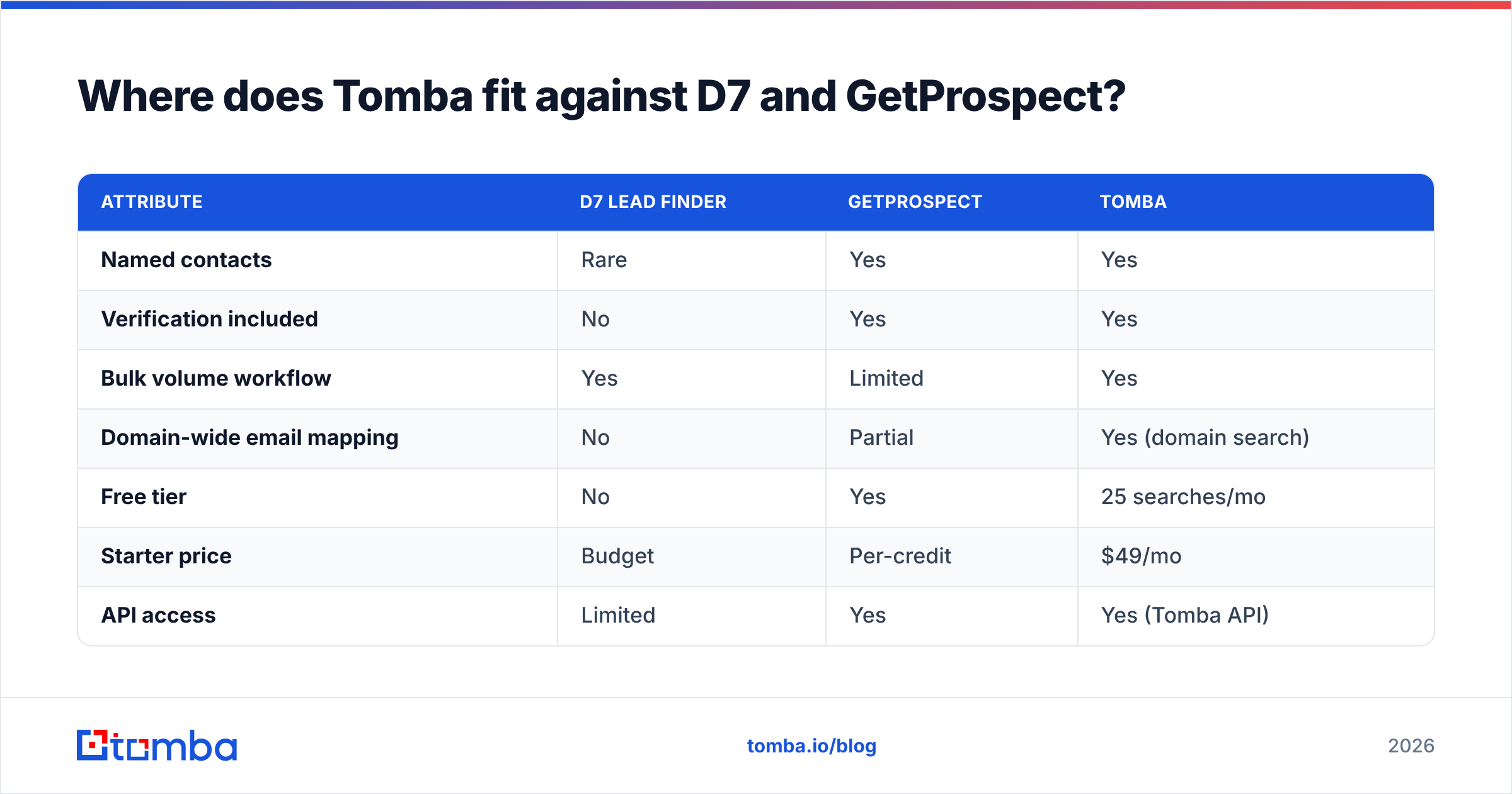
Here's how the three compare on the axes that decide pipeline quality:
| Attribute | D7 Lead Finder | GetProspect | Tomba |
|---|---|---|---|
| Named contacts | Rare | Yes | Yes |
| Verification included | No | Yes | Yes |
| Bulk volume workflow | Yes | Limited | Yes |
| Domain-wide email mapping | No | Partial | Yes (domain search) |
| Free tier | No | Yes | 25 searches/mo |
| Starter price | Budget | Per-credit | $49/mo |
| API access | Limited | Yes | Yes (Tomba API) |
The point isn't that Tomba wins every row — it's that if your objection to D7 is "too much dead data" and your objection to GetProspect is "credits run out too fast," Tomba is built for exactly that middle. And because verification is native, you're not bolting on a separate email verification step to protect your domain.

What do reviewers say?#
Public review platforms are a useful sanity check before you commit. Both tools carry sizable user-review counts on G2, where the recurring themes line up with the analysis above: D7 users praise speed and price but flag data cleanliness, while GetProspect users praise verified quality but watch their credit consumption on larger campaigns. Read recent reviews, not just the aggregate score — data tools change, and a 2023 review may describe a different product than the one you'd buy in 2026.
Whichever direction you lean, validate with the free tier first. Run the same 50 target companies through each tool, then check how many produced a named, deliverable contact. That single test tells you more than any feature list — including this one.
The verdict: D7 Lead Finder vs GetProspect#
Choose D7 Lead Finder for cheap local-business volume, and GetProspect for verified, title-specific B2B prospecting. They're not really rivals; they serve different outreach models. Your bounce rate, your sender reputation, and your budget all follow from picking the one that matches how you actually sell.
But if the honest answer is "I want verified named contacts and the ability to run bulk," don't force-fit either tool. Start with Tomba's Free tier of 25 searches, run the email finder against your real target list, and measure verified-contacts-per-dollar. That's the only benchmark that pays your salary. Find the people worth emailing — then email people who actually exist.
Related guides#
Ready to find emails that actually work?
Join 150,000+ professionals who stopped guessing and started sending. Free credits on signup — no credit card required.
Get the Tomba newsletter
Practical outbound tactics and product updates — once every two weeks.
About the author