D7 Lead Finder vs Lead Carrot: Which Lead Tool Wins in 2026?
D7 Lead Finder and Lead Carrot both promise cheap local-business leads at scale, but they pull data differently, price differently, and fail differently. Here's the honest breakdown before you commit a dollar.
You want local-business leads by the thousand without paying enterprise prices. D7 Lead Finder and Lead Carrot are two of the cheapest ways to get them, and they get pitched against each other constantly in agency circles. The problem is that they solve the same job in very different ways, and the "winner" depends entirely on whether you value raw volume or workable, clean records.
This is the honest comparison: how each tool sources data, what you actually pay, where the data breaks, and what you need to bolt on before any of these leads are safe to email.
TL;DR: D7 Lead Finder vs Lead Carrot#
- D7 Lead Finder is a fast, cheap scraper. You type a niche and a location, it returns a spreadsheet of businesses with emails, phones, and social links pulled from public sources. Best for pure volume on a tight budget.
- Lead Carrot is a lead-database-plus-CRM hybrid aimed at agencies. It bundles enrichment, a built-in outreach layer, and audit-style reports, so it costs more but does more per seat.
- Neither tool verifies deliverability to a standard you can trust. Both hand you addresses that include catch-alls, role accounts, and dead mailboxes. Plan to run every export through an email verifier before you send.
- Pick D7 if you want the lowest cost per raw lead and you already own a sending and verification stack. Pick Lead Carrot if you want data and light CRM/outreach in one place and will pay for the convenience.
- The real budget line isn't the tool. It's the cleanup. Bounces, spam traps, and wasted sending reputation cost more than either subscription.
What is D7 Lead Finder?#
D7 Lead Finder is a keyword-and-location scraper. You enter something like "dentists in Austin," it crawls public directories, maps listings, and business websites, and it returns a downloadable report of matching companies. Each row typically carries a business name, website, phone number, one or more emails, star ratings, and links to social profiles.
The appeal is speed and price. Reports generate in minutes, and the entry tiers are among the cheapest in the category. D7 leans hard into daily search quotas rather than per-lead credits, which is why volume buyers like it: if your niche is broad, you can pull a lot of rows for very little money.
The tradeoff is that D7 is a data faucet, not a workflow. It does not meaningfully verify the emails it scrapes, it does not dedupe against your CRM, and it does not manage outreach. What comes out is a raw CSV. That is fine if you have a pipeline to clean and route it, and painful if you don't.
What is Lead Carrot?#
Lead Carrot is built for agencies and local-marketing shops that sell services to small businesses. It combines a searchable lead database with enrichment and a lightweight outreach and CRM layer, plus "audit" features that flag whether a prospect is missing a website, running ads, or has reputation problems you can pitch to fix.
Instead of pure export volume, Lead Carrot sells a workflow: find a niche, pull enriched records, see which prospects have obvious marketing gaps, then reach out from inside the platform. That packaging is why it sits at a higher price point than D7 and why single-operator agencies tend to prefer it.
The catch is the same one that haunts every all-in-one: the bundled pieces are convenient but rarely best-in-class. The database overlaps heavily with the same public sources D7 uses, the built-in email verification is shallow, and the outreach tooling is thinner than a dedicated sequencer. You pay for consolidation, not for the best version of each part.
D7 Lead Finder vs Lead Carrot: side-by-side comparison#
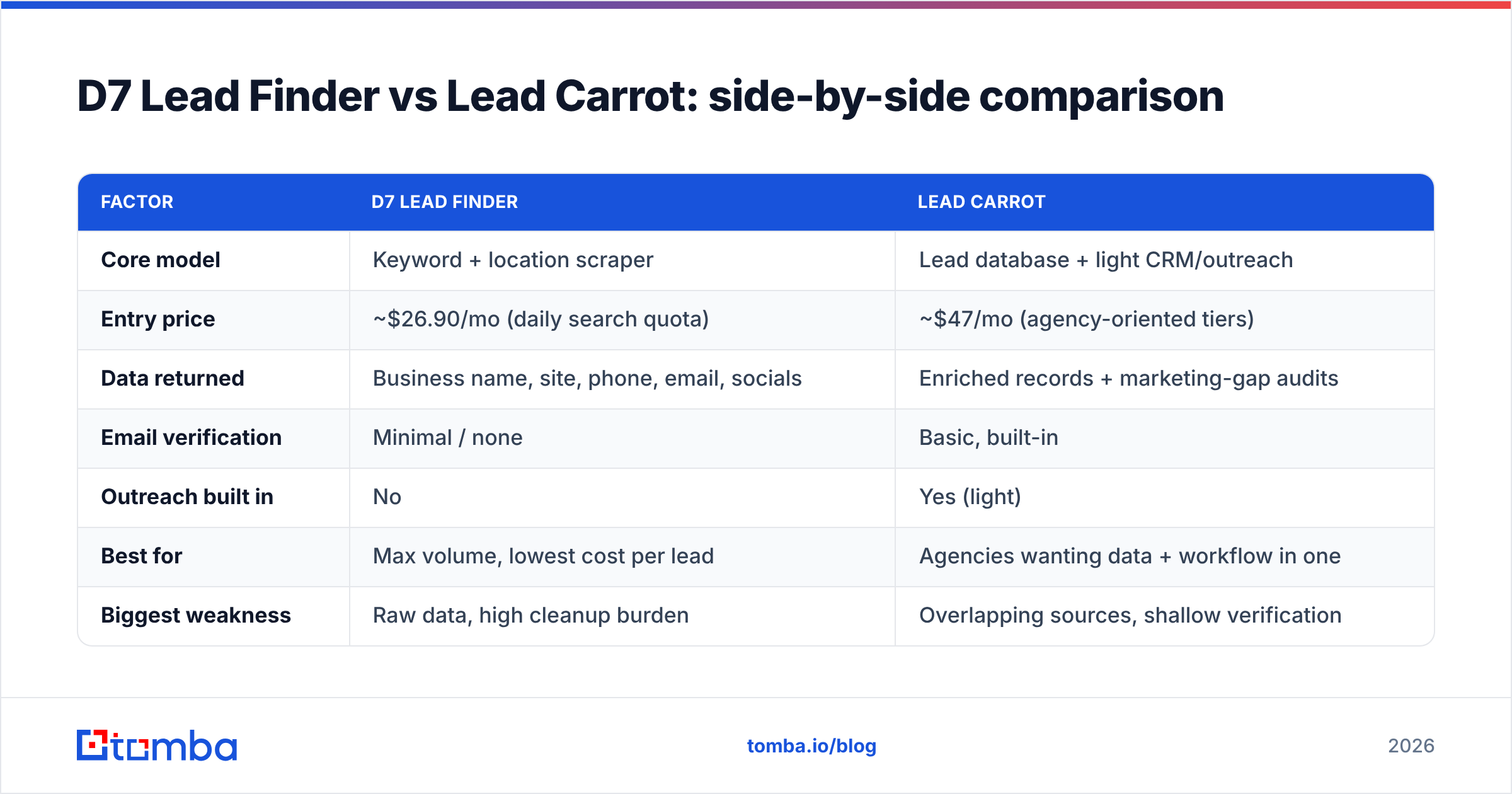
Here is the practical breakdown. Prices move, so treat these as directional and confirm on each vendor's current pricing page before you buy.
| Factor | D7 Lead Finder | Lead Carrot |
|---|---|---|
| Core model | Keyword + location scraper | Lead database + light CRM/outreach |
| Entry price | ~$26.90/mo (daily search quota) | ~$47/mo (agency-oriented tiers) |
| Data returned | Business name, site, phone, email, socials | Enriched records + marketing-gap audits |
| Email verification | Minimal / none | Basic, built-in |
| Outreach built in | No | Yes (light) |
| Best for | Max volume, lowest cost per lead | Agencies wanting data + workflow in one |
| Biggest weakness | Raw data, high cleanup burden | Overlapping sources, shallow verification |
| CRM export | CSV only | Native + CSV |
The pattern is clear: D7 wins on cost-per-raw-lead, Lead Carrot wins on doing more per seat. Neither wins on data cleanliness, which is the factor that actually decides whether your campaign lands in inboxes.
Which tool has more accurate data?#
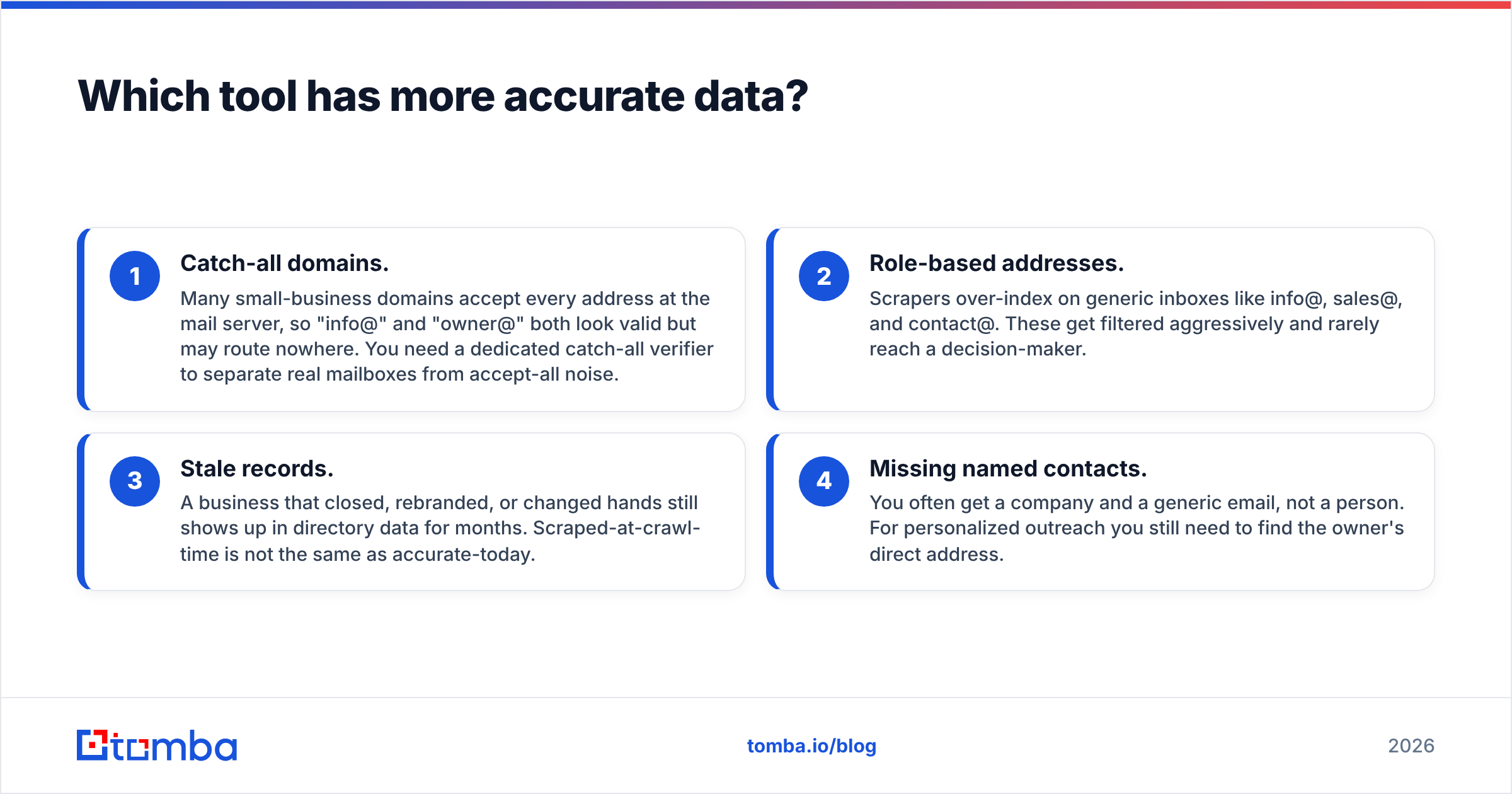
Neither tool should be treated as a source of verified, send-ready emails, and this is the single most important thing to understand before you pick one.
Both D7 and Lead Carrot draw from overlapping public sources: business directories, map listings, and scraped website contact pages. That means both inherit the same problems:
- Catch-all domains. Many small-business domains accept every address at the mail server, so "info@" and "owner@" both look valid but may route nowhere. You need a dedicated catch-all verifier to separate real mailboxes from accept-all noise.
- Role-based addresses. Scrapers over-index on generic inboxes like info@, sales@, and contact@. These get filtered aggressively and rarely reach a decision-maker.
- Stale records. A business that closed, rebranded, or changed hands still shows up in directory data for months. Scraped-at-crawl-time is not the same as accurate-today.
- Missing named contacts. You often get a company and a generic email, not a person. For personalized outreach you still need to find the owner's direct address.
So the honest answer to "which has more accurate data" is: they're roughly even, and both are below the bar for cold email without a cleanup step. The differentiator isn't the raw pull. It's what you do next. Run every list through verification and enrichment, and the gap between the two tools mostly disappears.
According to G2 reviews across the lead-scraping category, bounce complaints are the number-one recurring theme for cheap directory scrapers, which tracks with what you'd expect from unverified public data.
How much do D7 Lead Finder and Lead Carrot cost?#
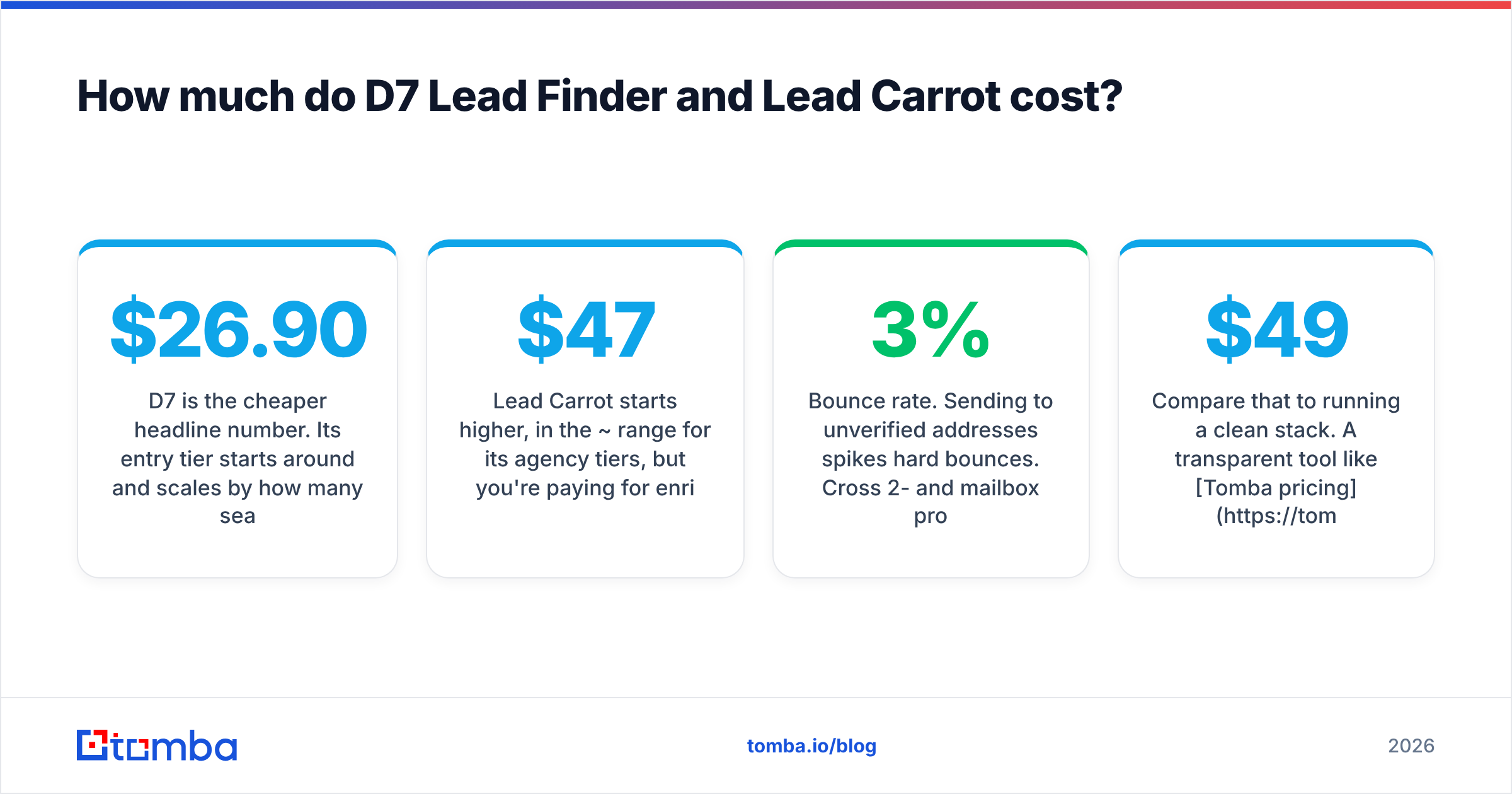
D7 is the cheaper headline number. Its entry tier starts around $26.90/mo and scales by how many searches you can run per day rather than by credits, which rewards high-volume, broad-niche users. If you're pulling thousands of rows across many cities, D7's cost-per-lead is hard to beat.
Lead Carrot starts higher, in the ~$47/mo range for its agency tiers, but you're paying for enrichment, audits, and the built-in outreach layer. If you'd otherwise buy a separate sequencer and enrichment tool, the bundled price can be competitive.
But the sticker price is a trap if you stop there. The real cost of any scraped list is the downstream damage:
- Bounce rate. Sending to unverified addresses spikes hard bounces. Cross 2-3% and mailbox providers start throttling you.
- Reputation loss. A burned sending domain can take weeks to recover and quietly tanks every campaign in the meantime.
- Wasted rep time. SDRs working dead rows is the most expensive line item of all, and it never shows up on the invoice.
Compare that to running a clean stack. A transparent tool like Tomba pricing starts with a free tier (25 searches/mo), then Starter at $49/mo, Growth at $99/mo, and Pro at $249/mo, with verification built into the same platform that finds the address. When find-and-verify live together, you skip the second subscription and the CSV shuffle between them.
When should you use D7 Lead Finder?#
Choose D7 when three things are true:
- Volume is the goal. You want the largest possible list of local businesses in a niche for the least money, and you're comfortable that a chunk of it is noise.
- You already own a cleanup stack. You have verification and, ideally, enrichment in place, so a raw CSV is an input, not a liability.
- Your outreach is elsewhere. You send from a dedicated platform, so you don't need D7 to manage sequences.
D7 is a specialist. It does one thing, cheaply and fast. If your process treats scraped data as raw material to refine, D7 is an efficient front end. Pair its export with a bulk email finder and verifier pass, and you convert cheap volume into a usable list without overpaying for a workflow you don't need.
When should you use Lead Carrot?#
Choose Lead Carrot when you're a solo operator or small agency who values consolidation over best-of-breed:
- You want data and outreach in one login. Fewer tools, fewer handoffs, one bill.
- You sell to local businesses on gaps. The audit features that flag missing websites or reputation issues give you a ready-made pitch angle.
- You'll trade some data quality for convenience. You accept that the bundled verification is shallow and that you'll still want an external check before big sends.
Lead Carrot's value is the packaging. If assembling your own stack feels like overhead and you'd rather have "good enough" pieces glued together, it earns its higher price. Just don't mistake the built-in verification for a real deliverability guardrail.
What both tools are missing#
Here's the throughline: both D7 and Lead Carrot are good at finding businesses and weak at validating the way to reach them. Whatever you pick, you'll want to add:
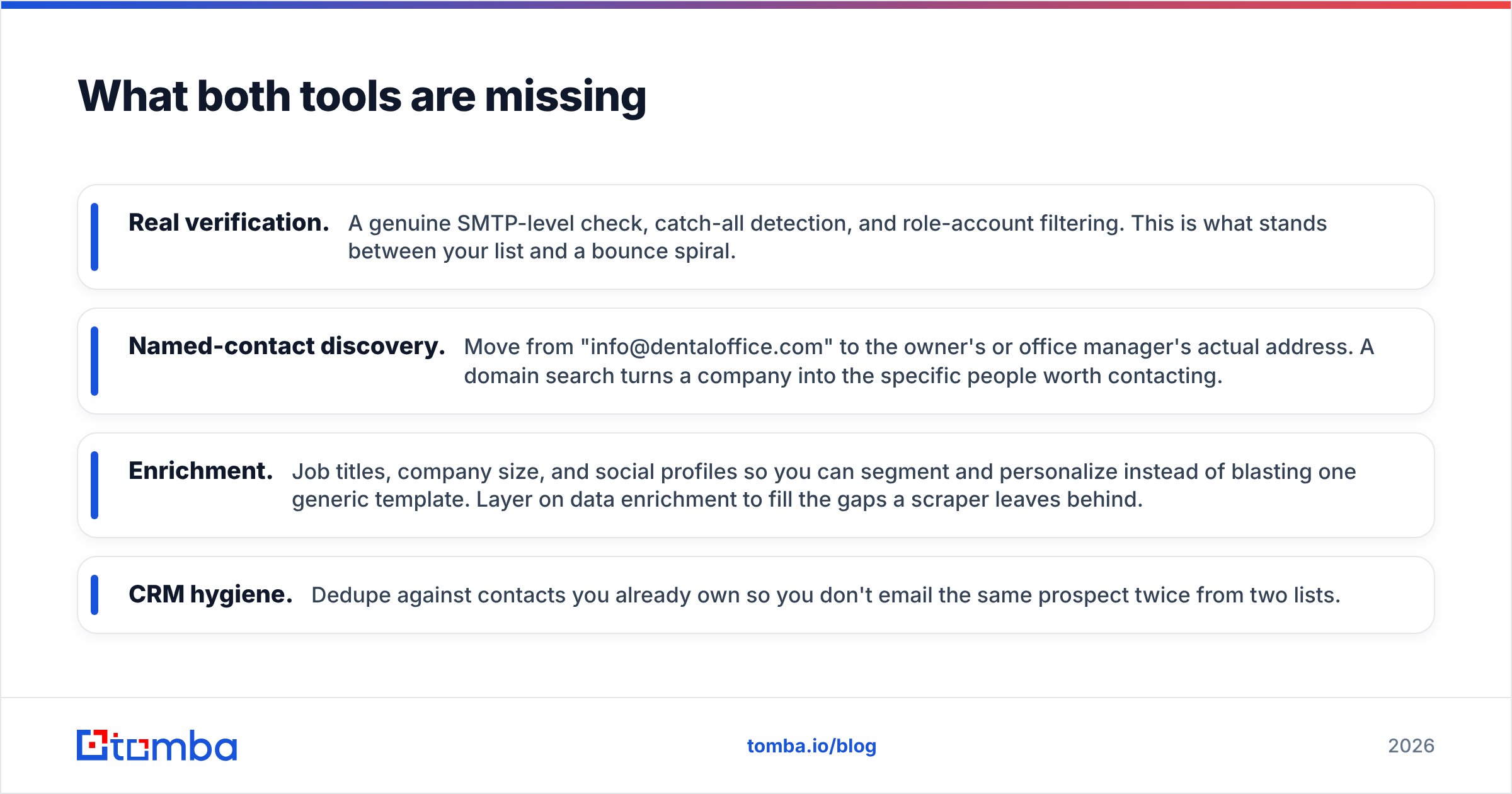
- Real verification. A genuine SMTP-level check, catch-all detection, and role-account filtering. This is what stands between your list and a bounce spiral.
- Named-contact discovery. Move from "info@dentaloffice.com" to the owner's or office manager's actual address. A domain search turns a company into the specific people worth contacting.
- Enrichment. Job titles, company size, and social profiles so you can segment and personalize instead of blasting one generic template. Layer on data enrichment to fill the gaps a scraper leaves behind.
- CRM hygiene. Dedupe against contacts you already own so you don't email the same prospect twice from two lists.
This is why the "D7 vs Lead Carrot" question is slightly the wrong frame. The lead source is the cheap part. The system that turns a scraped row into a verified, personalized, deliverable contact is where campaigns are actually won or lost.
The verdict: which one wins?#
For lowest cost per raw lead, D7 Lead Finder wins. For an all-in-one agency workflow, Lead Carrot wins. But both are only as good as the verification and enrichment you run afterward, and neither ships that to a standard you'd stake your sending reputation on.
If you're optimizing for send-ready data rather than raw row count, the smarter move is to treat the scraper as one input and pair it with a find-and-verify platform that does the accuracy work in the same place. That's where Tomba fits: use the email finder to turn company domains into real, named professional emails, verify them before they ever hit your sequencer, and enrich each contact so your outreach is targeted instead of sprayed. You get the deliverability guardrail D7 and Lead Carrot both leave out, on a free tier you can test before you pay a cent.
Stop paying for volume you'll only have to clean. Try the Tomba Email Finder free and build lists that reach inboxes on the first send.
Related guides#
Ready to find emails that actually work?
Join 150,000+ professionals who stopped guessing and started sending. Free credits on signup — no credit card required.
Get the Tomba newsletter
Practical outbound tactics and product updates — once every two weeks.
About the author